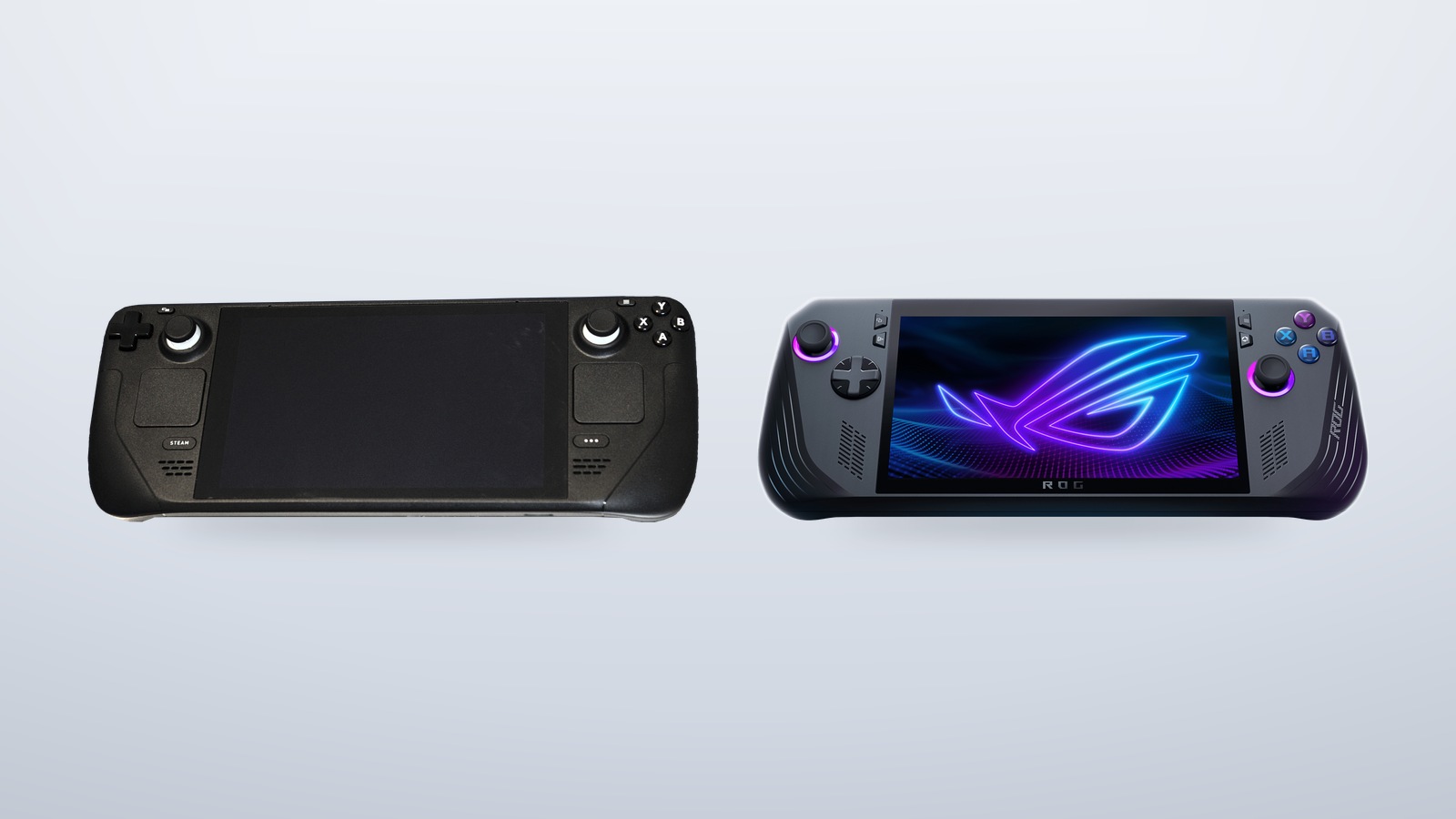
Published July 8, 2026 · Last updated August 26, 2026
- The ROG Ally X is the stronger raw performer (Ryzen Z1 Extreme, 24GB RAM, often 20–50% higher frame rates), while the Steam Deck OLED trades peak frames for efficiency, a superior HDR OLED screen, and a polished console-like SteamOS.
- Battery life depends on the game: the Deck’s 50Wh pack and efficient chip last longer in lighter titles, but the Ally X’s 80Wh battery pulls ahead in demanding AAA games.
- After Valve’s May 2026 price change, the old price gap has nearly vanished — making the Ally X the better hardware-per-dollar pick and the Deck the choice for refinement and ecosystem.
If you only have time for the short version: the Steam Deck OLED is the better-built, longer-lasting, lower-friction handheld for people who live inside their Steam library, while the ROG Ally X is the faster, more flexible, more brightly lit machine for people who want raw frames, a Windows desktop in their hands, and the freedom to run anything. They cost almost the same now, which makes this the closest fight the category has seen. The right answer depends entirely on what you actually plan to play and how much fiddling you are willing to tolerate.
This guide breaks down the Steam Deck OLED vs ROG Ally X decision the way a buyer should think about it, covering performance, battery life, screens, software, emulation, and price, with verified specs rather than marketing slogans.
How the Two Handhelds Stack Up on Paper
Before the nuance, here is the hard data. Both numbers below come from the manufacturers’ own spec sheets, so this is the honest starting line.
| Spec | Steam Deck OLED | ROG Ally X |
|---|---|---|
| Chip | AMD “Sephiroth” APU (6nm, Zen 2 + RDNA 2) | AMD Ryzen Z1 Extreme (Zen 4 + RDNA 3, 8-core) |
| GPU | 8 RDNA 2 compute units | 12 RDNA 3 compute units, up to 8.6 TFLOPs |
| RAM | 16GB LPDDR5 | 24GB LPDDR5X |
| Screen | 7.4″ OLED, 1280×800, 90Hz, HDR up to 1000 nits | 7″ IPS, 1920×1080, 120Hz, 500 nits |
| Battery | 50Wh | 80Wh |
| Weight | ~640g | 678g |
| Storage | 512GB or 1TB NVMe | 1TB PCIe 4.0 NVMe |
| OS | SteamOS (Linux) | Windows 11 Home |
| Price | Base 512GB, with a pricier 1TB step-up | 1TB, priced like the base Deck |
Two things jump out immediately. First, the ROG Ally X has a meaningfully newer and more powerful chip. Second, after Valve’s May 2026 price increase, the Steam Deck OLED no longer undercuts the competition the way it once did. The 512GB Deck and the 1TB Ally X now sit within ten dollars of each other, which reframes the whole conversation.
ROG Ally X vs Steam Deck Performance
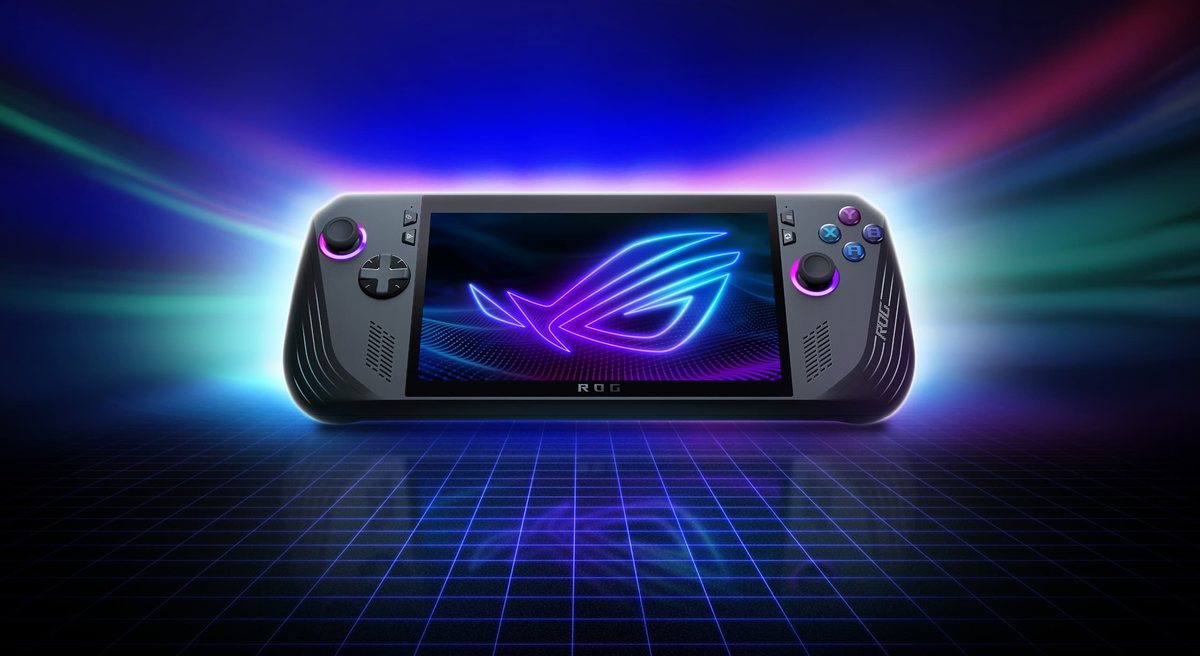
If raw output is your priority, the ROG Ally X vs Steam Deck performance gap is real and it is not subtle. The Ally X runs a Ryzen Z1 Extreme built on AMD’s Zen 4 cores with 12 RDNA 3 graphics compute units, while the Steam Deck OLED uses a refined version of the original 2022 APU based on older Zen 2 cores and 8 RDNA 2 units. That is roughly two architectural generations of distance, and it shows.
Where the Ally X Advantage Actually Shows Up
- The Ally X pushes more frames in demanding games. Across independent testing of recent AAA titles at matched 15W power profiles, the Ally X commonly lands in the mid-40s to low-50s FPS where the Deck sits in the mid-30s to low-40s. In practice that can mean a stutter-prone game becoming genuinely smooth, which is the difference between tolerating a title and enjoying it.
- More headroom means higher power ceilings. The Ally X can be pushed to a higher sustained wattage than the Deck, so when you plug in or accept shorter battery life, you unlock performance the Deck simply cannot reach. The Deck’s ceiling is lower by design because Valve tuned it for efficiency and consistency.
- 24GB of RAM is a real advantage. The Ally X carries 24GB of LPDDR5X against the Deck’s 16GB of LPDDR5. Handhelds carve a slice of system memory out for graphics, so that extra capacity helps in memory-hungry modern titles and gives emulators and background apps room to breathe.
- The Deck wins on consistency, not peak. Because every Steam Deck is identical hardware, developers optimize directly for it, and “Steam Deck Verified” badges tell you a game will run well without tweaking. The Ally X is faster but less predictable game to game.
The honest summary is that the Ally X is the stronger raw performer, often by 20 to 50 percent depending on the title, while the Steam Deck OLED trades peak frames for a tuned, dependable experience. Digital Trends reached a similar conclusion in its head-to-head review, noting the Ally X’s clear performance lead alongside the Deck’s polish.

Steam Deck OLED vs Ally X Battery Life
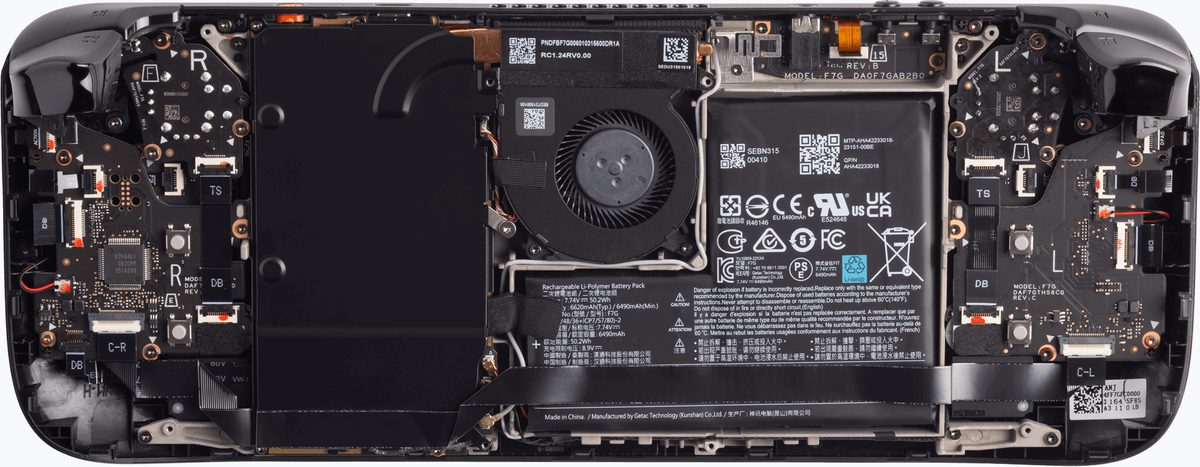
Battery life between the Steam Deck OLED and the Ally X is a more interesting story than it looks, because the two devices solve the endurance problem in opposite ways. The Ally X carries a much larger 80Wh battery, while the Steam Deck OLED runs a 50Wh cell paired with an exceptionally efficient older chip and a power-sipping OLED panel.
- The Deck wins on efficiency per watt. Its mature, low-power APU and SteamOS were co-designed for endurance, so in light or 2D games the Deck can stretch to long sessions that the Ally X struggles to match despite its bigger battery. For indie titles, emulators, and older games, the Deck is the endurance champion.
- The Ally X wins in heavy AAA workloads. Because demanding games drain power fast, the Ally X’s 80Wh reserve becomes decisive. In graphically intense titles it often delivers around three to four hours, edging out the Deck’s roughly two to three hours, because brute-force capacity beats efficiency once the chip is working hard.
- Charging and convenience favor the Ally X. The larger battery plus dual USB-C ports (one a full USB 4 / Thunderbolt-class connector) make it flexible for charging while using accessories, and fast charging helps it recover quickly between sessions.
- Real endurance depends on your settings. Both devices live or die by your wattage and frame-rate caps. Capping a game at 30 or 40 FPS dramatically extends runtime on either handheld, and the Deck’s per-game profile system makes this especially easy to dial in.
There is no universal winner here. If your library is mostly lighter games, the Steam Deck OLED will likely last longer. If you are pushing modern AAA titles, the Ally X’s larger tank tends to pull ahead.
SteamOS vs Windows Handheld Experience
This is the decision most buyers underrate, and it may matter more than any benchmark. The SteamOS vs Windows handheld divide shapes everything about how the device feels day to day.
SteamOS on the Steam Deck is a console-like, Linux-based environment built around a single purpose: launching and playing games. You press the power button, you are in your library, and the interface is designed for a controller from the first second. There is no taskbar to wrestle, no surprise update reboots mid-session, and suspend-resume works the way it does on a console. The trade-off is that SteamOS runs games through the Proton compatibility layer, and while that covers a huge swath of the Steam catalog, a handful of titles with aggressive anti-cheat or non-Steam launchers can be stubborn.
Windows 11 on the ROG Ally X is the opposite philosophy. It is a full desktop operating system, which means near-universal compatibility with every storefront and launcher, from Steam to Epic to Game Pass to GOG, plus the ability to install any Windows app you want. The cost is friction: Windows was never designed for a 7-inch touchscreen and a gamepad, so you will occasionally poke at tiny menus, manage Asus’s Armoury Crate overlay, and accept that the out-of-box experience feels more like a tiny laptop than a console. ASUS has improved the handheld layer considerably, and you can read the official approach on the ROG Ally X product page, but the fundamental tension remains.
If you value a turn-it-on-and-play console feel, SteamOS is a genuine advantage and one of the strongest reasons to pick the Deck. If you value running absolutely anything and treating the handheld as a pocket PC, Windows is the point, not the problem.
Ally X for Emulation and Other Libraries
For retro and emulation enthusiasts, the Ally X emulation story is a strong one, though both devices are capable. The Ally X’s faster Zen 4 chip and 24GB of RAM give it more headroom for the most demanding emulators, particularly newer consoles where CPU single-thread speed and memory matter most. Running Windows also means every emulator and frontend is available natively, with no compatibility layer in the path.
- The Ally X handles heavier systems with more margin. More CPU and GPU performance translates directly into smoother emulation of demanding consoles, where the Deck’s older cores can hit a ceiling. If your goal is pushing the hardest-to-emulate libraries at high internal resolutions, the Ally X has the advantage.
- The Steam Deck is still an excellent emulation box. Through SteamOS and tools like EmuDeck, the Deck offers a beautifully streamlined setup, and its efficiency means long retro sessions on a single charge. For everything up through the mid-generation consoles, it is more than enough.
- Storefront freedom favors Windows. Because the Ally X runs Windows, your Epic, GOG, Game Pass, and other libraries install without workarounds, which matters if your collection is scattered across launchers rather than concentrated on Steam.
- The Deck keeps emulation tidy. Its controller-first interface and consistent hardware make community guides plug-and-play, so beginners often find the Deck less intimidating to set up even if its ceiling is lower.
The bottom line for emulation and multi-store gaming is that the Ally X offers more raw capability and zero compatibility friction, while the Deck offers a cleaner, more curated path that covers the vast majority of use cases.
Screens, Build, and Everyday Feel

Specs do not capture how a device feels in your hands, and here the two diverge sharply. The Steam Deck OLED’s 7.4-inch HDR OLED panel is the better display by most measures that matter for image quality: perfect blacks, vivid contrast, HDR brightness up to 1000 nits, and a 90Hz refresh rate, all detailed on Valve’s official spec page. OLED also draws less power than LCD, which feeds back into the Deck’s efficiency story.
The ROG Ally X counters with a 7-inch 1080p IPS panel running at 120Hz. It is sharper on paper thanks to the higher resolution and smoother thanks to the faster refresh rate, but it is an LCD, so it cannot match OLED’s contrast or deep blacks, and its 500-nit brightness trails the Deck’s HDR peak. Which you prefer comes down to taste: OLED’s punchy, cinematic look versus IPS’s crispness and extra fluidity.
On ergonomics, both are well regarded. The Deck is a wide, comfortable slab with generous grips and trackpads that are genuinely useful for mouse-driven games and desktop navigation. The Ally X is slightly heavier at 678 grams but better balanced than its predecessor, with refined buttons and a more controller-like profile that many find comfortable for long sessions. Neither is pocketable; both are couch and backpack devices.
Ally X vs Steam Deck Price and Value
The Ally X vs Steam Deck price comparison used to be lopsided in Valve’s favor, but that changed in 2026. After the May price increase, the 512GB Steam Deck OLED lines up almost exactly with the ROG Ally X, which ships with a 1TB SSD, while the 1TB Deck sits well above both. That means the most natural comparison, a 1TB Ally X against the 512GB Deck, is essentially a tie on price, and if you want a 1TB Deck you are paying a clear premium over the Ally X for less storage and a slower chip.
Value, of course, is not just the sticker. The Deck’s polish, OLED screen, efficiency, and frictionless SteamOS are worth real money to the right buyer, and Valve’s first-party support and repairability are strong. The Ally X counters with more performance per dollar, double the storage at the lower price point, and the open flexibility of Windows. For most shoppers comparing list prices today, the Ally X delivers more raw hardware for the money, while the Deck asks you to pay for refinement and ecosystem.
This shifting math is part of a broader story in consumer electronics, where component costs and supply pressures keep reshaping what your dollar buys across the whole future of personal tech, from phones to wearables to handhelds like these.
The Best Handheld PC 2026 Pick for Your Situation
So which is the best handheld PC of 2026 for you? There is no single winner, but there is a clear winner for each kind of buyer.
Pick the Steam Deck OLED If
- You want a console-like experience. SteamOS turns it on, drops you in your library, and never makes you fight a desktop, which is the single biggest quality-of-life advantage in the category.
- You value the screen and the build. The 7.4-inch HDR OLED panel is the best display here, and the device’s efficiency means long sessions in lighter games.
- Your library lives on Steam. If most of your games are already on Steam, Verified badges and Proton make the experience nearly effortless, with minimal setup or troubleshooting.
- You prefer first-party polish and repairability. Valve’s tight hardware-software integration and parts support make it a low-stress long-term ownership story.
Pick the ROG Ally X If
- You want the most performance for the money. The Ryzen Z1 Extreme is faster than the Deck’s chip, often by a wide margin, and you get a 1TB SSD at a lower price than the 1TB Deck.
- You need Windows compatibility. Game Pass, Epic, GOG, anti-cheat titles, and any Windows app all run natively, with no compatibility layer to manage.
- You push demanding games and emulation. The newer chip and 24GB of RAM give it the headroom for heavy AAA titles and the most demanding emulators.
- You want a 120Hz screen and a bigger battery for AAA. The high refresh rate and 80Wh cell pay off in fast-paced and graphically intense games.
In one sentence: buy the Steam Deck OLED for a polished, efficient, Steam-centric experience and the better screen, or buy the ROG Ally X for more power, more storage, more flexibility, and a true Windows handheld. Both are excellent. The wrong choice is only wrong relative to how you actually play. And if you are also eyeing a full laptop or desktop upgrade, see whether an AI PC is worth buying in 2026 before you spend.
What the New ROG Xbox Ally X Changes as of August 2026
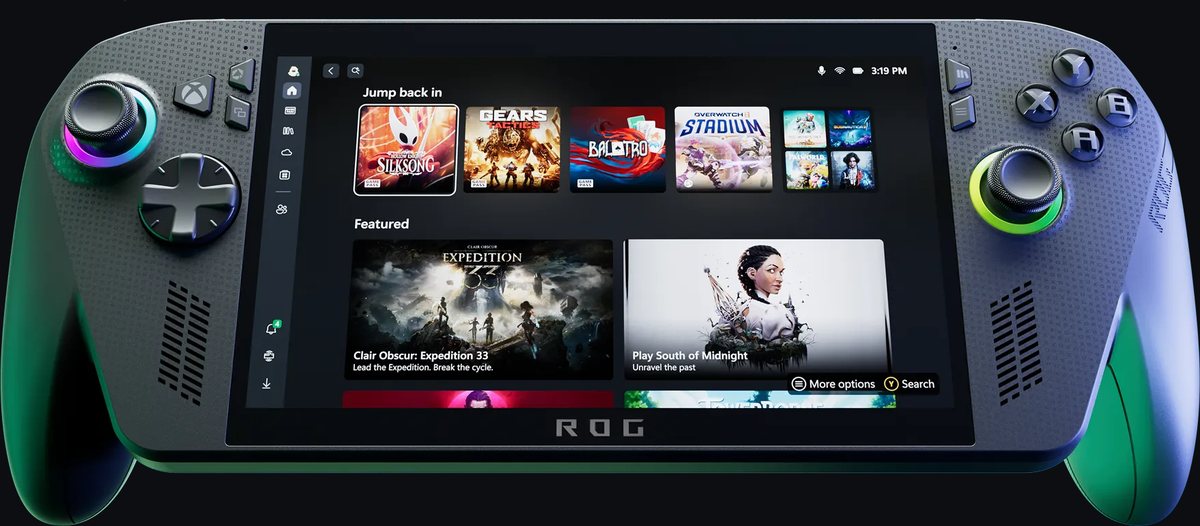
Update, August 26, 2026. This fight now has a third contender. On October 16, 2025, ASUS and Microsoft released the ROG Xbox Ally X, the follow-up to the Ally X this guide compares. It is the same Windows-handheld idea, pushed harder. Newer chip, Xbox-style body, and a console-like face on Windows. Here is what actually changed, and whether it should change your pick.
How the Xbox Ally X Differs From the Original Ally X
- A newer chip with real gains. The Xbox Ally X runs AMD’s Ryzen AI Z2 Extreme in place of the Z1 Extreme. ASUS’s own spec page claims roughly 30 percent more performance in AAA games at 1080p in Turbo mode. That widens the gap over the Steam Deck OLED even further.
- Same tank, faster memory. The 80Wh battery, 24GB of RAM, and 1TB SSD all carry over. The memory steps up to faster LPDDR5X-8000, which matters on a chip that shares RAM with its graphics.
- An Xbox controller you hold, not a slab. The flat body gives way to contoured, textured Xbox-style grips, and the triggers gain their own rumble motors. The trade-off is weight. It comes in around 715 grams against 678 for the original, as PC Gamer’s review notes.
- Windows finally acts like a console. A dedicated Xbox button opens the Xbox full-screen experience, one controller-friendly library that pulls in Steam, Epic, Battle.net, and Game Pass. It is the closest Windows has come to the Deck’s turn-on-and-play feel, though the desktop is still there underneath.
Price is where it stings. The Xbox Ally X launched at about a thousand dollars, roughly $200 above the original Ally X’s launch price. As of late August 2026, retail listings still hover around that four-figure mark, and marketplace sellers push well past it, into the $1,100-to-$1,200 range. The original Ally X remains the cheaper way into this class of performance when you can find it in stock.
Worth knowing: the white ROG Xbox Ally, without the X, is a different machine entirely. It runs a far weaker Ryzen Z2 A chip with 16GB of RAM for around $600, and its speed lands closer to Steam Deck territory. Do not buy one expecting Ally X performance.
Does any of this overturn the verdict above? No, it sharpens it. The Steam Deck OLED’s case was never raw power. It is efficiency, polish, and price, and a thousand-dollar rival makes that value argument stronger, not weaker. What the Xbox Ally X changes is the top end. If you were leaning Ally X for maximum frames and Windows freedom, the newer model is now the better version of that answer, with a faster chip, better grips, and a friendlier face on Windows, provided the extra couple hundred dollars is truly in your budget. For everyone else, the comparison above stands exactly as written.
Frequently Asked Questions
Is the ROG Ally X more powerful than the Steam Deck OLED?
Yes. The Ally X uses AMD’s newer Ryzen Z1 Extreme with Zen 4 cores and 12 RDNA 3 graphics units, while the Steam Deck OLED runs a refined version of an older Zen 2 / RDNA 2 APU. In matched testing the Ally X typically delivers 20 to 50 percent higher frame rates in demanding games, though the Deck remains more consistent because every unit is identical hardware.
Which handheld has better battery life?
It depends on the game. The Steam Deck OLED is more efficient and lasts longer in lighter and 2D games thanks to its low-power chip and OLED screen. The ROG Ally X’s larger 80Wh battery wins in demanding AAA titles, where it often reaches three to four hours versus the Deck’s two to three. Both last far longer when you cap frame rates and wattage.
Should I choose SteamOS or Windows on a handheld?
Choose SteamOS if you want a console-like, low-friction experience focused on your Steam library, with instant suspend-resume and a controller-first interface. Choose Windows on the Ally X if you want to run every storefront, launcher, and app, including Game Pass and anti-cheat titles, and you do not mind occasionally navigating a desktop on a small screen.
Is the ROG Ally X good for emulation?
Yes, it is one of the strongest handhelds for emulation. Its faster Zen 4 chip and 24GB of RAM handle demanding emulators with more headroom than the Deck, and running Windows means every emulator and frontend installs natively. The Steam Deck is also excellent for emulation through tools like EmuDeck, but its older chip hits a ceiling sooner on the most demanding systems.
How much do the Steam Deck OLED and ROG Ally X cost now?
As of mid-2026, the Steam Deck OLED is priced at one level for the 512GB model and clearly higher for the 1TB model after Valve’s May 2026 price increase. The ROG Ally X sells with a 1TB SSD at close to the 512GB Deck’s price, making those two nearly identical in cost.
Which one has the better screen?
The Steam Deck OLED has the better screen for image quality, with a 7.4-inch HDR OLED panel offering perfect blacks, strong contrast, and brightness up to 1000 nits at 90Hz. The ROG Ally X has a sharper, faster 7-inch 1080p IPS display at 120Hz, but as an LCD it cannot match OLED’s contrast or peak brightness. OLED for image quality, IPS for resolution and refresh rate.
Which handheld should most people buy in 2026?
Most buyers who already use Steam and want a simple, polished experience should pick the Steam Deck OLED for its screen, efficiency, and console-like SteamOS. Buyers who want maximum performance per dollar, more storage, Windows flexibility, and strong emulation should pick the ROG Ally X. Neither is a wrong choice; the best pick depends on your library and your tolerance for setup.