The best digital picture frame for most people is the Aura Carver. It costs about $149, holds unlimited photos, and never asks for another dollar. That last part is the whole story. Frame makers have quietly split into two camps. One camp sells you a frame once. The other sells you a frame and then a subscription. Buy from the wrong camp and the sweet gift you gave Grandma turns into a bill that lands every year. This guide sorts the market by that fork first. Then it sorts by the person actually receiving the frame — because a frame nobody can set up is just a very expensive coaster.
Quick disclosure: this guide contains affiliate links. If you buy through them, TechDaily may earn a small commission from Amazon. That never changes your price, and it never picks our winners.
- The frame market splits in two. Aura and most app-based budget frames charge once. Skylight and Nixplay sell the frame, then charge yearly for the good app features.
- The Aura Carver is our top pick. About $149 list, unlimited free storage, and the whole family can send photos from anywhere. No fees, ever.
- Under $100, the AEEZO 10.1-inch frame is the value play. It keeps 32GB of photos on the frame itself, so the slideshow survives a Wi-Fi outage.
- Over three years, a Skylight with Plus costs roughly $217 and a Nixplay with Plus roughly $230. A Carver stays at about $149. The gap only grows in year four.
- Pick by recipient, not by spec sheet. Grandparents need remote setup and preloaded photos far more than they need extra pixels.
Who is this frame actually for?

★ Your pick: AEEZO 10.1″ Frame
32GB of on-frame storage and a free app, for roughly a third of the Aura’s price

★ Your pick: Aura Carver
Preload it with photos before gifting, then the family keeps it full from their phones
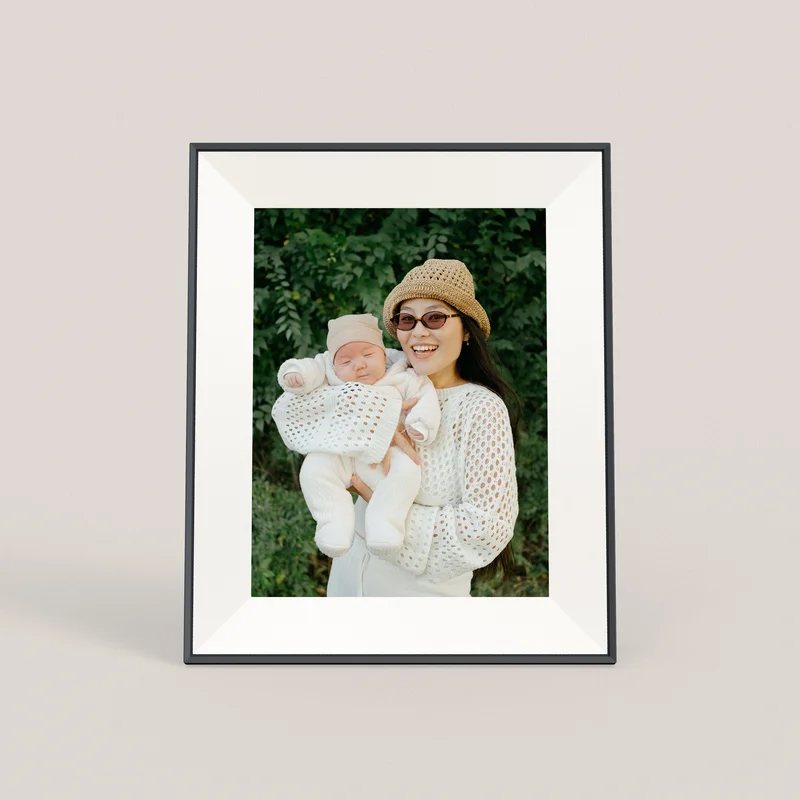
★ Your pick: Aura Aspen
A 12-inch anti-glare panel that also stands in portrait — still no subscription
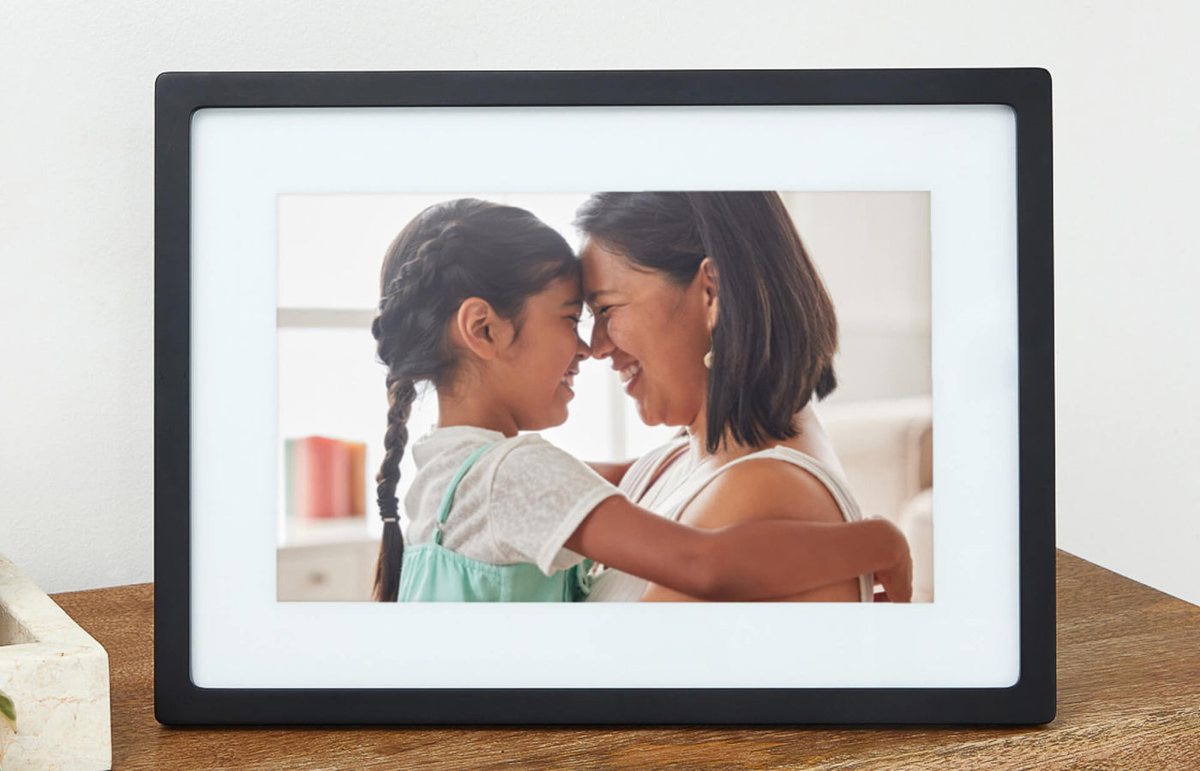
★ Your pick: Skylight 10″
Email photo sharing is free; only pay for Plus if you want albums and remote settings
👑 Our Top Pick — Best Overall Value
Aura Carver
Best overall value — no subscription, unlimited photo storage, and family can send pictures from anywhere
Opens on our Top Pick. Tap an option to see the best match for you.
Two Kinds of Frames Ship in the Same Box
Every frame in a store looks the same: a screen, a bezel, a power cord. The business behind each one is not the same. Aura makes its money on the hardware. That is why the Carver costs more up front than a bargain-bin frame. It is also why Aura states plainly that there are no subscriptions or fees. Unlimited photo and video storage is part of the price you already paid.
Skylight and Nixplay run the other model. The frame is the door; the subscription is the house. Skylight’s frame handles basic photo sharing free, right out of the box. But albums, remote settings, and TV slideshow mirroring live behind Skylight Plus at $39 a year. Nixplay does the same with Nixplay Plus, which lists at $29.99 a year on Nixplay’s own plans page — promoted at $19.99 for the first year as of late August 2026. If that structure sounds familiar, it should. It is the printer-ink playbook: price the machine low, meter the thing you actually want.
Neither model is a scam. But they answer to different owners. A buy-once frame has to keep you happy at purchase. A subscription frame has to keep you paying. That is why features drift behind the paywall over time, not out of it.
Watch out: Nixplay’s plans page shows Plus at $29.99 a year with a $19.99 first-year promotion running. Before gifting, check what the plan renews at — the teaser rate is the hook, and the renewal rate is what lands on the card every year after.
The Best Digital Picture Frames by Recipient
We compared current spec sheets, plan pages, and live listings for every major frame sold in the US, as of late August 2026. These four cover almost every buyer. Prices move around sales, so treat every figure here as a checked range, not a promise.
1. Aura Carver — Best Overall Gift Frame for Most Families
The Carver is the default answer for a reason. It lists at about $149 for a 10.1-inch HD screen (model AF900). It holds unlimited photos and videos in Aura’s cloud at no charge. Anyone you invite can send pictures from their phone, by email, or from the web. Aura says setup takes one minute. The gift trick is the killer feature: scan a code on the box and you can preload photos and a message before you wrap it. Grandma opens a frame that is already full of her grandkids. It holds a 4.6-star rating on Amazon across more than 5,000 reviews, and it often dips well below list price in gift season.
The honest trade-off: the Carver is a cloud frame, so it needs Wi-Fi. No connection, no new photos. It also only sits in landscape. Its 1280 x 800 panel is pleasant rather than stunning.
≈ $149 list10.1″ HD screenNo subscription, ever
Pros
- Unlimited free photo and video storage, with no fees at any point
- Whole family can send photos remotely via app, email, or web
- Preload photos and a message before gifting — no setup for the recipient
Cons
- Needs Wi-Fi; the frame cannot pull new photos offline
- Landscape orientation only
- 1280 x 800 resolution is fine, not spectacular
2. Aura Aspen — Best Step-Up Screen for Photo Perfectionists
The Aspen is what you buy when the photos deserve better glass. Aura introduced it at $229 in April 2025 as its smarter mid-size frame. You get a 12-inch 1600 x 1200 panel with an anti-glare finish. It also stands in portrait or landscape — something the Carver simply cannot do. Same no-subscription deal, same unlimited storage, same family sharing app. If the recipient shoots on a real camera, or the frame will face a sunny window, the anti-glare coating alone earns the difference. We have seen it drift toward $199 in sales.
At around $229 list, it is a considered purchase. Casual buyers will not see the difference from three feet away. But nobody who owns the sharper screen goes back.
≈ $229 list12″ anti-glare panelPortrait or landscape
Pros
- Sharper 1600 x 1200 screen with a genuine anti-glare coating
- Works upright in portrait — great for wall shelves and narrow spots
- No subscription, unlimited storage, same easy Aura sharing
Cons
- Costs about $80 more than the Carver at list
- Overkill if the photos come from an older phone camera
- Still needs Wi-Fi, like every Aura frame
3. AEEZO 10.1-Inch WiFi Frame — Best Under $100
The AEEZO 10.1-inch frame is the budget pick that does not feel like punishment. It lists at $68.99 on AEEZO’s own store and often sells for around $50 on Amazon. There it carries a 4.5-star rating from more than 6,700 buyers. The design differs from Aura’s in a way that matters. Photos live on the frame, in 32GB of built-in storage — roughly 50,000 pictures by AEEZO’s count. Family sends photos through the free AiMOR app from anywhere. There is no subscription. And once pictures land on the frame, the slideshow keeps playing even if the Wi-Fi dies. A touchscreen, auto-rotation, and a light sensor round it out.
The compromises are real but livable. The 1280 x 800 panel matches the Carver’s rather than beating it. The app is plainer than Aura’s, and a small brand means thinner long-term support.
≈ $50–7032GB on-frame storageFree app, no subscription
Pros
- Regularly the cheapest frame here that a family can trust
- Photos stored locally — slideshow survives Wi-Fi outages
- Free AiMOR app for remote sharing, no fees attached
Cons
- Basic 1280 x 800 panel and a plainer app experience
- Smaller brand, so support and spare parts are a question mark
- SD card photos must be imported before they will play
4. Skylight 10-Inch — Best If the Family Already Uses Skylight
Skylight built its name on one trick: email a photo to the frame’s address and it appears. No account, no app, no training. That still works free forever, along with one-minute video clips. It is why the 10-inch Skylight holds a 4.7-star average across more than 27,000 Amazon ratings. If your extended family already sends photos to a Skylight calendar or an older frame, staying in that ecosystem is genuinely convenient.
Here is the fork in action, though. Albums, changing the frame’s settings from your phone, and mirroring slideshows to a TV all require Skylight Plus at $39 a year. The frame is good. Just walk in knowing which features are rented.
≈ $100–14010″ touchscreenPlus optional at $39/yr
Pros
- Email-a-photo sharing is free and grandparent-proof
- Huge, consistent review base — 4.7 stars across 27,000+ ratings
- Touchscreen plus free one-minute video support
Cons
- Albums, remote settings, and TV mirroring sit behind Plus at $39/yr
- Costs more bought direct than on Amazon
- Cloud features slow down when your connection does
The Three-Year Math No Frame Ad Will Show You
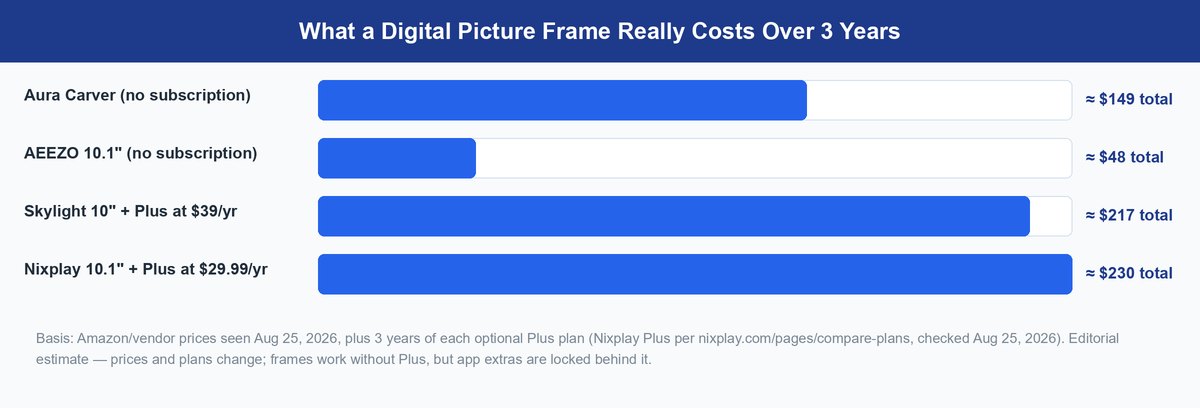
Subscription costs hide in year two. So run the numbers the way an accountant would, not the way a product page does. A Carver at about $149 costs $149 in year three. A $100 Skylight plus three years of Plus lands near $217. Nixplay’s 10.1-inch frame runs about $140 and earns 4.5 stars on Amazon. Add three years of Plus at Nixplay’s published $29.99 annual rate and the total lands near $230. The cheapest frame on day one is the most expensive by Christmas number three.
Worth knowing: one Skylight Plus subscription covers every frame in the household. A family running three Skylight frames pays the $39 once, not three times. That flips the math for big Skylight households — and only for them.
The deeper problem is not the dollars. A subscription frame’s best features are on a lease. Let Plus lapse and the frame keeps working. But the app extras your family got used to — remote control, albums, TV slideshows — switch off. A gift should not come with a renewal date. That is why the buy-once column wins this guide, unless you have a real reason to be in the other one.
Match the Frame to the Person, Not the Spec Sheet
Nobody returns a digital frame because it lacked pixels. Frames get abandoned because the recipient could not work them, or the photos stopped coming. Sort by human first.
Grandparents Need Setup Someone Else Can Do
The right grandparent frame is set up before it is unwrapped. The Carver’s preload trick means the frame arrives working. Every later change happens from your phone, not theirs. On any frame you consider, ask one question: can a family member fix it remotely? With Aura, yes, through the shared app. With Skylight, remote settings control is exactly the feature that costs $39 a year. That one detail should decide more gift purchases than screen resolution ever does.
Budget Buyers Should Check Where the Photos Live
Cloud frames like Aura show nothing new without Wi-Fi. Local-storage frames like the AEEZO keep playing whatever they hold. Think of a house with flaky internet, a retirement community with shared Wi-Fi, or a locked-down office network. There, local storage is not a spec. It is the difference between a frame and a blank rectangle. This is the honest case for the cheap pick over the famous one.
Privacy Comes Down to Who Holds the Invite
Every Wi-Fi frame routes photos through someone’s server. So the real privacy question is who can put pictures on the screen. Aura, Skylight, and the AiMOR app all work on invites. Only people connected to that specific frame can send to it, and the owner can remove anyone. Photos are not public and are not searchable. The practical risk is social, not technical — give the invite only to people whose photo judgment you trust at 7 a.m. in the kitchen.
Before you buy: every frame in this guide needs Wi-Fi at least once, at setup, in the home where it will live. If the recipient has no home internet at all, no smart frame works. Buy a classic USB slideshow frame instead and load it yourself.
Frequently Asked Questions
Do digital picture frames need a subscription?
Most do not, and none of them require one to function. Aura and app-based budget frames like the AEEZO include remote photo sharing free, forever. Skylight and Nixplay frames work free at a basic level. Their best app features sit behind plans of roughly $30 to $39 a year. Check the plan page before you buy, not after.
How do family members send photos to the frame from far away?
Through a free companion app, from any distance. With Aura, you invite people in the app. They add photos from their phones, by email, or on the web. With the AEEZO, relatives use the AiMOR app. With Skylight, anyone can simply email photos to the frame’s unique address. In every case, pictures appear on the frame within moments.
Does a digital picture frame work without Wi-Fi?
It depends on where the photos live. Cloud frames like the Aura Carver need Wi-Fi to fetch anything new. Local-storage frames like the AEEZO keep 32GB of photos on the device. The slideshow plays on through any outage. Every frame here needs Wi-Fi once at setup, in the home where it will sit.
Which digital picture frame is easiest for grandparents?
The Aura Carver, and it is not close. You can load photos and a welcome message before gifting, so it works out of the box. After that, family can adjust everything remotely from their phones. The grandparent’s only job is enjoying it.
What screen specs actually matter on a digital frame?
Two things, in plain words: glare and orientation. An anti-glare finish, like the Aura Aspen’s, decides whether photos are visible in a bright room. Portrait support decides whether tall phone photos fill the screen or float between black bars. Raw resolution matters least. From normal viewing distance, 1280 x 800 already looks like a printed photo.
Who can see the photos on a shared frame?
Only people invited to that specific frame. These are not public galleries. The frame’s owner controls the invite list and can remove senders at any time. Photos do pass through the maker’s cloud servers on the way. Families with strict privacy needs should favor local-storage frames.
Buy the Frame Once and Let the Photos Do the Rest
The best digital picture frame decision is not really about screens. It is about which business model you want pointed at your family. Buy-once frames cost their full price on day one, then quietly do their job for years. That is the Aura Carver for most people, the Aspen for better glass, and the AEEZO for tight budgets. Subscription frames can be great, but only for families who know the fee exists and want what it buys. Gift season is coming. Whatever you pick, pick it with the year-three price on the receipt. And if the recipient reads more than they frame photos, our guide to the best tablet for reading covers that half of the gift list. Our robot vacuum picks for hardwood floors handle the practical half.