A dumb phone can cut scrolling without cutting you off from real life. Start with the apps and tools you must keep. If that list includes WhatsApp, Spotify, Uber, or banking, a phone made to block most apps will fail fast. This guide sorts phones by what they leave out. It also checks stock and whether major carriers may let each phone connect.
Quick disclosure so we are square: the product links below are affiliate links. If you buy through one, we may earn a small commission at no extra cost to you.
How we checked: On September 2, 2026, we checked prices, stock, apps, supported network frequencies, and carrier rules on the named maker and carrier pages. We did not test these phones ourselves. We listed only phones sold by a maker or carrier whose main claims we could trace to a source. Prices and stock can change.
- Choose your missing apps before you choose a phone. The stricter device is not automatically the better one.
- Light Phone III gives you the strongest break from distracting apps, but its current official price sits in the $800–$950 range.
- Mudita Kompakt gives most buyers the best balance of maps, a camera, long battery life, and no app store.
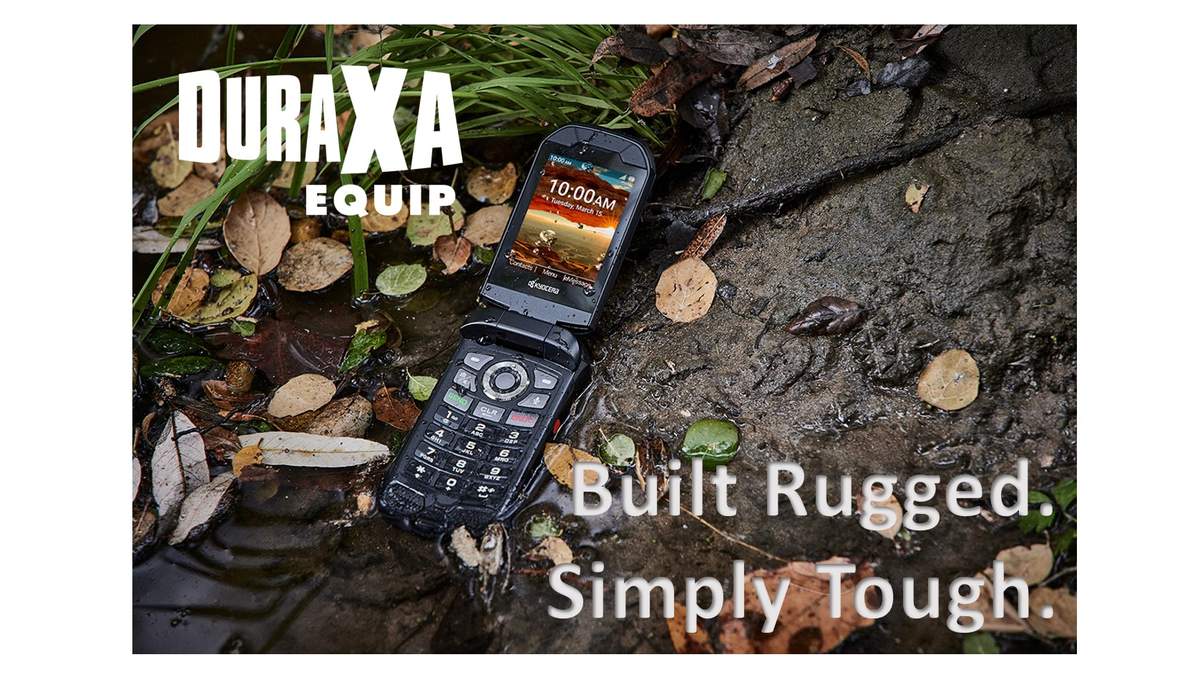
- Kyocera DuraXA Equip is the practical flip for calls, texts, and rough work. It is not locked to one carrier, but the carrier must still approve it.
- Unihertz Jelly Star is the small-phone answer for people who still need apps from Google Play, Google’s app store.
- TCL FLIP 3 Voice & Text Only is a current classic 4G flip in the $80–$120 range for a Verizon line.
- Run the exact phone or its IMEI, the unique ID that identifies that phone, through your carrier’s checker before paying. A 4G badge alone does not mean the carrier will let you start service.
Which tools are you unwilling to give up?
★ Your pick: Light Phone III
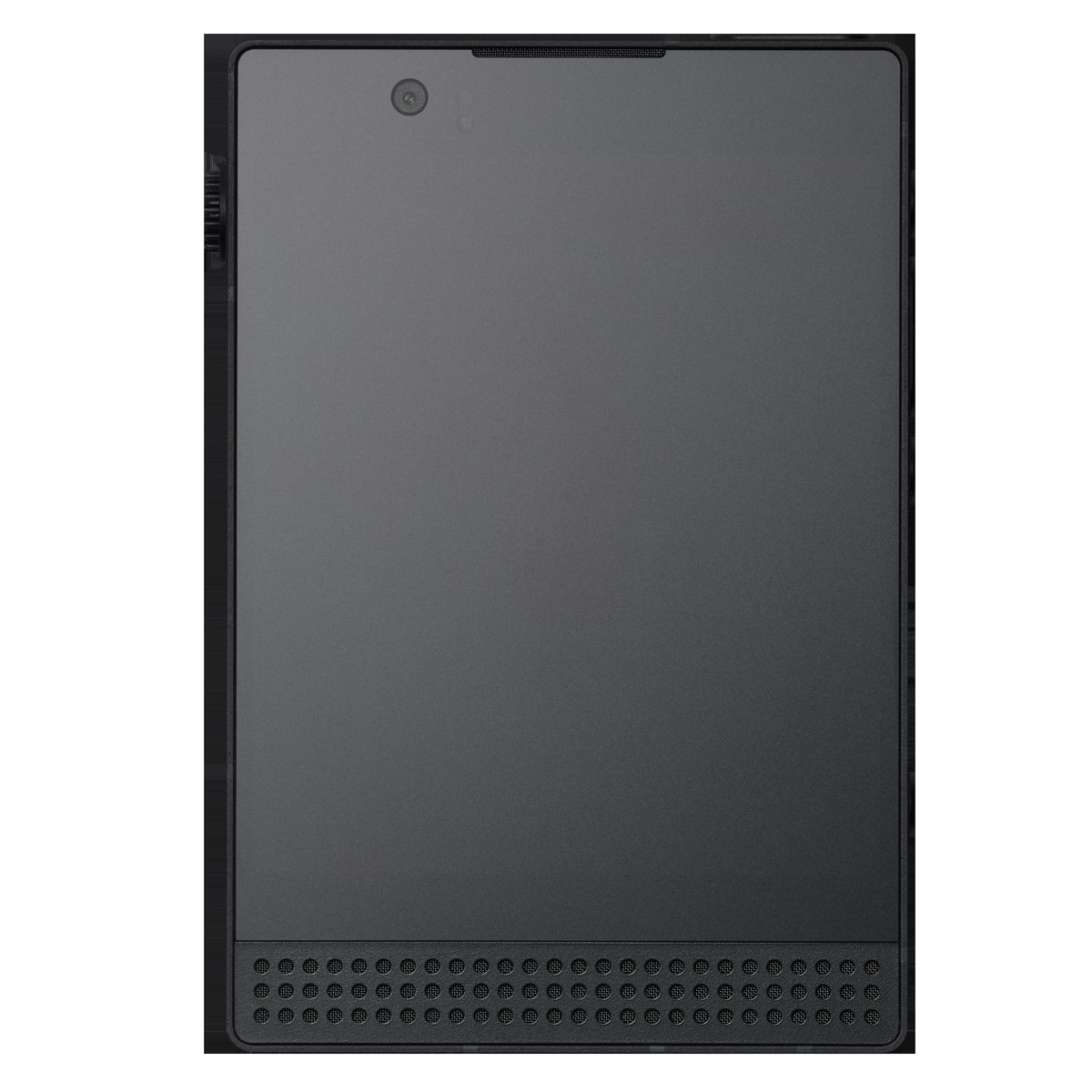
The costly phone with the hardest app limits; it has Light’s own tools but no WhatsApp, Spotify, browser, or social media
★ Your pick: Kyocera DuraXA Equip
A tough flip phone that is not locked to one carrier and is built to survive rough work
★ Your pick: Mudita Kompakt
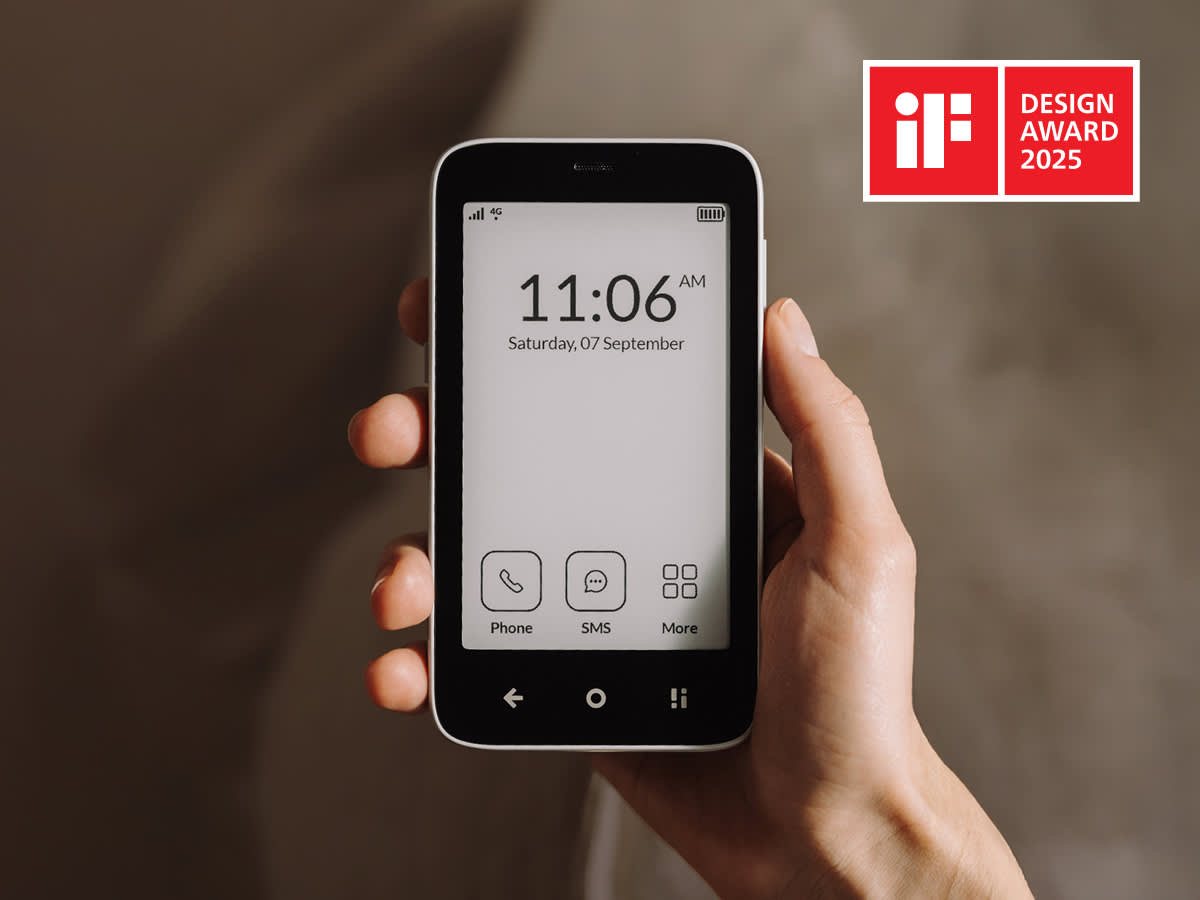
A paper-like E Ink screen, offline maps, a camera, and no app store; you can copy Android app files from a computer through Mudita Center, but some may not work
👑 Our Top Pick — Best Overall Value
Mudita Kompakt
Best balance for most people who want maps, a camera, long battery life, and no social feeds
Opens on our Top Pick. Tap an option to see the best match for you.
A Dumb Phone Is Now Three Different Products
The name covers three kinds of phone. A classic feature phone is a basic phone with a keypad, calls, and simple messages. A minimalist phone keeps only a short list of tools. It blocks full web browsing and most app downloads. An app-ready phone is a small smartphone that uses Android, the phone software found on many brands. It can run modern apps, but it can also bring every distracting app back on a smaller screen.
That difference explains many returns. Buyers shop by appearance, then discover too late what the phone cannot do. A phone with hard limits can feel freeing when you need only calls and directions. It can feel useless when your school, relatives, or workplace use WhatsApp.
| What You Cannot Lose | Category That Fits | What You Give Up |
|---|---|---|
| Calls, texts, alarms | Classic 4G flip | Easy typing, rich group chats, polished maps |
| Maps, camera, podcasts, a hotspot that shares the phone’s internet | Minimalist phone made to block distractions | App store, social feeds, most streaming services |
| WhatsApp, Spotify, banking, rideshare | Small Android phone with limits | A complete break from distracting apps |
Before you buy: list every service you used this week for work, travel, money, health, and family. If one cannot move to a computer or tablet, put it on your must-keep list.
The Best Options for Different Kinds of Buyer
These picks are ranked by how well they solve each buyer’s problem, not by how many features they have. We checked official stores on September 2, 2026. Prices and stock can change.
1. Mudita Kompakt for Maps Without Social Feeds
$300–$400 RangeE Ink ScreenOffline MapsNorth America Version
Mudita’s official store listed the Kompakt in stock in the $300–$400 range on September 2, 2026. It has a 4.3-inch E Ink display, which looks more like paper than a normal bright phone screen. It also has offline maps, a camera, and a headphone jack. Mudita claims the battery can last up to six days. Mudita’s product page supports those phone and stock details.
Mudita says there is no app store. An APK is the file used to install an Android app. You can copy an APK from a computer through Mudita Center, a process called sideloading. MuditaOS K does not support Google Services, the background Google software that many Android apps need. Apps not made for an E Ink screen may be awkward to use or may show errors. Mudita does not promise that apps made by other companies will work. Treat this as a backup option, not a promise that WhatsApp or banking will work.
This suits buyers who want fewer distractions without using a keypad. The screen fits maps and messages. Mudita’s North America guidance says the North America version is certified for the region. Here, certified means the model meets regional network rules. It does not mean every carrier must accept it. Check the carrier’s result for that exact phone or IMEI before purchase. The privacy switch physically cuts off the microphones and the cellular modem, the part that connects the phone to a mobile network. It turns off the camera, Wi-Fi, and Bluetooth through software.
The price is higher than a budget Android phone. You are not getting the most hardware for the money. You are paying for a phone made and sold in far smaller numbers than mainstream phones. You are also paying for built-in limits on attention-grabbing apps, ads, and tracking. Buy it for those limits, not as a cheap way to get an E Ink screen.
Pros
- Useful offline maps
- readable paper-like E Ink screen
- no app store
- current model made to meet North American network rules
Cons
- WhatsApp and Spotify are not built in
- apps copied from a computer may fail, especially when they need Google’s background software
- E Ink changes more slowly than a normal bright phone screen
- costs more than many full smartphones
2. Light Phone III When You Want the Hardest Limits
$800–$950 Range5G and 4G Mobile ServiceCameraLight’s Own Software
The Light Phone III has the hardest limits. Light’s official shop listed it as available for sale in the $800–$950 range on September 2, 2026. Unlocked means it is not tied to one carrier. Light’s shipping guide says standard US orders ship within two business days by USPS. The phone includes directions, podcasts, music files, notes, weather, a hotspot that can share its mobile internet, and a camera. It can also show login codes used as a second security step. It excludes social media, email, news, ads, and a web browser.
That short tool list is why this phone exists. Light does not let you add an app to replace a missing feature. Its FAQ says there is no Spotify, WhatsApp, Signal, or rideshare tool. If you need one, stop here. Do not spend in the $800–$950 range while hoping a later update will add it.
The $800–$950 range is high beside an Android phone in the $150–$250 range. Light sells fewer phones than a mainstream brand, and it does not make money from ads or your data. That helps explain the price. What it sells is a rule you cannot casually turn off. Will it work with your carrier? Light’s carrier guide says:
| US support | Plan and carrier limits |
|---|---|
| Light, AT&T, T-Mobile, Verizon postpaid, Ting, Mint, US Mobile | Needs a 5G data plan that supports the phone. It can fall back to 4G. Verizon postpaid means a monthly bill plan rather than prepaid service. Many smaller phone companies that rent a major carrier’s network, called MVNOs, are excluded. Use Light’s live checker before ordering. |
Pros
- Firmest break from feeds and browsers
- useful tools made by Light
- not locked to one carrier
- modern 5G and 4G hardware
Cons
- $800–$950 range
- no WhatsApp, Spotify, or rideshare
- missing apps can block many work routines
3. Kyocera DuraXA Equip for Calls and Hard Work
$200–$250 RangeUnlockedRugged FlipPhysical Keypad
Kyocera’s official store listed a new, unlocked DuraXA Equip E4831 in the $200–$250 range on September 2, 2026. Unlocked means the phone is not tied to one carrier. Kyocera’s listing supports its price, model, and stock. This is a work tool. The waterproof, drop-resistant flip has a camera, loud audio, and buttons you can press while wearing gloves.
Buy it to survive a shift and make calls. Do not buy it as a route to modern apps. The small screen and keypad make long messages slow. That may reduce casual checks. It will not suit teams that need long group chats.
Will it work with your carrier? Kyocera’s provider list and radio-frequency warning says:
- Will not work: Verizon, Visible, or outside the US.
- Works with conditions: AT&T (contact it to start service); Boost and Metro (tell them the new phone’s IMEI when moving your SIM, the small carrier card inside the phone); Consumer Cellular and Mint (use a SIM that the carrier has already turned on); T-Mobile (contact it to start service).
- Listed compatible: Cricket and UScellular.
- Before buying: Check whether the phone supports the carrier’s radio bands, the numbered slices of wireless frequency its network uses. Also check the rules for starting service. “Unlocked” does not replace those checks.
Pros
- Rugged build and physical keys
- Not locked to one carrier
- Much cheaper than high-priced phones built to block apps
Cons
- Clumsy for long texts
- Few modern apps and a bulky build
- The carrier still needs to accept the exact phone
4. Unihertz Jelly Star for the Apps You Actually Need
$200–$250 Range3-inch Android 13Google PlayUnlocked
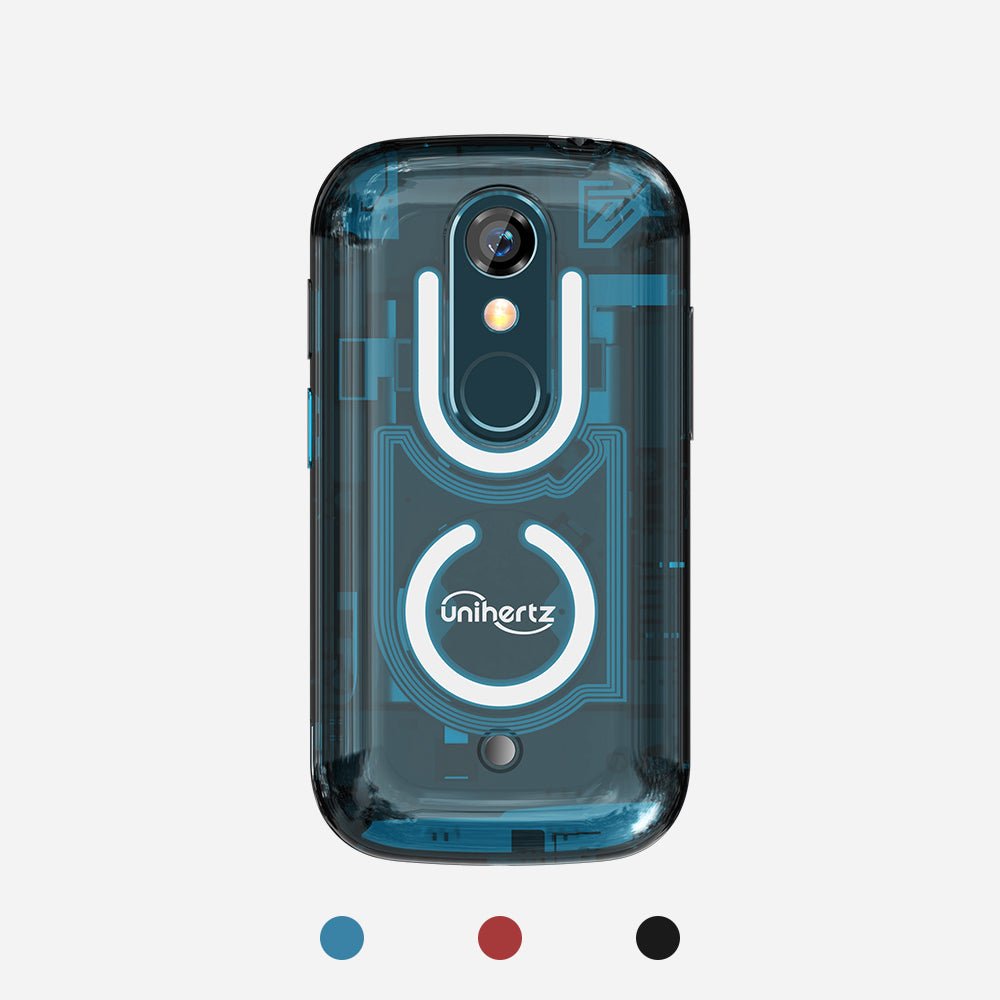
If you must keep WhatsApp, Spotify, banking, rideshare, or an authenticator app that makes sign-in codes, choose a tiny Android phone. Unihertz lists the Jelly Star in the $200–$250 range. Its Android 13 software is certified by Google, which lets the phone use Google Play. You can download apps for social media, navigation, video, and music. That does not guarantee that every bank or carrier app will work.
The 3-inch screen makes apps harder to use without blocking them. It is still a smartphone. You can install the same distracting apps you want to escape. Will it work with your carrier? Unihertz lists:
- 4G LTE radio bands: LTE is the common kind of 4G mobile service. These are the numbered frequency channels the phone can use: 1/2/3/4/5/7/8/12/13/17/18/19/20/25/26/28A/28B/66.
- Carrier limit: Your carrier’s rules and the radio bands used in your area can still block service. Run the IMEI through your carrier’s checker before purchase.
Pros
- Google Play app access
- Genuinely pocketable 3-inch screen
- Space for two carrier SIM cards and a microSD memory card
Cons
- Still supports distracting apps
- Small screen and keyboard will not suit everyone
- Whether it works still depends on the exact phone and your location
5. TCL FLIP 3 Voice & Text Only for the Budget Classic 4G Flip
$80–$120 Range4G LTEClearer CallsVerizon Prepaid
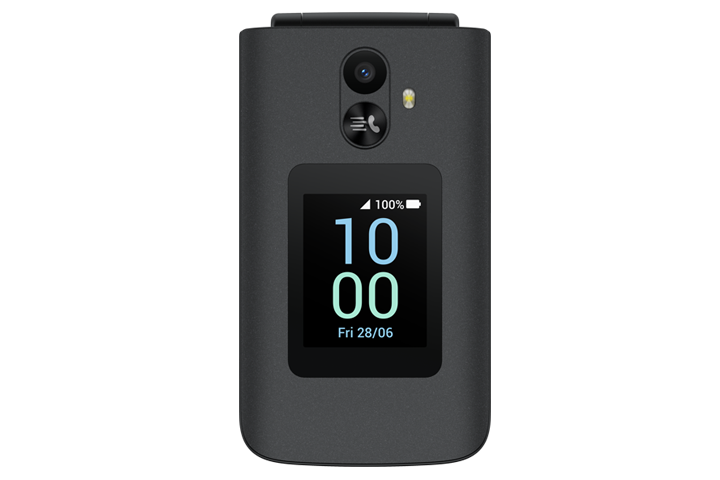
Verizon lists the TCL FLIP 3 Voice & Text Only Prepaid in the $80–$120 range with 4G LTE mobile service and HD Voice, which provides clearer calls over 4G. This is the simple answer for calls, texts, and a physical keypad. Choose it when you want a current classic flip rather than a tough work phone or a phone sold mainly to reduce screen time.
Will it work with your carrier? It is a Verizon prepaid phone, so buy it for a Verizon line. Do not assume you can move it to another carrier. Verizon’s product page is the source for its stock and network support. Confirm the plan and rules for starting service at checkout.
Pros
- Current carrier-sold 4G flip
- Budget-range price and physical buttons
- No open app store
Cons
- Verizon-line restriction
- Voice-and-text focus
- No modern app solution for WhatsApp, rideshare, or banking
Why the Cheap Old Flip Phone Disappeared
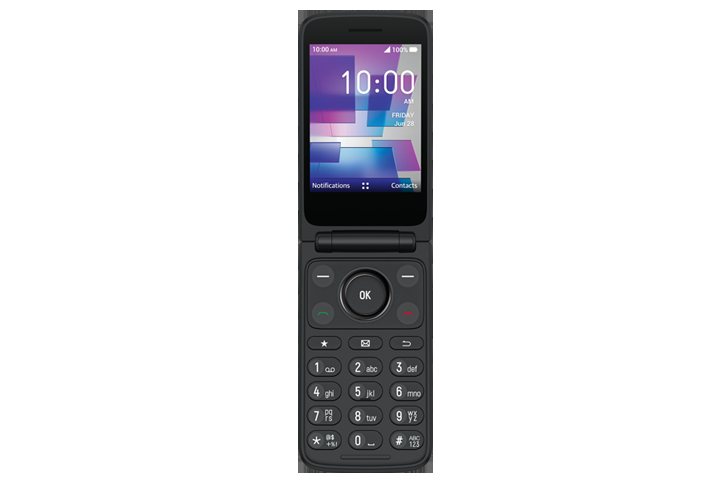
The under-$50 phone in your drawer worked because it could still connect to old 2G and 3G networks. Those networks have been retired across the United States. The FCC’s 3G phase-out guide warns that affected phones may lose calls, texts, data, and even 911 access once a carrier shuts the network down.
That changed the minimum a phone must support. A usable phone now needs modern 4G calling, often called VoLTE, which stands for Voice over LTE. It also needs the right radio bands for your carrier, and the carrier must approve the exact phone. A dusty online bargain may look perfect and still be useless.
| Carrier | Check Before Buying | What the Result Means |
|---|---|---|
| Verizon | Bring Your Own Device checker | Verizon will say whether it accepts that exact phone ID for new service |
| AT&T | Bring Your Own Device checker | AT&T will compare the phone with its current network rules |
| T-Mobile | Bring Your Own Phone checker | T-Mobile will check the phone ID, network support, and whether another carrier has locked the phone |
One warning: a seller writing “works with Verizon” is not the same as Verizon accepting that exact IMEI phone ID. Ask for the IMEI before buying used, then run it through the carrier’s own tool. If the seller will not provide it, walk away.
Why Paying More for Less Can Make Sense
Mainstream smartphones are made in huge numbers, which lowers the cost of each phone. Their app stores, ads, and services also keep making money after the sale. A minimalist phone has fewer buyers and fewer ways to make money later. Its maker must charge more up front.
That does not make every high price sensible. It changes what you should compare. A Light Phone III in the $800–$950 range does not have better hardware than a smartphone in the same range. Ask whether limits you cannot switch off will help you spend less time on the phone than a free blocking app you can disable at midnight.
Many people want that help. Still, one purchase will not cure a habit. In a 2024 survey, Pew Research Center found that 38% of US teens felt they spent too much time on their smartphone. A quieter phone removes many things that make you reach for the screen. It does not decide what fills the empty time.
Worth knowing: try these limits for seven days before spending anything. Delete social apps. Turn the screen to black and white. Lock the browser with passcode-protected parental controls. Keep only the tools on your must-keep list. If you keep undoing those limits, a phone whose limits cannot be removed may be worth the price. If the setup works, save the money.
What to Buy for a Child
For a younger child, start with the job. If it is only “call us after practice,” a tough flip phone is easier to explain and harder to turn into a pocket arcade. If the child needs location sharing, school apps, or family group chats, a smartphone with parent-set limits may fit better. A watch with its own mobile connection is another option.
An Apple Watch with its own mobile connection is not a replacement for every child. It often needs an iPhone in the family setup. It also needs a carrier that supports it and a monthly phone line. It works well for short calls and location checks. It is poor at long messages and school systems built around phone apps. A flip phone has the opposite strengths. It is simpler to own and charge, but gives less location detail and makes group chats slower.
Do not present the device as punishment. Agree on when it is carried, who may call, what happens if plans change, and when you will review the choice. The phone works best when the family rule is clear enough that the child does not spend every week trying to get around it.
For more buying-safety habits, our guide to checking whether Temu is legitimate explains why payment protection and seller verification matter even when the product itself is real.
Choose the Phone That Keeps Your Essential Tools
The best device removes your problem without creating a new one. Mudita Kompakt is the balanced pick for buyers who want offline maps and a calmer screen. Light Phone III is for people willing to pay for limits they cannot casually turn off. Kyocera DuraXA Equip is the practical flip for calls, rough work, and real buttons.
If you must keep WhatsApp, Spotify, banking, or rideshare, be honest. You do not want a true minimalist phone. You want a small smartphone with strong limits. That answer sounds less exciting, but it is far cheaper than returning a beautiful device after one week.
Frequently Asked Questions
What Is a Dumb Phone?
It is a mobile phone built mainly for calls and messages. It has fewer apps and less access to full web browsing than a smartphone. Modern versions range from simple 4G flips to costly minimalist phones with maps, cameras, podcasts, and hotspots that share mobile internet.
Can a Dumb Phone Use WhatsApp?
Most true minimalist phones cannot use WhatsApp as a built-in tool. Light Phone III has no WhatsApp tool. Mudita Kompakt has no app store, but its owner can try copying an Android app file from a computer through Mudita Center. This is called sideloading. Mudita warns that apps needing Google’s background software or apps not made for a paper-like E Ink screen may not work well. It does not promise that they will work. A small Android phone such as Jelly Star gives access to Google Play apps, but it also brings the distraction problem back.
Will a Dumb Phone Work With Verizon?
Some will, but the model name is not enough. Run the exact IMEI, which is the phone’s unique ID, through Verizon’s official bring-your-own-device checker before paying. The phone needs the radio frequencies Verizon uses and 4G calling, also called VoLTE. Verizon must also approve the model. Finally, the phone cannot still be locked to another carrier. Any of these checks can stop you from starting service.
Why Are Minimalist Phones So Expensive?
They sell in smaller numbers than mainstream smartphones. Their makers also lack the ad, app-store, and data income that can help pay for the phone. You are paying for software limits that are hard to remove, not a faster phone or a better camera.
Is a Dumb Phone Better Than an Apple Watch for Kids?
Choose the phone for easy calls and simple ownership. Choose the watch for location checks and short communication when the family already uses Apple devices and a supported carrier. Neither replaces a clear family rule about access and emergencies.
Can I Keep My Smartphone and Use a Dumb Phone Too?
Yes. Many people move the small carrier card called a SIM into the simpler phone on weekends. Others keep the smartphone at home for banking and travel. Check whether your carrier makes it easy to move the SIM between phones. Remember that messages stored inside apps may stay on the smartphone.