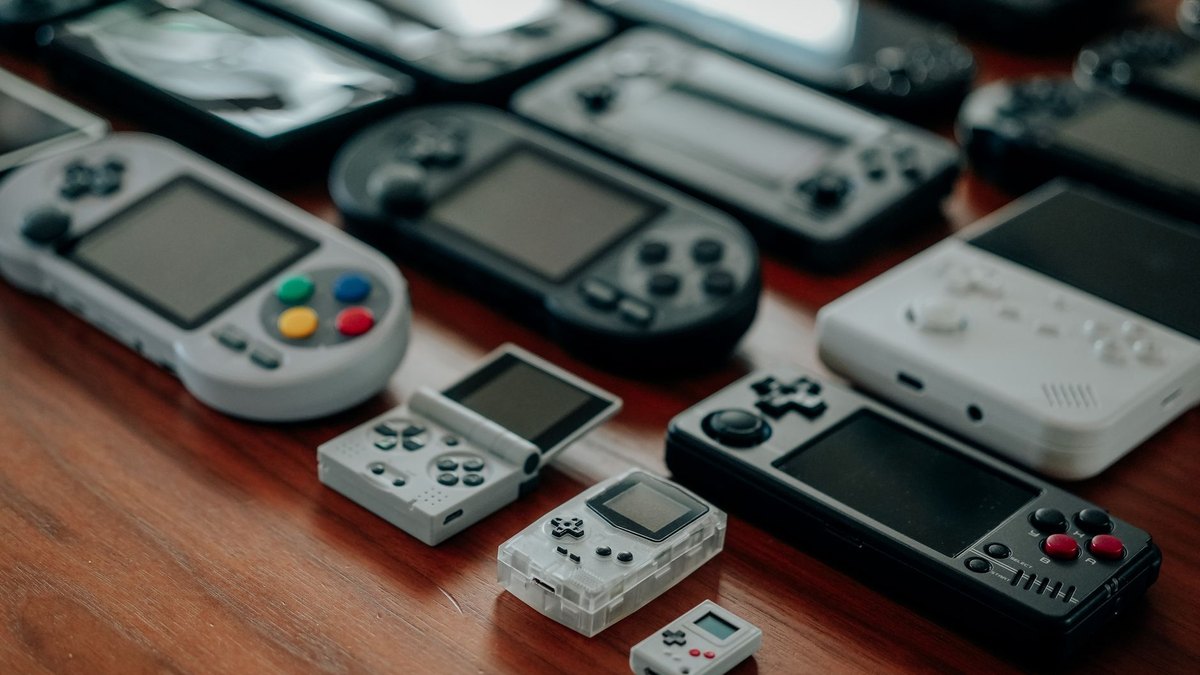
There is no single best handheld gaming console. There are two kinds of machine wearing that name, and they have almost nothing in common. One is a small plastic slab that costs less than a night out and replays the games you grew up with. The other is a full computer with grips bolted on, and it costs more than most phones. Buy the wrong sort and you have spent real money on a machine that will not do the thing you wanted it to do.
So answer one question before you read a single spec. Do you want to play old games, or new ones? Everything else falls out of that.
Two things you should know about us first. TechDaily has no test lab, so nothing here is a lab result. Every figure below comes from the maker’s own spec page, and the text says which. Some links here are affiliate links, which means we earn a small commission if you buy through them. That does not change a single pick, and it costs you nothing.
- There is no one best handheld. There are two kinds, and yours depends on whether you want old games or new ones.
- For old games, cheap is not a compromise. A basic retro handheld sits in the $60 to $90 band and plays the classics properly.
- For new games with zero setup, a Nintendo Switch 2 in the $490 to $560 band is what most people should buy.
- A Windows handheld only pays off if you already own a pile of PC games. If you do not, you are buying a laptop to play Game Boy on.
- The Steam Deck is the other big name here. It plays PC games like the Ally does, so it belongs to the same question, and we compare the two directly in a separate piece.
- Read the model name twice. Three machines share the ROG Xbox Ally name and the price roughly doubles across them.
- A cheap handheld that arrives loaded with 5,000 games is the risky part of this hobby. The hardware is fine; the preloaded card is not yours to rely on.
What do you actually want to play on it?
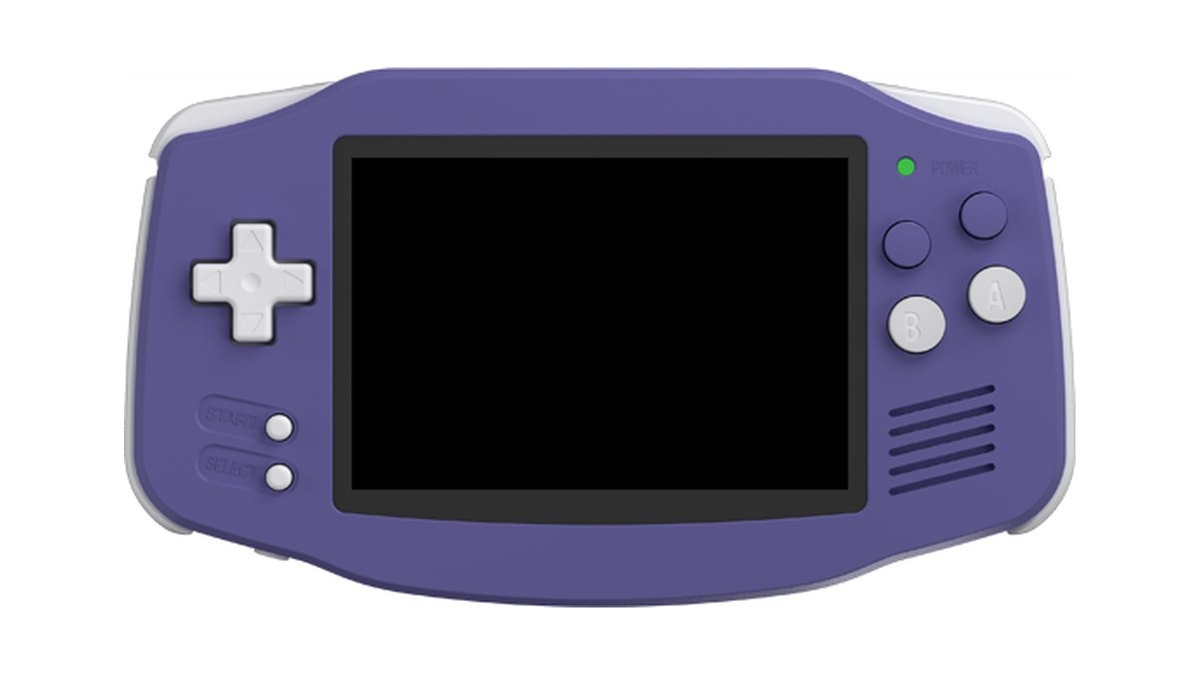
★ Your pick: Anbernic RG34XX
The Game Boy Advance shape, a proper screen, and it costs less than one new game does.
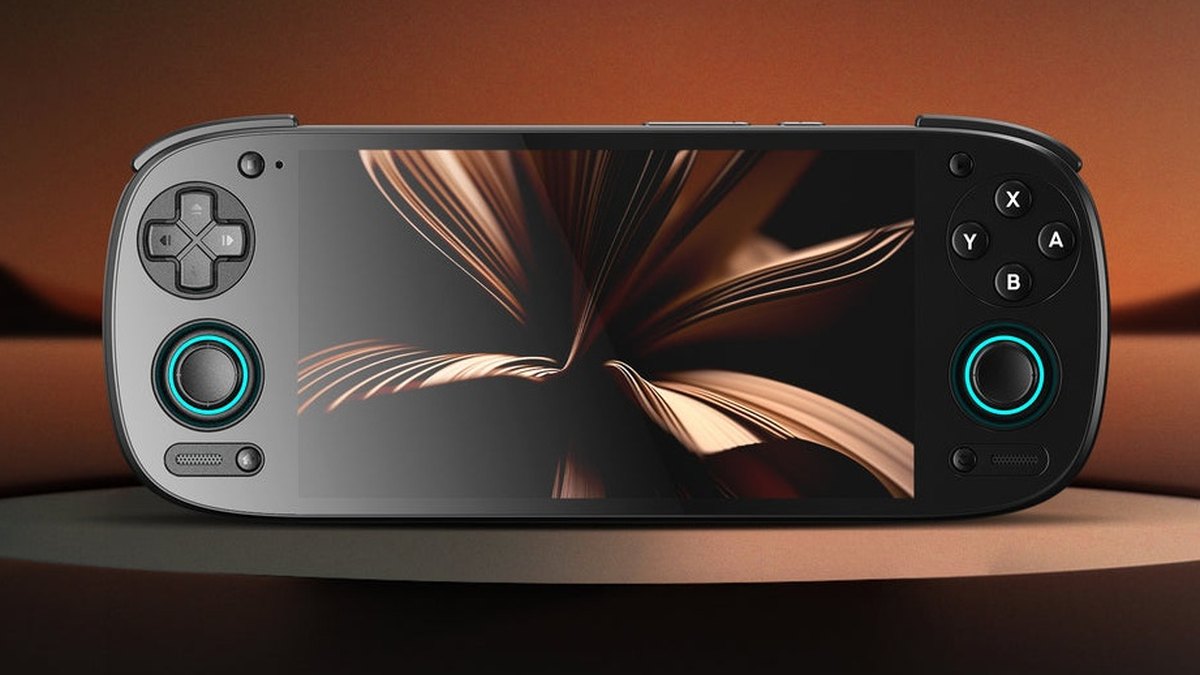
★ Your pick: Retroid Pocket 5
An OLED screen and a phone chip strong enough for the later consoles that cheap handhelds choke on.
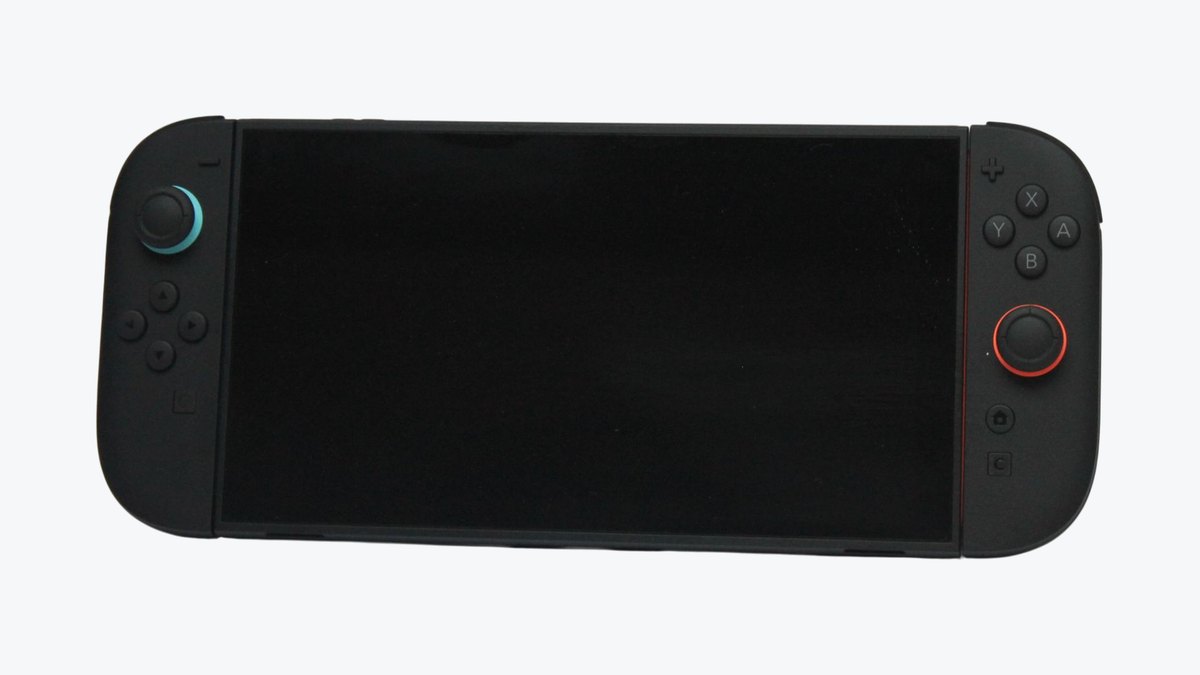
★ Your pick: Nintendo Switch 2
Switch it on and play. Nothing to load, nothing to tinker with, and the big exclusives live here.
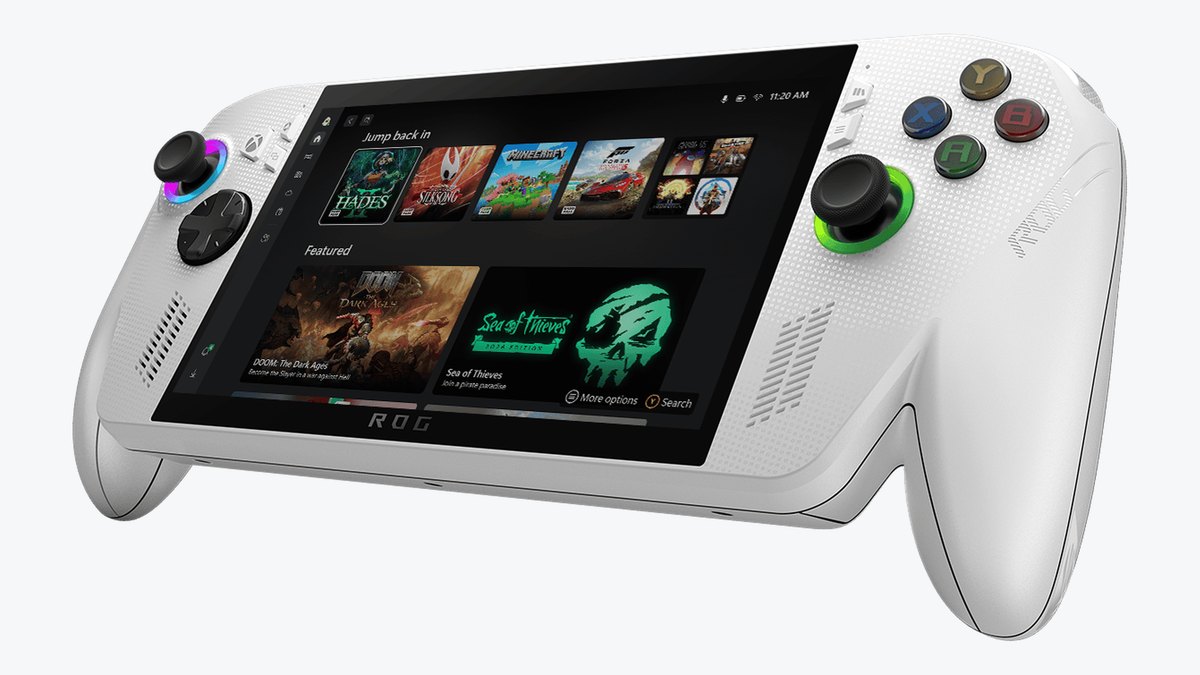
★ Your pick: ROG Xbox Ally
It runs Windows, so the games you own come with you. The plain Ally has all the power that job needs; skip the X.
👑 Our Top Pick — Best Overall Value
Nintendo Switch 2
The safe answer for most people. New games, nothing to set up, and a stack of games you cannot legally get anywhere else.
Opens on our Top Pick. Tap an option to see the best match for you.
Handheld Consoles Come in Two Kinds, and You Pick the Kind First
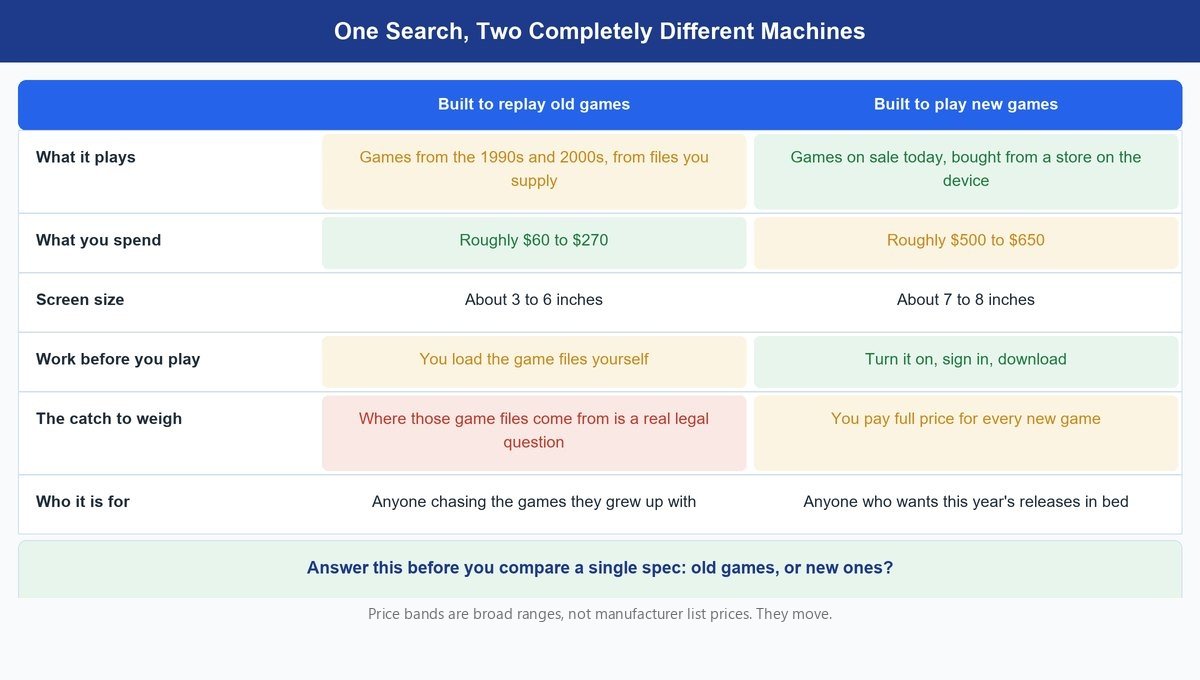
For twenty years this category was one thing. A big company built a device, sold games for it, and that was the whole story. The Game Boy worked that way. So did the PSP. You did not have to choose a kind of handheld, because there was only one kind.
That stopped being true twice over. Small factories, most of them in China, worked out that a cheap phone chip could replay old consoles, and a hobby scene grew up around those machines. At the same time, PC makers started shrinking a gaming computer down to something you hold. Nintendo carried on doing the original thing. Three separate stories, one search box.
Here is the knock-on effect you feel as a shopper. Two different groups of specialists write about these machines. Retro sites review the small ones and rarely mention the big ones. PC hardware sites do the reverse. Both are doing careful work in their own lane, so the advice you find can look like it contradicts itself when it simply is not answering the same question. Sorting that out is your job before you spend anything, and it takes one sentence.
Old games, or new ones. That is the whole sort.
Worth knowing: the two kinds barely overlap in price. The cheap lane runs from roughly $60 up to about $270. The new-games lane starts near $500. There is a wide, mostly empty gap in the middle, and almost nobody should try to land in it.
What Each Price Level Gets You in a Handheld
The odd thing about these price levels is what the extra money does not buy. Paying more does not make the games better. It changes which games you can play at all. That is a strange thing to get your head around if you are used to buying phones or televisions, where more money buys a nicer version of the same experience.
Under about a hundred dollars you get the 8-bit and 16-bit era, plus the Game Boy Advance library. That is thousands of genuinely great games, on hardware that lasts. Anbernic’s own product page lists roughly seven hours from the battery in the RG34XX. Nothing about a machine at that price feels like a budget compromise once it is in your hands.
Step up to the $200 to $270 band and you buy a better screen and a stronger chip, which brings the harder machines of the early 2000s within reach. Step up again, past $500, and you are no longer emulating anything. You are buying a current console and the games being made right now. Past $550 you are buying a Windows computer, and what you get for the premium is your existing library rather than any new capability.
Battery moves the opposite way to price, and it is worth planning for. A simple handheld draws very little, which is how Anbernic can quote most of a working day. A Windows handheld is a real PC with a real processor in a case the size of a paperback, so a demanding game empties it fast. If you have already settled on a machine this size, the other one to know about is Valve’s Steam Deck – it does the same job as the Ally but runs SteamOS, Valve’s own console-style system, instead of Windows. Our Steam Deck OLED versus ROG Ally X head-to-head puts the two side by side.
One warning: battery runs the opposite way to price. Anbernic rates the RG34XX at about seven hours; Nintendo rates the Switch 2 at as little as two hours in a demanding game; a Windows handheld on a 60 watt-hour battery can drop lower still under a heavy game. Plan a long flight around the cheap machine, never the powerful one.
The Traps That Cost Handheld Buyers Real Money
One Name Can Mean Three Different Machines
Xbox’s own ROG Xbox Ally page lists three machines: the ROG Xbox Ally, the ROG Xbox Ally X, and the ROG Xbox Ally X20. The plain one uses a Ryzen Z2 A chip with 16GB of memory. The other two use a stronger chip with 24GB. The X20 adds a 7.4-inch OLED screen on top of that. The price roughly doubles from the plain one to the top one, so if you skim the name and click the first result, you can pay twice what you meant to.
Thousands of Built-In Games Is Not a Feature
Shop for a cheap retro handheld and you will see the same boast over and over: 5,000 games, already loaded, on a card in the box. Treat that as a warning sign rather than a bonus. The US Copyright Office is blunt about the underlying question, calling unauthorised copying “an infringement of the copyright owner’s exclusive rights of reproduction and/or distribution” on its digital copyright FAQ. The machines themselves are perfectly legal. What somebody loaded onto the card is a separate matter, and it is not yours to rely on.
What It Means When a Retro Handheld Says It Plays PS2
None of the retro machines on this page play PlayStation 2 (PS2) discs, or any discs. They emulate. That means software on the handheld pretends to be the old console and runs a copy of the game from a file on the memory card. So when a maker or a review says a handheld plays PS2, it means three separate things. The chip is fast enough to pretend to be a PS2 at full speed for many games, not all of them. You have to supply the game files yourself. And some games need their own settings changed before they run smoothly. The Retroid Pocket 5 clears the speed part comfortably. The Anbernic RG34XX does not, and it is not meant to; it is built for the consoles that came before, and it does those well. The Switch 2 never enters this question. It runs games made for it, bought from Nintendo’s own store, and nothing has to pretend.
Buying a Windows Handheld Without a PC Game Library
This is the expensive mistake, and it is the easiest one to make, because the most powerful machine always looks like the safest choice. A Windows handheld earns its price by running games you already own. If your PC library is thin, you have bought a small laptop and you will end up playing the same old games on it that a machine costing a fifth as much would have played happily. Buy the power when you have the library, not before.
Four Handhelds Worth Your Money Right Now
1. Anbernic RG34XX — Best Cheap Way Into Old Games
≈ $60–$903.4-inch screen7-hour battery188 gramsGame Boy Advance shape
This is the one to start with, and for a lot of people it is the one to finish with too. Anbernic built it in the shape of a Game Boy Advance. That sounds like a gimmick until you hold it. The wide, short body fits the games it plays, it weighs 188 grams, and it slides into a coat pocket. It runs a simple Linux menu, so you charge it, put your game files on the card, and play. Nothing to sign into, nothing to set up.
Anbernic’s own page lists a 3.4-inch screen at 720 by 480, a 3500mAh battery rated at seven hours, 1GB of memory and a quad-core chip. Those are small numbers, and they are the right ones. Game Boy Advance games were drawn at 240 by 160, so this screen shows them at exactly three times their size with no blur and no stretching. Seven hours covers a long flight. There are two card slots, and it takes cards up to 512GB, so space is never the problem.
What you give up is reach, and sticks. The chip is built for the 1990s. NES, Super Nintendo, Genesis, Game Boy Advance and the first PlayStation all run well. Nintendo 64 and Dreamcast will load, but there are no analogue sticks on this body, only a D-pad, so any game that needs a stick is no fun here. The early-2000s consoles are out of reach. The Retroid Pocket 5 below has two sticks and a far stronger chip and reaches the PlayStation 2; that is the real line between the two.
Buy this if the games you want came out before about 2003 and you want the smallest, simplest machine that plays them properly. Skip it if you want a big bright screen to watch video on, or if the games you are chasing are PlayStation 2 or newer. Skip it too if you want to buy games from a store on the device, because this machine assumes you are bringing your own files.
Features
- Game Boy Advance shaped body, sized for a coat pocket
- 3.4-inch IPS screen at 720 by 480, per Anbernic
- 3500mAh battery, quoted by Anbernic at around seven hours
- Runs a 64-bit Linux system rather than Android
- Wi-Fi, Bluetooth and video out to a TV
- Sold in several shell colours, including a clear one
Pros
- Game Boy Advance games fill the screen at exactly three times their size, so they look sharp.
- Anbernic rates the 3500mAh battery at seven hours, enough for a long flight.
- 188 grams and coat-pocket sized, so it actually leaves the house.
- A simple Linux menu with nothing to set up. Charge it, load a card, play.
- Two card slots, taking cards up to 512GB.
Cons
- No analogue sticks, so Nintendo 64 and Dreamcast games are a poor fit.
- The early-2000s consoles are out of reach.
- The 3.4-inch screen is too small for video.
- You supply your own game files; there is no store on the device.
2. Retroid Pocket 5 — Best for Old Games Without the Limits
≈ $230–$2705.5-inch 1080p OLEDSnapdragon 865Hall-effect sticksAndroid 13
Spend three or four times what the Anbernic costs and this is what the money buys: the same idea with the limits taken off. The 5.5-inch OLED screen runs at 1080p, so the picture is bigger and sharper, and black is actually black. Inside is a Snapdragon 865, the chip from the top Android phones of a few years ago, and it is the difference between a machine that stops at the first PlayStation and one that handles the PlayStation 2 comfortably. Retroid also sells a newer Pocket 6, with a faster Snapdragon 8 Gen 2, the same 5.5-inch AMOLED at 120Hz instead of 60Hz, and a 6000mAh battery. This card still picks the 5 for anyone whose wish list stops at the PlayStation 2, because the 865 already runs that library comfortably; if you want to push into GameCube and beyond, the 6 is the one to stretch to.
Retroid’s own page lists 8GB of memory, 128GB of storage plus a card slot, a 5000mAh battery, Wi-Fi 6 and Android 13. Two things on that sheet the Anbernic does not have at all. The first is a pair of hall-effect analogue sticks, which read position with magnets instead of a rubbing contact, so they do not drift after a year of use. The second is a small fan, which lets the chip keep working hard without slowing itself down to stay cool. In the hand it is bigger and heavier than the Anbernic, with a real stick under each thumb and a grip that is more comfortable than it looks.
It runs Android, and that cuts both ways. You get the Play Store, streaming apps and a huge choice of emulator software, so you can tune each system until it runs the way you like. You also get an Android device, with the settings menus and updates that come with one. Expect to spend an evening setting it up before it feels finished. Switch emulation in particular takes real tinkering and still will not run every game. If tinkering sounds like the fun part, this is your machine. If it sounds like homework, it is not.
Buy this if you want one machine for everything from the NES up to the PlayStation 2, and you would rather have that reach than the smallest body. Skip it if you only ever wanted Mario and Sonic, because the Anbernic does that job for a fraction of the money. Skip it if you want to switch a thing on and play with no setup at all; that is what the Switch 2 is for.
Features
- 5.5-inch OLED screen running at 1080p
- 8GB of memory with 128GB of storage, plus a microSD slot
- Runs Android, so emulators and streaming apps both work
- Two hall-effect analogue sticks that resist drift
- Built-in cooling fan for long sessions, per Retroid
- Sold in several colours, including a purple GameCube-style one
Pros
- The 5.5-inch OLED at 1080p gives old games deep blacks and sharp edges.
- The Snapdragon 865 handles PlayStation 2 games comfortably, which is beyond the Anbernic.
- Hall-effect sticks, so no stick drift as it ages.
- A fan keeps the chip from slowing down in long sessions.
- Android means you can also stream games from a PC or a console.
Cons
- Android setup takes an evening before everything runs well.
- Switch emulation needs real tinkering and still skips plenty of games.
- Bigger and heavier than the Anbernic, so it is a bag machine rather than a pocket one.
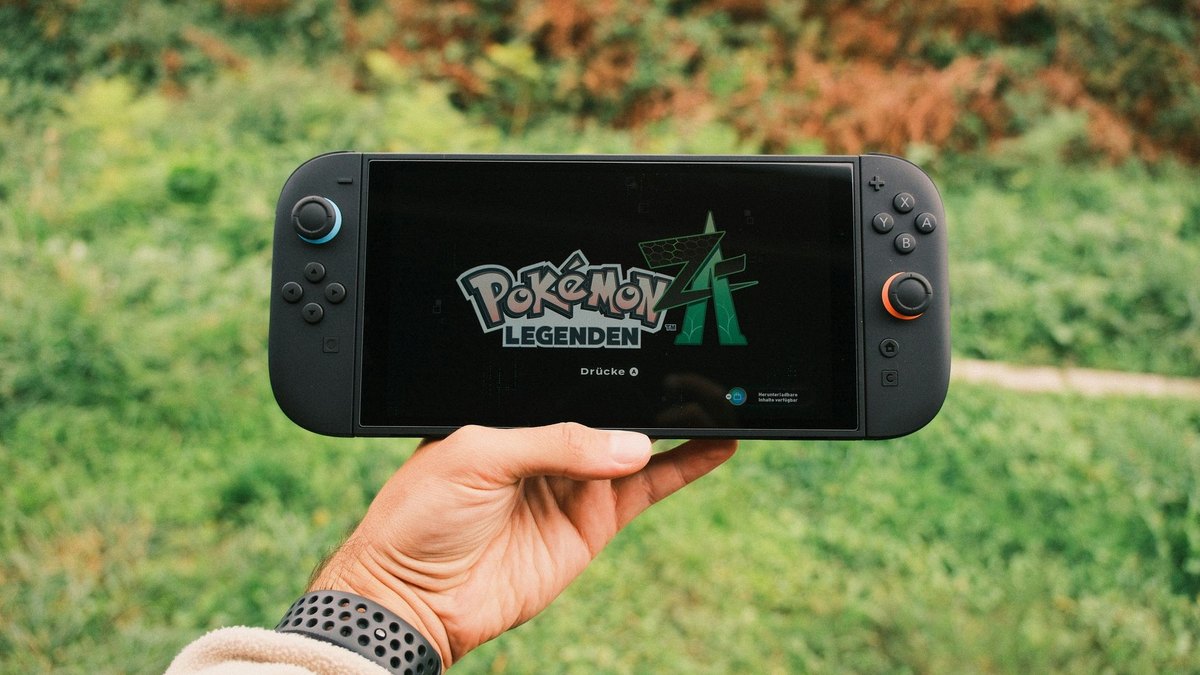
3. Nintendo Switch 2 — Best for Most People
≈ $490–$5607.9-inch 1080p screen256GB storage4K when dockedPlays Switch 1 games
If you came to this article without a strong opinion, buy this one. The Switch 2 is the only machine here that solves the whole problem in one purchase. You turn it on, you buy a game, you play it. Later you drop it in the dock and the same game carries on across the room on your television, at up to 4K.
Nintendo’s spec page lists a 7.9-inch screen at 1920 by 1080 that can redraw up to 120 times a second, with HDR for brighter highlights, 256GB of storage, and a battery it rates at roughly two to six and a half hours depending on the game. It weighs about 1.2 pounds with the controllers attached, so it sits between the retro machines and the Ally. The controllers detach for two-player games with nothing extra to buy, and each one has a mouse sensor, so some games let you slide it across a table like a PC mouse. Your old Switch game cards go in the same slot, so an existing Switch library comes with you.
The argument for it is not raw power, and anyone selling it to you on power is selling it wrong. The argument is the games. Mario, Zelda, Pokémon and Mario Kart exist here and nowhere else, legally, at any price, and no Windows handheld can get you those. It is also the one machine here that a child, a partner or a house guest can pick up with no explanation. The Ally will eventually ask you a Windows question and the Retroid needs an evening of setup; this needs neither.
Two things to know before you buy. Nintendo rates the battery at as little as two hours in a demanding game, so it is a sofa and short-trip machine, not a long-flight one. And 256GB fills up, so a memory card is close to a must; it has to be a microSD Express card, because ordinary microSD cards do not work in it. Skip this one if the games you actually want are from the 1990s, because you would be paying a lot for a machine that does not natively play them. Skip it if you already own a big PC library and only want that library in your hands.
Features
- 7.9-inch 1080p screen with HDR and up to 120Hz, per Nintendo
- Docks to a television at up to 4K, so it is a home console as well
- Plays new releases and the older Switch library
- Detachable controllers for two-player out of the box
- Online service for multiplayer and older classic games
- 256GB of storage, expandable with microSD Express cards up to 2TB
Pros
- The only route to Nintendo’s own games, which no rival can match.
- Zero setup. It works the way a console is supposed to work.
- Docks to a TV at up to 4K, so one purchase covers handheld and living room.
- Your old Switch game cards still work in it.
- The controllers detach for two players with nothing extra to buy.
Cons
- Nintendo rates the battery at as little as two hours in a demanding game.
- New releases are full price, and they add up fast.
- 256GB fills quickly, and only microSD Express cards work in it.
- The most expensive way to play old games, if that is your real goal.
4. ROG Xbox Ally — Best if You Already Own PC Games
≈ $550–$6507-inch 1080p screenRyzen Z2 A, 16GB512GB driveWindows 11
Be precise about which one you are buying. This pick is the plain ROG Xbox Ally, the version Xbox lists with a Ryzen Z2 A chip, 16GB of memory and a 512GB drive. Its two siblings, the Ally X and the Ally X20, use the stronger Z2 Extreme chip with eight cores instead of four, 24GB of memory and a bigger battery. This card recommends the plain one on purpose. If the point is playing the PC games you already own, four cores and 16GB are enough, and the extra cores in an X mostly matter for the newest, heaviest games at higher settings.
ASUS’s spec sheet lists a 7-inch 1080p screen at 120Hz and 500 nits, a 60 watt-hour battery, two USB-C ports, a microSD slot and Wi-Fi 6E. It weighs 670 grams, about 1.5 pounds, the heaviest thing on this list. The Xbox button opens a full-screen Xbox layout on top of Windows, so day to day you see a console-style menu rather than a desktop, and games from Game Pass and the other PC stores show up in one library. What it does that nothing else here can do is run the games you already bought; years of unplayed PC games become something you can use on the sofa.
The costs are real, though. It is a computer, so it behaves like one, including updates that arrive at the wrong moment. A demanding game pulls hard on a 60 watt-hour battery, so plan on a socket nearby for the big stuff. And the four-core chip is the entry point of this family, so expect to turn settings down on the newest big-budget games. Next to the Switch 2 it has no exclusive games at all. Next to the Retroid it plays PC games the Retroid cannot, and it can emulate old consoles too, but it is a much bigger, heavier machine to carry.
Buy this if you have years of PC games and want them in your hands without buying them again. Skip it if your PC library is small, because the machines above will play what you actually want for far less. Skip it if you want something a family member can pick up unaided, since Windows always eventually asks a question that a console never would.
Features
- AMD Ryzen Z2 A processor with 16GB of memory, per Xbox
- 512GB solid-state drive with room for a memory card
- 7-inch 1080p screen at 120Hz and 500 nits
- Full Windows 11, so any PC game store works
- Xbox-style grips built into the body
- 60 watt-hour battery, two USB-C ports and Wi-Fi 6E
Pros
- Plays the PC games you already own, with no rebuying.
- Not locked to one store, unlike every console here.
- The Xbox button gives you a console-style menu instead of a desktop.
- Xbox-style grips built into the body, so it holds like a controller.
- Doubles as a small computer when you plug it into a monitor.
Cons
- Windows adds updates, drivers and menus a console never asks about.
- The 60 watt-hour battery empties fast under a demanding game.
- 670 grams, the heaviest machine here.
- The entry chip of three; the Ally X has twice the cores and more memory for the heaviest new games.
Frequently Asked Questions
What is the best handheld gaming console right now?
For most people it is the Nintendo Switch 2, because it plays new games with no setup and it is the only place Nintendo’s own games legally live. If what you actually want is the games of your childhood, the honest answer changes completely, and the Anbernic RG34XX does that job for a fraction of the money.
What is the most powerful handheld gaming console?
The Windows machines are the powerful ones, and within the range covered here the pricier ROG Xbox Ally models sit at the top. Power is the wrong thing to shop for, though. None of that muscle gives you access to Nintendo’s games, and none of it is needed to replay a 1990s classic.
Is a handheld any good for travel?
The cheap ones are outstanding for it, and the expensive ones are not. Anbernic quotes around seven hours from the RG34XX, which covers a long flight. A Windows handheld is a full PC and empties its battery quickly under load, so it suits a hotel room with a plug more than a seat in economy.
Are handhelds that come loaded with thousands of games legal?
The hardware is legal. The pile of games somebody loaded onto the card is the problem, since the US Copyright Office treats unauthorised copying as infringement. Plenty of buyers use these machines with files they made from their own cartridges, which is a different situation. Just do not treat a preloaded card as part of what you are paying for.
What is the cheapest handheld actually worth buying?
Roughly the $60 to $90 band is where a good one starts. Below that you find machines with poor screens, mushy buttons and software that crashes. The RG34XX sits at the bottom of the sensible range rather than the bottom of the market, and that gap is the difference between a device you keep and a drawer ornament.
Should I buy a Switch 2 or a Windows handheld?
Ask what is already in your game library. If you own a lot of PC games, the Windows machine turns that collection into something portable and is worth the extra. If you do not, the Switch 2 gives you more to play for less money and asks nothing of you technically.
The Bottom Line
This choice only feels hard because two different products share one name. Decide whether you are buying old games or new ones and the field shrinks from dozens of machines to two or three.
If you want the classics, start cheap. The $60 to $90 band does that job properly, and spending more only makes sense once you are chasing the harder consoles. If you want what is coming out now, the Switch 2 is the default and it asks nothing of you. Save the Windows handheld for the case it was built for, which is a PC library you already paid for and never get to play. Buy for the games you will actually load, not for the spec sheet that looks most impressive.