Here is the truth nobody prints on the box: the best phone for seniors is the one your parent will actually answer. Not the one with the best camera. Not the one you would buy for yourself. Phones bought for parents fail at the kitchen table. Mom decides the thing is too fiddly and goes back to the landline. So this guide picks by person, not by spec sheet. A parent who loves her iPad needs a different phone than a father with memory loss. We checked every model below against the maker’s current pages. Each one earns its spot for one kind of parent.
Quick disclosure before we start: the product links below are affiliate links. Buy through one and we earn a small commission, at no extra cost to you.
- Buy for the person, not the brand. A tech-comfortable parent thrives on an iPhone 17e. A calls-only parent needs the Jitterbug Flip3. Guessing wrong is how phones end up in drawers.
- The Jitterbug Smart5 is the safest pick for most families. One tall list of big buttons, live captions on calls, and an Urgent Response button staffed around the clock.
- Jitterbug phones only work on Lively service. The phone is cheap; the monthly plan is the real product. Over two years, the service costs several times what the handset did.
- Memory loss changes everything. The RAZ Memory Cell Phone strips the screen down to six faces, blocks scam callers, and hands control to you through a caregiver app.
- Hearing aids narrow the shortlist. Both Jitterbugs are certified hearing-aid compatible under the FCC’s current standard, and Lively publishes the exact gain numbers for each model.
Which sentence sounds like your parent?
★ Your pick: Apple iPhone 17e
Familiar territory, and Assistive Access can shrink it to a few giant buttons
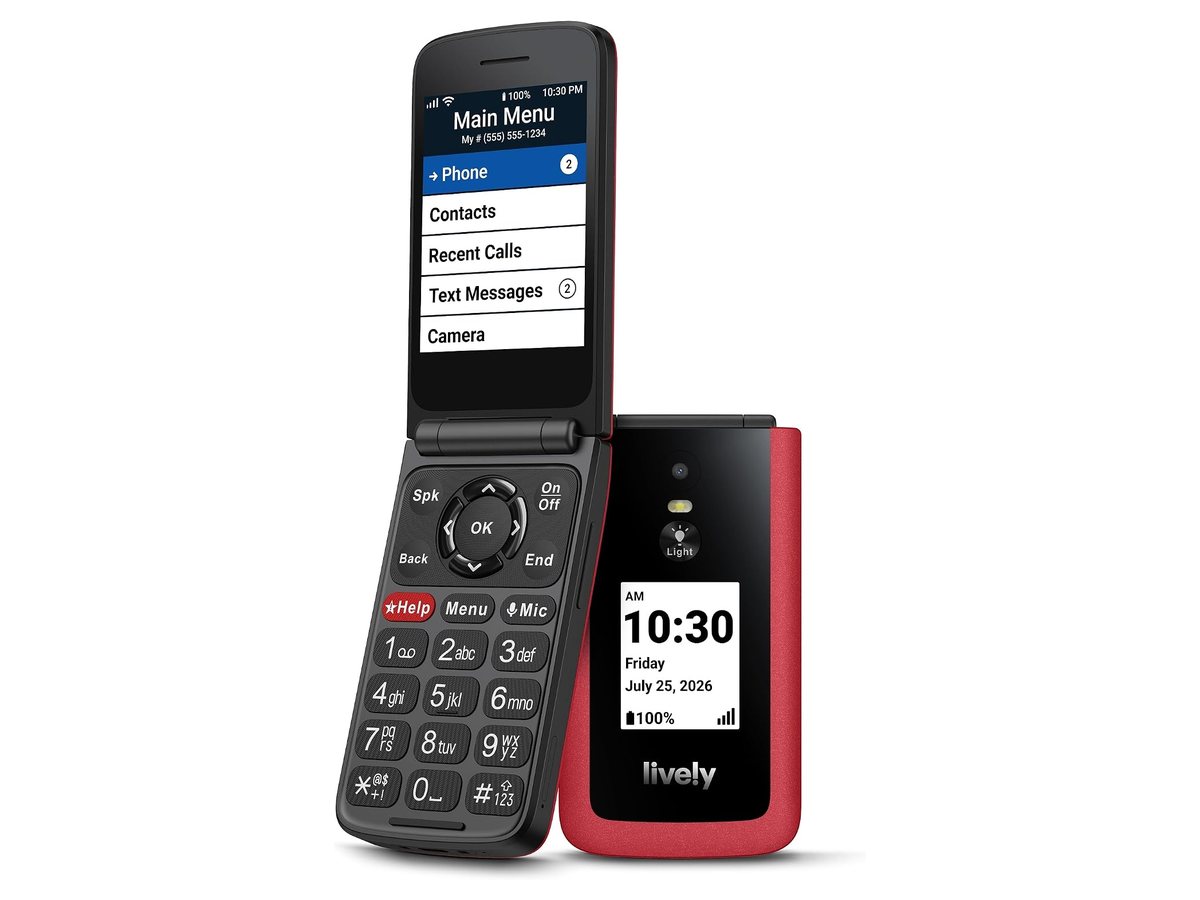
★ Your pick: Lively Jitterbug Flip3
Big real buttons, a dedicated Help key, and nothing to swipe
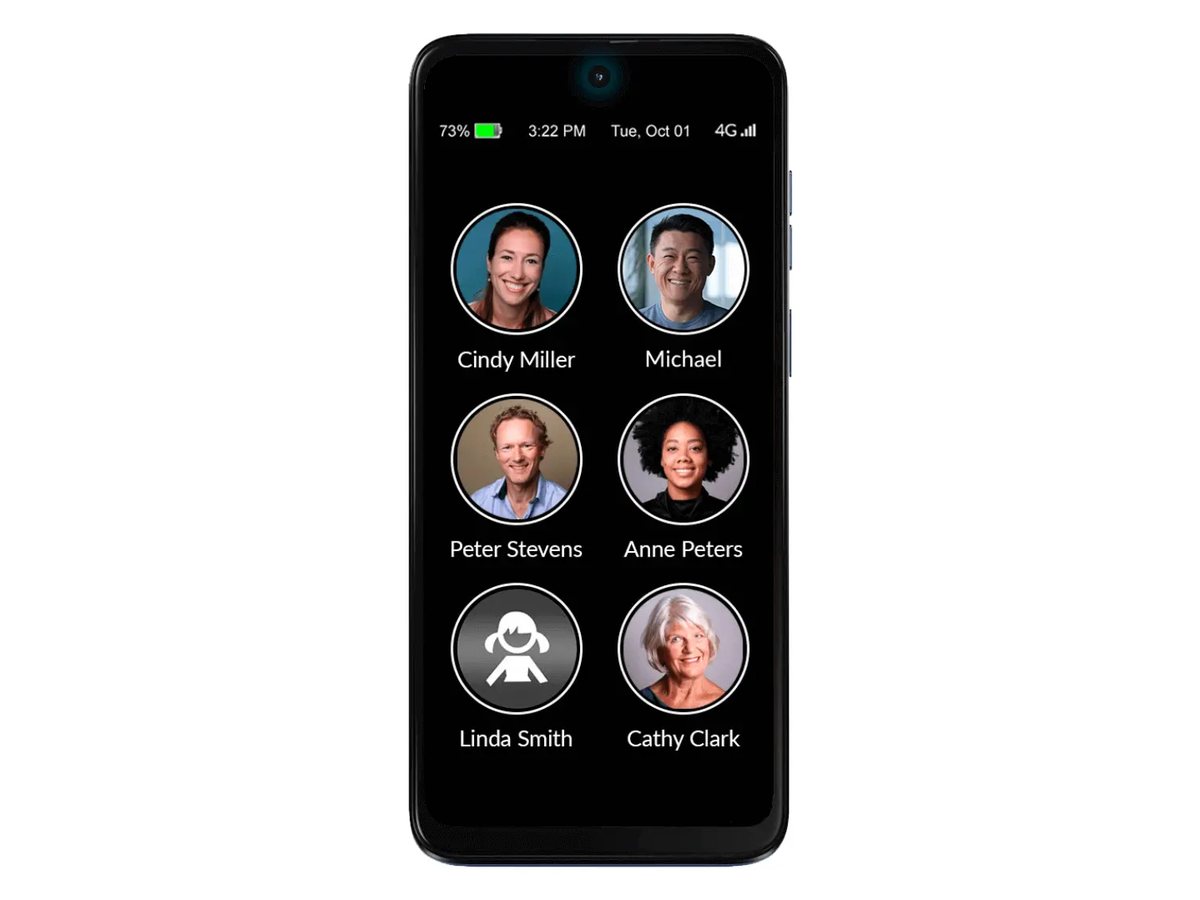
★ Your pick: RAZ Memory Cell Phone
Six photo buttons, scam callers blocked, and you manage it remotely
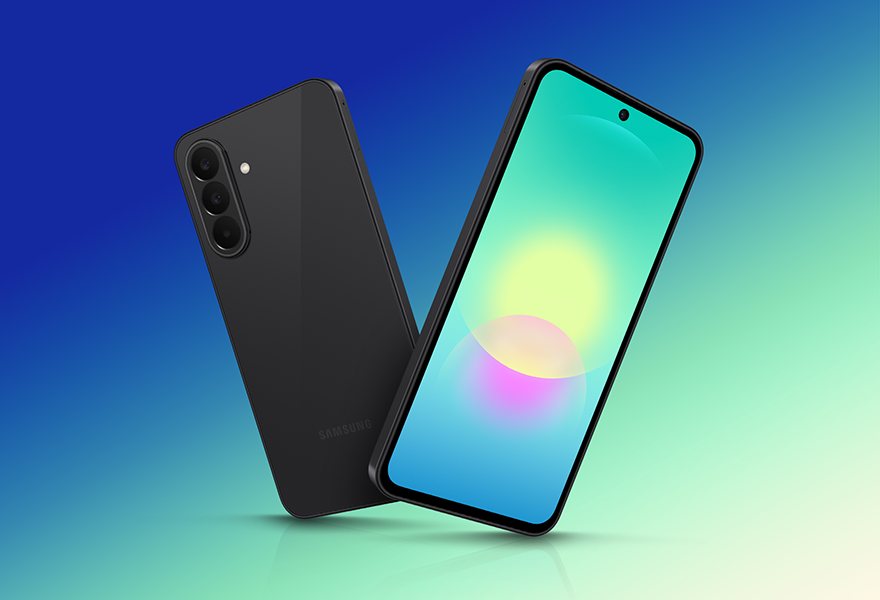
★ Your pick: Samsung Galaxy A27 5G
A 6.7-inch screen, six years of updates, and an Easy Mode built in
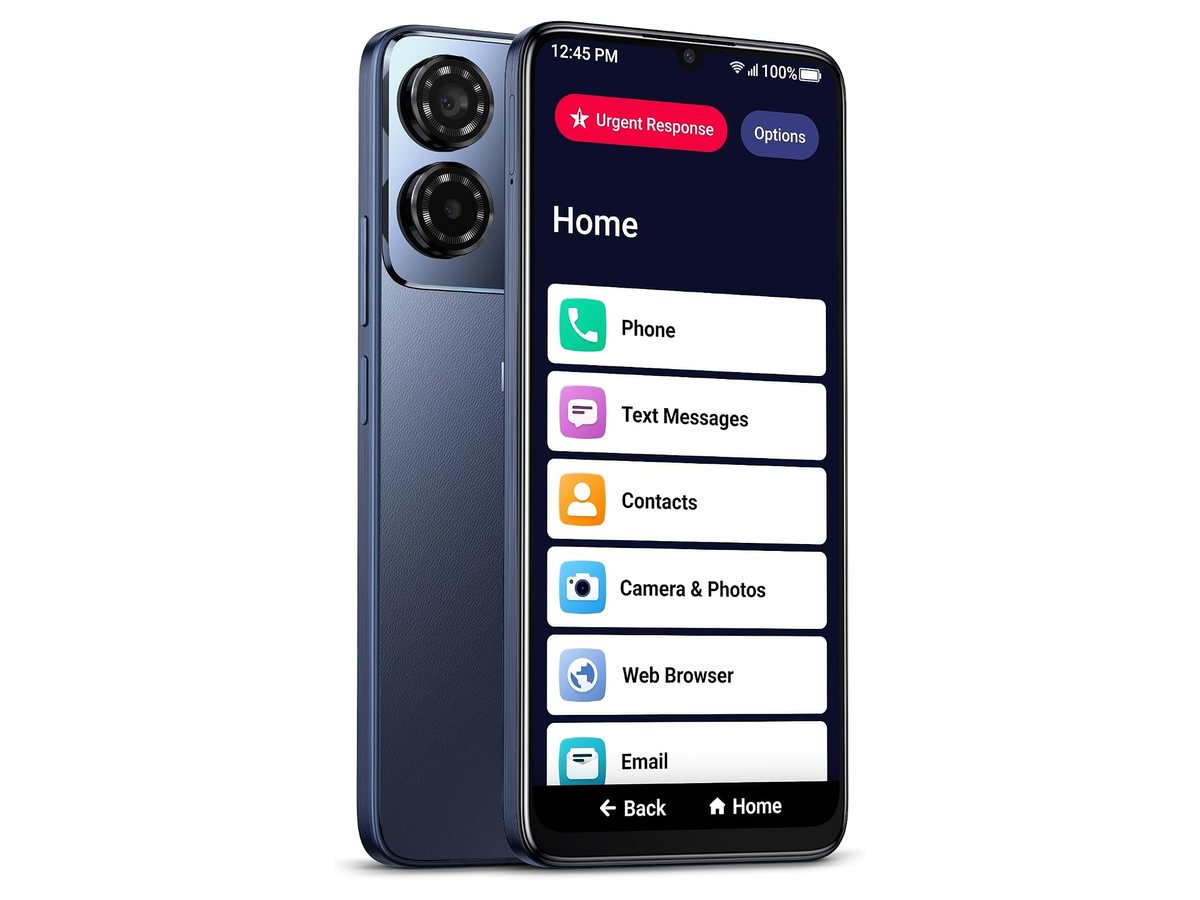
👑 Our Top Pick — Best Overall Value
Lively Jitterbug Smart5
Best overall — a smartphone stripped to one simple list, with live call captions and a 24/7 Urgent Response button
Opens on our Top Pick. Tap an option to see the best match for you.
Flip Phone or Smartphone? Settle That First
Every other choice hangs on this fork, so make it before you compare models. The question is not which type is better. It is what the phone is actually for.
A Flip Phone Wins When Calls Are the Whole Job
If your parent wants to call, be called, and put the thing down, a flip phone is the honest answer. There is nothing to swipe, no app store, and no screen full of icons to get lost in. The battery lasts longer between charges because the phone does less. Closing the phone ends the call. That motion never confuses anyone. The trade is real, though: no video calls, tiny photos, and slow texting on number keys. If the grandkids live far away and video calls matter, a flip phone will quietly disappoint everyone.
A Smartphone Wins When Faces and Photos Matter
Video calls with the grandkids are the number one reason seniors push through the learning curve. Add photos, voice helpers, and pill reminder apps, and the bigger screen starts paying rent. The catch is complexity. The senior-first smartphones below are built to remove it. A Jitterbug Smart5, or an iPhone in Assistive Access mode, gives you the video calls without the icon maze.
Heads up: the iPhone 17e can send an SOS by satellite with zero cell signal. That matters for a parent who drives rural roads. No flip phone here can do it.
The Five Picks Compared in Plain Words
| Model | Built for | Screen | The trade-off |
|---|---|---|---|
| Lively Jitterbug Smart5 | Most seniors, safety first | 6.75-inch touch | Locked to Lively service |
| Apple iPhone 17e | Parents who know Apple | 6.1-inch touch | The priciest path here |
| Lively Jitterbug Flip3 | Calls only, zero fuss | 3.2-inch, real keys | No video calls, ever |
| RAZ Memory Cell Phone | Dementia and memory loss | Six photo buttons | Too limited for most |
| Samsung Galaxy A27 5G | Big screen on a budget | 6.7-inch touch | You do the simplifying |
1. Lively Jitterbug Smart5 — The Safe Pick for Most Parents
$100–$150 range6.75-Inch ScreenUrgent Response ButtonLive Call CaptionsLively Plan Required2026 Model
The Smart5 is what a smartphone looks like after someone deletes everything that scares people. The home screen is one tall list: Phone, Text Messages, Contacts, Camera. No folders, no widgets, no icons that wander. The screen is a huge 6.75 inches. There is no SIM card to fiddle with — it ships ready to activate on Lively — and the menus read like large-print labels. Lively says this is its simplest smartphone yet, and the design backs that up.
The safety layer is the real reason it wins this list. An Urgent Response button sits at the top of the screen. Press it and a trained human answers, day or night. That covers an emergency, a health worry, or even a ride. Calls can show live captions as the other person talks. That quietly rescues phone calls for fading hearing. Both features live one tap deep, not buried in settings.
Against the other picks, the Smart5 is the middle path done right. It video calls the grandkids, which the Flip3 cannot. It needs no setup weekend, which the Galaxy A27 does. And it costs a fraction of the iPhone. The catch is the leash. It only works on Lively’s service, so a monthly plan rides on top of the phone. More on that below. Skip it if your parent already lives happily on an iPhone, or inside your family’s Android world.
Pros
- One-list home screen a first-time user can navigate
- Urgent Response button staffed 24/7
- Live captions on phone calls
- Big 6.75-inch screen, ready to activate out of the box
- Cheap handset for what it does
Cons
- Only works on Lively service — no carrier choice
- The monthly plan outcosts the phone over time
- Too simple for a parent who wants real apps
2. Apple iPhone 17e — Best When They Already Know Apple
Apple’s Entry iPhone6.1-Inch ScreenAssistive Access ModeSatellite SOSFace IDYears of Updates
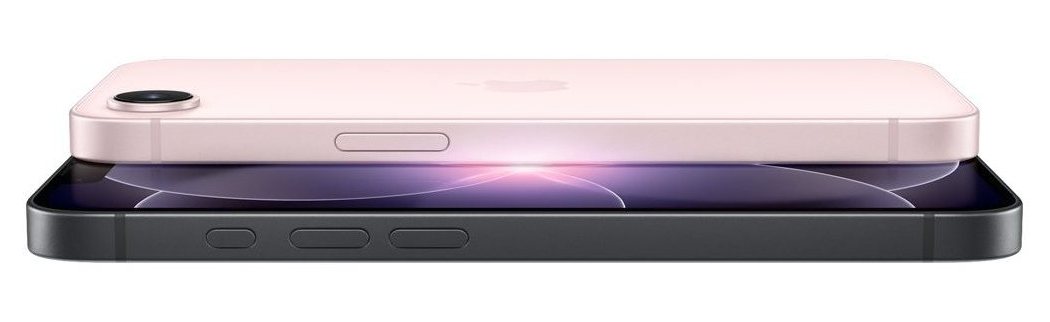
If your parent already owns an iPad or swears by FaceTime, do not fight the current. Buy the iPhone. The iPhone 17e is Apple’s entry-price model. It has the A19 chip, Face ID, a 48MP camera, and up to 26 hours of video playback. The familiar part is the point. The icons, the ringtone, and the FaceTime button sit right where her muscle memory expects.
The senior superpower is a setting most people have never opened. Assistive Access is Apple’s built-in simple mode: giant buttons, huge text, and only the apps you choose. You set it up once as the trusted helper. A full iPhone becomes a five-button phone that still FaceTimes perfectly. Add Emergency SOS via satellite, which works with zero cell bars. Crash Detection can also call for help after a road accident.
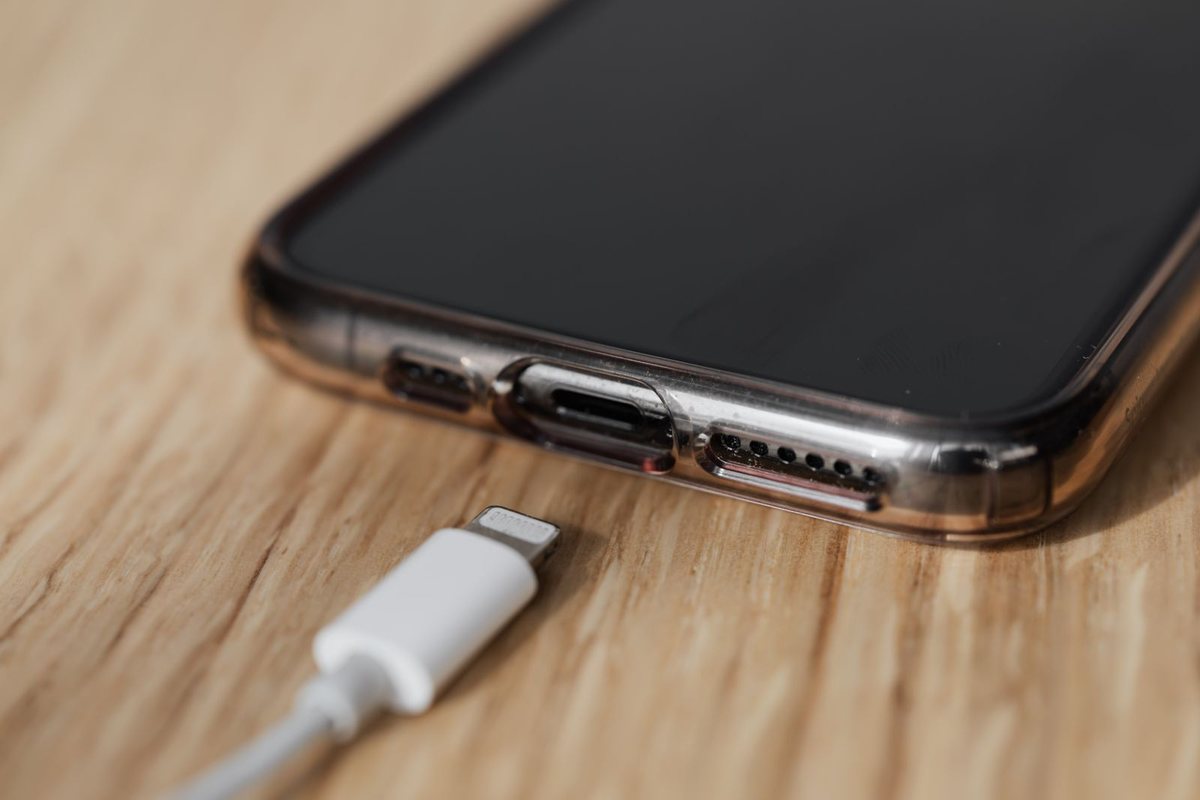
The honest math: this is the priciest pick on the page. An iPhone left in full mode can still overwhelm. Face ID also confuses some first-timers. Our Face ID troubleshooting guide covers the usual fixes, and our iPhone charging guide solves the other support call you will get. Buy it for the Apple-fluent parent. Buy the Smart5 for everyone else.
Pros
- Assistive Access shrinks it to a few giant buttons
- FaceTime — the app grandparents actually want
- Emergency SOS via satellite and Crash Detection
- Long software support protects the purchase for years
- Works on any major carrier, no service lock-in
Cons
- Costs more than any other pick here
- Full iPhone mode can still overwhelm a beginner
- Face ID takes some getting used to
3. Lively Jitterbug Flip3 — For the Parent Who Just Wants to Call
Under $100Real Big ButtonsDedicated Help KeyExternal Clock DisplayLively Plan Required2026 Model
Some parents do not want a simpler smartphone. They want no smartphone. The Flip3 is Lively’s 2026 flip model. It respects that choice instead of arguing with it. The buttons are large, physical, and spaced for stiff fingers. The menu is a plain list steered with arrow keys and one OK button. A red Help key sits right on the keypad. The speaker runs loud, because this phone’s whole job is being heard.
The details are smarter than the category suggests. A window on the closed lid shows the time, date, and battery in large print. The phone doubles as a pocket clock. It charges over USB-C, the same cable as most modern gadgets in the house. Voice typing means texts do not need triple-tapped number keys. There is even a camera for the occasional photo, plus a flashlight button on the back.
Compared with the Smart5, this is the same Lively safety service in a body with one-third the decisions. The same 24/7 team answers the Help key. The same lock-in applies too: Lively service only, monthly plan required. The flip’s limits are permanent: no video calls, a small screen, and about 12 hours of talk time. If those limits match your parent’s wishes, this is the least scary phone on this page.
Pros
- Big physical buttons and a plain list menu
- Dedicated Help key wired to Lively’s 24/7 team
- Outside display shows time and battery at a glance
- USB-C charging and voice typing for texts
- Cheapest handset in this roundup
Cons
- No video calls or apps, by design
- Locked to Lively service like the Smart5
- Modest battery for talk-heavy days
4. RAZ Memory Cell Phone — Built for Dementia, and Nothing Else
Picture DialingCaregiver App ControlBlocks Scam CallersNo Apps to Get Lost InWorks on Most Carriers
When a parent has Alzheimer’s or another dementia, “simple” stops being enough. Menus of any kind become mazes. The RAZ Memory Cell Phone answers with a screen that is nothing but faces. Up to six photos of family, always shown, never moving. Your parent taps and holds a face, and the phone calls that person. That is the whole interface. There are no alerts, no update prompts, and no apps. RAZ leaves them out on purpose.
The control lives with you. Through the RAZ Care app on your own phone, you add contacts and change settings. It works from another city if needed. The phone can also block every call that is not from the contact list. That slams the door on scammers, who prey hardest on seniors with memory loss. That single feature can protect a retirement account.
Where the Jitterbugs simplify a phone, the RAZ removes the phone and leaves only the calling. That is exactly right for its person and wrong for everyone else. A parent with ordinary forgetfulness will feel boxed in, and happier on the Flip3. Unlike the Jitterbugs, the RAZ is unlocked. It works with almost any carrier — Verizon, AT&T, T-Mobile, Consumer Cellular — so it can join your family plan.
Pros
- Six-photo home screen — tap a face, call that person
- Caregiver app gives family full remote control
- Can block all calls from unknown numbers
- No apps, updates, or notifications to cause confusion
- Unlocked — works on almost any carrier
Cons
- Far too limited for seniors without memory loss
- Depends on a caregiver being willing to manage it
- Texting and extras are minimal by design
5. Samsung Galaxy A27 5G — Big Screen, Small Bill, Some Homework
Budget Android6.7-Inch AMOLED6 Years of UpdatesEasy Mode Built In5,000mAh BatteryIP64 Rated
This pick is for the family that lives on Android and wants Grandpa in the group chat. The Galaxy A27 5G is Samsung’s budget workhorse, and it is kind to older eyes and hands. The big 6.7-inch AMOLED screen stays readable in sunlight. The 5,000mAh battery clears a full day with room to spare. The 50MP main camera steadies itself for shake-free photos of the garden.
Two numbers matter more than the rest. Samsung promises six OS upgrades and six years of security updates on this phone. So the phone your parent finally masters stays protected, instead of forcing a confusing replacement in two years. Easy Mode is built into Samsung’s software, too. It switches the whole layout to larger icons, bigger text, and fewer traps in about a minute.
That minute is the catch: you are the setup department. Out of the box, this is a normal Android phone, clutter included. Nobody at a call center will hold your parent’s hand the way Lively does. Do the setup — Easy Mode on, fonts up, junk apps off — and the reward is real. You get most of the Smart5’s readability, no service lock-in, and real apps when wanted. For more all-rounders in this price territory, see our best phones under $500 guide.
Pros
- Large 6.7-inch AMOLED screen, easy on aging eyes
- Six years of updates — no forced relearning cycle
- Easy Mode simplifies the layout in one setting
- All-day 5,000mAh battery and IP64 splash resistance
- No mandatory service plan — any carrier works
Cons
- Needs a family member to set it up properly
- No emergency-response service like Lively’s
- Preloaded apps add clutter a senior never asked for
The Monthly Fee Is the Real Price Tag
Here is the part the big-button ads soft-pedal. The Jitterbug handsets are cheap on purpose. The phone is not the product; the service is. Both Jitterbugs work only on Lively plans. Those bundle the talk, the text, and that 24/7 team. The safety features that justify the buy, like Urgent Response, sit in add-on health and safety packages. Those cost extra each month.
None of this makes Lively a bad deal. A staffed emergency line is a real service. For a parent living alone, it can be worth every penny. But do the two-year math before you decide. Over that stretch, the monthly service quietly costs several times what the handset did. Compare that with the RAZ route: a pricier handset, but unlocked, riding on the cheap plan your family already pays for.
Keep in mind: a Jitterbug cannot be moved to Verizon, AT&T, or any other carrier later. If your family drops Lively service, the handset is done. The iPhone, Galaxy, and RAZ all survive a carrier switch. The Jitterbugs do not.
Check the Carrier Before You Check Out
A senior phone lives or dies on the signal at one address. Before any purchase, check the carrier’s coverage map for your parent’s street — not the town, the street. Satellite SOS is a backup, not a stand-in for bars in the kitchen.
The lock-in picture in one glance: the two Jitterbugs are Lively-only. The RAZ is unlocked and happy on almost any carrier. That includes Verizon, AT&T, T-Mobile, and budget options like Consumer Cellular or Mint Mobile. The iPhone 17e and Galaxy A27 5G work everywhere. That means they can join your existing family plan. One bill, no new account, and you can see the plan when something goes wrong — often the cheapest answer of all.
Hearing Aids Change the Shortlist
If your parent wears hearing aids, compatibility stops being fine print. The FCC requires wireless phones to work with hearing aids. The phone must not buzz with interference or starve the aid of volume. Older phones carry M and T ratings, and a 4 is the best score on each.
Both current Jitterbugs are certified under the FCC’s newer rule instead, and Lively publishes each model’s real hearing-aid gain numbers — part of why they dominate this category. The iPhone plays a different card. It pairs with many modern hearing aids over Bluetooth and streams calls straight into them. An all-Apple house gets a newer trick, too. Apple’s AirPods Pro can work as a clinical-grade hearing aid for mild to moderate hearing loss. The hearing test runs from the iPhone itself.
Watch out: ratings only cover the phone. If the aids are more than a few years old, ask the audiologist two things before you shop. Does the aid have a telecoil, and does it do Bluetooth?
The Mistakes That Get a New Phone Ignored
The wrong purchase is only the first way this project fails. These three mistakes sink good phones every day.
Buying the Phone You Would Want
The classic error is buying your own taste: a flagship with a brilliant camera for a parent who wanted three buttons. Every extra feature is extra room for confusion. Start from what your parent does daily — calls, maybe photos, maybe video calls — and buy exactly that much phone. Unused features are not a bonus. They are why the phone feels hostile.
Handing Over an Empty Phone
A phone that arrives blank makes your parent do the hardest part alone. Before gift day, do the work. Charge it, activate the service, and load every family contact with photos. Set the font to large. Turn on the simple mode: Assistive Access on the iPhone, Easy Mode on the Galaxy. Then make the first call together. Ten minutes of shared success decides more than any spec.
Skipping the Emergency Setup
Whatever the phone, set up its safety net on day one. That means Urgent Response on a Jitterbug, Emergency SOS and Medical ID on an iPhone, and emergency contacts on Android. Then actually rehearse it once. A safety feature nobody has practiced is a brochure promise, not protection.
Bottom line: put a weekly call on your own calendar for the first month. Every question answered in week one is a phone still in use in month six.
Frequently Asked Questions
What is the easiest phone for seniors to use?
For calls only, the Jitterbug Flip3 — big physical buttons, a plain list menu, and a dedicated Help key. For a senior who wants video calls and photos too, the Jitterbug Smart5 is the easiest true smartphone. It shows one list instead of an app grid.
What is the best cell phone for seniors with dementia?
The RAZ Memory Cell Phone, without much competition. The screen shows only family faces to tap. A caregiver app gives you remote control. It can also block every call from unknown numbers, which shuts out scammers.
Do Jitterbug phones work with Verizon or AT&T?
No. The Jitterbug Smart5 and Flip3 only work on Lively’s own service. They cannot be unlocked and moved to another carrier later. If carrier freedom matters, look at the RAZ, the iPhone 17e, or the Galaxy A27 5G instead.
Is an iPhone a good choice for an elderly parent?
Yes, if they already know Apple or a family member can set it up. Turn on Assistive Access and the iPhone 17e becomes a few giant buttons that still FaceTime. Satellite SOS adds real off-grid safety. For a total beginner on a budget, the Smart5 is the gentler start.
Which phones work best with hearing aids?
Both Jitterbugs are certified hearing-aid compatible under the FCC’s current rules. iPhones pair with many modern Bluetooth hearing aids and can stream calls into them. Check the FCC’s guidance and your parent’s specific aids before buying.
How much should I spend on a phone for a senior?
Less than you think on the handset. Under $150 covers the Jitterbugs, and the rest stay under flagship money. Watch the monthly side instead: senior-service plans like Lively’s cost more over two years than the phone itself.
Match the Phone to the Person and It Gets Answered
Run the decision in one pass. Parent fluent in Apple? iPhone 17e with Assistive Access. Family on Android and willing to do an hour of setup? Galaxy A27 5G in Easy Mode. Calls only, no arguments? Jitterbug Flip3. Memory loss in the picture? RAZ Memory Cell Phone, managed from your own phone. Everyone else — which is most families — lands on the Jitterbug Smart5 and its around-the-clock help button. Then finish the job: load the contacts, rehearse the emergency button, and make the first call together. That last hour, not the model number, is what turns a gadget into the phone that always gets answered.