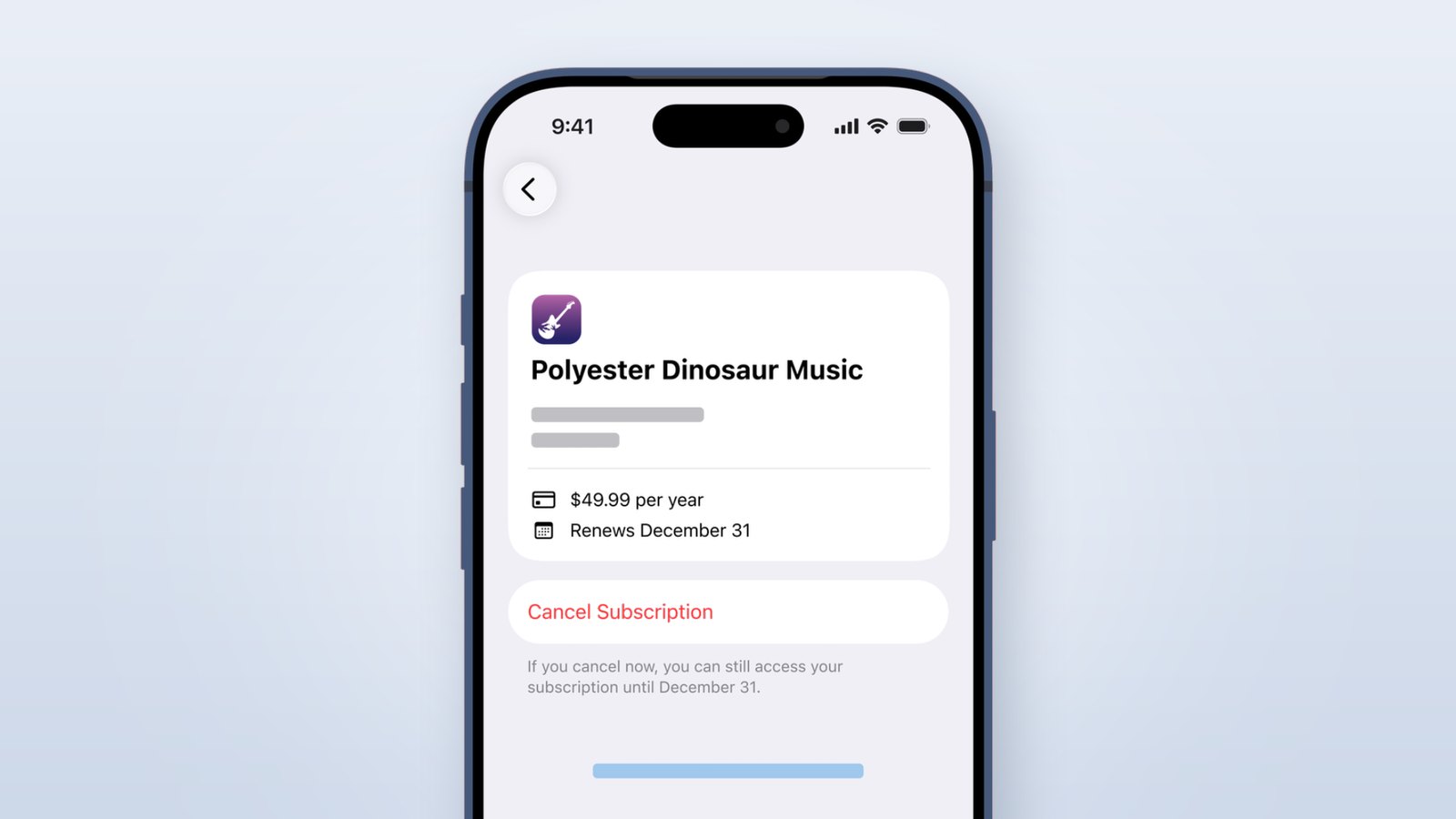
Open Settings. Tap your name at the top. Tap Subscriptions. Tap the one you are done with, then tap Cancel Subscription. That is how to cancel subscriptions on iPhone, start to finish, and it takes about twenty seconds. So why do so many people search this and then search it again a month later? Because the cancel button was never the hard part. The hard part is finding the charge. Money can leave your account through three different doors on the same phone, and that Settings list only watches one of them. Cancel the wrong door and the money keeps going. Let’s open all three.
- Canceling is easy. Finding the charge is the real job, so audit the list before you tap anything.
- Settings shows you only the plans Apple bills. Anything you signed up for in a web browser will not be there.
- If you canceled and got charged again, you almost certainly canceled the wrong thing. The company still has your card.
- Free trials have a hard deadline. Apple says cancel at least 24 hours before the trial ends or you pay.
- Already been charged? Refunds are a separate door, and Apple opens it at reportaproblem.apple.com.
Where Your iPhone Subscriptions Actually Live
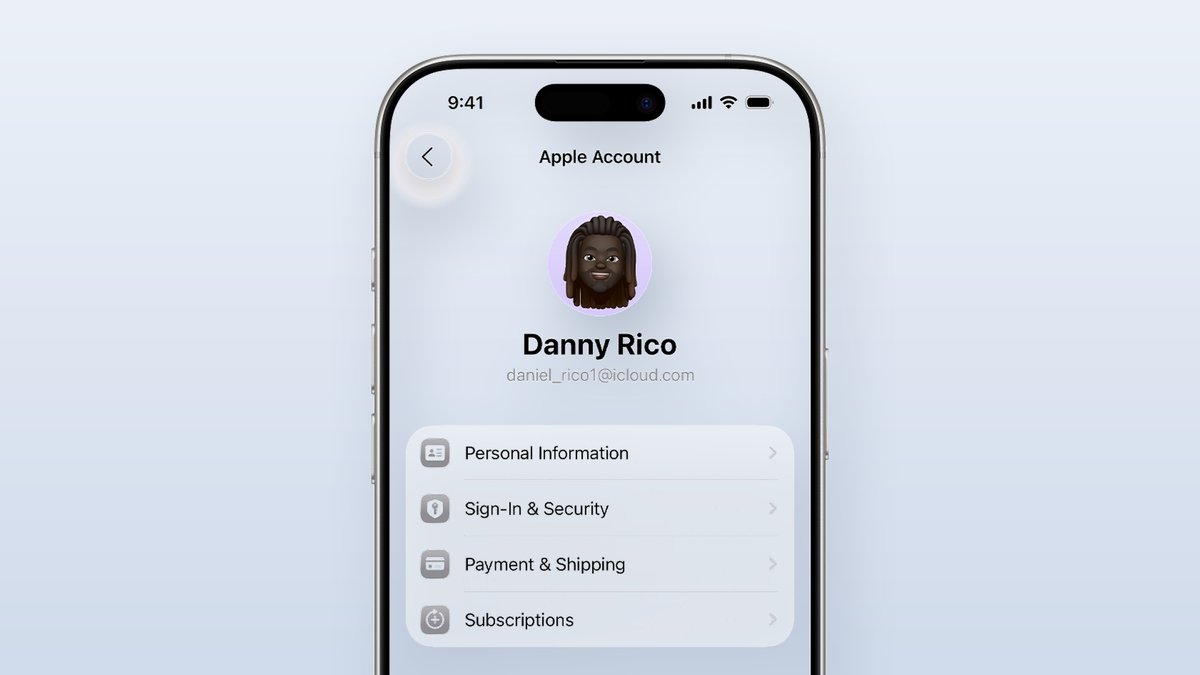
There are two ways in, and they land on the same screen. In Settings, tap your name, then tap Subscriptions. Or open the App Store, tap your photo in the top right corner, and tap Subscriptions there. Apple’s own support page for canceling a subscription documents the Settings route. The App Store route is not in that page, but it works the same way.
One question worth killing early. This path is the same on iPhone 15, 16 and 17. Apple has not moved it in years. If a guide sends you somewhere else, it is out of date.
Now do the boring part first. Read every line on that screen before you cancel a single thing. You will almost certainly find something you forgot. In a C+R Research survey reported by CNBC, people first guessed they spent about $86 a month on subscriptions. Walked through it category by category, the real number came out near $219. That is a $133 gap between what people thought and what they paid, and the same 2022 survey found 42 percent had kept paying for something they no longer used.
That gap is the whole business model. Nobody is stealing from you. You just stopped noticing, and the billing is designed so that not noticing is easy.
The Three Ways a Subscription Can Bill You
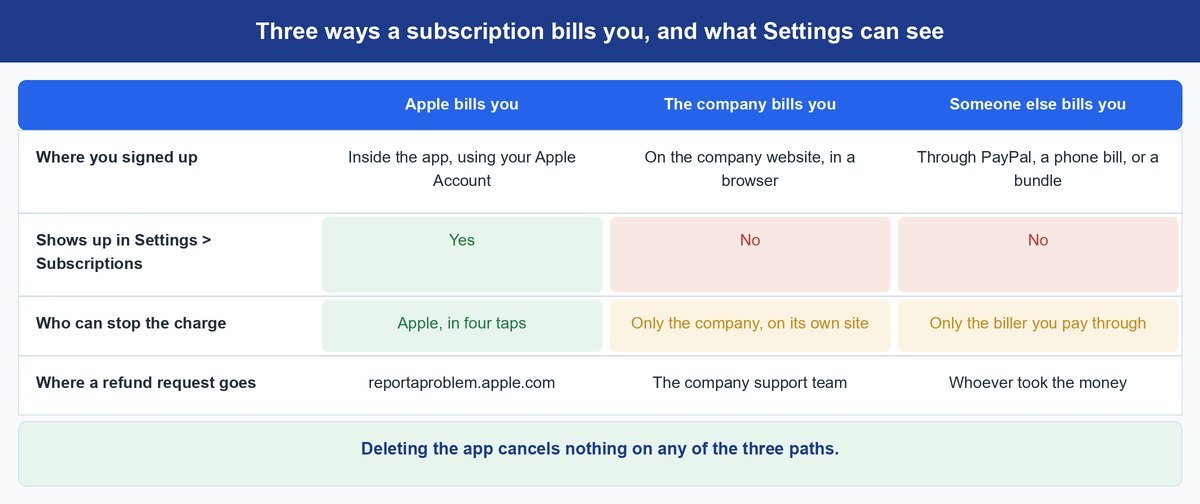
Here is the piece that resolves most failed cancellations. A charge that shows up because of an app on your iPhone can travel down one of three paths. Apple can only see one of them. That is not a bug in the Settings screen. It is a description of who actually took the money.
Apple Bills You Through the App Store
You tapped subscribe inside the app, and the payment went through your Apple Account. Apple is the merchant of record, takes its cut, and can stop the charge. These are the only plans that appear in Settings, and they are the easy ones.
The Company Bills You on Its Own Website
You signed up on the company’s website in a browser, then just logged into the app. Apple never touched the money. Netflix works this way. So do most news sites, most gyms, and Spotify if you joined on the web. Nothing shows in Settings, because there is nothing for Apple to show. You cancel on the company’s own account page.
Someone Else Bills You in the Middle
The bill runs through PayPal, your phone carrier, or a bundle you got with a piece of hardware. Canceling in the app does nothing here. Even the company may not be able to stop it. You have to go to whoever is actually pulling the money.
Worth knowing: deleting the app cancels nothing on any of the three paths. An app icon is not a contract. Removing it just means you now pay for something you cannot open.
How to Cancel an Apple Subscription in Four Taps
Once you know the charge is Apple’s, this part is quick.
- Step 1. Open Settings and tap your name at the very top of the screen.
- Step 2. Tap Subscriptions. Active plans sit at the top, expired ones below.
- Step 3. Tap the plan you want to end.
- Step 4. Tap Cancel Subscription and confirm.
You keep access until the end of the period you already paid for. That is standard behavior, though Apple’s cancel page does not spell it out, so treat it as the norm rather than a promise.
Watch out: free trials have a real deadline. Apple’s guidance is to cancel at least 24 hours before the trial ends. Miss that window by an hour and the full charge lands, and you are now asking for a refund instead of avoiding one.
One warning: if there is no Cancel Subscription button, do not panic and do not tap around looking for one. That usually means the plan is already canceled and simply running out the time you paid for.
When the List Is Empty but the Money Keeps Leaving
This is the case almost nobody writes about, and it is the one that brings people back to the search box. Your Settings list is empty, or it is short, and your bank statement disagrees. Work through these in order.
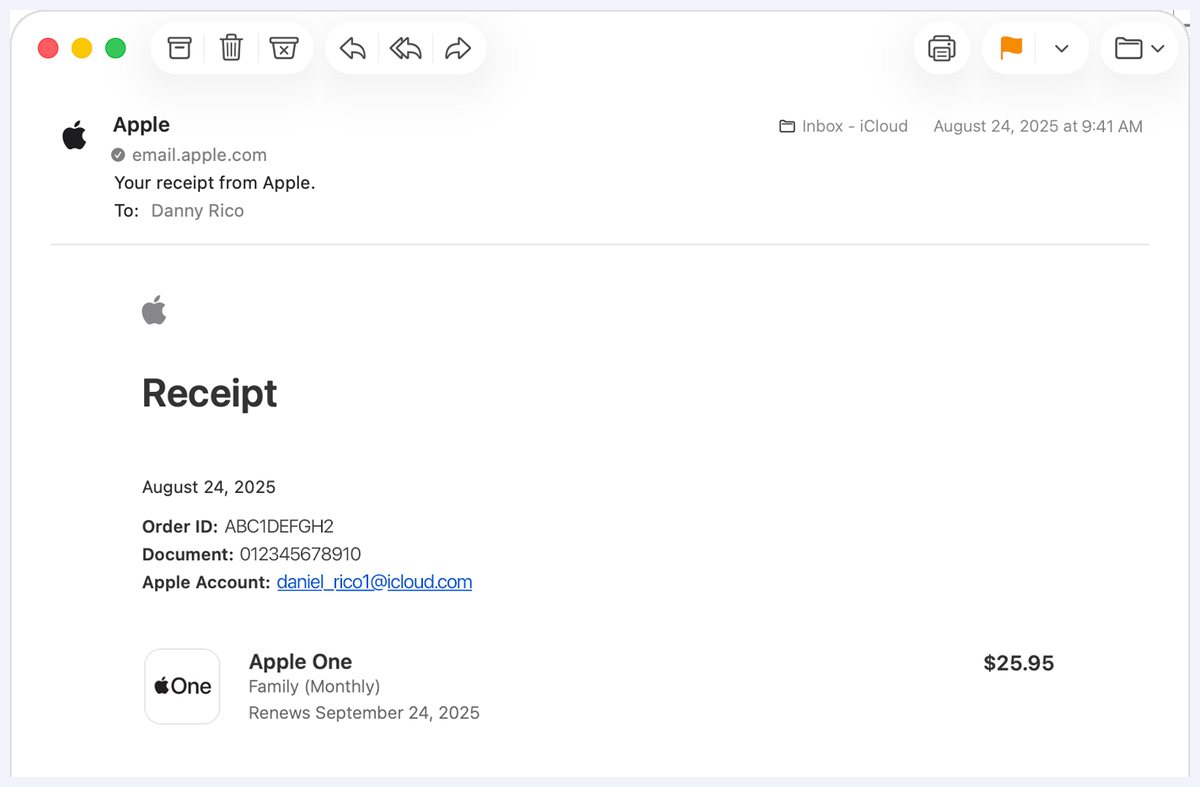
It is on a different Apple Account. An old iCloud address, a work account, a login you made years ago. The subscription lives there, and your current account genuinely has nothing to show. Apple’s own fix is a search in your email.
Handy shortcut: search your inbox for the phrase receipt from Apple. The receipt names the Apple Account that was charged. Sign into that account, then look at Subscriptions again.
Someone in your family bought it. With Family Sharing, a purchase made by one person can bill the organizer’s card. The person who bought it has to cancel it, or the organizer has to do it from their own device.
It was never an Apple charge. If you canceled and the money left anyway, this is nearly always the answer. The company has your card on file and Apple was never in the loop. Log into that company’s site in a browser and cancel there. Using Apple Pay to sign up does not change this, by the way. Apple Pay is just a card in a nicer wrapper. The company is still the one billing you.
How to Ask Apple for Your Money Back
You missed the deadline and the charge went through. Apple handles this on a separate site, not in Settings. Go to reportaproblem.apple.com, sign in with the Apple Account that was charged, find the purchase, and report the problem.
Be honest and be specific. “I meant to cancel the trial and forgot” is a real reason, and it is a better one than a vague complaint. Refunds here are a decision, not a right, so nobody can promise you an outcome. It costs you two minutes to ask.
If the charge came from one of the other two paths, Apple cannot refund it. That request goes to the company or to the biller. Same rule as canceling.
Why This Got Harder in 2025 and What Protects You Now
For a while it looked like a federal rule would fix this for everyone. The FTC finalized its Negative Option Rule in October 2024, the one the press called click-to-cancel, and it would have forced companies to make ending a plan as simple as starting one. In July 2025 the Eighth Circuit threw it out entirely, days before it was due to take effect, on procedural grounds rather than on the merits.
The FTC has restarted the process rather than reinstated the rule. In March 2026 the agency asked the public for comment on what a new version should look like, and its own notice refers to the 2024 rule as vacated. An older, much narrower Negative Option Rule is what stands today. That is a first step, not a finish line, and rulemaking is slow.
You are not unprotected. The FTC can still act against billing that is unfair or deceptive, and many states have their own automatic renewal laws that demand clear terms and an easy way out. But the strength of your protection now depends on which state you live in and which of the three paths took your money. Hardware makers have noticed the mood, which is why you can now buy things like a video doorbell with no monthly plan attached.
So the honest advice is unglamorous. Put a reminder in your calendar twice a year, open that Subscriptions screen, and read your card statement beside it. Ten minutes, twice a year, is now the most reliable consumer protection you have.
Frequently Asked Questions
How do I see all the subscriptions on my iPhone?
Open Settings, tap your name at the top, then tap Subscriptions. You can also get there from the App Store by tapping your photo in the top right. That screen lists every plan Apple bills for you, active ones first. It will not list anything you signed up for on a company’s website.
Is the process different on iPhone 15, 16 or 17?
No. The path is the same on all of them, and on every recent version of iOS. Settings, your name, Subscriptions, Cancel Subscription. If the screen looks different to you, you are probably in the App Store version of the same list rather than the Settings one.
I canceled and I was charged again. What went wrong?
Almost always, you canceled something that was not the thing billing you. The company signed you up directly, so it holds your card and Apple never did. Check your bank statement for the merchant name, then log into that company’s site in a browser and cancel from your account page there.
Can I get a refund for a subscription I forgot about?
You can ask. Go to reportaproblem.apple.com, sign in with the account that was charged, and report the purchase. Apple decides case by case, so there is no guarantee. If the charge did not come from Apple, ask the company that billed you instead.
How do I cancel Spotify or Netflix if they are not in my list?
Then Apple is not billing you for them. Open a browser, sign into your account on their site, and cancel there. Netflix is almost always billed direct. Spotify depends on where you joined, so check the app’s account page to see which one you have.
Are subscription-canceling apps worth paying for?
Usually not, and the irony is hard to miss. Most of them charge you a subscription to cancel your subscriptions, and the Apple-billed ones they find are the four-tap ones you can handle yourself. Their only real trick is scanning your bank feed for charges you missed, which you can do by reading your own statement.
The Bottom Line
Canceling on an iPhone was never the problem. Finding the charge is. Apple’s Settings list is honest about what it knows, and what it knows is only the money that went through Apple. Everything else lives with a company or a middleman who has no reason to remind you they exist. Now that the federal easy-cancel rule is gone and its replacement is still being written, that gap is yours to close. Open the list. Read your statement. Cancel the door the money is actually going through.