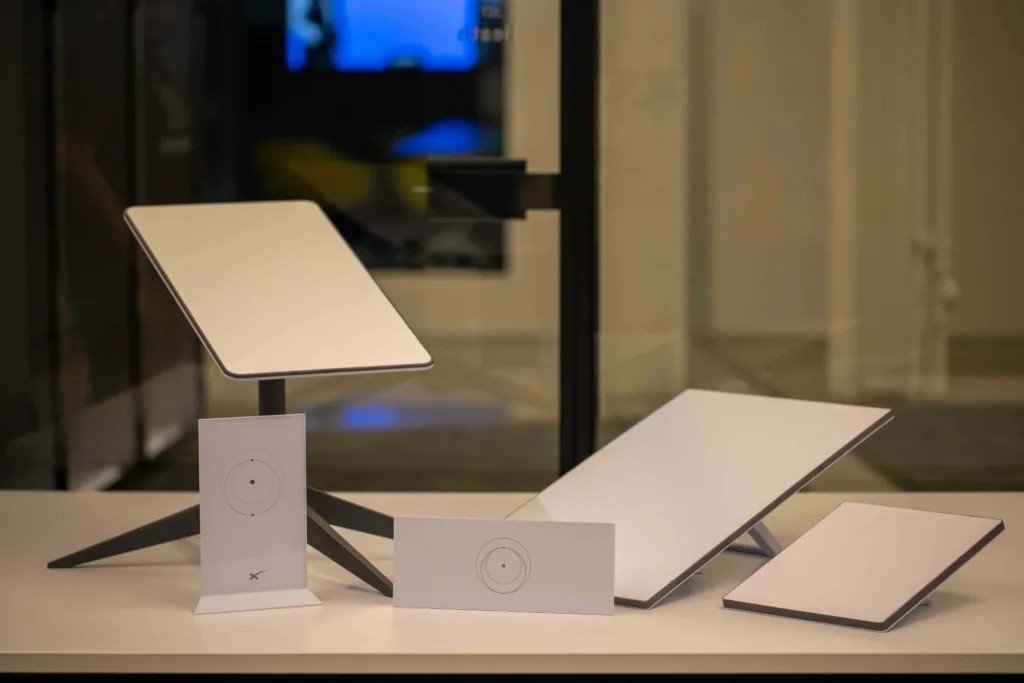
Starlink just made its most portable dish an impulse buy. The Mini, which launched as a premium travel accessory for existing subscribers in mid-2024, has been marked down twice in the last year and now lands at a fraction of that for new accounts. That’s a real story, and if you’ve been eyeing satellite internet for a road trip, a cabin, or a boat, it’s probably why you’re here. But if you’re trying to settle starlink mini vs standard and you’re picking based on price alone, stop, because these two dishes are not the same product wearing different price tags. One is a travel radio with a WiFi router bolted on. The other is a fixed-broadband appliance that happens to point at the sky instead of a pole down the street. The price cut changes what the Mini costs. It doesn’t change what it is.
- The Mini’s promo price requires a fresh Roam plan activation. If you’re adding a Mini to an existing Residential account, expect the higher standard hardware price, not the headline deal.
- Weight and power draw are the real dividing line, not speed. The Mini pulls 25-40W and weighs 2.43 lb bare; the Standard pulls 75-100W and weighs 6.4 lb bare. That’s the difference between running off a car battery and needing a real power source.
- The Mini cannot work standalone. Every Starlink dish, Mini included, needs an active plan to get online, and if you’re not actively roaming, the cheapest way to keep it alive is Standby Mode, which still bills every month, not zero dollars.
- The Standard’s separate Router 3 covers nearly triple the area. Up to 3,200 sq ft and 235 devices, versus the Mini’s built-in router at roughly 1,200 sq ft and 128 devices.
- Rated top speeds favor the Standard, but real-world speed on either dish is set mostly by your plan tier and how many people share your satellite cell, not by which box is bolted to your roof.
Why Starlink Just Made the Mini Impossible to Ignore
Price cuts on hardware that used to be a premium add-on rarely happen out of generosity, and this one lines up with a pattern SpaceX has run before. When Starlink wants to lock in subscribers faster than it can build ground infrastructure, it subsidizes the dish and makes the money back on the monthly plan instead. The original Standard dish followed the same arc, launching expensive and dropping sharply once manufacturing scaled past ten million kits shipped. The Mini is now running that same playbook in miniature, and the timing is not a coincidence. Amazon’s Kuiper network (rebranded Leo) is rolling out its own ultra-compact terminal, the roughly 7-inch-square Leo Nano, aimed squarely at the same backpackers-and-vanlifers market the Mini created, and industry coverage has pegged Amazon’s compact hardware as aggressively cheap. Starlink cutting the Mini’s price right as a credible rival’s compact dish approaches launch is a defensive move, not a clearance sale. The practical upshot for you: this pricing is a competitive response, which means it’s more likely to hold or drop further than it is to reverse.
Starlink Mini vs Standard Dish, Spec for Spec
Marketing pages love to talk about speed and ignore the parts that actually decide whether a dish fits your life. Here’s the comparison that matters, pulled from SpaceX’s own published specification sheets for the Mini and the current Standard 4X kit.
| Spec | Starlink Mini | Starlink Standard (4X) |
|---|---|---|
| Hardware price | Promo rate on a new Roam activation; higher standard rate otherwise | The pricier of the two dishes |
| Dish weight (bare) | 1.10 kg (2.43 lb) | 2.9 kg (6.4 lb) |
| Dish weight (w/ kickstand + 15m cable) | 1.53 kg (3.37 lb) | 3.8 kg (8.3 lb) |
| Dish dimensions | 298.5 x 259 x 38.5 mm (11.75 x 10.2 x 1.45 in) | 594 x 383 x 39.7 mm (23.4 x 15.07 x 1.5 in) |
| Average power draw | 25-40 W | 75-100 W |
| Snow-melt capability | Up to 25 mm/hr (1 in/hr) | Up to 40 mm/hr (1.5 in/hr) |
| Router | Built into the dish, WiFi 5, dual-band 3×3 MU-MIMO | Separate Router 3, WiFi 6, tri-band 4×4 MU-MIMO |
| WiFi coverage / device limit | Up to 1,200 sq ft / 128 devices | Up to 3,200 sq ft / 235 devices |
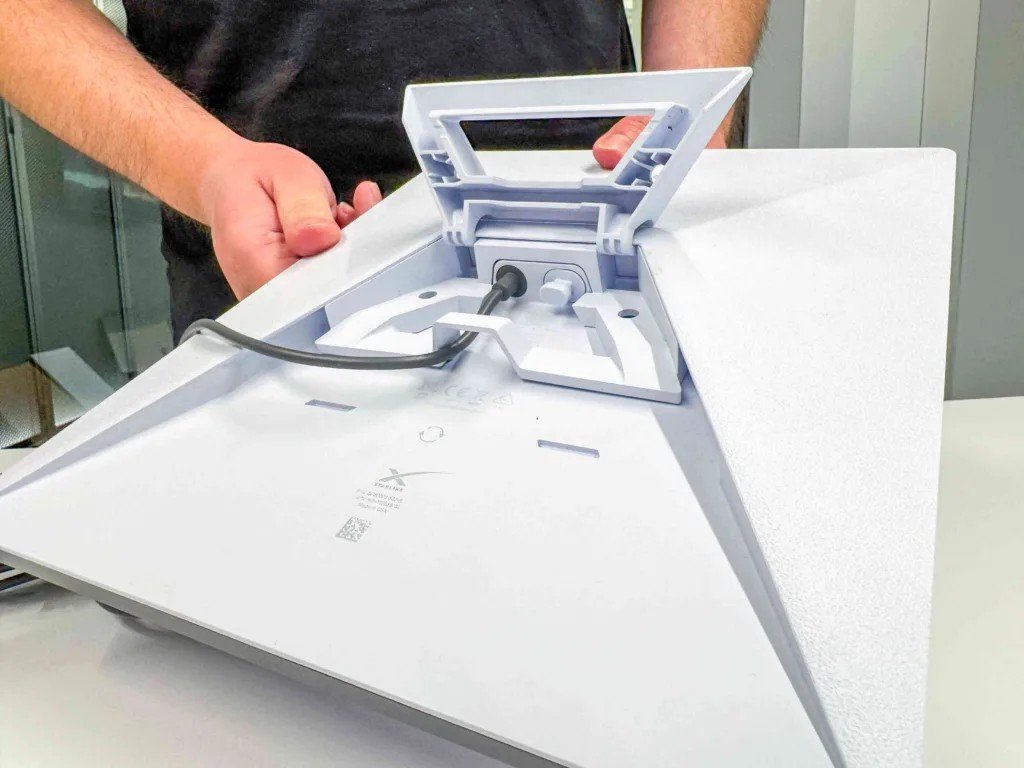
| Ethernet | 1 latching LAN port via included Starlink Plug accessory | 2 built-in latching LAN ports on the router |
| Plan compatibility | Roam plans (Mobile/travel billing) | Residential, Priority, and Roam plans |
| Best suited for | Portable, weight- and power-constrained use | Fixed-location, multi-device, primary broadband use |
Sources: Starlink Mini specification sheet and Starlink Standard 4X specification sheet (SpaceX, official).
Size and Weight Decide Where You’re Actually Allowed to Mount It
The Standard dish is close to three times heavier than the Mini once you account for the kickstand and cable (8.3 lb versus 3.37 lb), and it takes up nearly three times the surface area on your roof or wall. That’s not a spec-sheet curiosity, it’s the entire reason RVers and van-lifers gravitate toward the Mini: a 6-lb dish on a suction mount or magnetic roof rack survives highway speeds and pothole washboard a lot better than a panel almost the size of a card table. The Standard is built to be permanently bolted down, and most installers treat it that way. If your dish needs to come down and go into a bag between stops, the Mini isn’t the compromise option, it’s the only sane one.
Power Draw Is the Number That Actually Matters Off-Grid
This is the spec that decides whether Starlink works with your setup at all if you’re not plugged into shore power or a wall outlet. The Mini’s 25-40W average draw runs comfortably off a 100-200Wh portable power station or a modest solar-plus-battery rig, roughly the same class of gear that powers a laptop and a mini fridge. The Standard’s 75-100W average, with meaningfully higher peaks when its heating element kicks on to melt snow, needs a genuinely serious off-grid power system or a generator to run all day. Boondockers and overlanders quickly learn that battery capacity, not internet speed, is the real bottleneck of van life, and the Mini’s power budget is the one spec that keeps it from eating your whole day’s solar harvest by lunchtime.
Note: The Standard’s higher power draw isn’t just about running the antenna, it also melts snow 60% faster (1.5 in/hr versus the Mini’s 1 in/hr). If you’re mounting a dish permanently in a place that actually gets snow load, that heating margin is a real reason to pick the bigger dish even if you don’t need the extra speed.
The Plan Requirement Nobody Puts in the Headline
Here’s the part that trips people up when they see a cut-price dish and assume that’s the whole bill: a Starlink Mini is not a standalone device. It’s a satellite modem, and like every Starlink terminal, it needs an active account to talk to the constellation at all. There is no mode where you buy the hardware once and get free internet forever. If you’re actively traveling, that means a Roam data plan. If you’re between trips and don’t want to pay for data you’re not using, Starlink’s fallback is Standby Mode, a token monthly fee that keeps your account alive with low-speed connectivity rather than cutting you off entirely. Either way, budget for an ongoing subscription the same way you would for a phone plan, because functionally, that’s what this is.
The catch: Standby Mode is not full-speed internet, it’s a low-speed holding tier meant to keep your account and hardware activated between trips. If you show up somewhere and expect Roam-plan speeds while parked on Standby, you’ll be disappointed. Switch back to an active Roam tier before you actually need to work off the dish.
Keep in mind: The promotional price is tied to activating a brand-new Roam account. If you already have an existing Starlink Residential or Priority plan and want to add a Mini as a second, portable dish on the same account, you’ll generally pay the standard hardware price instead of the promo rate.
Speed Is Set by Your Plan and the Sky, Not Just the Dish
SpaceX rates the Standard dish for meaningfully higher peak throughput than the Mini, and the bigger antenna genuinely captures a stronger signal in a congested satellite cell. But for most people on comparable plan tiers, real-world speeds on both dishes land in an overlapping 50-250 Mbps range, and the gap you’ll actually feel day to day is smaller than the marketing suggests. Where the difference shows up is at the edges: in a crowded cell (a packed campground, a stadium parking lot, a popular anchorage) the Standard’s larger antenna keeps holding a usable connection longer after a Mini nearby has already started dropping frames. If your priority is squeezing out the last few dozen Mbps for 4K streaming to multiple TVs, the Standard wins. If your priority is “does this work reliably enough to run a video call,” both dishes clear that bar on a decent plan.
How Much Does the Starlink Mini Actually Cost Every Month
The hardware price is the headline, but the real starlink mini monthly cost lives in the plan you attach to it, and that’s where people underestimate the total. Here’s the honest breakdown as of this pricing cycle:
- Roam 100GB: the entry monthly rate, high-speed data up to 100GB then throttled to low-speed for the rest of the billing cycle. This is the entry tier and the one most weekend travelers land on.
- Roam Unlimited: roughly three times the entry rate, unlimited high-speed data with no throttling. This is what full-time nomads and remote workers who can’t afford a bad connection actually pay.
- Standby Mode: a token monthly fee, low-speed only, meant purely to keep an inactive account and its hardware alive between trips.
Add the hardware to a Roam 100GB plan and month one costs you the dish plus that first month, then just the entry rate after that if you use it lightly, or roughly three times the entry rate if you need it as your primary connection. That’s a meaningfully different cost structure than a Standard dish on a flat Residential plan, where the monthly fee is fixed regardless of how much you travel, because you’re not traveling with it.
Tip: If you only use the Mini seasonally, flipping to Standby Mode during the months you’re not traveling instead of canceling and reactivating can save real money over a year, since reactivation sometimes carries its own fee while Standby is a flat token monthly hold.
Who the Starlink Mini Is Actually Built For
RVers, Van-Lifers, and Overlanders Who Move Camp Every Few Days
If your “home” relocates every few days, the Mini’s weight and power draw aren’t nice-to-haves, they’re the entire value proposition. A dish you can stash in a cabinet, deploy on a kickstand in ninety seconds, and run off the same battery bank powering your fridge is worth far more to this group than the extra speed headroom of the Standard. The tradeoff they’re explicitly accepting is a smaller WiFi footprint and device count, which is a non-issue in a 30-foot rig with four devices connected.
Boaters, Preppers, and Anyone Who Needs a Grab-and-Go Backup Line
For a boat with limited deck space and a tight power budget, or a household that wants a genuine backup internet line for storms and outages, the Mini’s case is just as strong. It stores in a drawer, deploys in minutes, and doesn’t demand a dedicated circuit. You’re not trying to replace a home network here, you’re trying to guarantee you’re never fully offline, and a dish that’s ready in under two minutes beats a heavier setup that needs real installation.
Remote Workers and Digital Nomads Crossing Borders Often
For people working from a different country every few weeks, the Mini’s built-in router and single-cable setup mean less gear to carry and less that can go wrong at customs or in a rental car. Roam plans are built for exactly this pattern of movement, and the Mini is the hardware Starlink designed specifically to pair with them.
Who Should Skip the Mini and Buy the Standard Dish Instead
If your dish is going in one place and staying there, the calculus flips hard in the Standard’s favor, and the price cut on the Mini shouldn’t change that decision at all. A rural household replacing DSL or fixed wireless needs the Standard’s Router 3, not the Mini’s onboard WiFi, because a family running four streaming devices, a couple of laptops, a smart-home hub, and a game console will bump into the Mini’s 128-device ceiling and 1,200 sq ft coverage radius faster than you’d expect in anything bigger than a small apartment. Gamers and anyone leaning on wired Ethernet for a low-latency connection also want the Standard’s two built-in LAN ports over the Mini’s single port that only exists via an included adapter cable. And if you live somewhere that gets real snow load, the Standard’s faster de-icing capability is a legitimate reliability advantage, not a marketing footnote.
Caveat: Don’t assume the Mini’s single Ethernet port behaves like a normal router’s LAN jack. It’s delivered through the included Starlink Plug accessory cable, not a built-in RJ45 port on the dish body itself, so if wired backup matters to you, test that setup before you commit to it as your only wired connection.
Frequently Asked Questions
Is the Starlink Mini worth it compared to the Standard dish?
It depends entirely on whether your dish needs to travel. For portable, weight- and power-constrained use (RVs, boats, backpacking, backup power), the Mini is worth it and arguably the better engineering choice, not just the cheaper one. For a fixed home replacing wired broadband with multiple devices, the Standard is worth the extra weight, power draw, and price because its router covers more area and more devices.
Can I use a Starlink Mini without a monthly plan?
No. Every Starlink dish, including the Mini, requires an active account to connect to the satellite network. If you’re not on a full Roam plan, the cheapest way to keep the hardware alive is Standby Mode, a token monthly fee that provides only low-speed connectivity, not a free or plan-free option.
How much does the Starlink Mini cost per month?
Budget the entry-level Roam 100GB rate, or roughly three times that for Roam Unlimited if you need it as a primary connection, on top of the one-time hardware purchase. Seasonal users can drop to the token-fee Standby Mode when not actively traveling.
Does the Starlink Mini work as well as the Standard dish?
For light-to-moderate use on a good plan, real-world speeds overlap significantly between the two dishes. The Standard’s larger antenna and higher rated throughput show their advantage mainly in congested satellite cells and for households running many devices at once, not in typical single-user, low-device usage.
Can I switch a Starlink Mini between Roam and Residential plans?
Generally no, not seamlessly. The Mini is sold and billed around Roam (travel) service. If you already hold a Residential or Priority account and want a Mini as a secondary portable dish, you’ll typically add it at the standard hardware price rather than qualifying for the new-account promo.
Is the Starlink Mini durable enough for full-time van life?
Yes, within its rated limits. It carries an IP67 rating and operates from -22°F to 122°F, in wind up to roughly 60 mph, which covers the vast majority of real-world travel conditions. Its snow-melt capability is lower than the Standard’s, so full-time travelers who winter in snowy regions should factor that into where and how they mount it.