Here is the short answer: pay for 120Hz on a phone. Skip it on a TV, unless you watch live sports or game on a console. Refresh rate is just how many times a second a screen redraws its picture — 60 times for 60Hz, 120 times for 120Hz. On a phone, every one of those extra redraws counts, because scrolling and swiping create new motion in real time, so a 120Hz phone looks noticeably smoother within seconds of picking it up. On a TV, it mostly does not matter, because almost everything you watch was filmed at 24 or 30 frames a second, and a 120Hz screen cannot invent frames that were never shot. Worse, plenty of TVs slap a “120” badge on a screen that only actually redraws 60 times a second. Here is how to tell the difference, and where 120Hz is genuinely worth your money.
- Refresh rate is how many times a second the screen redraws itself. 60Hz redraws 60 times, 120Hz redraws 120, so motion looks smoother.
- On a phone, the win is scrolling. Text, feeds and maps stop smearing, and you notice within ten seconds of picking it up.
- On a TV, most of what you watch was filmed at 24 or 30 frames a second. A 120Hz screen cannot add frames nobody ever shot.
- “Motion Rate 120”, “TruMotion” and the rest are marketing names, not panel specs. That number usually runs double the real one, so halve it.
- 120Hz earns its money on a TV in two places: live sport, and a console that can send 120 frames. For that you also need HDMI 2.1.
What Refresh Rate Actually Means in Plain English
Hz means times per second. A 60Hz screen paints a fresh picture 60 times every second. A 120Hz screen paints one 120 times.
Picture a flipbook. Flip 60 pages a second and the drawing moves. Flip 120 and it moves more smoothly, because your eye gets twice as many looks at where the thing is. That is the whole idea. Colour, brightness and sharpness are not part of it.
So is there a big difference? On a still photo, none. The gap only opens when something moves fast, and only when the screen is handed enough new pictures to work with.
Worth knowing: refresh rate is what the screen can do. Frame rate is what the content actually gives it. A 120Hz screen fed 24 frames a second is showing you 24 frames a second. The panel is idling, and no setting changes that.
Where You Will Actually Notice 120Hz and Where You Won’t
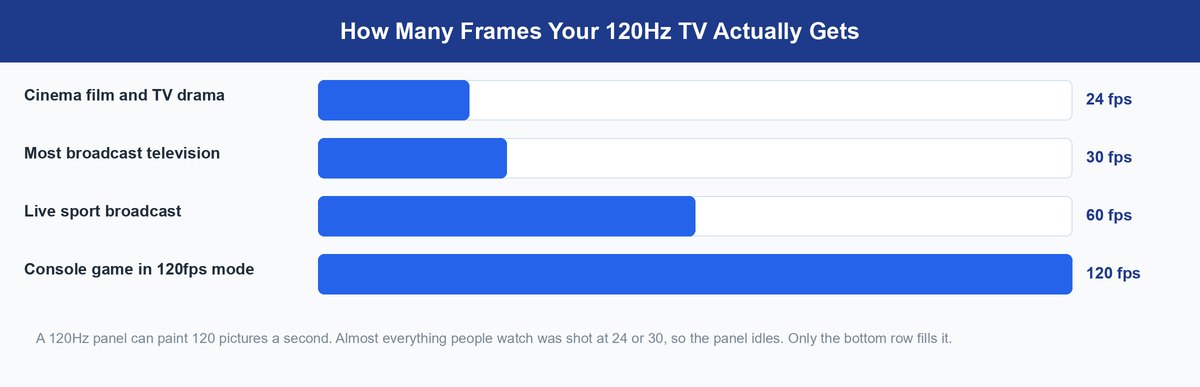
This is where the question splits in two.
Your phone builds its own picture in real time. Flick a feed and the phone can make a new picture every time the panel is ready for one, so a 120Hz phone gets 120 real frames. Scrolling text goes from a slight smear to something you can nearly read mid-flick.
Film does not work that way. Most movies and drama are shot at 24 frames a second, some broadcast at 30, and those numbers were locked in when the camera rolled. Watch anything up to 60 frames a second on a 120Hz TV and the picture is no different from what a 60Hz TV shows you.
There is one quiet exception, and it comes down to simple math. 120 divides evenly by 24, into exactly 5, so a 120Hz panel can hold every film frame on screen for the same length of time. 60 does not divide evenly by 24, so a 60Hz panel has to fudge it, holding some frames slightly longer than others. That uneven pattern is the faint stutter you sometimes catch in a slow camera pan.
Want to feel it yourself? Put a 60Hz phone next to a 120Hz phone and flick the same page of text on both. That settles the argument faster than any spec sheet. If you are shopping on a budget, our guide to the best phones under $500 covers which cheaper handsets really ship a 120Hz panel.
The 120Hz Badge on a TV Often Sits on a 60Hz Panel
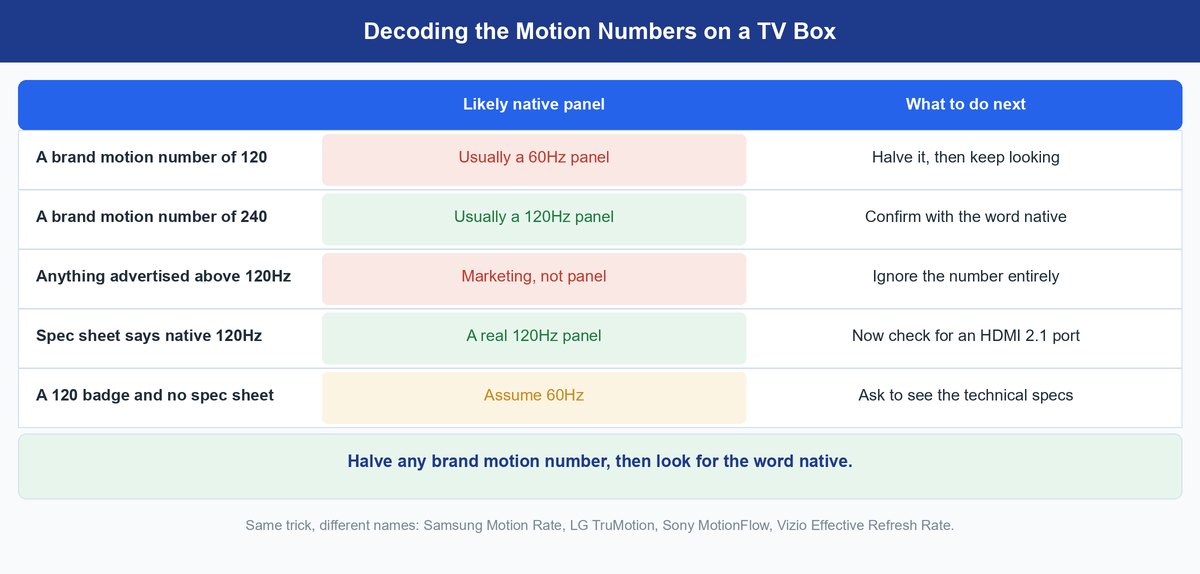
Here is the part that costs people money.
TV makers do not enjoy printing the number 60 on a box, so each of them built their own number instead. Samsung has Motion Rate and Clear Motion Rate. LG has TruMotion. Sony has MotionFlow. Vizio has Effective Refresh Rate. None of those is the panel’s refresh rate. They are scores the brand invented, and they usually run at double the real thing.
So a set labelled “Motion Rate 120” is, in most cases, a 60Hz TV. Motion Rate 240 is roughly where a genuine 120Hz panel starts. Tom’s Guide has called TV refresh-rate marketing the industry’s biggest distortion, and that is hard to argue with once you have seen the same doubling trick on four brands. The useful part is that you can see through it in about thirty seconds on the shop floor. Three checks, in this order.
Look for the Word Native or Actual on the Spec Sheet
Scroll past the marketing block and find the technical specs. A panel that really refreshes 120 times a second is usually described as “native 120Hz” or given an “actual refresh rate”. Tom’s Guide reports that those words carry legal weight, which is why manufacturers use them carefully. Take that as reported rather than proven, but the pattern holds.
Halve Any Number Attached to a Brand Motion Name
If the only figure you can find sits next to Motion Rate, TruMotion, MotionFlow or Effective Refresh Rate, divide it by two and assume that is your panel. It is a rough rule, not a law, and it has yet to make a shopper pay too much. If halving leaves you at 60 and you wanted 120, keep walking.
Check the Port List for HDMI 2.1
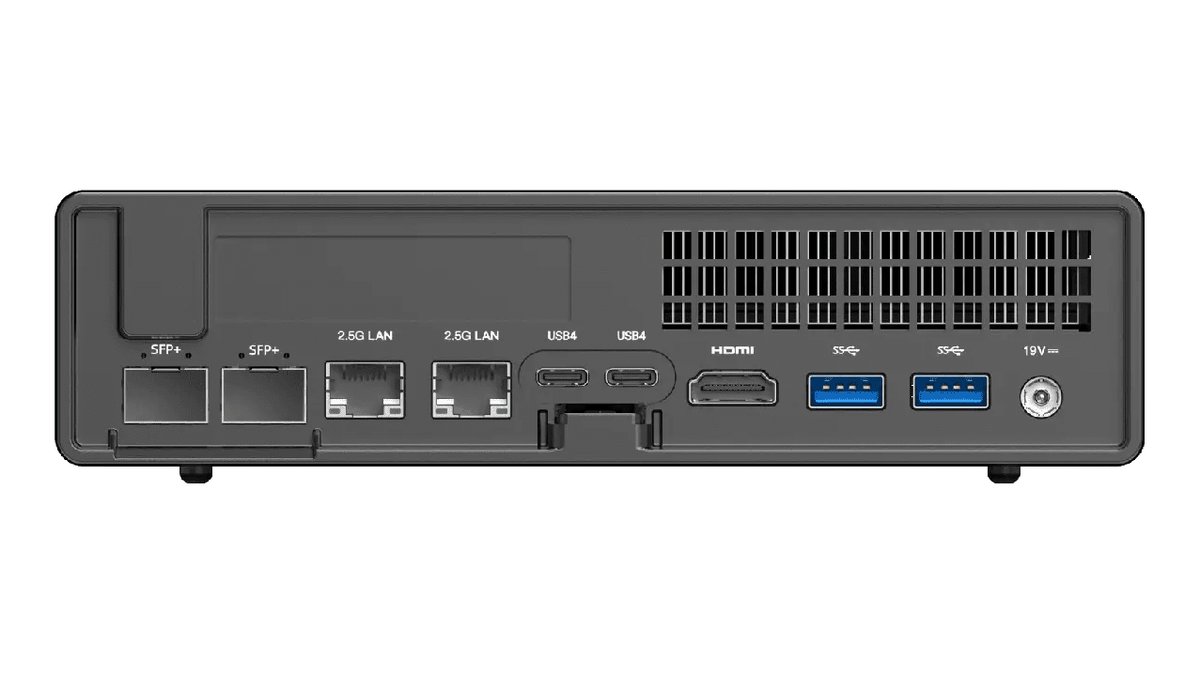
A TV can carry a 120 badge and still refuse to accept a 120Hz signal. To take 4K at 120 frames a second it needs an HDMI 2.1 port, and the box feeding it has to send that signal out. The cable counts too: an older one will connect a new console to a new TV and quietly hand you 60Hz. Some links here are affiliate links, which means TechDaily earns a small commission if you buy through them, at no extra cost to you. A certified HDMI 2.1 cable is the one accessory that unlocks what you already paid for.
One warning: anything sold above 120Hz on a TV is a marketing number rather than a panel, and Tom’s Guide has said so plainly. If a box shouts 240 or 480, you are reading a brand score.
What 120Hz Does for Your Phone Every Single Day
On a phone the answer flips, and it flips hard.
You scroll hundreds of times a day, and each flick is motion the phone generates in real time, so a 120Hz panel gets to use all of its speed. Text stays readable while it moves. Maps glide instead of stepping. It is a small thing that happens constantly, which is the kind of upgrade people still notice months later.
The old objection was battery. A screen locked at 120Hz does draw more power, commonly quoted at up to about 30 percent more than the same screen at 60Hz. Treat that as a widely repeated ballpark, not a measurement, because it moves a lot with brightness and content. Most good phones no longer lock the panel at all. They use an LTPO screen, which simply means the panel changes its own refresh rate on the fly: far down for a static page, back up the moment you scroll. Reported savings sit around 15 to 20 percent against a locked panel, again as a range rather than a lab result.
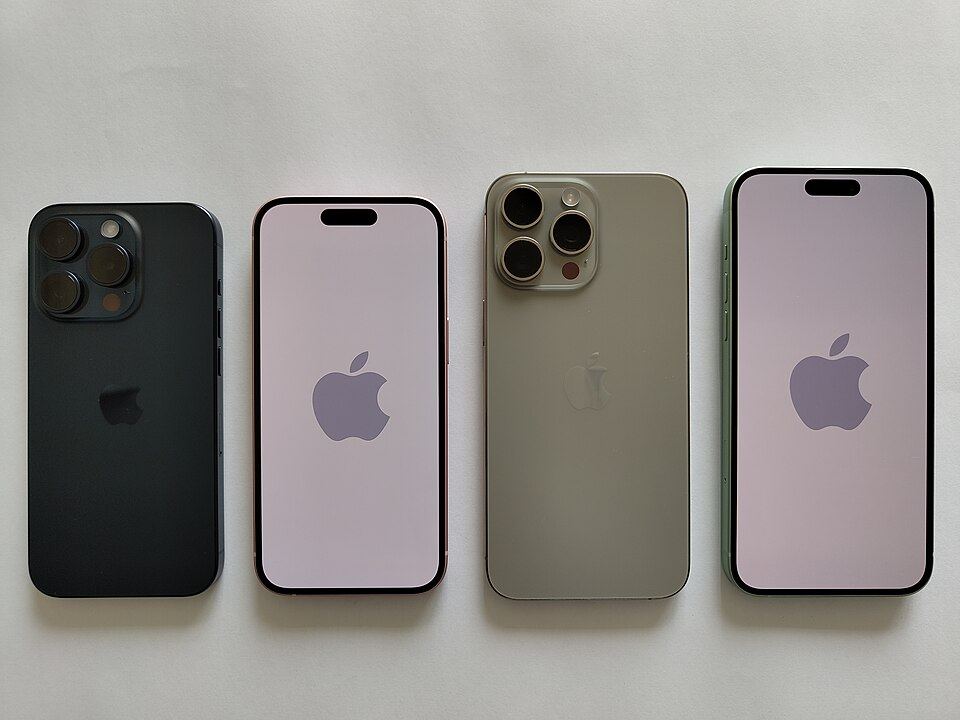
Apple calls its version ProMotion. Apple’s own iPhone 17 spec sheet describes it as adaptive refresh up to 120Hz, and AppleInsider reported in September 2025 that it can range from 10Hz all the way to 120Hz. AppleInsider also argued ProMotion matters less on the iPhone 17 than the marketing suggests. Half right, we think: for anyone coming from an older 60Hz iPhone, scrolling is the most obvious change on day one.
The bigger story is what Apple did in September 2025. Every model in the iPhone 17 line, including the standard 17 and the iPhone Air, ships with ProMotion. The base iPhone had never had it. When a company that withheld a spec for years hands it to everyone, that spec has stopped being a luxury. On phones, 120Hz is now close to standard, and paying a premium purely for it makes less sense every year.
Real talk: if your phone offers a plain 60 or 120 switch with no adaptive option, that toggle is a genuine battery lever and worth trying on a long day. If it says adaptive, leave it alone. The panel manages itself better than you can.
When 120Hz on a TV Is Genuinely Worth Paying For
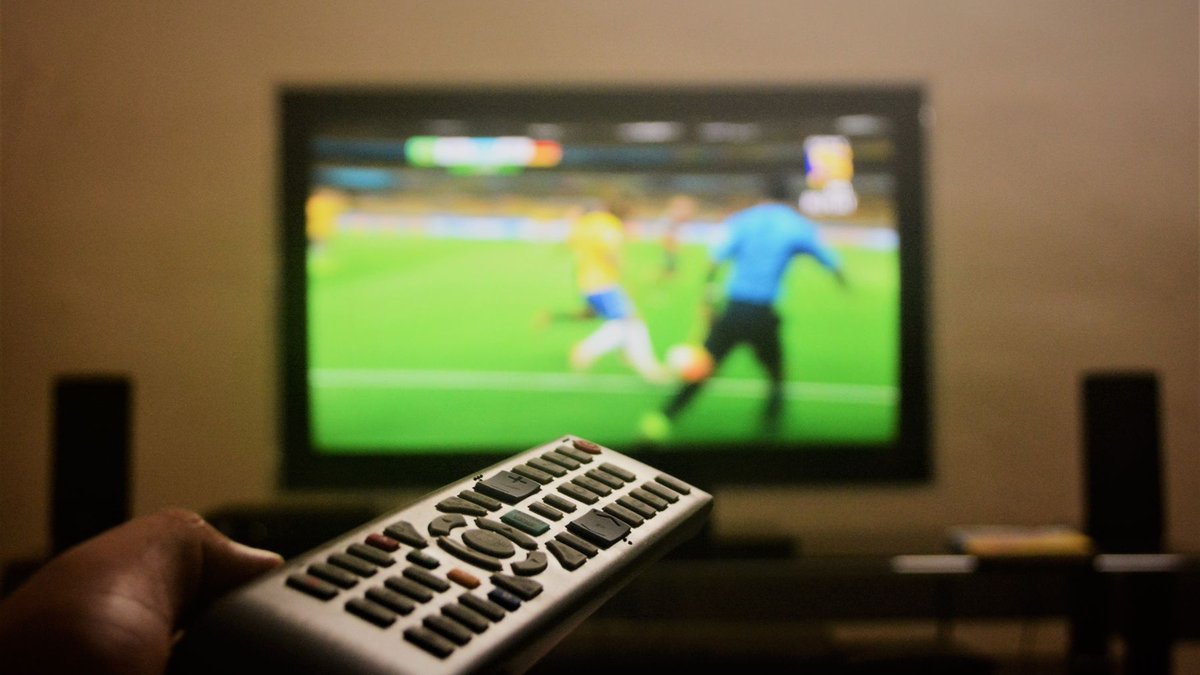
Two cases, and both are real. The first is live sport: a fast pan across a pitch is the hardest thing a TV does, and it is where people spot the difference without being told to look. The second is console gaming, because current consoles can output 120 frames a second in supported games and a 120Hz set gives you all of them.
Outside those two, be honest about what you watch. If your evenings are films and streaming drama, a native 120Hz panel changes almost nothing, and the money buys more if you spend it on panel quality or size. Our 4K vs 1080p breakdown works through the same trade-off on resolution.
Reality check: motion smoothing is a separate setting from refresh rate. Smoothing invents in-between frames and gives films that odd, cheap “shot on video” look people complain about. It has its own menu entry, and you can switch it off while keeping every bit of your 120Hz.
How to Test the Refresh Rate You Actually Have
You do not have to trust the box. Three ways to check.
On an Android phone, open Settings, then Display, and look for Motion smoothness or Refresh rate. The wording changes by brand, but it is nearly always there. On an iPhone, go to Settings, then Accessibility, then Motion. If a Limit Frame Rate switch is there, your phone has a 120Hz ProMotion screen, and leaving that switch off keeps it running fast.
For any device with a browser, load TestUFO and it reports the refresh rate it is actually being given. For a TV, the honest test is the source: send it a 120Hz signal from a console or PC and see whether it accepts. If the set drops to 60, you have your answer whatever the badge said.
One last thing on the bigger numbers. You will see 144Hz, 165Hz, 240Hz and even 360Hz advertised, but those live on gaming monitors bought by people chasing milliseconds. The gain shrinks fast after 120. For the two screens most of us own, a phone and a TV, 120 is where the meaningful jump lives and where it stops.
Frequently Asked Questions
Is 120Hz really worth it, or is it just a spec sheet number?
On a phone it is worth it and you notice in seconds, because scrolling is motion your phone creates live. On a TV it depends on what you watch: yes for live sport and console gaming, barely at all for films and streaming drama.
Is 60Hz or 120Hz better for battery life on a phone?
60Hz uses less power. A screen locked at 120Hz is commonly quoted at up to about 30 percent more draw, though that is a ballpark rather than a measured figure. Most modern phones use an adaptive LTPO screen that drops the rate on its own, which largely removes the trade-off.
Can you actually see the difference between 60Hz and 120Hz?
Yes, on motion. Put two phones side by side, flick the same page of text, and the gap is obvious. On a still image, or on a film shot at 24 frames a second, there is nothing to see.
Does a 120Hz TV make Netflix look better?
Not really. Streaming drama and films are shot at 24 or 30 frames a second, and a 120Hz panel cannot add frames that were never filmed. The one small gain is smoother slow pans, because 120 divides evenly by 24 and 60 does not.
Is 60Hz vs 120Hz a big deal for watching sports?
It is the strongest case for 120Hz on a TV. Fast camera pans across a pitch are the hardest motion a screen handles, and a native 120Hz panel deals with them better. Just make sure the set says native and not Motion Rate.
What does Motion Rate 120 mean on a TV?
It is Samsung’s own marketing score, not the panel’s refresh rate, and it usually runs at double the real number. A Motion Rate 120 set is normally a 60Hz TV, and Motion Rate 240 is roughly where a genuine 120Hz panel begins. LG’s TruMotion, Sony’s MotionFlow and Vizio’s Effective Refresh Rate work the same way.
The Bottom Line on Paying Extra for 120Hz
Buying a phone? Take the 120Hz screen. It is one of the very few specs you feel every day, and it has quietly become standard enough that you rarely pay a premium for it. Leave the refresh setting on adaptive and forget it.
Buying a TV? Do not pay for the badge, pay for the word native. Then ask one question: do you watch live sport, or game on a console? If yes, get a native 120Hz set with HDMI 2.1 and a cable that carries the signal. If no, put the money into a bigger or better panel and let the number go. 120Hz is real, and it is worth far more on the thing you scroll than on the thing you watch.