Two televisions sit side by side. Both say 120Hz on the front. One costs roughly half what the other does. Neither maker is lying. But only one of them has a panel that truly runs that fast, and the one that costs less gets there by giving up sharpness to do it. Samsung says so itself, in a footnote on its own product page. That gap is the whole thing. The best TV for gaming is not the brightest set, and it is not the one with the longest processor name. It is the set whose panel, ports and screen finish match the room you actually play in. Here is which specs change what lands on your screen, which ones only sell televisions, and five sets worth your money today.
Disclosure: TechDaily is an Amazon affiliate and earns a commission on purchases made through links on this page. It costs you nothing extra, and it does not change which sets made this list.
- One word on the spec sheet does most of the work. If it says native beside the refresh rate, the panel is really that fast.
- Samsung’s own spec table for the M70H lists the panel at 60 hertz. Its 120Hz mode is a doubling trick, and Samsung’s footnote admits it costs sharpness.
- Variable refresh rate and auto low latency mode matter more day to day than peak brightness. They are what stop tearing and cut lag.
- Motion Rate 480 is a smoothing score, not a panel speed, and game mode turns smoothing down anyway.
- Brightness only matters as much as your room does. A sunny living room needs an anti-glare screen. A dark bedroom does not.
- A genuinely fast, well-connected 4K set now lives in the mid-hundreds. You do not have to cross a thousand dollars to get one.
What is actually pushing you to buy a new TV?
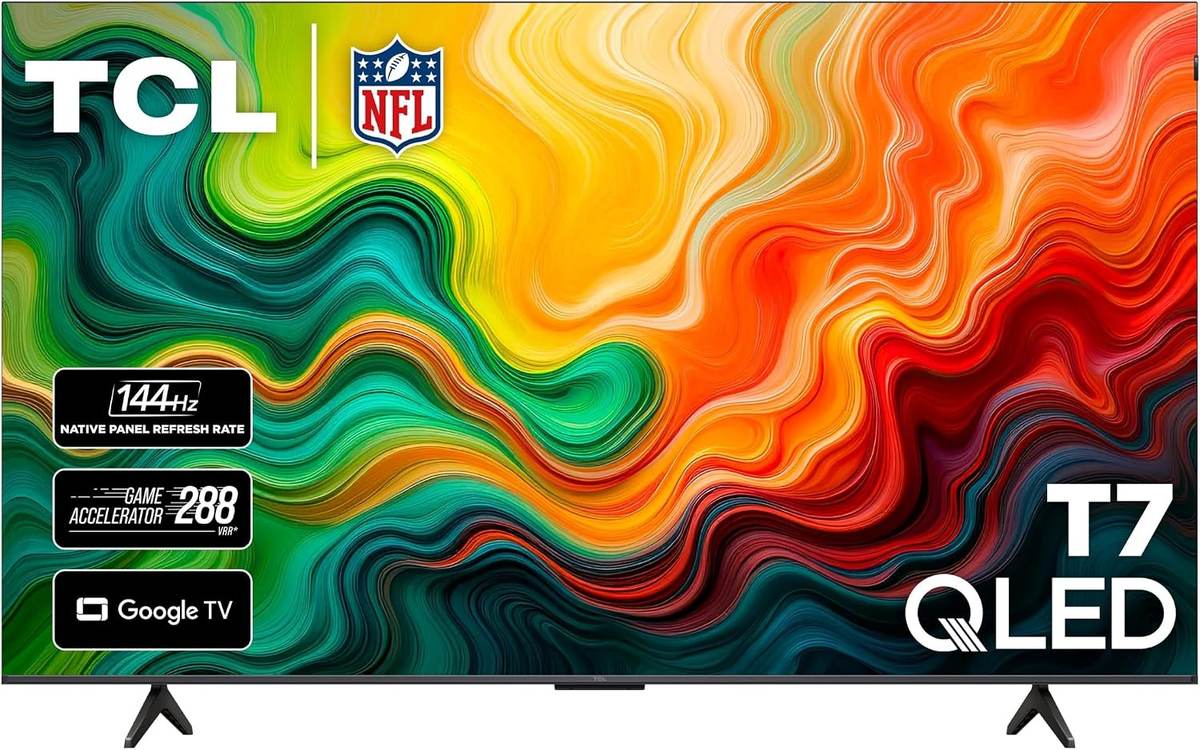
★ Your pick: TCL 65T7
Fast panel, four HDMI ports, low-lag game mode. It skips the extras you cannot see while playing.
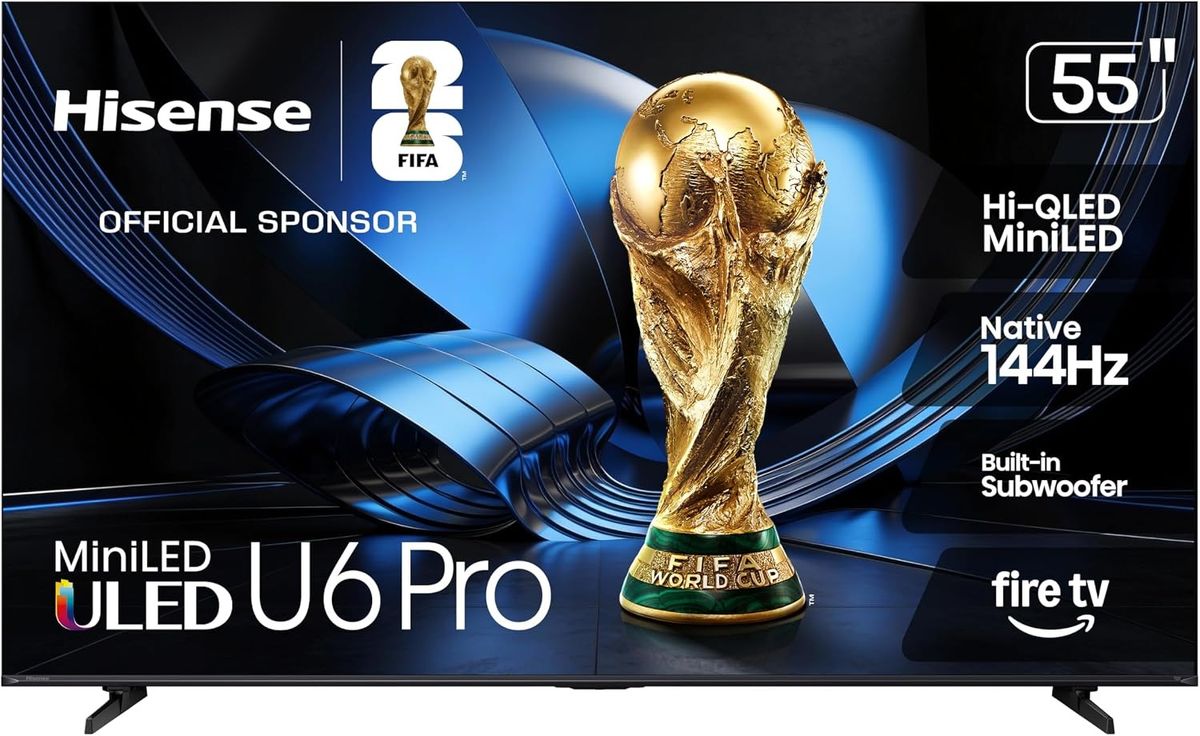
★ Your pick: Hisense 55U6SF Pro
Hisense builds an anti-reflection, glare-free screen into this one, on top of a mini-LED backlight.
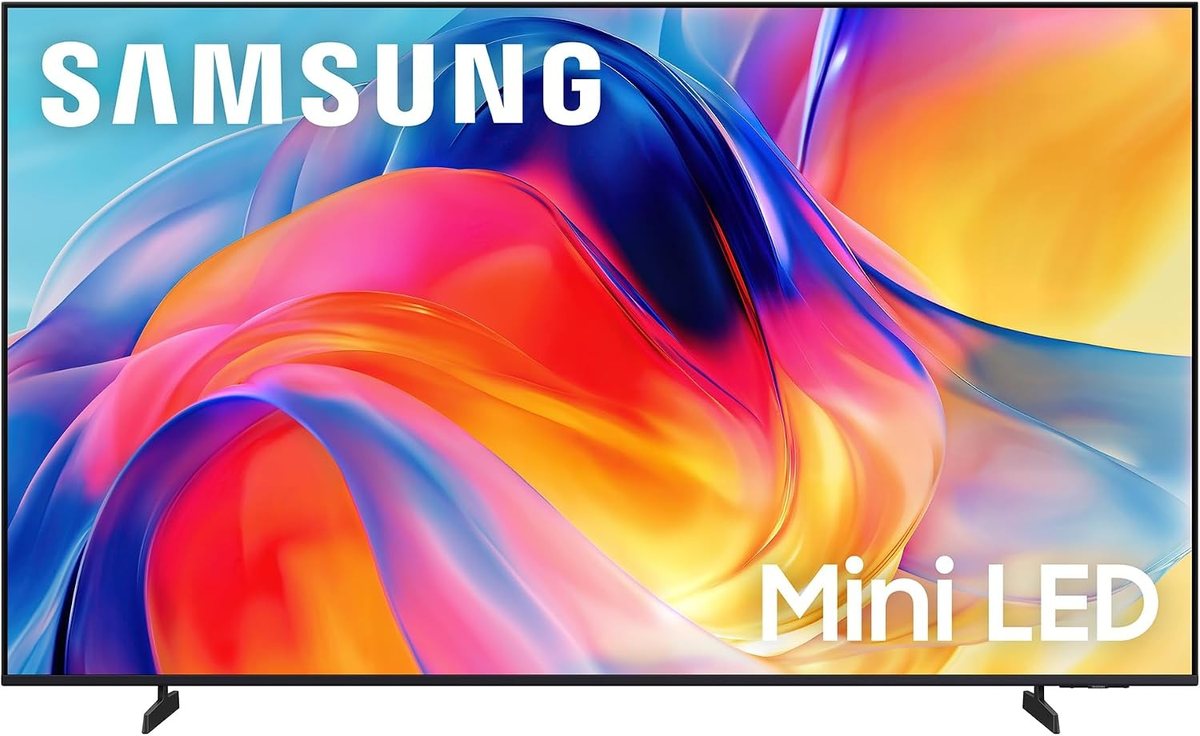
★ Your pick: Samsung 55-Inch M70H
A 60Hz panel is honestly enough for you, and this is the cheapest mini-LED set here by a wide margin.
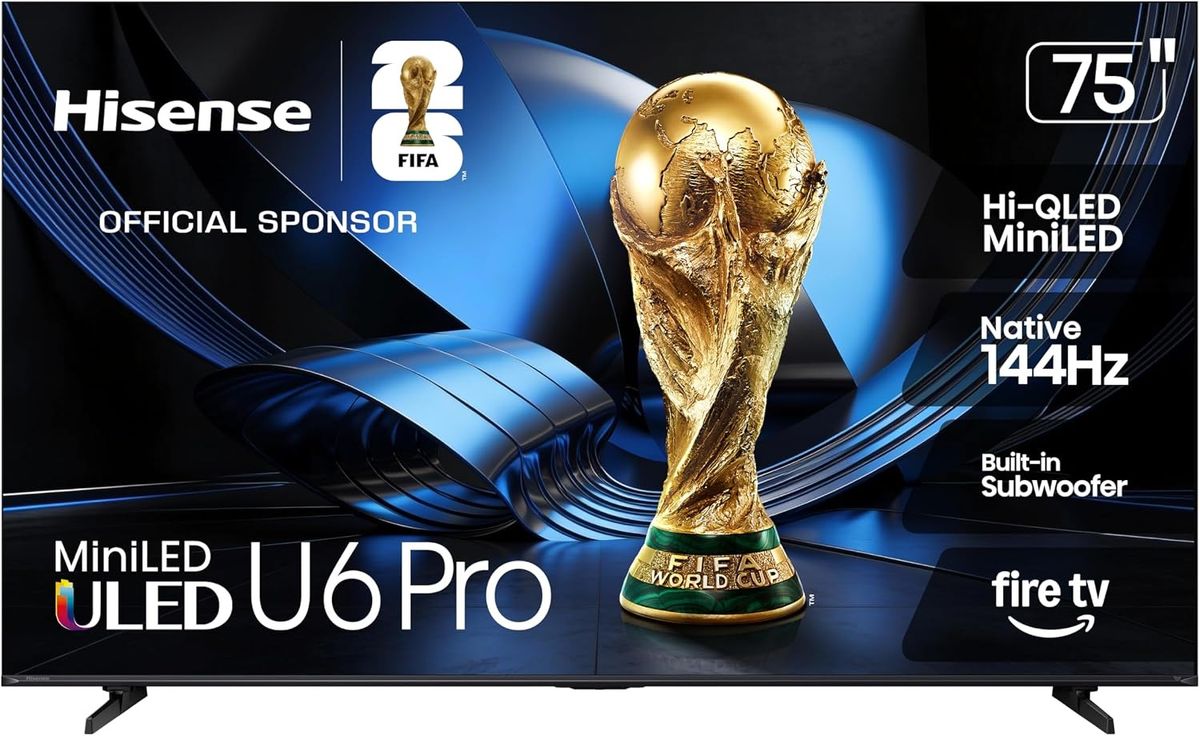
★ Your pick: Hisense 75U6SF Pro
Seventy-five inches with the same native 144Hz panel and glare-free coating as its smaller brother.
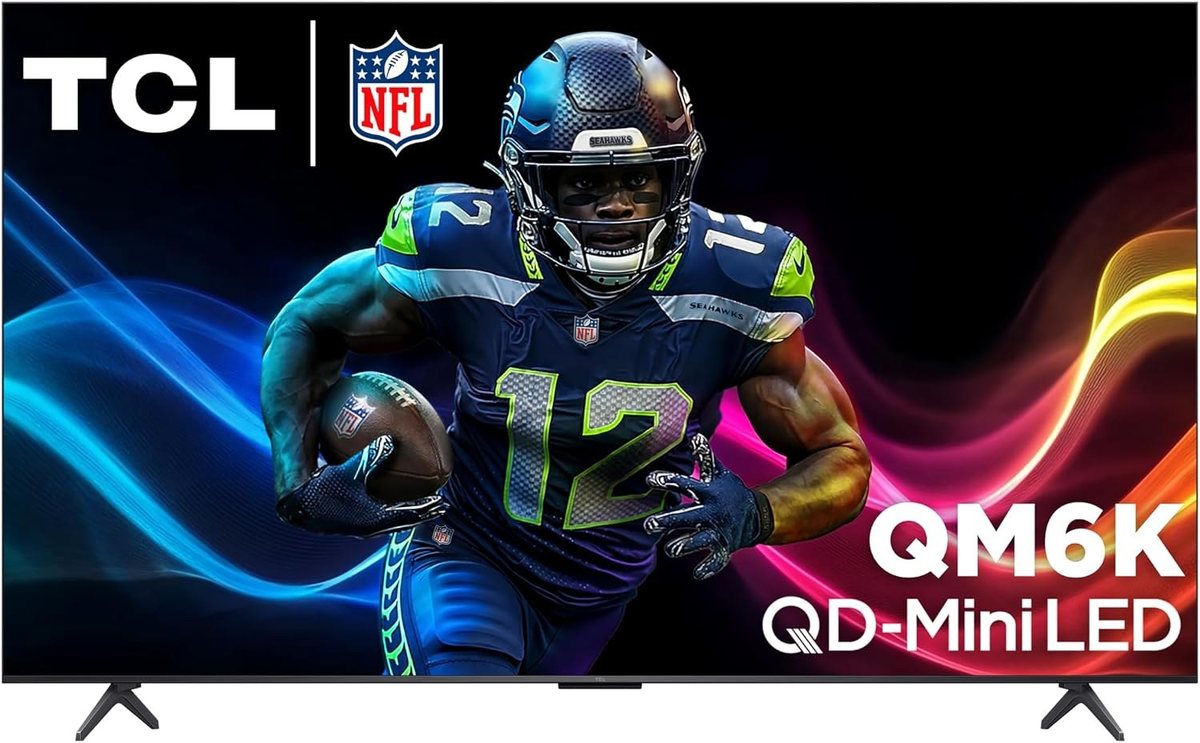
★ Your pick: TCL 65QM6K
Mini-LED with proper local dimming, so bright objects pop without washing out the black around them.
👑 Our Top Pick — Best Overall Value
TCL 65T7
The safe answer. A real 144Hz panel, four HDMI ports and VRR, at a price where most sets are still 60Hz.
Opens on our Top Pick. Tap an option to see the best match for you.
The Three Specs That Change What You Actually See
Most of a TV spec sheet is written for the shelf, not for you. Three lines on it change what your eyes get while a game is running. Everything else is either taste or noise.
Native Refresh Rate and Why the Word Native Matters
Refresh rate is how many times a second the screen draws a fresh picture. A 60Hz panel draws 60. A 144Hz panel draws 144. More draws means less smear when you spin the camera, and a shorter wait between pressing a button and seeing the result.
The catch is that panel makers found a way to claim a bigger number without building a faster panel. So the number alone tells you nothing. The word beside it does. Look for native. TCL prints “144Hz Native Refresh Rate” in the spec table for the T7 and the QM6K. Hisense prints “Native 144Hz” for the U6 Pro. When that word is missing, read the small print.
Do the math: at 60Hz a fresh picture lands every 16.7 milliseconds. At 120Hz one lands every 8.3. That eight-millisecond saving is small on paper and very easy to feel in a shooter, because it happens hundreds of times a minute and it stacks with every other delay in the chain.
Variable Refresh Rate and Auto Low Latency Mode
Your console does not produce frames at a steady pace. It speeds up in an empty corridor and slows down when the screen fills with smoke. A fixed 60Hz screen keeps drawing on its own schedule regardless, so you get a torn picture or a stutter whenever the two fall out of step.
Variable refresh rate fixes that by letting the screen wait for the console. Auto low latency mode is the partner feature. It spots a game on the input and flips the TV into its fastest, least processed picture mode without you touching the remote. Both are part of the HDMI 2.1 feature set, and both are far more useful to a normal player than another few hundred nits. Some sets also carry AMD FreeSync certification, which is the same idea with a PC label on it.
Enough Brightness for the Room You Play In
Brightness is the spec most people over-buy. It matters, but only in proportion to how much light is already in your room. Play in a basement with the curtains shut and a mid-range set looks superb. Play in a west-facing living room at five in the afternoon and the same set turns into a mirror.
What helps there is not raw output. It is the screen finish. An anti-reflection or glare-free coating scatters the light hitting the panel instead of bouncing it back at you. It is a cheap-sounding feature that does more for a bright room than a thousand extra nits. TCL’s own comparison chart is refreshingly blunt about this. It marks the T7 as having no anti-reflection layer, and the QM6K as having one.
Four TV Specs That Do Not Mean What Shoppers Assume
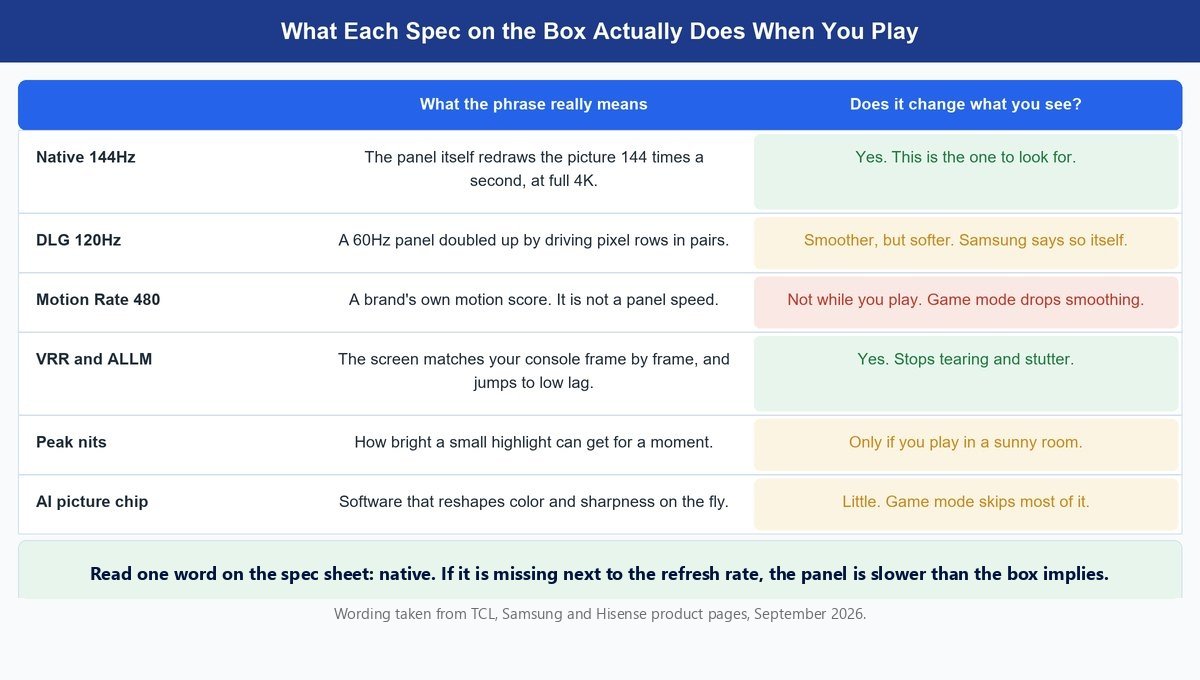
Now the other list. These phrases are on every box in the aisle, and none of them do what a shopper reasonably assumes they do.
Motion Rate 480 and Every Number Like It
Motion Rate is a house number. TCL, Samsung and Hisense each have their own version, and none of them is a panel speed. It describes motion smoothing, which is software that invents extra frames between the real ones. Smoothing adds delay, so game modes turn it down or off. You are looking at a figure that mostly stops applying the moment you start playing.
DLG 120Hz and the Sharpness It Trades
This is the one worth knowing by name. DLG drives pairs of pixel rows together so a slower panel can refresh twice as often. You do get 120 refreshes a second. You do not get a full-detail picture while it is happening.
Read the fine print: Samsung’s own footnote on the M70H product page says it plainly. “DLG 120Hz increases refresh rate up to 120Hz, but will reduce image sharpness.” The same page notes the mode only exists on the 55-inch model and larger. The spec table on that same page gives the panel as 60 hertz.
Peak Brightness Is Measured in a Lab, Not in a Game
Peak brightness is measured on a small white patch, held for a moment, in a lab. Almost nothing in a game looks like that. A sunlit sky fills the frame, and a full-screen white image is far dimmer than the headline number on every LED set made. Treat peak nits as a rough ranking, never as a promise about the picture in front of you.
AI Picture Processors Do Little Once Game Mode Is On
Every maker now sells a processor. TCL has the AiPQ Pro, Samsung has Vision AI, Hisense has the Hi-View AI Engine. They do real work on streaming video, sharpening soft sources and tuning color scene by scene. Game mode skips most of that, on purpose, because every pass of processing costs time. Buy the panel. The chip is for the nights you are watching something.
How to Read a TV Spec Sheet in Fifteen Seconds
Shopping for a gaming TV online has a specific hazard. Search results mix real televisions in with computer monitors that look almost identical in a thumbnail, and the model codes are close enough to fool anyone in a hurry.
Samsung is the cleanest example. The M70H is a mini-LED television. The M7, sold as the M70F, is a smart monitor. One letter apart, both from Samsung, both showing the same abstract swirl on screen in the product photo. Search for one and the other shows up beside it. A monitor is a fine thing to buy on purpose, especially for a desk, but it usually has a smaller screen, fewer HDMI ports and no TV tuner.
Watch out: search for the Samsung M70H by name and Samsung’s smart monitors turn up in the same list. Before you click buy, open the product details and read the model number. A Samsung television code starts with UN or QN. If it starts with anything else, it is not a television.
Once you are sure it is a TV, four checks settle it.
- Find the word native. It should sit right next to the refresh rate. If the word is missing, do not assume the panel is slow – go and read the spec table, because some makers only print it there.
- Count the HDMI ports. Four is comfortable. Three gets tight the moment a soundbar claims one for eARC and two consoles want the rest.
- Look for VRR and ALLM by name. Makers list them plainly when a set has them. Silence means no.
- Check the screen finish. Glossy is fine in a dark room and a problem in a bright one. Anti-reflection is worth real money if your curtains stay open.
That is the whole method, and it works on any maker’s spec sheet. If you want the background on why 4K is the resolution to buy at these sizes, we broke that down in 4K versus 1080p, and the panel jargon itself gets untangled in what an RGB LED TV actually is.
The Best TVs for Gaming You Can Buy Today
Five sets, five different reasons. Everything here sits under nine hundred dollars, which is deliberate. Above that you are into OLED, where the black levels are better than anything on this page and the price roughly doubles. If that is your budget, buy an OLED. If it is not, these five are where the money goes furthest. For each one I say plainly who should buy it and who should walk past. Nobody here has put a meter on these panels, so every spec below comes from the maker’s own spec sheet, and I set each set against the other four so the trade-offs are easy to see.
Worth knowing: Hisense’s own product FAQ gives every one of its ULED sets, the U6 Pro included, a two-year limited warranty. TCL and Samsung cover the T7, the QM6K and the M70H for one year. On a set you expect to keep for six or seven years, that second year of cover is worth more than most of the picture features people argue about.
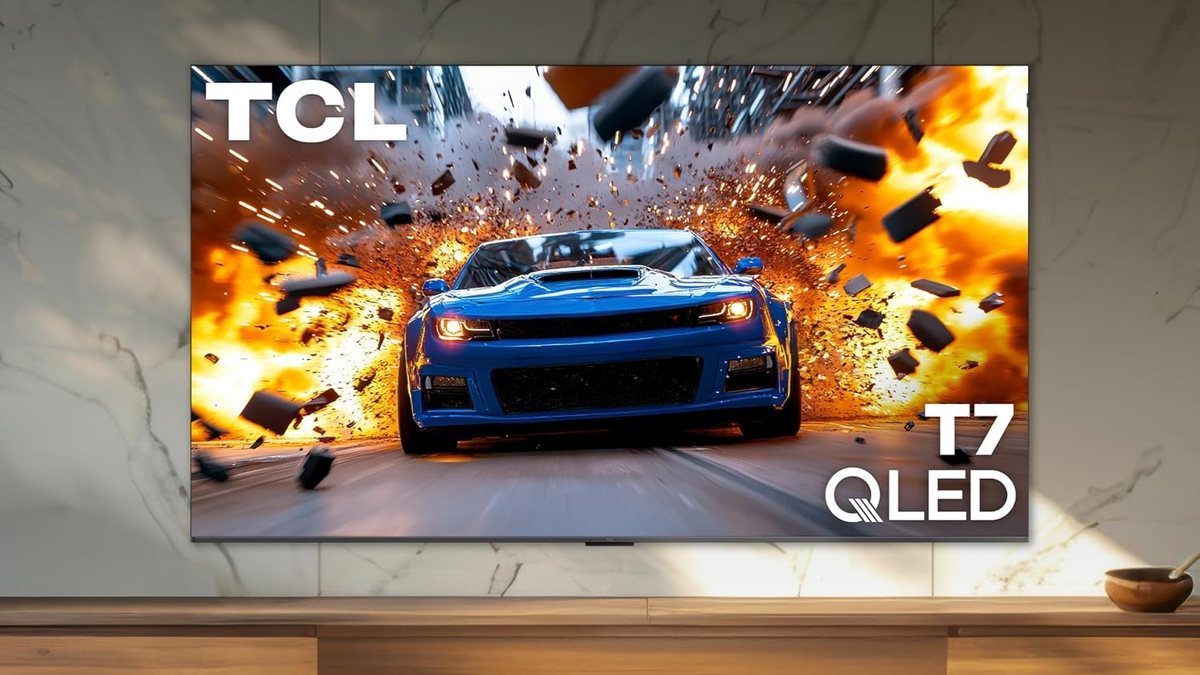
1. TCL 65T7 — Best Overall for Most Players
≈ $480–$600Native 144Hz4 HDMI portsGoogle TV
This is the one I would buy without a follow-up question. TCL’s spec sheet lists a native 144Hz panel and four HDMI inputs, one of them with eARC for a soundbar. That pairing is the short answer to this whole article, and at this money it is still unusual. Most sets in this price range give you a 60Hz panel and three ports.
Here is what TCL chose not to spend on. The backlight is direct-lit LED, not mini-LED, so there is no real local dimming. TCL’s own comparison chart marks the T7 as having no anti-reflection layer and no wide viewing angle. You notice those things watching a film in a bright room, not playing a game in a normal one. The money went into the panel and the ports instead, which is the right order for a gaming set.
The gaming feature list is complete. VRR and ALLM are both there, plus a game bar overlay so you can check frame rate and lag without leaving the game. Game Accelerator 288 is TCL’s name for a mode that pushes variable refresh well past 144Hz. TCL’s earlier versions of this mode reached their headline numbers by dropping resolution, and TCL does not say otherwise for 288, so treat it as a competitive-shooter option rather than an everyday setting. The everyday setting is 4K at 144Hz, and that is real.
Against the other four, the T7 is the speed-per-dollar pick. The QM6K matches its panel and its ports, then adds real local dimming and an anti-reflection coat, so it wins on picture in a dark room and costs more. The Hisense 55U6SF Pro matches the 144Hz and the four ports and adds a glare-free screen and a two-year warranty, but at 55 inches to the T7’s 65. The Samsung M70H costs less and runs a 60Hz panel. Walk past the T7 if sunlight hits your screen, because the glossy finish will fight you. Walk past it if your sofa sits well off to one side, since TCL flags the narrow viewing angle itself.
Features
- Native 144Hz panel, listed by TCL as 144Hz Native Refresh Rate
- Four HDMI inputs, one with eARC for a soundbar
- VRR, ALLM and a game bar overlay
- Game Accelerator 288 for higher refresh at lower resolution
- Direct-lit LED backlight with quantum dot color
- Google TV, Dolby Vision, HDR10+ and Dolby Atmos
Pros
- A genuinely native fast panel at a price where 60Hz is still common.
- Four HDMI ports means a soundbar and two consoles all fit.
- Google TV is quick and does not push you into one store.
- Sold in 55, 65, 75 and 85 inches, but only the 65 and up carry the native 144Hz panel, so skip the 55 for gaming.
Cons
- No anti-reflection coating, which TCL marks on its own chart.
- Narrow viewing angle, so off-axis seats lose contrast.
- Direct-lit backlight, so black areas lift a little in dark scenes.
2. Samsung 55-Inch M70H — Best Value if You Mostly Play at 60fps
≈ $310–$400Mini-LED backlight3 HDMI portsSamsung Gaming Hub
I have spent this article being hard on the M70H’s headline spec, so let me be fair about the rest of it. This is the least expensive mini-LED set on the list, and for the right player it is a genuinely good television. Samsung’s spec sheet gives you a mini-LED backlight, HDR10+ and the Tizen smart platform. It also has the Gaming Hub, which streams cloud gaming services with no console plugged in.
Here is the honest version of its speed. Samsung’s spec table gives the panel as 60 hertz. The 120Hz on the front comes from DLG, and Samsung’s own footnote says that mode reduces image sharpness. A second footnote says the mini-LED dimming is software based rather than full-array hardware. Both of those are Samsung’s words, not a reviewer’s guess. The same sheet lists auto low latency mode and variable refresh rate as yes, so the console can still switch it to game mode and hold a steady picture. What it cannot do is take a 4K signal above 60Hz, because every HDMI port tops out at 4K at 60. So VRR here works inside a 60Hz window, not the 48Hz to 144Hz window the Hisense gives you.
None of that rules it out. A large share of console games run at 30 or 60 frames a second. If that describes what you play, a 60Hz panel is not holding you back. What you get instead is a mini-LED backlight the T7 does not have. The set weighs about 22 pounds, so one person can hang it on a wall. It skips Dolby Vision, which the other four sets here all support. Xbox players who use Dolby Vision for games fall back to plain HDR10 on this one.
Against the other four, this is the set you buy on price and on 60fps honesty. The T7 costs more and gives you a true 144Hz panel and a fourth HDMI port. The Hisense 55U6SF Pro is the same screen size with a native 144Hz panel, four ports, full-array dimming and a glare-free coat. If you can stretch to it, it is the better 55-inch gaming set by a wide margin. Walk past the M70H if you play competitive shooters at 120fps, because you will be choosing between smoothness and detail every session. Walk past it if you own a soundbar and two consoles, since three HDMI ports will leave you swapping cables.
Features
- Mini-LED backlight, described by Samsung as software-based dimming
- 60 hertz panel with a DLG 120Hz mode on 55 inches and larger
- Three HDMI ports and one USB
- Tizen with Samsung Gaming Hub and cloud gaming apps
- HDR10+ and Object Tracking Sound Lite from a 20-watt stereo pair
- Sold in 43, 50, 55, 65, 75 and 85 inches, with the 120Hz mode only on 55 inches and up
Pros
- Far and away the lowest price here for a mini-LED panel.
- Gaming Hub streams games without a console attached.
- Samsung documents the DLG trade-off openly rather than burying it.
- Light at about 22 pounds, so one person can wall-mount it.
Cons
- The panel is 60 hertz, and the 120Hz mode costs sharpness.
- Only three HDMI ports, which fills up fast.
- Glossy screen finish with no anti-reflection layer.
- No Dolby Vision, only HDR10+, so Dolby Vision games fall back to plain HDR10.
3. Hisense 55U6SF Pro — Best for a Room Full of Daylight
≈ $450–$560Native 144HzGlare-free screen2-year warranty
If your TV faces a window, this is your set. Hisense puts two layers on the screen, one anti-glare and one low-reflection, and behind them sits a mini-LED backlight with full-array local dimming. That pairing is exactly what a bright room needs. The coating stops the reflection. The dimming keeps contrast alive once the coating has done its job. The QM6K also has an anti-reflection layer and local dimming, but the Hisense gets there for less money and in a 55-inch size that fits more rooms.
The speed is real too. Hisense prints Native 144Hz on its spec sheet and backs it with a dedicated 144Hz game mode, ALLM, and variable refresh from 48Hz to 144Hz through AMD FreeSync Premium Pro. There are four HDMI inputs, and Hisense’s own product FAQ says two of them are HDMI 2.1 and two are HDMI 2.0. Put your consoles on the two fast ports and everything else on the other two, and nothing gets unplugged.
The quiet win is the warranty. Hisense gives its ULED sets, this one included, a two-year limited warranty, where TCL and Samsung give one year on the sets in this list. There is also a 2.1 speaker system rated at 40 watts with a built-in subwoofer. It will not replace a soundbar, but explosions have some weight before you buy one. It runs Fire TV rather than Google TV, which is a preference rather than a fault, though it does put Amazon’s own storefront front and centre.
Against the other four, this beats the T7 on picture in a bright room and on warranty, and loses to it on screen size at similar money. It beats the M70H on the gaming specs that matter, a real 144Hz panel, four ports instead of three, and a VRR window that runs to 144Hz instead of stopping at 60, at the same 55-inch size. Walk past it if you are committed to Google TV and do not want to relearn a menu system. Walk past it if you play in the dark anyway, because you would be paying for a coating that solves a problem you do not have, and the QM6K’s dimming is the better spend for a dark room.
Features
- Native 144Hz panel with a dedicated 144Hz game mode
- Mini-LED backlight with full-array local dimming
- Anti-reflection and glare-free screen finish
- AMD FreeSync Premium Pro, VRR from 48Hz to 144Hz, and four HDMI ports, two of them HDMI 2.1
- Built-in subwoofer in a 2.1 channel system rated at 40 watts
- Fire TV with Alexa, Dolby Vision IQ, HDR10+ Adaptive and IMAX Enhanced
Pros
- The glare-free screen is the single most useful feature for a sunny room.
- Two-year warranty from Hisense, double what TCL and Samsung give on their sets here.
- Full-array local dimming rather than a software approximation.
- Built-in subwoofer gives it more low end than most sets at this price.
Cons
- Fire TV puts Amazon’s content ahead of everything else on the home screen.
- Local dimming zones at this price still bloom around bright objects.
- Only a 55-inch pick at this money, so big-room buyers pay more.
4. TCL 65QM6K — Best Contrast for a Dark Room
≈ $600–$750Native 144HzQD-Mini LEDLocal dimming
This is the step up that actually shows on screen. The QM6K keeps everything the T7 gets right, then swaps the direct-lit backlight for QD-mini LED with full-array local dimming, run by what TCL calls its Halo Control system. In plain terms, the backlight is split into many small zones that dim on their own, so a bright object can sit against a dark background without a grey halo around it. TCL also uses a high-contrast HVA panel here, a type of LCD that holds deeper blacks than the usual kind.
That matters in games more than people expect. Night levels, torch-lit caves, space, menus over black. All of it comes apart on a set with a coarse backlight and holds together on one with proper dimming. TCL’s comparison chart also marks the QM6K as having an anti-reflection layer, which the T7 does not. Treat that as a modest help with lamps, not a matte screen. If sunlight is the real problem, the Hisense’s dual coating does more. What it does not have is a wide viewing angle, so the seat straight in front still gets the best picture.
The gaming side is unchanged from the T7 and still good. You get the same native 144Hz panel, Game Accelerator 288, VRR, ALLM, AMD FreeSync Premium Pro and four HDMI ports. The speakers are a real step up. You get an Onkyo 2.1 system with a built-in subwoofer instead of the plain 20-watt stereo pair on the T7. Dolby Vision IQ and IMAX Enhanced are on the sheet too, and those matter for films more than games.
Against the other four, this is the best picture on the list. The Hisense 55U6SF Pro gets you dimming and an anti-glare screen for less money and with a longer warranty, but at 55 inches. The T7 gets you the same speed for less and gives up the dimming. Walk past the QM6K if your room is bright all day and contrast is not what you are chasing, because the T7 gets you the same speed for less. Walk past it if you are stretching the budget, since the extra buys picture quality rather than performance.
Features
- Native 144Hz panel with Game Accelerator 288
- QD-mini LED backlight with Halo Control local dimming
- Anti-reflection screen, which the T7 does not have
- AMD FreeSync Premium Pro, VRR and ALLM
- Four HDMI ports and Google TV
- Onkyo 2.1 speaker system with a built-in subwoofer
Pros
- Real local dimming, which is the upgrade you can actually see.
- Anti-reflection coating that the T7 does not have.
- Much better built-in sound than anything else on this list.
- Sold from 50 inches all the way to 98, so the range is unusually wide.
Cons
- Costs noticeably more than the T7 for the same gaming performance.
- One-year warranty, half what Hisense gives the U6 Pro.
- Mini-LED at this price still blooms on hard edges like white subtitles.
5. Hisense 75U6SF Pro — Best if You Want a 75-Inch Screen
≈ $740–$88075 inchesNative 144HzGlare-free screen
Size is the upgrade most people underrate. Going from 55 inches to 75 changes how a game feels far more than another dimming zone does. This is the same U6 Pro panel and the same feature list as the 55-inch pick, stretched across a wall: native 144Hz, variable refresh from 48Hz to 144Hz with AMD FreeSync Premium Pro, ALLM, full-array mini-LED dimming, the two-layer anti-glare screen and the two-year warranty. Nothing is cut for size.
The ports are the same too. Four HDMI inputs, two of them HDMI 2.1 and two HDMI 2.0, so two consoles get the fast ports and a soundbar and a streaming box take the rest. At this size the built-in subwoofer in the 2.1 speaker system earns its place, because a big picture with thin sound is a strangely hollow thing. The glare-free coat matters more here as well. A 75-inch glossy panel catches every lamp and window in the room, and this one does not.
Do check your wall and your seating before you order. Hisense puts this set at about 66 inches wide and 38 inches tall before the stand, closer to 40 with it, so mounting it is a two-person job. Check the VESA pattern in the quick-start guide before you buy a mount, because a 75-inch plate rules out some smaller ones. On the 65-inch and larger U6 Pro sets the feet can be set wide or narrow, which helps if your stand is on the short side. Measure the space where it is going, not the space you imagine.
Against the other four, this is the only 75-inch pick, and it gets there without giving up a single gaming spec. The T7 at 65 inches costs less and trades away the dimming and the anti-glare coat. The QM6K at 65 inches has similar dimming and coating but ten fewer inches of screen and a one-year warranty. Walk past this one if you sit closer than about eight feet, because at that distance a 75-inch screen asks you to move your head to track the edges. Walk past it if your room is small, since a screen that dominates a space stops being immersive and starts being a wall.
Features
- 75-inch native 144Hz panel with a dedicated game mode
- Mini-LED backlight with full-array local dimming
- Anti-reflection and glare-free screen finish
- AMD FreeSync Premium Pro, VRR from 48Hz to 144Hz, and four HDMI ports, two of them HDMI 2.1
- Two-year manufacturer warranty
- Fire TV with Alexa, Dolby Vision IQ and IMAX Enhanced
Pros
- The biggest screen here by a wide margin, for less than many 65-inch sets.
- Identical gaming features to the 55-inch model, nothing cut for size.
- Glare-free coating matters even more on a panel this large.
- A two-year warranty from Hisense on a set that is expensive to replace.
Cons
- Needs a big wall and a second pair of hands to mount.
- Too large for a room where you sit under eight feet away.
- Fire TV interface, same as the smaller model.
What Your Console Really Sends to the Screen
Here is the part the spec sheets skip. A 144Hz panel is not going to receive 144 frames a second from a console, and buying one on that assumption will only disappoint you.
The PlayStation 5 and Xbox Series X can both output 4K at 120Hz and both support variable refresh rate over HDMI. That is the fastest signal they send, and most large games do not reach it. Studios usually pick a quality mode targeting 30 frames a second or a performance mode targeting 60. The 120fps options tend to show up in shooters and racing games, often at a lower resolution.
So why care about a fast panel at all? Because of what it does at the frame rates you actually get. Variable refresh only works across a wide range if the panel is quick, so a game bouncing between 45 and 60 frames stays smooth instead of stuttering. And if you ever plug in a PC, the extra speed finally gets used, because a graphics card will push whatever the panel accepts.
So buy the native fast panel for how it behaves at 40, 60 and 90 frames a second, not for a 144 you will rarely see. Then turn game mode on and leave it on. It is the one setting that changes how the TV feels, and it costs nothing.
Frequently Asked Questions
Is 120Hz enough for gaming, or do I need 144Hz?
For a console, 120Hz is the fastest signal the machine sends, so 144Hz buys you nothing extra there. The reason to prefer a 144Hz set is that it is usually the cheapest honest sign that the panel is genuinely fast rather than doubled. If you also game on a PC, that extra speed does get used.
Does a 4K TV make my console games look sharper?
Yes, but less than the number suggests. Many console games render below 4K and scale up, so what you actually see depends on the game’s own resolution. Screen size and how close you sit matter just as much. A 4K panel is the right buy at 55 inches and above, and the detail gap narrows on smaller screens.
What is VRR and do I really need it?
Variable refresh rate lets the screen wait for the console instead of drawing on a fixed clock. Without it, a game whose frame rate dips gives you either a torn picture or a visible jolt. With it, the dip mostly disappears. It is the feature I would give up brightness for, and it costs makers very little to include.
Is a smart monitor better than a TV for gaming?
It depends entirely on where you sit. A smart monitor suits a desk, where you are close and the screen is small. A TV suits a sofa, and it gives you more HDMI ports, a tuner and a much bigger panel for the money. The mistake to avoid is buying one while thinking you bought the other, which happens because the model codes are so close.
How much input lag is too much for console gaming?
The honest answer is that the number matters less than whether game mode is on. Turning it on removes most of the processing that causes lag, and the difference between game mode on and off dwarfs the difference between two decent sets. Look for auto low latency mode so the TV does that switch for you.
Do all four HDMI ports need to be the fast kind?
No, and on most affordable sets they are not. Makers usually give one or two ports the full bandwidth and leave the rest at a lower spec. Plug your console into a high-bandwidth port, keep the eARC port for a soundbar, and check the manual, because the fast ports are rarely the ones nearest the edge.
The Bottom Line on Buying a Gaming TV
Buy the panel and the ports. Skip the acronyms. A native 120Hz or 144Hz screen, variable refresh rate, auto low latency mode and four HDMI inputs will serve you for years, and every one of those is checkable on a spec sheet in under a minute. Peak nits, motion scores and processor names will not change a single frame of what you see once game mode is running.
For most people the TCL 65T7 is the answer, because it spends its budget where a game can feel it. If sunlight is your real problem, the Hisense 55U6SF Pro solves that better than anything else here. And if you mostly play at 60 frames a second and want to spend the least, the Samsung M70H is a perfectly honest choice, as long as you buy it knowing exactly what its 120Hz badge means.