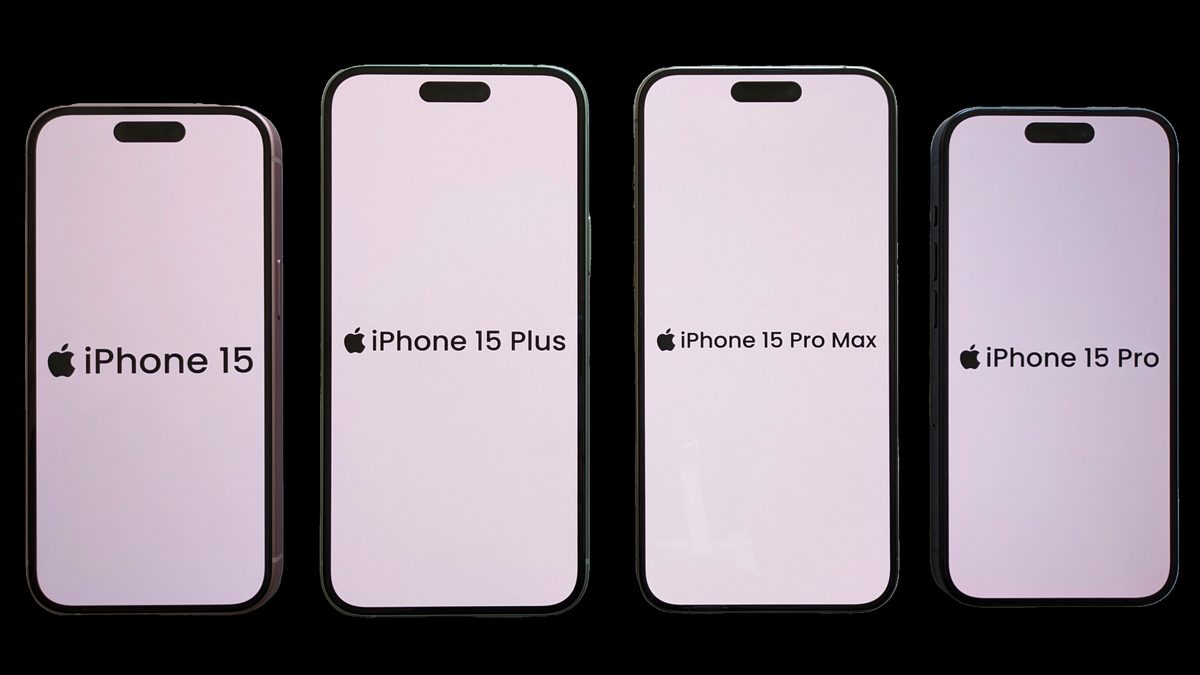
Here’s the thing nobody tells you when you walk out of the store with a new iPhone: the great eSIM vs physical SIM debate is mostly over, and you didn’t get a vote. If you bought a US iPhone anytime in the last few years, there is no SIM tray to argue about. Apple ripped it out with the iPhone 14 back in September 2022, and every US iPhone since — the 14, 15, 16, and 17 — ships with no slot at all. The little pokey-tool and the fingernail-sized card are already museum pieces on that side of the fence.
So the real question isn’t “which is better.” For most people, the industry already answered that. The question worth your time is narrower and more useful: now that eSIM is the default, when does a physical SIM still actually matter to you? That’s what this guide is really about — a verdict first, then the handful of situations where the old plastic card still earns its keep.
- On new US iPhones the debate is settled for you — Apple went tray-free with the iPhone 14 in September 2022, and every US model since (15, 16, 17) is eSIM-only. There’s literally no card slot.
- Signal and speed are identical. Anyone telling you a physical SIM “holds a stronger signal” is repeating a myth — the SIM never touches your phone’s radio.
- eSIM is genuinely harder to hijack. SIM-swap fraud has exploded, and there’s no physical card for a scammer to lift or a store rep to hand over.
- A physical SIM still wins in a few real cases: yanking your number between phones in seconds, dropping it into a spare when your phone dies, and a few card-only prepaid or overseas carriers.
- For travel, an eSIM you buy in the app before you fly beats hunting for a kiosk abroad — as long as your destination carrier supports it.
What an eSIM Actually Is and How It Differs From a Nano-SIM
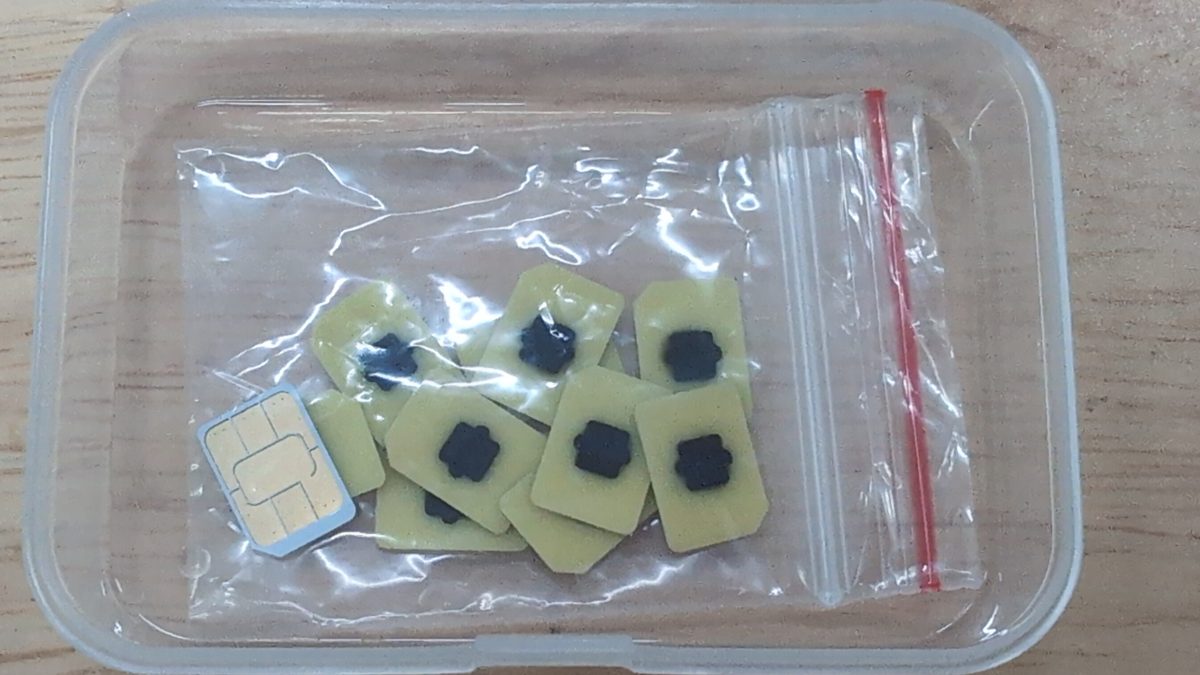
Strip away the marketing and a SIM is just a tiny secure chip that tells the network “this is me, and I’m allowed on.” For decades that chip lived on a removable card you popped into a tray. An eSIM does the exact same job, except the chip is soldered onto your phone’s board at the factory and never comes out. The “e” stands for embedded, and the industry name for the hardware is an eUICC — think of those little gold chips in the photo above, permanently baked in instead of loose in a baggie.
The magic isn’t the chip itself, it’s what it can hold. A physical nano-SIM stores one carrier’s identity, full stop. An eSIM is reprogrammable software slots — carrier “profiles” you download over the air. This isn’t a proprietary Apple trick, either. The eSIM is a GSMA-standardized specification that the whole mobile industry agreed on, which is why it works the same on iPhones, Pixels, and Samsungs. You activate a line by scanning a QR code or tapping a carrier’s app, and thirty seconds later you’re on the network — no shipping, no store, no tiny tray.
Note: An iPhone can store eight or more eSIM profiles and keep two of them active at the same time, per Apple’s own documentation. A physical tray gives you exactly one slot. That storage difference is the quiet reason eSIM makes dual-SIM setups so much easier, which we’ll get to.
The Verdict Up Front for Most US Phone Owners
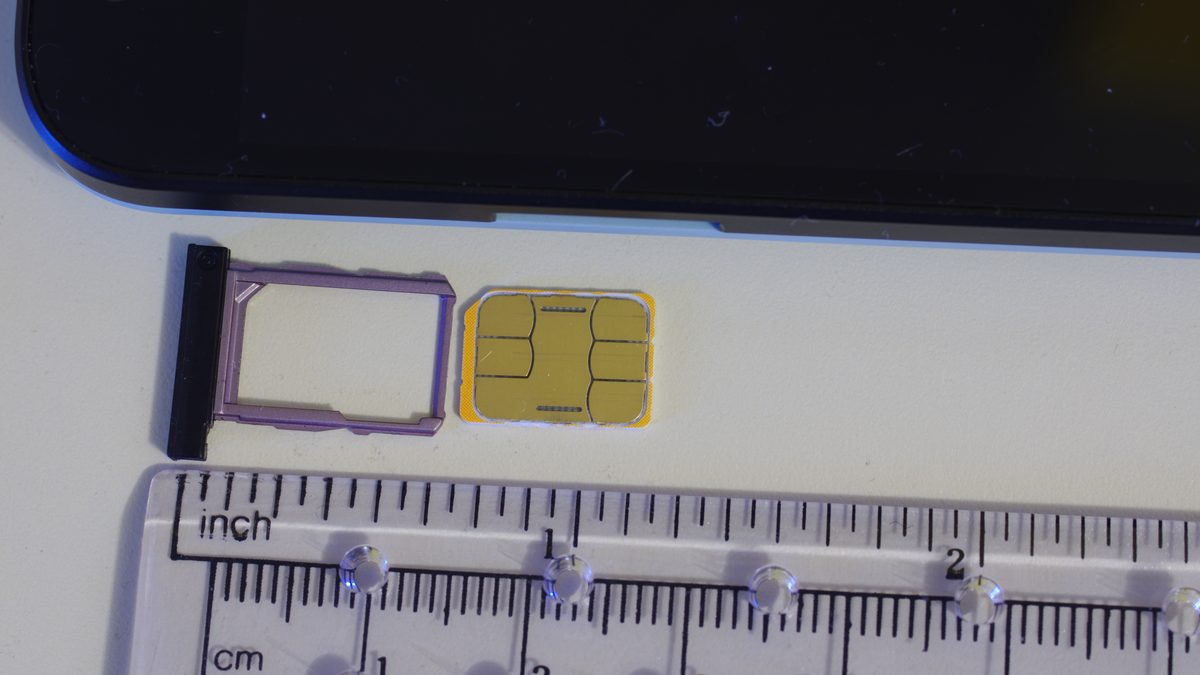
Let me not bury the lede. For the overwhelming majority of people reading this in the US, the answer is eSIM, and it’s not close. Not because eSIM is some revolutionary upgrade you’ll feel every day — honestly, once it’s set up you’ll forget it exists — but because the physical option has quietly been taken off the table, and the eSIM does everything the card did with less hassle. Here’s the head-to-head.
| What you care about | eSIM | Physical SIM |
|---|---|---|
| On a new US iPhone (14–17) | The only option | Not available — no tray |
| Signal and data speed | Identical | Identical |
| Activating a new line | Scan a QR / tap an app, ~30 sec | Order or buy a card, wait or drive |
| Resistance to SIM-swap fraud | Higher — nothing to physically grab | Lower — a card can be swapped or shipped |
| Moving your number to another phone | Needs carrier re-auth | Pop it out, plug it in |
| Works on old / very cheap phones | Not always | Almost always |
| Two lines at once | Easy, all-digital | Needs a dual-tray phone |
Who Should Just Use eSIM
If you own or are buying a current US iPhone, you’re already here — enjoy it. But even on Android, where trays still exist, eSIM is the smart default for anyone who keeps a phone for a couple of years, values not getting their number stolen, and occasionally travels. You lose nothing on performance and gain a faster, more secure way to manage lines. This is the mainstream pick.
Who Still Needs a Physical SIM
You’re in the minority, but you’re real: people who swap their number between phones constantly, anyone leaning on a small prepaid or overseas carrier that still ships cards, and folks holding onto an older or ultra-budget handset that predates eSIM. If that’s you, keep reading — the “where a physical SIM still wins” section is written for exactly your situation.
Keep in mind: The eSIM-only rule applies to US-model iPhones specifically. The very same iPhone 17 bought in the UK, EU, or most of Asia still has a nano-SIM tray. So if your phone came from overseas — or you’re eyeing an imported unit — you may have a slot the US version doesn’t, and this whole decision opens back up.
Signal and Speed Are Identical, No Matter What the Forums Say
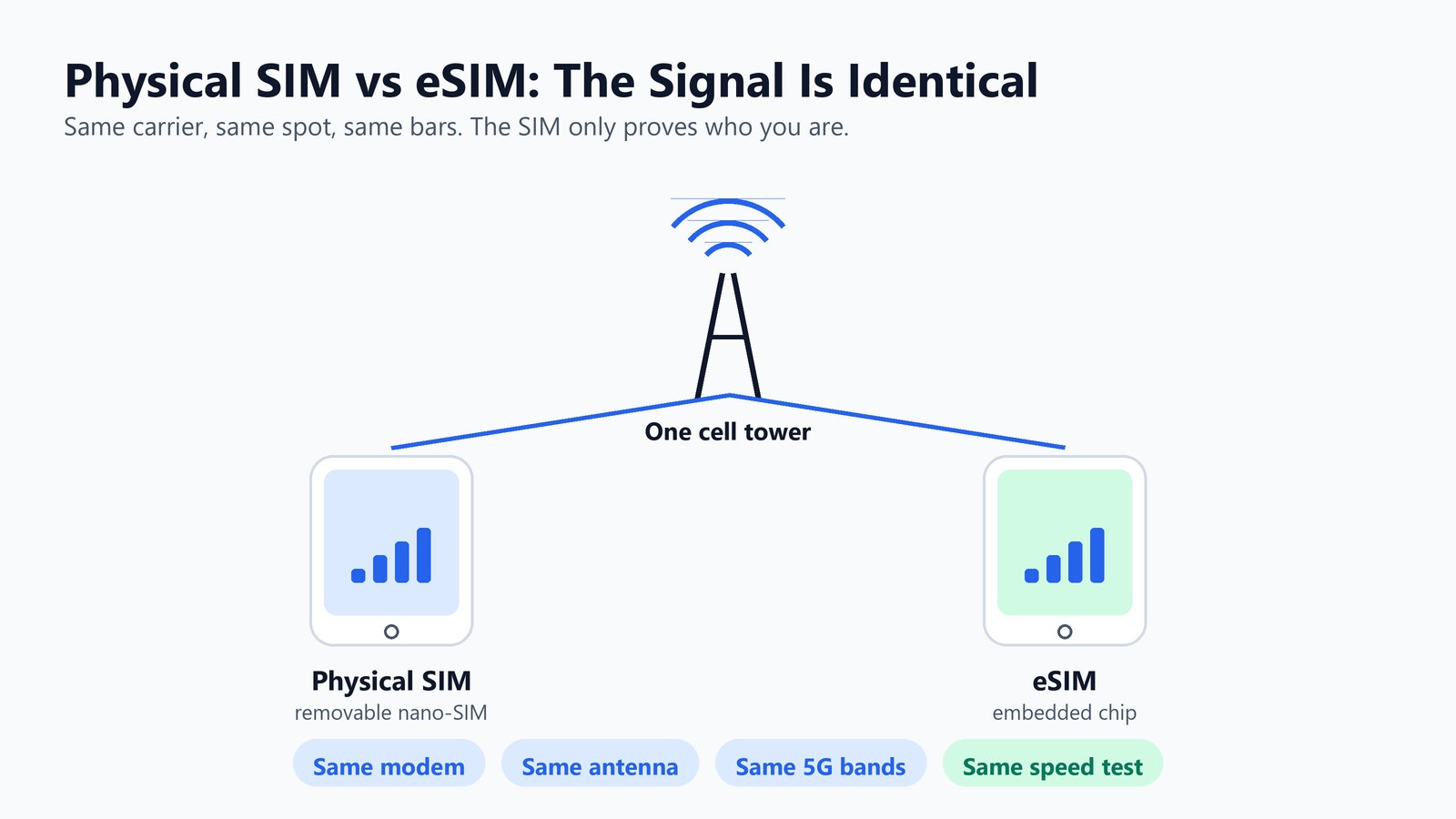
This is the myth I most want to kill, because it comes up in every comment section: “physical SIMs get better signal.” They don’t. It’s not a little better or a little worse — it is identical, and understanding why takes about ten seconds.
Your signal strength depends on your phone’s modem, its antennas, the network bands it supports, and how far you are from the tower. The SIM — physical or embedded — does none of that. Its only job is authentication: proving to the carrier which account you are so it can let you on. Once you’re on, every bar, every megabit, every 5G handshake runs through the same radio hardware regardless of whether your identity came from a card or a chip. Same carrier, same spot, same phone equals the same result. Full stop.
Where the myth comes from is real, though. People do sometimes get flaky service right after switching, and they blame the eSIM. Nine times out of ten that’s a botched carrier provisioning — a profile that didn’t fully activate, or a network setting that needs a reset — not the technology. Ironically, the physical SIM has a failure mode the eSIM doesn’t: a real card can get dirty contacts, seat poorly in the tray, or turn out to be a cheap counterfeit that drops the connection. There’s no contact to corrode on a chip that’s soldered down.
Why an eSIM Resists SIM-Swap Fraud Better Than a Card
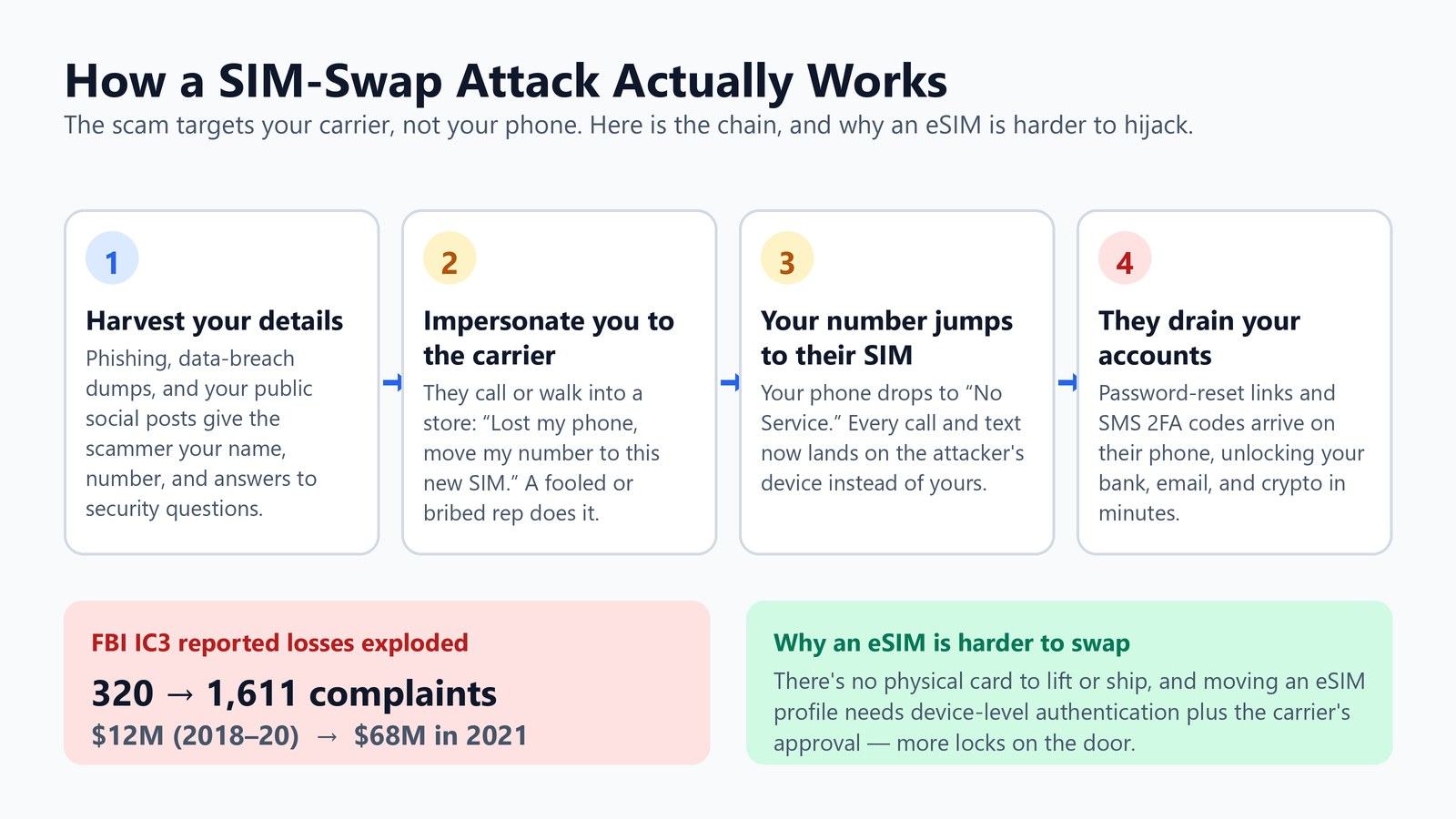
Here’s where eSIM stops being a convenience story and starts being a security one. SIM-swap fraud — also called SIM hijacking — is when a criminal convinces your carrier to move your phone number onto a SIM they control. Once they’ve got your number, every text-message security code flows to their phone, and they walk into your bank, email, and crypto accounts using the password resets you can’t stop.
This isn’t a fringe threat, and the numbers are ugly. According to the FBI’s Internet Crime Complaint Center, Americans filed 1,611 SIM-swapping complaints in 2021 with adjusted losses topping $68 million. Compare that to the three years before it: from 2018 through 2020 combined, the IC3 logged just 320 complaints and about $12 million in losses. That’s a jump from roughly $4 million a year to $68 million in a single year — the scam went industrial.
So how does eSIM help? It doesn’t make you bulletproof, but it removes the easiest attack surface. There’s no physical card for a bribed or careless store employee to pop out and hand over, and no card to intercept in the mail. Moving an eSIM profile to a new device requires device-level authentication and the carrier’s explicit approval, which stacks more locks on the door than “someone called and said they lost their phone.” The scam that thrives on a quick, low-friction card swap gets meaningfully harder when there’s no card at all.
Watch out: The real weak link SIM-swap exploits is SMS-based two-factor authentication — those “your code is 471902” texts. Whichever SIM you use, move your bank, email, and crypto logins off SMS codes and onto an authenticator app or a hardware key. And ask your carrier to add a port-out PIN or number-lock to your account; it’s free and it’s the single best thing you can do here.
Where a Physical SIM Still Wins When You Switch Phones or Carriers
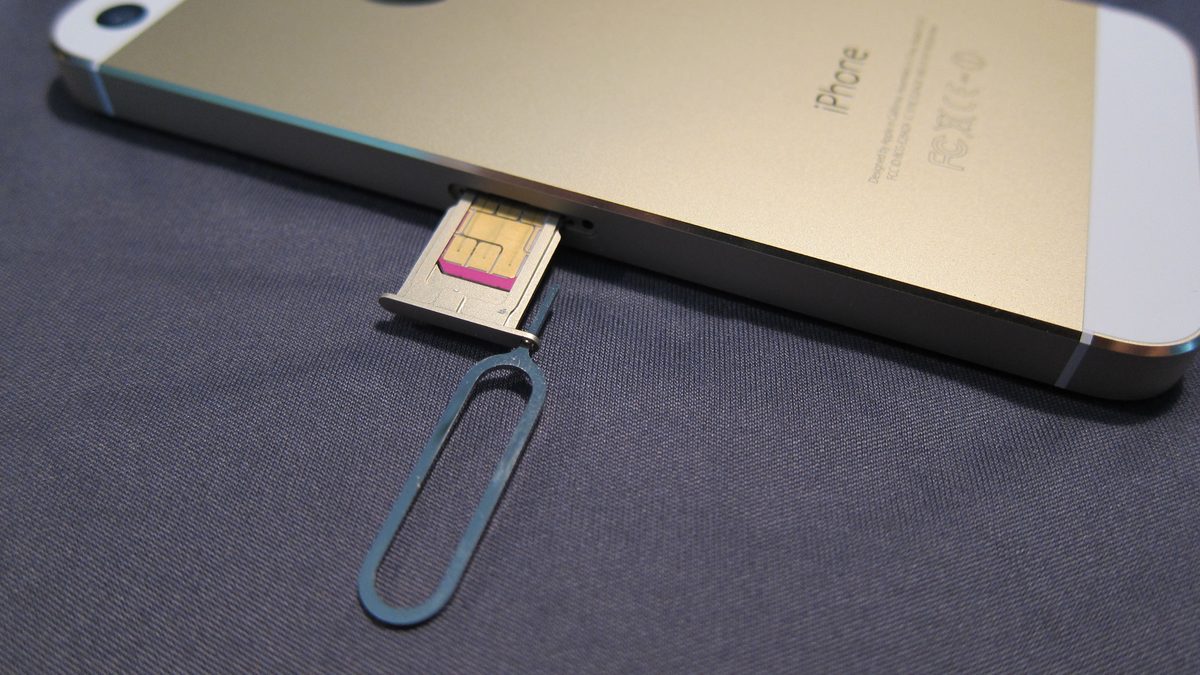
I’ve spent this whole guide making the case for eSIM, so let me be honest about the flip side. There are genuine, everyday situations where that removable card is simply better, and pretending otherwise would be doing you a disservice. Here’s where the plastic still earns its spot.
Swapping Between Phones on the Fly
If you’re the kind of person who moves your SIM between a work phone and a personal one, tests a lot of devices, or lends a handset to family, a physical card is unbeatable. You pop it out of one phone, drop it into another, and you’re done in ten seconds — no apps, no carrier call, no waiting. An eSIM can’t do that dance nearly as fast.
When Your Phone Breaks or Dies
This is the big one. If your phone’s screen shatters or it won’t power on, a physical SIM lets you pull the card and slide it into any spare handset to get your number working again immediately. An eSIM lives inside the broken device. Getting it onto a new phone means re-provisioning through your carrier — and if the dead phone can’t display a transfer QR code, that can mean a support call or a store visit before your number is back.
Caveat: Even a healthy eSIM transfer isn’t always instant. Moving your profile to a new phone needs carrier authentication, and some carriers still make you request a fresh QR code or call in to re-issue the line. Apple’s eSIM Quick Transfer makes iPhone-to-iPhone moves painless when both phones work, but the moment one phone is dead or you’re crossing between Apple and Android, budget extra time.
Card-Only Prepaid and International Carriers
Not every carrier has caught up. Plenty of smaller prepaid brands and overseas networks — especially in parts of Asia, Africa, and Latin America — still hand you a physical card and nothing else. If your carrier is one of them, the decision is made for you, and a phone with a tray is the practical choice.
Some Older and Budget Phones
eSIM support only became common in phones from about 2018 onward on the high end, and much later on cheap models. If you’re rocking an older handset or an entry-level phone, it may not support eSIM at all. On those devices a physical SIM isn’t a preference — it’s the only thing that works. If you’re shopping in that range, our guide to the best phone under 500 flags which budget models actually support eSIM.
eSIM Data Plans vs Local SIM vs Roaming for Travelers
Travel is where eSIM shifts from “nice” to “genuinely great,” and it’s probably the reason a lot of you are reading this before a summer trip. When you land in another country you’ve got three ways to get data, and eSIM quietly changed which one wins.
The Travel eSIM Route
Apps like Airalo, Holafly, and your own carrier’s international plans let you buy a data eSIM for your destination before you even leave home, then install it in a couple of taps. You land, flip it on, and you’re online without hunting for a shop or swapping out your home SIM. Because your phone holds multiple profiles, your regular number stays active for calls and texts while the travel eSIM handles data. For most trips, this is the move. Apple even has a dedicated guide to using eSIM abroad.
Tip: Buy and install your travel eSIM before you fly, but don’t activate the plan until you actually land. Most travel eSIMs start their validity clock the moment you turn them on, so switching it on at the gate back home can burn a day of a 7-day plan before you’ve left the tarmac.
Buying a Local SIM Abroad
The old-school move — grab a prepaid SIM at the airport when you arrive — still has a place. Local cards are often the cheapest option for a long stay and usually come with a local phone number, which matters if you need to receive local calls or texts for reservations. The downsides are real, though: you’re swapping out your home SIM (so your normal number goes dark), you have to find a shop, and it eats your first hour in a new country.
Old-School Roaming
Just turning on roaming with your home carrier is the zero-effort option, and for a short trip with a good international plan it can be fine. But historically it’s also the most expensive per gigabyte, and a surprise roaming bill is a rite of passage for a reason. Check your plan’s roaming rates before you rely on it — for a week abroad, a travel eSIM almost always costs less.
How Dual-SIM Works and Why eSIM Makes It Easier
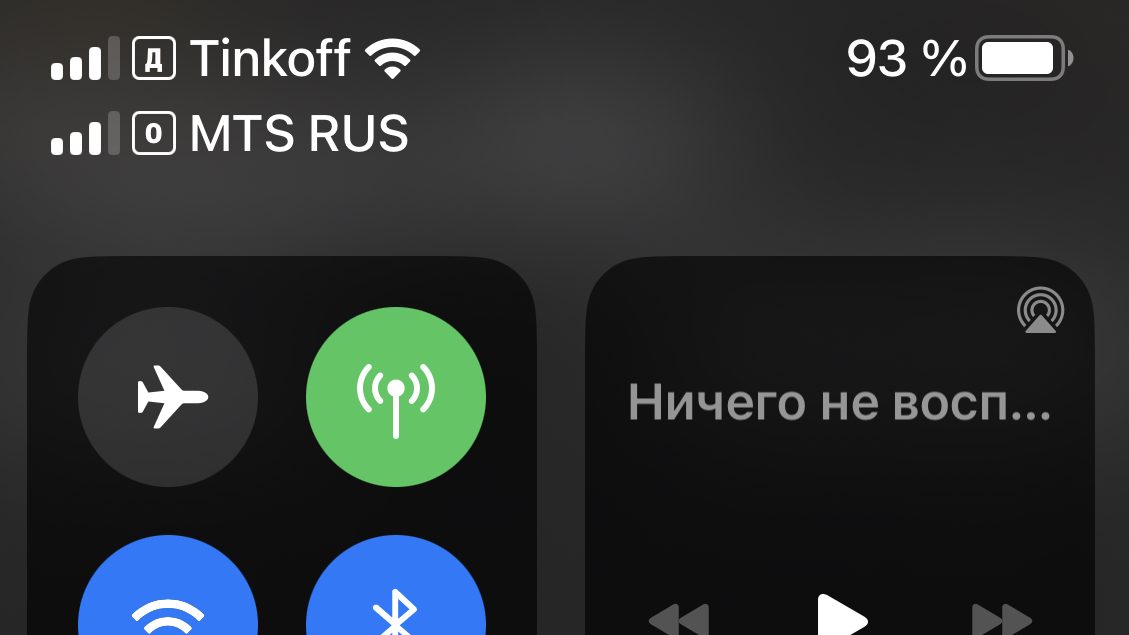
Dual-SIM means running two phone lines on one phone — a work number and a personal one, say, or a home line plus a local travel line. This used to require a phone with a special two-slot tray, which is why you’d see those little dual-nano-SIM trays on a lot of Android models. eSIM blew that limitation apart.
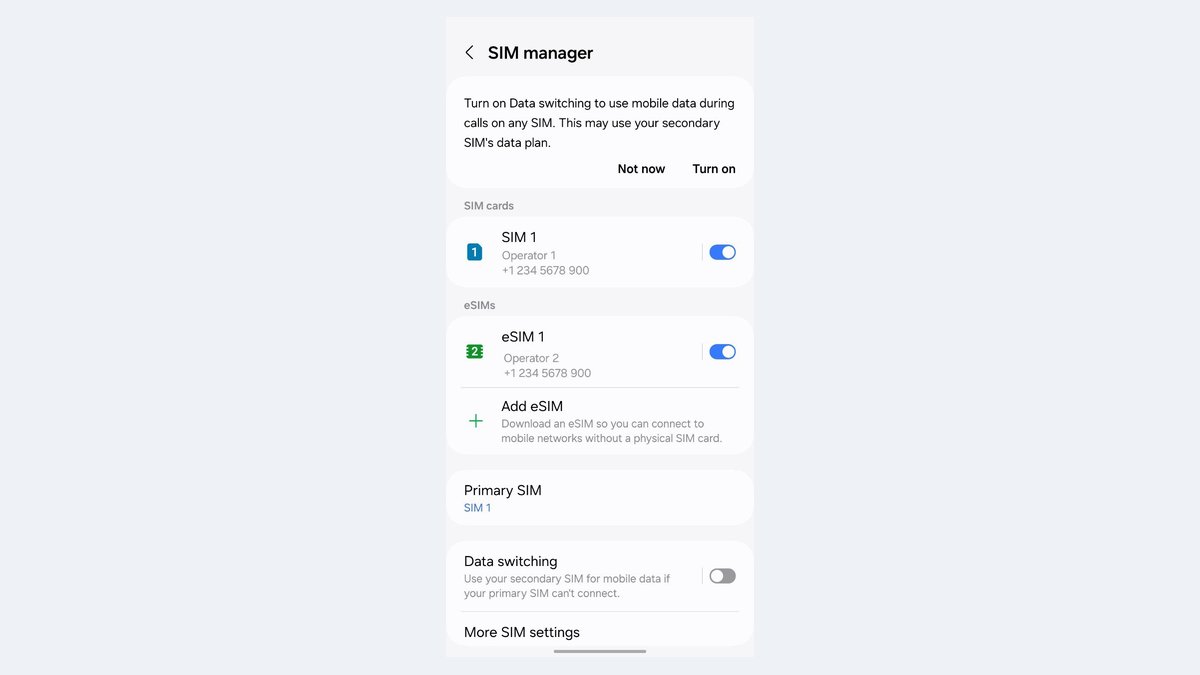
Because an eSIM is just software, a modern phone can run one physical SIM plus an eSIM, or two eSIMs, with both lines live at once. On the screenshot above you can see a phone happily juggling two carriers — both showing full bars, both ready to ring. You pick which line handles calls, texts, and data, and you can set it per-contact or switch with a tap. For anyone who’s tired of carrying two phones, this is the feature that finally makes one phone enough. Apple lays out the combinations in its Dual SIM guide.
The practical win is for people who keep work and life separate, small-business owners running a business line, and travelers who want a local data line without losing their home number. On the old physical-only phones, dual-SIM meant buying specific hardware and physically sourcing two cards. With eSIM, you add a second line from your couch in under a minute.
What to Do Based on Your Exact Situation
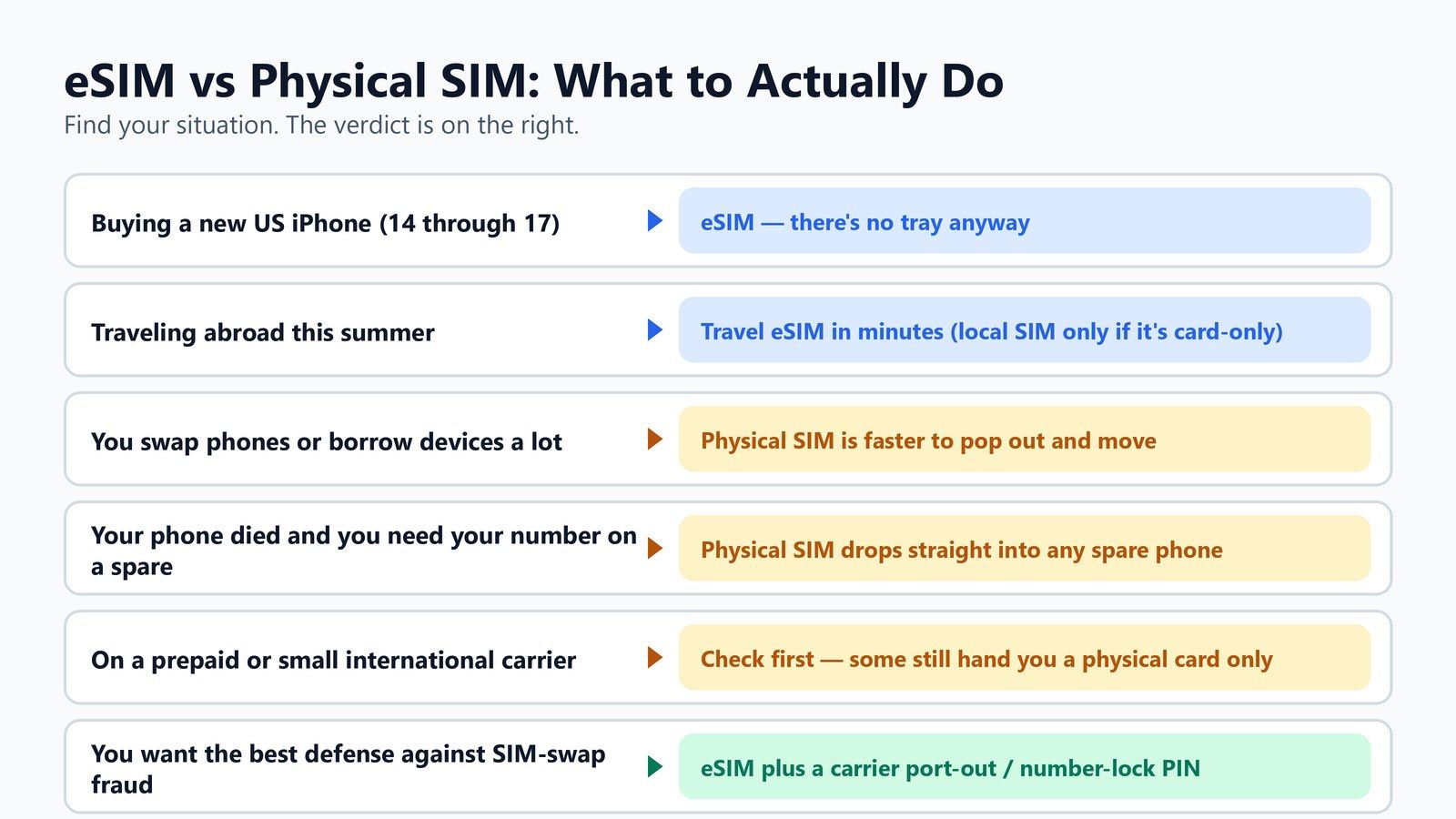
Enough theory. Here’s the decision boiled down to who you actually are, so you can stop reading and go do the thing.
You Just Bought or Are Buying a New US iPhone
There’s no decision to make — you’re on eSIM, and that’s fine. Activate your line by having your carrier transfer it (most do this in-app or in-store in minutes) and get on with your life. If you’re switching carriers, the new carrier can send you an eSIM QR code or push the line straight to your phone.
You’re Traveling Abroad This Summer
Buy a travel eSIM in an app before you fly, keep your home line for calls, and switch the data plan on when you land. Only fall back to a local physical SIM if your destination carrier is one of the holdouts that doesn’t offer eSIM, or if you need a local number for a long stay.
You Swap Phones or Lend Devices Constantly
A physical SIM is genuinely faster for you — if your phone has a tray, there’s no shame in keeping the card. Just know that when you next upgrade to a tray-less US iPhone, you’ll adapt to eSIM transfers, and it’s less painful than it sounds.
You Want Maximum Protection Against Fraud
Go eSIM, then do the two things that matter more than the SIM itself: add a carrier port-out PIN, and move your critical logins off SMS codes onto an authenticator app or hardware key. The SIM choice is the smallest piece of your security — but eSIM plus those two habits is the strongest setup available to a normal person.
You’re on an Older, Budget, or Card-Only Carrier Phone
Stick with the physical SIM until your hardware or your carrier catches up. When you’re ready to upgrade, check that your next phone and plan support eSIM so you’re not boxed in. For the bigger platform decision, our iPhone vs Android breakdown covers how each handles eSIM and switching.
Frequently Asked Questions
Is eSIM better than a physical SIM?
For most people on a modern phone, yes — but “better” mostly means more convenient and more secure, not faster. eSIM activates in seconds, is harder for a scammer to hijack, and makes running two lines easy. A physical SIM only pulls ahead when you need to move your number between phones fast or your carrier doesn’t support eSIM. Signal and speed are the same either way.
Does an eSIM have worse signal than a physical SIM?
No. This is one of the most persistent myths in the whole eSIM vs physical SIM debate. Signal strength comes from your phone’s antennas, modem, network bands, and distance to the tower — the SIM only handles authentication. On the same carrier in the same spot, an eSIM and a physical SIM deliver identical bars and identical speeds.
Can I still get a physical SIM for a new iPhone in the US?
Not from Apple’s US models — the iPhone 14 and everything after it (15, 16, 17) have no SIM tray at all in the US, so they’re eSIM-only. Your carrier will set you up with an eSIM instead. iPhones sold outside the US often still include a nano-SIM tray, which is why an imported model may differ.
What happens to my eSIM if my phone breaks?
That’s the one spot where eSIM is trickier than a card. The eSIM lives inside the phone, so if the device is dead you can’t just pop it into a spare. You’ll need to contact your carrier to re-provision the line onto a new phone, which may mean a support call, a store visit, or a fresh QR code. If keeping your number running through a broken phone is a priority, a physical SIM has the edge.
Is an eSIM more secure against SIM-swap fraud?
It’s meaningfully harder to attack, though not immune. There’s no physical card for a store employee to swap or a thief to intercept, and moving an eSIM profile needs device-level authentication plus carrier approval. Given that the FBI logged over $68 million in SIM-swap losses in 2021 alone, that added friction matters. Pair it with a carrier port-out PIN and app-based two-factor for real protection.
Can I use an eSIM and a physical SIM at the same time?
On phones that still have a tray, usually yes — that’s the classic dual-SIM setup, one physical plus one eSIM, both active at once. On US iPhones there’s no tray, so dual-SIM means running two eSIM profiles instead. Either way you get two numbers on one phone and can choose which line handles calls, texts, and data.
The Bottom Line
The honest truth about eSIM vs physical SIM in 2026 is that the market already made the call for most of us. Apple removed the choice from US iPhones three years ago, the rest of the industry is drifting the same way, and the eSIM turned out to be faster to set up, easier to run two lines on, and harder for criminals to hijack. For the mainstream buyer, “which should I use” quietly became “the eSIM you already have.”
But the physical SIM isn’t dead, and it isn’t wrong to prefer it. If you shuffle your number between phones, lean on a card-only carrier, or want a card ready for the day your phone dies, that little tray still does something the chip can’t. Know which camp you’re in, set up a port-out PIN either way, and you’ve made the right call — whichever one it is.