You are standing in front of a $900 television holding a bottle of blue window cleaner, and every instinct you have says this is the right tool. It is not a stupid instinct. The bottle says streak-free. The screen looks like glass. Your parents cleaned the family TV this way for twenty years and nothing ever happened. Search how to clean tv screen and you get eight nearly identical lists telling you not to do it, none of which bother to tell you why. That missing “why” is the whole problem, because the reason is not that glass cleaner smears. It is that there is no glass on the front of your TV to smear.
The front of a modern TV is a stack of soft plastic films, thinner than a sheet of paper, and window cleaner is built to dissolve exactly that kind of material. Worse, this particular mistake has no repair path. It is not a fault, so the warranty ignores it. It is cosmetic, so the service contract ignores it. And the coating cannot be put back on. You do not break the television. You permanently downgrade it, a little at a time, and then again on the day you try to sell it.
To clean a TV screen safely, switch it off and wipe the dark panel with a dry microfiber cloth first. If marks remain, dampen a second microfiber cloth with distilled water, never the screen itself, and wipe in gentle overlapping straight lines. Buff dry immediately. Never use window cleaner, alcohol, ammonia, or paper towels.
- The surface you are wiping is not glass. It is a bonded stack of soft polymer films, and organic solvents dissolve organic polymers. That is the entire reason window cleaner is banned.
- The damage never shows up on the first wipe. It surfaces weeks later as a cloudy patch that catches daylight differently from the rest of the panel, and by then it is permanent.
- Samsung Display only moved its panel surface hardness to a grade that survives a fingernail in March 2026. Every TV already sitting in a living room is on the older, softer spec.
- The four biggest TV makers openly contradict each other on soap and alcohol. The only guidance all four agree on is a dry microfiber cloth, plus plain water on the cloth if that fails.
- Distilled water is not fussiness. Ordinary tap water can carry over 180 milligrams of dissolved mineral per litre, and every bit of it stays on the screen after the water evaporates.
- The correct kit costs about $6 to $12 and takes five minutes. The failure mode it prevents is not covered by any warranty or service contract you can buy.
What You Are Actually Touching When You Wipe a TV Screen
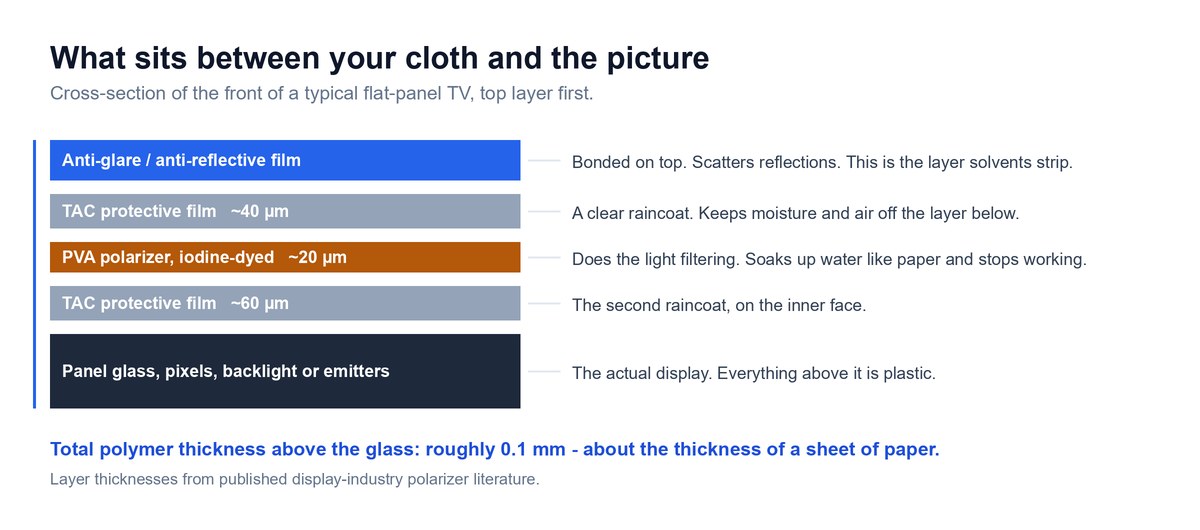
Almost every cleaning guide on the internet starts with a list of banned products. Start somewhere more useful instead, with the surface itself, because once you understand what your cloth is touching, every rule on those lists stops being arbitrary and starts being obvious.
There Is No Glass on the Front of Your TV
Hold a modern flat panel up to a raking light and it looks and feels exactly like glass. It is not. There is glass in there, but it sits behind several layers of plastic film that were laminated onto the front during manufacturing. Those films do the work that makes the picture watchable: one filters light so the panel can show black instead of grey, and another scatters reflections so your window does not appear in the middle of the movie.
Think of it like a laminated countertop. The pattern you can see and touch is a thin printed layer bonded to the top. The solid material underneath is real, but it is not the part you are cleaning, and it is not the part that gets destroyed when you use the wrong chemical.
The Polarizer Is a Thirsty Layer Wrapped in Two Raincoats
The layer doing the light filtering is called a polarizer, and it is stranger than it sounds. Its working element is a film of polyvinyl alcohol, usually shortened to PVA, dyed with iodine and stretched to roughly twenty microns thick. Twenty microns is about a quarter the thickness of a human hair.
Here is the part that explains half the rules you have ever been given about screens. PVA is strongly hydrophilic, which is a technical way of saying it loves water the way a paper towel loves water. Display-industry literature is blunt about it: the polarizing layer made from PVA film readily absorbs water, fades, and loses its polarizing performance. That is why manufacturers sandwich it between two protective films of triacetyl cellulose, or TAC, one around forty microns thick and one around sixty. Those two layers exist for one purpose, which is to keep moisture and air away from the layer in the middle.
So when LG’s support page tells you not to let water run down the screen, it is not being precious. Liquid that reaches the edge of the panel gets behind the raincoats and touches the one layer the entire assembly was engineered to keep dry.
The Anti-Glare Layer Is Bonded on Top, Not Baked In
Sitting on top of that sandwich is the anti-glare or anti-reflective treatment, and this is the layer that actually gets wrecked. It is not a property of the glass. It is a film applied to the outside of the stack, which means it is the first thing any liquid you apply will meet and the first thing a solvent can lift.
This matters commercially, not just technically. Anti-reflective treatment is a premium feature you paid extra for. Samsung Display markets its newest film on a twenty percent reduction in reflected light. Strip that coating off in patches and you end up somewhere worse than a plain glossy screen, because a uniformly glossy panel at least reflects consistently. A half-stripped one has a permanent bright zone where light now behaves differently from everywhere else.
Your Screen Surface Is About as Hard as a Fingernail
Everyone repeats that screens scratch easily. Almost nobody puts a number on it, and there is a very good number available.
Note: In its 26 March 2026 announcement of the QuantumBlack film for QD-OLED panels, Samsung Display stated that surface hardness had improved from 2H to 3H, and that “a 3H rating indicates a high level of strength that resists scratches even when contacted by a fingernail.” Read that backwards and it tells you something the marketing did not intend: the 2H surface it replaced did not reliably survive a fingernail. That is a monitor-panel benchmark rather than a published TV spec, but it is the display industry’s own durability yardstick for these film stacks, and every panel already in a living room predates the upgrade.
Now picture what a paper towel is. Compressed wood pulp, dragged across a surface that a fingernail can mark. That is the whole argument, and you did not need a chemistry degree to follow it.
Why Glass Cleaner, Alcohol, and Ammonia Ruin the Coating for Good
This is the section every incumbent guide skips straight past with a warning and no explanation. The explanation takes two sentences.
What Window Cleaner Is Actually Built to Dissolve
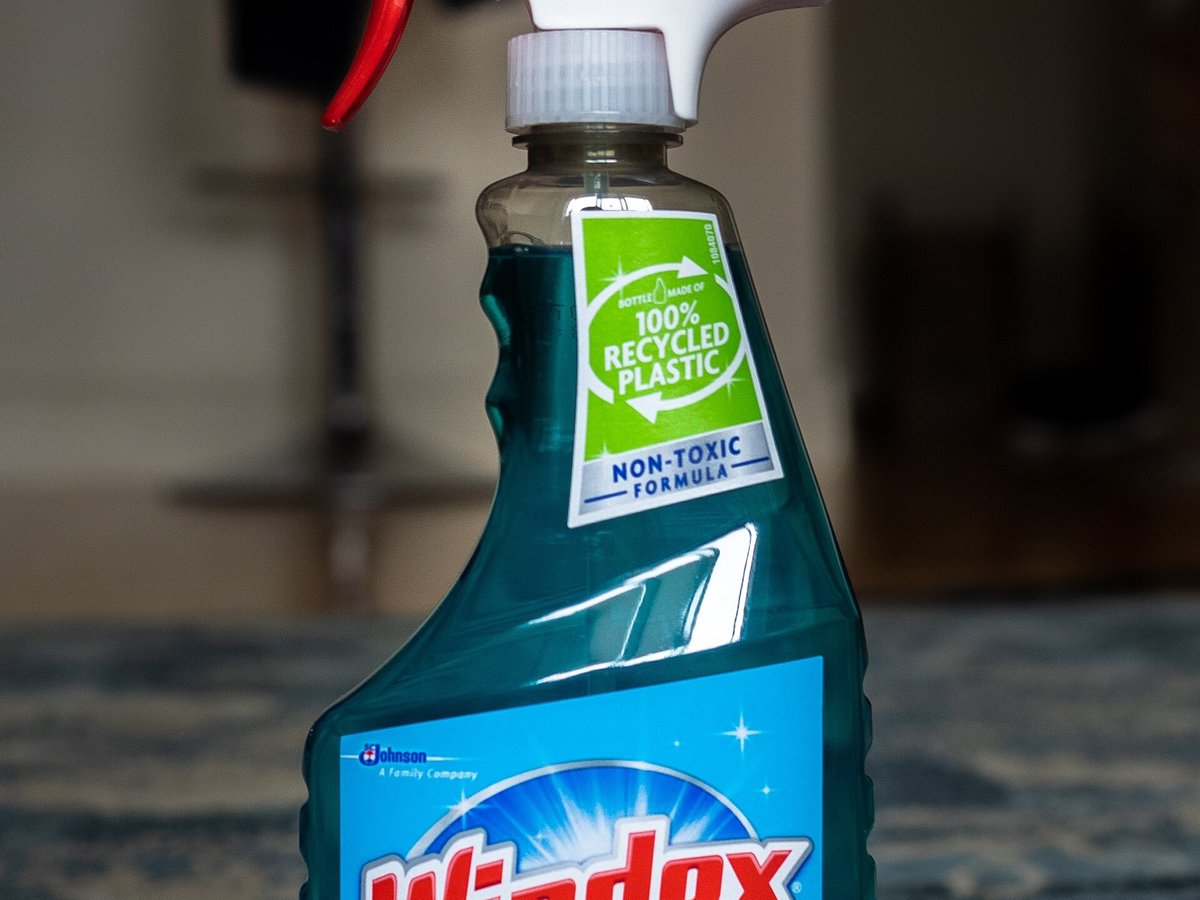
Window cleaner is formulated for one job: dissolving greasy organic residue off a surface that is chemically inert. Glass genuinely is inert. The solvents in the bottle can attack the grime and leave the window completely untouched. Reviewed.com, whose senior TV writer has reviewed more than a hundred sets, names the ingredient families plainly, noting that window cleaners contain harsh chemicals like alcohol, ammonia, and lauramine oxide.
Point that same bottle at a TV and the arithmetic inverts. The anti-glare film, the TAC layers, and the polarizer are all organic polymers. Organic solvents attack organic polymers — some dissolve them, others swell, craze, or lift the coating. The cleaner cannot tell the fingerprint from the film underneath it.
I am deliberately not going to tell you which specific bond breaks first, because nobody credible has published that for consumer panels, and the pages that claim to are content farms. What the manufacturers themselves will tell you is enough. Samsung’s support page says never use window cleaner, soap, scouring powder, or harsh chemicals including benzene, ammonia, paint, or alcohols, and then states the consequence in one sentence: “If you do, you can scratch the screen or strip the anti-glare coating off the screen and cause permanent damage.”
Why the First Wipe Always Looks Completely Fine
Here is the cruel part of this failure mode, and it is the reason the mistake repeats in millions of homes.
Nothing happens. You spray, you wipe, the fingerprints vanish, the screen looks fantastic, and you conclude that all the warnings were nonsense. Coating loss is cumulative and uneven. A single pass removes a fraction of the film across an uneven area, which is invisible against a lit picture. It becomes visible weeks or months later, when the TV is off, in daylight, as a patch that looks slightly milky or cloudy compared with the panel around it. Dark content is where it shows worst.
By the time you can see it, the process is finished. There is no re-coating service for consumer TVs. Replacing the panel means replacing essentially the whole television.
What the Manufacturers Say, Word for Word
Strip away the marketing and the language is remarkably consistent.
- Samsung tells you to try a dry cloth first, and if that fails, to “spray a small amount of water onto the cloth. Never spray it directly onto your TV screen.”
- LG, per LG’s OLED support page, allows a slightly dampened cloth for stubborn dirt, then insists you dry it with a dry microfiber cloth, and warns that water getting inside the TV can cause electric shock or fire.
- Sony, in the regional versions of its care article that could be read, tells you to lightly moisten the microfiber cloth with water without dripping, and rules out solvents such as benzene or thinner.
- Panasonic warns against contact with volatile substances such as insect sprays, solvents, and thinner, because the quality of the surface may be adversely affected.
Four companies with different panel technologies, different suppliers, and no reason to coordinate, all landing on the same instruction. That is about as close to a settled answer as consumer electronics ever gets.
What You Can and Cannot Fix After Using Windex
Nobody on page one of Google answers this, and it is one of the most searched follow-ups on the topic. So, honestly.
If you used glass cleaner once, wiped it off, and the screen looks normal, you are almost certainly fine. Stop now, switch to the method below, and do not do it again. Cumulative exposure is the thing that gets you.
If you have been cleaning it that way for months and there is now a cloudy or hazy patch, that damage is not reversible. Nothing you buy will restore an anti-glare film. Polishing compounds, “screen restore” products, and rubbing harder will all make it worse, because they remove more of what is left. What you can do is stop the progression immediately and clean correctly from here, which keeps the undamaged areas undamaged.
If liquid ran down into the bottom bezel and the TV has been off since, leave it off for at least twenty-four hours in a warm dry room before powering it up. If you see discoloured blotches on a lit screen afterwards, or the panel shows a permanent dark area, that is a different failure from coating loss, and our guide to a Samsung TV showing a black screen walks through how to tell a dead panel apart from a dead input.
One more thing, and it matters. Do not moralise at yourself about this. The product is sold in the cleaning aisle, it says streak-free on the label, and it worked perfectly on televisions for forty years. The advice did not change because people got careless. It changed because the glass went away and nobody sent a memo.
Why Paper Towels and Old T-Shirts Leave Marks You Only See in Daylight
Chemicals are the dramatic failure. Cloth choice is the slow one, and it does more cumulative harm in most households because it happens every single time.
Wood Pulp Dragged Across a Soft Polymer
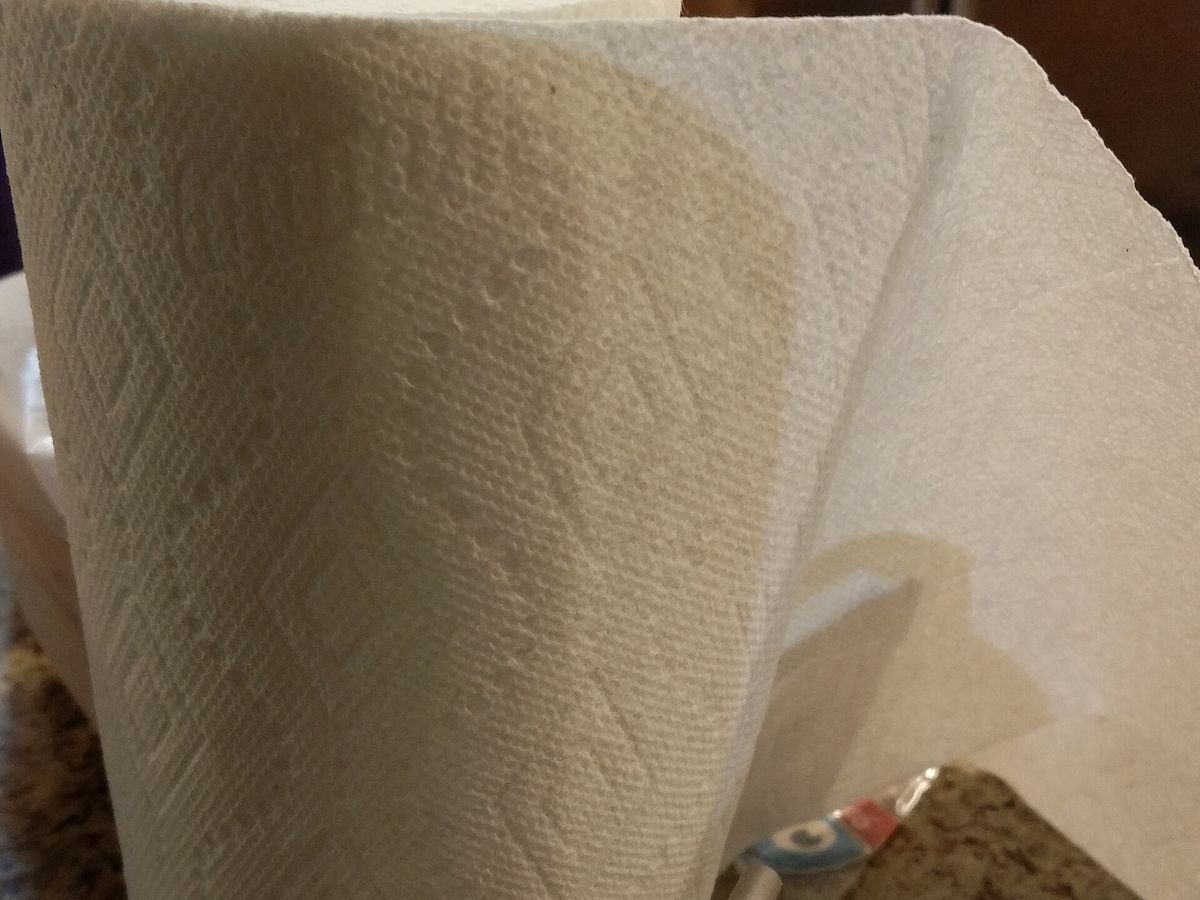
Paper towel is not soft. It feels soft against skin because skin is softer than it is. Against a polymer film with a surface hardness that struggles with a fingernail, compressed wood fibre is an abrasive. Consumer Reports puts it simply, noting that paper towels and tissues contain fibres that can cause damage.
Old cotton T-shirts are only slightly better and often worse, because a shirt that has been through a hundred wash cycles is carrying detergent residue and, more importantly, has been rubbed against everything in your laundry basket.
The Grit Problem Nobody Warns You About
Here is the failure most people never think about. Household dust is not fluff. It contains sand, mineral particles, and skin cells, and mineral grit is much harder than any polymer film.
So when you take a dry cloth to a dusty screen and press, you are not removing grit. You are dragging it. Every particle under the cloth becomes a tiny cutting tool travelling the full width of the panel. That is where the fine circular scratch pattern on old TVs comes from, and it is why the correct first move is always a light, unweighted pass that lifts dust rather than a firm pass that pushes it.
What Actually Makes Microfiber Different
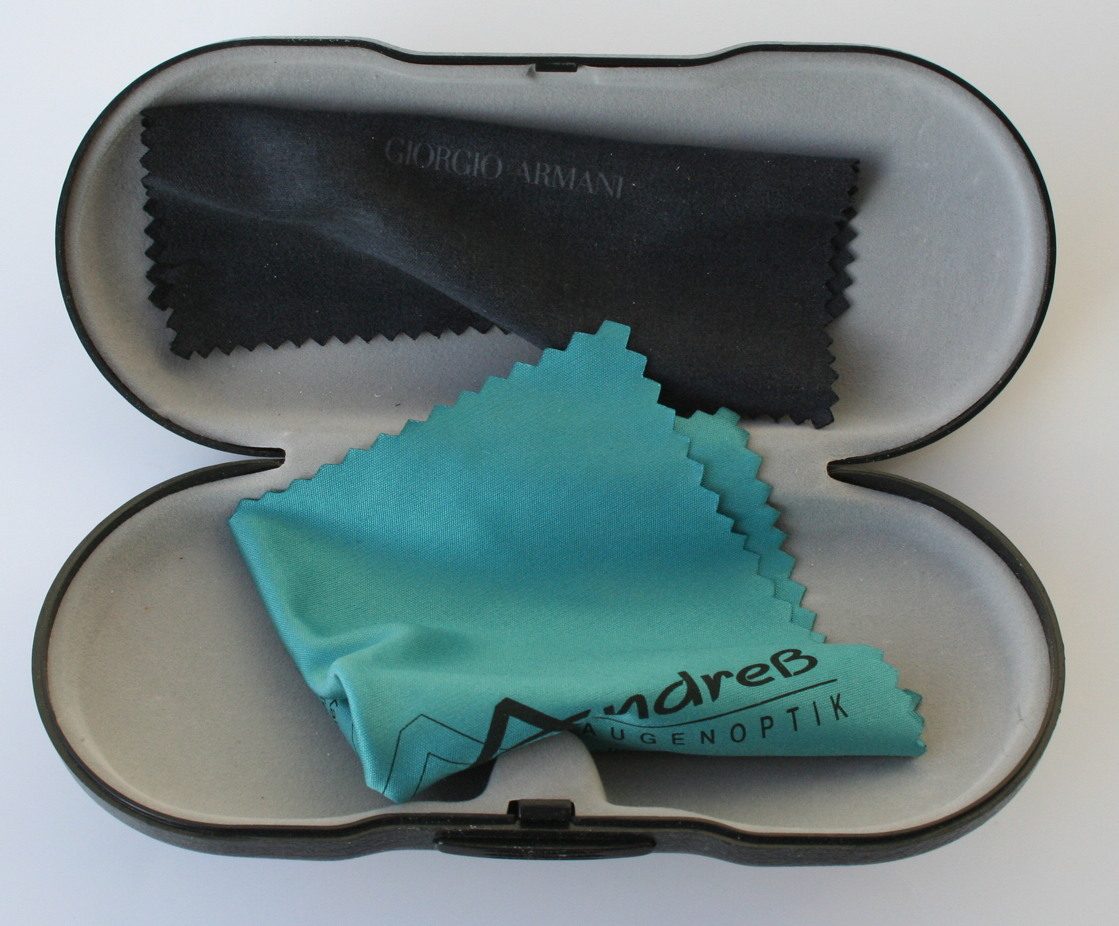
Microfiber is not just a soft cloth. The fibres are split during manufacture into strands far finer than cotton, which does two useful things at once. The strands are fine enough to reach into surface texture that a cotton weave rides over, and the huge combined surface area traps particles inside the cloth instead of pushing them along in front of it.
That trapping behaviour is the whole point. A microfiber cloth lifts grit off the panel and holds it. A cotton cloth sweeps it. Sony’s care article makes this its firmest rule, telling owners not to clean the screen with anything other than a microfiber cloth, and naming tissue paper, non-microfiber fabric, and gauze as things to avoid.
Two consequences follow. First, buy at least two and keep them for screens only. Second, wash them without fabric softener, which coats the fibres and destroys exactly the property you are paying for.
What Actually Changes Between OLED, LCD, and QLED Screens
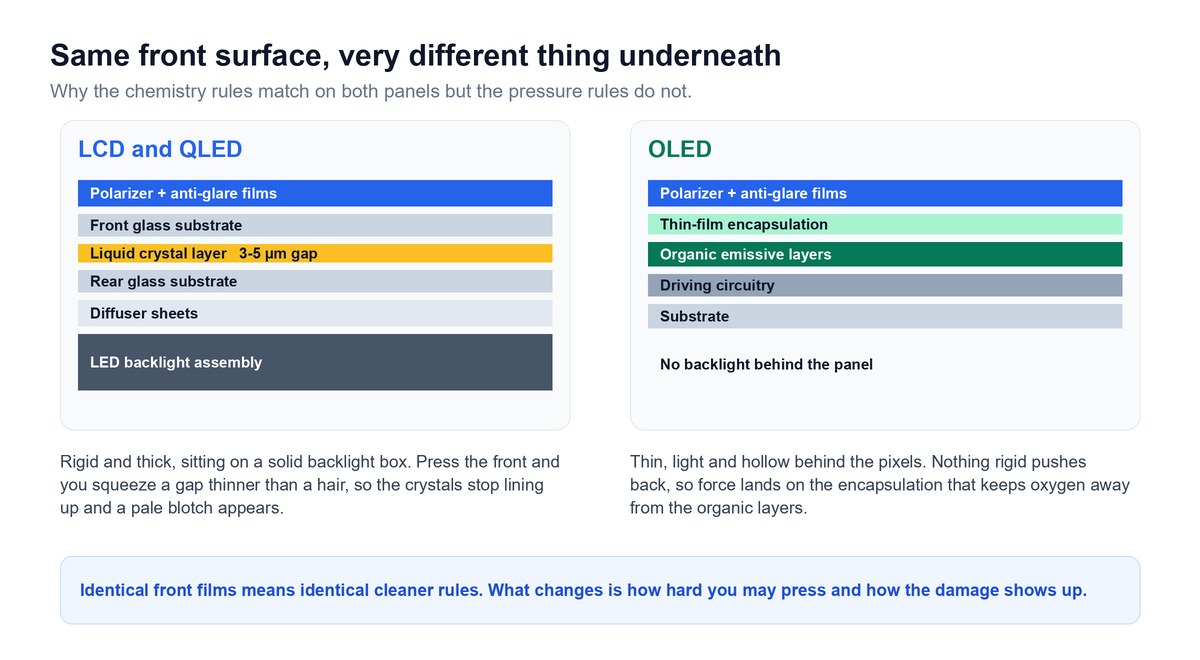
The popular version of this answer is that OLED is delicate so you should treat it differently. That is half wrong, and getting it right is genuinely useful.
The Chemistry Rules Are Identical, and Here Is Why
An OLED, an LCD, a QLED, a Neo QLED, a QD-OLED, a QNED, and a mini-LED set all wear the same kind of polymer film stack on the front. The panel technology behind that stack differs enormously. The surface your cloth touches does not.
That means the cleaner rules are identical across every one of them. Anything that dissolves the film on an LCD dissolves the same film on an OLED. If you want the panel-technology detail behind those names, our explainer on what an RGB LED TV actually is untangles the marketing terms.
What genuinely differs is how much pressure the panel behind the films can take, and what the damage looks like when you exceed it.
LCD and QLED Panels Hate Pressure Most
An LCD panel, and QLED is an LCD with a quantum-dot layer added, works by holding liquid crystal in a gap between two sheets of glass. That gap is typically three to five microns, which is thinner than a human hair by a wide margin.
Push on the front and you physically narrow that gap. The crystals stop lining up correctly in that spot and you get a pale blotch or a rippling halo around your finger. Consumer Reports notes that LCD screens are particularly sensitive to pressure. Because the spacing itself has been deformed, these marks are frequently permanent rather than temporary.
OLED Panels Have Nothing Rigid Behind Them
OLED is the opposite problem. There is no backlight assembly, no diffuser stack, and no rigid box behind the pixels. The whole panel is often only a few millimetres thick, so there is nothing solid pushing back when you press.
What takes the force instead is the thin-film encapsulation, the sealed barrier that keeps oxygen and moisture away from the organic materials that make the light. Display-module suppliers treat roughly five newtons of localised force as the point where that encapsulation starts taking damage and dead pixels become possible. That is an industry rule of thumb rather than a published television specification, so treat it as an order of magnitude rather than a limit to test.
The 2026 Matte and Glare-Free Panels Are the Fussiest Surface on Sale
This is the part no current guide covers, and it applies to a lot of TVs sold this year.
Matte and glare-free finishes, including Samsung’s Glare Free treatment on its 2026 OLED range, work partly by giving the surface a fine texture that scatters incoming light over a wider area instead of bouncing it back as a sharp mirror image. It works beautifully on reflections. It also means the surface is no longer perfectly smooth.
A textured surface holds fingerprint oil far more stubbornly than a glossy one, because the oil settles into the texture instead of sitting on top of it. So the most delicate finish currently on sale is also the one most likely to tempt you into scrubbing harder and reaching for something stronger. If you own a matte set, the right response to a stubborn mark is more dampness on the cloth and more patience, never more force. The same logic applies to matte desktop panels, which we looked at closely in our Dell S3225QC OLED monitor review.
How Much Pressure Is Too Much for a TV Screen
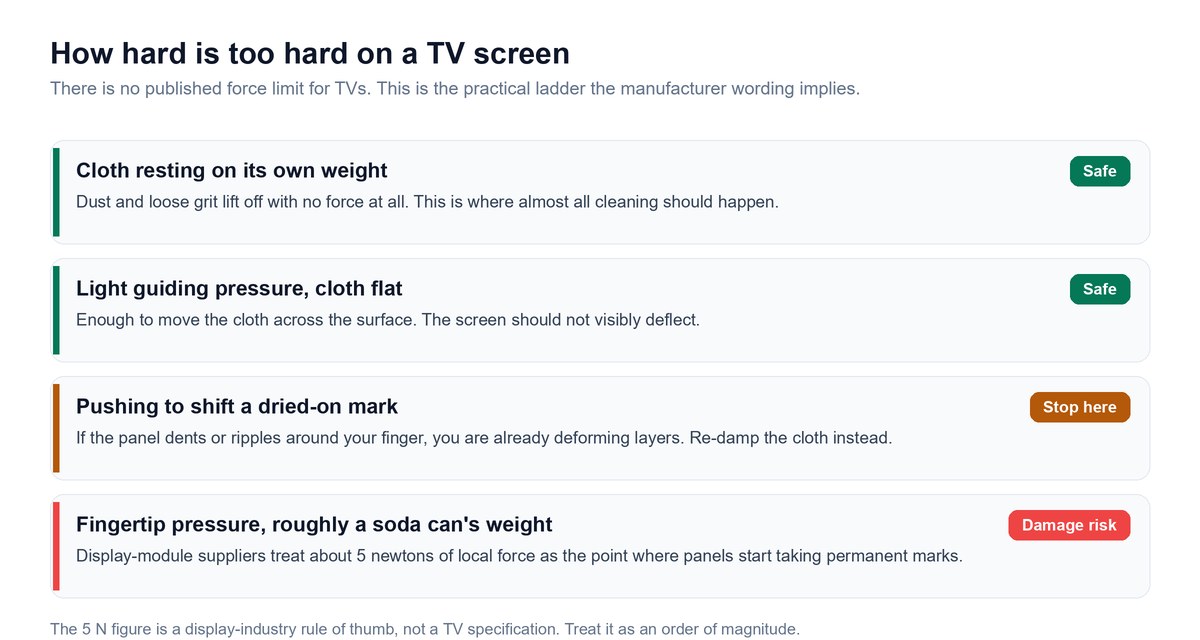
“Do not press too hard” is what every manufacturer says and it is useless as an instruction, because nobody thinks they are pressing hard. Here is a ladder you can actually calibrate against.
The Weight-of-a-Soda-Can Rule of Thumb
Caveat: The five-newton figure that display-module suppliers use as a damage threshold is roughly the force of a full soda can pressed onto a single spot. That is not much. It is well inside what an average adult applies without thinking when trying to shift a dried-on mark, which is precisely why “don’t press hard” fails as advice. Treat it as a rule of thumb, not a specification, because no TV maker publishes a force limit for its panels.
The practical translation is that almost all of your cleaning should happen at the weight of the cloth itself, with your hand only guiding it. If you find yourself pushing, the answer is a damper cloth and a second pass, never more force.
How to Support the Panel While You Wipe
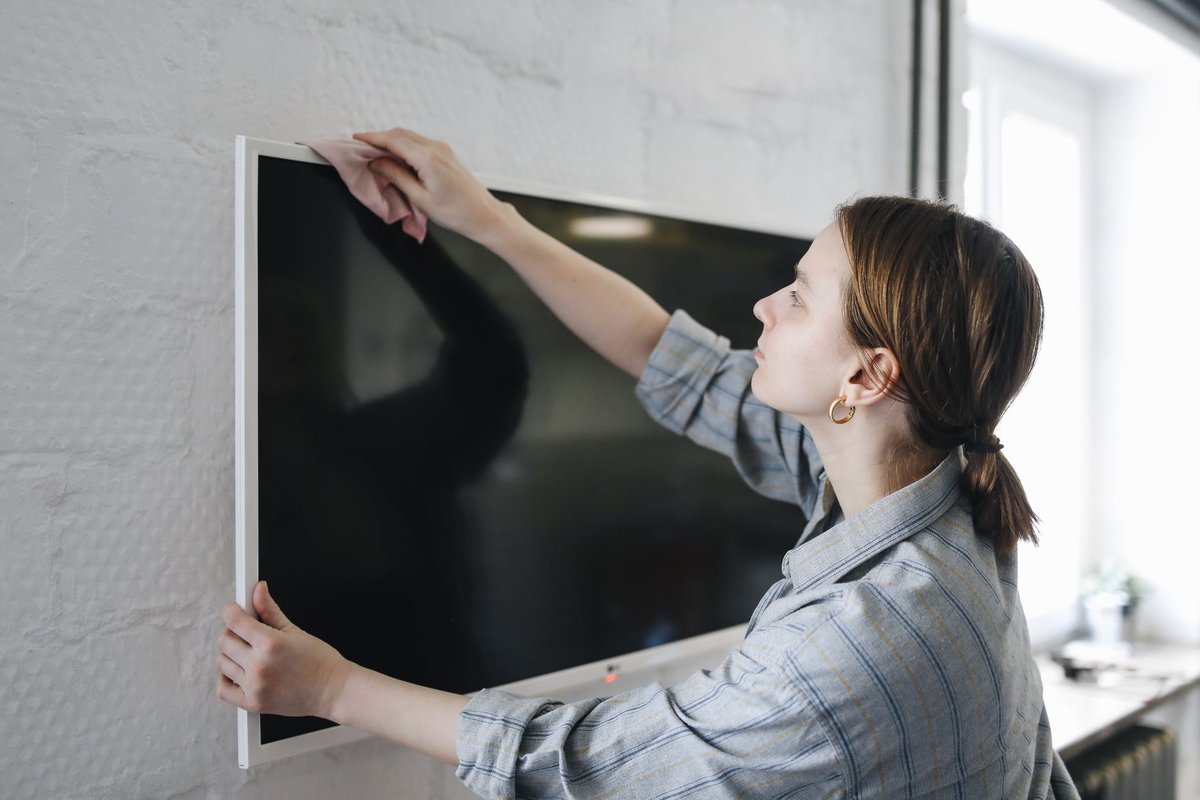
Large panels flex. A 65-inch set on a centre-pedestal stand can visibly bow if you lean on one corner, and that flex is transmitted straight into the layer stack.
For a wall-mounted TV, keep your strokes short and stay near the mounting plate where the panel is best supported. For a set on a stand, put your free hand flat against the back of the panel directly behind wherever you are wiping, so the two forces cancel each other out instead of bending the screen. It looks fussy. It takes no extra time and it removes the entire pressure risk.
Telling a Pressure Mark Apart From a Smear
Useful diagnostic, and it costs you nothing. Turn the TV off and look at the dark screen in daylight.
A smear or a residue mark sits on the surface, changes appearance as you shift your viewing angle, and usually disappears when the screen is lit. A pressure mark is inside the panel. It stays in exactly the same place from every angle, and it is most visible on a light or grey background with the TV on. If it is inside the panel, cleaning will not touch it, and no amount of extra wiping will do anything except add coating wear on top of the original problem.
How to Clean a TV Screen the Right Way, Step by Step
Total time is about five minutes. Total kit is two microfiber cloths and a jug of distilled water, which is roughly $6 to $12 depending on where you shop.
- Switch the TV off at the set, unplug it from the wall, and let the screen cool completely.
- Dust the frame, the stand, and the rear vents first with a dry cloth.
- Wipe the screen with a dry microfiber cloth, top to bottom, using no pressure.
- Dampen a second microfiber cloth with distilled water and wring it until it cannot drip.
- Wipe the screen in overlapping straight lines, working from the top downward.
- Buff the screen dry immediately with the first cloth, using the same straight strokes.
- Leave the TV unplugged until the surface is completely dry, then reconnect the power.
Switching Off and Unplugging Comes First
Two reasons, and only one of them is electrical safety. A dark screen shows you every fingerprint and dust trail that a lit screen hides, so you can see what you are actually cleaning. Unplugging also removes any chance of moisture reaching a live board, which is the one failure mode in this whole process that can genuinely destroy a television rather than just its coating.
Let the panel cool as well. Cleaning a warm screen evaporates your water faster than you can buff it, which is the single most common cause of streaking.
Dusting the Frame and Vents Before the Screen
Do this in the right order or you will undo your own work. Dust sitting on the top bezel falls onto a screen you have just cleaned, and dust in the rear vents is a genuine thermal issue on any set with active cooling.
Use a dry cloth on the frame and stand, and a soft brush or a vacuum on its lowest setting held near, not touching, the rear vents. Never spray anything near the vents, because that is a direct path to the electronics.
The Dry Microfiber Pass Does Most of the Work
This is the step people skip, and it is the one that does eighty percent of the job. Most of what is on a TV screen is dust, and dust comes off dry.
Fold the cloth into quarters so you have a flat clean face, and let its own weight do the work. Move top to bottom in straight overlapping passes and refold to a clean quarter when the face you are using looks loaded. If the screen is clean at the end of this step, stop. You have finished, and you never introduced liquid to a panel at all.
Dampening the Cloth, Never the Screen
If marks survive the dry pass, dampen the second cloth with distilled water. Damp, not wet. Wring it until squeezing produces nothing.
Every manufacturer in this article agrees on this and none of them budge: liquid goes on the cloth, never on the screen. Spraying the panel puts free liquid on a vertical surface, where it runs downward under gravity to the bottom bezel, which is exactly where the panel edge and the electronics are. That is the mechanism behind LG’s warning about water flowing down the screen and behind Samsung’s refusal to allow spraying at all.
Wiping in Overlapping Straight Lines
Circles are a bad habit borrowed from car detailing. On a screen they produce swirl patterns that catch light, and they encourage you to press harder on the tight part of each arc. Samsung’s own AU support page does say to use circular motions to clean marks off the panel, and we still would not do it that way: circles concentrate force on the tight inside of each loop, and straight overlapping strokes spread the same pressure evenly instead.
Work in straight horizontal or vertical strokes, overlapping each pass by about a third, and go in one direction rather than scrubbing back and forth. If a mark resists two passes, re-dampen and wait a few seconds with the damp cloth resting on it. Time dissolves dried residue. Force does not.
Buffing Dry With a Second Clean Cloth
Do not let the screen air-dry. Whatever was in the water is left behind when it evaporates, and even distilled water will carry dissolved grime from the panel itself into a visible edge if you let it dry in place.
Follow the damp cloth immediately with a dry one, using the same straight strokes and the same light touch. This is the step that produces a genuinely streak-free result, and it is the one most people leave out.
Letting It Dry Fully Before You Plug It In
Samsung’s own instruction is to let the screen dry completely before plugging the TV back in, and it means exactly what it says. Give it ten to fifteen minutes even if the surface looks dry, particularly if you worked near the bottom edge. There is no upside to rushing this and there is a real, if small, downside.
Why Distilled Water Beats Tap Water on a Screen
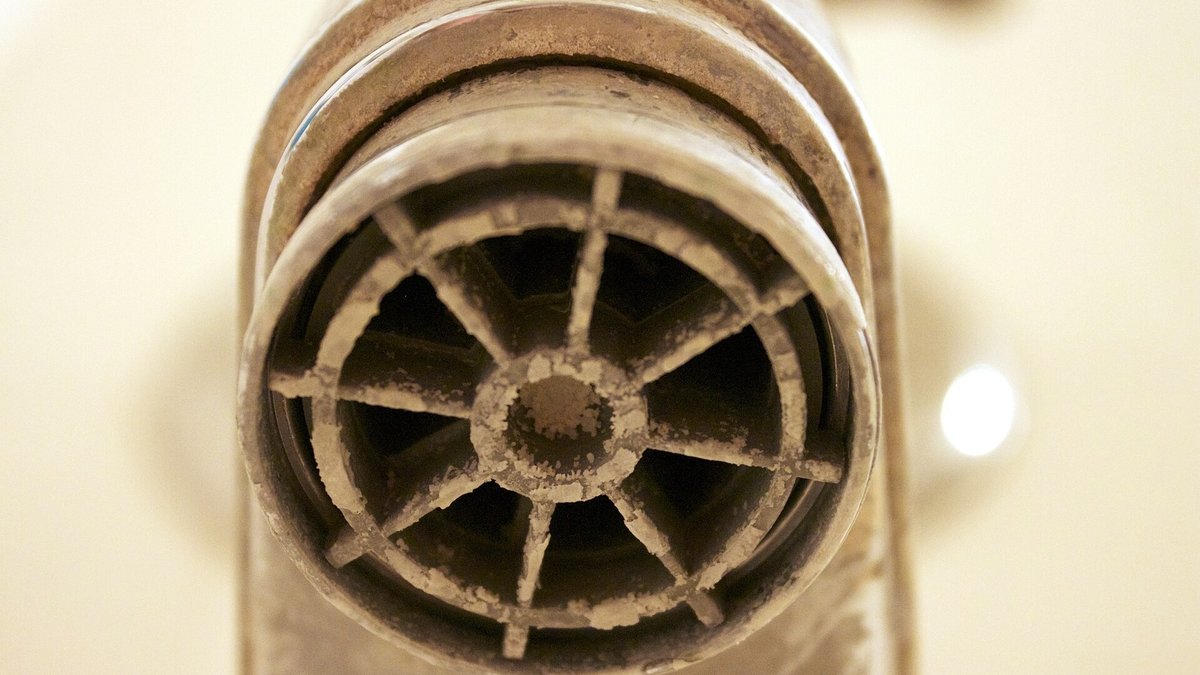
Every guide says use distilled water. Consumer Reports says it. None of them explain it, which makes it sound like superstition. It is not, and the number behind it is easy to find.
What Tap Water Leaves Behind When It Dries
Keep in mind: The U.S. Geological Survey classifies water hardness by dissolved calcium and magnesium: 0 to 60 milligrams per litre is soft, 61 to 120 is moderately hard, 121 to 180 is hard, and anything over 180 is very hard. Municipal supplies commonly land in the moderately-hard to hard bands, though it varies a lot by region — water-industry figures put much of the US somewhere between 100 and 300 milligrams per litre. Whatever that number is where you live, the water evaporates off your screen and the minerals do not.
That is your streak. It is not a technique failure and no amount of extra buffing removes it, because you are polishing a solid deposit rather than a liquid film. On a genuinely hard supply you are laying down well over a hundred milligrams of mineral per litre of water onto an optical surface and then letting it dry there.
Distilled water has had those minerals removed by evaporation and condensation. It dries and leaves nothing. That is the entire argument, and it is why “use distilled” is a real instruction rather than a nervous one.
Why Streaks Show Up Worst on a Black Screen
Mineral deposit is whitish and slightly diffusing, so it shows most against dark backgrounds and least against bright ones. That is why a screen can look immaculate while you are cleaning it in a bright room and look terrible the moment you start watching something shot at night.
It is also why every check in this article is done with the TV off. A dark panel in daylight is the harshest possible inspection condition, and it is exactly the condition a used-TV buyer will use on you.
What a Gallon Costs and How Long It Lasts
A gallon of distilled water is about a dollar or two at most supermarkets and hardware stores. Cleaning a TV uses a few millilitres. A single gallon will outlast the television.
Filtered water from a jug filter is not the same thing. Most consumer filters target chlorine taste and some metals, not dissolved calcium and magnesium, so filtered water can still leave the deposit you were trying to avoid. If the label does not say distilled or deionised, assume it will streak.
Where the TV Manufacturers Openly Disagree With Each Other
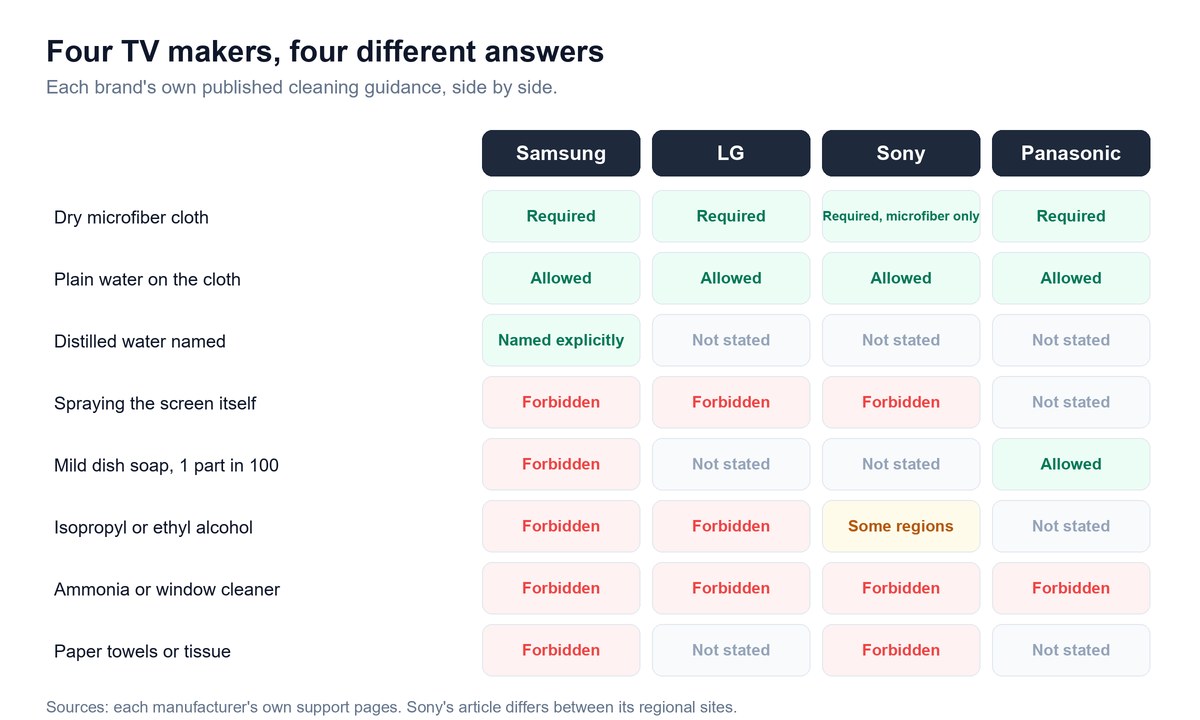
Here is the finding that surprised me most while researching this, and it is one that no guide currently on page one appears to have noticed. Line the manufacturers up side by side and they do not agree with each other. One brand prints an exact soap ratio that another brand explicitly forbids.
| Cleaner | Samsung | LG | Sony | Panasonic |
|---|---|---|---|---|
| Dry microfiber cloth | Required | Required | Required, and only microfiber | Required |
| Plain water on the cloth | Allowed | Allowed, slightly dampened | Allowed, without dripping | Allowed |
| Distilled water | Named explicitly | Not specified | Not specified | Not specified |
| Spraying the screen directly | Never | Never | Never | Not specified |
| Mild dish soap at 1 part in 100 | “Never use soap” | Not specified | Not specified | Permitted, with the exact ratio |
| Isopropyl or ethyl alcohol | “Never use alcohols” | Forbidden | Some regional versions permit 70% | Not specified |
| Ammonia or window cleaner | Never | Forbidden as a harsh chemical | Ruled out | Forbidden as a volatile substance |
| Paper towels or tissue | Never | Not specified | Explicitly forbidden | Not specified |
Soap Is Where Panasonic and Samsung Collide
The catch: Panasonic’s support answer tells owners to soak a soft lint-free cloth in one part mild liquid dish soap diluted by 100 times the amount of water, wring it out, wipe the panel, then dry it with a matching cloth. Samsung’s guidance says never use soap at all. Both are correct for their own panels and their own supplier stacks, and neither is a safe instruction to apply to the other brand’s television.
This is why “I read online that dish soap is fine” is such a dangerous sentence. It is fine, on a Panasonic, at a hundred to one, wrung out. Everything in that sentence is load-bearing.
Alcohol Is Where Sony Splits From Everyone Else
Sony’s own care article for OLED and LCD televisions has been reported to differ between its regional sites. Some regional versions of the article permit a microfiber cloth lightly moistened with 70% isopropyl alcohol or 70% ethanol, while other guidance in the same family lists alcohol wipes and ammonia-based cleaners among the products not to use. Sony’s article returned an access error on every regional domain I tried, so treat the alcohol permission as reported rather than something I confirmed first-hand.
Samsung and LG have no such ambiguity. Both forbid alcohol outright. So alcohol is not a question with one answer, it is a question with a Sony answer and a not-Sony answer, and the odds are poor that you know which supplier made the film on your particular set.
Vinegar Is Contested and We Still Say No
Vinegar comes up constantly, usually as the “natural” alternative. Household vinegar is roughly five percent acetic acid, which is a mild acid, and you would be applying it to a stack of organic films for a cleaning job that plain distilled water already handles.
Consumer Reports’ computer-testing lead has been reported to warn that straight vinegar can damage anti-glare coatings, and both Acer and Samsung have at various points been reported to suggest a 50/50 vinegar-and-water dilution for certain screens. So the evidence is genuinely mixed. Our position is a judgment rather than a proven fact: skip it. Not because vinegar is proven to destroy coatings, but because it carries a non-zero risk for zero additional cleaning power over distilled water.
The Safe Rule When Your Manual Disagrees With the Internet
Take the intersection. Everything all four manufacturers agree on is safe on every panel any of them sells, and that intersection is short: a dry microfiber cloth, and plain water applied to the cloth if the dry pass fails.
Everything outside that intersection is a bet on one brand’s specific chemistry. You can absolutely take the bet if your own manual authorises it, which is exactly why Consumer Reports tells readers to check the owner’s manual. What you cannot do is take another brand’s permission and apply it to your set, because you only find out you were wrong several weeks later, when it is finished.
Why Most TV Screen Cleaner Sprays Are Part of the Problem
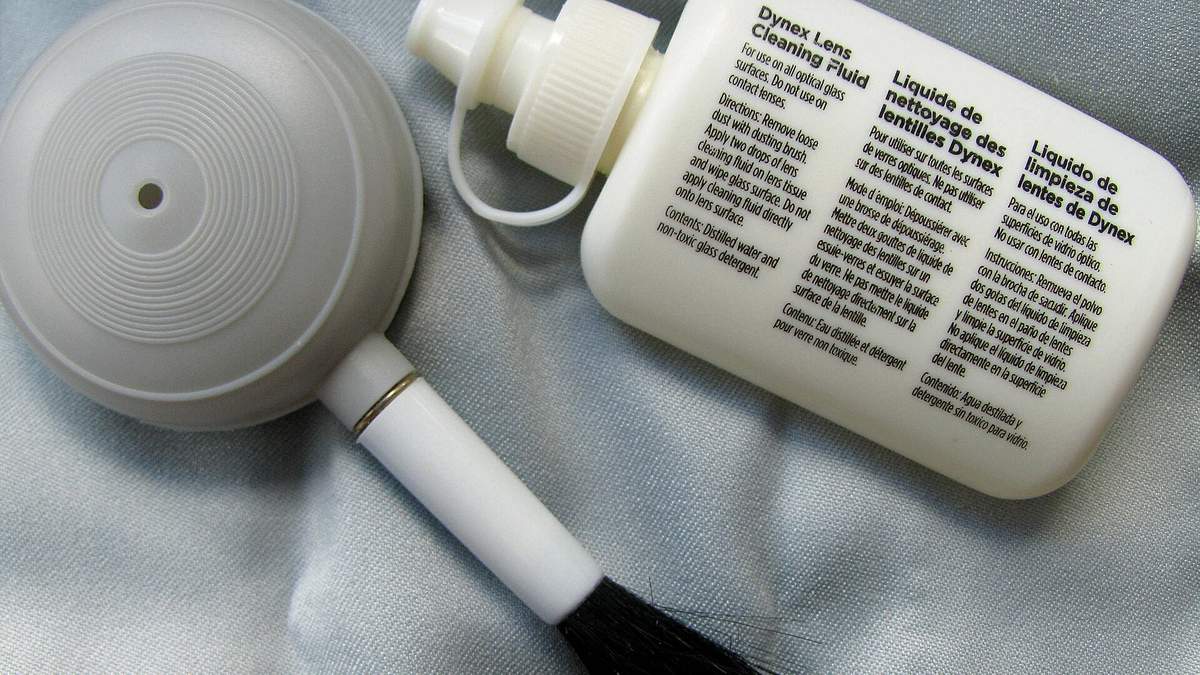
There is a whole retail category built to solve this problem, and a meaningful part of it makes the problem worse.
Screen Cleaner Is a Category Name, Not a Formulation Standard
“Screen cleaner” on a label tells you what the manufacturer intends the product for. It does not tell you what is in it. The same shelf holds genuinely alcohol-free and ammonia-free formulations sitting right beside “electronics wipes” that are essentially 70% isopropyl alcohol on a nonwoven pad, and both are marketed for screens.
Given that Samsung and LG forbid alcohol on their panels outright, the label category is doing none of the safety work people assume it is. The ingredient claim is doing all of it.
What to Check on the Bottle Before It Touches the Panel
Four things, in about fifteen seconds:
- Alcohol-free and ammonia-free, stated on the label rather than inferred from the marketing copy.
- No acetone, benzene, or paint thinner, which Samsung names directly among the substances that cause permanent damage.
- Applied to the cloth, which every manufacturer requires. If the instructions tell you to spray the screen, the manufacturer of that product is contradicting the manufacturer of your television.
- Sold for displays specifically, not “multi-surface” or “glass and electronics”, because the glass is what makes those formulations aggressive.
When a Purpose-Made Cleaner Is Genuinely the Right Call
There are two honest cases. Greasy kitchen film that distilled water genuinely will not shift, and heavy nicotine residue, which is a sticky organic layer that water alone barely touches.
Which? magazine, which surveyed the guidance from six manufacturers in May 2026, reports that specialist TV screen cleaners are acceptable as a last resort applied to the cloth, and that Samsung and Philips both permit screen cleaner used that way. Consumer Reports comes at it from the other direction and runs a section headed “Skip the Cleaning Kit,” pointing out that the $15 to $20 bundles are largely a cloth and some liquid.
Both can be right. A purpose-made cleaner is a reasonable tool for a job water cannot do. It is a waste of money for the ninety percent of cleaning that is just dust.
What Coating Damage Actually Costs You
Everyone treats this as a cosmetic footnote. Price it properly, because the numbers are what make the five-minute method obviously worth doing.
It Is Excluded Twice Over, and Not Cleaning Is Excluded Too
Be precise here, because the popular phrasing is wrong. Cleaning your TV badly does not “void your warranty.” What actually happens is worse and narrower than that.
Warning: Samsung Care+ terms exclude this damage twice over. Clause 1 of “What Is Not Covered” excludes “breakdown or damage caused by improper installation, the use of improper cleaning methods or products (outside of the manufacturer’s recommendation)…”. Clause 7 separately excludes “cosmetic damage (unless specified in What Is Covered), including but not limited to scratches, dents, or housing cracks that do not otherwise affect the functionality of a Product”. So stripped coating fails the coverage test on two independent grounds, and there is no third door.
There is a twist in the same document that cuts the other way, and it is genuinely useful. Clause 6 excludes neglect, including when required cleaning is not performed as specified by the manufacturer, and damage from accumulated dirt, dust, or oil. So “never clean it at all” is not the safe hedge either. The covered path is cleaning it correctly, on the manufacturer’s terms.
What a Hazy Patch Does to the Picture You Paid For
Coating loss is not a uniform dulling that your eye adjusts to. It is patchy, which is the part that ruins the picture.
A stripped region reflects room light differently from the intact region beside it, so in any lit room you get a visible bright zone that moves with your head position. It is most obvious on dark scenes, which is exactly where an expensive TV is supposed to earn its money. Functionally, you have taken a premium panel and given it a permanent defect in the one condition it was bought for.
What It Quietly Does to Resale Value
If you ever sell the set, this is where it bites. A buyer who knows what they are doing turns the TV off and looks at the dark panel in daylight, because that is the fastest way to spot every surface problem at once.
There is nothing to fix and nothing to disclose beyond the obvious. The price just comes down, and it comes down by more than the cost of a lifetime supply of microfiber cloths.
Why Panel Replacement Almost Never Makes Financial Sense
Coating damage is not repairable in isolation. The film is bonded to the panel, so the fix is a new panel, and on a modern TV the panel is most of the cost of the whole set.
Out of warranty, a panel replacement on a mid-size TV routinely approaches or exceeds what the television is worth secondhand, which is why service centres so often quote it as a formality and expect you to decline. There is no cheap version of this outcome. That asymmetry, five minutes of care against an unrepairable defect, is the entire argument of this article.
Cleaning a Samsung, LG, Sony, TCL, Hisense, or Vizio TV
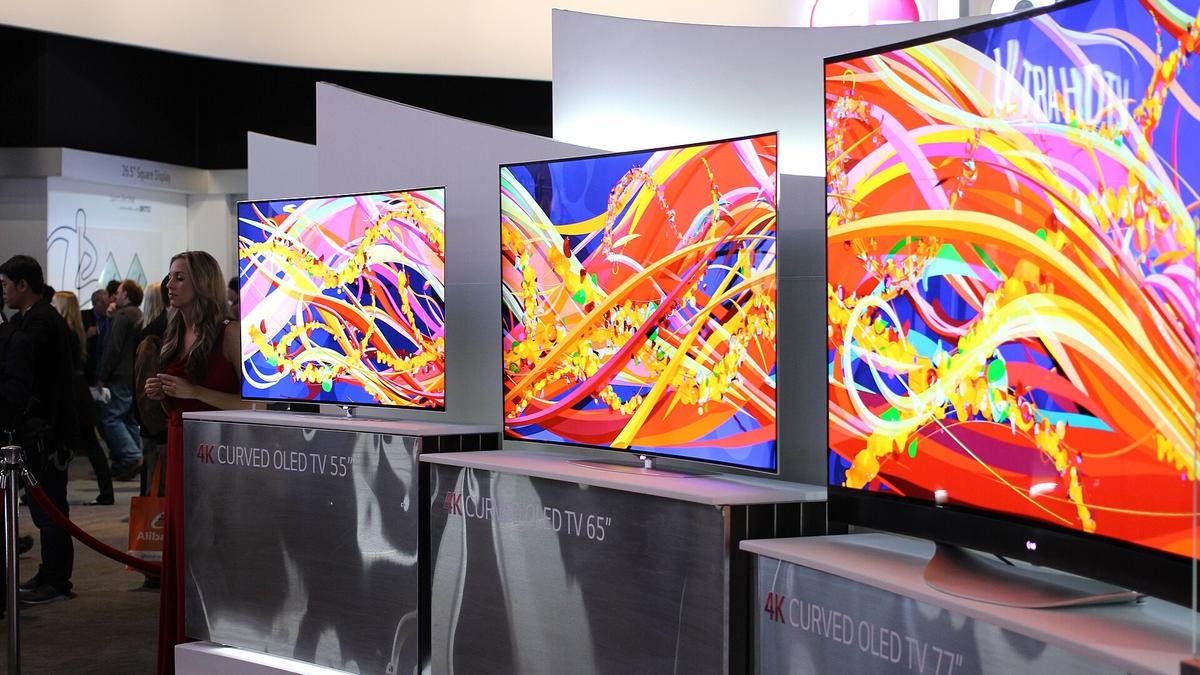
The method above works on every one of these. What follows is the brand-specific nuance worth knowing, because each maker’s own wording differs in small ways that matter.
Samsung TVs Including QLED, Neo QLED, and Crystal UHD
Samsung is the strictest of the major brands. Dry microfibre or flannel on the frame, dry cloth on the screen first, water sprayed onto the cloth only if needed, and an explicit ban on window cleaner, soap, scouring powder, benzene, ammonia, paint, alcohols, abrasive pads, and paper towels. Samsung’s US support page additionally names distilled water and adds wax and acetone to the forbidden list.
Every Samsung panel type gets the same treatment. QLED, Neo QLED, and Crystal UHD are all LCD variants, so they share the LCD pressure sensitivity. If you have a 2026 Glare Free model, the matte texture holds oil harder, so expect to use a damp pass more often than a glossy owner would.
LG TVs Including OLED evo and QNED
LG is the only major brand that explicitly authorises a damp cloth in its main instruction rather than as a fallback, telling owners to clean stubborn dirt with a slightly dampened cloth and then dry it with a dry microfiber cloth. Alcohol and general cleaners are forbidden.
LG adds two warnings the others do not. Do not let water flow down the screen, because water inside the set can cause electric shock or fire, and keep metal objects like keys and toys away from the panel, which is a quietly good point about where scratches actually come from in family homes.
Sony Bravia TVs and the Alcohol Question
Sony’s rule is the strictest on materials and the loosest on chemicals. Microfiber only, with tissue paper, non-microfiber fabric, and gauze specifically ruled out, and no solvents such as benzene or thinner.
The alcohol position is the one to be careful with, because it has been reported to vary between Sony’s regional sites, and I could not open the article directly on any of them to confirm the current wording. If you own a Bravia and want to use alcohol, read your own region’s version of Sony’s care article rather than trusting a summary, including this one.
TCL and Hisense Mini-LED and QLED Sets
These are LCD panels with mini-LED backlights and quantum-dot layers, which means they behave like every other LCD for cleaning purposes: same films on the front, same pressure sensitivity, same chemistry rules.
Value-brand panels are not built to a lower cleaning standard than premium ones, but they often use thinner bezels and lighter chassis, so panel flex under a pressing hand is more noticeable. Support the back of the panel and you have removed the only meaningful difference.
Vizio, Insignia, and Other Value Brands
Same story. These are LCD sets from the same handful of panel suppliers, wearing the same polarizer and anti-glare stack.
Where the value brands genuinely differ is in documentation. Several publish little or no cleaning guidance, which leaves owners searching and landing on whichever page ranks. In that situation, use the four-brand intersection from earlier, because it is safe on every panel any major maker sells.
Old Tube TVs Are the One Real Exception
If your set is a cathode-ray tube television, the rules genuinely invert, and this explains why so much bad advice is still circulating.
A CRT has a real glass faceplate on the front with no polymer film stack on it. Glass cleaner is fine on a tube TV, which is why your parents used it for decades without consequence. HelloTech even recommends a 50/50 alcohol and water mix, correctly scoped to tube sets only. The advice was never wrong. It just stopped applying the day flat panels replaced glass with plastic, and nobody announced it.
How Often You Should Clean a TV Screen
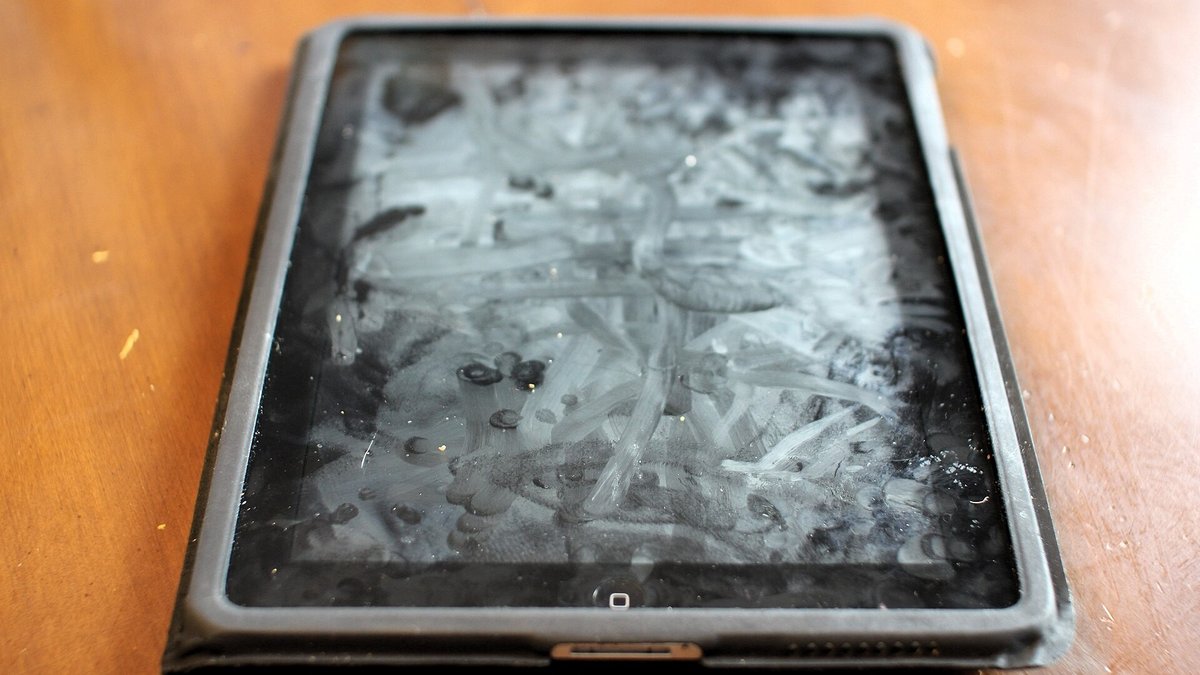
There is no universal schedule, because the right interval depends entirely on what is in the air in your room. Here is a realistic starting point.
Households With Kids or Pets
Weekly dry pass, damp pass roughly monthly or whenever you can see handprints from the sofa.
Fingerprints and nose smudges are oil, and oil attracts and holds dust, so a screen in a family room gets dirty faster than it looks. The upside is that this is a thirty-second job when you do it weekly and a fifteen-minute battle when you leave it a season.
Kitchens, Fireplaces, and Rooms Where People Smoke
Monthly damp pass, minimum, and expect to need one.
Cooking aerosol, wood smoke, and nicotine all deposit a sticky organic film that keeps building and grabs dust as it goes. This is the one environment where distilled water genuinely may not be enough and a purpose-made display cleaner on the cloth is the sensible tool.
The Once-a-Year Frame and Vent Job
Once a year, do the parts you have been ignoring: rear vents, cable inlets, the top edge of the frame, and the stand.
Dust in the vents raises internal temperatures on any set with active cooling, and Samsung Care+ explicitly names accumulated dust as a neglect exclusion, so this is the rare bit of maintenance with a paperwork argument behind it as well as a thermal one. While you are at it, do the remote, which is filthier than the screen in most homes and, if buttons have stopped responding, may not need cleaning at all. Our guide to a Fire TV remote that is not working covers the difference.
Frequently Asked Questions
Can you use Windex on a TV screen?
No. Windex and similar window cleaners contain alcohol and ammonia, which attack the polymer films on the front of a flat-panel TV. Samsung states that using window cleaner can strip the anti-glare coating and cause permanent damage. The one exception is an old cathode-ray tube TV, which has a real glass faceplate and tolerates glass cleaner.
How do you clean a TV screen without streaks?
Streaks come from two sources: minerals left behind by tap water, and letting the screen air-dry. Use distilled water on the cloth rather than tap water, wring the cloth until it cannot drip, wipe in overlapping straight lines rather than circles, and buff the screen dry immediately with a second clean microfiber cloth instead of letting it dry on its own.
Can you clean a TV screen with alcohol?
Samsung and LG both forbid alcohol on their TV panels outright. Some regional versions of Sony’s care article have been reported to permit a cloth lightly moistened with 70% isopropyl alcohol, so the answer genuinely depends on your brand. Since plain distilled water is safe on every panel and alcohol is not, water is the sensible default unless your own manual says otherwise.
Can you use vinegar on a TV screen?
We would not. Household vinegar is about five percent acetic acid applied to a stack of organic films, and Consumer Reports’ computer-testing lead has been reported to warn that straight vinegar can damage anti-glare coatings. Some sources suggest a 50/50 dilution is tolerable on certain screens, but it offers no cleaning advantage over distilled water, so the risk buys you nothing.
How do you clean a TV screen without a microfiber cloth?
Ideally you wait and buy one, because they cost a few dollars and nothing else performs the same job. If you must clean now, the best substitute is a clean, soft, lint-free cloth such as an eyeglasses cloth or a well-washed cotton handkerchief with no fabric softener residue, used completely dry and with no pressure. Never substitute paper towels, tissues, kitchen roll, or a T-shirt.
How do you get fingerprints off a TV screen?
Fingerprints are oil, so a dry cloth alone tends to smear them around. Do the dry pass first to remove dust, then use a second microfiber cloth dampened with distilled water, working in short overlapping straight strokes over the marked area, and buff dry straight away. Repeat the damp pass rather than pressing harder.
How do you clean a greasy TV screen?
Kitchen grease and nicotine film are sticky organic layers that distilled water alone often will not lift. Start with the standard method, and if the film survives two damp passes, this is the legitimate case for a purpose-made alcohol-free and ammonia-free display cleaner applied to the cloth, never sprayed onto the screen. Work in small sections and buff dry as you go.
Can you use baby wipes on a TV screen?
No. Baby wipes are wet with a formulation you cannot verify, usually containing surfactants and preservatives, and they deposit a residue film that hazes the surface as it dries. They are also far wetter than any manufacturer allows near a panel edge. The wipe format is the problem as much as the chemistry.
Is it safe to clean an OLED TV screen the same way as an LCD?
Yes, chemically. Both wear the same kind of polymer film stack on the front, so the cleaner rules are identical. What differs is pressure: an LCD has a three-to-five-micron liquid crystal gap that deforms into pale blotches when pressed, while an OLED has no rigid backlight assembly behind it, so force lands on the thin encapsulation layer. Use minimal pressure on both, and support the panel from behind.
What should you do if you already cleaned your TV with glass cleaner?
If it was a one-off and the screen still looks normal, simply stop and switch to the dry-cloth and distilled-water method, since damage from this is cumulative. If a cloudy or hazy patch has already appeared, that coating loss cannot be reversed, and polishes or restore products will remove more of what is left. If liquid ran into the bottom bezel, leave the TV unplugged for at least twenty-four hours before powering it on.
The Bottom Line on Cleaning a Modern TV Screen
Last checked 27 July 2026 against each manufacturer’s current support page.
Two microfiber cloths and a jug of distilled water. About $6 to $12 and roughly five minutes, a few times a year. Against that, a failure mode that produces no visible warning on the day it happens, cannot be repaired without replacing the panel, is excluded from service contracts as improper cleaning and excluded again as cosmetic damage, and quietly shows up in the price when you eventually sell the set.
The reason so many people get this wrong is not carelessness. It is that the advice they inherited was correct for the television it was given about. A cathode-ray tube really did have a glass front, and window cleaner really was the right tool for it. Then the glass went away, replaced by a stack of soft polymer films thinner than a sheet of paper, and nobody told the people still holding the blue bottle. Now you know what is under your cloth, which means every rule in this article should feel less like a warning and more like common sense.