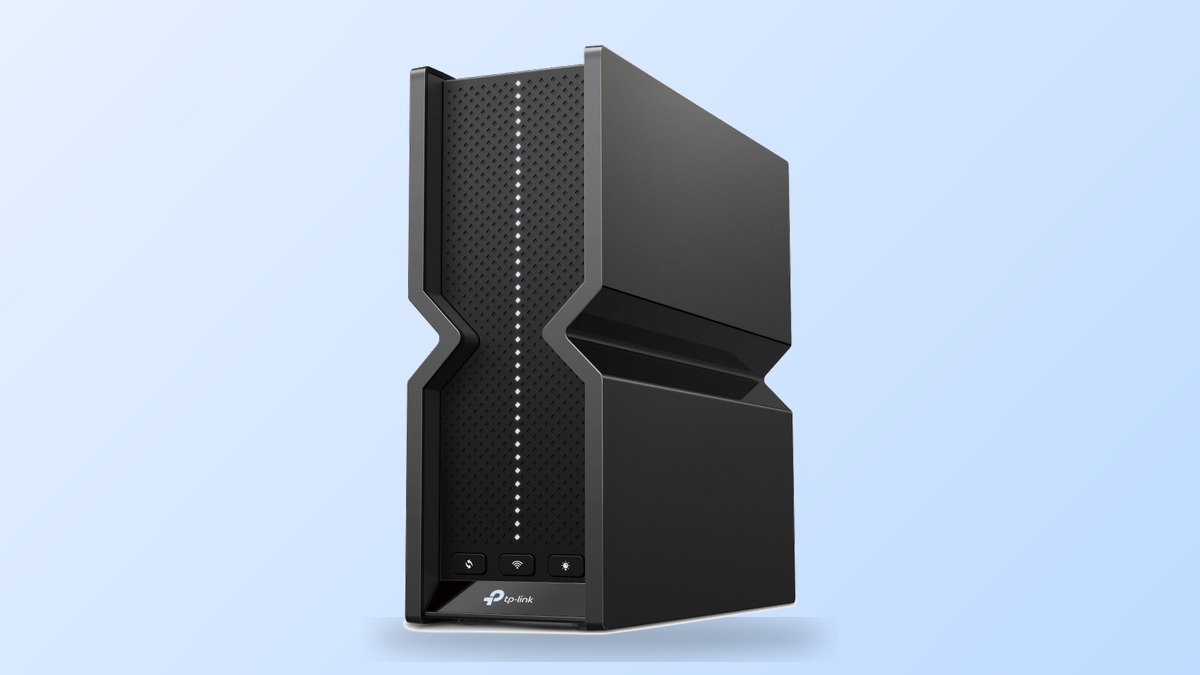
The easiest way to misunderstand the TP-Link Archer BE550 Pro is to stare at BE9700 on the box and imagine 9.7 Gbps arriving at one laptop. That is not what this router sells. Its real advantage is more practical: one flexible 10 Gbps port, four additional 2.5 Gbps connections, and full Wi-Fi 7 radios on all three bands.
That combination makes the BE550 Pro unusually sensible for a home moving beyond gigabit networking. It is much harder to justify when every device is still Wi-Fi 6 and your internet plan stops at 1 Gbps. If that describes you, compare the lower-cost choices in our best WiFi router guide before paying for capacity you cannot use.
Affiliate disclosure: TechDaily earns a commission on qualifying purchases through some links in this review. It does not change our verdict.
- The BE550 Pro and BE9700 are the same product; BE9700 describes the router’s combined theoretical wireless class.
- The single 10 Gbps WAN/LAN port is the main reason to choose the Pro over the regular Archer BE550.
- Its 9,678 Mbps rating combines three radios and is not the speed one phone or laptop will receive.
- Wi-Fi 7 features such as MLO and 320 MHz channels require compatible client devices.
- A single BE550 Pro suits an apartment or ordinary single-floor home better than a large multi-floor property.
- Advanced HomeShield security and parental-control features may require separate subscriptions.
Does the Archer BE550 Pro fit your network?
Fit verdict: Strong fit
The 10G WAN/LAN port has an immediate job instead of sitting unused
Fit verdict: Strong fit
MLO and the 6 GHz radio can deliver benefits your client actually understands
Fit verdict: Limited value
It works, but most of the premium remains unused unless your local network is multi-gig
Fit verdict: Mesh required
Treat it as an EasyMesh root with extra nodes, not a one-box coverage miracle
Quick Fit Check
TP-Link Archer BE550 Pro
Best when you can use its 10G port or already own Wi-Fi 7 clients
Choose your situation above to see where it fits and where it does not.
Start With the 10G Port, Not the BE9700 Badge
Before buying this router, decide what will occupy its single 10G socket on day one. If the answer is 5–10 Gbps internet, your fastest wired client will still exit through 2.5G. If the answer is a 10G NAS or switch, your internet connection enters through 2.5G. That one-cable decision matters more than the BE9700 badge.
Then check the radios inside the devices you use every day. A Wi-Fi 7 laptop or phone can use 6 GHz, 320 MHz channels, and MLO; a Wi-Fi 6 client cannot. If you have neither a job for the 10G port nor a Wi-Fi 7 client, the regular BE550 is the smarter purchase. If you have both, the Pro model lands in a useful gap between ordinary multi-gig routers and expensive dual-10G flagships.
Our Verdict on the Archer BE550 Pro
TP-Link Archer BE550 Pro — Best for an Affordable 10G Entry
10G WAN/LANTri-Band Wi-Fi 7EasyMeshUSB 3.0
The Archer BE550 Pro hits a useful middle ground. It is not a flagship with two 10G ports, external antennas, or enterprise controls. Instead, it gives a normal home one serious 10G on-ramp and leaves four 2.5G ports for computers, switches, access points, or storage.
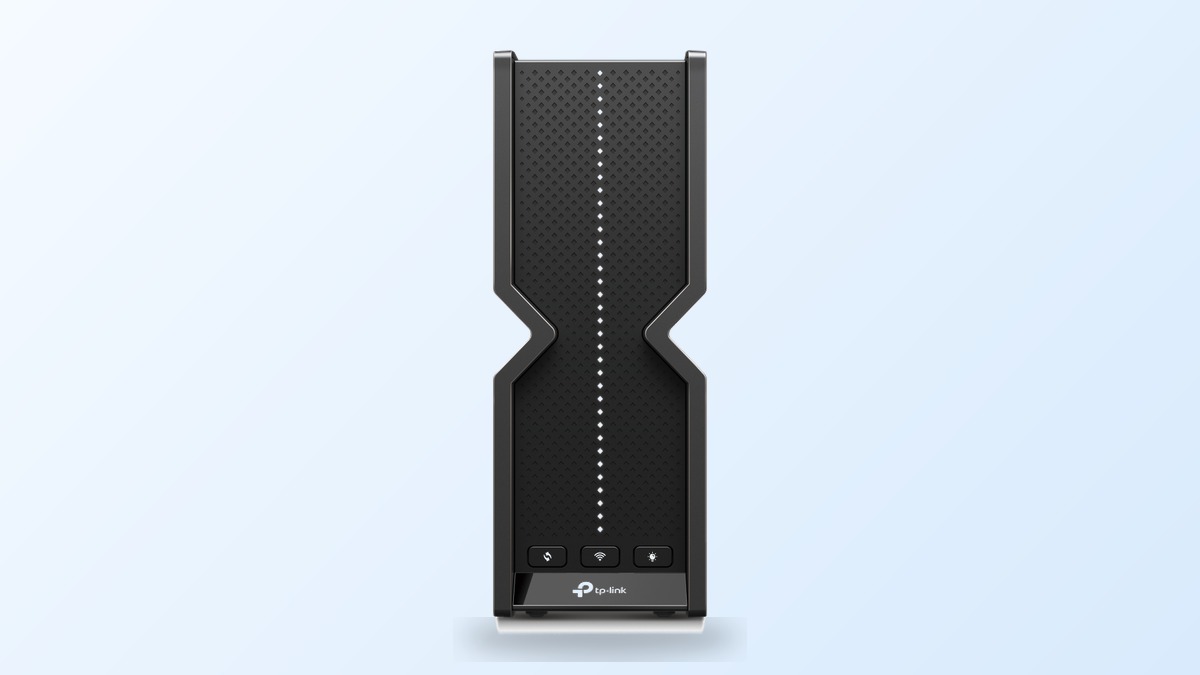
Its wireless side is equally well judged. The 2.4, 5, and 6 GHz radios all use Wi-Fi 7, with a combined advertised class of 9,678 Mbps. Six internal antennas keep the 3.0-by-9.1-by-8.0-inch tower cleaner than spider-like gaming routers, while EasyMesh gives you an expansion path if one unit cannot cover the building.
The catch is utilization. Put this router behind a 500 Mbps plan and connect only Wi-Fi 6 clients, and you have purchased mostly headroom. Connect 2–10 Gbps fiber, a Wi-Fi 7 laptop, and a 10G-capable NAS or switch, and the design suddenly makes sense. The BE550 Pro is a conditional recommendation—not because the hardware is weak, but because its best features solve problems many homes do not yet have.
Pros
- One flexible 10 Gbps WAN/LAN port plus four 2.5 Gbps connections
- Full tri-band Wi-Fi 7 with 6 GHz, MLO, and 320 MHz support
- EasyMesh, USB 3.0 file sharing, and broad VPN support
- Separate guest networks and an isolated IoT network
Cons
- Only one 10G port, so it cannot provide 10G WAN and 10G LAN simultaneously
- Benefits shrink dramatically with gigabit internet and older client devices
- Some advanced HomeShield controls require a subscription
- A single tower is not ideal for large or heavily divided multi-floor homes
The BE550 Pro Is the Middle Option in TP-Link’s Wi-Fi 7 Line
The names are unnecessarily confusing. Archer BE550 Pro is the product name; BE9700 is its rounded combined wireless class. The regular Archer BE550 is a different BE9300-class router, while the Archer BE800 is the dual-10G BE19000 flagship. TP-Link’s specifications show exactly where the Pro sits:
| Feature | Archer BE550 | Archer BE550 Pro | Archer BE800 |
|---|---|---|---|
| Wi-Fi class | BE9300 | BE9700 | BE19000 |
| 10G WAN/LAN ports | None | 1 | 2 |
| 2.5G ports | 5 | 4 | 4 |
| 2.4 GHz radio | Wi-Fi 6, 574 Mbps | Wi-Fi 7, 1,032 Mbps | Wi-Fi 7, 1,376 Mbps |
| 5 GHz radio | Wi-Fi 7, 2,880 Mbps | Wi-Fi 7, 2,882 Mbps | Wi-Fi 7, 5,760 Mbps |
| 6 GHz radio | Wi-Fi 7, 5,760 Mbps | Wi-Fi 7, 5,764 Mbps | Wi-Fi 7, 11,520 Mbps |
| Best fit | Gigabit value | Affordable 10G entry | Separate 10G WAN and LAN |
Choose the Regular BE550 When Value Matters More Than 10G
The standard Archer BE550 has nearly the same 5 and 6 GHz radio class and gives you five 2.5G ports. It is the rational choice for gigabit internet, 2.5G local devices, and buyers who do not need Wi-Fi 7 on 2.4 GHz.
Choose the BE550 Pro When One 10G Path Is Enough
The Pro earns its premium when one device or the internet connection needs 10G. It preserves four 2.5G connections and upgrades 2.4 GHz to Wi-Fi 7, without charging for the BE800’s much larger radio system and second 10G socket.
Choose the BE800 When 10G Must Enter and Leave the Router
The BE800 solves the Pro’s main limitation with two 10G WAN/LAN ports, including an Ethernet/fiber combo connection. It is the better topology for 10G internet feeding a 10G workstation, NAS, or core switch—but that hardware is unnecessary if one 10G link is all you need.
The Port Layout Is the Main Reason to Buy the Pro
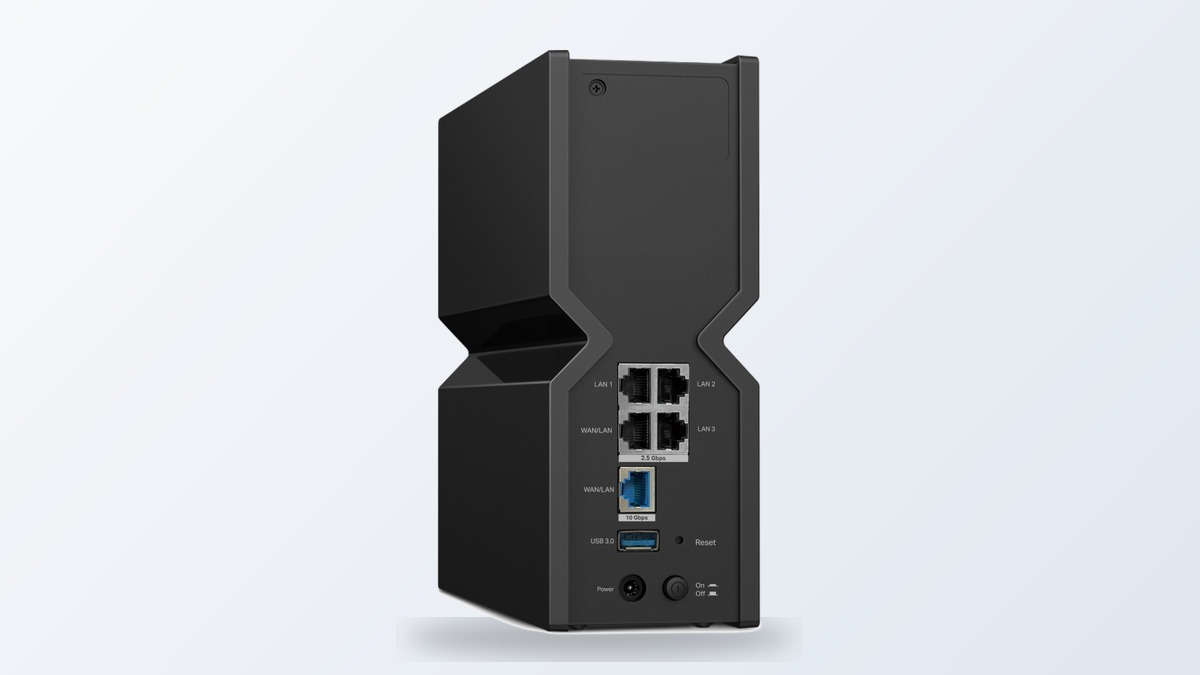
TP-Link provides one 10G WAN/LAN port, one 2.5G WAN/LAN port, three dedicated 2.5G LAN ports, and USB 3.0. That flexible labeling matters. A 2 Gbps fiber customer can use the 2.5G port for internet and reserve 10G for a workstation, NAS, or 10G switch. A 5–10 Gbps internet customer must use the 10G port as WAN, leaving every individual wired client capped at 2.5G unless an external multi-gig switch aggregates the rest of the network.
Important: One 10G socket is not the same as a complete 10G routing fabric for one client. If you need 10G internet entering the router and a separate 10G link leaving for a server, buy hardware with at least two 10G ports.
The USB port supports NTFS, exFAT, HFS+, and FAT32 drives, with FTP, Samba, and media-server functions. That is useful for light household sharing, but TP-Link publishes no storage throughput guarantee. Treat it as convenient shared storage, not as a replacement for a properly backed-up NAS.
Wi-Fi 7 Performance Depends on the Client as Much as the Router
BE9700 Is an Aggregate Rating
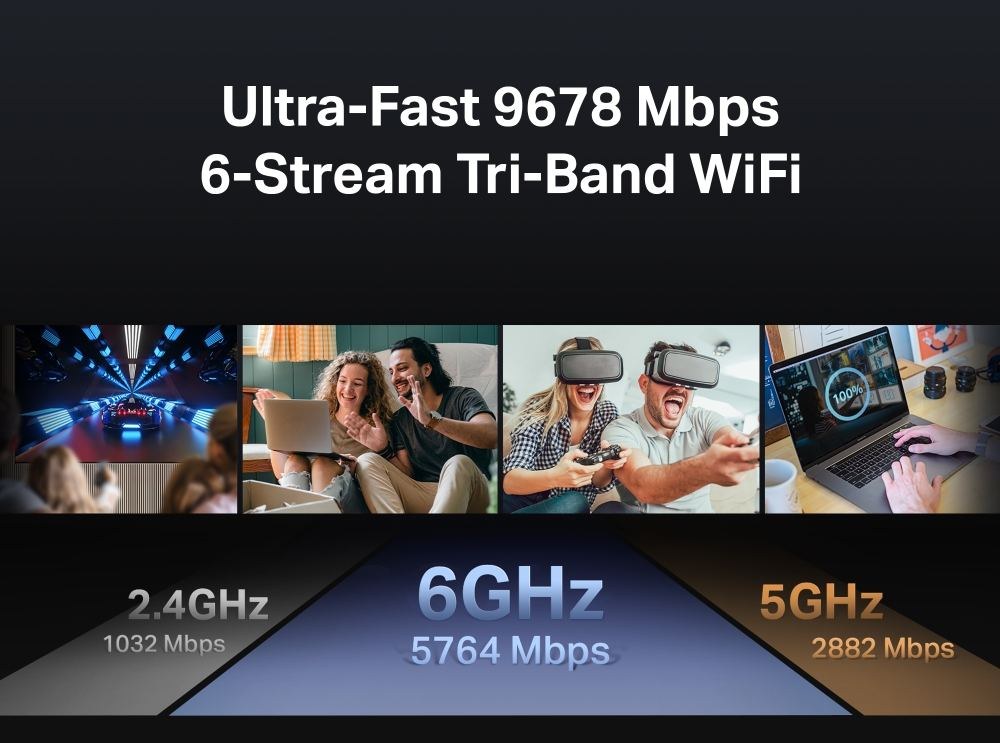
TP-Link divides the BE9700 rating into 1,032 Mbps on 2.4 GHz, 2,882 Mbps on 5 GHz, and 5,764 Mbps on 6 GHz. Add them and you reach 9,678 Mbps. Your laptop does not connect to all capacity from every radio as if they were one giant cable, and protocol overhead, distance, interference, and the client’s own radio reduce real throughput.
MLO and 320 MHz Need Compatible Clients
Multi-Link Operation can let a compatible Wi-Fi 7 client use multiple bands together for higher throughput or reliability. The 320 MHz channel is available through the 6 GHz radio, where there is more clean spectrum—but 6 GHz also loses strength through walls faster than lower frequencies. Both features need a client that explicitly supports them.
| Your setup | What the BE550 Pro changes |
|---|---|
| 1 Gbps internet with Wi-Fi 6 devices | Little internet-speed benefit; mostly future headroom |
| 2 Gbps fiber with a Wi-Fi 7 laptop nearby | A meaningful upgrade when 6 GHz and MLO are available |
| 10G NAS plus several 2.5G wired clients | Strong local-network value if the 10G port remains LAN |
| 10 Gbps internet plus one 10G workstation | Poor fit because only one 10G port exists |
| Older devices across thick walls | The 2.4/5 GHz radios matter more than the headline 6 GHz speed |
This is why the BE550 Pro feels more like a network-infrastructure purchase than a simple speed upgrade. The hardware can remove bottlenecks, but it cannot upgrade the radios inside your existing phones and laptops.
Independent Speed Data Shows the Size of the Wi-Fi 7 Gain
The closest useful published benchmark comes from BroadbandNow’s April 2026 Archer BE550 test. These measurements are for the standard BE550, not the Pro. That distinction matters, but the two routers have nearly identical 5 and 6 GHz radio ratings, making the results a useful wireless reference rather than a mislabeled Pro test.
| Test location | Wi-Fi 6 client | Wi-Fi 7 client | Wi-Fi 7 advantage |
|---|---|---|---|
| Beside the router | 736 Mbps | 904 Mbps | 22.8% |
| Kitchen, about 15 feet and one wall away | 658 Mbps | 769 Mbps | 16.9% |
| Third-floor bedroom | 526 Mbps | 763 Mbps | 45.1% |
What the Published Numbers Mean for the Pro
The useful result is not that every BE550 Pro owner should expect 904 Mbps. BroadbandNow’s home, internet service, channels, interference, and client hardware shaped those numbers. The important pattern is that the Wi-Fi 7 client retained 763 Mbps on the third floor while the Wi-Fi 6 client fell to 526 Mbps. That is evidence of a meaningful client-generation advantage under those test conditions—not evidence that the BE9700 label becomes a 9.7 Gbps speed test.
For the Pro buyer, the 10G socket remains the bigger differentiator. Its 5 and 6 GHz radios are only a few megabits higher on paper than the standard model, so do not expect the word “Pro” alone to produce a dramatic wireless jump.
Coverage Is Good for One Router but It Is Still One Router
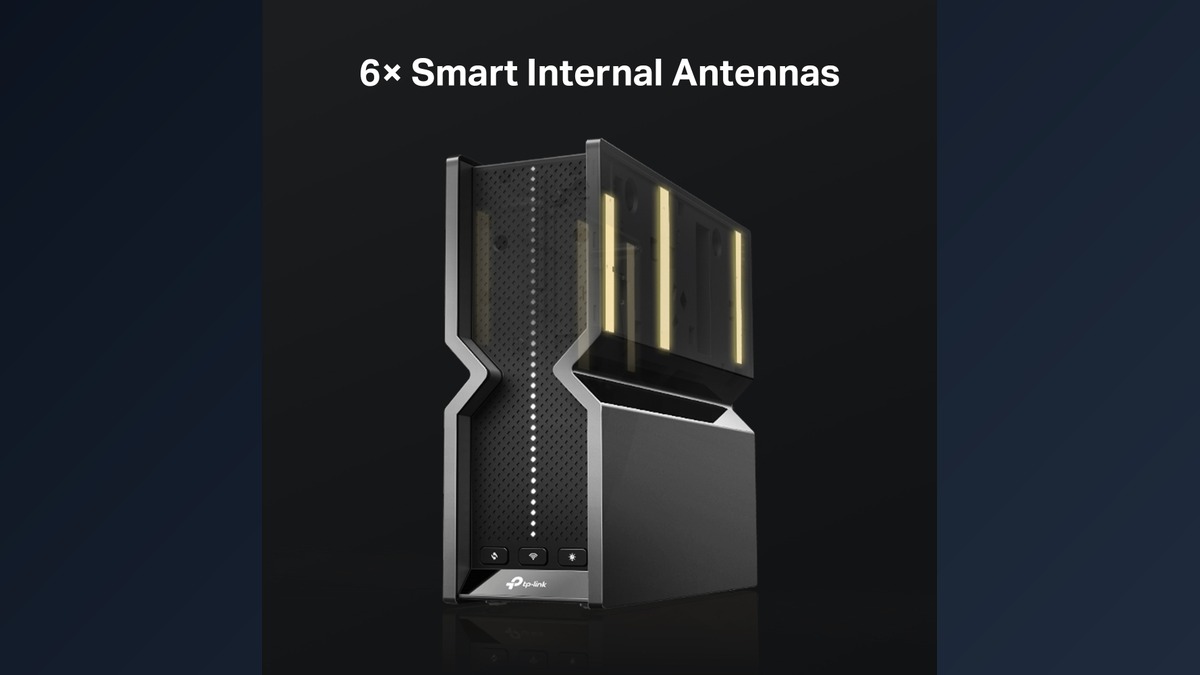
TP-Link rates the BE550 Pro for a four-bedroom home and uses six internal antennas with beamforming. The tower design is easy to place on a shelf, but its 9.1-inch depth deserves attention; hiding it inside a cabinet wastes the radio system you paid for. Place it in the open, near the center of the floor, and above furniture rather than behind a television or metal rack.
For dead zones, the router supports EasyMesh. TP-Link also warns that cross-vendor EasyMesh connections can fail because of firmware differences, and its compatibility guidance says Deco, Omada, OneMesh, and EasyMesh are separate ecosystems rather than one interchangeable mesh family. Buy an expansion node only after confirming the exact pairing and synchronized features.
A single powerful router remains the right choice for an apartment or a compact single-floor layout. Multiple floors, concrete walls, or a long L-shaped home usually benefit more from wired access points or mesh nodes than from replacing one central tower with a more expensive central tower.
Setup and Network Controls Are Broad but Split Across Two Interfaces
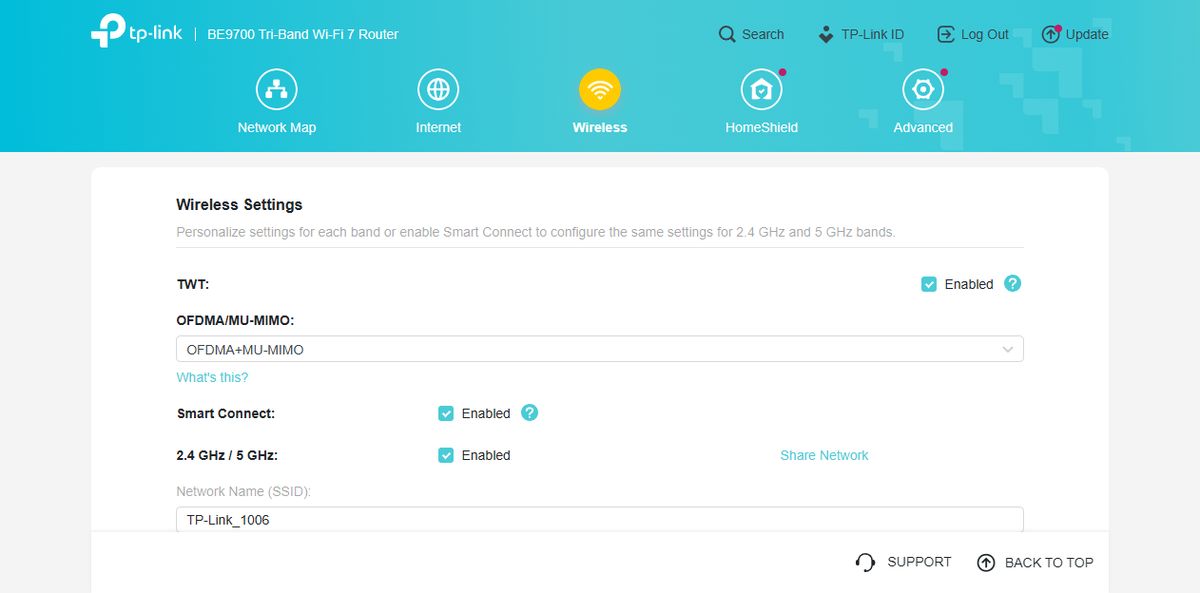
The App Handles Setup While the Browser UI Goes Deeper
The official web emulator presents Network Map, Internet, Wireless, HomeShield, and Advanced as the main areas. Basic setup is available through TP-Link’s Tether app, while the browser interface exposes the deeper routing controls. The BE550 Pro can operate as a router or access point and supports separate guest networks on all three bands plus a dedicated IoT network.
Advanced networking is stronger than the price suggests. It includes device-level QoS, IPv6, port forwarding, VLAN-tagged IPTV support, DDNS, address reservations, and VPN client and server modes for WireGuard, OpenVPN, PPTP, and L2TP. It can route selected traffic through a VPN while ordinary traffic uses the normal internet connection.
HomeShield Is Optional but Its Best Features Cost Extra
Security basics include WPA3, an SPI firewall, access control, IP/MAC binding, guest isolation, and automatic firmware upgrades. HomeShield adds network scanning, malicious-site blocking, intrusion prevention, IoT protection, and deeper parental controls, but TP-Link now separates advanced security and parental-control capabilities into subscription packages. The router does not stop working without them; the paywall affects the richer management and protection features.
Tip: Check the hardware version printed on the router before manually installing firmware. TP-Link maintains separate download branches, and its support page warns that installing the wrong firmware can damage the device or void warranty coverage.
Who Should Buy the Archer BE550 Pro

Buy it when at least one of these is true:
- Your internet plan exceeds 1 Gbps or will soon.
- You own Wi-Fi 7 clients that can use 6 GHz, MLO, or 320 MHz channels.
- You want one 10G link for a NAS, workstation, or switch while keeping several 2.5G devices wired.
- You need a single-router setup now but want an EasyMesh expansion path.
- You value built-in VPN, USB sharing, and advanced routing controls.
Skip it when your plan is gigabit or slower, most devices are Wi-Fi 6, or your home already needs multiple access points. The regular BE550 may offer nearly identical 5 and 6 GHz capability for less. A mesh system is also a better starting point when coverage—not backbone speed—is the actual problem.
The Archer BE550 Pro earns its place by making 10G entry affordable without turning the router into a flagship-priced science project. Just buy it for the port map and compatible clients, not for the fantasy that “BE9700” means a 9.7 Gbps speed test on one phone.
Frequently Asked Questions
Is the Archer BE550 Pro the same as BE9700?
Yes. Archer BE550 Pro is TP-Link’s product name, while BE9700 describes the rounded combined theoretical speed class of its three radios. Do not confuse it with the regular Archer BE550, which is a BE9300-class model with different wired ports and a Wi-Fi 6 2.4 GHz radio.
What is the difference between Archer BE550 and BE550 Pro?
The Pro adds one 10G WAN/LAN port and upgrades the 2.4 GHz band from Wi-Fi 6 at up to 574 Mbps to Wi-Fi 7 at up to 1,032 Mbps. Their 5 and 6 GHz radio ratings are almost identical. The Pro has four 2.5G connections alongside 10G, while the regular BE550 has five 2.5G ports; both include USB 3.0.
Can the Archer BE550 Pro handle 10 Gbps internet?
It has one 10G WAN/LAN port and can accept a compatible 10 Gbps service. However, using that socket for WAN leaves only 2.5G ports for wired clients. Actual internet performance also depends on the ISP, modem or ONT, Ethernet cabling, client hardware, and network overhead.
Does the Archer BE550 Pro work with mesh Wi-Fi?
Yes, it supports EasyMesh routers and extenders. Do not assume that every TP-Link mesh product is interchangeable: Deco, Omada, OneMesh, and EasyMesh have different compatibility rules. Confirm the exact satellite and firmware before buying it.
Do I need a HomeShield subscription?
No. Normal routing, Wi-Fi, guest networks, WPA3, firewall functions, VPN features, and the basic management interface do not require a HomeShield subscription. TP-Link charges separately for certain advanced security and parental-control capabilities.
Is the Archer BE550 Pro worth upgrading to from Wi-Fi 6E?
Only when the 10G port, Wi-Fi 7 clients, MLO, or 320 MHz channels solve a real bottleneck. If your internet is 1 Gbps and your current 6E router already covers the home reliably, the upgrade is unlikely to transform ordinary browsing or streaming.