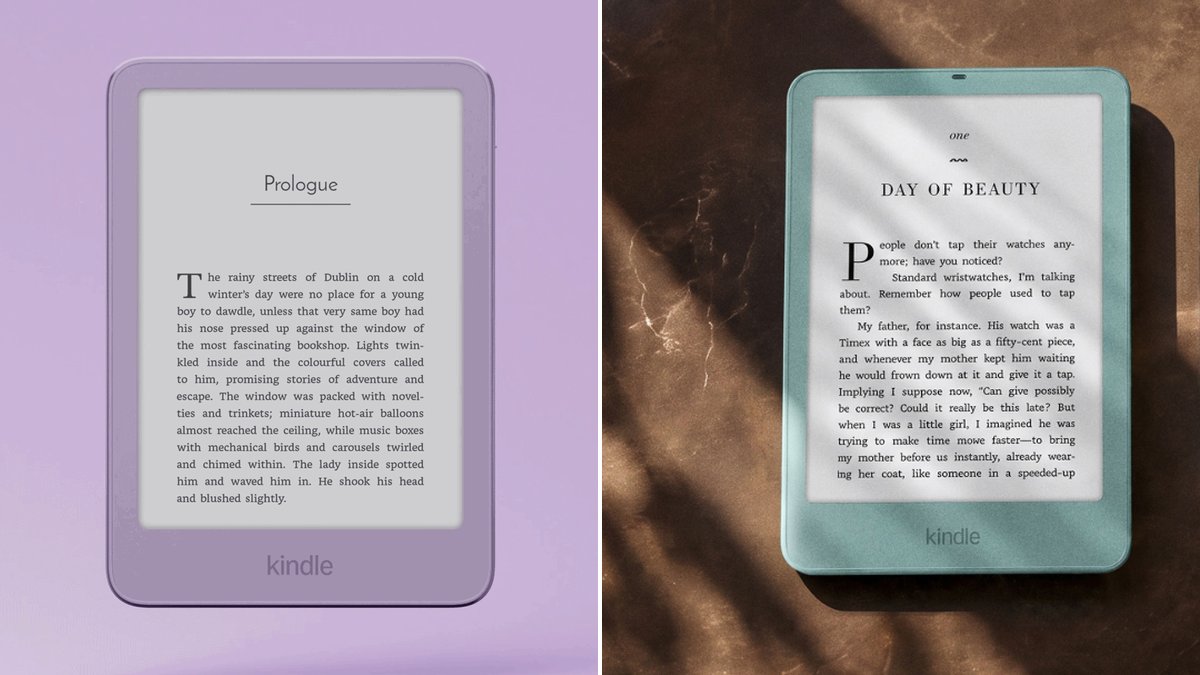
Here’s the short answer to Kindle vs Kindle Paperwhite in 2026: most adult readers should get the Paperwhite. It has a bigger 7-inch screen, a warm light for night reading, real waterproofing and about twice the battery life. The basic Kindle is still a lovely little reader. But after Amazon raised prices in August, it stopped being the easy bargain it used to be.
That’s the part most people miss. For years, the basic Kindle was the cheap pick, and the Paperwhite was the treat. Both went up this year by about the same amount. So the gap in dollars barely moved, but the basic Kindle now costs about three-quarters of a Paperwhite instead of about two-thirds. You’re paying more for the small one and getting the same short list of features.
Two quick notes. TechDaily hasn’t tested the new 2026 models. Every spec here comes from Amazon’s own product pages and launch coverage, and we link to them. Some links on this page are affiliate links, so we may earn a small commission if you buy. That never changes a pick, and it costs you nothing extra.
- For most readers, the 2026 Kindle Paperwhite is the one to buy. The basic Kindle now costs about three-quarters as much, so the Paperwhite’s extras are a small step up.
- The Paperwhite adds four things: a 7-inch screen, warm light, IPX8 waterproofing (it can survive a drop in the tub) and up to 12 weeks of battery.
- Both models are just as sharp. Each has a 300 ppi screen, which means text looks like print.
- Get the basic Kindle if you want the smallest, lightest reader, or you read mostly in bed with a lamp on.
- If the 2024 Paperwhite Signature Edition is selling near the price of the new Paperwhite, grab it. You get more storage, auto light and wireless charging.
- Skip the Colorsoft unless you read comics, graphic novels or cookbooks. Color is its only real reason to exist.
How do you read most?
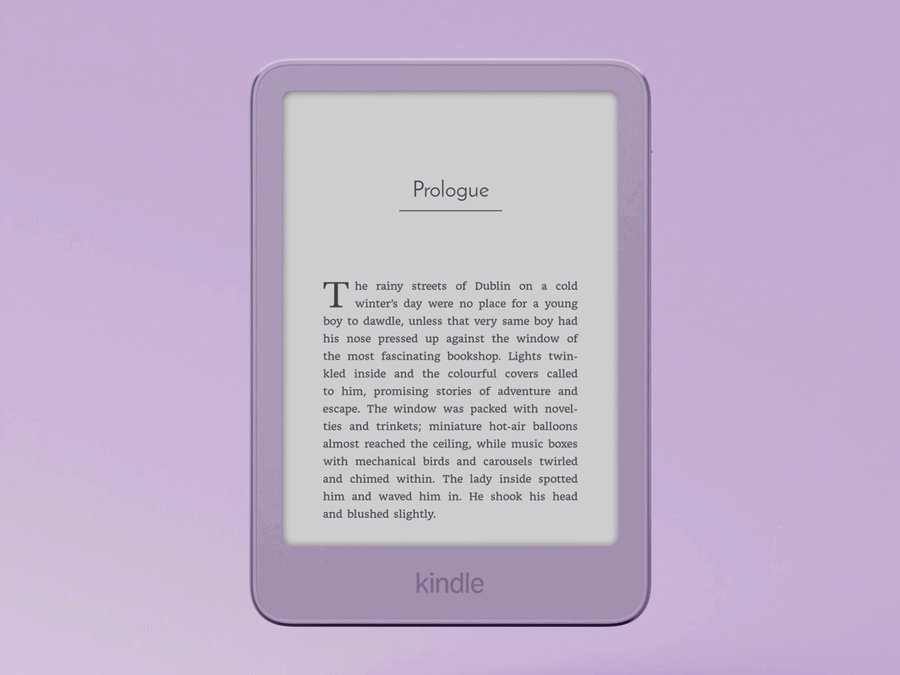
★ Your pick: Kindle (2026)
The smallest and lightest Kindle. Great for bedtime and bags, but no warm light and no water protection.
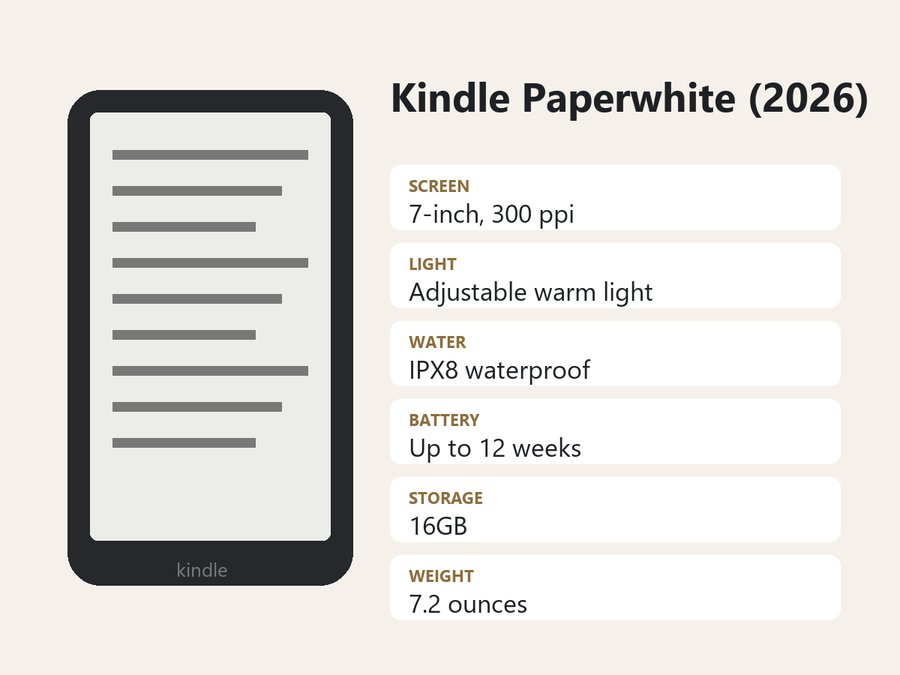
★ Your pick: Kindle Paperwhite (2026)
Rated IPX8 waterproof, with a 7-inch screen and up to 12 weeks of battery.
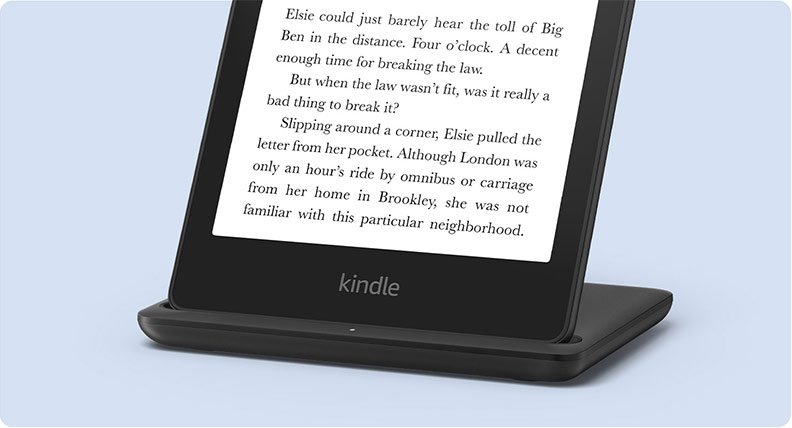
★ Your pick: Kindle Paperwhite Signature Edition (2024)
Last year’s top Paperwhite. 32GB, auto light, wireless charging and no ads.
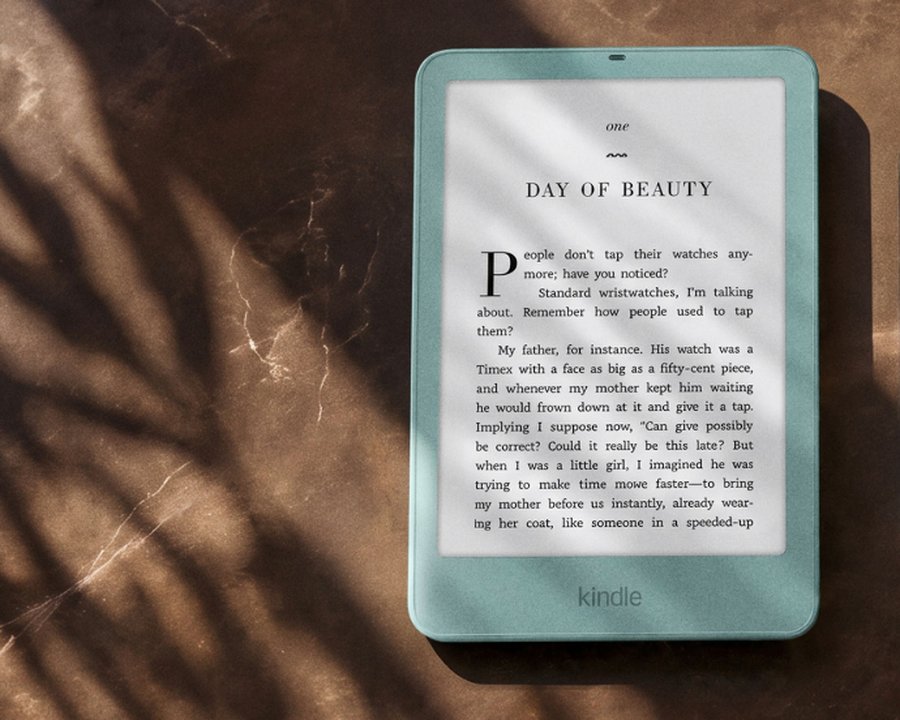
★ Your pick: Kindle Paperwhite Signature Edition (2026)
The newest, fanciest Paperwhite. Auto light, no ads, double-tap page turns and an aluminum body.
👑 Our Top Pick — Best Overall Value
Kindle Paperwhite (2026)
The best mix for most people. Bigger screen, warm light, waterproof, and the battery lasts about twice as long as the basic Kindle.
Opens on our Top Pick. Tap an option to see the best match for you.
Kindle vs Kindle Paperwhite Side by Side in 2026
Amazon announced its new Kindle lineup on October 1, 2026. The basic Kindle is out now. The new Paperwhite and Colorsoft are due to ship in the US on October 28, according to TechRepublic’s launch report. Here’s how the two main models line up, using the specs on Amazon’s pages for the 2026 Kindle and the 2026 Kindle Paperwhite.
| Feature | Kindle (2026) | Kindle Paperwhite (2026) |
|---|---|---|
| Screen size | 6 inches | 7 inches |
| Sharpness | 300 ppi | 300 ppi |
| Warm light | No | Yes, adjustable |
| Waterproof | No | Yes, IPX8 |
| Battery | Up to 6 weeks | Up to 12 weeks |
| Storage | 16GB | 16GB |
| Lockscreen ads | Yes, by default | Yes, by default |
| Typical price | $140–$160 range | $190–$210 range |
A quick word on the terms. “PPI” means pixels per inch. The higher it is, the crisper the letters look. At 300, both screens look like a printed page. “IPX8” is a waterproof rating. It’s the highest number on that scale, and it means the device is built to survive being dunked in fresh water.
Reality check: the screen size gap sounds small, but it adds up. A 7-inch screen shows more words on each page, so you swipe less. If you like big text, that matters even more, because large fonts eat up a 6-inch screen fast.
What the Paperwhite’s Extra Money Actually Buys You
Amazon keeps four features off the basic Kindle. Each one is worth paying for only if it fits how you read.
A Bigger 7-Inch Screen That Feels Like a Paperback
The Paperwhite’s screen is a full inch bigger, measured corner to corner. Amazon lists the new Paperwhite at 5.0 by 6.9 inches and 7.2 ounces. That’s close to the size of a paperback book. The basic Kindle is smaller still, so it slips into a jacket pocket. The trade is simple. The Paperwhite is nicer to read on. The Kindle is nicer to carry.
Warm Light That Makes Late-Night Reading Easier
Both Kindles have a front light that shines across the screen, not into your eyes. Only the Paperwhite lets you shift that light from white to a soft amber. That warm glow is easier on tired eyes in a dark room. If you read in bed with the lights off, this is the feature you’ll use every single night.
IPX8 Waterproofing for the Bath, Pool and Beach
The Paperwhite is rated IPX8. A splash, a rain shower or a slip into the bathtub won’t stop it. The basic Kindle has no water rating at all. One drop in the tub can end it. If you read by the pool, at the beach or in the bath, this one feature can save you from buying a second Kindle.
Twice the Battery Life Between Charges
Amazon rates the Paperwhite at up to 12 weeks per charge and the basic Kindle at up to 6. Those numbers assume light daily reading with wireless turned off, so real life is shorter. Still, the ratio holds: expect the Paperwhite to last about twice as long, which is handy on long trips.
Heads up: neither Kindle comes with a wall plug. You get a USB-C cable. Any phone charger with a USB-C port will do the job.
What You Get on Either Kindle
These things are the same on both models, so don’t pay extra for them.
The Same Sharp 300 PPI Screen
Older basic Kindles had blurrier screens than the Paperwhite. That gap is closed. Both 2026 models run at 300 ppi, so text is just as crisp on either one. Amazon also says the new basic Kindle opens books 30% faster than the model before it.
The Same Books, Library Loans and Kindle Unlimited
Both use the same Kindle Store and work with Kindle Unlimited, Amazon’s monthly book subscription. Both can borrow free ebooks from many US public libraries through the Libby app. And both now include Story So Far, a spoiler-free recap of where you left off in a book.
The Same Lockscreen Ads Unless You Pay to Remove Them
The standard 16GB versions of both Kindles show ads as your sleep screen. They’re book ads that never appear inside a book, and you can pay a bit more to remove them. The Signature Edition Paperwhites skip ads by default.
Is the Kindle Paperwhite Worth It Over the Basic Kindle?
For most adults, yes. And the reason is the August price increase.
Per TechRepublic, Amazon raised the basic Kindle from roughly the $100–$120 range to the $140–$160 range. The Paperwhite moved from the $150–$170 range to the $190–$210 range. Both jumped by about the same amount. So the extra you pay for the Paperwhite didn’t really grow. What changed is how it feels. The basic Kindle used to cost about two-thirds of a Paperwhite. Now it’s about three-quarters.
Think of it like coffee sizes. When the small cup is far cheaper, small makes sense. Once it costs nearly as much as the large, most people just get the large. That’s where the Kindle line sits now.
Do the math: if you keep a Kindle for five years, the Paperwhite’s extra cost works out to about the price of one paperback a year.
When the Basic Kindle Is the Smarter Buy
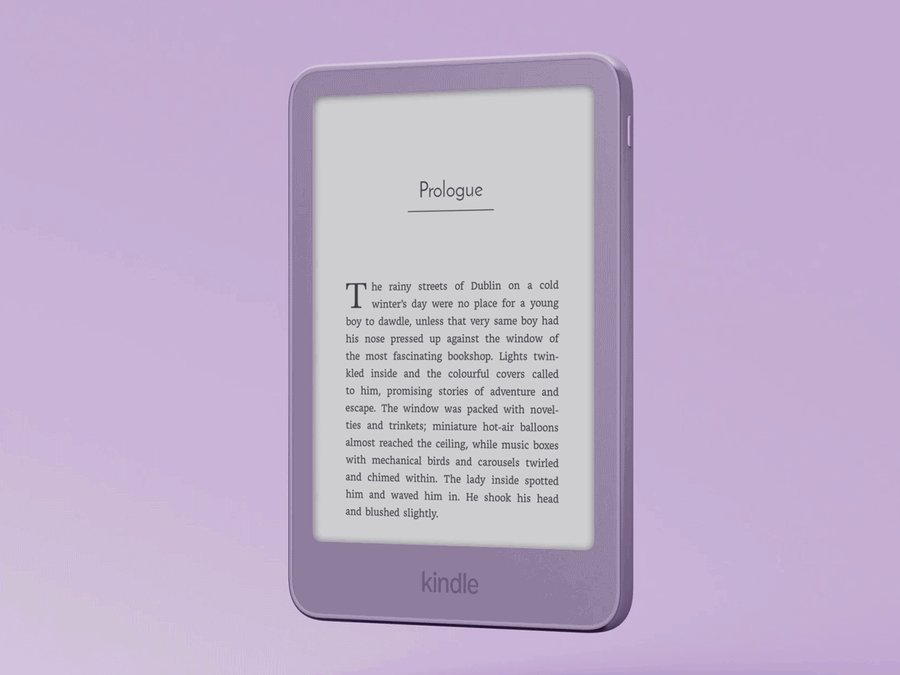
The basic Kindle is still a great reader. It’s just not the right default anymore. Get it if size matters most. It’s the smallest, lightest Kindle Amazon makes, and it fits a jacket pocket or a small bag. It’s also the safer pick for a young reader, since it costs less to replace if it gets lost. And if you read mostly in bed with a lamp on, you won’t miss the warm light much.
Skip it if you read in the bath, in the dark or with big fonts. For any of those, the Paperwhite earns its extra cost fast.
Should You Buy a 2024 Paperwhite Instead of the New One?
Maybe, and it depends on price, not age. The 2024 Paperwhite already had the 7-inch, 300 ppi screen, warm light, IPX8 waterproofing and up to 12 weeks of battery. The 2026 model is thinner and lighter, with a flat front and new colors. Amazon says it also has the highest-contrast screen of any Kindle. Those are nice touches. They don’t change how a book feels to read.
The bigger chance is the 2024 Paperwhite Signature Edition. It has 32GB of storage, a light that adjusts itself to the room, wireless charging and no ads. Older models often get cheaper once their replacement launches.
Key point: if the 2024 Signature Edition costs about the same as the new standard Paperwhite or less, buy the Signature. You get more features for the same money. If it costs a lot more, the 2026 Paperwhite is the better deal.
The Kindle and Paperwhite Models Worth Buying
Each pick below is a real current model on Amazon US. They’re ranked by how well they fit most readers, not by price.
1. Kindle Paperwhite (2026) — Best Kindle for Most Readers
$190–$210 range7-inch, 300 ppiWarm lightIPX8 waterproofUp to 12 weeks battery
This is the Kindle we’d tell a friend to buy. It sits in the middle of Amazon’s lineup, and that’s exactly why it works. You get every feature that changes how reading feels, without paying for the extras only a few people use.
The screen is the star. It’s 7 inches across and 300 ppi sharp, so the text looks like a printed page. Amazon says it has the highest contrast of any Kindle, which means black letters on a whiter page. You can slide the light from cool white to warm amber for night reading. It’s rated IPX8, so a drop in the bath won’t end it. And Amazon rates the battery at up to 12 weeks, about double the basic Kindle. It weighs 7.2 ounces.
Compared with the basic Kindle, you’re paying a bit more for four real upgrades: bigger screen, warm light, water protection and battery. Compared with the Signature Edition, you’re giving up auto light, 32GB of storage and an ad-free lock screen. Most people won’t miss those. 16GB holds thousands of ebooks, and you can set the light yourself in two taps.
Who should skip it? If you want the smallest Kindle for a pocket, get the basic model. If you hate the lockscreen ads and don’t want to pay to remove them, look at a Signature Edition. Everyone else, start here.
Pros
- 7-inch screen shows more words per page than the 6-inch Kindle.
- Warm amber light for reading in a dark room.
- IPX8 rating handles the bath, pool or beach.
- Up to 12 weeks of battery, about twice the basic Kindle.
- Thin and light at 7.2 ounces.
Cons
- Lockscreen ads unless you pay extra to remove them.
- No auto-adjusting light. You set brightness yourself.
- 16GB is fine for books but tight for big audiobook libraries.
- Bigger than the basic Kindle, so it won’t fit most pockets.
2. Kindle (2026) — Best Small Kindle for Pockets and Bedtime
$140–$160 range6-inch, 300 ppi16GBUp to 6 weeks battery
The basic Kindle is Amazon’s entry model, and the 2026 version is the nicest one yet. It’s thinner and lighter than before, with a flat front and no raised edge around the screen. It comes in new colors too. If you want a reader that disappears into a bag, this is it.
The screen is 6 inches and 300 ppi, the same sharpness as the Paperwhite. Text looks crisp, and the glare-free screen reads fine in bright sun. Amazon says books open 30% faster than on the last basic Kindle. You get 16GB of storage, plenty for thousands of books. The front light is adjustable for brightness, but it doesn’t turn warm. Amazon rates the battery at up to 6 weeks per charge.
Next to the Paperwhite, the trade-offs are clear. You get a smaller screen, no warm light, no water protection and half the battery. In return, you get a smaller, lighter device for less money. That’s a fair deal for some readers. It’s just not the best deal for most of them now that the price has gone up.
So who should buy it? Readers who want the smallest Kindle, people buying for a child, and anyone who reads in bed with a lamp on. If any of the bath, beach or dark-room reading fits you, step up to the Paperwhite instead.
Pros
- Smallest, lightest Kindle, easy to carry in a pocket.
- Same 300 ppi sharpness as the Paperwhite.
- Books open 30% faster than the last basic Kindle.
- Flat front and new colors look and feel more modern.
Cons
- No warm light for reading in the dark.
- Not waterproof, so keep it away from the tub.
- Up to 6 weeks of battery, half the Paperwhite.
- Smaller 6-inch screen means more page turns.
3. Kindle Paperwhite Signature Edition (2024) — Most Features for the Money
$170–$250 range32GB, no adsAuto-adjusting lightWireless charging
This was the top Paperwhite before the 2026 models arrived. You get nearly everything the new Signature Edition offers, in a slightly thicker body.
It has the same 7-inch, 300 ppi screen size and sharpness as the new Paperwhite. The light adjusts itself to the room, so it dims in a dark bedroom and brightens in the sun on its own. You can also add warm amber light. It holds 32GB, double the standard Paperwhite, and shows no lockscreen ads. It charges over USB-C or on a wireless charging dock, sold separately. It’s rated IPX8 waterproof, and Amazon rates the battery at up to 12 weeks. Amazon says page turns are 25% faster than the Paperwhite before it.
So how does it stack up? Against the 2026 Paperwhite, it adds auto light, more storage, wireless charging and no ads. It gives up the newer, thinner design and the flat front. Against the 2026 Signature Edition, it lacks double-tap page turns and the aluminum body, but it keeps wireless charging, which the 2026 model swaps for a pin-contact dock. For reading, those are small things.
Who should buy it? Anyone who finds it priced close to the new standard Paperwhite. In that case, it’s simply more Kindle for the same money. If it’s priced near the new Signature Edition, get the new one instead.
Pros
- Light adjusts itself to the room, plus warm amber light.
- 32GB of storage with no lockscreen ads.
- Wireless charging on a dock, or USB-C.
- IPX8 waterproof with up to 12 weeks of battery.
- Same 7-inch, 300 ppi screen as the new Paperwhite.
Cons
- Older, slightly thicker design without the flat front.
- No double-tap page turns like the 2026 Signature Edition.
- Wireless charging dock costs extra.
4. Kindle Paperwhite Signature Edition (2026) — Best Kindle If You Want Every Extra
$240–$260 range32GB, no adsAuto-adjusting lightAluminum body
This is the fanciest Paperwhite Amazon makes in 2026. It takes the new Paperwhite and adds comfort features for people who read for hours every day.
You get the same 7-inch, 300 ppi screen with warm light and IPX8 waterproofing. On top of that, the light adjusts itself to the room. Storage doubles to 32GB, and there are no lockscreen ads. You can double-tap the back of the device to turn the page, so you never have to reach for the screen. It also works with a new magnetic cover that has real page-turn buttons, sold separately. The body is aluminum, and Amazon rates the battery at up to 12 weeks.
Compared with the standard 2026 Paperwhite, you pay extra for auto light, double storage, no ads, double-tap turns and a metal body. None of them change the words on the page. They make long reading sessions a little smoother. Compared with the 2024 Signature Edition, you gain double-tap turns, the button cover and the newer design. You give up wireless charging, though: Amazon lists a pin-contact charging dock for the 2026 model instead.
Who should buy it? Daily readers who want the nicest Kindle and don’t mind paying for it, and anyone who wants page-turn buttons. If you just want a great reader, the standard Paperwhite gives you almost the same reading for less.
Pros
- Light adjusts itself, plus warm amber light.
- 32GB of storage and no lockscreen ads.
- Double-tap page turns and support for a button cover.
- IPX8 waterproof with up to 12 weeks of battery.
- Aluminum body feels premium.
Cons
- Costs the most of any Paperwhite.
- Button cover is sold separately.
- Its extras add comfort, not better reading.
- No wireless charging. It charges by USB-C or a pin-contact dock.
Where the Kindle Colorsoft Fits In
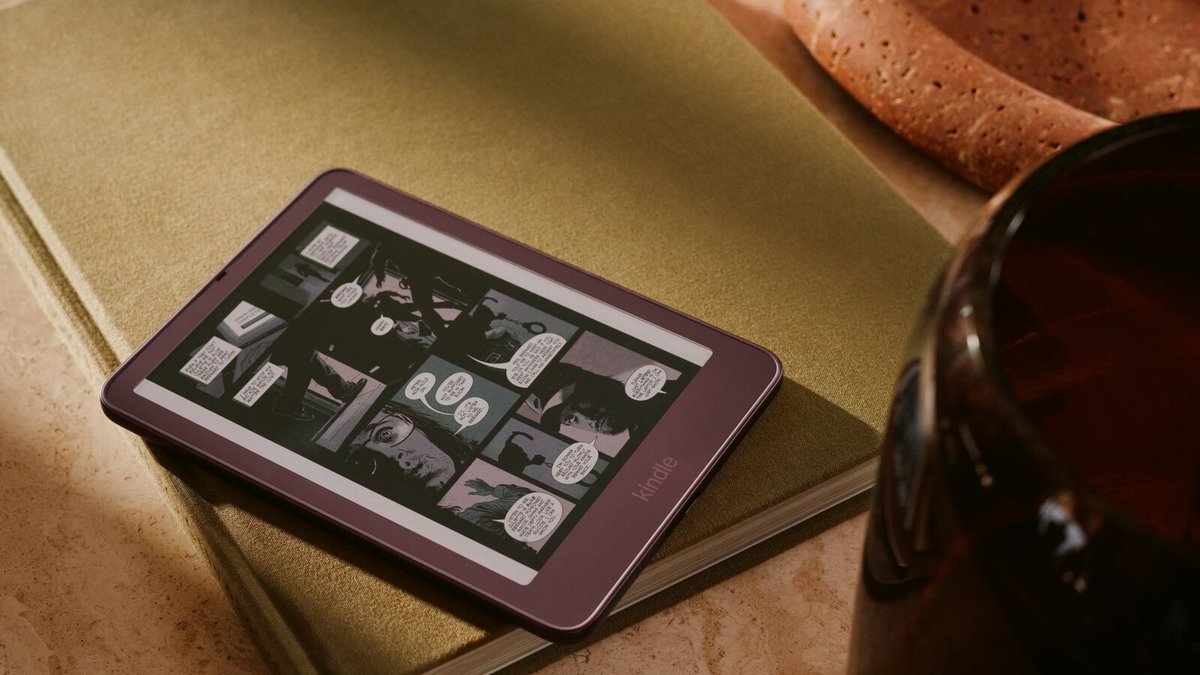
The third model people ask about is the Kindle Colorsoft. It’s built on the same 7-inch size as the Paperwhite, but its screen shows color. You’ll find it on Amazon as the 2026 Kindle Colorsoft, usually in the $280–$300 range.
Color sounds like a big upgrade, but look at the numbers. Text is 300 ppi, same as the Paperwhite. Color images are 150 ppi, so pictures look softer than on a phone or tablet. Expect muted colors, closer to a printed newspaper than a phone screen. Amazon rates the battery at up to 8 weeks, less than the Paperwhite’s 12. It does have warm light, waterproofing and no ads.
So the rule is simple. Get the Colorsoft if you read comics, graphic novels, manga, cookbooks or kids’ picture books. If you read mostly novels, the Paperwhite gives you the same sharp text, longer battery and a lower price.
Frequently Asked Questions
Is the Kindle Paperwhite worth it over the Kindle?
For most adults, yes. After the August price increase, the basic Kindle costs about three-quarters of a Paperwhite, so the step up is small for what you get. That extra buys a bigger 7-inch screen, warm light, IPX8 waterproofing and about twice the battery. The basic Kindle still makes sense if you want the smallest, lightest reader.
Is it worth buying a Kindle in 2026?
Yes, if you read more than a few books a year. A Kindle is easier on your eyes than a phone, has no apps to distract you, and lasts weeks per charge. Ebooks and free library loans through Libby can also save you money over buying print books.
What’s the difference between Kindle Paperwhite and Kindle Fire?
A Paperwhite is an e-reader with a paper-like screen built only for reading. A Fire is a regular tablet with a bright screen, apps, video and games. The Paperwhite is far easier on your eyes for long reading and lasts weeks per charge, not hours. If you want a tablet that also reads well, see our guide to the best tablet for reading.
Is the basic Kindle waterproof?
No. The 2026 basic Kindle has no water rating, so keep it out of the bath and away from the pool. The Paperwhite and both Signature Editions are rated IPX8, and Amazon sells the Colorsoft as waterproof too.
Which is better, Kindle vs Kindle Paperwhite vs Colorsoft?
Get the Paperwhite if you mostly read novels. It has the best mix of screen, light, waterproofing and battery. Get the basic Kindle if size and weight matter most. Get the Colorsoft only if you read comics, graphic novels or cookbooks, because color is its main reason to exist.
Does the Kindle Paperwhite have ads?
The standard 16GB Paperwhite shows book ads on its lock screen by default. They never appear inside your books. You can pay a little more for the version without ads. The Signature Editions come with no ads at all.
The Bottom Line on Which Kindle to Buy
The old advice was to get the basic Kindle unless you needed something special. That advice aged out in August. The basic Kindle now costs about three-quarters of a Paperwhite, and you’ll use most of the Paperwhite’s four upgrades every day.
So start with the 2026 Kindle Paperwhite. Pick the basic Kindle if you want the smallest reader or you’re buying for a kid. Grab the 2024 Signature Edition if it’s priced close to the new Paperwhite. And save the Colorsoft for comics and cookbooks.