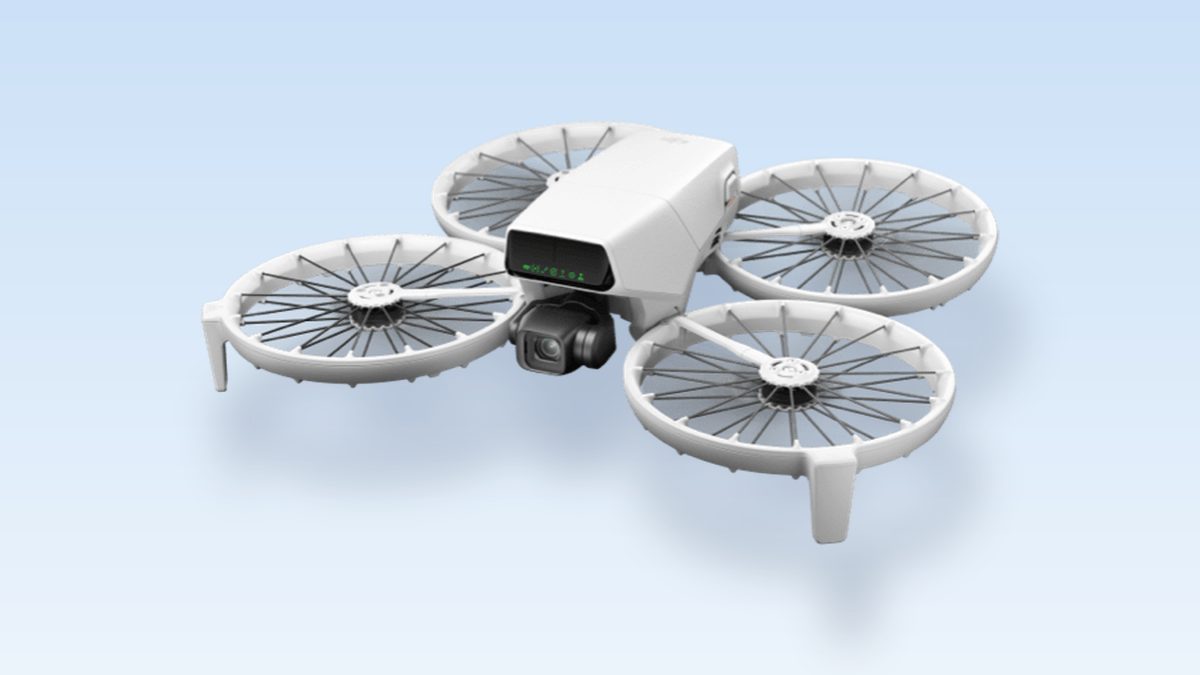
The best drone for beginners right now is the DJI Flip. It has a guard around every propeller, a sensor that brakes before it hits something ahead, and GPS that holds it still in the air. It weighs under 250 grams, so a hobby pilot doesn’t have to register it. Want selfie videos? Get the cheaper DJI Neo. Rather skip DJI? Get the Potensic Atom 2. On a tight budget, the Holy Stone HS175D still gives you GPS.
A first drone has two jobs. It has to survive your mistakes, and it has to be legal to buy and fly. Most people shop for the camera, then crash in week one or buy a model they can’t get parts for. Every pick below passes both tests. Each one forgives errors, and each was cleared for US sale before the 2025 rule change.
A quick note. TechDaily didn’t flight-test these drones. The specs come from each maker. Some links here are affiliate links, so we may earn a small commission if you buy. That never changes a pick, and it costs you nothing extra.
- For most new pilots, the DJI Flip is the one to buy. Guards, a front sensor that brakes, GPS hold and a 31-minute battery make it very hard to wreck.
- Under 250 grams and flying for fun means no FAA registration and no Remote ID. You still need to pass the free TRUST safety test.
- DJI drones are not banned in the US. New models can’t get FCC approval, but models approved before December 2025 can still be sold and flown.
- Want selfie video with no controller? Get the DJI Neo. Want a solid camera drone from another brand? Get the Potensic Atom 2.
- The FCC rule covers foreign-made drones in general, not one brand. Buy a spare battery and propellers with your drone.
What matters most for your first drone?
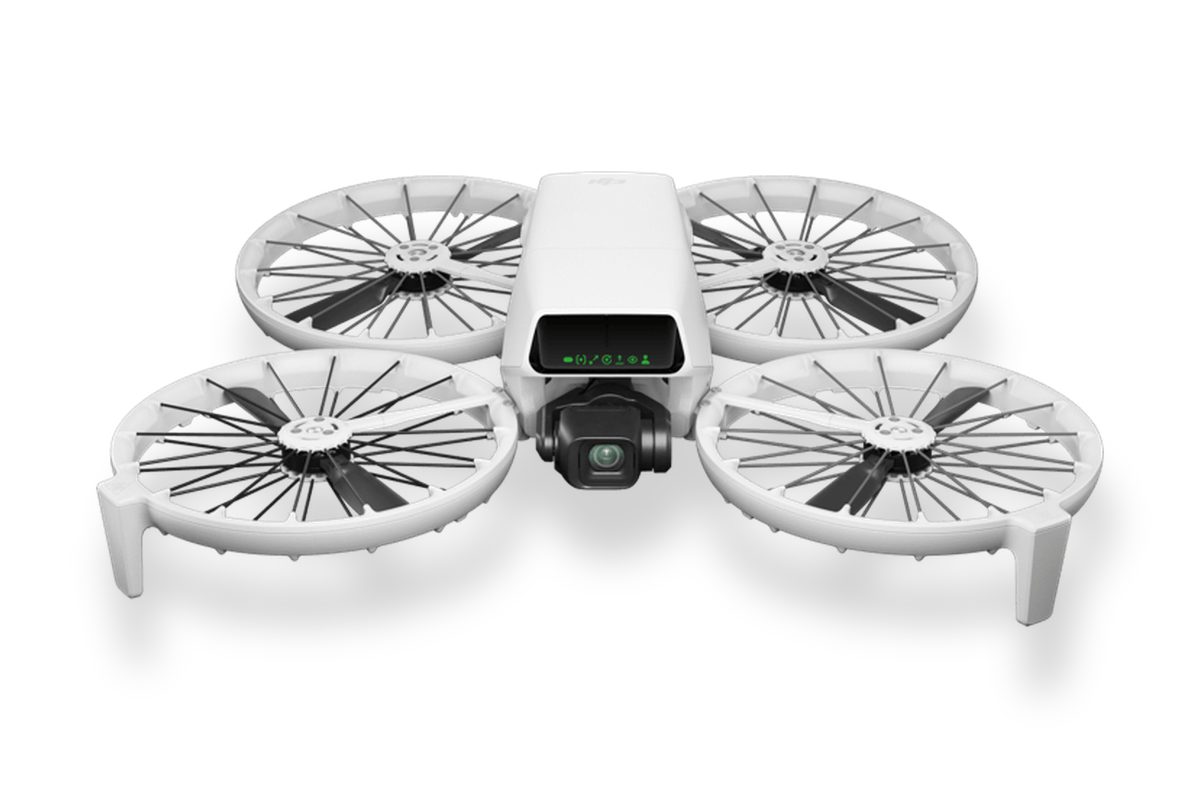
★ Your pick: DJI Flip
Every propeller sits inside a guard, and it brakes before it flies into something ahead.
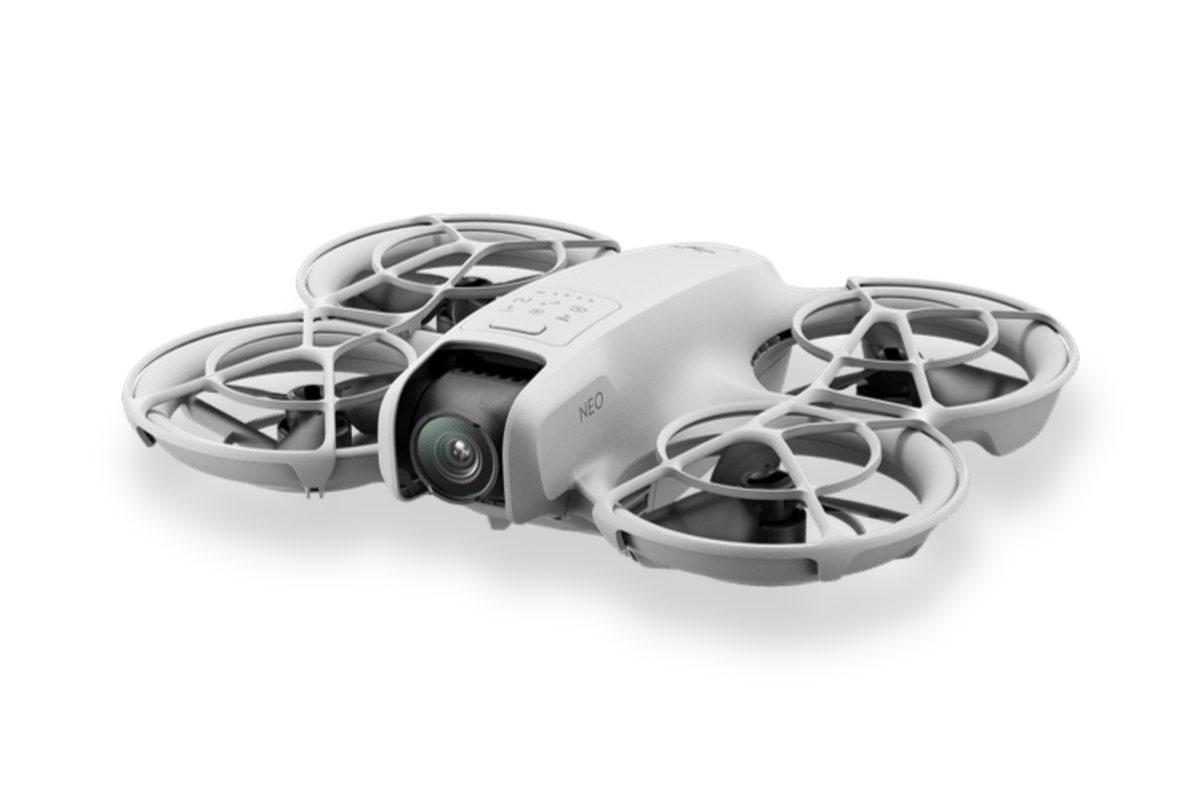
★ Your pick: DJI Neo
It takes off from your palm, follows you and films you. Your phone is the controller.
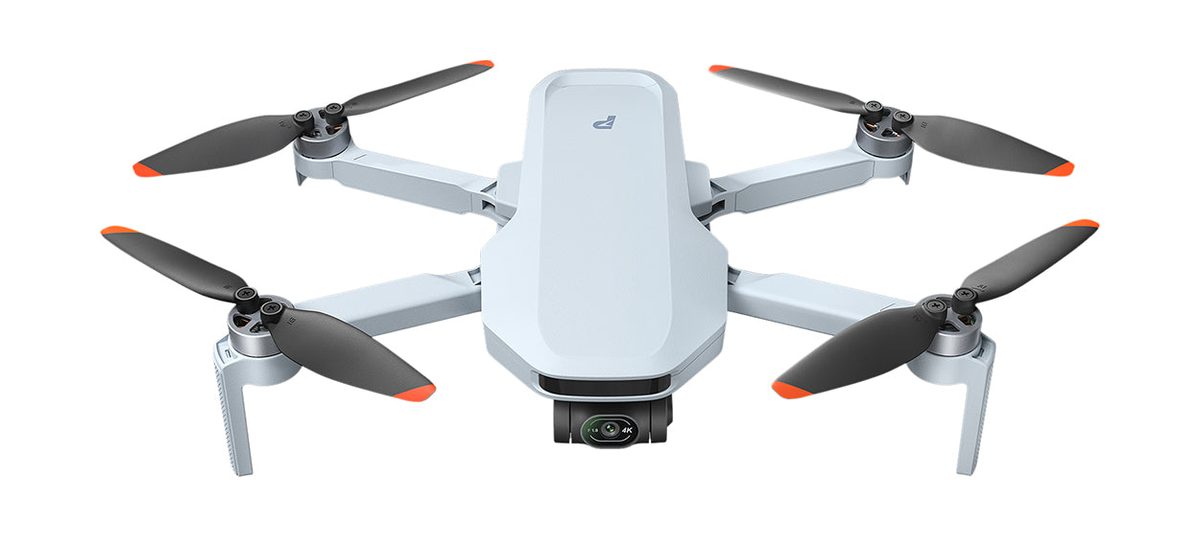
★ Your pick: Potensic Atom 2
A 3-axis gimbal, 4K video and up to 32 minutes a battery, with a controller in the box.
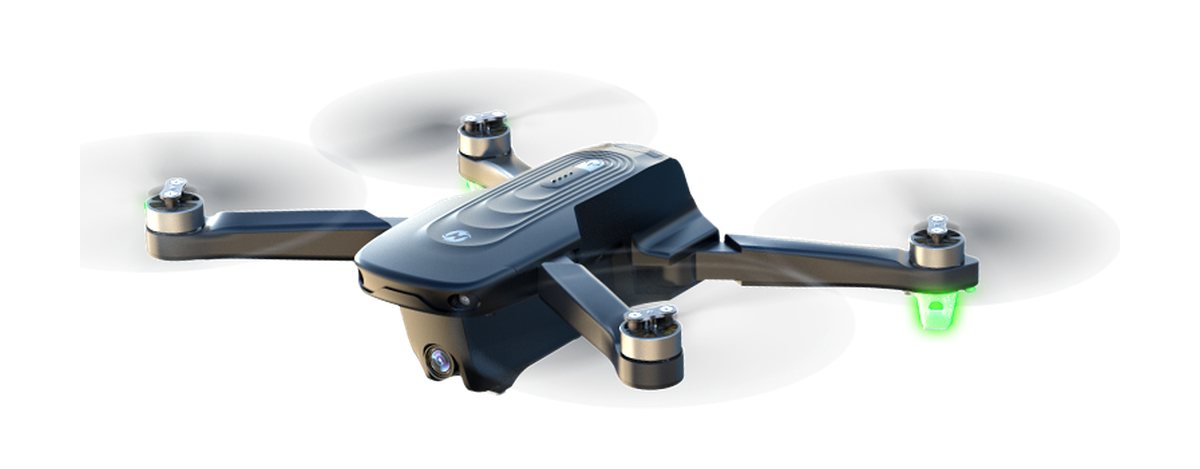
★ Your pick: Holy Stone HS175D
GPS hold and return to home for much less money. A good drone to learn on.
👑 Our Top Pick — Best Overall Value
DJI Flip
The safest first drone for most people. Guarded propellers, a front sensor that brakes, GPS hold and a sharp 4K camera.
Opens on our Top Pick. Tap an option to see the best match for you.
What Makes a Drone Easy for a Beginner to Fly
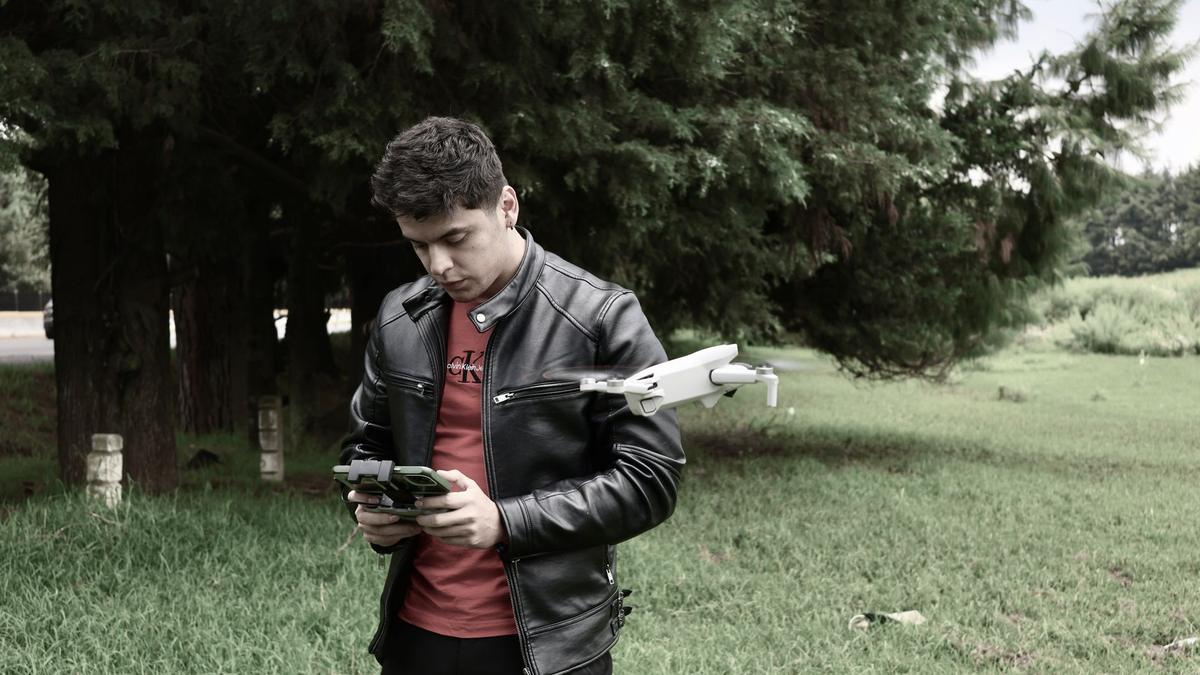
A camera spec sheet won’t tell you if you’ll crash. These four features will.
GPS Position Hold Keeps the Drone Still When You Let Go
Cheap toy drones drift. Let go of the sticks and they slide off with the breeze. A drone with GPS locks onto satellites and holds its spot. Let go, and it just waits. That’s the biggest difference between a stressful first flight and a calm one. The Flip, Atom 2 and HS175D all use satellites. The DJI Neo holds its spot with a downward camera instead, which DJI says works from about 0.5 to 10 meters up.
Propeller Guards Turn a Crash Into a Bump
Spinning propellers are what break things. A full guard is a ring around each one. Bump a wall, and the ring takes the hit. The DJI Flip and DJI Neo have guards around every propeller. The Atom 2 and HS175D don’t, so one tree branch can end your flight.
Staying Under 250 Grams Skips the Paperwork
The FAA draws a line at 250 grams, or 0.55 pounds. Under it, a drone flown just for fun doesn’t need registration. That also means no Remote ID, the digital license plate drones broadcast in flight. All four picks come in under that line.
Return to Home Brings It Back When You Lose Track
Every beginner loses sight of the drone at some point. Return to home, or RTH, flies it back to where it took off. It kicks in when you press a button, lose signal or run low on battery. It needs GPS, one more reason GPS matters so much.
Heads up: a front sensor is not full crash protection. DJI rates the Flip’s sensor at 0.3 to 8 meters ahead, and nothing watches the sides or back. Beginners often crash backing up to frame a shot, which is the one way they can’t see.
The Four Best Drones for Beginners in 2026
Each pick is easy to fly, under 250 grams and already approved for US sale. They differ in protection, camera quality and cost.
1. DJI Flip — Best Drone for Beginners Overall
$340–$400 rangeUnder 249 gFull propeller guards31-min flightFront obstacle sensing
This is the drone we’d hand to almost anyone who has never flown. It’s built around one idea: you will make mistakes, and the drone should take them. A guard wraps every propeller, and the guards fold in so it packs small. You can launch it from your palm. It also comes with DJI’s RC-N3 controller, so you learn real stick flying.
The safety features stack up. A front sensor, which DJI calls 3D infrared sensing, sees obstacles 0.3 to 8 meters ahead and brakes. GPS, Galileo and BeiDou satellites hold it in place and power return to home. DJI rates it for wind up to 10.7 meters per second, about 24 mph. A battery lasts up to 31 minutes, long enough to practice, mess up and try again.
The camera is the best here too. Its 1/1.3-inch sensor is big for a drone this small, so sunsets and cloudy days look cleaner. It shoots 4K at up to 60 frames per second on a 3-axis gimbal, the motorized mount that keeps video smooth. Next to the Potensic Atom 2, you get a bigger sensor, guards and a front sensor for about the same flight time.
Who should skip it? If you only want selfie clips, the Neo does that for much less. If you’d rather not buy DJI, the Atom 2 is the closest match. For everyone else, this is the safest start.
Pros
- Guards on all four propellers turn wall bumps into bounces.
- Front sensor brakes before you hit something ahead.
- Up to 31 minutes a battery, with GPS hold and return to home.
- 1/1.3-inch sensor with 4K at 60 fps on a 3-axis gimbal.
- Comes with a real controller, so you learn proper sticks.
Cons
- No sensors on the sides or back.
- Costs more than the Atom 2 for about the same flight time.
- About twice the cost of the DJI Neo.
- Android owners get the DJI Fly app from DJI’s website, not Google Play.
2. DJI Neo — Best Cheap Drone for Selfie Video
$130–$180 range135 gPalm takeoffNo controller needed4K video
The Neo is a different kind of first drone. It’s not built to teach you to fly. It’s built to film you. Press a button, and it lifts off your palm, follows you and records. When you’re done, it lands back in your hand. For a vlogger, a hiker or a parent at a birthday party, that’s the whole point.
It weighs about 135 grams, lighter than most phones. Every propeller sits inside a full guard, so it’s safe near people. It shoots 4K at 30 frames per second with a 1/2-inch sensor. A single-axis gimbal tilts the camera, and electronic stabilization smooths the rest. DJI lists up to 18 minutes a battery, or about 17 with the guards on.
Here’s the trade-off. Out of the box you fly it from your phone over Wi-Fi, and DJI rates that link at about 50 meters. Fine for selfies, short for scenery. DJI’s specs list no GPS hold either. It holds its spot with a downward camera, so it’s happiest low and close. Its wind limit is 8 meters per second, about 18 mph, lower than the Flip. DJI sells the RC-N3 controller separately, and the Neo works with it if you want real sticks later.
Pick the Neo if you want video of yourself, not flying skills. For landscapes, longer flights or stick practice, the Flip is worth the extra money.
Pros
- Palm takeoff and landing with no controller needed.
- Full guards around every propeller.
- Very light at about 135 grams.
- Follows you and films on its own.
Cons
- About 50 meters of range on phone Wi-Fi.
- Up to 18 minutes a battery, the shortest here.
- Single-axis gimbal, so less smooth than the Flip or Atom 2.
- Weaker in wind than the Flip.
3. Potensic Atom 2 — Best Non-DJI Camera Drone for Beginners
$300–$360 rangeUnder 249 g3-axis gimbal32-min flight10 km range
If you want a real camera drone but not a DJI, start here. The Atom 2 folds up like a classic camera drone and comes with a full controller. It’s made for people who want good photos without a steep learning curve.
The camera is strong for the money. A 1/2-inch Sony sensor takes 48-megapixel photos and 4K HDR video at 30 frames per second. HDR keeps bright skies and dark ground both visible. A 3-axis gimbal keeps footage smooth. Potensic rates the battery at up to 32 minutes and the controller link at up to 10 km. It also has satellite positioning, smart return to home, and AI tracking that follows a person you tap on screen.
Now the honest part. The Atom 2 has no propeller guards, and Potensic lists no obstacle sensing. It won’t stop for a tree, so you have to watch where it goes. That builds good habits, but it’s less forgiving than the Flip. The Flip also has the bigger sensor and 4K at 60 fps, so its video is a step up. Against the Holy Stone HS175D, though, the Atom 2 wins easily: a real gimbal, longer flights and far more range.
Buy it if you want near-Flip camera quality from another brand. Skip it if crash protection is your top worry.
Pros
- 3-axis gimbal for smooth 4K video.
- Up to 32 minutes a battery.
- Full controller included.
- AI tracking and smart return to home.
Cons
- No propeller guards.
- No obstacle sensing listed.
- Smaller sensor and lower frame rate than the Flip.
4. Holy Stone HS175D — Best Budget Drone With GPS
$140–$170 rangeAbout 215 gGPS return to home4K cameraBrushless motors
This is the drone to buy if you want to learn the basics without risking much money. It has the feature that matters most for a beginner, GPS, for far less than the other picks. If you crash it while learning, it hurts a lot less.
Here’s what you get. Brushless motors run cooler and last longer than the cheap motors in toy drones. GPS holds its spot and brings it home when the signal drops or the battery runs low. Optical flow, a small downward camera, helps it hover steady close to the ground. Holy Stone rates the range at about 500 meters, with live video to your phone over 5 GHz Wi-Fi. It weighs about 215 grams. Holy Stone rates two batteries at up to 46 minutes in total, or roughly 23 minutes each.
The camera is where you feel the lower cost. It records 4K, and you can tilt it up to 90 degrees from the remote. But there’s no gimbal, and Holy Stone doesn’t list image stabilization on this model, so video can wobble in wind. Next to the Atom 2, you give up smooth footage, flight time and range. Next to a toy drone, you gain GPS and return to home, which keep it from flying off.
Buy it as a learner drone, or as a gift for a teen who wants to try flying. If great video is the goal, save for the Atom 2 or the Flip.
Pros
- GPS hold and return to home at a low cost.
- Brushless motors last longer than toy-drone motors.
- Under 250 grams, so no registration for fun flying.
- Follow me and waypoint modes to play with.
Cons
- No gimbal, so video can shake.
- About 500 meters of range, the shortest of the GPS picks.
- No propeller guards or obstacle sensing.
How the Four Beginner Drones Compare Side by Side
Specs come from each maker: DJI Flip, DJI Neo, Potensic for the Atom 2, and Holy Stone HS175D.
| Feature | DJI Flip | DJI Neo | Potensic Atom 2 | Holy Stone HS175D |
|---|---|---|---|---|
| Weight | Under 249 g | About 135 g | Under 249 g | About 215 g |
| Flight time per battery | Up to 31 min | Up to 18 min | Up to 32 min | About 23 min |
| Propeller guards | Yes, full | Yes, full | No | No |
| Obstacle sensing | Front only | None | None listed | None |
| Holds position with | Satellites and cameras | Downward camera | Satellites | GPS and optical flow |
| Camera stabilization | 3-axis gimbal | 1-axis gimbal plus EIS | 3-axis gimbal | None |
| Video | 4K up to 60 fps | 4K 30 fps | 4K 30 fps HDR | 4K |
| Controller in the box | Yes (RC-N3) | No, uses phone | Yes | Yes |
| Rough price | $340–$400 | $130–$180 | $300–$360 | $140–$170 |
For context: long range numbers are a safety margin, not a goal. FAA rules say hobby pilots must keep the drone in sight. For a drone this small, that’s a few hundred meters at most, so a strong signal matters more than a far one.
Are DJI Drones Banned in the US Right Now?
No. You can still buy and fly the DJI drones on this list. But the rules did change.
On December 22, 2025, the FCC added foreign-made drones and their key parts to its Covered List. That list blocks new equipment from getting FCC approval, which a radio device needs before it can be sold in the US. So brand-new foreign-made drone models can’t get that approval. Models approved before the change aren’t pulled from sale by that step alone, and you can keep flying the one you own. That’s why every pick here is a model approved before the cutoff. The FCC listed DJI’s own gear the same day, which is why newer DJI products, like the Osmo Pocket 4 camera, aren’t sold in the US.
In July 2026, the FCC asked for comment on going further. Its proposal would stop the import and sale of some drones already on the list. It names drones with thermal cameras, LiDAR sensing or spraying gear, plus docking stations and drones over 55 pounds. Comments closed on September 2, 2026. It’s a proposal, not a final rule.
What does that mean for a first-time buyer?
- Pick a model that’s already approved. All four here are. A new model announced overseas may never be sold in the US.
- Don’t count on a brand switch. The rule covers foreign-made drones in general, not just DJI. The approval date matters more than the logo.
- Buy spares up front. DJI warns that if the proposal is adopted, covered replacement parts could get harder to find. A spare battery and propellers are cheap insurance.
None of these beginner drones has a thermal camera or spray gear. DJI argues the LiDAR wording could catch some hobby drones, though, so this is worth watching. If the FCC finalizes it, we’ll update this guide.
The FAA Rules Every New Drone Pilot Needs to Know
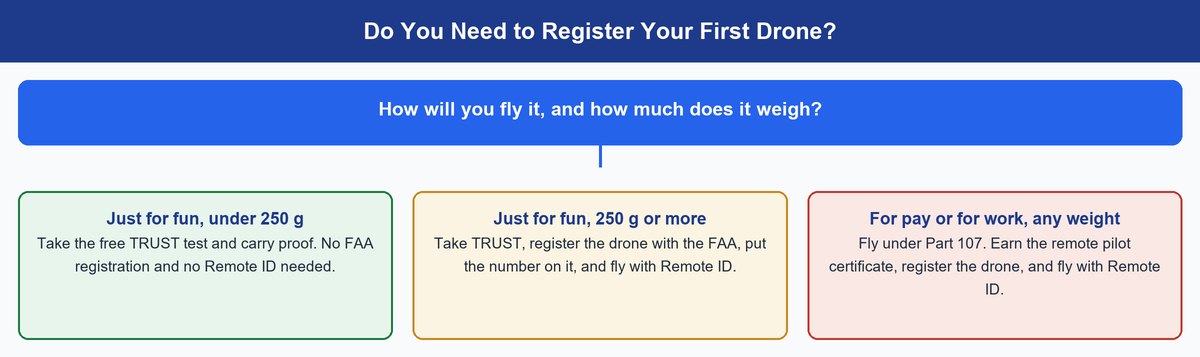
The FAA’s hobby rules are short. Learn these five, and you’re ahead of most new pilots.
Pass the Free TRUST Test Before Your First Flight
The FAA says all recreational pilots must pass the Recreational UAS Safety Test, called TRUST, and carry proof when they fly. It’s free and online through FAA-approved test providers, and you only need to pass it once. Details are on the FAA’s TRUST page.
Register Your Drone Only If It Weighs 250 Grams or More
The FAA requires registration for every drone except those under 250 grams flown under its recreational rules. Registered drones carry the number on the outside, and you carry the certificate. The FAA warns that skipping a required registration can bring fines or even criminal penalties.
Remote ID Comes Along With Registration
Remote ID is a signal that shares a drone’s ID and location in flight. The FAA says any drone that must be registered, or is registered, must follow the Remote ID rule. It’s either built into the drone or added with a small broadcast module.
Don’t skip this: registering a sub-250-gram drone “just to be safe” isn’t free. The rule covers drones that are registered, not only ones that must be. A voluntary registration can pull your drone into Remote ID. Fly for fun under 250 grams, and you can skip both.
Fly Below 400 Feet and Keep the Drone in Sight
The FAA’s recreational rules say to fly at or below 400 feet in uncontrolled airspace. You must also keep the drone in your own sight, so you can spot other aircraft and move away.
Check the Airspace Before You Take Off
Near many airports, the sky is controlled airspace. You need FAA permission to fly there, even for fun. FAA-approved apps can often get you that permission within minutes through a system called LAANC. Check a map app at every new spot.
How to Learn to Fly Without Crashing Your First Drone
Good habits matter more than the drone. These three prevent most first-month crashes.
Practice Your First Flights in an Open Field on a Calm Day
Pick a big, empty field with no trees, people or wind. Take off, hover at eye height and watch it for a minute. Then try slow moves forward, back and sideways. Calm air matters, because light drones get pushed around. Even the Flip, the toughest pick here, is rated for wind only up to about 24 mph.
Set Return to Home Before Every Flight
Before takeoff, check that your GPS drone has locked onto satellites and saved its home point. Set the return height above the tallest nearby trees. Otherwise it can fly home in a straight line, right into them.
Learn to Fly With the Drone Facing You
When the drone faces you, left and right on the stick feel backward. That’s when beginners panic. Practice slow turns and hovers with the nose toward you, low to the ground, until it feels normal. Then you’re ready for real camera work, and our drone photography guide is the next step.
Pro tip: if you use an Android phone with a DJI drone, DJI says its DJI Fly app is no longer on Google Play. You get it from DJI’s website instead. Do that before the drone arrives, so day one is for flying.
Frequently Asked Questions
Are DJI drones banned in the US now?
No. Since December 22, 2025, new foreign-made drone models can’t get FCC approval, so new DJI models can’t launch here. Models approved before that date can still be sold and flown. An FCC proposal aimed at some approved drones, like thermal and spraying models, is still pending.
What is the best drone for beginners with a camera?
The DJI Flip has the best camera of the easy-to-fly drones here, with a 1/1.3-inch sensor and 4K at up to 60 fps on a 3-axis gimbal. If you’d rather avoid DJI, the Potensic Atom 2 is next, with a 3-axis gimbal and 4K HDR video.
Is it difficult to learn to fly a drone?
Not anymore. GPS drones hold still when you let go of the sticks, which removes the hardest part. Most people can hover and make simple moves within a few batteries. Start in an open field on a calm day.
Do you need a license to fly a drone as a hobby?
No pilot license is needed to fly for fun. You do need to pass the FAA’s free TRUST test and carry proof when you fly. Flying for money or work needs a remote pilot certificate under the FAA’s Part 107 rules.
What is a cheap but good drone for beginners?
The DJI Neo is the cheapest good camera drone here, but it’s made for selfie video. To learn real flying for less, the Holy Stone HS175D gives you GPS and return to home at a low cost. Both are under 250 grams.
Do I need to register a drone under 250 grams?
Not if you fly it just for fun. The FAA only requires registration for recreational drones that weigh 250 grams or more. If you fly for work under Part 107, you must register it at any weight, and Remote ID then applies.
The Bottom Line on Your First Drone
A first drone should forgive you and keep you legal. That rules out drifting toys and heavy drones that need paperwork. While the FCC rules settle, it also means buying a model that’s already approved.
For most people, that’s the DJI Flip. It’s guarded, it brakes, it holds still and it films well. For selfie videos, the Neo costs less. To skip DJI, the Atom 2 is the strongest camera drone from another brand. To learn cheaply first, the HS175D gets you GPS for a small price. Whichever you pick, pass TRUST, buy a spare battery and start in an empty field.