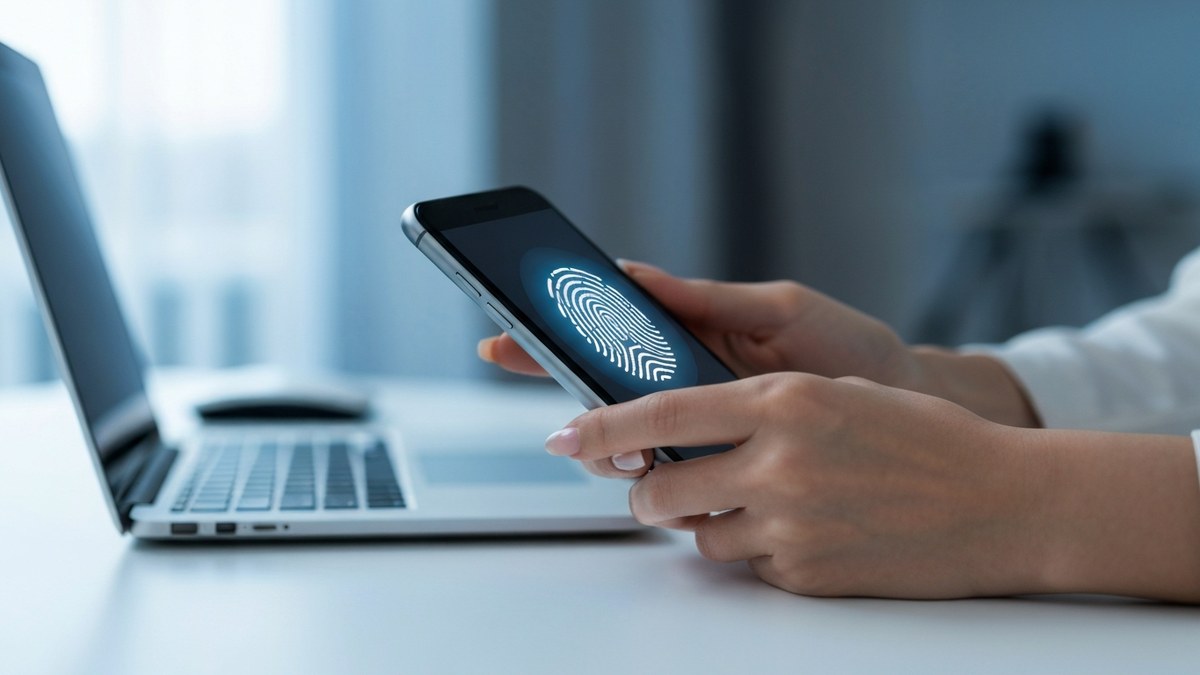
- Passkeys are meaningfully safer than passwords because they are phishing-resistant by design: the private key never leaves your device and is cryptographically bound to one website’s domain, so it cannot be entered on a lookalike scam site.
- The biggest real-world risk is not the passkey itself but everything around it: account-recovery flows, cloud-account takeover, and fallback methods like SMS or security questions that attackers downgrade you to.
- Synced passkeys (iCloud Keychain, Google Password Manager) make losing your phone survivable, but they shift the trust boundary to your Apple, Google, or Microsoft account, which becomes the new master key worth protecting with strong MFA.
- Passkeys do not stop everything: session-token theft after you log in, malicious browser extensions, and “device code” phishing can still bite, because they sidestep the login step rather than forging your credential.
- As of mid-2026, the honest verdict is that passkeys are the best mainstream authentication available for consumers, but they are “safer,” not “perfectly safe,” and good account hygiene still matters.
Passwords have failed us for thirty years, and passkeys are the industry’s serious answer. But before you flip every account over, the question worth asking is the skeptical one: are passkeys safe, really, once you account for lost phones, cloud breaches, and the scammers who adapt? This guide gives you the verified, balanced picture, including the caveats the big tech vendors tend to gloss over.
What a Passkey Actually Is (and Why That Matters for Safety)
A passkey is a FIDO2/WebAuthn credential built on public-key cryptography, standardized by the FIDO Alliance and the W3C (which publishes the WebAuthn specification), with Apple, Google, and Microsoft as the platform implementers that drove it into phones, browsers, and laptops. When you create a passkey, your device generates a key pair. The private key stays on your device (or in your encrypted cloud keychain) and is never sent anywhere. The public key is handed to the website. To sign in, the site sends a cryptographic challenge, your device signs it with the private key after you approve with Face ID, a fingerprint, or your device PIN, and the site verifies the signature with the public key it already holds.
This architecture is the entire reason passkeys are safer than passwords, and it explains both their strengths and their limits.
Why this design is inherently phishing-resistant:
- Nothing shared, nothing to steal in transit. Unlike a password, no secret is transmitted to the server or typed into a form. A database breach at the website only exposes public keys, which are useless to an attacker on their own.
- The credential is bound to one domain. A passkey created for
yourbank.comwill not work onyourbamk.com, even if the fake site is a pixel-perfect clone and you are fully fooled. The browser refuses to release the signature to the wrong origin. This is the property that defeats the single most common attack on the internet: credential phishing. - Biometrics never leave your device. The fingerprint or face scan unlocks the local private key; it is not sent to the website. The site only ever sees a signed challenge.
The NCSC describes passkeys as “the future of modern authentication,” and as of mid-2026, NIST’s finalized SP 800-63-4 (published July 2025) formally recognizes synced passkeys as meeting Authenticator Assurance Level 2, removing a major compliance barrier for regulated industries. That is a strong institutional endorsement. But “endorsed” is not the same as “flawless,” which is where the rest of this article lives.

Are Passkeys Safer Than Passwords? Yes, Clearly
On the head-to-head comparison that matters most, passkeys win decisively.
- Phishing: Passwords are routinely phished at scale. Passkeys cannot be phished in the classic sense because they refuse to authenticate against the wrong domain. In a 2024 FIDO Alliance survey, 53% of people reported enabling passkeys on at least one account, and the driving reason was exactly this resistance to scams.
- Reuse and breaches: Most people reuse passwords, so one breached site cascades into many. Each passkey is unique per site and the secret half is never stored by the site, so there is no reusable secret to leak.
- Brute force and credential stuffing: There is no password to guess, spray, or stuff. These entire attack categories simply do not apply.
- Server-side leaks: A stolen password database is a goldmine; a stolen public-key database is nearly worthless to attackers.
If your only question is “should I move off passwords,” the answer is an unhesitating yes. Reducing your exposure to data breaches is also why we generally recommend tightening your broader digital footprint, including learning how to opt out of data brokers so there is less personal information available to fuel targeted attacks in the first place.
Are Passkeys Safer Than 2FA? Usually, but It Depends on the 2FA
This is where the nuance starts. “2FA” covers a wide range, and passkeys beat most of it.
- Versus SMS codes: Passkeys win easily. SMS one-time codes are phishable (you can be tricked into reading the code to a fake site or an attacker’s proxy) and vulnerable to SIM-swapping. A passkey cannot be relayed this way.
- Versus authenticator-app codes (TOTP): Passkeys still win. Those six-digit codes can be captured by an adversary-in-the-middle (AiTM) phishing kit that proxies the real site and harvests both your password and the live code. A passkey’s domain binding defeats that relay.
- Versus a physical security key (also FIDO): Roughly a tie on the cryptography, because hardware keys and passkeys use the same FIDO2 standard. A device-bound hardware key arguably has a slightly smaller attack surface (it never syncs to a cloud), which is why high-security environments still prefer them.
The catch: a passkey only delivers this advantage if you cannot be downgraded to a weaker method. If your account still allows “lost your passkey? get an SMS code instead,” an attacker will simply attack that path. More on that below.
The Real Risks and Limitations
Here is the part the Apple and Google marketing pages under-serve. Passkeys move risk; they do not vaporize it. As the NCSC bluntly puts it, they are “not perfect but getting better.” These are the caveats worth understanding before you trust passkeys with your most important accounts.
Risk 1 — Lost or Broken Device
The first fear everyone has. The answer depends entirely on whether your passkey is synced or device-bound.
- Synced passkeys (the consumer default in iCloud Keychain, Google Password Manager, or a third-party manager like 1Password or Bitwarden) are backed up to your cloud account and end-to-end encrypted. If you lose your phone, you sign in to a new device with your platform account and your passkeys reappear. Apple confirms iCloud Keychain passkeys are end-to-end encrypted, meaning even Apple cannot read them.
- Device-bound passkeys (common on hardware security keys, and a choice some enterprises enforce) never leave the device. If that device is lost or destroyed and you registered no backup, those passkeys are gone permanently, and you fall back to whatever account-recovery process the website offers.
The practical safety rule: register at least two authenticators (for example, your phone plus a backup security key, or two ecosystem accounts) for any account you cannot afford to lose. Single-device, no-backup setups are the configuration that actually locks people out.
Risk 2 — Account-Recovery Abuse (the Big One)
This is the most important and least-discussed risk. Passkey syncing does not create a new vulnerability so much as it spotlights an old one: account recovery is now the soft underbelly.
If a website lets you reset access by email link, SMS code, or security questions when you “lose your passkey,” then the phishing-resistant passkey is no longer your weakest link, the recovery flow is. An attacker who controls your email inbox can trigger “I lost my passkey,” reset the account, and never touch your actual credential. Security researchers and the NCSC both flag that attackers are now “more likely to focus on finding weaknesses in account recovery and reset requests.” You have, in effect, only upgraded your front door while leaving a window unlocked.
What you can do: secure your primary email and phone number aggressively (they are the real keys to your kingdom), and prefer services that require a strong factor for recovery rather than just a knowledge-based question or an SMS code.
Risk 3 — Cloud-Account Takeover (the Sync Trust Surface)
Synced passkeys are only as trustworthy as the cloud account holding them. If your Apple ID, Google account, or Microsoft account is compromised, an attacker who can authorize a new device may be able to pull your synced passkeys onto it. The convenience of “my passkeys follow me everywhere” is also the risk: everywhere now includes anyone who takes over that central account.
The mitigation is straightforward but non-negotiable: protect your platform account itself with the strongest authentication available, ideally its own passkey or a hardware security key, plus account-takeover alerts. Your iCloud or Google account is now a master key, so treat it like one.
Risk 4 — “Shadow Credentials” and Silent Backup-Method Abuse
A subtler attack (the name is borrowed from an Active Directory technique, applied here to consumer accounts): rather than steal your passkey, an attacker who gains a foothold (through session theft or a recovery exploit) quietly registers their own passkey or backup authenticator on your account. Now they have a durable, legitimate-looking credential of their own, a “shadow” key, that survives even if you change your password. Because the new credential looks like a normal enrolled device, victims rarely notice.
Defense: periodically review the list of registered passkeys, security keys, and trusted devices on your important accounts, and remove anything you do not recognize. Treat an unexpected new device enrollment the way you would treat an unexpected login.
Risk 5 — Post-Authentication Session and Token Theft
Passkeys protect the moment of login. They do not protect what happens after. Once you authenticate, the service issues a session token (a cookie) that proves you are logged in. If malware on your machine or a malicious browser extension steals that token, the attacker can ride your existing session without ever needing your passkey. Token theft has become a leading enterprise attack vector precisely because it sidesteps strong login entirely. This is also a reminder that the link or “verification” prompt that started the attack might itself be a fake, and learning how to spot AI-generated images and convincing fake interfaces is a useful companion skill, because the social-engineering bait keeps getting better.
Defense: keep devices patched and malware-free — our honest read on whether Windows Defender is enough covers what that actually takes — be ruthless about which browser extensions you install, and use services that bind sessions to the device or expire them quickly.
Risk 6 — MFA Downgrade and Device-Code Phishing
Two related techniques worth naming. In a downgrade attack, an attacker manipulates the login flow, sometimes by spoofing a browser that lacks FIDO support, to force the system to offer a weaker fallback method, which they then phish (this one is so far documented mainly as a researcher proof-of-concept rather than a widespread in-the-wild attack). In device-code phishing, a 2026-prominent variant, the victim is tricked into authenticating on the genuine site to authorize the attacker’s device, so the passkey signs legitimately and the domain-binding protection never triggers. These attacks do not break the passkey’s cryptography; they route around it. The fix lives at the service level (removing weak fallbacks, restricting device authorization), but as a user, treating any unsolicited “approve this device” or “enter this code” prompt with suspicion goes a long way.
Risk 7 — Friction, Fragmentation, and Lock-In
Not a security hole, but a real limitation. Passkey terminology and behavior still differ across Apple, Google, Microsoft, and password managers, which confuses users and complicates recovery. Moving passkeys between ecosystems has historically been clunky (credential-exchange portability standards are maturing as of mid-2026 but not universal). And not every website supports passkeys yet, so you will keep some passwords around for a while. The NCSC specifically calls out that inconsistent language and multiple passkey “flavours” remain a barrier to mass adoption.
How Attackers Actually Go After Passkey-Protected Accounts
Directly phished in the classic sense, no, and that is the headline advantage. The cryptographic design prevents you from handing your credential to a fake site, and there is no shared secret to intercept. Can the accounts protected by passkeys be compromised through other means, recovery abuse, cloud takeover, session theft, downgrade tricks? Yes. So the accurate framing is: the passkey itself is extremely hard to attack, but the system around it has seams. Smart attackers, as of mid-2026, have largely stopped trying to break the passkey and started attacking the recovery flow and the post-login session instead. That shift is itself a testament to how well the core technology works.
Passkeys vs Passwords vs 2FA — The Honest Comparison
Passwords
- Phishable, reusable, breachable, and guessable. The weakest mainstream option. Their only advantage is universal support and familiarity.
Password + SMS/TOTP 2FA
- A real improvement over passwords alone, and far better than nothing. But both the password and the code can be captured by a modern AiTM phishing kit, and SMS adds SIM-swap risk. Phishable, just with more steps.
Passkeys (FIDO2)
- Phishing-resistant by design, no shared secret, unique per site, domain-bound. The strongest mainstream option for consumers. Residual risk concentrates in recovery, cloud-account security, and post-login session theft, not in the credential itself.
The ranking is clear: passkeys beat password-plus-2FA, which beats passwords alone. The nuance is that passkeys raise the floor so high that attackers move to the surrounding flows, which is exactly why this article spends so much time there.
So, Are Passkeys Safe? The Verdict
Yes, with honest caveats. Passkeys are the most secure mainstream authentication method available to ordinary people as of mid-2026, and switching reduces your single largest online risk, phishing, dramatically. They are endorsed by the FIDO Alliance, Apple, Google, Microsoft, the NCSC, and NIST, and that consensus is well-earned.
But “safe” should mean “safer, and here is what to still watch,” not “invincible.” The residual risks are real: lock yourself out by skipping backups, lose control of the cloud account that syncs them, or fall for a recovery-flow or session-theft attack, and a passkey will not save you. Use passkeys, absolutely, but pair them with a locked-down email and phone, strong protection on your platform account, periodic device-list reviews, and healthy suspicion of any “approve this” prompt you did not initiate. Do that, and you are genuinely about as safe as consumer security gets today.
Frequently Asked Questions
Can Passkeys Be Hacked or Phished?
A passkey cannot be phished in the traditional way because it refuses to authenticate on any domain other than the real one, and no shared secret is ever transmitted that an attacker could intercept. Accounts protected by passkeys can still be compromised indirectly through account-recovery abuse, cloud-account takeover, stolen session tokens, or downgrade attacks that route around the passkey, so the credential is strong but the surrounding system needs attention too.
What Happens if I Lose My Phone or Device?
If your passkeys are synced (the consumer default in iCloud Keychain or Google Password Manager), you simply sign in to a new device with your platform account and your end-to-end-encrypted passkeys restore automatically. If you used device-bound passkeys with no backup, those credentials are gone and you must use the website’s account-recovery process. The safe practice is to register a backup authenticator in advance for any critical account.
Are Passkeys Safer Than Passwords?
Yes, clearly. Passwords can be phished, reused, brute-forced, and leaked in breaches, while passkeys are unique per site, store no shared secret on the server, and cannot be entered on a fake site. Moving from passwords to passkeys removes your exposure to the most common attacks on the internet.
Are Passkeys Safer Than 2FA?
Generally yes. Passkeys are stronger than SMS codes and authenticator-app codes because those can be relayed by adversary-in-the-middle phishing kits or, for SMS, stolen via SIM-swapping. Passkeys are roughly equivalent in cryptographic strength to a physical FIDO security key, since both use the same standard.
Are Cloud-Synced Passkeys Safe?
For most consumers, yes, and the convenience of automatic backup and device recovery is a genuine security benefit because it prevents lockouts. The trade-off is that synced passkeys are only as secure as the cloud account holding them, so you must protect your Apple, Google, or Microsoft account with its own strong authentication, because compromising that account could expose the synced credentials.
What Are the Disadvantages or Risks of Passkeys?
The main ones are: lockout if you set up a single device-bound passkey with no backup; account-recovery flows that attackers target instead of the passkey; cloud-account takeover exposing synced credentials; “shadow” passkeys an attacker might silently enroll after a breach; session-token theft after login; and ecosystem fragmentation that makes moving passkeys between platforms awkward. None of these break the passkey’s cryptography, but they are real-world risks worth mitigating.
Should I Use Passkeys for All My Accounts?
For most accounts that support them, yes, especially high-value ones like email, banking, and social media. Just make sure you have a recovery path (a backup authenticator or a second registered device), and harden the email and phone number that serve as fallback recovery channels, since those become the new weakest link.