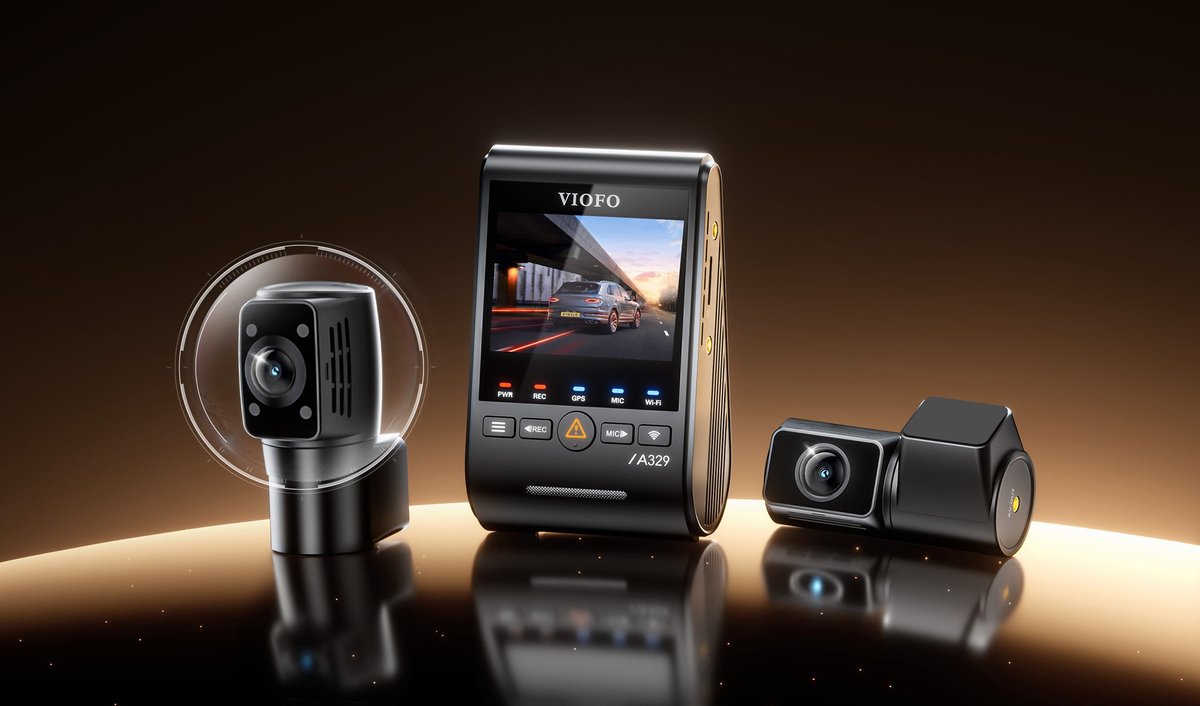
Somebody backs into you in a parking lot, drives off, and suddenly it is your word against nobody’s. That is the moment every dash cam is really for. Picking the best dash cam comes down to two questions, not twenty. Where does your car sleep at night? And do you need a rear camera? Answer those and the winner picks itself. For most people it is the VIOFO A229 Plus, a front-and-rear camera for about $190. Street parkers need more; garage parkers need less. Everything else on the spec sheet is noise, and this guide translates the noise.
Quick disclosure so we are square: the product links below are affiliate links. If you buy through one, we earn a small commission at no extra cost to you.
- Two questions pick your camera. Where does it sleep at night, and do you want rear coverage? Ignore the spec-sheet shouting until you answer both.
- The VIOFO A229 Plus is the value king. Sharp front and rear video for about $190, with no monthly fee attached to any of it.
- Parking mode is a wiring decision, not a checkbox. If your car sleeps on the street, budget for a hardwire kit or an OBD cable. Otherwise that feature never turns on.
- Every pick here records to a card in your car. No monthly fee, ever, unless you choose to add cloud extras.
- Heat is the quiet killer. All four picks skip the battery design that swells, which is what you want on a windshield in July.
What best describes your parking life?
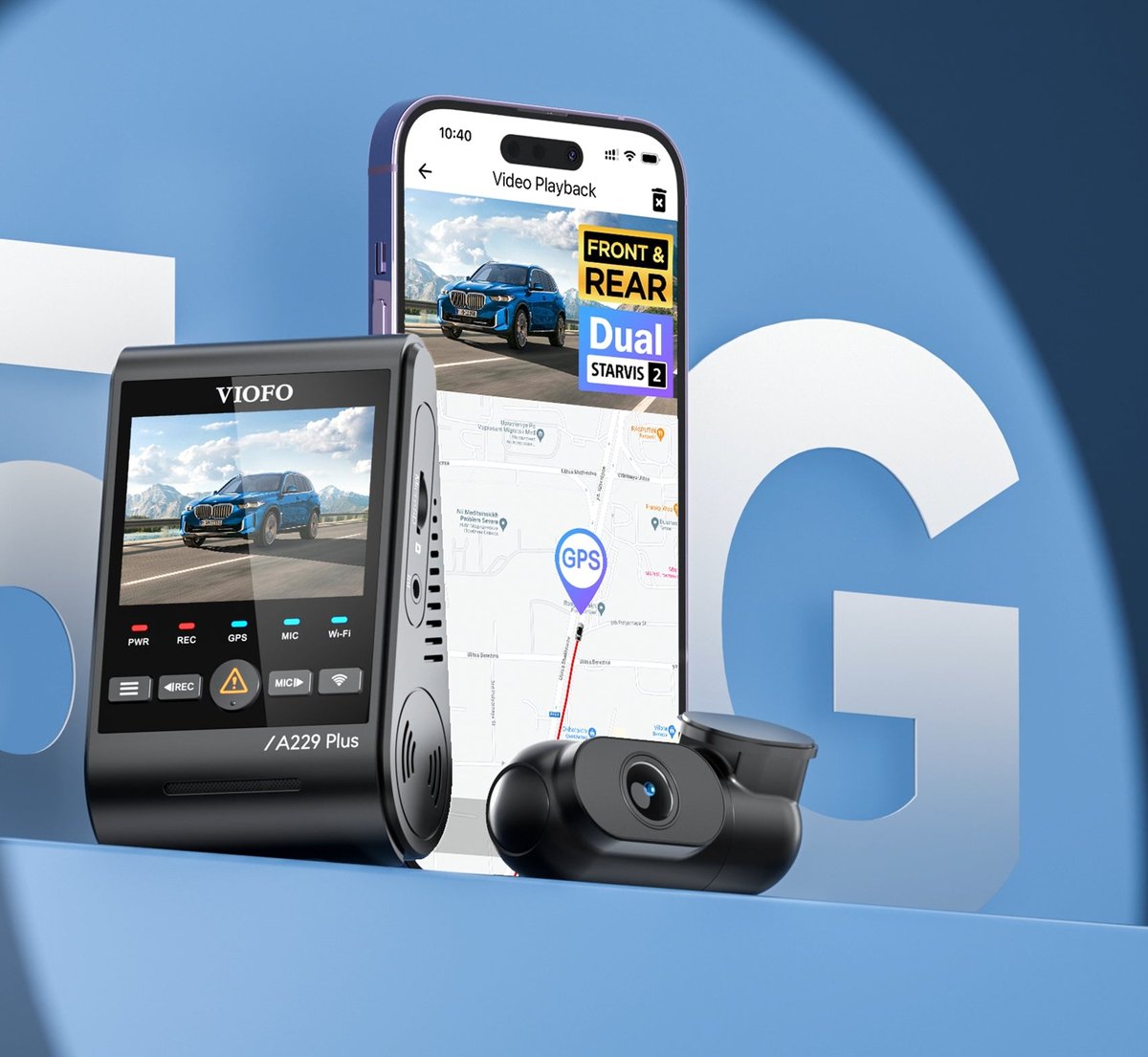
★ Your pick: VIOFO A229 Plus
Skip the parking-mode wiring and pocket the savings. This covers driving hours brilliantly.
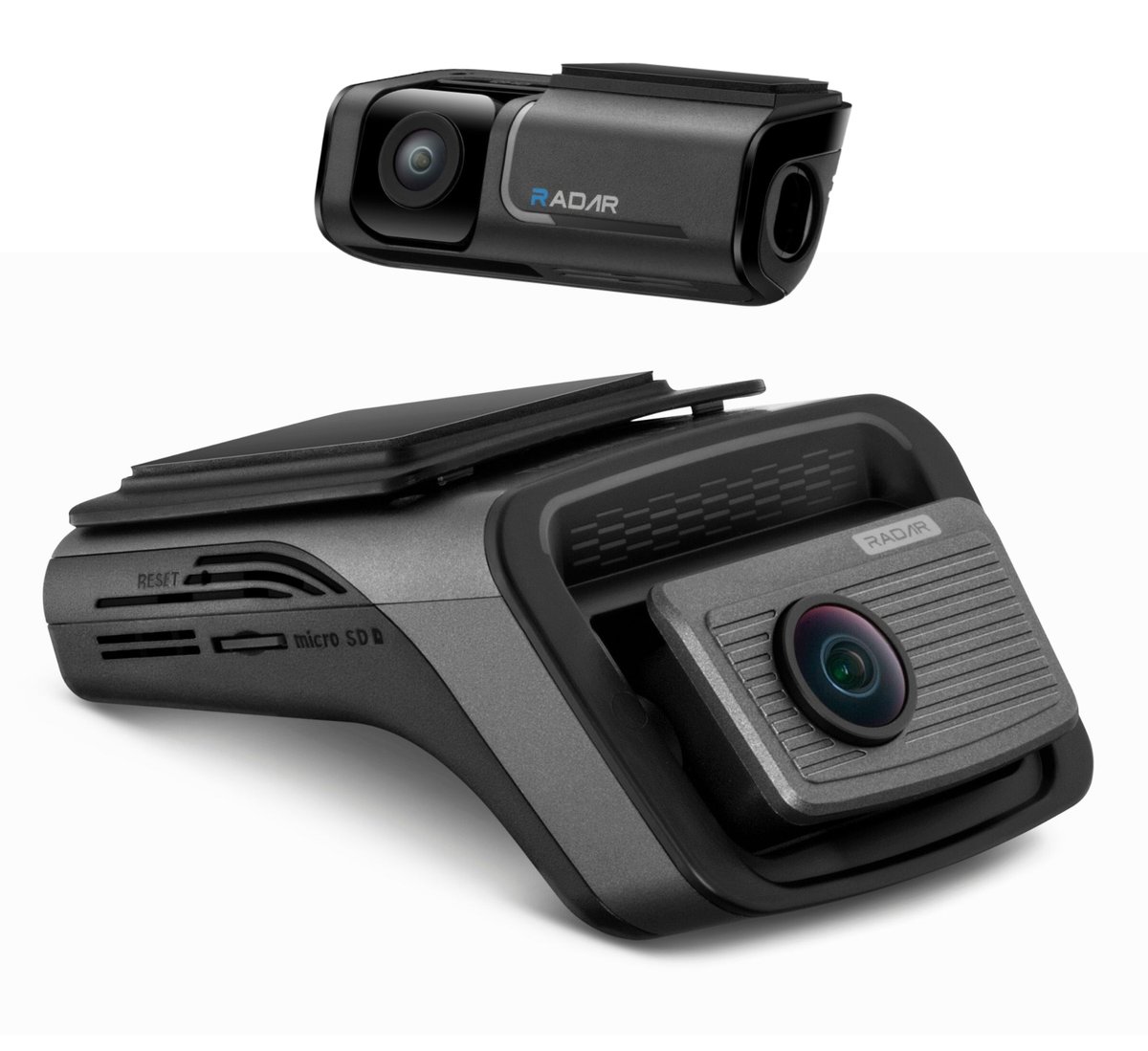
★ Your pick: Thinkware U3000 Pro
Dual radar watches your parked car without draining the battery. The OBD cable comes in the box.
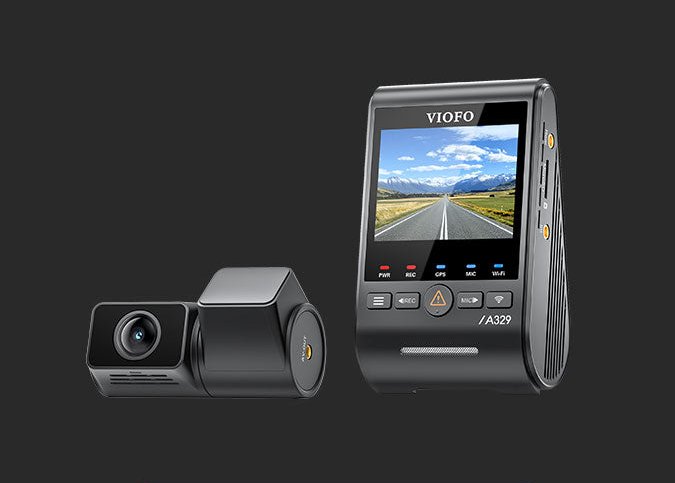
★ Your pick: VIOFO A329S
4K at 60 frames per second reads plates other cameras smear.
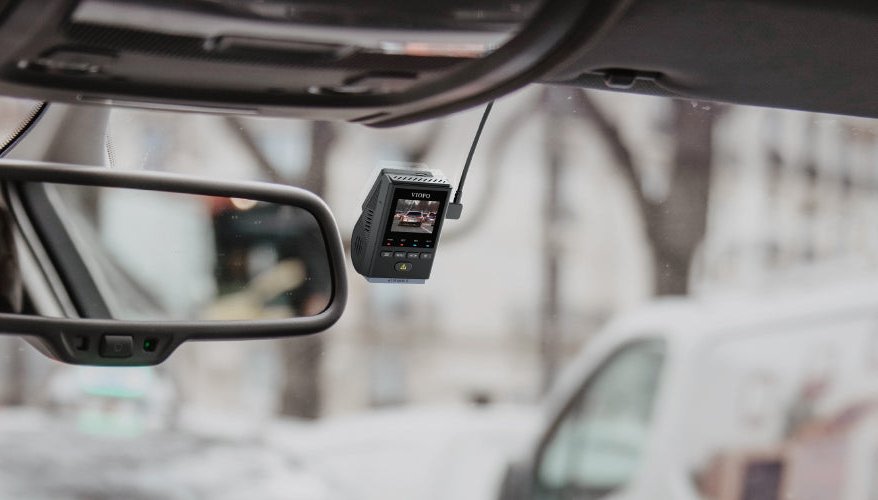
★ Your pick: VIOFO A119 Mini 2
One sharp front camera, about $130. Plug it in and forget it.
👑 Our Top Pick — Best Overall Value
VIOFO A229 Plus
Front and rear coverage for about $190 — the most camera per dollar here, and it needs no monthly fee.
Opens on our Top Pick. Tap an option to see the best match for you.
The Two Questions That Actually Decide It
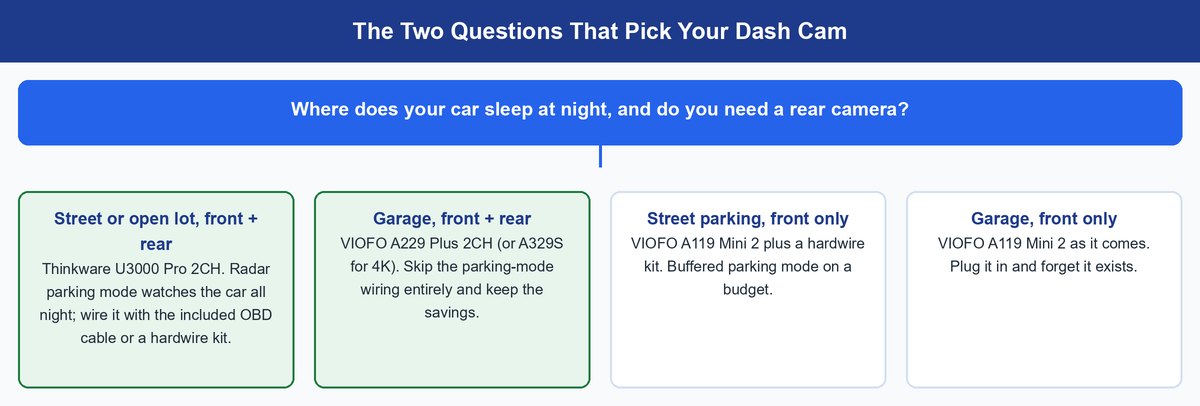
Dash cam reviews love to drown you in sensor part numbers. The truth? Resolution matters far less than whether the camera was recording at all. And whether it saw the side of the crash that mattered.
That is why the fork is parking and coverage. A camera that only runs while you drive protects you for maybe two hours a day. Garage at night? Fine — most damage risk happens in motion. On a public street, the riskiest hours are the ones you sleep through. You need a camera wired to watch them. Rear coverage is the same logic. Crashes from behind are exactly the disputes where “I have video” ends the argument. Answer both questions, then buy the cheapest camera that covers your answer.
The Four Best Dash Cams for Real Driveways and Real Streets
Four cameras, each the clear answer for one kind of driver. Prices are US street prices, checked on Amazon on August 25, 2026. Expect small swings week to week.
1. VIOFO A329S — Best Overall Front and Rear Camera
≈ $4004K 60fps front2K rearWi-Fi 6
This is the camera for people who want the plate, not just the crash. The front unit records 4K at 60 frames per second. That sounds like marketing until you pause footage of a car cutting across three lanes. At 30 frames, fast plates blur. At 60, you get twice the chances of one clean frame. VIOFO pairs it with a 2K rear camera and Sony’s newest low-light sensors on both ends, per the official A329S series page. Wi-Fi 6 makes pulling clips to your phone quick. It can even record to an SSD — up to 4TB — for weeks of footage history instead of a looping card.
Pros
- 60fps front video doubles your shot at a readable plate.
- Sharp low-light footage from both cameras, not just the front.
- SSD support up to 4TB ends the storage juggling entirely.
Cons
- About double the price of the A229 Plus.
- Overkill if your commute is quiet suburban miles.
- Parking mode still needs a wiring kit, sold separately.
2. VIOFO A229 Plus — Best Value for Most Drivers
≈ $190Dual 1440pSupercapacitor5GHz Wi-Fi
Here is our default answer, and Amazon’s too. It wears the Amazon’s Choice badge, with thousands sold every month. You get 1440p video front and rear — enough to read plates at normal following distance. The Sony sensors inside are the same family as cameras costing twice as much. GPS, voice control, and fast 5GHz Wi-Fi transfer are built in. Nothing is locked behind a fee. It records to a card, the footage is yours, done. For a garage-parked car, buy this, mount it, and stop thinking about dash cams.
Pros
- Front and rear coverage at a price most single cameras ask.
- Everything included works forever with no monthly fee.
- Sharp night video for the money.
Cons
- 1440p reads plates at normal distance, not across an intersection.
- No screen-free stealth option — the display is always there.
- Rear camera cable run takes a patient half hour to hide.
3. VIOFO A119 Mini 2 — Best Budget Pick
≈ $1302K 60fpsFront onlyVoice control
The honest budget answer is not a no-name camera that dies in a summer. It is one genuinely good front camera from a brand that ships firmware updates. The A119 Mini 2 records 2K at up to 60 frames per second. It carries the same modern Sony night sensor as its bigger siblings. And it hides completely behind a rearview mirror.
You give up the rear view — that is the only real sacrifice. Voice control, GPS, and 5GHz Wi-Fi transfer are all here at about $130. So is buffered parking mode, once you add a hardwire kit. If money is tight, this beats stretching for a cheap two-channel kit with worse video on both ends.
Pros
- Flagship-grade front video at a genuine budget price.
- Tiny housing hides completely behind the mirror.
- Parking mode support most budget cameras skip.
Cons
- No rear camera, and no way to add one later.
- No screen means setup happens through the phone app.
- The savings vanish if you later decide you want rear coverage.
4. Thinkware U3000 Pro — Best for Street Parking
≈ $5504K + 2K rearDual radar parkingOBD cable included
If your car sleeps outside, this is the specialist. The U3000 Pro’s party trick is dual radar. It does not record all night, and it does not wait for a hit. It senses someone approaching the parked car and starts recording before anything touches the paint. That is the difference between footage of a stranger walking up, and footage of your already-dented door. The retailer spec sheet lists 4K front, 2K rear, and thermal protection for hot windshields.
Two honest notes. Tom’s Guide’s review called it a worthy camera with useful anti-theft features, while noting rivals offer more value. True — if you skip parking mode. At about $550, it only makes sense when the parked hours are your real risk. When they are, nothing else here competes. Thinkware puts the OBD power cable and a 64GB card in the box. Overnight watch works on day one, no installer needed.
Pros
- Radar starts recording before an impact, not after.
- Parking-mode power cable and memory card included.
- Built to tolerate heat soak on sunbaked windshields.
Cons
- Costs nearly three A229 Pluses.
- Radar and cloud extras are wasted money for garage parkers.
- Companion app is clunkier than VIOFO’s.
Parking Mode Is a Wiring Decision, Not a Checkbox
Every box in this roundup says “parking mode.” What the box does not say? Plugged into a cigarette lighter socket, most cars cut the power when you lock up. The feature never runs. Parking mode is really a question of power with the ignition off. Three options:
- Cigarette plug — the easiest install, but it usually dies with the ignition. Fine for garage parkers, who do not need parking mode anyway.
- Hardwire kit — taps a fuse in your fuse box for always-on power. A voltage cutoff keeps it from draining your starter battery. VIOFO’s kits run under about $35. The install is a Saturday-morning job with a plastic trim tool.
- OBD cable — plugs into the diagnostic port under your dash. Nearly as capable as hardwiring with none of the fuse-box anxiety. This is the route Thinkware includes free with the U3000 Pro.
One more term worth decoding. “Buffered” parking mode means the camera always holds the last few seconds in memory. When something triggers it, the clip includes the moments before the trigger. Unbuffered recording starts at the bang. That is often too late to show what caused it.
Worth knowing: a hardwire kit’s low-voltage cutoff decides whether parking mode is worry-free. VIOFO’s HK6 kit shows live battery voltage and shuts the camera down before your car struggles to start. That cutoff, not the camera brand, is what protects the battery.
What HDR and Night Sensors Do for a License Plate
Spec sheets throw around “Starvis 2” and “HDR” like you were born knowing them. Plain translation? Starvis 2 is Sony’s current night sensor. All four picks use it because it keeps dark footage smooth instead of grainy. HDR — high dynamic range — solves one very specific problem. A license plate at night is a dark rectangle lit by your own headlights, right next to blinding taillights. Without HDR, the plate blooms into a white smear. With it, the camera exposes the bright plate and the dark street separately, then merges them. The characters survive. You are not shooting a film. You are freezing eight characters on a moving rectangle at 11 p.m. HDR plus a modern sensor makes that boringly routine.
Storage, Heat, and the Boring Stuff That Decides Reliability
Dash cams loop-record. When the card fills, the oldest clips get overwritten on their own. Crash clips get locked so they survive the loop. You never manage files. What you must do is buy a “High Endurance” microSD card. Those are built for nonstop rewriting. Regular cards wear out fast in this job. The A329S sidesteps cards entirely with SSD support, if you want a long history.
Heat is the other quiet reliability story. A windshield in July is one of the harshest places a gadget can live. That is why every pick here runs on a supercapacitor instead of a lithium battery — batteries swell and fail up there. The U3000 Pro adds thermal protection on top for hot climates. It is also why the no-name bargain cams die young.
Heads up: clip transfer runs over the camera’s own Wi-Fi, with your phone connected straight to it. Your home network is never involved, so slow downloads are a camera problem. If you are upgrading gear anyway, our Wi-Fi router guide covers the house side.
The Subscription Question, Answered Straight
Here is the answer the “best dash cam without subscription” searchers deserve. Every camera in this guide records locally, to a card or SSD you own. Zero fees, forever. The only monthly fees in dash cam land buy optional cloud services. Think remote live view, stolen-vehicle tracking, or impact alerts from a parked car. Thinkware sells an LTE module for the U3000 Pro that unlocks exactly that tier. Nice for fleets and the truly nervous. Irrelevant for everyone else. Buy the camera, skip the fee, lose nothing that matters for proving a crash.
Will the Footage Actually Help After a Crash
Careful answer, because this is where marketing overpromises. Dash cam footage can help establish what happened: timing, lane position, who moved into whom. Insurers and police do review it when fault is disputed. What nobody can promise is an outcome. That depends on your insurer, your state, and what the video shows.
The realistic pitch is still compelling. Without footage, a hit-and-run usually resolves against whoever has less proof. With footage, you stop negotiating from memory. Drivers who leave EVs at public chargers overnight know this anxiety well. If that is you, our guide on whether fast charging hurts your EV battery covers the other half of curbside peace of mind.
Frequently Asked Questions
Do I really need a front and rear dash cam?
If you can afford it, yes. Crashes from behind are among the most common disputed wrecks, and a front-only camera is blind to all of them. Still, a good front camera like the A119 Mini 2 covers most disputes. The wrong move is a cheap two-channel kit that records mush in both directions.
What does parking mode actually require?
Constant power while the ignition is off. That means a hardwire kit tapped into your fuse box, or an OBD cable into the port under your dash. A cigarette-socket camera usually shuts down when you lock the car, whatever the feature list says. Budget for the kit when you budget for the camera.
Which memory card should I buy for a dash cam?
A High Endurance microSD card from a major brand. Dash cams rewrite the card all day, and standard cards wear out fast under that load. Check your camera’s supported size, and format the card in the camera before the first drive.
Will dash cam footage help with an insurance claim?
It can help establish fault, and insurers and police do review footage in disputed crashes. But no camera can guarantee an outcome. Treat it as evidence you control, not a promise. The clearest wins are hit-and-runs, and disputes where the other story does not match the video.
Do any of these dash cams need a subscription?
No. All four record locally, with every core feature working forever, free. Fees in this market only buy optional cloud extras, like remote live view or theft alerts. You can add or skip those later without changing cameras.
Can a dash cam survive summer heat on the windshield?
The good ones are built for it. Every pick here runs on a supercapacitor instead of a lithium battery, because batteries swell and fail in heat soak. The U3000 Pro adds thermal protection for hot-climate parking on top. Cheap cameras are cheap partly because they skip this.
The Bottom Line
Two questions, remember. Garage at night, full coverage wanted? VIOFO A229 Plus, about $190, no fees, done. Street parking? Thinkware U3000 Pro, because radar watching your car at 3 a.m. is the feature the whole purchase exists for. Maximum detail? A329S. Keeping it lean? A119 Mini 2. All four end the same argument the same way — with video instead of your word against theirs.