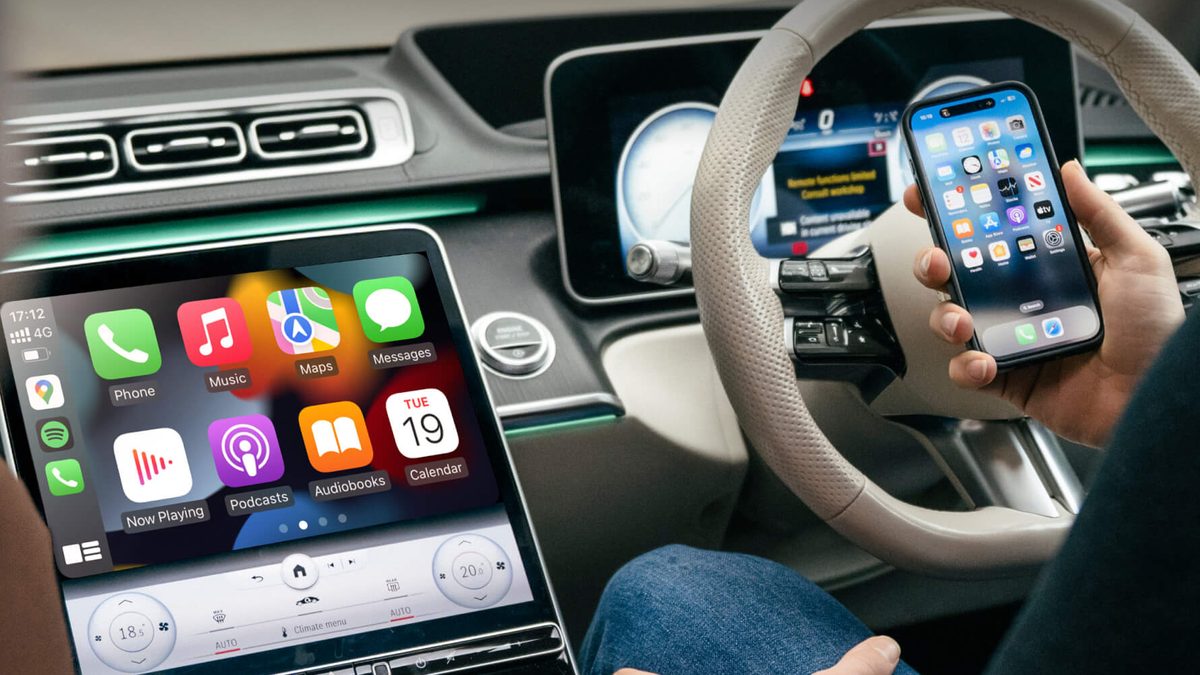
I plug my phone into the same USB port around six hundred times a year. That little ritual is the whole reason this product exists. But here’s what years of watching this market taught me. The best wireless CarPlay adapter is not the one with the loudest listing. It’s the one that fits your car. Your car’s screen decides whether the magic works — not the dongle. For most iPhone drivers, my pick is the Jemluse adapter. It costs about $36 and has the deepest proven track record in this space. But run one 30-second test before you spend a dollar. Fail it, and no adapter on this page can help you.
Quick disclosure so we’re square: the product links below are affiliate links. If you buy through one, we earn a small commission at no extra cost to you.
- These adapters do one job. They turn factory WIRED CarPlay into wireless. If your car has no CarPlay at all, no adapter can add it.
- Do the cable test first. Plug your iPhone in. If CarPlay shows up on the car screen, every pick here fits your car.
- The Jemluse adapter is the pick for most iPhone drivers. About $36, with the largest verified review base in the category.
- Every adapter charges a wireless tax. The phone and dongle shake hands at startup, so your icons take a few extra seconds. Normal, not broken.
- One iPhone and one Android in the same car? Skip the CarPlay-only picks. Buy a 2-in-1 like the Teeran or the CarlinKit Mini Ultra.
What does the phone situation in your car look like?
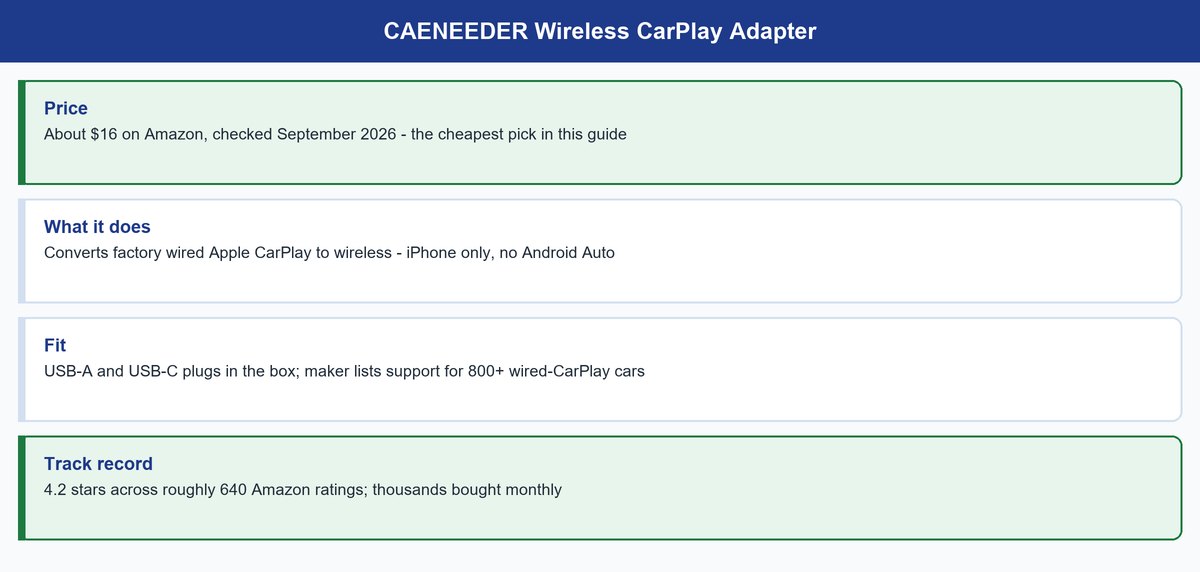
★ Your pick: CAENEEDER Wireless CarPlay Adapter
Same core job for about $16 — CarPlay only
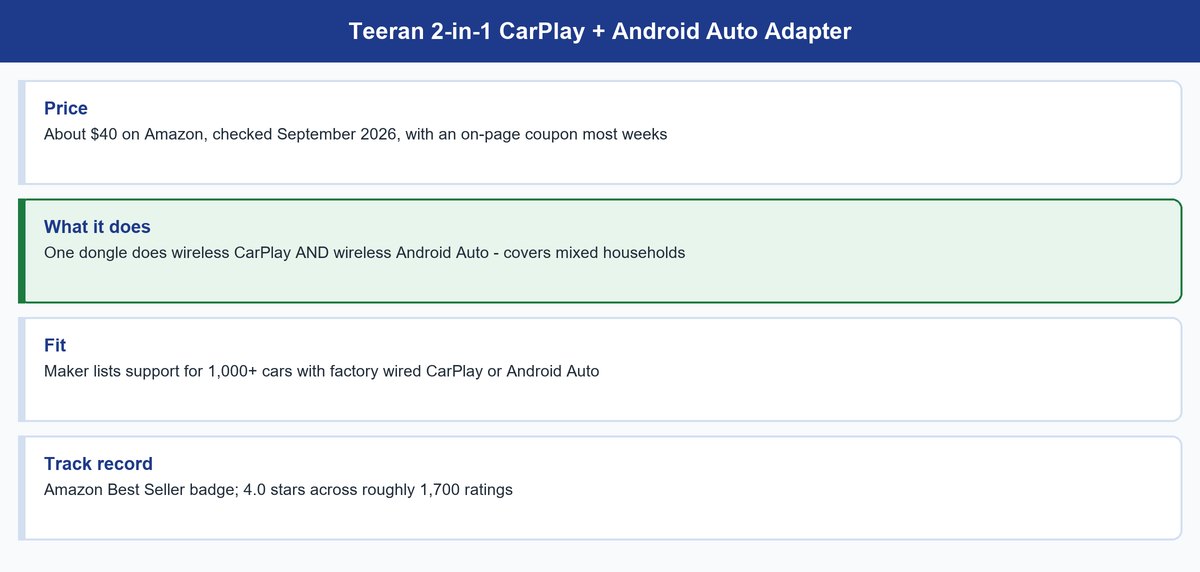
★ Your pick: Teeran 2-in-1 Adapter
One dongle does wireless CarPlay and wireless Android Auto
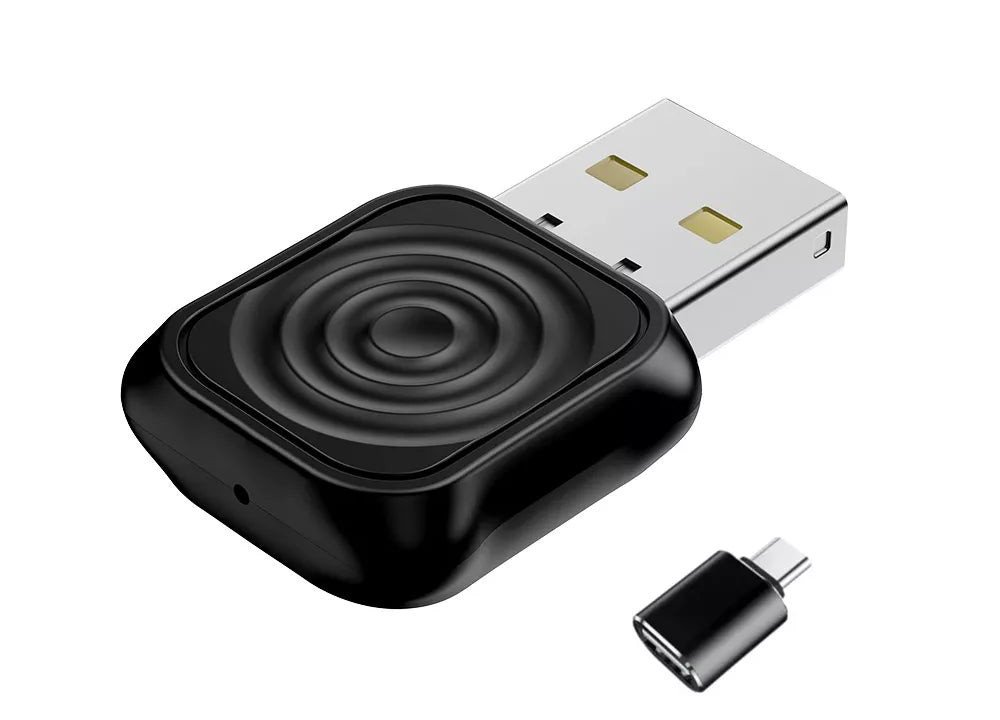
★ Your pick: CarlinKit Mini Ultra
Firmware updates you can install when a head unit misbehaves
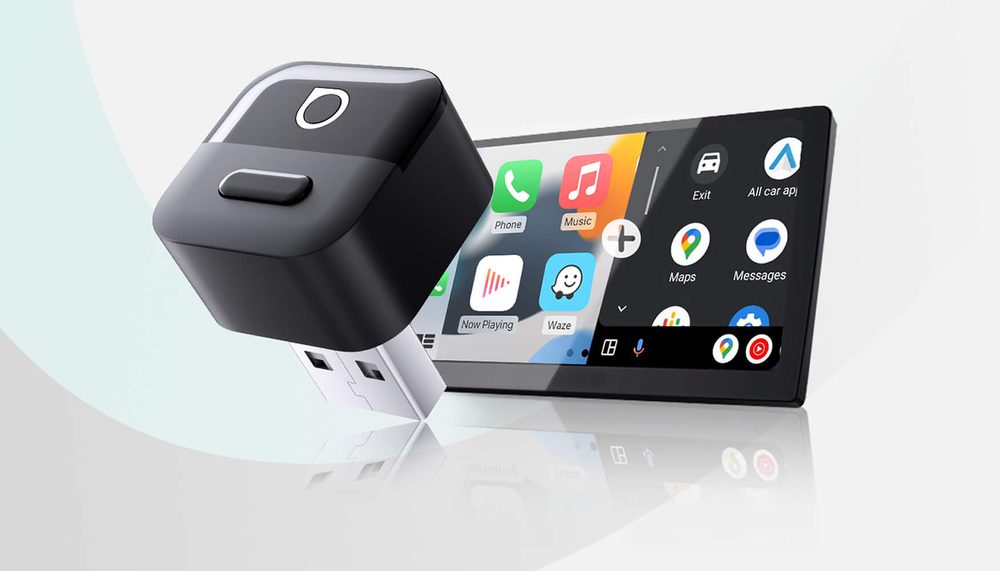
★ Your pick: OTTOCAST Mini Pico
Wi-Fi 6, Bluetooth 5.4 and a physical disconnect button
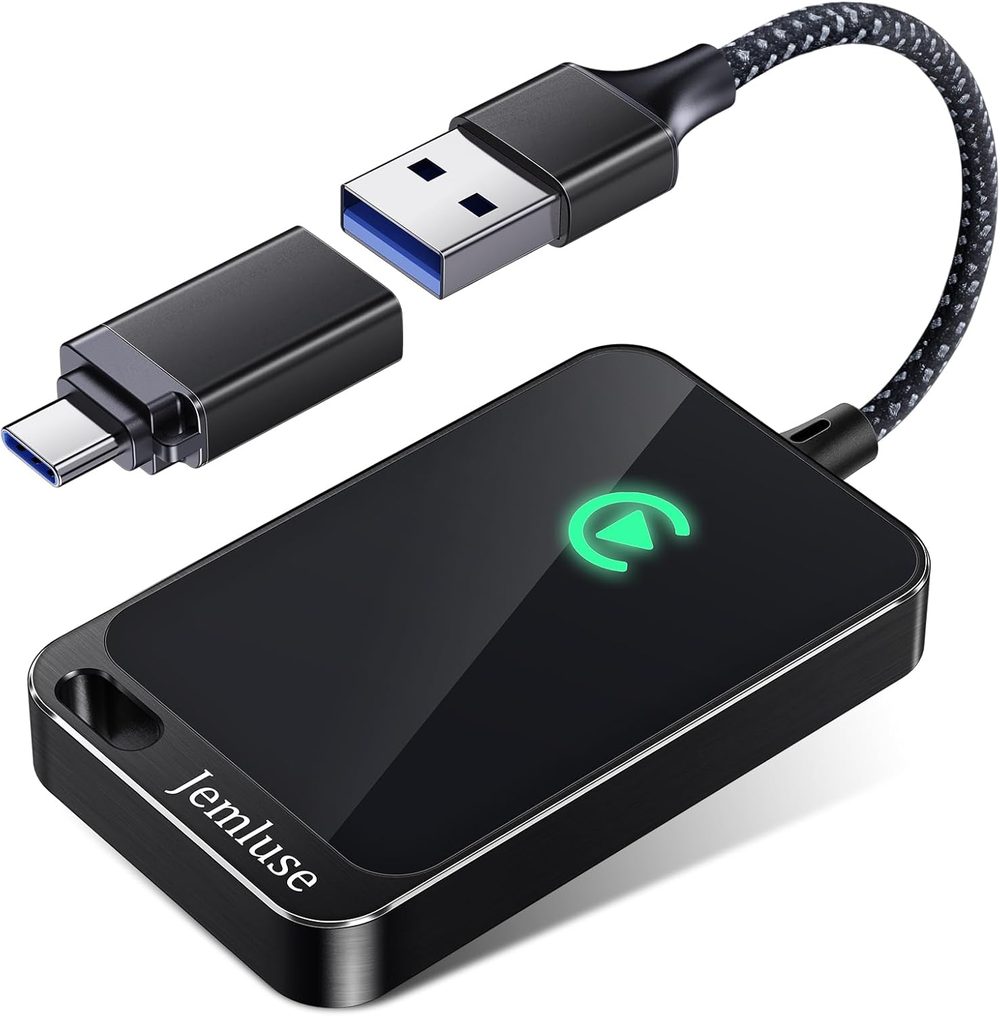
👑 Our Top Pick — Best Overall Value
Jemluse Wireless CarPlay Adapter
Best overall value — the category’s biggest proven track record for about $36
Opens on our Top Pick. Tap an option to see the best match for you.
Run the 30-Second Cable Test Before You Spend a Dollar
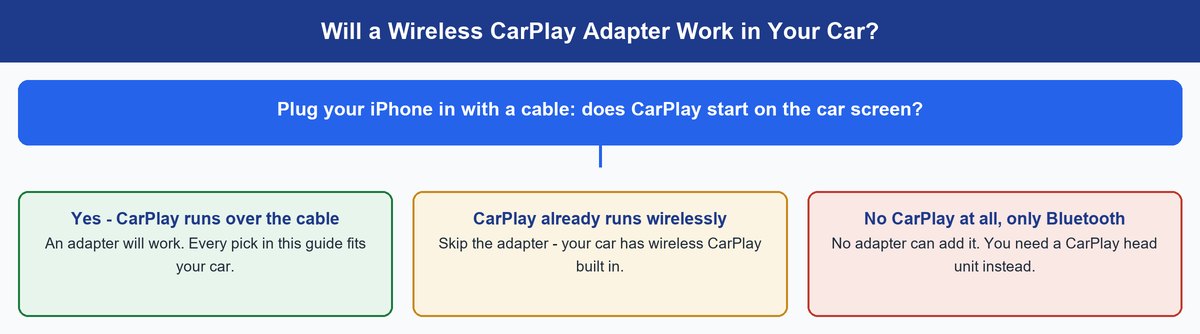
Here’s the rule the shiny listings bury, and it decides everything. A wireless CarPlay adapter does not add CarPlay to a car. It converts the CarPlay your car already has — the wired kind — into the wireless kind. The dongle plugs into your USB port and pretends to be an iPhone on a cable. Your real iPhone then talks to the dongle over the air. No factory wired CarPlay means there is nothing to pretend to be. The product has no job to do.
So run the test. Grab a cable and plug your iPhone into your car’s USB port. Watch the screen. If CarPlay launches, you passed. Every adapter in this guide will work in your car. If your car already runs CarPlay with no cable, you own what these dongles sell. Close this tab and enjoy. And if nothing appears at all, an adapter is the wrong purchase. You’d be shopping for a CarPlay head unit instead. That’s a different article and a different budget. Apple’s CarPlay page lists which cars shipped with it. Honestly though, the cable test is faster than the lookup.
Before you buy: run the test on the exact port you’d use. Plenty of cars ship one data port that carries CarPlay and one charge-only port that doesn’t. They look identical. If CarPlay won’t start, try the other port before you blame your car.
The Five Best Wireless CarPlay Adapters You Can Buy Right Now
Five picks. Each one was verified purchasable this week. Each one matches a situation, not a spot on a spec sheet. Prices move weekly on Amazon, so treat every figure as a ballpark. And one piece of honesty this category has earned: no adapter here has a spotless rating history. Every dongle lives or dies by the head unit it meets. That’s not a defect in one brand. That’s just true of every adapter in this category. Buy the pick that matches your situation. Test it in your car during the first week. The return window covers you if your head unit turns out to be the difficult type.
1. Jemluse Wireless CarPlay Adapter — Best Overall for iPhone Drivers
≈ $364.3 Stars, 9,200 RatingsCarPlay OnlyUSB-A and USB-C
The Jemluse is the pick I’d hand to almost any iPhone driver. The reason is boring in the best way: evidence. It holds a 4.3-star average across roughly 9,200 Amazon ratings. Thousands of units move every month. That is by far the deepest verified track record in this guide. Remember what the real risk is here. An adapter can work great in his Honda and sulk in her Kia. A review base this large is the closest thing you get to a fit guarantee. Odds are, thousands of drivers with your exact head unit already tested it for you.
The hardware itself is simple. A slim black box, a braided cable, and both USB-A and USB-C tips in the package. It fits older and newer ports alike. It also handles two iPhones without drama. The adapter grabs whichever phone it saw last, with no re-pairing ceremony. What it will not do is Android Auto. This is a CarPlay-only device. That’s exactly why it costs less than the 2-in-1 picks below.
Features
- Wireless CarPlay only (no Android Auto)
- Both USB-A and USB-C tips included
- Slim black housing with a braided cable
- Pairs two iPhones and auto-switches to whichever connected last
- No re-pairing needed when you swap phones
Pros
- Deepest review base here
- both plug types included
- handles two iPhones well
- about $36
Cons
- iPhone only
- no disconnect button
2. CAENEEDER Wireless CarPlay Adapter — Best Budget Pick That Actually Works
≈ $164.2 StarsCarPlay Only800+ Car Models
At about $16, the CAENEEDER costs less than lunch. That changes what you’re really deciding. The honest risk with any adapter is head-unit fit. There are two rational answers to that risk. Buy the biggest track record, or make the experiment cheap. This is the cheap experiment — and it isn’t a gamble. It holds a 4.2-star average across more than 600 ratings, with thousands of units moving monthly. For a no-name brand at a third of the price, that’s a remarkably clean sheet.
You give up exactly what you’d expect. No Android Auto. No fancy radios. No button. The maker claims support for over 800 wired-CarPlay cars, and both USB-A and USB-C plugs come in the box. Short commute, mainstream car, and you just want the cord gone for pocket change? Start here. If it fights with your head unit, you lost $16 and gained certainty. Return it and buy the Jemluse.
Features
- Wireless CarPlay only (no Android Auto)
- Maker lists support for 800+ wired-CarPlay car models
- Both USB-A and USB-C plugs included
- No disconnect button or extra features
- About $16
Pros
- Cheapest working path to wireless CarPlay
- solid 4.2-star record
- both plug types in the box
Cons
- CarPlay only
- slower reconnect than the pricier picks
- zero extras
3. Teeran 2-in-1 Wireless CarPlay and Android Auto Adapter — Best for Mixed Households
≈ $40CarPlay + Android Auto1,000+ Car ModelsBest Seller Badge
Here’s the situation the CarPlay-only picks quietly ignore. One iPhone, one Android, one car. Buy a CarPlay-only dongle and the Android driver is back on the cable. Or worse, back on plain Bluetooth audio. The Teeran fixes that with one dongle that does both wireless CarPlay and wireless Android Auto. It switches based on whichever phone connects. It wears Amazon’s Best Seller badge in its lane, moves around 10,000 units a month, and holds 4.0 stars across roughly 1,700 ratings.
That 4.0 deserves a straight reading, because it teaches you how this category works. Doing two protocols means twice the handshakes that can go sideways. So 2-in-1 adapters as a class rate a bit below good single-protocol ones. The buyers it delights are exactly the mixed households it was built for. The maker lists support for more than 1,000 car models. There’s also a coupon on the listing most weeks that pulls the real price toward $30. If both phone platforms live in your driveway, this is the pick. Just test the first week with both phones, not one.
Features
- Wireless CarPlay and wireless Android Auto in one dongle
- Auto-switches based on which phone connects
- Maker lists support for 1,000+ car models
- Carries Amazon’s Best Seller badge in its category
- About $40, often near $30 with the listing’s coupon
Pros
- One dongle covers iPhone and Android
- Best Seller badge with huge volume
- frequent coupons cut the price
Cons
- 4.0 stars trails the single-protocol picks
- swapping phones takes an extra beat
4. CarlinKit Mini Ultra — Best for Picky Head Units and Tinkerers
≈ $43CarPlay + Android AutoOTA Firmware UpdatesCoin-Size Dongle
CarlinKit is the oldest name in this business. The Mini Ultra is its current small-form flagship. It’s a dongle the size of a coin, it does both wireless CarPlay and wireless Android Auto, and it runs about $43 on Amazon. The company’s real product, though, is firmware. CarlinKit ships over-the-air updates you install yourself from a phone browser. Nobody values that feature until their car needs it. Say your head unit starts stuttering, or refuses the handshake after a car software update. A CarlinKit is the adapter most likely to get a fix shipped. A no-name dongle just stays broken.
Full honesty: CarlinKit’s Amazon ratings run mixed, hovering around 3.5 stars across its listings. The pattern in the reviews is the pattern of the whole category. Five stars in friendly cars, one star in stubborn ones. CarlinKit sells at a volume where the stubborn cars pile up in the review column. The difference is that its firmware tools give you a real shot at fixing a bad first date with your head unit. So this pick is for tinkerers and owners of known-picky cars. It’s not for people who want appliance-grade simplicity out of the box.
Features
- Wireless CarPlay and wireless Android Auto in one dongle
- User-installable OTA (over-the-air) firmware updates, done from a phone browser
- Coin-size housing
- Oldest, most established brand name in this category
- About $43
Pros
- Firmware updates can rescue a difficult head unit
- genuinely tiny
- covers CarPlay and Android Auto
- most established brand here
Cons
- Mixed 3.5-star history
- costs more than the Teeran when the Teeran’s coupon is live
5. OTTOCAST Mini Pico — Best Hardware if You Want the Newest Radios
≈ $50Wi-Fi 6 + Bluetooth 5.4Disconnect ButtonCarPlay + Android Auto
The Mini Pico is Ottocast’s 2026 swing at a question I’ve asked for years. Why do $50 dongles ship with five-year-old radios? This one doesn’t. It runs Wi-Fi 6 and Bluetooth 5.4, the newest wireless hardware in this guide. Newer radios are the honest path to faster reconnects and fewer dropouts in noisy places like parking garages. It handles both CarPlay and Android Auto. Ottocast also sells a version with a physical one-click disconnect button on top.
That button is smarter than it looks. The classic adapter annoyance goes like this. You start the car to sit in the driveway on a phone call. The dongle hijacks your phone anyway. One press hands control back to plain Bluetooth without unplugging anything. The honest caveat: this is a young product. Its early listings carry modest review counts and mixed averages, around 3.7 stars on the main 2026 listing so far. You’re paying about $50 to be an early adopter of the best hardware in the category. A real brand with a real support desk stands behind it, but the long track record isn’t there yet. Some weeks a coupon pulls the button version close to the standard one’s price. Check both.
Features
- Wi-Fi 6 and Bluetooth 5.4 radios, the newest in this guide
- Wireless CarPlay and wireless Android Auto in one dongle
- One-click physical disconnect button (button version)
- 2026 release from an established brand
- About $50
Pros
- Newest radios in this guide
- disconnect button ends the phone-hijack annoyance
- real brand support
Cons
- Young, mixed early ratings
- priciest pick here at about $50
Why Every Adapter Adds a Startup Wait and That’s Normal
Let me set expectations properly, because this is where most one-star reviews are born. A cable is instant. Wireless is a negotiation. When you start the car, the dongle boots and finds your phone over Bluetooth. Then it hands the session to a private 5GHz Wi-Fi link between phone and dongle. Built-in wireless CarPlay does the same two-step dance. That’s why Apple’s setup guide has you switch on both radios. Users across the category typically report 15 to 45 seconds from ignition to icons, depending on the adapter and the car. Your icons show up while you’re still backing out of the driveway. That is the deal. No adapter at any price makes it cable-instant.
Once the session is live, the lag story is better than the internet suggests. Music, podcasts, calls, and navigation feel real-time on a healthy link. Touch response runs a beat behind a cable. Most people stop noticing within a week. So what does the extra money on pricier picks buy? Not less lag. A faster, more reliable handshake. Newer radios like the Mini Pico’s Wi-Fi 6 exist to speed up that startup handshake and hold the link in noisy places. They don’t shave time off your podcast button.
The catch: wireless CarPlay streams over Wi-Fi the entire drive. That drains an iPhone noticeably faster than riding a charging cable. On a road trip you’ll plug in to charge anyway. So an adapter earns its keep on daily short hops, not on long hauls.
GPS Can Get Weird After You Go Wireless and Here’s Why
This is the question nobody answers in plain words, so here it is. CarPlay is designed so the car can share its own GPS data with your phone, when the car has a compatible built-in antenna. That’s genuinely useful in tunnels, parking decks, and downtown canyons, where a phone’s view of the sky is garbage. Now put an adapter in the middle. That location hand-off only survives if the adapter forwards the car’s stream. Makers who do this advertise it as GPS passthrough. Budget dongles often skip it. The listings won’t warn you.
Skipping it wouldn’t matter if your phone still rode in a windshield mount. And that’s the trap. Going wireless is exactly what moves your phone into a pocket, a bag, or the armrest bin. Those are the worst GPS spots a phone can occupy, especially behind metal-coated windshield glass. The result is the classic post-adapter complaint. Navigation drifts a block behind reality, in a car where wired maps were flawless. The phone was always doing the navigating. The adapter just let you bury your antenna.
Watch out: if turn-by-turn accuracy really matters on your commute, do one of two things. Give the phone sky view — a simple dash mount fixes this completely. Or favor an adapter that explicitly lists GPS passthrough in its features. If a listing doesn’t mention GPS at all, assume it doesn’t forward the car’s stream.
The Fixes That Solve Most Wireless CarPlay Adapter Problems
Every adapter, including the five above, will eventually have a bad morning. Before you write the one-star review, run this list in order. It clears the vast majority of complaints I see.
- Re-run the pairing from zero. Forget the adapter in your iPhone’s Bluetooth list AND in the car’s own pairing menu. Then set it up fresh. Half-deleted pairings cause most endless-spinner connections. The same logic fixes flaky headphones — our guide to why Bluetooth keeps disconnecting walks the whole ritual.
- Move the dongle off the front port. Try a rear-console data port or a short USB extension cable. In some cars the front port browns out under load, or sits in a noisy pocket of the dash.
- Update the firmware. CarlinKit and Ottocast both ship browser-based updaters. A five-minute update fixes handshake bugs that no amount of re-pairing will.
- Keep the phone’s Wi-Fi on. Obvious, and still the number-one support ticket. The session runs over Wi-Fi. Toggling Wi-Fi off to save battery kills CarPlay mid-drive.
- Test with the other phone first. In two-phone cars, the adapter grabs whichever phone it bonded with most recently. What looks like a dead dongle is often the wrong phone winning the race from inside a purse.
Real talk: give any new adapter a full week of daily drives before you judge it. First connections are always the slowest, while the devices learn each other. The return window is long enough that patience costs you nothing.
The Bottom Line for Your Driveway
The wireless CarPlay adapter market looks chaotic. Fifty near-identical dongles, wild rating swings, listings shouting about zero lag. It gets simple the moment you accept what these things are. Each one is a $16-to-$50 bet that your specific head unit will cooperate. So stack the odds. Run the cable test so you know you’re even a candidate. Then buy on evidence, not adjectives. The Jemluse for most iPhone drivers, because its track record is the deepest. The CAENEEDER if you’d rather risk lunch money. The Teeran for iPhone-and-Android households. The CarlinKit Mini Ultra if your car has a reputation for being difficult. The Mini Pico if you want 2026 radios and a disconnect button. Plug it in, give it a week, and retire the cord ritual. Six hundred plug-ins a year says this purchase pays you back every single morning.
Frequently Asked Questions
Do wireless CarPlay adapters work in cars without CarPlay?
No, and this is the most expensive misunderstanding in the category. These adapters convert factory wired CarPlay into wireless CarPlay. The dongle plugs into your USB port and pretends to be a cabled iPhone. If your car never had CarPlay, there is nothing to convert. No dongle at any price adds it. The upgrade path for a no-CarPlay car is an aftermarket CarPlay head unit. That’s a bigger job and a bigger budget.
Why does my wireless CarPlay adapter take so long to connect?
A short wait is the design, not a defect. At startup the dongle boots, finds your phone over Bluetooth, then moves the session to a private 5GHz Wi-Fi link. Users typically report 15 to 45 seconds from ignition to icons. Waiting minutes? Something is actually wrong. Re-pair from zero in both the phone and the car’s Bluetooth menus. Update the adapter’s firmware. Confirm the phone’s Wi-Fi is on. And make sure the dongle sits in your car’s data port, not a charge-only port.
Do wireless CarPlay adapters cause lag while driving?
Less than the horror stories suggest. On a healthy connection, music, calls, and turn-by-turn navigation feel real-time. Touch response runs a beat behind a cable, and most drivers stop noticing within days. The real tax lands at startup, not mid-drive. Persistent stutter usually points at a weak link. A firmware update, a fresh pairing, or a different USB port fixes most cases.
Does a wireless CarPlay adapter drain my iPhone battery faster?
Yes, and it’s the trade nobody puts on the box. On a cable, your phone charges while it navigates. On wireless, it streams over Wi-Fi all drive with no charging happening. On a 20-minute commute that’s irrelevant. On a four-hour road trip you’ll plug in anyway. That’s why I call these adapters a short-trip product. They erase the daily plug ritual, not the road-trip one.
Which wireless CarPlay adapter works with both iPhone and Android?
You want a 2-in-1 model. Standard CarPlay-only adapters like the Jemluse and CAENEEDER leave Android phones with nothing. The Teeran 2-in-1 is the volume pick for mixed households at about $40. The CarlinKit Mini Ultra adds user-installed firmware updates for about $43. The OTTOCAST Mini Pico brings the newest radios for about $50. All three switch between wireless CarPlay and wireless Android Auto based on which phone connects.
Is a wireless CarPlay adapter worth it in 2026?
If you passed the cable test and most of your drives are short, yes. This is one of the highest joy-per-dollar upgrades in car tech. For $16 to $50 you delete a plug-in ritual you perform hundreds of times a year. Your phone stays in your pocket where it belongs. Skip it if your car already has wireless CarPlay built in, or if your drives are mostly long hauls where you’d plug in to charge anyway. And skip it if your car never had CarPlay at all. That money belongs toward a head unit instead.