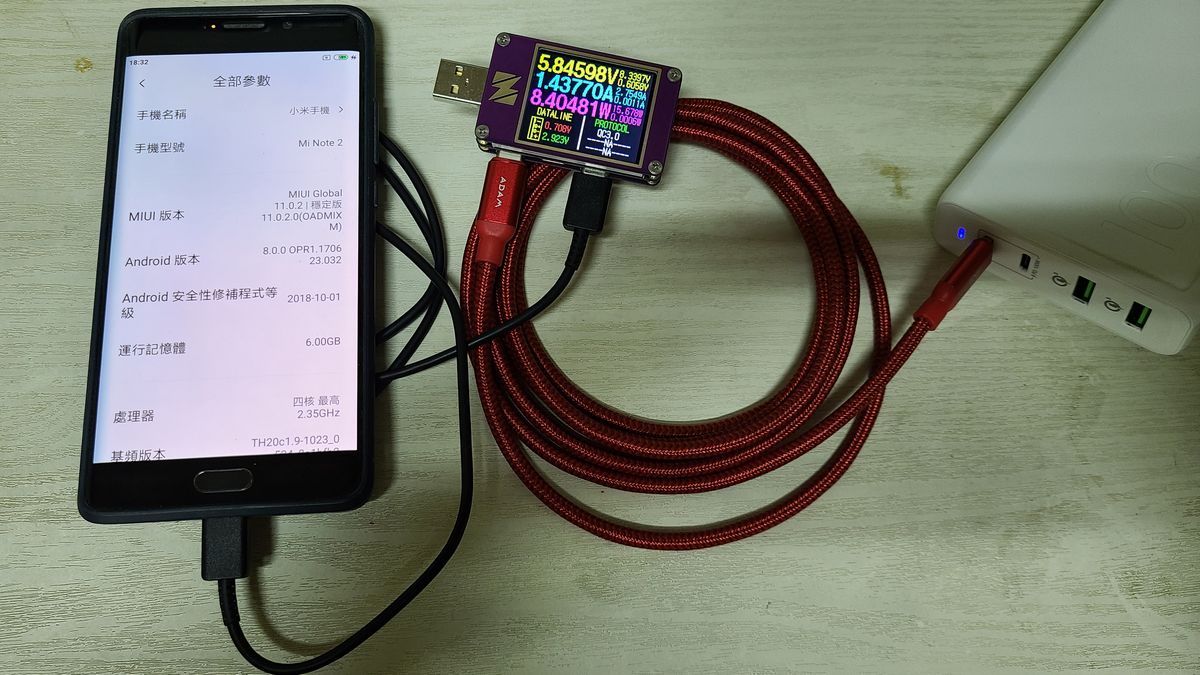
You plug in, walk away, come back, and the phone’s too hot to hold comfortably. Your gut says the battery’s dying. It usually isn’t. A phone overheating while charging is, nine times out of ten, a physics problem you accidentally created, not a hardware failure you’re stuck with. Charging pours energy into a sealed slab of glass and metal, and any energy that doesn’t make it into the battery leaves as heat. The whole game is figuring out where that stray heat is coming from and stopping it at the source, because sustained charge-heat is the one thing that genuinely does age your battery faster.
Here’s the important reframe before we go further: warm during charging is normal. A phone that’s mildly warm at the top edge while pulling 25 watts is behaving exactly as designed. The problem is hot — uncomfortable to hold, throttling to a crawl, or throwing an actual temperature warning. That’s the line we’re chasing, and almost every cause below is fixable in under a minute without spending a dime.
Published July 8, 2026 · Last updated August 25, 2026
- A phone overheating while charging is usually caused by high current draw, using the phone while it charges, a cheap cable, or trapped heat — not a dead battery.
- Warm is fine; hot enough to throttle or throw a warning is the signal to act. Your phone protects itself by slowing the charge, which is why a hot phone also charges painfully slowly.
- The single biggest heat multiplier is gaming or streaming while plugged in — you’re running the two hottest jobs a phone can do at the same time.
- Never put an overheated phone in the fridge or freezer. Condensation forms inside and can short the logic board. This “fix” kills phones.
- Sustained heat during charging is what actually degrades a lithium-ion battery over time, so fixing the heat also protects your battery’s long-term capacity.
What “Too Hot” Actually Means When You’re Charging
Before you troubleshoot, you need a real threshold, because “it feels hot” is doing a lot of unspoken work. Lithium-ion phone batteries are happiest between roughly 20°C and 35°C (68–95°F). Manufacturers design the phone to keep charging comfortably up to around 40°C. Push past that and the phone’s thermal management kicks in — it dims the screen, slows the processor, and throttles the charging current to shed heat. Apple states plainly that iOS may stop charging above 35°C ambient and will show a temperature warning screen when things get serious; Android phones do the same with their own on-screen alerts.
So the real diagnostic isn’t the number on a thermometer you don’t have. It’s behavior. If your phone is charging slowly and running hot, that’s not two problems — it’s one. The heat is causing the slow charge. The phone is deliberately choking the current to cool itself down. That single insight reframes most “my phone charges so slow now” complaints as heat complaints in disguise.
A phone that’s warm only around the charging port and top third is normal — that’s where the charging circuitry and modem live. Heat spread across the whole back, or concentrated behind the camera bump while idle, is the pattern worth chasing.
Why Is My Phone Overheating While Charging? The Real Causes
This is where most articles hand you a generic list. The causes below are ranked by how often they’re the actual culprit and, more usefully, by how the heat gets generated — because once you understand the mechanism, the fix is obvious. Each one is a distinct thing you can rule in or out in seconds.
Fast Charging Is Dumping More Power Than the Battery Can Absorb Cleanly
Modern fast charging shoves 25, 45, even 120 watts into a battery in a hurry, and no charging process is 100% efficient. The energy lost to internal resistance during that transfer comes out as heat — and the faster you push, the more of it there is. This is the baseline warmth you’ll always feel on a fast charger, and by itself it’s fine. It becomes a problem when it stacks on top of everything else on this list.
Keep in mind: Peak heat happens in the 0–50% window, where the phone accepts the highest current. Above roughly 80% it deliberately tapers to a trickle, which is why the last stretch is slow and cool. If your phone runs hot only at the start of a charge and settles down, that’s normal fast-charging behavior, not a fault.
You’re Using the Phone While It Charges — This Is the Big One
This is the cause people refuse to believe and it’s the most common one by a mile. Gaming, video streaming, video calls, GPS navigation, or downloading a big update all fire up the processor, GPU, screen, and modem — the hottest-running parts of the phone. Do that while charging and you’re running the two most heat-intensive jobs a phone can do simultaneously, in a sealed body with no fan. The heat doesn’t add; it compounds, because the charging circuit and the chip are now fighting for the same limited ability to dump heat out through the frame.
If you must use the phone heavily, unplug it first, or at minimum drop the graphics settings and screen brightness while it’s on the cable. A 30-minute gaming session off the charger produces far less total heat than the same session plugged in.
Your Cable or Charger Is Cheap, Counterfeit, or Mismatched
A poorly made or counterfeit cable has higher resistance and worse voltage regulation, so more of the power turns into heat right there in the wire and the connector instead of reaching the battery. Counterfeit chargers are worse — they often skip the safety and temperature-control circuitry the real ones have, which is exactly the circuitry that’s supposed to prevent overheating. A frayed cable or a loose, wiggly connection at the port does the same thing on a smaller scale, generating heat at the point of poor contact.
The catch: Mismatched can also mean underpowered. Charge a fast-charge phone from a weak or wrong-protocol brick and it may run inefficiently and warm without ever charging quickly — the worst of both worlds. Match the charger to what your phone actually supports; the brick and cable that came in the box are the safe default.
Heat Has Nowhere to Go — Soft Surfaces, Thick Cases, and Direct Sun
Your phone sheds heat through its metal-and-glass body into the surrounding air. Bury it under a pillow, leave it on a couch cushion or on your bed while it charges overnight, and you’ve wrapped an electric blanket around a heat source. Thick, insulating cases do a milder version of the same thing. And charging a phone sitting in direct sunlight or in a hot car adds the environment’s heat on top of the charging heat, which is a genuinely fast way to hit the warning screen.
The fix is just as physical: charge on a hard, cool, open surface — a desk, a nightstand, a tabletop. If it’s already running warm, pop the case off for the rest of the charge. That single change can drop the surface temperature by several degrees because you’ve restored the phone’s ability to breathe.
The Battery Is Aged and Fighting Back
Here’s the one that actually is the hardware. As a lithium-ion battery ages, its internal resistance climbs. Higher resistance means more of the charging energy is wasted as heat rather than stored — so an old battery runs hotter doing the exact same charge a new one handled cool. If your phone is two or three years old, has been through hundreds of cycles, and has started overheating on chargers and cables that were always fine before, the battery itself is the likely suspect. This is the point where the fix stops being free.
You can confirm this yourself. On an iPhone, Settings → Battery → Battery Health shows Maximum Capacity; once it drops below about 80%, expect more heat and worse charging. Most Android phones expose a similar figure in Settings or via the manufacturer’s diagnostics. A worn battery paired with heat is a service conversation, not a settings tweak.
The One Thing You Should Never Do to a Hot Phone

Somebody, somewhere, is about to put their overheated phone in the freezer. Do not do this. A rapid temperature drop makes water vapor condense inside the phone, on the logic board and around the battery — the same way a cold glass sweats on a summer day. That moisture can short circuits and corrode contacts, and unlike the overheating you started with, this damage is often permanent and not covered by warranty. You’d be trading a one-minute fixable problem for a dead phone.
Warning: Never refrigerate, freeze, or run cold water over a hot phone, and don’t blast it with an AC vent to force-cool it. Cool it the safe way: unplug it, take the case off, and set it on a hard surface in normal room-temperature air. It’ll come back down on its own in a few minutes.
How to Stop Phone Overheating While Charging in Five Steps
You don’t need to guess. Work through this in order and you’ll fix the vast majority of cases before you get to the bottom. Each step rules out a whole category of cause.
Step One, Stop Touching It While It Charges
Put it down and let it charge. No gaming, no streaming, no navigation on the cable. This alone resolves more overheating complaints than any other single step, because it removes the biggest heat multiplier. If the phone charges cool when you leave it alone, you’ve found your answer and you’re done.
Step Two, Move It to a Hard, Cool, Open Surface
Off the bed, off the couch, out of the sun, out from under anything. A bare desk or nightstand. If it’s in a thick or rugged case and still warm, take the case off for this charge. You’re giving the heat somewhere to go.
Step Three, Swap the Cable and Charger for Known-Good Ones
Use the charger and cable that came with the phone, or a reputable brand-name replacement that matches your phone’s charging standard. If a suspiciously cheap no-name cable was in the loop, this is often the whole problem. Check the port too — blow out lint, make sure the plug seats snugly with no wiggle.
Step Four, Charge Slower on Purpose
If it still runs hot, stop fast-charging it. Use a lower-wattage brick, or turn on your phone’s optimized/slow-charging setting if it has one. You’ll trade some speed for a noticeably cooler charge — a good trade overnight, when you don’t need the speed anyway. Charging to 80% instead of 100% keeps the phone out of the hot, high-current part of the cycle entirely.
Step Five, When It’s Still Hot It’s Hardware
Ruled out usage, surface, cable, and speed and it still overheats? Now check battery health, and if it’s degraded — or if the phone gets alarmingly hot, swells, or the back feels like it’s bulging — stop charging it and get it looked at by a professional. A swollen battery is a safety issue, not a maintenance one.
Important: A battery that is visibly swollen, hot to the point you can’t hold the phone, or leaking is a fire and injury risk. Stop using it, don’t puncture it, and take it to an authorized repair center. This is the one scenario where you don’t troubleshoot — you get help.
Phone Overheating and Battery Draining at the Same Time? Here’s the Link
A lot of people hit both at once: the phone’s hot and the battery seems to be vanishing even while it’s plugged in. These aren’t two separate faults — they’re two symptoms of the same root cause. If a heavy app or a stuck background process is hammering the processor, it generates heat and drains power faster than the charger can replace it. You can literally watch the percentage drop while it’s on the cable during an intense game. The phone is a bucket with the tap on and a hole in the bottom, and the hole is bigger than the tap.
The heat and the drain feed each other, too. Heat makes the phone throttle and behave inefficiently, which wastes more power, which makes more heat. Break the cycle by killing the demand: close the hungry app, and if you can’t find it, a restart clears whatever runaway process was stuck. If your phone is hot and draining even at idle with nothing obvious running, that points back to an aging battery or a background app misbehaving — worth an investigation rather than a shrug.
On an iPhone, Settings → Battery shows a per-app breakdown of what’s drained the most in the last 24 hours; Android’s Settings → Battery does the same. The app at the top of that list, if it’s something you weren’t actively using, is your background heat-and-drain culprit.
Why Fixing the Heat Actually Protects Your Battery
This is the part that makes the whole exercise worth it beyond comfort. Heat is the number-one enemy of lithium-ion battery lifespan — more than charge cycles, more than fast charging on its own. Every stretch of time a battery spends hot, especially hot and at a high state of charge, permanently shaves a little off its maximum capacity. That’s why a phone left charging on a hot dashboard ages faster than one charged cool on a desk, even with the same number of cycles.
So the habits that keep your phone cool while charging are the same habits that keep your battery healthy for years: charge cool, don’t game on the cable, and — the pro move — keep the battery roughly between 30% and 80% rather than routinely charging to a full, hot 100% and leaving it there. Modern phones have optimized-charging features that do exactly this for you overnight, holding at 80% and finishing to 100% only just before your alarm. If you want the full picture on why that 30–80% window matters and how capacity fades, our deep dive on what’s really inside your phone battery and why it fades over time walks through the chemistry, and if your battery already feels short, this 10-second Battery Health check tells you whether it’s the battery or your settings.
For the official temperature guidance straight from the source, Apple’s support page on keeping devices within acceptable operating temperatures spells out the exact thresholds and the warning behavior.
Frequently Asked Questions
Is it normal for my phone to get warm while charging?
Yes. Warm is expected, especially in the first half of a fast charge and around the top edge where the charging circuitry sits. Charging pours energy in, and some of it always leaves as heat. The line to watch is hot — uncomfortable to hold, throttling, or throwing a temperature warning. Warm and charging fine is normal; hot and charging slowly is your phone protecting itself, and that’s when you act.
Does using my phone while it charges damage it?
Using it occasionally won’t wreck it, but heavy use while charging — gaming, streaming, navigation — is the single biggest cause of a phone overheating while charging, and sustained heat is what actually degrades the battery over time. The damage isn’t from “using it while plugged in” as a rule; it’s from the heat that heavy use plus charging produces together. Light tasks like texting are fine. Save the graphics-heavy stuff for when you’re unplugged.
Why does my phone charge so slowly when it’s hot?
Because it’s throttling itself on purpose. When a phone detects it’s too warm, its thermal management cuts the charging current to shed heat and protect the battery. So a hot phone and a slow charge are the same problem, not two. Cool it down — unplug, remove the case, move it off soft surfaces — and the charging speed comes right back.
Can a cheap or counterfeit cable make my phone overheat?
Absolutely, and it’s more common than people think. Cheap or counterfeit cables and chargers have higher resistance and often skip the temperature-control and safety circuitry that genuine ones include. That means more heat generated in the cable and connector, and fewer safeguards when things warm up. Use the cable and brick that came with the phone or a reputable brand-name replacement that matches your phone’s charging standard.
Should I put my overheating phone in the fridge to cool it down?
Never. A rapid temperature drop causes condensation to form inside the phone, which can short the logic board and cause permanent, often unrepairable damage. Cool it the safe way instead: unplug it, take the case off, and leave it on a hard surface in normal room-temperature air. It’ll drop back to a safe temperature within a few minutes on its own.
When is overheating while charging a sign I need a new battery?
When you’ve ruled out the free fixes — you’re not using it while it charges, it’s on a cool hard surface, the cable and charger are known-good, and you’re not fast-charging — and it still runs hot. That pattern, especially on a phone two or more years old with hundreds of cycles, points to an aged battery whose internal resistance has climbed. Check your Battery Health figure; if it’s below about 80%, or if the battery is visibly swollen, it’s time for professional service.