You bought the doorbell. You own the hardware. So why does half the industry act like the footage of your own front porch belongs to them until you pay rent on it? A genuine video doorbell without subscription fees isn’t a myth or a compromise pick — it’s a specific, well-understood category of hardware that stores your clips locally or leans on storage you already pay for, and it’s been quietly good for a few years now. The catch is that “no subscription” means something different on every brand’s spec sheet, and if you don’t know which flavor you’re buying, you’ll find out the hard way the first time you actually need a clip.
- A real video doorbell without subscription works one of three ways: it saves clips to its own hub or a microSD card, it gives you a free cloud tier that’s actually usable, or it rides on Apple’s HomeKit Secure Video using storage you already own.
- Ring and Google’s Nest doorbells hand you live video free forever, but scrolling back is where the meter starts: Ring’s plans run from a few dollars a month to four times that, and a Nest doorbell keeps only a three-hour rolling window of free history before Google Home Premium, billed monthly takes over.
- Eufy and Wyze are the most “just works” picks because local storage is the default, not a workaround you have to dig for in a settings menu.
- HomeKit Secure Video is genuinely subscription-free from the doorbell maker’s side, but it still rides on an iCloud+ plan that starts at under a dollar a month in the US — a cheaper loophole, not a free one, unless you’re already paying Apple for storage.
- Local-only storage trades convenience for privacy and cost: no monthly bill, but also no automatic off-site backup if the hardware gets stolen or fails.
Why Nearly Every Video Doorbell Tries to Sell You a Subscription
Here’s the part the marketing copy skips: recording and hosting video from millions of doorbells is genuinely expensive, and the doorbell itself is usually sold near cost or even at a loss to get it onto your door. Ring popularized the modern video doorbell, and Amazon’s entire playbook has been to treat the hardware as a customer-acquisition cost and the Ring Protect subscription as the actual business. That’s not a conspiracy theory — it’s the same razor-and-blades model printers and game consoles use, and it explains a detail that trips up a lot of first-time buyers. Ring will show you a live feed for free, forever, and Ring’s own subscription page confirms its products “provide certain features without a plan” — but saving and replaying events isn’t one of them, because Video Event History sits under every paid Ring plan. Google is quietly more generous and almost never gets credit for it: a Nest doorbell includes three hours of free event video history, with clips running up to three to five minutes depending on the model. Three hours is enough to catch a delivery you noticed the same afternoon. It is useless for the porch pirate who came by while you were at work. You’re not paying for the camera to work. You’re paying for it to remember.
Note: Ring’s entry tier is Ring Solo for one device, with Ring Multi at roughly double that and Ring Pro at four times it (tiers checked on ring.com July 28, 2026). Three years on the cheapest annual plan costs more than most of the doorbells here — spent to keep watching footage from hardware you already own outright.
The companies that skip this model — Eufy, Reolink, Wyze, and Aqara among them — made a different bet: sell the hardware with real local storage built in (or store it on infrastructure the customer already owns, like an Apple iCloud plan), and compete on the fact that you’ll never see a recurring bill. It works because a doorbell’s storage needs are modest and predictable — you’re not archiving 4K movies, you’re archiving 20-second motion clips — so a cheap on-device chip or an inexpensive microSD card can comfortably hold months of footage without needing a server farm at all.
How These Doorbells Skip the Subscription Without Skipping the Footage
There isn’t one trick here — there are three distinct engineering approaches, and which one fits you depends on what hardware you already own and how much you trust a piece of plastic on your porch to hold your only copy of the evidence.
Built-In or Hub-Based Local Storage
This is the most common no-subscription approach and the one Eufy, Wyze, and (optionally) Reolink and Aqara all use. The doorbell either has onboard flash memory or writes directly to a microSD card, and some brands add an indoor hub (Eufy’s HomeBase, Reolink’s Home Hub) that holds a much larger drive and talks to the doorbell over your home Wi-Fi. Recording, motion detection, and playback all happen without a single packet leaving your network unless you choose to view remotely through the app. The tradeoff is that your only backup lives at the point most likely to get stolen or damaged — the doorbell itself, or a hub sitting a few feet from your front door.
A Free Cloud Tier That’s Actually Usable
Aqara is the cleanest example of a free tier that isn’t a trial in disguise: the company advertises seven days of free cloud storage on the G4 “without any hidden fees”, with no memory card required at all. Reolink attacks the same problem from the other direction — its doorbell page sells “24/7 Recording, No Monthly Fees” through a card, an NVR, or its own hub, while Reolink Cloud stays a separate paid product rather than a free allowance. Seven free days is no substitute for a paid multi-camera plan, but for one front door it’s usually enough runway to notice a package vanished and pull the clip before it rolls off.
Riding on HomeKit Secure Video You Already Pay For
If you’re already an iPhone household paying for iCloud+, Apple’s HomeKit Secure Video turns that existing subscription into free doorbell storage. Video is end-to-end encrypted and analyzed on your home hub — an Apple TV or HomePod — rather than on Apple’s servers, and Apple’s own documentation spells out the detail most buyers miss: “Video content doesn’t count against your iCloud storage limit”, and the Home app keeps the last 10 days of activity. You’re not buying “doorbell storage.” You’re buying iCloud+, and the doorbell rides along for free.
Four Video Doorbells That Genuinely Work Subscription-Free
These are the models we’d actually point a reader toward if the entire goal is skipping the monthly bill, not just “technically supports local storage” buried three menus deep.
Eufy Video Doorbell E340 Stores Everything Locally by Default
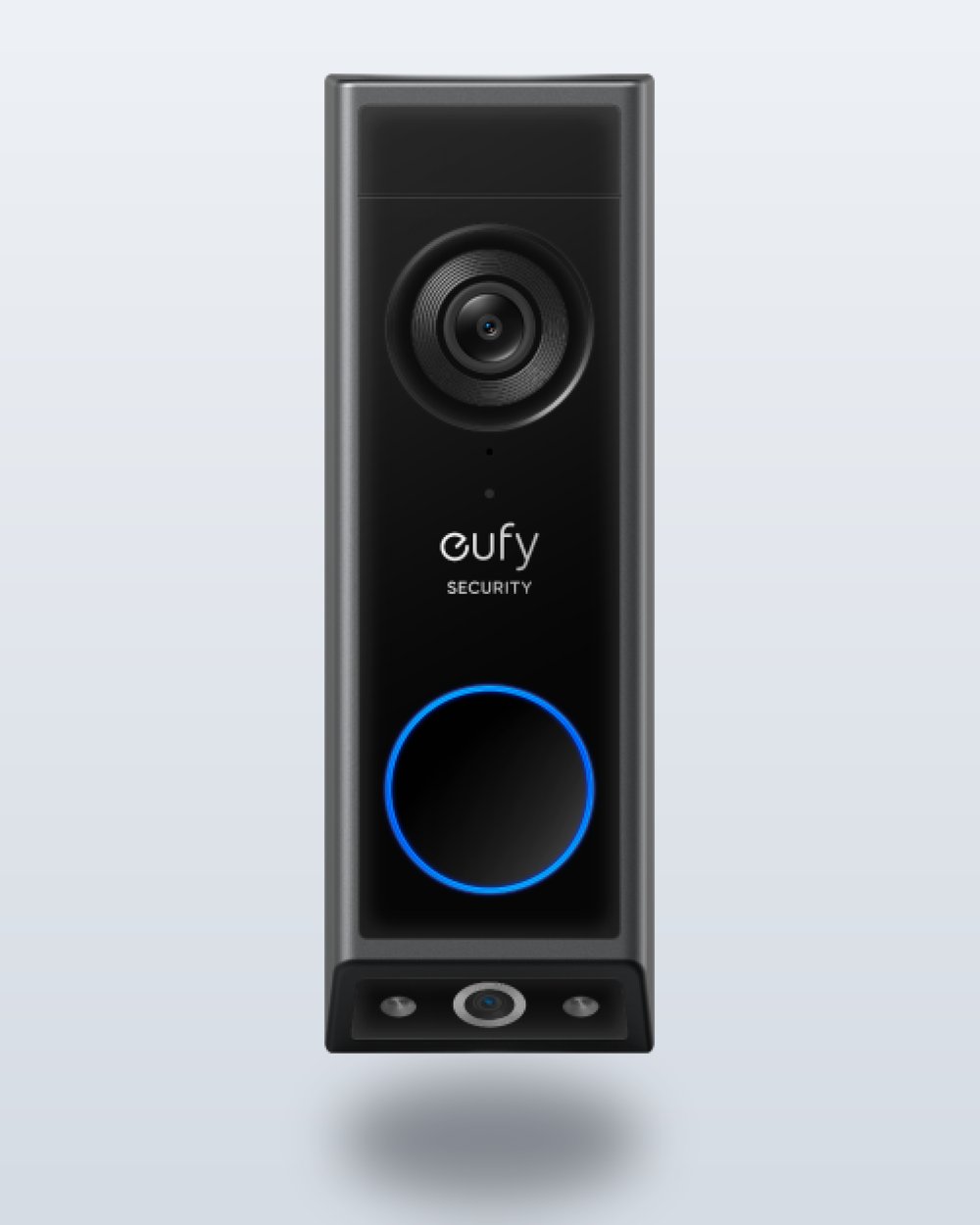
Eufy built its entire security lineup around the promise of “no monthly fee,” and the E340 is the cleanest execution of that idea in a doorbell. Eufy’s own spec sheet lists 8GB of local storage on the device behind 2K dual cameras (one facing out, one aimed down at your porch), and it works standalone — no HomeBase hub required, though pairing one (sold separately) extends storage and adds local AI recognition. Eufy prices it mid-pack for the category, and you can run it on battery or wire it into your existing chime wiring. The honest downside: eufy doesn’t publish how many days that 8GB actually buys you, and once the space fills the doorbell overwrites the oldest clips — so if you want a real archive rather than a rolling window, you’ll eventually want the HomeBase.
Reolink Video Doorbell WiFi Puts a MicroSD Card to Work
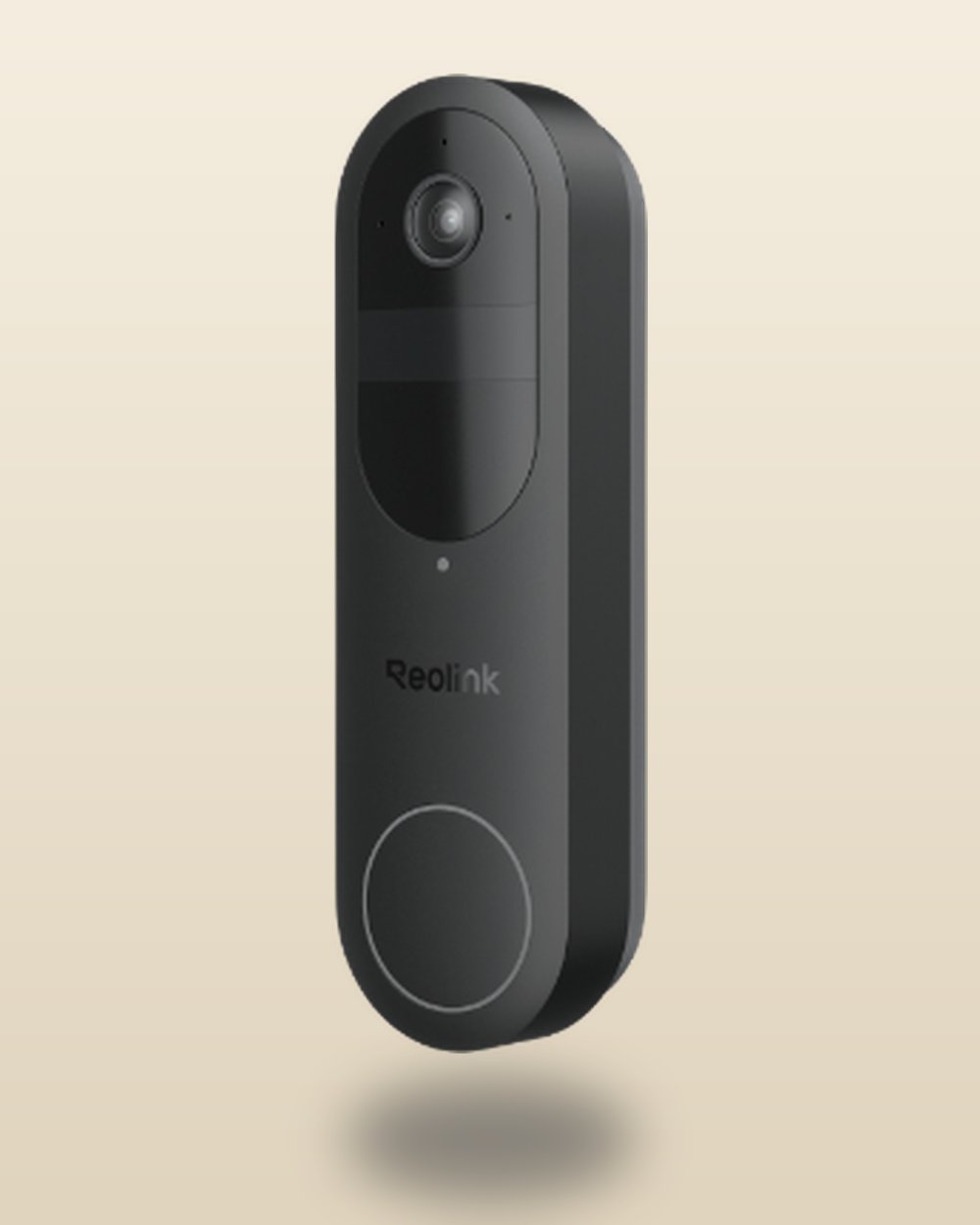
Reolink’s wired doorbell shoots 5MP (2560×1920) footage and, in Reolink’s own words, does “24/7 Recording, No Monthly Fees” across three storage paths: a microSD card up to 256GB in the unit, an existing Reolink NVR if you already run other Reolink cameras, or the Reolink Home Hub Pro with its pre-installed 2TB hard drive. Reolink doesn’t publish a fixed price on that spec page and street pricing generally lands in the middle of this group, so check current retailer listings — Reolink runs frequent sales. If you’re already invested in a Reolink camera system, this is the doorbell that slots in without adding a second ecosystem to manage — and if you’re starting from zero, a 256GB microSD card is a cheap one-time purchase that will hold months of doorbell clips.
Tip: Buy a “high endurance” or “surveillance-rated” microSD card, not a standard consumer card meant for a phone or camera. Doorbells write near-continuously, and cheap cards wear out and start silently dropping clips within a year under that workload — the endurance-rated ones are built for exactly this write pattern.
Wyze Video Doorbell v2 Is the Budget No-Subscription Pick
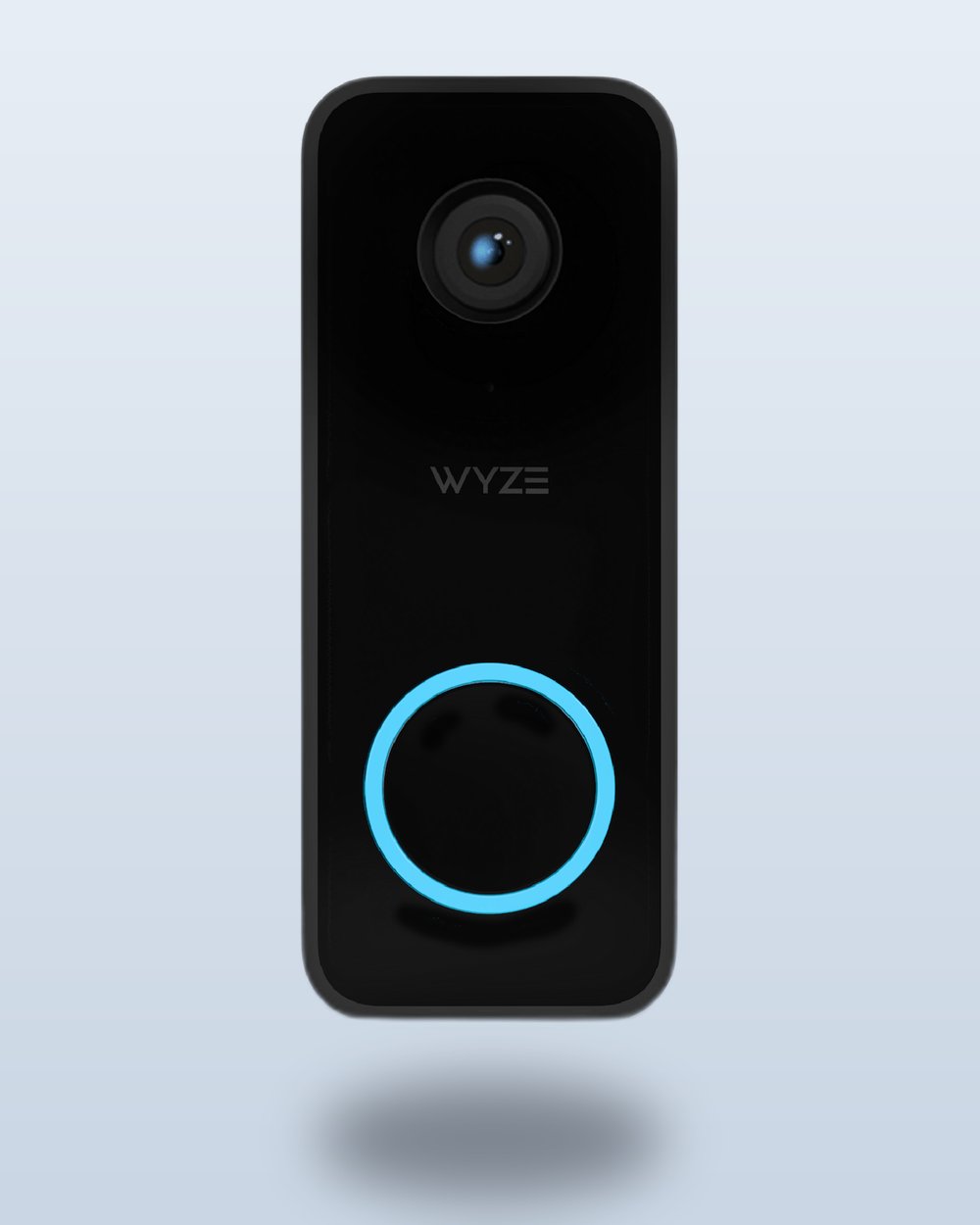
Sold direct on Wyze’s own store, the v2 undercuts every other doorbell here by a wide margin without cutting the corner that matters: Wyze’s product page describes local storage up to 256GB for 24/7 continuous recording, not just motion-triggered clips. Wyze still sells Cam Plus — the checkout page notes it auto-renews monthly per camera — but it’s optional, and what it buys is cloud event storage plus AI person, package and vehicle detection. Two-way audio, real-time alerts and motion-activated voice deterrence are listed as doorbell features, not subscription features. The tradeoff for the price is that it’s wired-only (no battery option) and caps out at 2K resolution rather than the sharper output some pricier doorbells offer.
Aqara G4 Turns Apple Hardware You Already Own Into Free Cloud Storage
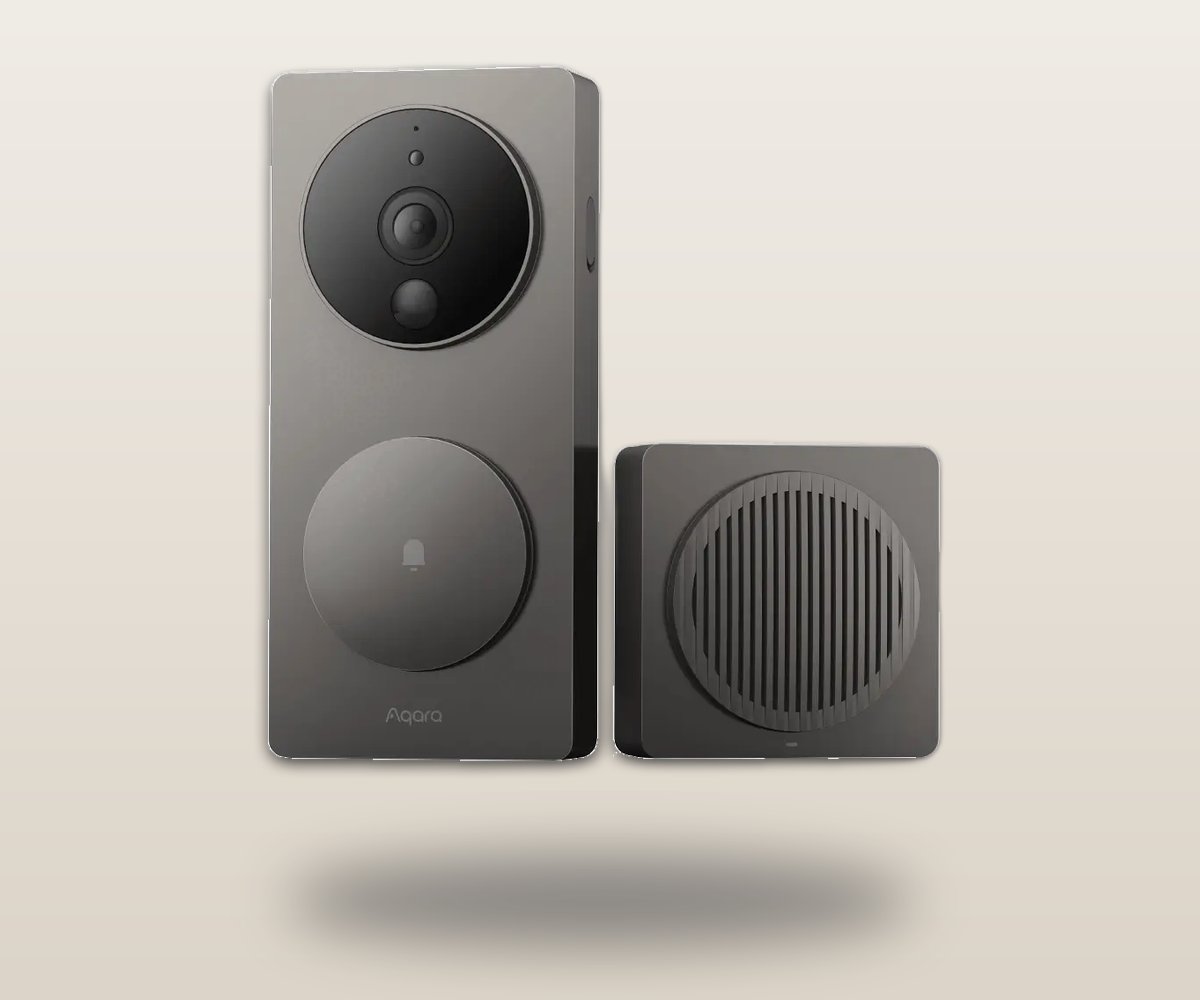
The Aqara G4, sold on Aqara’s US store, is the doorbell to buy specifically because it hedges every bet. Aqara’s spec page lists a microSD card up to 512GB housed inside the indoor Chime Repeater — out of a thief’s reach — with 24/7 recording available only in wired mode, seven days of free cloud clips with no card at all, and full HomeKit Secure Video support. Power comes from a six-battery pack Aqara rates at up to four months, or a wired connection with the batteries as backup. For an Apple household, this is the doorbell that lets you pick whichever no-subscription path suits you — local card, Aqara’s own free cloud, or HomeKit Secure Video — without buying different hardware for each option.
Video Doorbell Comparison at a Glance
Prices, storage limits and plan tiers below were checked against each manufacturer’s own product or subscription page on July 28, 2026. Hardware prices move constantly — re-check before you buy.
| Doorbell | Price | Power | Local Storage (No Fee) | Free Cloud Option | What Actually Needs a Subscription |
|---|---|---|---|---|---|
| Eufy Video Doorbell E340 | Priciest here | Battery or wired | 8GB built-in on device; more with optional HomeBase | Not needed | Nothing for core recording |
| Reolink Video Doorbell WiFi | Mid-pack (check current pricing) | Wired | microSD up to 256GB, NVR, or 2TB Home Hub Pro | None — local-first; Reolink Cloud is a separate paid service | Nothing for core recording; Reolink Cloud only if you want off-site copies |
| Wyze Video Doorbell v2 | Cheapest here | Wired only | microSD up to 256GB, true 24/7 recording | Not applicable (local-first) | Cam Plus (optional monthly fee per camera) only for cloud storage & AI detection |
| Aqara G4 | Lower mid-pack | Battery (~4 months) or wired | microSD up to 512GB via included chime hub | 7-day event clips | iCloud+ (cheapest tier) only if using HomeKit Secure Video |
What You Actually Give Up When You Skip the Subscription
This is the section every “no subscription” roundup conveniently shortens, and it’s the part that actually determines whether one of these doorbells is right for you.
Caveat: Local storage lives at the exact location a package thief or intruder is standing. If someone rips the doorbell off the wall or takes the indoor hub, they can take your only copy of the footage with them. Cloud-recorded doorbells upload clips off-site the moment they happen, which is the one genuine security advantage a subscription buys you.
The bigger, less obvious cost is convenience at scale. Subscription cloud plans exist to solve real problems: instant clip sharing with neighbors or police, footage that survives a stolen or fried doorbell, cross-device family access without passing around a single hub’s local network credentials, and — on the higher tiers — AI features like package and familiar-face detection that are computationally expensive enough that most local-only doorbells simply don’t attempt them. Wyze and Ring both gate their better AI detection behind a paid tier for exactly this reason: running real-time person/package/vehicle classification is cheap to do once in the cloud across millions of devices, expensive to replicate well on a cheap piece of doorbell hardware.
Keep in mind: every doorbell on this list, subscription or not, will show you a live view for free. The subscription question only matters the moment something happens while you weren’t watching — that’s the exact moment recorded history either exists or doesn’t.
If your main use case is “I want to see who’s at the door and grab a clip if a package goes missing,” local storage covers that completely. If you’re trying to build a full home-security posture with off-site backup, multi-user access, and person/vehicle AI across several cameras, you’ll eventually run into the limits of a no-subscription setup — and at that point the honest answer is that you’re not the audience for this category of doorbell.
What Happens if a Company Retires Its Free Tier
“Free forever” is a marketing position, not a contract, and there are receipts. Wyze’s Cam Plus Lite — the name-your-price tier plenty of owners simply ran for free — is now documented by Wyze as a legacy plan: it can no longer be signed up for or assigned to new devices, though people who joined before March 2022 were grandfathered in. Reolink runs the same playbook on the paid side, keeping a support page explaining that retired cloud plans become “legacy” plans you may only cancel, renew, or swap within the same retired batch. And Reolink is blunt about the endgame for your clips: once a cloud plan lapses, uploads stop and stored recordings “will be erased according to the cloud video history time”. That is the structural case for local storage over any free cloud allowance. A microSD card in your hallway cannot be deprecated in a pricing meeting, and nobody can end-of-life the footage already on it.
Is HomeKit Secure Video the Best Subscription Loophole for Apple Households?
For anyone already carrying an iPhone and paying for iCloud, Apple’s HomeKit Secure Video is close to the best version of this trade-off — but it’s worth being precise about what it actually is, because “subscription-free” is doing some marketing heavy lifting here.
The catch: HomeKit Secure Video is not free. You need an iCloud+ plan. Apple’s US pricing, checked July 28, 2026, starts at under a dollar a month for 50GB (one HomeKit camera), steps up for 200GB (up to five cameras), and again for 2TB and unlimited cameras. What makes it a genuine no-subscription doorbell is that the doorbell manufacturer — Aqara, in this case — charges nothing extra on top of that. You’re paying Apple once for storage you likely already wanted for photos and backups anyway, not paying a second, doorbell-specific fee.
Compare that to the real-world math: a single Ring Solo plan bills every month just for one doorbell’s recording history. The entry iCloud+ tier, a fraction of that, covers HomeKit Secure Video for one camera and gives you 50GB of general iCloud storage on top, since HomeKit footage doesn’t count against the quota. For an existing Apple household, that’s a meaningfully cheaper path to the same recorded-history outcome — you’re just paying Apple instead of Ring, and getting general cloud storage as a bonus rather than a doorbell-only fee.
If you’re deep in the Android or general smart-home world instead, this path doesn’t apply to you at all — HomeKit Secure Video only works with Apple’s Home app and an Apple ID, so it’s specifically the loophole for households already inside that ecosystem, not a universal fix. In that case, a local-storage pick like Eufy or Wyze is the more direct route to the same goal, and it’s worth reading how the pieces fit together if you’re just starting to set up a smart home for the first time rather than adding one more single-purpose gadget.
Frequently Asked Questions
Can I really use a video doorbell without ever paying a subscription?
Yes, for the core function of recording and reviewing footage. Eufy, Wyze, and Reolink all support genuine local storage with zero required monthly fee, and Aqara adds a free cloud tier and a HomeKit Secure Video path on top of that. What you can’t get subscription-free from any of them is the extra stuff — AI person/package detection on some brands, off-site backup, or multi-camera cloud plans — those still cost money because they’re genuinely expensive to run at scale.
What’s the real difference between “no subscription” and “free trial”?
A lot of doorbells marketed with words like “smart” or “free” quietly mean a 30-day or 6-month trial of a paid plan, after which recording stops unless you subscribe. The doorbells in this guide are different: their core local recording has no expiration date and no trial clock, because the storage is either physically in your house (a microSD card, a hub) or backed by a cloud plan you’re already paying for independently (iCloud+). Always check whether “free” on a spec sheet means “free forever” or “free trial” before you buy.
Does HomeKit Secure Video count as a truly free option?
Not entirely — it requires an active iCloud+ subscription starting at under a dollar a month, so there’s a real ongoing cost. It counts as a subscription-free doorbell specifically because Apple doesn’t charge extra per-camera and the doorbell manufacturer doesn’t add its own fee on top; you’re paying once for storage that likely already serves your phone backups too.
Is local storage on a video doorbell as reliable as cloud storage?
For day-to-day use, yes — clips save instantly and play back over your home Wi-Fi with no upload lag. The real gap is disaster resilience: if the doorbell or hub is stolen, destroyed, or suffers a hardware failure, local footage can be lost with it, while cloud-recorded footage already left the building the moment it was captured. If that specific risk worries you, pairing local storage with an occasional manual backup to a NAS or computer closes most of the gap.
Can I switch from a subscription doorbell like Ring to a subscription-free one later?
Yes, and it’s a straightforward swap in most cases — you’re replacing the physical hardware at the door and setting up a new app, not migrating an account. The one thing to plan for is your existing doorbell wiring and chime: Ring, Eufy, Wyze, Reolink, and Aqara doorbells all have slightly different wiring and transformer voltage requirements, so it’s worth checking your model’s install guide (or going battery-powered) before you commit to swapping brands.
Do subscription-free doorbells still get security and firmware updates?
Yes — firmware and security updates are separate from the cloud-recording subscription on every brand covered here, and all four companies continue pushing updates to devices with no active paid plan. Subscriptions gate storage and advanced AI features, not the basic software maintenance that keeps the doorbell secure and functional.