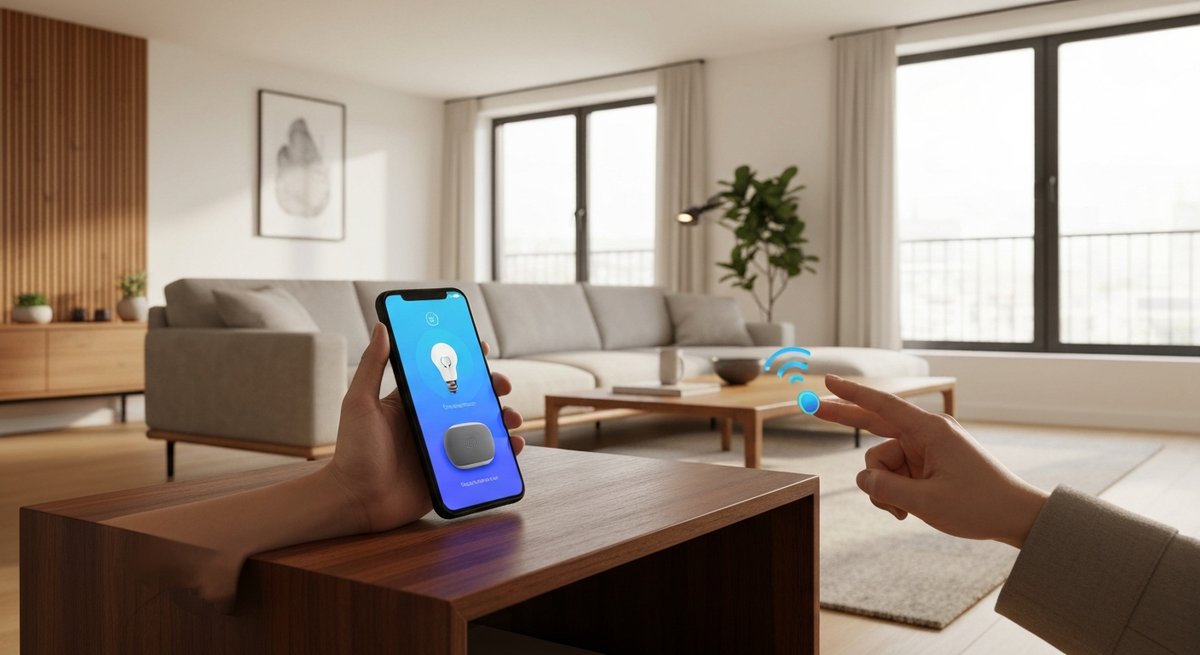
Picture a tangle of apps and gadgets that refuse to talk to each other. That is what most beginners fear. Take a breath — in 2026, it is not like that anymore. Setting up a smart home for beginners is easier and cheaper than it has ever been. The expensive mistake isn’t a wiring problem. It’s buying three gadgets before you check whether they’ll work together. A shared standard called Matter fixes that gamble. A bulb built for Matter will talk to your speaker. A sensor you buy today won’t get orphaned next year. This guide turns the whole decision into a short checklist, not a computer science course.
You’ll prep your Wi-Fi, pick your ecosystem, learn what Matter and Thread actually mean, choose your first devices, set them up, write your first automations, lock down privacy, and set a real budget. You can build something useful for less than a night out, with zero monthly fees. You can do it this weekend, without buying a single thing you’ll regret. Let’s get started.
- The single most expensive beginner mistake: buying a gadget before you check Matter compatibility. Check that first and you’ll skip almost every return in this guide.
- A useful beginner smart home costs less than a night out. No subscriptions. Most of the value comes from your first two or three purchases.
- Two early choices prevent almost all frustration: turn on 2.4 GHz Wi-Fi and update your router firmware first, then pick the ecosystem that matches your phone.
- Buy Matter-certified gear. The certified catalog has passed 750 products. Thread 1.4 has been required in new border routers since January 2026, and it keeps your mesh reliable.
Prep Your Wi-Fi and Network First
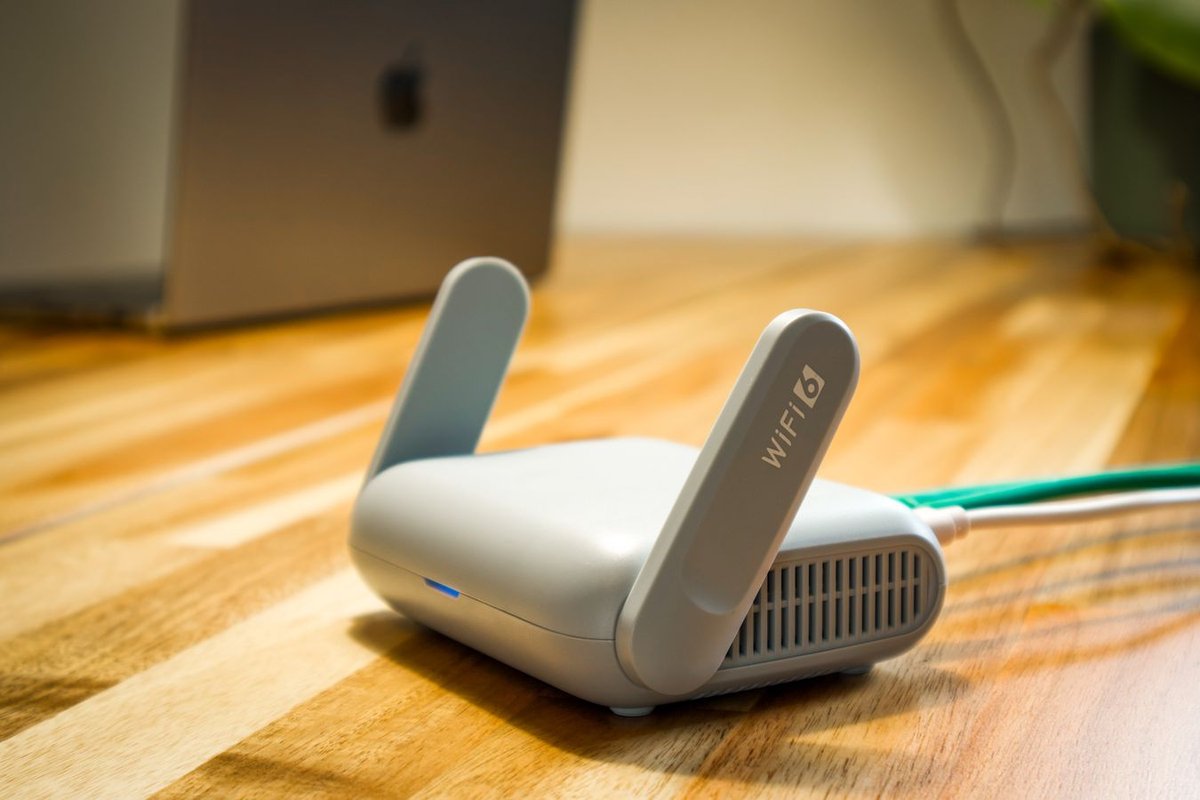
It’s tempting to skip straight to buying gadgets. Don’t. The most common reason a beginner smart home feels “flaky” is a network that was never set up for it. Five minutes of prep now saves you weeks of dropped commands later.
- Confirm your 2.4 GHz Wi-Fi is on. Most affordable plugs, bulbs, and sensors connect over 2.4 GHz, not the faster 5 GHz or 6 GHz bands. That’s because 2.4 GHz reaches farther and passes through walls better. If setup keeps failing, log into your router and make sure 2.4 GHz is turned on. A lot of “this won’t pair” complaints come from a phone stuck on a 5 GHz-only network.
- Update your router firmware first. Old router firmware is a top cause of cameras and sensors dropping offline weeks after they worked fine. Most routers have an auto-update toggle in their app. Turn it on now. You just removed a whole category of future headaches.
- Map your dead zones honestly. A device in a far bedroom or garage is only as reliable as the Wi-Fi reaching it. If your phone struggles to load a page there, a smart plug will too. A mesh system or one extender fixes this. Many mesh routers, including several eero models, also work as Thread border routers — which you’ll want anyway. If yours can’t reach the whole house, our current best WiFi router picks for 2026 cover which models double as Thread border routers.
- Keep your phone on Wi-Fi during setup. Most apps hand off Wi-Fi credentials to a new device. Your phone needs to be on the same 2.4 GHz network the device will join. If pairing stalls, try turning off cellular data for that one setup.
Tip: No plain “2.4 GHz” toggle in your router’s app? Look for “Smart Connect” or “band steering” instead. Turn that off during setup. It forces 2.4 GHz to show up under its own name, and it clears up most first-time pairing failures. If your Wi-Fi is unreliable even before you add smart devices, fix that first — see why your WiFi keeps disconnecting before you blame any gadget.
Pick Your Ecosystem
Before you buy a single bulb, pick your “ecosystem” — the main app and voice assistant that runs everything. This is the biggest decision in the whole process. It decides which devices feel effortless and which feel like a chore. Good news: a single Matter device can pair to up to five ecosystems at once. You’re not locked in forever. Still, pick one home base and commit to it.
There are four major options in 2026, each with a clear personality:
- Apple Home (HomeKit): Best for privacy, and for households already living in iPhones and iPads. Apple runs many routines and voice commands right on your HomePod or Apple TV, not in the cloud. That keeps things fast and keeps data at home. Its Thread support is among the strongest, so sensors and locks stay solid. The trade-off: cheap compatible hardware is harder to find than with Alexa.
- Google Home: Best for natural voice control, and the obvious fit if you live in Android phones and a Google account. Gemini-powered voice features forgive loose phrasing, so “make it cozy in here” can trigger a whole scene. It also pairs cleanly with Nest cameras, thermostats, and displays.
- Amazon Alexa: The easiest and usually the cheapest to set up. It has by far the widest range of cheap hardware and the biggest catalog of “skills.” If you just want working voice-plus-plugs for the least money, Alexa is the path of least resistance. Echo speakers go on sale constantly.
- Samsung SmartThings: The strongest pick for tinkerers, and a natural fit if you own Samsung phones or appliances. It’s also the first major platform to expose the new Matter camera category to users. If a security camera is a near-term goal, look here first.
The honest shortcut: match the ecosystem to the phone in your pocket. iPhone owners default to Apple Home. Android owners default to Google Home. Budget-first buyers default to Alexa. That one choice removes most future friction, because it’s the app you’ll open ten times a day anyway.
Caveat: switching ecosystems later won’t break your Matter devices — they’ll just re-pair to the new app. But voice routines, scenes, and anything non-Matter (older Zigbee bulbs on a bridge, a camera tied to one brand’s subscription) won’t carry over on their own. Budget one evening to rebuild them if you ever switch. It’s not a five-minute swap.
Understand Matter and Thread in Five Minutes
Two words dominate smart home shopping in 2026. Beginners deserve a plain explanation, not marketing fog.
Matter is a shared connectivity standard. Apple, Google, Amazon, Samsung, and hundreds of other manufacturers back it through the Connectivity Standards Alliance. A product with the Matter logo works across all the major ecosystems at once. Buy a Matter plug for Alexa today, and it still works if you switch to Apple Home next year. The standard has grown fast. Matter 1.4 (late 2024) added energy tools for solar, batteries, heat pumps, and EV chargers. Matter 1.5 (November 2025) added cameras, video doorbells, and motorized blinds and garage doors. The certified catalog has passed 750 products, more once you count color and regional variants. Buying Matter-certified is the single best way to future-proof your money. For a deeper look at how Matter compares to older protocols, see our companion guide on Matter vs Zigbee.
Thread is a low-power wireless network built for small, often battery-powered devices — sensors, buttons, locks. It runs as a mesh: every mains-powered Thread device relays signal for its neighbors. So coverage actually gets better as you add more gear. Thread devices need a border router to bridge that mesh to your home network. You very likely already own one. Common border routers include the Apple HomePod mini, Apple TV 4K, Google Nest Hub (2nd gen), Amazon Echo (4th gen and newer), Echo Hub, and several eero routers.
One quietly important upgrade for 2026 buyers: Thread 1.4 has been required in every newly certified border router since January 2026. Before this, an Echo and a HomePod mini in the same house could each start their own competing Thread network instead of sharing one. Thread 1.4 fixes that — new border routers now share credentials and join one mesh. That kills most of the “why is my sensor offline” frustration early adopters hit. When you buy a new hub, speaker, or router this year, confirm it supports Thread 1.4.
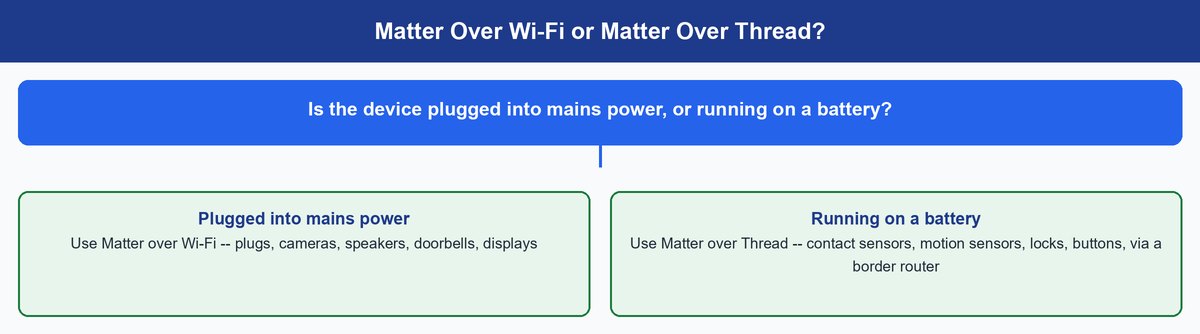
Here’s the only rule of thumb you need:
- Matter over Wi-Fi: best for mains-powered devices near your router — plugs, cameras, speakers, doorbells. They have constant power, so Wi-Fi’s slightly higher energy use doesn’t matter.
- Matter over Thread: best for battery-powered devices — contact sensors, motion sensors, locks, remote buttons. Thread sips power, so a coin-cell sensor can run for a year or more.
A healthy smart home uses both, and Matter handles the switch behind the scenes. You don’t need to memorize which radio a device uses. Just buy the right type for the job and let the app sort it out.
Choose Your Best First Devices
Some links below are Amazon affiliate links — we may earn a commission at no extra cost to you. Resist the urge to automate the whole house on day one. The best beginner devices teach you how automation works while giving you an instant, visible payoff. Start with three or four of these. Get them solid. Then expand.
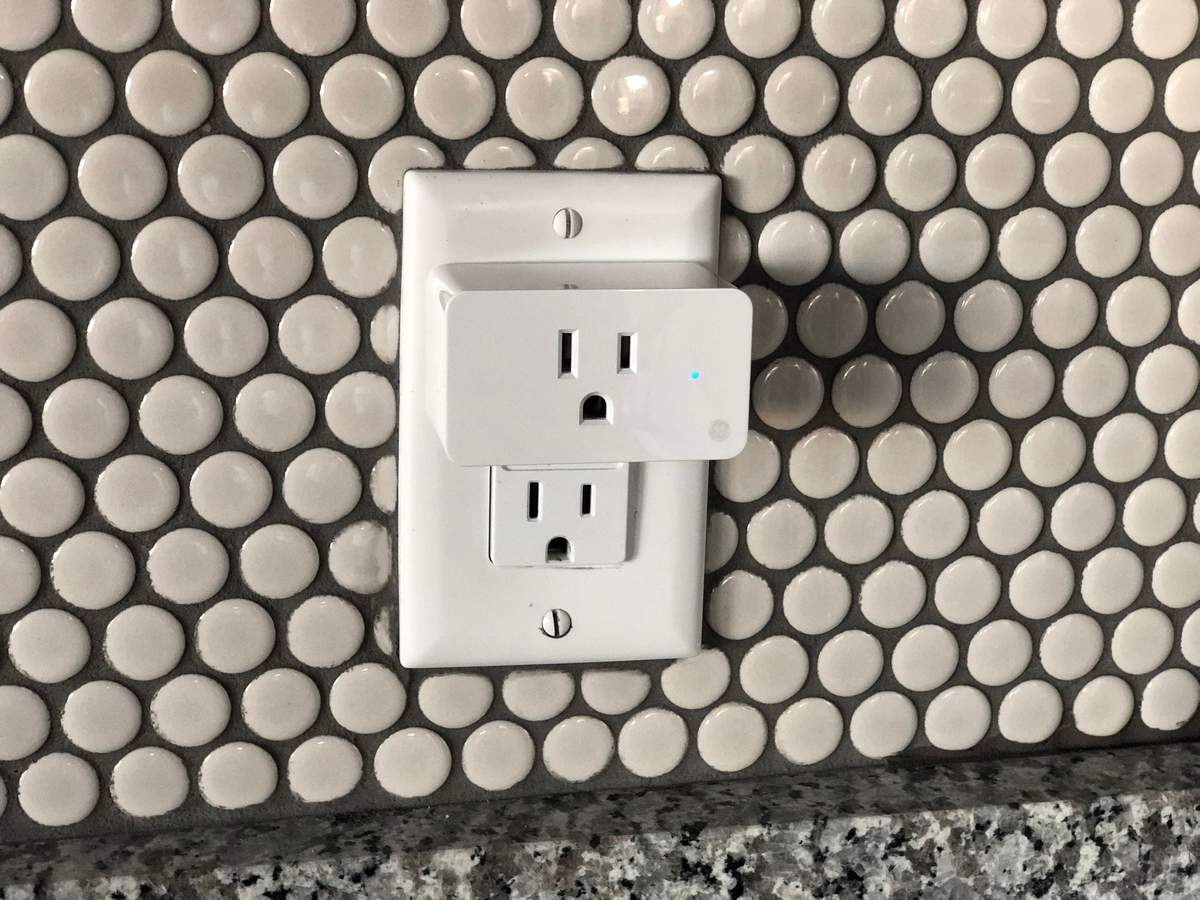
- Smart plugs — the smartest first buy. A plug turns any lamp, fan, space heater, or coffee maker into a smart device, with zero rewiring, for the price of a takeout lunch. The Meross Matter Smart Plug Mini is one of the cheapest picks here, and it pairs natively across Apple Home, Google Home, Alexa, and SmartThings at once — an ideal training-wheels device. Want to see how much power an appliance draws? The Meross MSS315 and the TP-Link Kasa KP125M add energy monitoring for a little more. The pricier Eve Energy plug runs on Thread for fully local, cloud-free control, and it’s the top pick for privacy-minded Apple Home users.
- Smart bulbs — instant gratification. Few upgrades feel as good as dimming a room from your phone, or having lights fade up at sunrise. Nanoleaf Essentials Matter bulbs are cheap alone and cheaper in a three-pack. They run Matter over Thread out of the box and have one of the best-tested multi-platform setups around. One common gotcha: Philips Hue bulbs are excellent but still run on Zigbee. They need a Hue Bridge to show up in Matter, and single bulbs cost more than the Nanoleaf.
- A smart speaker or display — two jobs, one device. This is your voice control, and in most cases your Thread border router too. That’s why it punches above its price. A Google Nest Mini or an Amazon Echo Dot drops to pocket change on sale. You get spoken control and the hub your battery sensors will lean on later.
- One smart sensor or lock — where automation clicks. A motion or contact sensor turns a pile of remote-controlled gadgets into a home that reacts on its own. Think a hallway light that switches on when you walk past at night, or a notification when a door opens. This is the moment most beginners stop calling it a “neat toy” and start calling it essential.
Want a fun extra once the basics run? A desktop companion robot or a smart picture frame is a nice add-on. So is a wearable AI note-taker, though it’s worth reading the SwitchBot AI MindClip pricing before you commit. Get your plugs, bulbs, and one sensor working first. The foundation matters more than the flourish.
Walk Through the Step-by-Step Setup
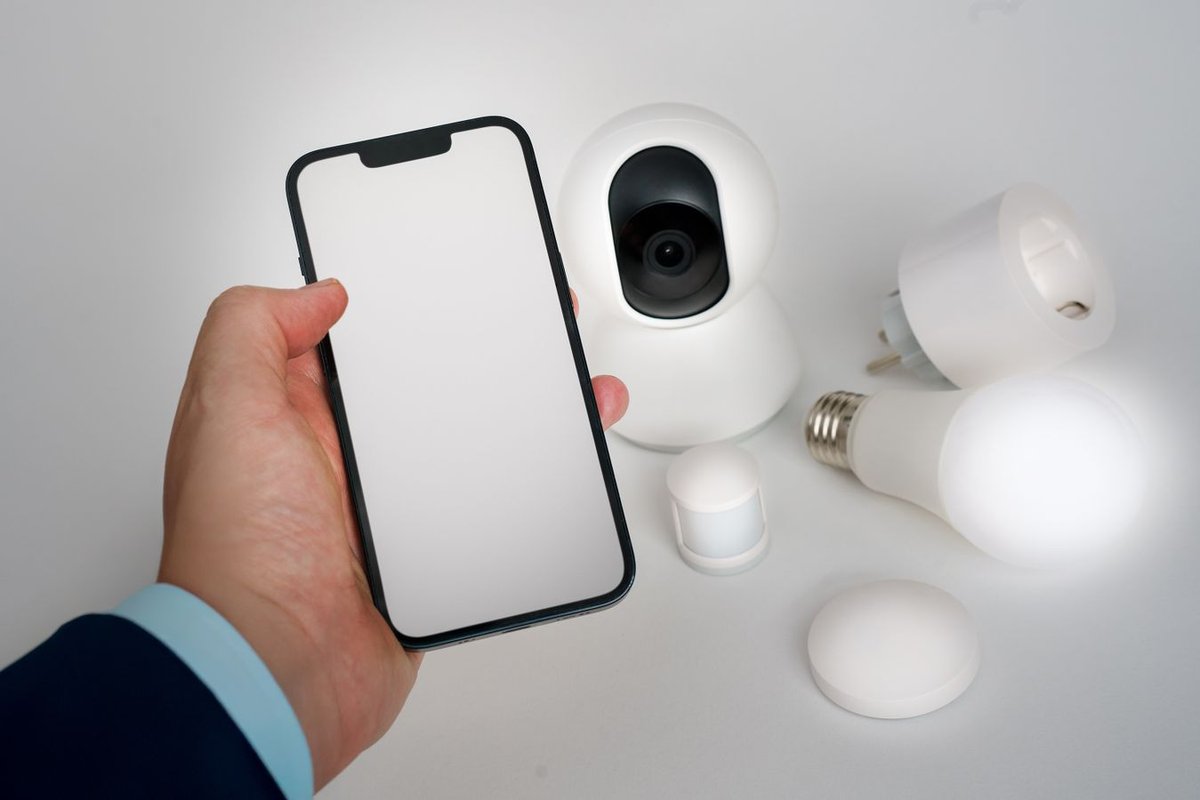
Your network is prepped, your ecosystem is chosen, and you have a few Matter devices in hand. The actual setup is short and forgiving:
- Install your ecosystem’s app (Apple Home, Google Home, Alexa, or SmartThings). Sign in with the account you’ll keep long-term. Don’t use a throwaway account — this login becomes the backbone of your whole home.
- Set up your hub or speaker first. This becomes your control center, and if it’s Thread-capable, your border router for everything battery-powered you add later. A solid hub gives later devices a stable home to join.
- Add one device at a time. Tap “Add device,” scan the Matter QR code on the box, and follow the prompts. Setup usually finishes in under a minute. The QR code is the whole process — no juggling separate brand apps.
- Name and group everything clearly. Use names like “Kitchen Counter Light,” never “Plug 1.” Sort every device into the room it lives in. This one habit prevents most future confusion — it’s the difference between “Hey Google, turn off the kitchen lights” working, and you scrolling through “Outlet 3.”
- Test each device before you move on. Confirm the plug clicks, the bulb dims, the sensor reports motion. Catching a weak-signal device now, with only three devices, is far easier than hunting for it later inside twenty.
- Build exactly one routine. Try something simple, like “turn on the porch light at sunset.” Let it run for a day before you add another. One working automation teaches you the logic you’ll reuse for every routine after it.
That’s a complete, working smart home. Everything past this point is expansion at your own pace.
Build Your First Automations and Routines

Automation is the payoff that turns a pile of phone-controlled gadgets into an actual smart home. Start with routines that fix a real annoyance, not ones that just show off. A good automation is one you forget exists — it just happens.
- The sunset light routine. Set your porch, entry, or living-room lamps to turn on at local sunset and off at a set bedtime. Ecosystems calculate sunset for your location every day, so this routine adapts year-round with zero maintenance. Most beginners say they can’t believe they lived without it.
- The motion-triggered hallway light. Pair a motion sensor with a bulb or plug. A dim light comes on when someone walks the hall after dark, then turns off a few minutes later. It’s safer than fumbling for a switch, and it uses far less energy than leaving a light on all night. The sensor pays for itself within months.
- The “good morning” and “good night” scenes. Group several actions under one command. “Good night” can turn off every light, lock the door, and lower the thermostat in one tap or phrase. This is where a smart home stops feeling like extra work and starts saving you real steps every day.
- Departure and arrival triggers. Use your phone’s location to power lights and the thermostat down when the last person leaves, and back up when someone returns. This is one of the biggest energy-savers available to a beginner — it stops you heating or lighting an empty house. Add it after simpler routines, though, because location triggers are the ones most worth testing carefully.
The rule that makes this work: add one routine, live with it a day or two, then add the next. Stack five automations on day one, and you’ll get flickering lights with no idea which rule caused it.
Lock Down Privacy and Security Basics
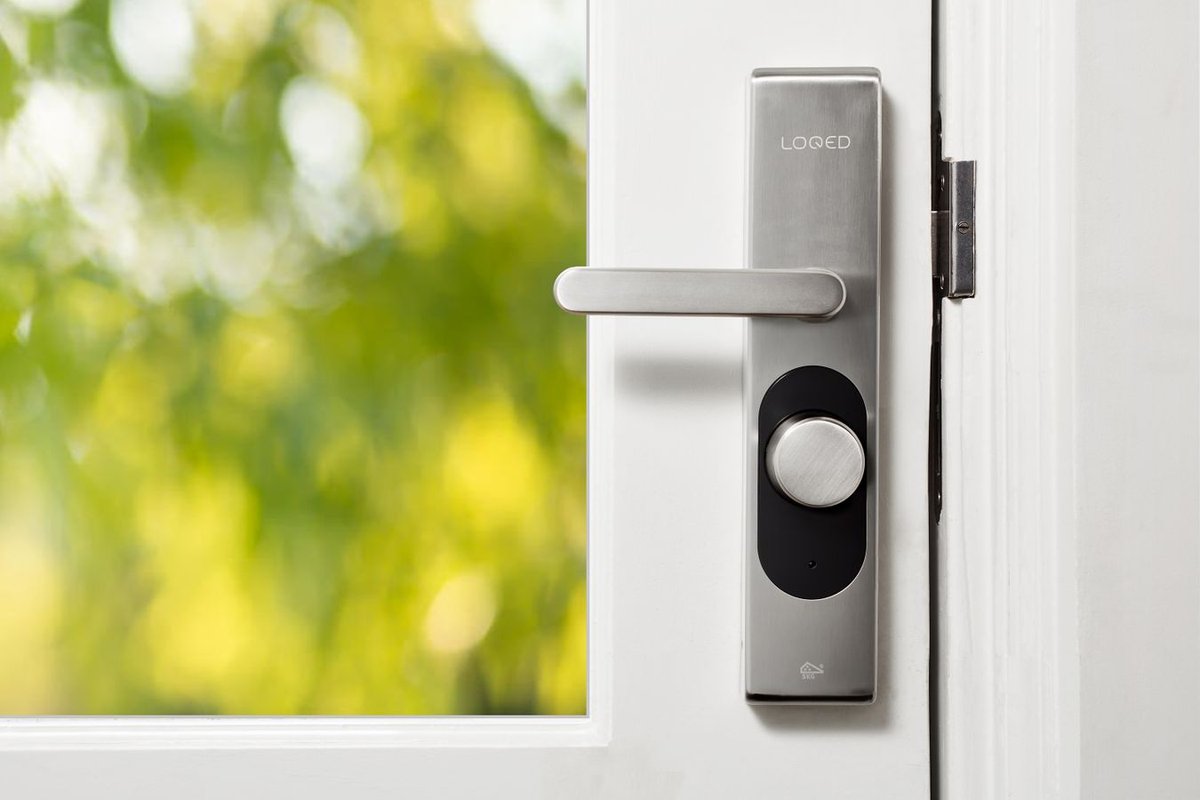
A smart home puts microphones, cameras, and door locks on your network. A few habits here aren’t optional — they’re part of the setup. The good news: the important steps are quick, and you only do them once.
- Use a strong, unique password, and turn on two-factor authentication. Your ecosystem account can unlock doors and view cameras. It deserves a password you use nowhere else, plus 2FA. This is the single highest-impact step, because a compromised hub account is far more dangerous than one compromised device.
- Keep firmware updating automatically. Manufacturers patch security holes through firmware. Matter 1.5 itself tightened device-to-device security with stronger encryption. Leave auto-updates on, and those fixes reach your devices before you’d even notice the risk.
- Favor local control where it matters. Many Thread sensors and locks, plus Apple Home’s on-device processing, keep sensitive activity off the cloud — and keep working even if your internet drops. For a bedroom or another private space, a local-first device like an Eve Thread plug is worth the extra cost. Before you commit to a subscription-based camera or lock, it’s worth reading how much control you actually keep in are smart devices really yours after you buy them.
- Think about camera placement and microphones. Two-way audio and recording are powerful, but point cameras at entrances and shared spaces, not private rooms. Learn your speaker’s mic-mute button. A physical mute switch on an Echo or Nest device is the simplest way to know a microphone is truly off.
- Segment your network if you can. Many routers offer a separate “IoT” or guest network. Put cheap smart gadgets on their own network, and a compromised budget device can’t reach your laptop, phone, or files. It’s a five-minute setup that contains the damage of a worst case.
Watch out: a guest or IoT network stops a bad gadget from reaching your laptop. But an over-isolated network can also break Matter’s local device discovery, since your devices need to see each other on that network. Look for a router setting called “network isolation” or “client isolation,” and make sure devices can still find each other inside that one guest network. A second network name alone isn’t automatically safe segmentation.
Budget Tiers and What to Spend
You can start small and grow without ever paying a subscription. Here’s a realistic 2026 breakdown:
- Starter tier: one smart speaker on sale, two Meross Matter smart plugs, and one budget Matter bulb. You get voice control, your first automation, and a Thread border router built into the speaker — a real, useful smart home for the price of a nice dinner out.
- Comfortable tier: add a Nanoleaf bulb three-pack and one motion sensor, so lights respond on their own. This is the sweet spot for most beginners — genuinely “smart,” still no monthly fees, and room to grow.
- Enthusiast tier: add a smart lock, a Matter or HomeKit security camera, and a smart thermostat for real energy savings. If you want to fold in older Zigbee or Z-Wave gear, this is also where a dedicated multi-protocol hub earns its keep. A robot vacuum is another popular add-on at this stage — if hardwood floors are a concern, our best robot vacuum picks for hardwood floors cover which models won’t scratch it.
The lesson: a life-changing morning routine doesn’t need a four-figure budget. Most of the value comes from your first two or three purchases. You can take years to climb the rest of the ladder.
Common Beginner Mistakes to Avoid
A few predictable mistakes trip up almost every first-time smart home buyer. Knowing them ahead of time saves you the worst evenings.
Overloading One Hub or Stretching Weak Wi-Fi Too Far
Cramming dozens of devices onto one hub, or stretching one router across a big house, causes laggy lights and dropped commands. Spread devices across more than one border router — Thread 1.4 lets them share a mesh — and add Wi-Fi range where the signal is thin, before you blame the devices.
Skipping Firmware Updates Until Devices Drop Offline
Old router or device firmware is a top cause of cameras and sensors dropping offline after weeks of working fine. Turn on automatic updates everywhere, so the problem never gets a chance to start.
Leaving Default Device Names That Break Voice Control
“Device 1” and “Thing 2” make voice control frustrating and routines hard to read. Name every device by location and job from the first setup. It takes ten seconds, and it saves real annoyance forever.
Automating Everything at Once Instead of One Routine at a Time
Building five overlapping routines on day one creates chaos that’s miserable to debug. Add one automation, confirm it behaves for a day, then add the next. That way any misbehavior has an obvious cause.
Buying Devices Before Checking Matter Compatibility
A gadget that isn’t Matter-certified can get stuck in one brand’s app, and orphaned the day you switch ecosystems. Look for the Matter logo on the box — it guarantees cross-ecosystem support and protects the money you spend. This is the single mistake that costs beginners the most in wasted purchases. Check the box before you check out.
Frequently Asked Questions
Do I Need a Hub to Start a Smart Home?
Not always. Many Matter-over-Wi-Fi devices, like smart plugs and bulbs, connect straight through your ecosystem app. You only need a hub or Thread border router for Thread-based devices, like battery sensors and some locks. A smart speaker or display you already own often serves as that hub.
What Is the Difference Between Matter and Thread?
Matter is the universal language that lets devices from different brands work together across ecosystems. Thread is a low-power wireless network that carries some of those devices, especially battery-powered ones. Matter is the standard. Thread is one of the roads it travels on, alongside Wi-Fi.
How Much Does a Beginner Smart Home Cost in 2026?
A genuinely useful setup costs less than a night out, with no monthly fees. A basic voice-plus-plugs setup costs roughly half that during a sale. There are no required subscriptions for core control. You expand at your own pace from there.
Can I Use Apple, Google, and Alexa at the Same Time?
Yes. Matter supports multi-admin, so one certified device can be controlled by Apple Home, Google Home, and Alexa at once — up to five ecosystems on a single device. Matter 1.4’s improved multi-admin even lets a new device join several ecosystems with one approval. Still, pick one app as your primary, to keep daily use simple.
Which Ecosystem Is Best for Beginners?
Match it to your phone. iPhone users get the smoothest experience with Apple Home. Android users get it with Google Home. Alexa is the cheapest and easiest entry point if budget is your priority. SmartThings is the strongest pick if you want new Matter device types, like cameras, early.
Are Smart Plugs Really the Best First Device?
For most beginners, yes. They’re cheap, they install in seconds with no wiring, and they make your existing lamps and appliances controllable right away. They teach you how automation works faster and cheaper than any other device.
Can I Add Smart Cameras as a Beginner Now?
You can, but check ecosystem support first. Matter 1.5 (late 2025) added cameras and video doorbells to the standard, and the first Matter-certified camera — the Aqara Camera Hub G350 — started shipping in early 2026. Samsung SmartThings is furthest along at exposing Matter cameras to users, with Apple, Google, and Amazon expected to follow. For now, a camera that works natively in your chosen app is the safer beginner choice.
Do I Need to Replace My Old Zigbee or Z-Wave Devices?
No. Matter doesn’t replace Zigbee or Z-Wave, and it doesn’t orphan the devices you already own. A multi-protocol hub, or a bridge like the Hue Bridge for Zigbee bulbs, lets older gear keep working next to new Matter devices in the same app. Only replace old devices if they’ve actually failed, or you need a Matter-only feature — not out of fear they’ll suddenly stop working.
Setting up a smart home in 2026 is no longer a project for tinkerers. Prep your Wi-Fi. Pick the ecosystem that matches your phone. Buy Matter-certified. Start with a plug and a bulb. Write one routine, and grow from there. The hard part — getting devices to cooperate — is already solved for you. Welcome to the easy part.