The best security cameras for home right now start with the eufy SoloCam E42. It films in 4K, runs on sunlight, turns to follow a person, and saves clips to a card with no monthly fee. On a tight budget, the Tapo C120 does the basics for far less, also with no fee. If you want Ring’s app and smart alerts, the Ring Outdoor Cam 2K is the pick, but you’ll pay every month to save a single clip. The Blink Outdoor 2K+ is the cheapest battery camera to start with, and it has the same catch.
Here’s the thing most shoppers miss. The camera is the cheap part. The plan that saves your videos is the real price, and it never stops. A camera that costs less at checkout can cost more than double by year three. So this guide sorts cameras by where your clips live first, then by power, then by picture.
A quick note before we start. TechDaily didn’t bench-test these cameras. Specs and plan details come from each maker. Some links are affiliate links, so we may earn a small commission if you buy. That never changes a pick, and it costs you nothing extra.
- Buy for storage first. A camera that saves to a card or a home base has no monthly bill. A cloud-only camera charges you every month, for as long as you own it.
- The eufy SoloCam E42 is our top pick. 4K video, solar power and local storage mean you pay once and you’re done.
- Ring and Blink cameras save nothing without a plan. You get live video and alerts, but no saved clips to show the police.
- Over three years, a Ring or Blink camera on the cheapest plan can cost more than the eufy, even though it costs less on day one.
- Turn on two-step login the day you set up any camera. Then decide on face recognition before it’s switched on for you.
What matters most in your home security camera?
★ Your pick: eufy SoloCam E42
Clips go to a card in the camera or a eufy home base. No plan needed for recording.
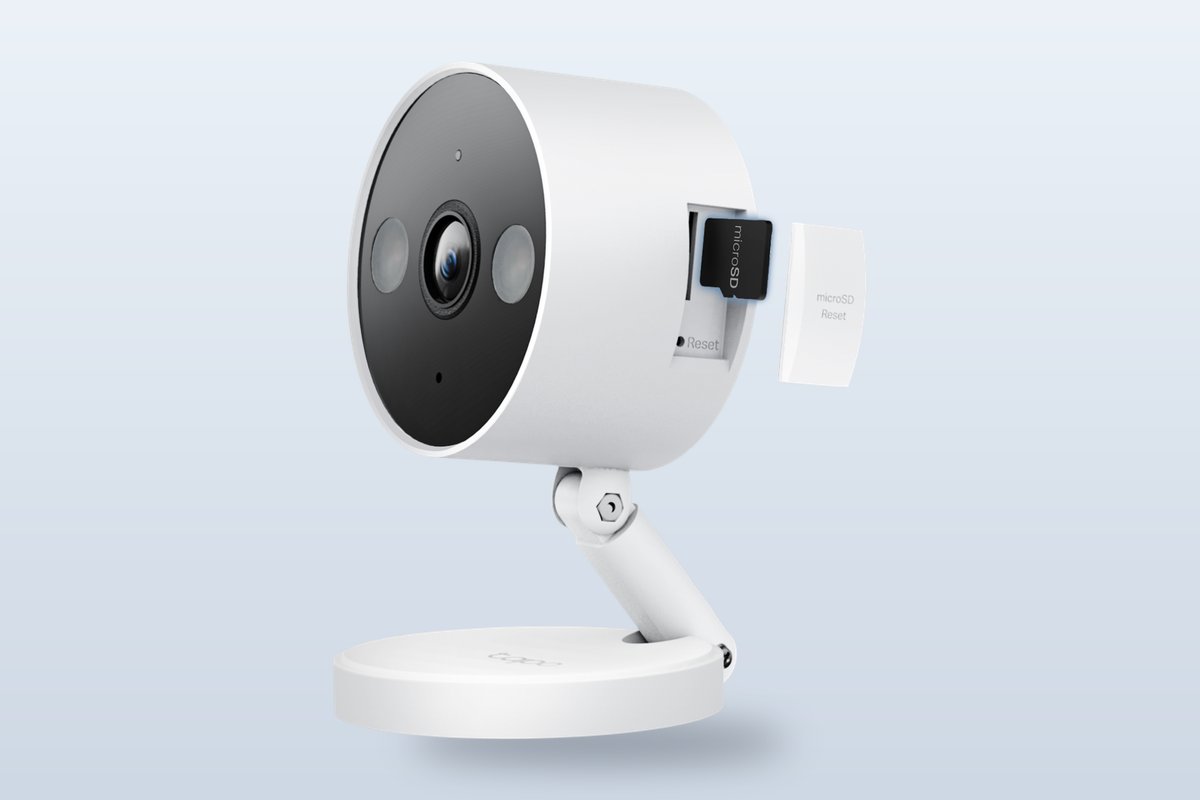
★ Your pick: Tapo C120
A sharp 2K camera for inside or out, with free person alerts and card storage.
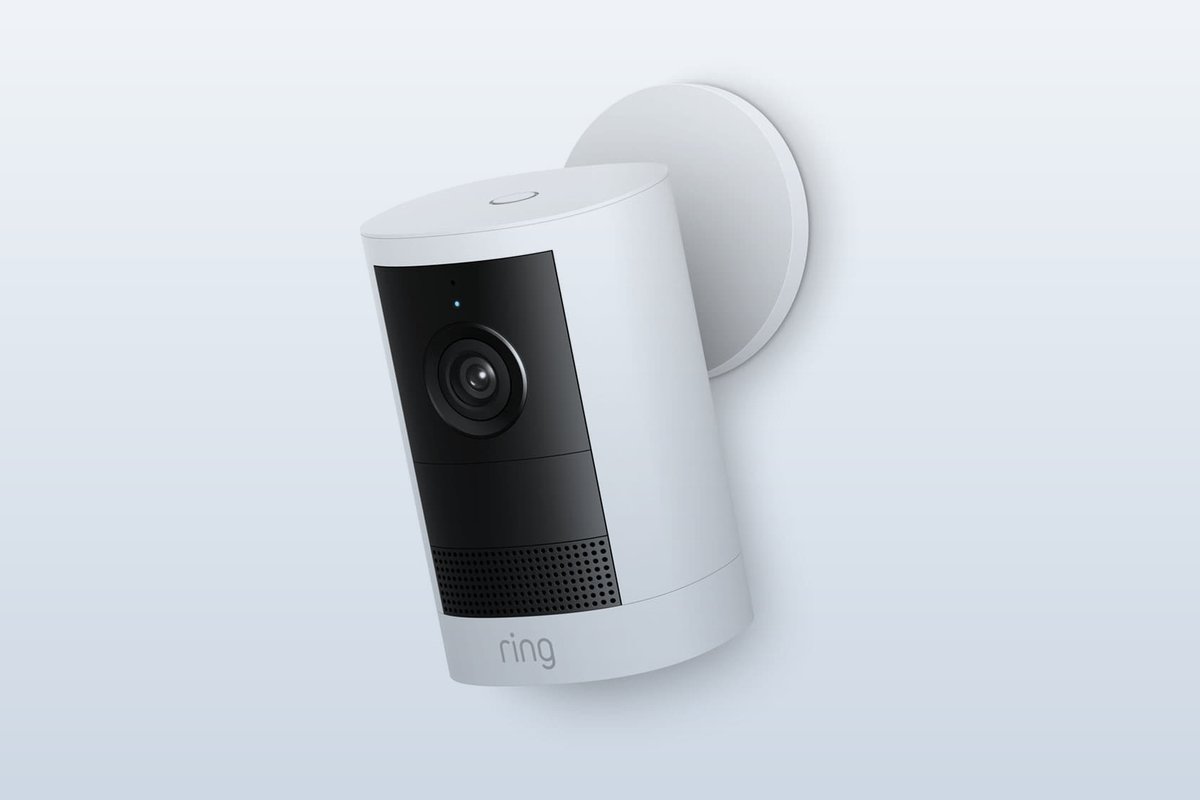
★ Your pick: Ring Outdoor Cam 2K
The easiest app and a long clip history, once you add a Ring plan.
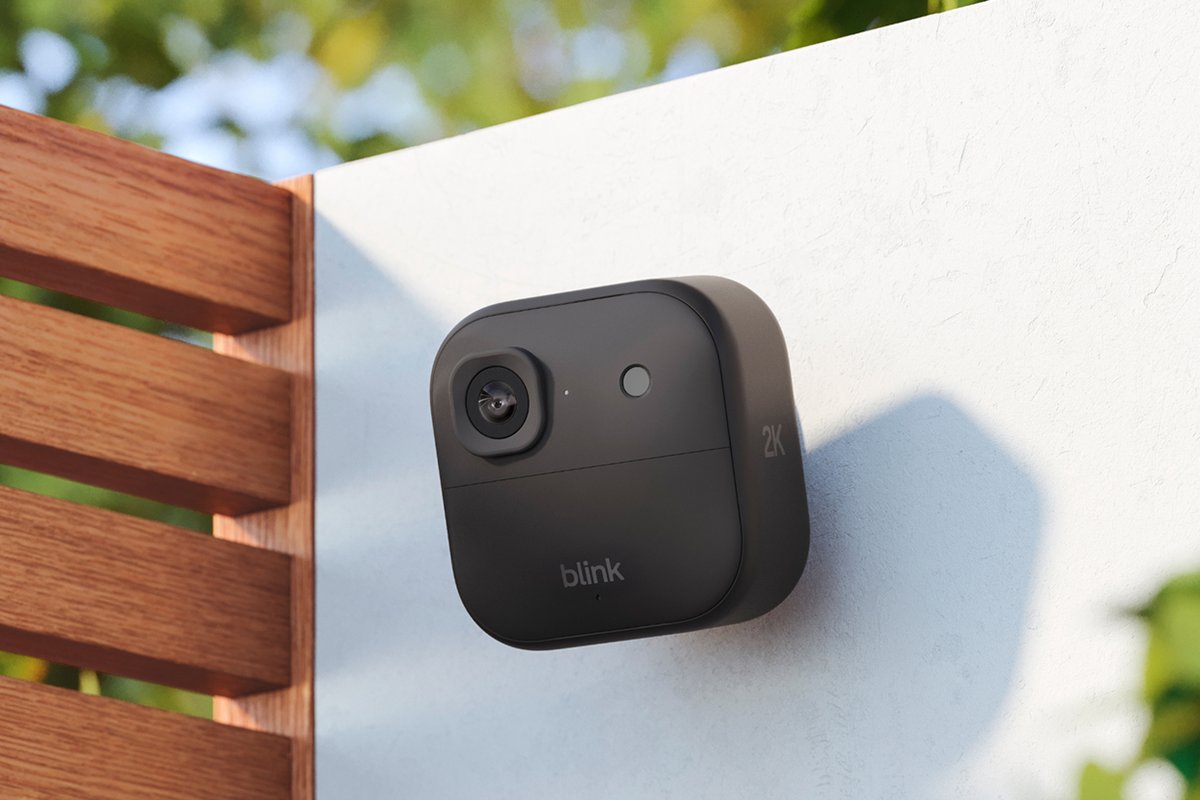
★ Your pick: Blink Outdoor 2K+
Two AA batteries last up to two years. Saving clips needs a Blink plan.
👑 Our Top Pick — Best Overall Value
eufy SoloCam E42
4K video, solar power and a follow-you motor, with clips saved locally and no monthly fee.
Opens on our Top Pick. Tap an option to see the best match for you.
Where Your Clips Live Decides What the Camera Really Costs
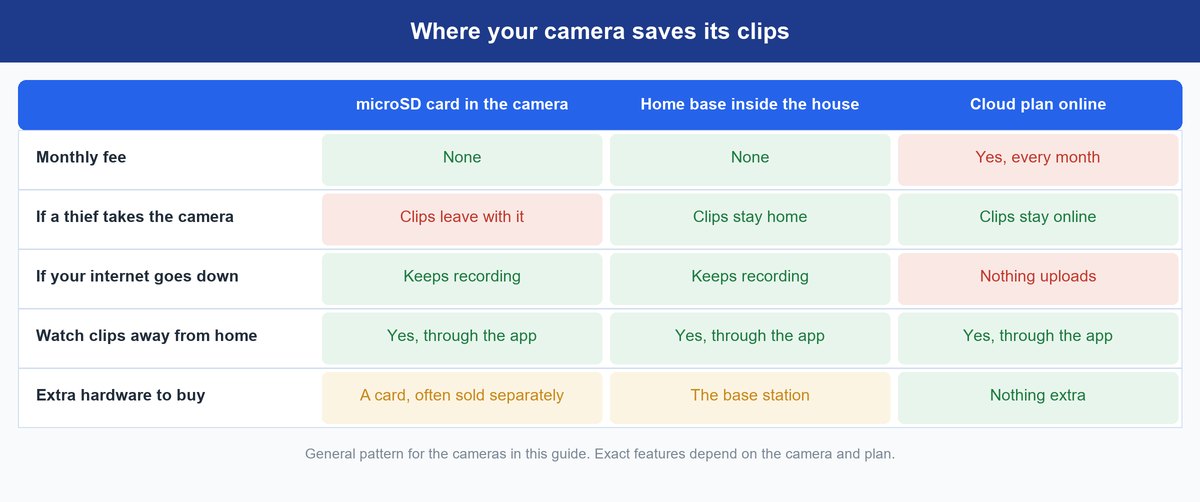
Every home camera does the same job when something moves. It records a clip and pings your phone. The big difference is where that clip gets saved. There are three places, and each one changes your bill and your risk.
On-Camera Storage Keeps Clips on a microSD Card
A microSD card is a tiny memory card, like the one in a dash cam. The camera writes clips to it, and you watch them in the app. No fee, ever. The Tapo C120 takes a card up to 512 GB, and TP-Link says that holds about 37 days of 2K video. The weak spot is theft. If someone yanks the camera off the wall, your evidence leaves with it.
A Home Base Keeps Clips Inside Your House
Some brands sell a small box that sits by your router. eufy calls it a HomeBase. Cameras send clips to the box, so the footage stays in your home, even if a camera gets stolen. It also costs nothing per month. You pay once for the box. eufy’s HomeBase 3 also adds face recognition and room for a hard drive of up to 16 TB.
A Cloud Plan Keeps Clips on the Company’s Servers
Ring and Blink upload clips to their own servers. That’s handy. Clips survive a stolen camera, and you can scroll back for weeks. But you pay every month, and the plan often unlocks the smart features too, like person alerts.
Worth knowing: Ring’s plan page says that if your trial or plan ends, the videos you stored are deleted and can’t be recovered. Let a payment lapse by accident, and your history goes with it.
The Four Best Security Cameras for Home Right Now
These four cover every storage path above. Two never charge a fee. Two lean on a plan, and we spell out what that plan costs.
1. eufy SoloCam E42 — Best Security Camera Without a Subscription
$140–$180 range4K videoSolar powered360° pan and tiltNo monthly fee
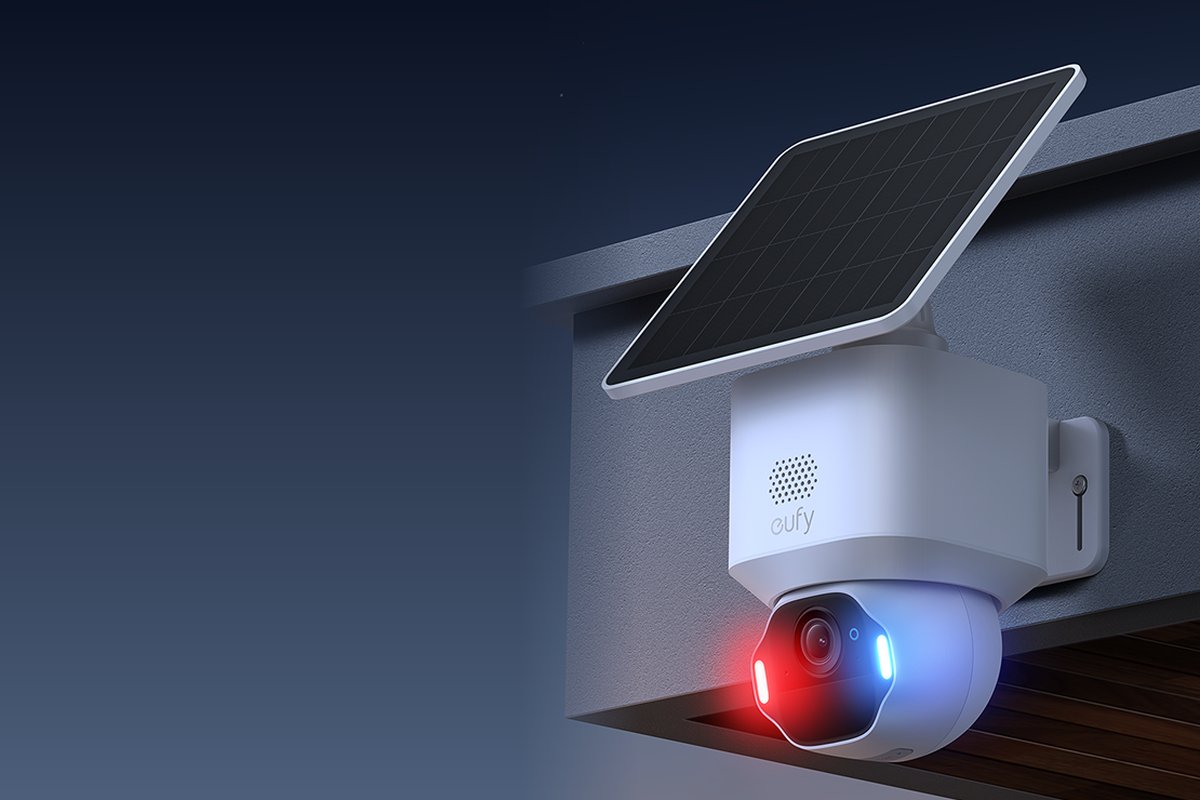
This is the camera we’d put on most houses. It does everything a paid camera does, and it never sends you a bill. You mount it once, aim the solar panel at the sky, and mostly forget about it. eufy says about two hours of direct sun a day keeps it charged.
The picture is the sharpest here. It films in 4K, which is 8 megapixels, with a wide 130-degree view. A motor lets the camera turn all the way around and tilt. When it spots a person or a car, it can follow them across your yard. That fixes the classic problem of a stranger walking out of frame. At night it uses infrared, plus a 250-lumen spotlight you can switch on. If someone lingers, it can flash red and blue lights and sound a siren.
Storage is where it wins. Clips go to a microSD card up to 128 GB, or to a eufy HomeBase. No plan is needed to record or play back. Pair it with a HomeBase 3, and you also get face recognition that runs inside your home, not on a company server.
How does it stack up? It costs more than the Ring or Blink camera on day one. But neither of those saves a clip without a monthly plan, so the eufy catches up within about three years. The Tapo C120 is far cheaper, but it needs a power cord and can’t turn to follow anyone. Skip the eufy only if you need constant 24/7 recording on battery. eufy says it records nonstop only when wired to power.
Pros
- No monthly fee to record, save or play back clips.
- 4K video with a 130-degree view.
- Pan and tilt motor follows people and cars.
- Solar panel keeps it charged with about two hours of sun a day.
- Works with Apple Home, Alexa and Google Assistant.
Cons
- The microSD card is sold separately.
- A stolen camera takes its card, unless you add a HomeBase.
- Face recognition needs the extra HomeBase 3.
- Costs more up front than the Ring or Blink pick.
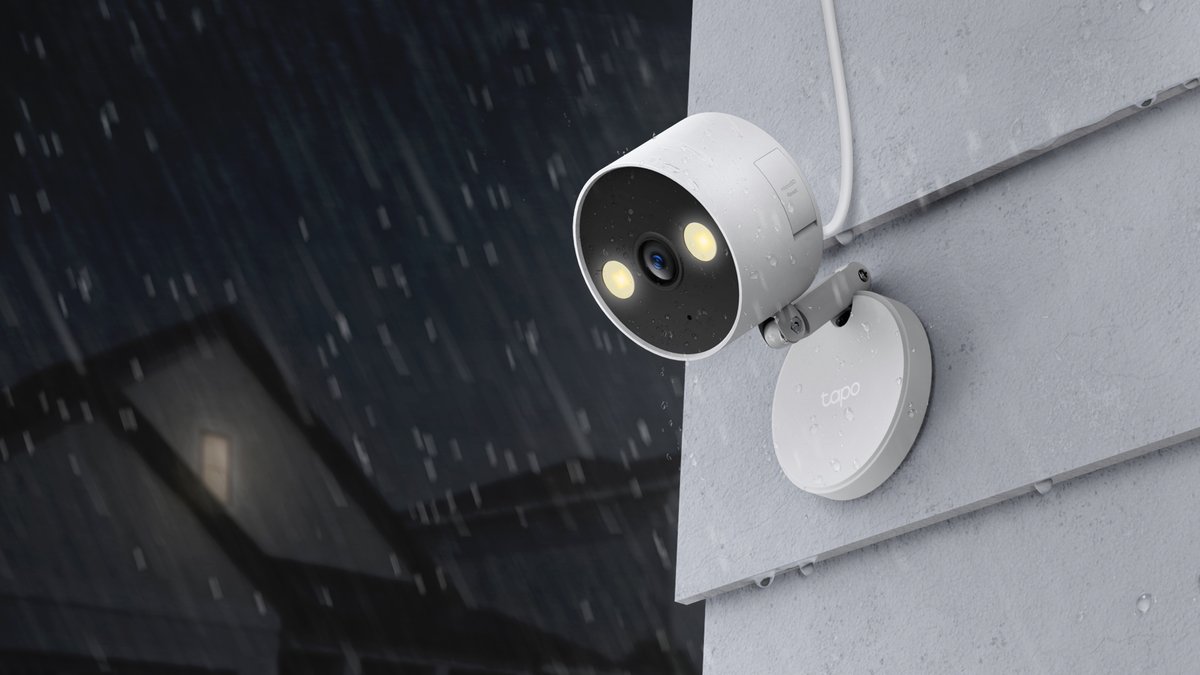
2. TP-Link Tapo C120 — Best Cheap Camera for Inside or Outside
$30–$50 range2K+ videoIndoor and outdoormicroSD up to 512 GBFree person alerts
If you want real coverage for very little money, start here. The C120 is a small plug-in camera that works inside or outside. It’s rated IP66, which means it’s sealed against dust and strong jets of rain. So you can put it on a shelf in the living room or under the porch roof.
Video is 2K+, or 2560 by 1440 pixels. That’s sharper than 1080p, so faces and plates hold up better when you zoom. Two small spotlights give you color video at night out to about 40 feet. The best part is the free smart alerts. TP-Link says it spots people, pets, cars and even a baby crying, with no subscription. Most brands charge monthly for that.
It saves to a microSD card up to 512 GB. TP-Link says a full-size card holds about 37 days of 2K footage. TP-Link’s cloud plan, Tapo Care, is optional. Tech-savvy owners also get RTSP and ONVIF support. Those are standard ways for a camera to stream to recording software, like a home server or NAS.
So why isn’t it number one? It needs a power cord, which limits where it can go outside. It can’t pan to follow someone like the eufy. It only connects on 2.4 GHz Wi-Fi. And like the eufy, a stolen camera takes its card. Still, for an indoor camera or a covered porch, nothing here gives you more for the money.
Pros
- Very low cost, with no monthly fee.
- Free alerts for people, pets, cars and baby crying.
- Works indoors or outdoors with an IP66 rating.
- Holds up to 512 GB on a microSD card.
- RTSP and ONVIF for home-server recording.
Cons
- Needs a power outlet and a cable run.
- 2.4 GHz Wi-Fi only.
- No pan or tilt, so it can’t follow motion.
- The microSD card is sold separately.
3. Ring Outdoor Cam 2K — Best If You’ll Pay for Ring’s Plan
$80–$100 rangeRetinal 2K videoBattery or solarPlan needed to save clipsWorks with Alexa
This is the newest version of the small camera Ring fans know as the Stick Up Cam. It runs on a battery pack that pops out for charging, and it mounts on a wall, a shelf or under an eave. Ring’s app is the most polished here. If you already have a Ring doorbell or an Echo, everything shows up in one place.
The 2026 model steps up from 1080p to what Ring calls Retinal 2K, a sharper picture, and you can zoom up to 6x in the app. Night vision shows true color in low light, then switches to black and white in near darkness. It sees 140 degrees side to side. Two-way audio has noise cancelling, a siren sounds with one tap, and you can draw motion zones so a busy sidewalk doesn’t ping you all day. Ring rates it for -4°F to 122°F, and an optional solar panel keeps the battery topped up.
Now the catch, in Ring’s own words: without a plan, your videos and photos are not saved. You still get live view and alerts. The single-camera plan, Ring Solo, runs about $4 to $5 a month. It saves clips for up to 180 days and adds person, package and car alerts. Face recognition, called Familiar Faces, needs the Ring Pro plan or a per-camera add-on.
Who should buy it? Ring households who’ll keep a plan anyway. Who should skip it? Anyone who wants to pay once. Against the Blink, you trade a much shorter battery life for a sharper zoom and the better app. Against the eufy, you pay less on day one and more every month after.
Pros
- The easiest app, and it ties in with Ring doorbells and Alexa.
- Retinal 2K video with up to 6x zoom.
- Quick-release battery, with an optional solar panel.
- Up to 180 days of clip history on a plan.
- Motion zones cut down on false alerts.
Cons
- Saves no clips at all without a monthly plan.
- The battery pack needs pulling and recharging unless you add solar.
- 2.4 GHz Wi-Fi only.
- Face recognition costs extra on top of the basic plan.
4. Blink Outdoor 2K+ — Best Budget Battery Camera for Hands-Off Power
$70–$110 range2K videoUp to 2-year AA batterySync Module Core includedPlan needed to save clips
Blink’s whole pitch is “set it and forget it.” The Outdoor 2K+ runs on two AA lithium batteries. Blink says they last up to two years. No charging, no cables, no solar panel to aim. For a renter or a detached garage, that’s hard to beat.
This is Blink’s newest outdoor camera, and it’s a real step up from the Outdoor 4. Video is now 2K. It shows color in low light, as long as there’s some ambient light, like a porch light. Then it falls back to black-and-white infrared. You get 4x zoom, two-way talk with noise cancelling, and an IP65 rating against rain and dust. The kit includes a Sync Module Core, a small hub that plugs in near your router.
Here’s what you need to know before you buy. Blink says the Sync Module Core needs a subscription to store video, and it has no local storage. Without a plan, you get live view, capped at 5 minutes. Blink Basic is about $3 to $4 a month for one camera. Person and vehicle alerts also need a plan. One more thing: the two-year battery figure assumes 1080p power-saving settings, so expect less at full 2K.
Against the Ring, the Blink wins on battery life and a lower plan price. Ring wins on its app and wired options. Against the eufy, it’s cheaper on day one. But by year three, the plan closes that gap and then some.
Pros
- Up to two years on two AA batteries.
- 2K video with 4x zoom.
- Cheaper plan than Ring for one camera.
- IP65 weather sealing and quick setup.
Cons
- No saved clips without a plan in this kit.
- Person and vehicle alerts need a plan.
- Live view is capped at 5 minutes without a plan.
- The battery estimate assumes 1080p settings.
What Each Camera Really Costs Over Three Years
Here’s the math nobody prints on the box. Camera ranges are typical street prices. Plan costs use each brand’s cheapest one-camera plan, paid yearly at the low end and monthly at the high end.
Specs and plan details come from each maker: eufy SoloCam E42, Tapo C120, Ring Outdoor Cam 2K and Ring’s plans, and Blink’s plans.
| Camera | Camera cost | What you need to save clips | Plan cost over 3 years | Rough 3-year total |
|---|---|---|---|---|
| eufy SoloCam E42 | $140–$180 | A microSD card ($10–$20) | $0 | $150–$200 |
| Tapo C120 | $30–$50 | A microSD card ($10–$20) | $0 | $40–$70 |
| Ring Outdoor Cam 2K | $80–$100 | Ring Solo plan | $150–$180 | $230–$280 |
| Blink Outdoor 2K+ kit | $70–$110 | Blink Basic plan | $120–$145 | $190–$255 |
The table flips the checkout order. The eufy looks like the expensive pick. By year three, it’s the cheaper outdoor camera. And plans rarely get cheaper. Ring and Blink both now sell higher “AI” tiers on top of the basic ones.
Before you buy: more cameras change the math. Ring’s whole-home Multi plan runs about $100 to $120 a year, and Blink’s Plus plan about $120 to $145 a year. With three or more cameras, the whole-home plan costs the same as or less than paying per camera.
Ring vs Blink vs eufy and Which One Fits Your Home
These three brands come up in almost every camera search. Ring and Blink are both owned by Amazon, but they’re built for different people. eufy is the no-fee option.
Pick Ring If You Want the Most Features and Will Pay Monthly
Ring has the widest range, from battery cams to wired floodlights, plus doorbells and an alarm system. Its app is the most polished. The Ring Pro plan adds things like Familiar Faces, video search and 24/7 professional monitoring. You’re buying a service, not just a camera.
Pick Blink If You Want Cheap Batteries That Last
Blink is the budget, low-hassle choice. AA batteries that last up to two years beat pulling Ring’s battery pack off the wall to recharge it. The plans cost less, too. You give up some app polish and the wired options. So is Blink or Ring better? Blink, if you hate charging batteries. Ring, if you want the most features and a doorbell to match.
Pick eufy If You Never Want a Monthly Bill
eufy is built around local storage. Clips go to a card or a HomeBase, and the smart features don’t need a plan. The trade is a bigger upfront cost. You also take on the job of keeping the footage safe yourself, since there’s no cloud copy unless you choose one.
How to Choose Between an Indoor and an Outdoor Camera
Most homes need both kinds. They solve different problems.
Outdoor Cameras Need Weather Sealing and Smart Power
Look for an IP65 or IP66 rating. That means it’s sealed against dust and rain. Then pick the power source. Battery and solar cameras go anywhere but record in short clips to save power. Plug-in cameras can record nonstop but need a cord. For a front yard or driveway, the eufy E42 or Blink Outdoor 2K+ make sense. For a covered porch near an outlet, the Tapo C120 works fine. Point outdoor cameras at your doors and driveway, not your neighbor’s windows.
Indoor Cameras Should Respect Your Privacy at Home
An indoor camera sees your family, not strangers. So pick one you can switch off on a schedule when you’re home. Place it to cover entry points, like the back door, not bedrooms or bathrooms. A cheap plug-in like the Tapo C120 is ideal here, since power is never a problem indoors.
Watch out: the Tapo C120 and the Ring Outdoor Cam 2K both connect only on 2.4 GHz Wi-Fi. Check the signal at the exact spot you plan to mount before you drill. A weak signal is a common reason outdoor cameras miss events.
A Security Camera Privacy Checklist Before You Mount Anything
A camera that films your home is only as safe as the account behind it. This isn’t a theory. In May 2023, Ring paid $5.8 million to settle FTC claims. The FTC said employees and contractors had broad access to customer videos, and that weak security let hackers into cameras, per CBS News. Amazon denied breaking the law. Here’s how to protect yourself, whichever brand you pick.
Turn On Two-Step Login the Day You Set It Up
Two-step login means a code from your phone is needed, on top of your password. It stops most account break-ins. Turn it on in the app’s account settings before you add a single camera. Use a password you don’t use anywhere else.
Turn On End-to-End Encryption If Your Camera Offers It
End-to-end encryption scrambles your video so only your own phone can unscramble it. Not even the company can watch. Ring offers it as an opt-in setting. Ring’s support page warns that it trades away some smart features, such as person detection. Local storage, like eufy’s card and HomeBase, keeps clips off company servers in the first place. Local isn’t the same as locked down, though. In January 2025, the US distributors of eufy cameras paid New York $450,000 after the state found some eufy video streams weren’t fully encrypted and could be opened by anyone holding the right link, per the New York Attorney General. Keep the eufy app updated and two-step login on.
Decide on Face Recognition Before It Decides for You
Ring’s Familiar Faces learns the people who visit often. It’s opt-in and needs a paid plan. Privacy laws in Illinois and Texas, and in Portland, Oregon, have kept it from launching there, according to TechRepublic. In June 2026, a proposed class action claimed it stores the faces of passersby who never agreed to be scanned, Engadget reported. That’s a claim, not a ruling. If you don’t need face alerts, leave the feature off.
Want to avoid fees at the front door too? See our guide to video doorbells that work without a subscription. Building out a full setup? Start with our smart home guide for beginners.
Frequently Asked Questions
What is the best home security camera without a subscription?
The eufy SoloCam E42 is our pick. It records 4K video to a microSD card or a eufy HomeBase, with no monthly fee. On a tight budget, the Tapo C120 also records to a card, and it gives you free person alerts.
Is Blink or Ring better?
Blink is better if you want batteries that last up to two years and a cheaper plan. Ring is better if you want the most features, a doorbell that matches, and the more polished app. Both need a plan to save clips.
Can a security camera record without a subscription?
Yes, if it saves clips locally. Cameras with a microSD slot or a home base, like the eufy and Tapo picks, record with no plan. Ring cameras and Blink kits with a Sync Module Core don’t save clips without one.
Which brand of security camera is best?
It depends on how you want to pay. eufy is best for no monthly fees. Ring is best for features and app polish. Blink is best for long battery life. TP-Link’s Tapo is best for low cost. Arlo and Google Nest work like Ring: the camera gets you started, and longer clip history needs a monthly plan.
How do home security cameras work?
A sensor spots motion, the camera records a short clip, and your phone gets an alert. The clip is saved to a memory card, a home base, or the company’s cloud. Smart detection then sorts people from cars, pets and swaying trees.
Are solar security cameras worth it?
Yes, for spots with a few hours of direct sun. eufy says about two hours of sun a day keeps the E42 charged. That means you rarely take it down to charge. In heavy shade, a plug-in camera or long-life batteries make more sense.
The Bottom Line on Picking a Home Security Camera
Don’t shop by the sticker. Shop by where your clips will live and what that costs every month. For most homes, the eufy SoloCam E42 is the best buy, because you pay once and own your footage. The Tapo C120 is the bargain for indoors and covered porches. Ring and Blink are good cameras, but only if you plan to keep paying for the subscription that makes them useful.