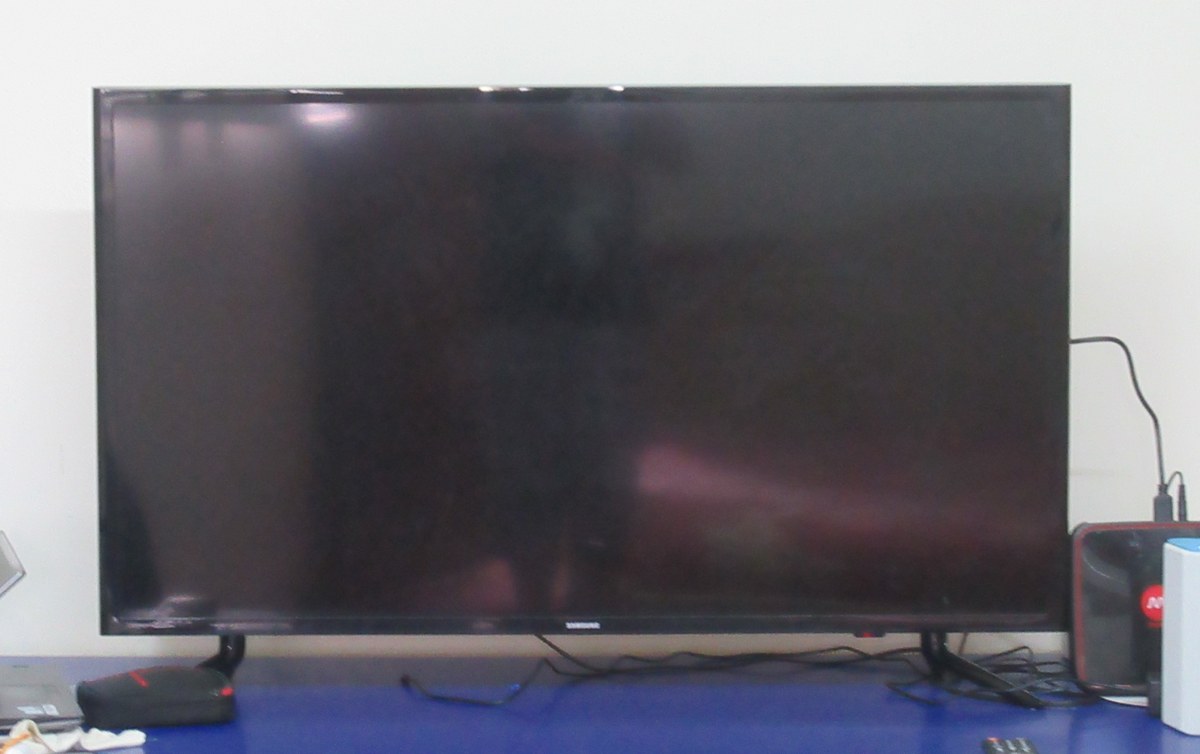
Here’s the thing almost nobody tells you when your samsung tv black screen panic sets in: the vast majority of these are a free, five-minute fix. Wrong input. A power supply that needs a hard reset. A dimming setting cranked to nothing. The screen goes black, you assume the TV is dead, and you’re already pricing a replacement — when the actual problem is a loose HDMI cable or a source you never switched away from.
But some of them aren’t free. A failed backlight or a fried mainboard is a real repair, and it isn’t cheap. So the entire game here is figuring out — before you unplug anything, before you call anyone, before you spend a dollar — which side of that line your TV is on. And there’s a shockingly reliable way to do exactly that, using two things you already have: your ears, and a flashlight.
- Listen first. A samsung tv black screen with sound is almost always a light/signal problem (backlight, dimming, or input) — the TV is alive and receiving. A black screen with no sound at all points at power, cable, or the mainboard.
- Most cases cost nothing. Wrong source, a power-drain reset, a cable reseat, and dimming settings fix the overwhelming majority of black screens for free.
- The flashlight test is your gatekeeper. Shine a bright light an inch from the screen in a dark room — if you see a faint image, your panel and board are fine and only the backlight died. That single check tells you whether you’re looking at a cheap part or a dead TV.
- A confirmed backlight or board failure costs real money to fix professionally. Everything above this line is what keeps you from paying it unnecessarily.
- Use the TV’s own diagnostics. Samsung’s built-in Self Diagnosis (2022 and newer sets) can test the picture and confirm signal before you assume the worst.
Why Your Samsung TV Black Screen Is Rarely a Dead Panel
Let me push back on the instinct most people have. When the picture vanishes, the brain jumps straight to “the screen is broken.” It almost never is. Modern Samsung panels are genuinely durable — the glass and the liquid-crystal layer outlast nearly everything else in the set. What actually fails, and what actually goes dark, is the stuff around the panel: the LED backlight that lights it up, the power board that feeds it, the connection carrying the picture in, and the software that tells it all what to do.
That distinction matters because it changes what you do next. If you treat every black screen as “the panel died,” you either overpay for a repair you didn’t need or you toss a TV that had a trivially cheap part wrong with it. The smarter move is to treat the black screen as a symptom and read what it’s telling you — and the loudest signal it sends is whether there’s sound.
A completely black screen and a dim screen are two different diagnoses. If you can see the picture faintly by leaning in or shining a light, your panel works and you’re chasing a backlight or brightness problem — jump to the flashlight test. If there is truly nothing at all, start with power.
The Sound Test That Splits the Whole Diagnosis in Two
This is the single most useful thing on this page, so slow down here. Turn the TV on, play something you know has audio, and just listen. What you hear — or don’t — routes you down one of two completely different repair paths.
A Samsung TV Black Screen With Sound Still Working
If you get audio but no picture — the menu chimes, Netflix is clearly playing, you hear dialogue and music but stare at a black rectangle — that’s actually good news. Sound proves the TV booted, the mainboard is processing, and the signal made it all the way through. The picture is being generated; it’s just not being lit or shown. That narrows the culprit to three things: the backlight isn’t illuminating the panel, a dimming or brightness setting has crushed the image to black, or the panel’s getting the signal but a source/input glitch is feeding it nothing to display. A black screen “with sound but no picture” is a light-and-signal problem, not a dead-TV problem — and light-and-signal problems are the cheap ones.
A Samsung TV Black Screen With No Sound at All
Now the other branch. No picture and no sound — dead silent, no chime, no boot noise — means the signal chain broke much earlier. Either the TV isn’t truly powering on, the cable feeding it carries nothing, or the mainboard/power board has a fault. This is the branch that can end in a paid repair, but don’t skip ahead: a huge share of “no sound, no picture” cases are just a power-supply state that a proper drain reset clears, or a source device (cable box, console) that’s off or asleep. You work power and cables first; you only reach “board failure” after those come up empty.
“Sound” means sound coming from the TV or its speakers for content you know is playing. If you’ve routed audio to a soundbar over HDMI ARC or optical, a black screen with silence might just be the audio path, not the TV. Test with the TV’s own speakers before you trust the silence.
Run Through the Free Fixes Before You Touch Your Wallet
Whichever branch you landed on, this sequence clears the overwhelming majority of black screens at zero cost. Do them in order — each one rules out a layer.
Confirm You’re on the Correct Source Input
Embarrassingly common, genuinely the #1 cause. If the TV is set to HDMI 2 but your device is in HDMI 1 — or you’re on a live-TV input with no antenna — you get a perfect black screen with the TV working flawlessly. Press Source (or Home, then Source/Connected Devices) and cycle every input. If the Samsung menu itself appears when you press Home or Menu, congratulations: your panel, backlight, and board are all fine, and you’ve got a signal or input problem, full stop.
Power-Drain Reset the TV the Right Way
A “soft reset” via the remote isn’t the same thing. You want a true power drain: unplug the TV from the wall (not the power strip — the wall), then press and hold the physical power button on the TV itself for 15–30 seconds to discharge residual power. Wait a full minute, plug back in, and turn it on. This clears the power-supply and processor state that causes a shocking number of black screens, especially the on-and-off boot-loop ones.
Reseat and Swap the HDMI or Source Cable
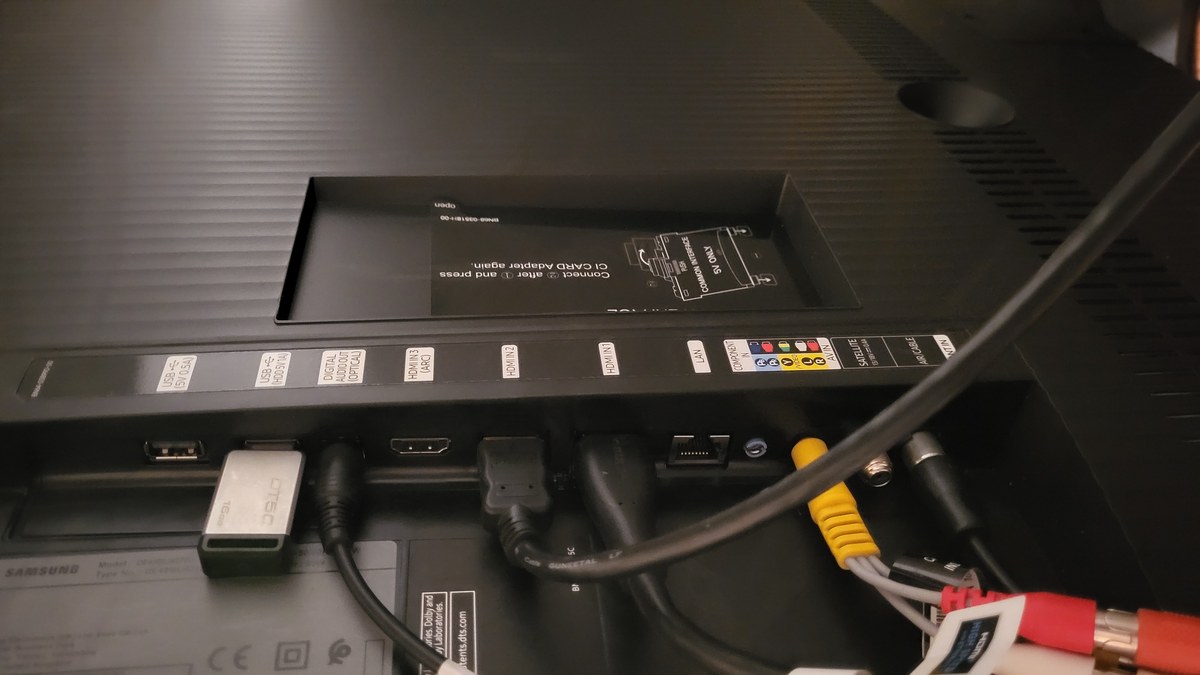
Unplug every HDMI and the power cable, check for bent pins, push each one back in until it seats firmly, and — this is the part people skip — try a different HDMI port and a different cable entirely. HDMI connectors loosen over time and cheap cables fail internally with no visible damage. The rear input panel is where you’ll be working, and knowing which port your device is actually plugged into is half the battle.
Check Your Brightness, Backlight, and Eco/Dimming Settings
If you can reach the menu (sound-branch folks usually can), a picture setting cranked to zero looks identical to a hardware failure. Head into Picture settings and check Backlight/Brightness, and turn off aggressive power-saving or ambient-light dimming (Eco Solution / Energy Saving), which can black out the screen in a dark room. It sounds too simple to be real, and it fixes more TVs than you’d believe.
Do the Home/Menu button test first thing. Press Home or Menu with no source connected. If Samsung’s on-screen menu appears crisp and bright, every piece of picture hardware works and you are 100% chasing a signal, input, or settings issue — skip the repair anxiety entirely.
The Flashlight Test That Reveals Backlight Failure or a Dead Panel
This is the one that saves people hundreds of dollars, and it’s a community-documented technique rather than an official Samsung step — but it works because of how these panels are built. If you’ve got a black screen with sound and the free fixes didn’t land, the question is now specific: is the backlight dead, or is the panel dead? Those have wildly different price tags, and this test answers it in ten seconds.
Play any content, make the room as dark as you can, and shine a bright flashlight (your phone’s works) directly at the screen from about one to two inches away, angled slightly. Move it across the panel and look right where the light hits.
If you can make out a faint, ghostly image under the flashlight — menus, a moving picture, anything — then your LCD panel is perfectly fine and receiving video; it’s just not being lit. That’s a backlight failure, and the panel and mainboard are working. If you see absolutely nothing no matter where you aim the light, the problem is likely deeper — the panel itself or the board driving it.
Why this works: on an LED TV, the panel and the backlight are separate systems. The panel still displays the image faithfully — it just produces almost no light of its own. Kill the backlight and the picture is technically still “there,” waiting for any light source to reveal it. Your flashlight becomes a stand-in backlight for the patch it hits.
A “good” flashlight-test result (faint image visible) is genuinely good news for your data — the TV is repairable and the panel’s alive — but backlight repair still isn’t free. Samsung wires many LED strips in series, so one dead LED can black out a whole strip. Expect a confirmed backlight or board repair to cost a meaningful fraction of a new set, less if you’re comfortable ordering strips and opening the set yourself. The test’s real value is that you now know what you’re paying for instead of guessing.
What a Red Standby Light or an On-and-Off Cycle Is Telling You
The little status LED on the front is a diagnostic gauge, not decoration. Read it before you conclude anything.
A solid red standby light with no boot means the TV has power at the wall and the standby circuit is alive, but it won’t come up — that pattern points at software or a power-board fault rather than a dead cord or outlet. A blinking red light, on some Samsung models, is an actual error code — the number of blinks maps to a specific fault (often power or backlight), so count them and check them against Samsung’s support docs for your model. And a TV that keeps turning on and off, or cycles power on its own, is classic power-supply behavior: failing capacitors on the power board, or a firmware hiccup. Try the power-drain reset and a factory reset first; a genuine cycling-power loop that survives both usually means the power board needs attention.
Don’t confuse a normal startup blink with an error. Samsung TVs flash the standby LED briefly during a legitimate boot — that’s fine. It’s a repeating, patterned blink that won’t proceed to picture, or a light that pulses in a fixed count, that signals an actual fault worth decoding.
Use Samsung’s Built-In Self Diagnosis Before You Give Up
Before you accept a hardware verdict, let the TV grade itself. On 2022 and newer Samsung sets, there’s a genuinely useful diagnostic suite baked in. Go to Settings → All Settings → Support → Device Care → Self Diagnosis (on some models it’s Support instead of Device Care — verify the exact wording on your set, since Samsung shuffles this menu between model years). From there you can run a Picture Test, which throws up a known reference image: if the test image displays clean, your panel and video hardware are fine and the fault is with your source or a setting. You can also open Signal Information to confirm the TV is actually receiving a broadcast or HDMI signal.
This step is the difference between “I think it’s the input” and “the TV just proved the input is the problem.” If you’re setting up or troubleshooting a connected home in general, it’s worth knowing your gear this well — our smart home setup guide for beginners walks through getting devices talking to each other cleanly, which prevents half of these input headaches in the first place. And Samsung’s own support pages document the Self Diagnosis tools if you want the model-specific menu path.
Frequently Asked Questions
Why is my Samsung TV screen black but the sound still works?
Because the TV is alive and processing the signal — it just isn’t lighting or showing the picture. Sound with no picture almost always means a backlight problem, a dimming/brightness setting turned to nothing, or a source/input glitch. Run the Home-button menu test and the flashlight test; if the menu appears or a faint image shows under the flashlight, your panel is fine and you’re chasing light or settings, not a dead screen.
How do I know if it’s my Samsung TV’s backlight or the whole panel?
The flashlight test. In a dark room, shine a bright light an inch from the screen while content plays. If you can see a faint image where the light hits, the panel works and only the backlight failed — a repairable fault. If you see nothing at all regardless of where you aim, the panel or the board driving it is likely the problem, which is a costlier fix.
What does a red light on my Samsung TV black screen mean?
A solid red standby light means the TV has power but won’t boot — usually software or a power-board issue rather than a dead cord. A blinking red light is often an error code on Samsung sets, where the number of blinks maps to a specific fault; count them and check them against your model’s support documentation. A repeating power on-off cycle points at the power supply.
How much does it cost to fix a Samsung TV black screen?
Most black screens cost nothing — wrong input, a power-drain reset, a cable swap, or a brightness setting fixes them. If you’ve confirmed an actual backlight or mainboard failure (via the flashlight test), a professional repair typically costs a meaningful fraction of a new set depending on the model and part, or less if you do the strip replacement yourself.
Is the “black screen of death” on a Samsung TV always a hardware failure?
No — “black screen of death” is a scary nickname, not a diagnosis. Plenty of cases labeled that way are a stuck power state cleared by a proper drain reset, a wrong source, or a firmware glitch fixed by a factory reset. Work the free fixes and the flashlight test first; only a black screen that survives all of them, with no faint image and no boot, is genuinely a hardware failure.
Why does my Samsung TV keep turning on and off with a black screen?
A power-cycling loop is classic power-supply behavior — often failing capacitors on the power board or a firmware fault. Start with a full power-drain reset (unplug, hold the TV’s power button 15–30 seconds, wait, replug) and then a factory reset if you can reach the menu. If it still cycles after both, the power board usually needs professional attention.
Should I factory reset my Samsung TV to fix a black screen?
It can help if you suspect a software fault and you can still reach the menu or get a picture on the Self Diagnosis test — a reset clears corrupted settings and firmware states. If you’re wiping the set before selling or handing it on, know exactly what a reset does and doesn’t erase; our guide on what a factory reset actually deletes covers that. But if the screen is truly black with no menu access, a power-drain reset comes first.