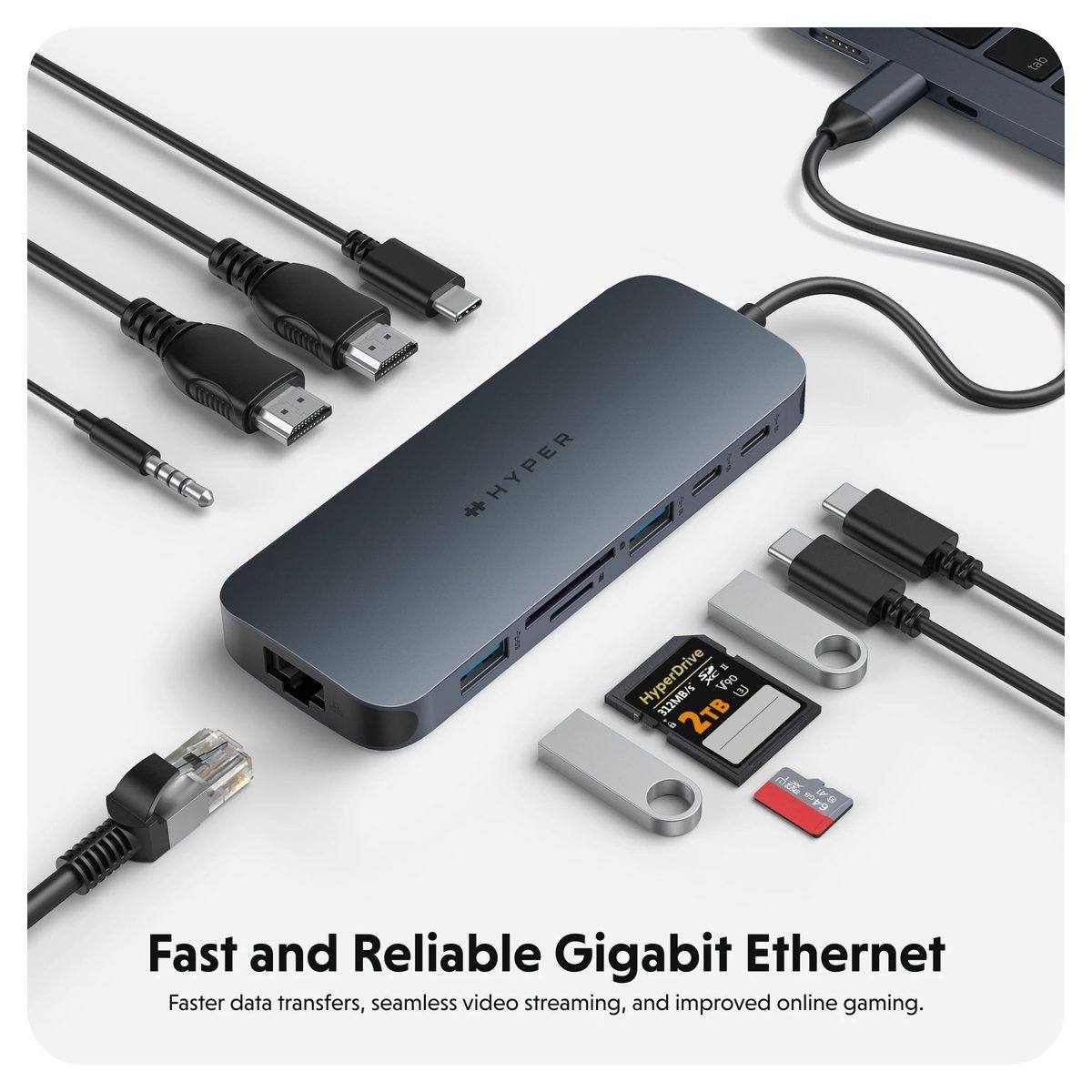
The HyperDrive Next 11-Port USB-C Hub has a spec sheet that reads like a photographer’s wish list: two 4K60 HDMI ports, two 10Gbps USB-C ports, two USB-A ports, SD and microSD readers, gigabit Ethernet, a 3.5 mm audio jack, and 140W power delivery pass-through. What most listings do not make obvious is that dual extended monitors are a Windows and Chromebook feature — on a Mac, the hub is limited to a single monitor. For a product whose entire pitch is creative workflow, that one line changes the buying decision entirely.
This review works through the port map, the display-support fine print, the bandwidth reality behind the 10Gbps labels, and the power-delivery math. The short version is in our best USB-C hub for MacBook guide; this page is the full breakdown.
Affiliate disclosure: TechDaily earns a commission on qualifying purchases through some links in this review. It does not change our verdict.
- Dual extended 4K60 monitor support applies to Windows PCs and Chromebooks; Macs are limited to a single monitor
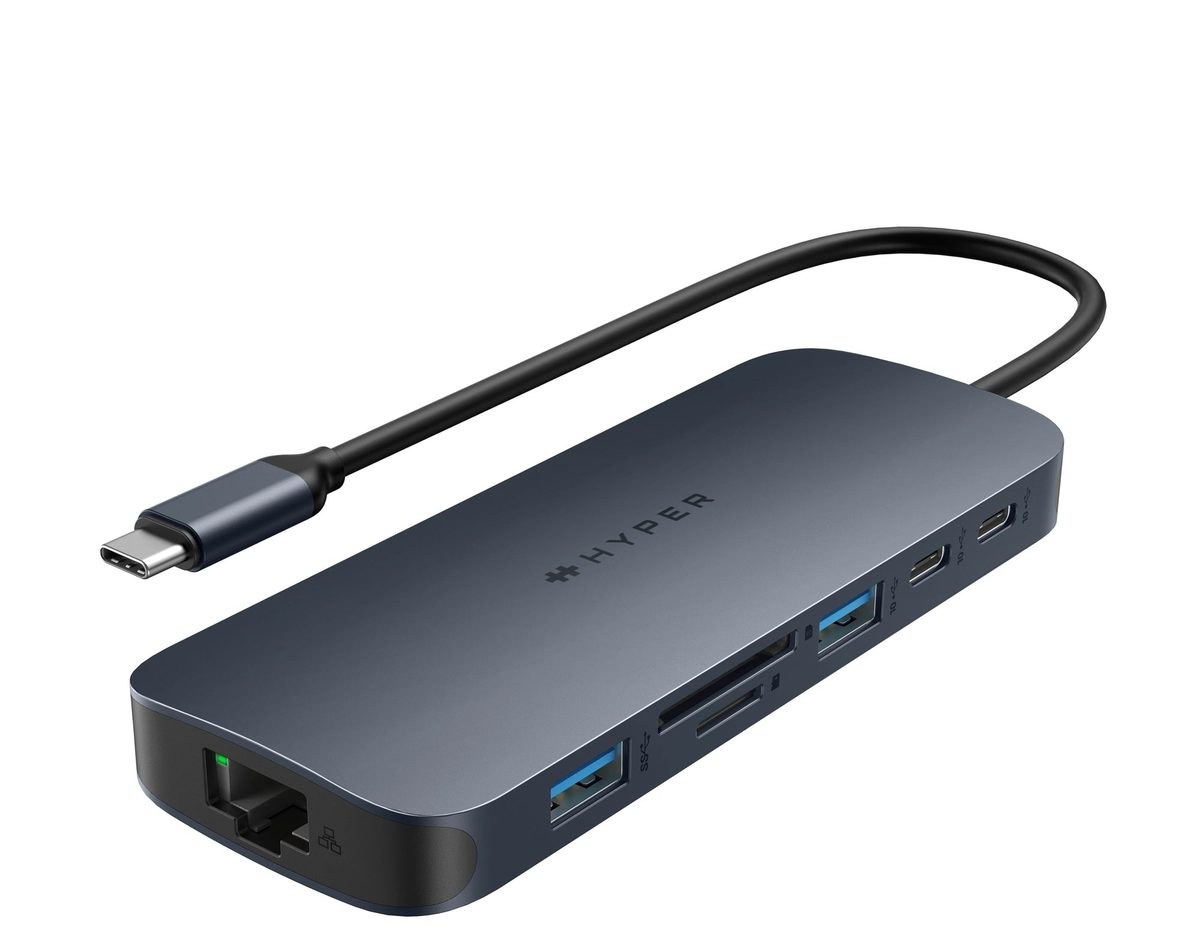
- Eleven ports cover HDMI, USB-C, USB-A, SD, microSD, Ethernet, and audio in a 97-gram body
- The 140W PD 3.1 pass-through port is the highest-power port on any hub near this price
- SD and microSD readers hit 312 MB/s with SD 4.0 cards
- All 10Gbps ports share the upstream connection, so simultaneous heavy transfers split bandwidth
- Built from 100% recycled aluminum and 85% recycled plastic
Does the HyperDrive Next 11-Port fit your setup?
Fit verdict: Strong fit
Dual extended 4K60 is exactly what this hub delivers
Fit verdict: Weak fit
The hub is single-monitor on Mac; dual 4K needs a Thunderbolt dock
Fit verdict: Strong fit
SD 4.0 readers at 312 MB/s and dual displays suit editing workflows
Fit verdict: Strong fit
PD 3.1 pass-through keeps a 16-inch laptop topped up
Quick Fit Check
HyperDrive Next 11-Port
Best for photographers and creators on Windows or Chromebook
Choose your situation above to see where it fits and where it does not.
Start With the Display Fine Print
Hyper sells this hub on dual extended 4K60 monitor support, and that is true — for Windows PCs and Chromebooks. The official compatibility table says it plainly: Windows PC (Dual Monitor), Chromebook (Dual Monitor), and Mac (Limited to Single Monitor).
The reason is the platform, not the hardware. M-series MacBooks negotiate external displays through the GPU’s native video paths, and most USB-C hubs without Thunderbolt or DisplayLink silicon can only deliver one external display to a Mac. If you are a MacBook user hoping for two external monitors from this hub, it will not happen. The same budget buys a Thunderbolt dock that does, or you accept one 4K60 external display plus the laptop screen.
Our Verdict on the HyperDrive Next 11-Port
HyperDrive Next 11-Port USB-C Hub — Creator Ports for PC, a Caveat for Mac
$119.99Dual 4K60140W PD97g
The HyperDrive Next 11-Port is one of the most complete travel hubs at its price. The port selection is exactly what a photographer or video editor needs on the road: two HDMI ports, two 10Gbps USB-C data ports, two USB-A ports, SD and microSD readers that hit 312 MB/s with SD 4.0 cards, gigabit Ethernet, a 3.5 mm combo jack, and a 140W PD 3.1 pass-through port. The 97-gram recycled-aluminum body disappears into a bag.
The caveat is the display support. Windows and Chromebook users get the full dual extended 4K60 experience. MacBook users get one external monitor, full stop. If you are on a PC or Chromebook, this is among the best value creator hubs available. If you are on a Mac with a dual-display desk setup, look at a Thunderbolt dock instead.
Pros
- Eleven genuinely useful ports in a 97-gram travel body
- Dual extended 4K60 monitors on Windows and Chromebook
- 140W PD 3.1 pass-through, among the highest in its class
- SD 4.0 readers at 312 MB/s for photo workflows
Cons
- Macs are limited to a single external monitor
- 10Gbps ports share upstream bandwidth under load
- No Thunderbolt, so no 40Gbps peripheral speeds
- Runs warm under sustained multi-port use
The Port Map, Port by Port
| Port | Spec | What it means in practice |
|---|---|---|
| HDMI ×2 | 4K60 | Dual extended monitors on PC/Chromebook; one on Mac |
| USB-C ×2 | 10Gbps | Fast data, one port is the host connection |
| USB-A ×2 | 10Gbps + 5Gbps | Peripherals; the 10Gbps port suits external SSDs |
| SD + microSD | SD 4.0, 312 MB/s | Direct camera-card ingest for photo workflows |
| Ethernet | Gigabit | Reliable wired networking |
| 3.5mm combo | Audio in/out | Headphones plus mic input |
| USB-C PD | 140W PD 3.1 | Pass-through charging for the laptop |
Every port does real work, which is the point of an 11-port hub. The two USB-C data ports and the 10Gbps USB-A port are the fast lane for external SSDs; the 5Gbps USB-A covers mice, keyboards, and dongles.
The Fast Lane Ports
The two USB-C data ports and the 10Gbps USB-A port are where external SSDs, camera tethering, and large transfers belong. One USB-C port is the host link to the laptop, so effectively two 10Gbps downstream ports plus the 10Gbps USB-A share the upstream connection.
The Peripheral Ports
The 5Gbps USB-A port, Ethernet, audio, and card readers handle the rest of the desk: mice, keyboards, wired networking, headphones, and camera cards. Keeping slow peripherals off the fast ports preserves bandwidth for the devices that need it.
Display Support by Platform
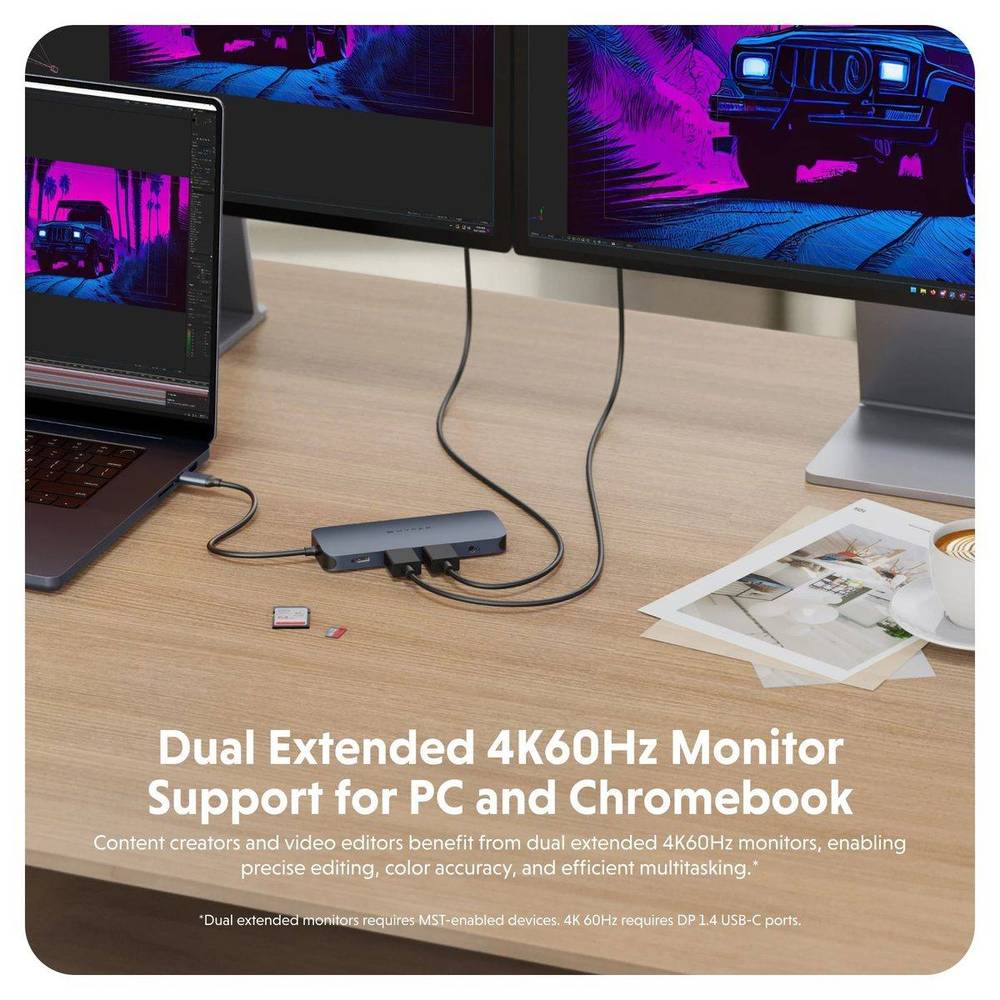
This is the section that decides whether the hub is right for you. Hyper’s own compatibility chart lists three cases:
| Platform | External displays |
|---|---|
| Windows PC | Dual extended 4K60 |
| Chromebook | Dual extended 4K60 |
| Mac | Limited to single monitor |
The two HDMI ports share the hub’s single upstream video path. On platforms with two native video channels, both ports drive a 4K60 display. On a Mac, only one video channel is available through this class of hub, so one HDMI works and the second has no signal. No firmware update changes this; it is a silicon and platform limit.
Important: MacBook owners with a dual-monitor desk should choose a Thunderbolt 4 dock, not this hub. The price difference is real, but so is the second display.
Data Speeds and the Shared Bandwidth Reality
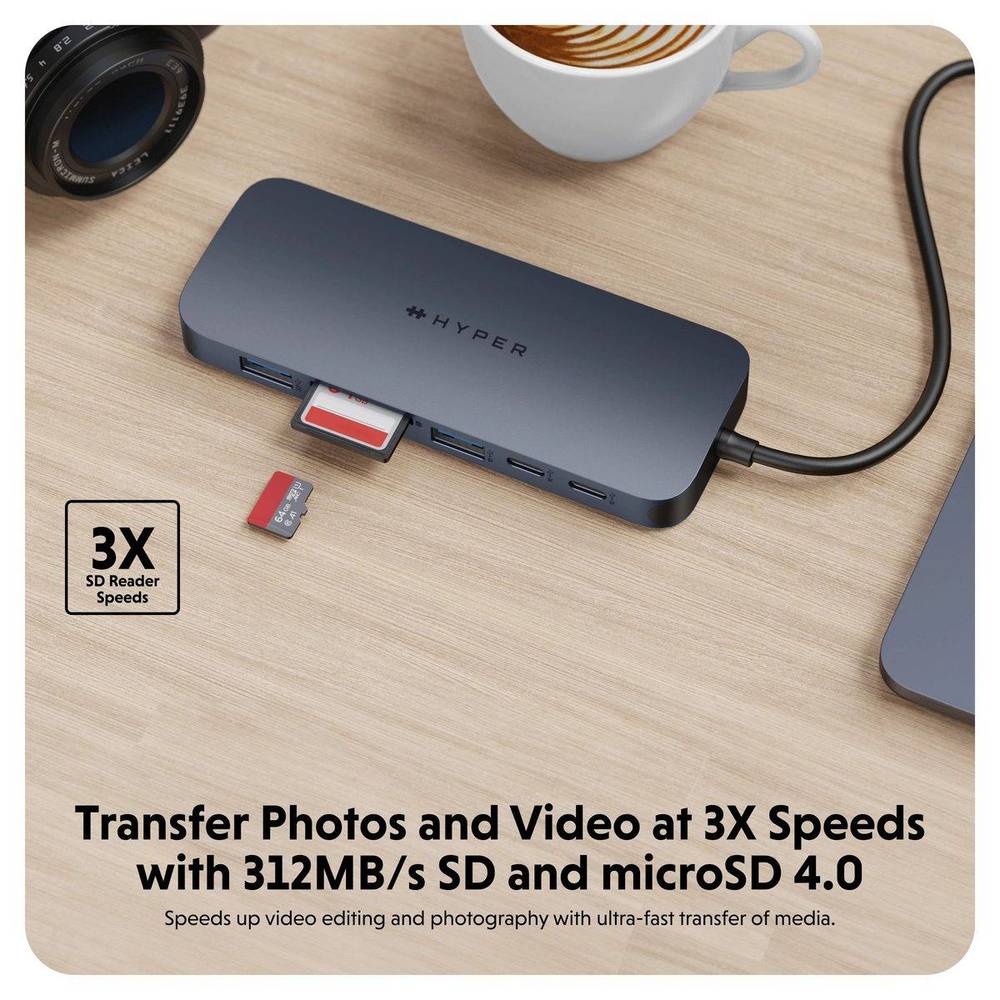
Hyper advertises 2x faster file transfers on the 10Gbps USB ports. That is accurate for a single device on the upstream link. The physics of every USB-C hub, including this one, is that all downstream ports share the host connection’s bandwidth. Connect two 10Gbps SSDs and copy between them, and each runs at roughly half of the 10Gbps ceiling; add the card reader and the split grows.
For real-world photo workflows — one SSD, one card reader, one display — the hub delivers near-advertised speed with the 312 MB/s SD 4.0 reader, which genuinely is about 3x faster than UHS-I readers on older hubs. The shared-bandwidth behavior only bites in heavy simultaneous-transfer scenarios, which are rare in the field.
What 10Gbps Actually Delivers
A single 10Gbps device — an external SSD, for example — moves files at roughly 1 GB/s in real conditions, about twice the speed of a 5Gbps hub port. The card reader’s 312 MB/s is separately impressive: it is a genuine 3x step up from the UHS-I readers found on most travel hubs, and it shows in raw photo import times.
Power Delivery Math
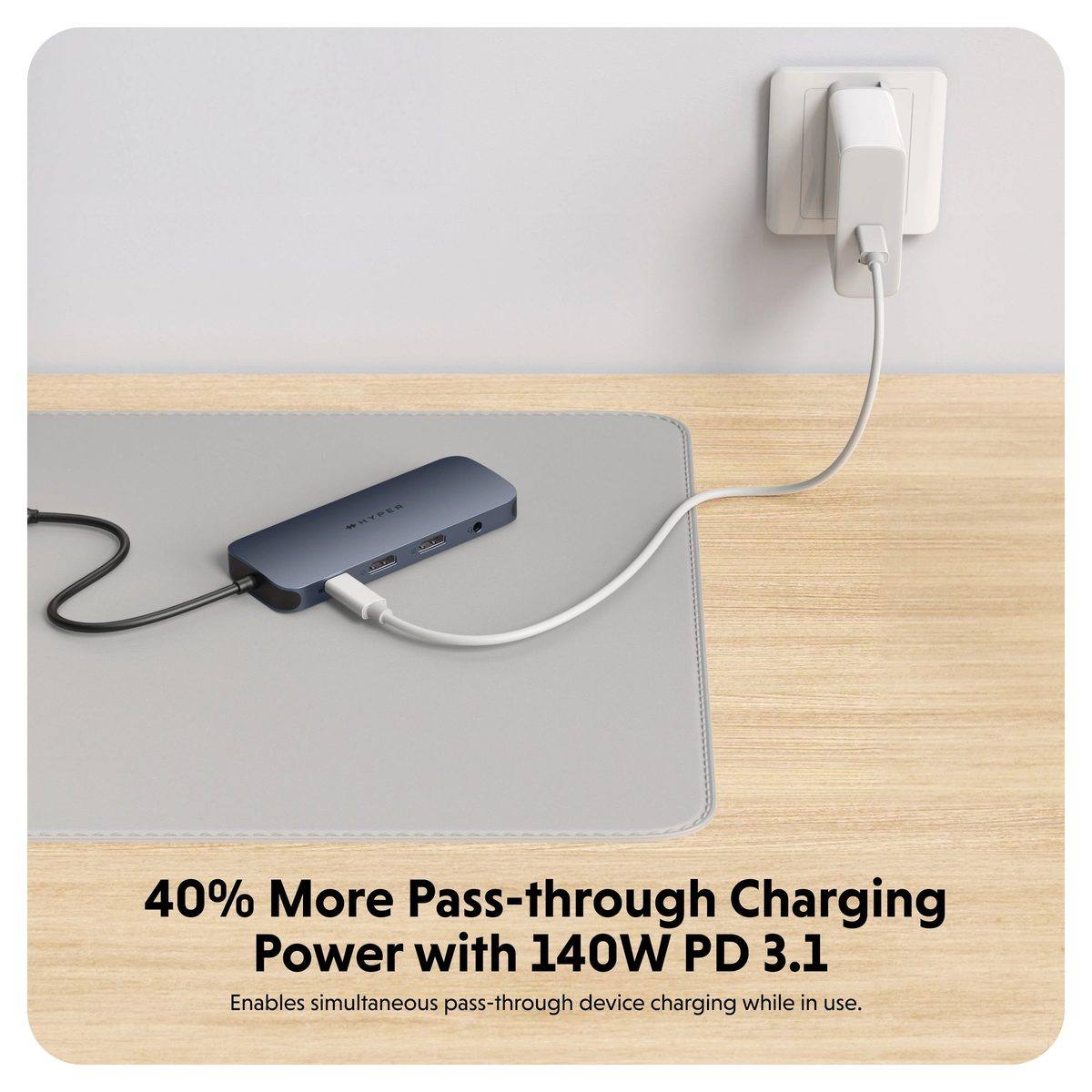
The 140W PD 3.1 pass-through port is the headline power feature. It accepts a 140W USB-C charger and passes power to the laptop while the hub runs its own electronics. Two realities worth knowing:
- The hub consumes some power for itself, so a 140W charger delivers roughly 135W to the laptop, not the full 140W.
- The laptop must support the negotiated PD profile; an older machine on a 96W charger simply gets 96W pass-through.
This comfortably charges 16-inch MacBook Pro and premium Windows laptops at full speed, which is more than most hubs in this price class can claim.
Build, Travel, and the Recycled Materials Story
The hub measures 4.96 by 1.91 by 0.59 inches and weighs 97 grams — small enough for a camera bag pocket. Hyper builds it from 100% recycled aluminum with 85% recycled plastic, and the finish is a matte Midnight Blue that resists fingerprints. The 3.5 mm combo jack supports headphone output and microphone input, which is genuinely rare on travel hubs and useful for streams or calls.
The main physical complaint across owner reviews is heat: sustained multi-port use makes the aluminum body warm to the touch. That is normal for a passive, unpowered-fan hub doing this much work, but buyers should not be surprised by it.
How It Compares in the HyperDrive Lineup
| Feature | HyperDrive Next 6-Port | HyperDrive Next 11-Port |
|---|---|---|
| HDMI | 1× 4K | 2× 4K60 |
| USB-C data | 1× 10Gbps | 2× 10Gbps |
| USB-A | 2× | 2× (10Gbps + 5Gbps) |
| Card readers | No | SD + microSD, 312 MB/s |
| Ethernet | No | Gigabit |
| Audio | No | 3.5mm combo |
| PD pass-through | 100W | 140W PD 3.1 |
The 6-port is the lean traveler’s pick; the 11-port is the creator’s complete kit. For comparison, the Anker 555 and UGREEN Revodok Pro 9-in-1 in our best USB-C hub for MacBook guide offer fewer ports but stronger Mac display behavior in some configs — check the guide for the full head-to-head.
Who Should Buy the HyperDrive Next 11-Port
Buy it when at least one of these is true:
- You shoot photos or video and need fast SD ingest plus dual displays on a PC or Chromebook
- You want one travel hub that covers HDMI, USB, cards, Ethernet, and audio
- Your laptop takes a 140W charger and you want full-speed pass-through
- You prefer hardware built from recycled materials
Skip it when your laptop is a MacBook with a dual-monitor desk, or when you need Thunderbolt speeds. On a PC or Chromebook, this is one of the best creator hubs at $119.99. On a Mac, buy a Thunderbolt dock and keep your second display.
Frequently Asked Questions
Does the HyperDrive Next 11-Port support two monitors on Mac?
No. Hyper lists Mac compatibility as limited to a single monitor. Dual extended 4K60 works on Windows PCs and Chromebooks only. A Thunderbolt dock is required for dual external displays on a Mac.
How much power does the HyperDrive Next 11-Port deliver?
The hub accepts up to 140W PD 3.1 pass-through, delivering roughly 135W to the laptop after the hub’s own consumption. The laptop must support the negotiated power profile.
What ports does the HyperDrive Next 11-Port have?
Two 4K60 HDMI, two 10Gbps USB-C (one is the host link), one 10Gbps USB-A, one 5Gbps USB-A, SD and microSD readers at 312 MB/s, gigabit Ethernet, a 3.5 mm audio combo jack, and a 140W PD USB-C port.
Is the HyperDrive Next 11-Port good for photographers?
Yes. The SD 4.0 card readers hit 312 MB/s, roughly 3x faster than older UHS-I readers, and dual 4K60 displays suit editing on Windows and Chromebook. Mac photographers get the card speed but only one external display.
Is the HyperDrive Next 11-Port Thunderbolt?
No. It is a USB-C hub, so data tops out at 10Gbps on the fast ports. Thunderbolt 3 or 4 docks are needed for 40Gbps peripheral speeds.
Does the HyperDrive Next 11-Port run hot?
The aluminum body runs warm under sustained multi-port use, which is normal for a passively cooled hub handling this much data and power. It is not a safety concern but is noticeable during long transfers.