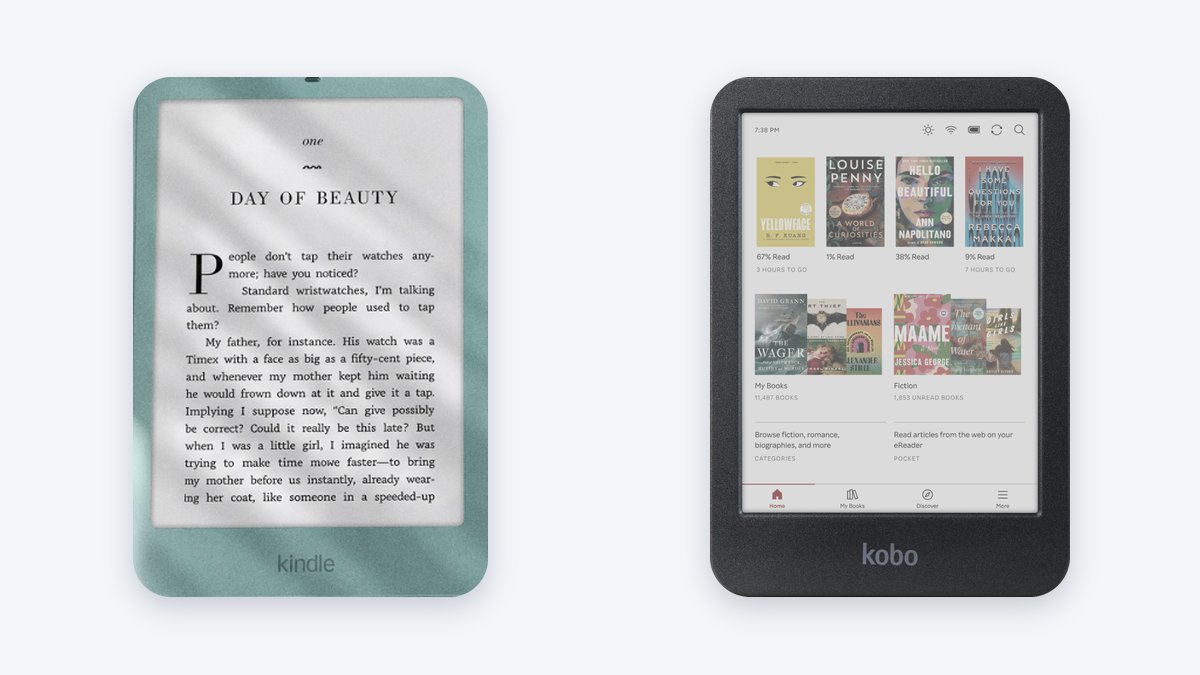
Choosing between Kindle vs Kobo used to be a screen question: which one is sharper, which one has the warmer light, which one costs less. In 2026 those answers have mostly met in the middle. Both brands raised prices this year, the cheapest Kobo now costs more than the basic Kindle, and Amazon renamed Kindle Unlimited to Kindle+ in October.
So the choice that’s left is about your books. Where will most of them come from, and where can they go if you change your mind in three years? An e-reader is cheap next to the library you’ll pile onto it. Get the store right, and the device almost picks itself. Some links here are affiliate links, so we may earn a commission if you buy, at no cost to you.
- Pick the store, not the screen. Over a few years, the books you buy cost far more than the reader.
- Borrow a lot from your library? Get a Kobo, because OverDrive is built right into the reader.
- Own a shelf of Kindle books, or live in Kindle+ and Audible? Stay with Kindle, since leaving costs more than any device saves.
- Kobo isn’t the cheap brand anymore. After its May price rise, the entry Kobo lists a little above the basic Kindle.
- Amazon killed the USB backup route in 2025, and its new DRM-free download only covers books whose publisher said yes.
Where will most of your books come from?
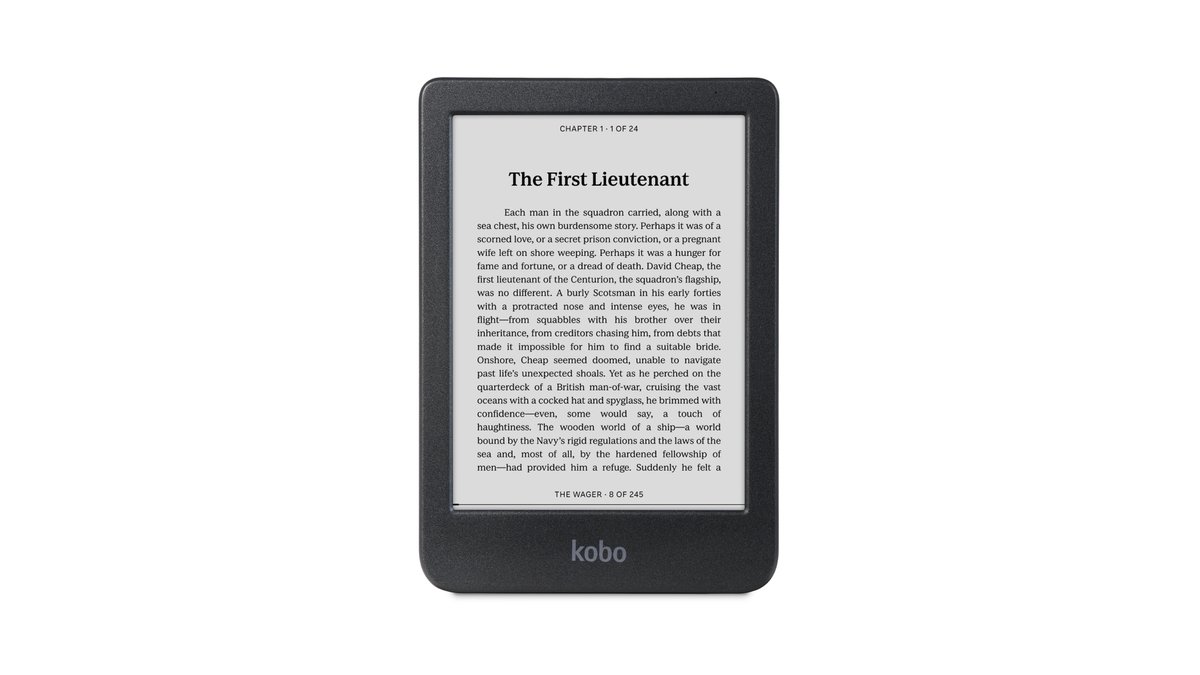
★ Your pick: Kobo Clara BW
OverDrive is built in, so you browse, borrow and place holds right on the reader.
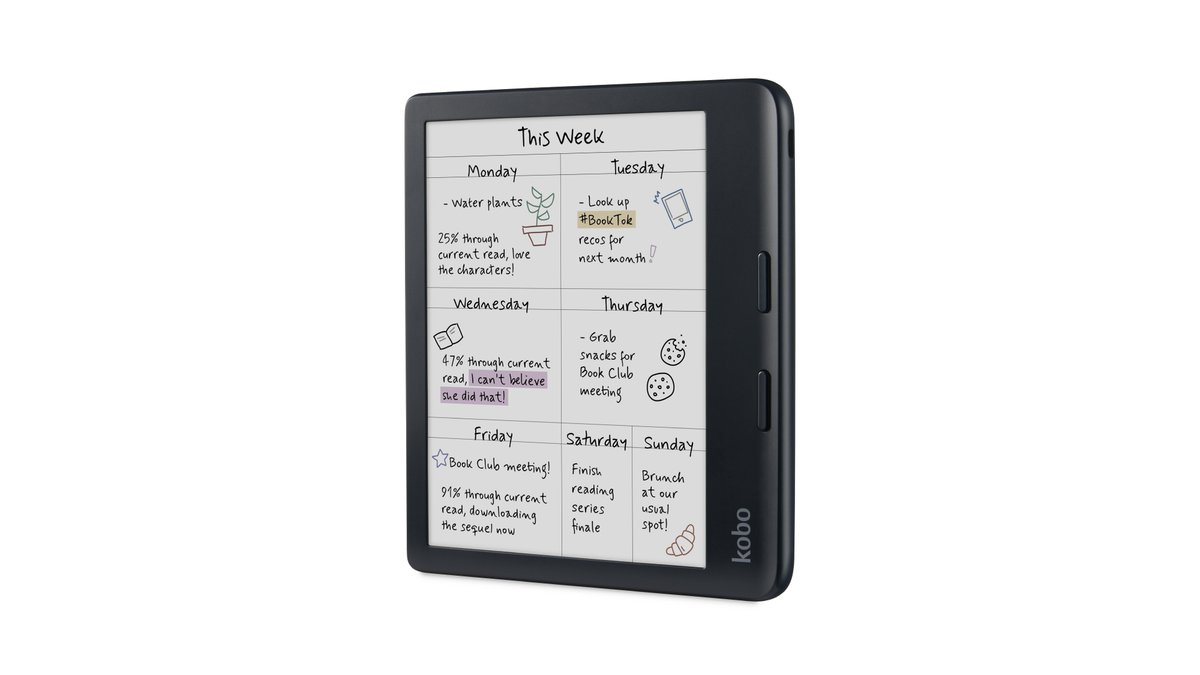
★ Your pick: Kobo Libra Colour
Drag-and-drop EPUB files, real page-turn buttons and a 7-inch color screen.
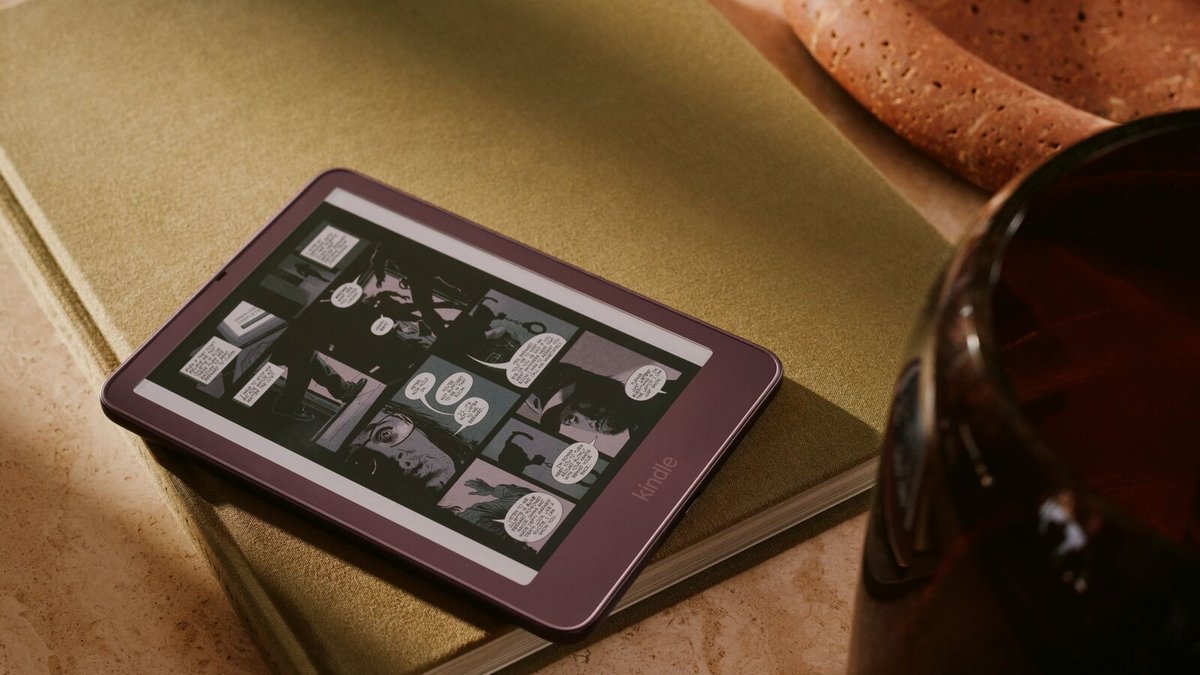
★ Your pick: Kindle Colorsoft (2026)
A color screen for comics and covers, with Amazon’s store behind it.
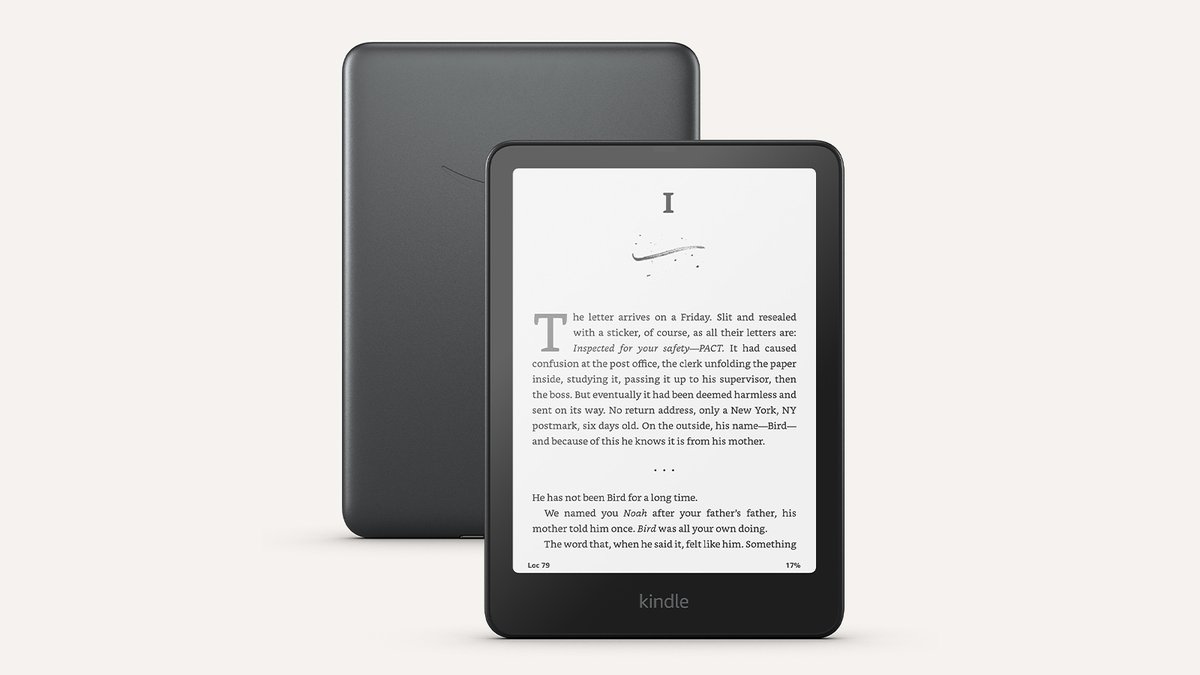
★ Your pick: Kindle Paperwhite (2024)
Last year’s Paperwhite is on sale this week. Same 7-inch size and warm light.
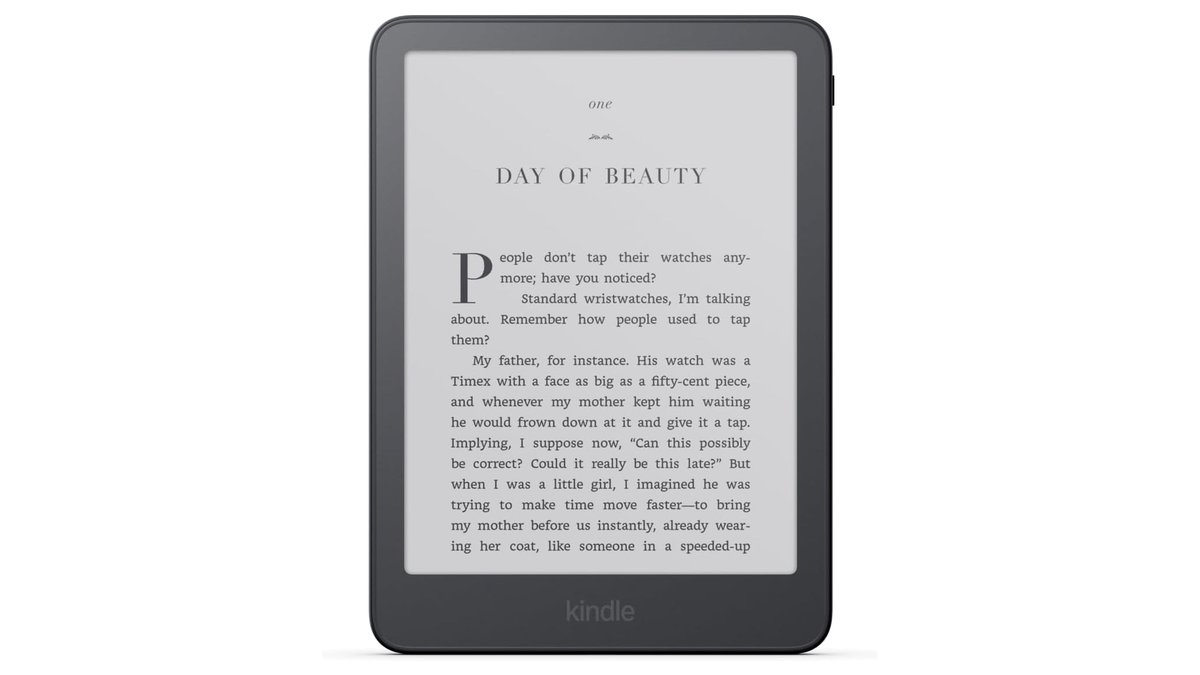
👑 Our Top Pick — Best Overall Value
Kindle Paperwhite (2026)
If most of your books will come from Amazon or Kindle+, this is the one. A 7-inch screen, warm light and waterproofing.
Opens on our Top Pick. Tap an option to see the best match for you.
Which Readers Should Pick a Kindle and Which Should Pick a Kobo
Pick a Kobo if your library card does most of the work. It’s also the pick if you keep a folder of EPUB files or want page buttons without paying top dollar, and it never shows lockscreen ads.
Pick a Kindle if you already own a pile of Kindle books, or if you use Kindle+ or Audible. Your books will follow you to any phone with the Kindle app.
Price and screen quality don’t decide it anymore. Both brands sell sharp, warm-lit, waterproof readers at similar prices. The store is what lasts.
What Changed in 2025 and 2026 That Reshapes the Choice
A lot of advice about these two brands is a year or two out of date, so here’s what moved.
Both Brands Raised Prices, and Kobo Lost Its Cheap Tag
Kobo moved first, in May 2026, raising US prices by $20 to $30 a model, as The eBook Reader reported. That put the Clara BW, its cheapest reader, at roughly $160. Amazon followed in August with jumps of $40 to $50 a model, and a spokesperson blamed rising memory chip costs. The basic Kindle now lists around $150 with ads.
Read those two numbers again. The entry Kobo now costs a little more than the entry Kindle, and the 7-inch Libra Colour lists above the 7-inch Paperwhite. If you came here thinking Kobo is the budget brand, that stopped being true this year. What Kobo still sells is features: no ads, buttons on the Libra, and a reader that talks straight to your library.
Kindle Unlimited Is Now Called Kindle+
On October 22, Amazon renamed Kindle Unlimited to Kindle+. The US price stayed at about $12 a month, and you can still hold up to 20 titles at once. The plan now adds thousands of audiobooks, some read by AI voices, and it still isn’t part of Prime. That turns it into a direct rival to Kobo Plus, which has long sold a combined read-and-listen plan.
Amazon Closed One Exit and Opened a Narrow New One
Three quieter changes matter more than any price tag.
First, in February 2025, Amazon switched off “Download & Transfer via USB”, the button that saved a store book to your computer as a backup. Books already on your Kindle stay readable, but you can’t pull a fresh copy onto a PC anymore.
Second, since January 2026, Amazon lets you download an EPUB or PDF copy of a book you bought. The catch is that the author or publisher has to sell it without DRM, the copy protection that locks a book to one company’s apps. Older titles need the rights holder to opt in, Kindle+ borrows don’t count, and most big publishers haven’t opted in.
Third, Kindles from 2012 or earlier lost store access in May 2026. They can’t buy, borrow or download anything new.
Watch out: one of those old Kindles can’t be registered again after a factory reset. If you’re inheriting one, don’t wipe it until you’ve decided which books on it you want to keep.
Put those together and the pattern is clear. Amazon decides how long your device can reach the store, and it decides which books may leave. That isn’t sinister; it’s how the business works. But it’s the biggest thing to weigh before you start a library.
Library Books Are Kobo’s Clearest Win
On the Clara BW, Clara Colour and Libra Colour, OverDrive is built into the reader. You sign in with your library card once, then browse the catalog, borrow and place holds right on the e-reader. No phone, no laptop.
Kindle works with libraries too, just in a roundabout way. You borrow in the Libby app on your phone and tap “Read with Kindle”, and the loan lands on your Kindle over Wi-Fi. That only works with US libraries, and only when your library has the book in Kindle format.
So does Libby work better on Kindle or Kobo? For borrowing, Kobo wins on ease. If you borrow two books a month, that’s two dozen phone detours a year you never take.
Where Your Books Can Go if You Switch Later
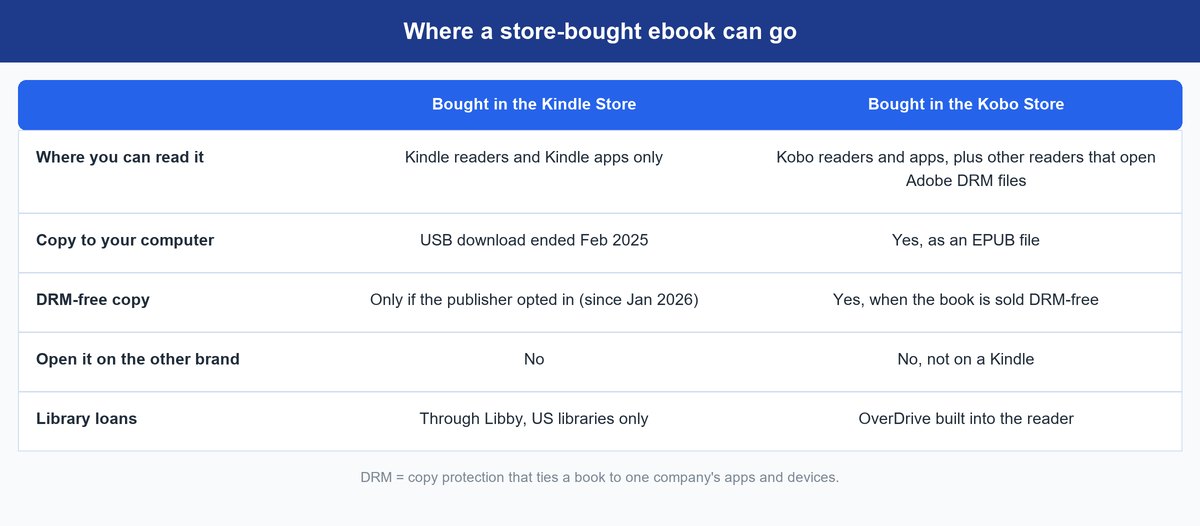
Here’s the question most buyers skip. What happens to your books if you change brands in a few years?
Getting Your Own EPUB Files Onto Each Reader
EPUB is the standard ebook file that most stores and libraries use outside Amazon, and Kobo reads it as is. Plug the reader into your computer and drag files across, or link Dropbox or Google Drive to pull unprotected files over Wi-Fi. Kindle takes EPUB files through Send to Kindle, which converts them for you. That’s fine for a handful, but for a big collection Kobo is faster.
What Happens to a Kindle Library When You Leave
Your Kindle books don’t vanish if you buy a Kobo. They stay readable in the Kindle apps on your phone and on Kindle for Web. What you can’t do is move them to the new reader, because Amazon’s own publisher help page says DRM limits a book to Kindle apps and devices. Only DRM-free titles whose publishers opted in can leave as EPUB files.
What Happens to a Kobo Library When You Leave
Kobo is more open, but not fully open. From your account you can download each book to your computer. DRM-free books come down as plain EPUB files that open almost anywhere. Protected books come down as Adobe DRM files, which you open in Adobe Digital Editions and move to other readers that support Adobe’s system. A Kindle isn’t one of them.
You’ll find tools online that strip DRM. They’re legally murky and less reliable than they used to be, so plan around what the stores officially allow.
Subscriptions and Audiobooks on Kindle+ and Kobo Plus
Does Kobo charge a monthly fee? No. The reader and the store work without one, and Kobo Plus is optional, the same way Kindle+ is. Kindle+ runs about $12 a month with ebooks and audiobooks mixed in. Kobo Plus comes as a reading plan, a listening plan or both, and Kobo lists today’s prices on its Kobo Plus page. At its posted US rates, Kobo Plus runs a few dollars a month less than Kindle+, roughly $8 to $10 depending on the plan.
The catalog matters more than the fee. Before you subscribe on either side, search for five authors you actually read. If three of them turn up, the plan will likely pay for itself. If not, skip it.
Audiobooks split the brands too. Kindles play Audible titles through Bluetooth headphones. Kobos play audiobooks bought in the Kobo store, and owners say files from elsewhere won’t play. If you listen as much as you read, Amazon’s setup is the smoother one today.
Our Three-Year Cost Math for a Typical Reader
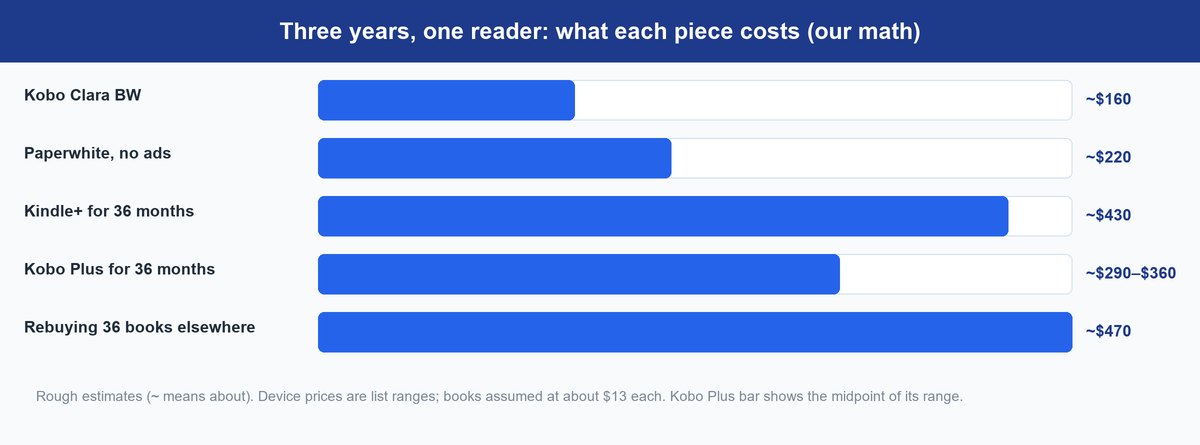
Here’s our rough math for one made-up reader, not a test. Say you borrow two library books a month and buy one ebook a month. Over three years, that’s 72 loans and 36 purchases.
The loans are free on both brands. We haven’t seen a reliable price gap between the two stores, so assume the same price per book. At about $13 a book, your purchases come to roughly $470 over three years.
The hardware barely moves that total. A Kobo Clara BW lists around $160, and a Paperwhite without lockscreen ads lists around $220, since skipping Amazon’s ads costs about $20 more. That gap works out to under $2 a month over three years. Kindle+ moves it more: at about $12 a month, three years comes to roughly $430, more than any of these readers. Kobo Plus would come to roughly $290 to $360 over the same three years at its posted rates, though the two catalogs aren’t the same books.
Here’s the line that matters, though. After three years you own 36 books in one store, and rebuying them elsewhere would cost that same $470 again. That’s the hidden price of the decision, and it’s two to three times what the e-reader cost.
Do the math: at one book a month, every year you stay in one store adds roughly $150 to what leaving would cost. The longer you wait, the more the store choice outweighs the device.
So is it cheaper to buy books on Kobo or Kindle? Per book, it’s about even. Over time, the cheaper choice is the store whose books you’ll never need to buy twice.
The Kindle and Kobo Models Worth Buying in 2026
Kobo hasn’t released a new e-reader since its April 2024 trio, and its 8-inch Sage looks discontinued. Amazon refreshed its whole line this fall. If you’ve already settled on Amazon, our guide to which Kindle to get once you’ve picked Amazon covers that choice. Here are the four we’d shortlist across both brands.
1. Kobo Clara BW — Best Kobo for Library Borrowers
$150–$170 range6-inch E Ink screenOverDrive built inIPX8 waterproofNo lockscreen ads
The Clara BW is Kobo’s entry reader, and it’s the one we’d hand to a library regular. It’s small, simple and waterproof, it never shows an ad on the lock screen, and it borrows library books without a phone in sight.
The 6-inch screen uses E Ink Carta 1300, a crisp black-and-white panel. It’s rated IPX8, which means it’s built to survive a dunk in fresh water, so a slip into the bath won’t end it. You get 16GB of storage, enough for thousands of books, and Kobo rates the battery at up to 53 days with half an hour of reading a day. The real feature is OverDrive in the menus: add your library card once, and borrowing takes a few taps.
Next to the basic Kindle, it costs a little more and adds waterproofing and an ad-free screen as standard. Next to the Paperwhite, it’s smaller and a bit cheaper, and it’s the cheapest way into Kobo’s open setup, with EPUB drag and drop from day one.
Skip it if you want color or page buttons, since that’s the Libra Colour’s job. Repairs are a quiet bonus, because Kobo works with iFixit, which sells official parts and fix kits for this model.
Pros
- OverDrive is built in, so library loans happen right on the reader.
- No lockscreen ads, and nothing extra to pay to avoid them.
- IPX8 waterproof rating for the bath or the beach.
- Battery rated at up to 53 days of light daily reading.
- Official repair parts and kits through iFixit.
Cons
- No physical page-turn buttons.
- A 6-inch screen shows fewer words per page than a 7-inch reader.
- Black and white only, so covers and comics lose their color.
- Kobo’s store runs fewer deep sales than Amazon’s.
2. Kobo Libra Colour — Best Kobo for EPUB Collections and Buttons
$220–$270 range7-inch color E InkPhysical page buttonsStylus support32GB storage
The Libra Colour is the Kobo we’d pick for ourselves. It’s built for people with a big EPUB folder who want real buttons under their thumb, and it’s the only current mid-size Kobo that takes a pen.
The 7-inch screen uses E Ink Kaleido 3, a color layer over a normal E Ink panel. Text shows at 300 ppi, meaning pixels per inch, so words look like print, while color shows at 150 ppi and looks soft, like a newspaper photo. You get two physical page-turn buttons, IPX8 waterproofing and 32GB of storage. It works with the Kobo Stylus 2, sold separately, for notes and highlights, and Kobo rates the battery at up to 40 days of half-hour reading.
Against the Paperwhite, it lists for more, and in return you get buttons, color, pen support and no ads. Against the Kindle Colorsoft, the screens are close on paper, and the Libra adds buttons and pen notes on top. What it can’t do is open your Kindle purchases.
Who should skip it? Anyone who reads only novels and wants the smallest reader, because the Clara BW does that for less. Everyone with a big EPUB library should start here.
Pros
- Two physical page-turn buttons, rare at this size.
- A color screen for covers, comics and charts.
- Works with the Kobo Stylus 2 for notes and highlights.
- 32GB of storage, double the basic models.
- OverDrive built in, with no lockscreen ads.
Cons
- Lists above the 7-inch Paperwhite.
- Color is soft at 150 ppi, not tablet-bright.
- The stylus costs extra.
- A shorter battery rating than the Clara models.
3. Kindle Paperwhite (2026) — Best Kindle for Amazon and Kindle+ Readers
$190–$230 range7-inch, 300 ppiWarm lightIPX8 waterproofUp to 12 weeks battery
If most of your books will come from Amazon, this is the Kindle to buy. It sits in the middle of the lineup, it’s the one we’d point most readers to, and it’s the reader we’d pair with Kindle+ or an Audible habit.
The 2026 model has a 7-inch, 300 ppi screen with adjustable warm light, which turns the glow amber for night reading. It’s rated IPX8, Amazon rates the battery at up to 12 weeks, and storage is 16GB. The standard version shows ads on the lock screen, and a version without them costs about $20 more. There are no page-turn buttons on this model.
Against the Libra Colour, you give up buttons, color and pen notes. You get Amazon’s store, Kindle+ and Audible built in, plus Kindle apps on every phone you’ll ever own. Against the Clara BW, you get a bigger screen and warm light, and you lose the built-in library browsing.
One more point in its favor is that early reviews say the 2026 Kindles have batteries you can replace yourself. There’s a possible catch, though. iFixit spotted signs of parts pairing, where the device checks whether a part is genuine and might limit a third-party battery. Amazon hasn’t confirmed either point.
Pros
- A 7-inch, 300 ppi screen with warm light.
- IPX8 waterproof rating.
- Battery rated at up to 12 weeks.
- Full access to Kindle+, Audible and Amazon’s ebook deals.
- A replaceable battery, according to early reviews.
Cons
- Lockscreen ads unless you pay about $20 more.
- No physical page-turn buttons.
- Store books stay locked to Kindle apps and devices.
- Library loans need the Libby app and a US library.
4. Kindle Colorsoft (2026) — Best Pick for Comics and Color Reading
$280–$300 range7-inch color E Ink300 ppi text, 150 ppi colorIPX8 waterproofUp to 8 weeks battery
The Colorsoft is the Kindle for comics, manga, cookbooks and picture books. If you read mostly novels, skip it and save the money for books. If color is the point, it’s Amazon’s answer to the Libra Colour.
It has a 7-inch color E Ink screen, sharp at 300 ppi for text and 150 ppi for color. Like the Libra, the color looks muted, closer to a printed magazine than a phone. It’s rated IPX8, and Amazon rates the battery at up to 8 weeks, shorter than the Paperwhite. Storage is 16GB, and there are no page buttons or pen support.
Against the Libra Colour, the screens are close on paper, the Libra adds buttons and stylus notes, and the Colorsoft adds Amazon’s store and Kindle+. So the deciding question is the one from earlier: where will your comics come from? If you’d rather read comics on a bright tablet, start with the screen in our tablet-for-reading guide.
Want to write as well as read? The Kindle Scribe Colorsoft and the Kobo Elipsa 2E are the big-screen note-takers, and the same store logic applies to both.
Pros
- A color screen for comics, manga and cookbooks.
- Text stays sharp at 300 ppi.
- IPX8 waterproof rating.
- Full access to Amazon’s store and Kindle+.
Cons
- Color is muted at 150 ppi.
- Battery rated shorter than the Paperwhite.
- No page buttons or stylus support.
- Costs the most of the four for plain novels.
Buttons, Ads, Waterproofing and Repairs Side by Side
| Feature | Kindle lineup (2026) | Kobo lineup (2024) |
|---|---|---|
| Lockscreen ads | On standard models, about $20 to remove | None |
| Page-turn buttons | Double-tap on Signature models, plus an optional button cover | Physical buttons on the Libra Colour |
| Waterproofing | Paperwhite and Colorsoft rated IPX8, basic Kindle not rated | Clara BW, Clara Colour and Libra Colour rated IPX8 |
| Pen support | Scribe models only | Libra Colour and Elipsa 2E |
| Repairs | Replaceable batteries reported, possible parts pairing | Official iFixit parts and kits |
| Library loans | Libby hand-off, US libraries only | OverDrive built into the reader |
| Read-later articles | Send to Kindle for documents | Instapaper, which replaced Pocket |
Look at the repairs row. Kobo’s iFixit deal is official, while Amazon’s battery change is only reported. That sums up the two brands. Kobo sells openness, and Amazon sells scale. And if you save web articles, Pocket shut down in July 2025, so Kobo now uses Instapaper.
Why Some Readers Leave Kindle and Why Some Come Back
Owners on r/kobo pointed to the USB download removal and a wish to rely less on one big US company. A Laptop Mag writer spent a week on a Clara BW and said she wasn’t going back, citing ownership worries and the lack of ads.
The trip runs the other way too. Some r/kobo owners report moving back to Kindle over fewer case choices and no simple “Send to Kobo” service for documents. Some also hit a firmware update that left readers stuck restarting, which The eBook Reader covered in August 2025.
There’s a bigger pattern here. The last detailed public breakdown of US ebook sales, from 2017, put Amazon at 83.3%. Nook had already shrunk to low single digits. When a small store fades, its readers are stuck with books they can only open in its apps. Kobo isn’t Nook, and Rakuten has owned it since 2012. Still, that history is the best case for the open path. The safest library is one that can leave its store.
What Is Actually Discounted This Black Friday
Amazon’s Black Friday sale started November 19 and runs through November 30. None of the new 2026 Kindles are discounted in the US. The deals sit on the 2024 Paperwhite, the 2024 Colorsoft, the 2024 basic Kindle and the Scribes, as The eBook Reader tracked. On the Kobo side, only the Libra Colour is marked down, and neither Clara model is.
Going Kindle on a budget? Watch last year’s Kindle Paperwhite (2024). It has the same 7-inch size, warm light and waterproofing as the new one. Going Kobo? The Libra Colour deal shrinks its gap with the Paperwhite.
Before you buy: deal prices change by the hour this week, so check the listing on the day you order. A 2024 Paperwhite isn’t a downgrade for reading. The 2026 model’s main gains are a thinner, lighter body, new colors and a battery that early reviews say you can replace yourself.
Frequently Asked Questions
Should I get a Kindle or a Kobo?
Get a Kobo if you borrow from your library a lot, keep EPUB files, or want buttons and no ads. Get a Kindle if you already own Kindle books or use Kindle+ and Audible.
Does Kobo charge a monthly fee?
No. A Kobo reader and the Kobo store work without a subscription. Kobo Plus is an optional plan for reading, listening or both.
Is Kobo or Kindle better for library books?
Kobo is easier, because OverDrive is built into its current readers. Kindle works through the Libby app, only with US libraries, and only when your library has a Kindle edition.
Does Libby work better on Kindle or Kobo?
For most people, Kobo, since you borrow and place holds on the reader itself. On a Kindle you borrow in Libby on your phone and send the book to your Amazon account.
Is it cheaper to buy books on Kobo or Kindle?
Per book, assume it’s about even. The cost to watch is switching later, because you’d have to buy your whole library again.
Can I read my Kindle books on a Kobo?
Not your store purchases, because Amazon’s DRM keeps them in Kindle apps and devices. The exception is a DRM-free book whose publisher opted in, which you can download as an EPUB.
Our Verdict on Kindle vs Kobo
Stop asking which reader is better, because both brands make great ones in 2026 at roughly the same prices. Ask where your next hundred books will come from instead. If it’s your library or your own files, buy a Kobo and keep your library portable. If it’s Amazon, Kindle+ or Audible, buy a Kindle and enjoy the smoothest store around. Either way, you’re choosing a home for your books, not just a gadget.