A lot of first 3D printers get bought this week, with Black Friday on November 27. The risk with a first printer isn’t a bad print. It’s a printer you stop using because the first month went to fixing it.
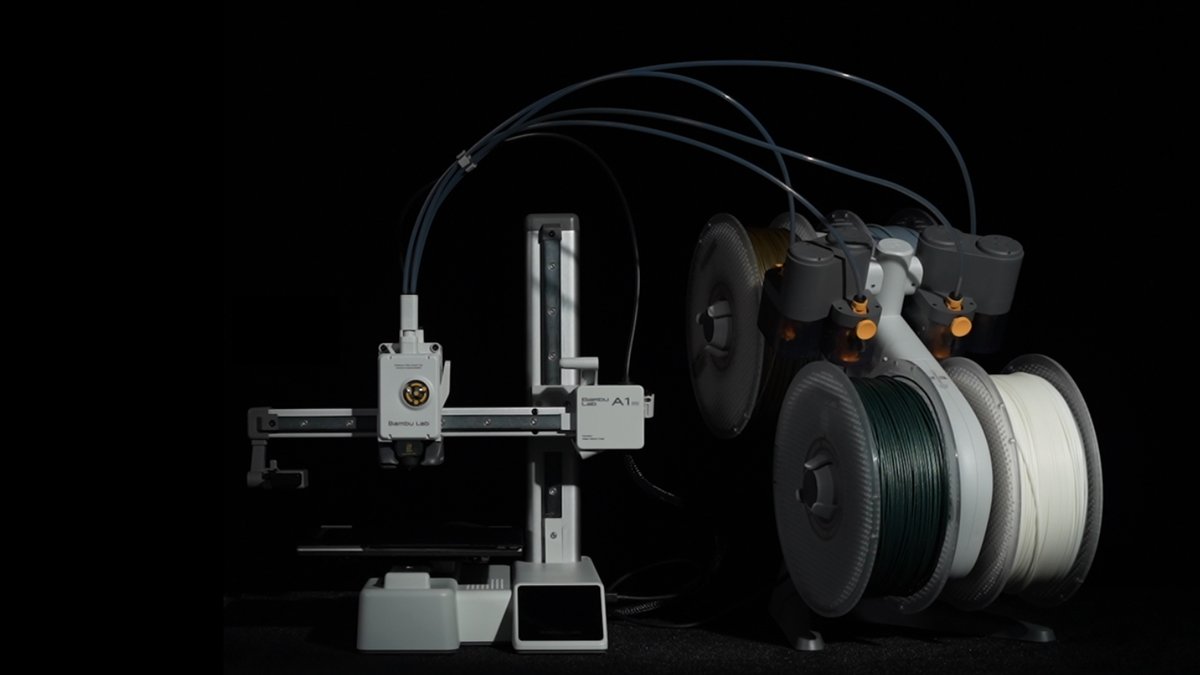
The best 3D printer for beginners in 2026 is the Bambu Lab A1 mini Combo. It tunes itself before every print, handles four colors and stays out of your way. It isn’t right for everyone, though, so if you want bigger parts, a box around the printer or another brand, one of the four picks below fits better. Each one says who should skip it, and we did the math on what year one really costs.
Links to Amazon on this page are affiliate links, so we may earn a commission if you buy. That never decides a pick.
- The Bambu Lab A1 mini Combo is the easiest first printer. It calibrates itself and prints four colors, but its build space is a small 18 cm cube.
- Every pick here levels its own bed. Your real risks are outgrowing the printer, the app system you buy into, and costs after the box arrives.
- The printer is the big expense. Filament is the cost that keeps coming, and power is pocket change.
- Start with PLA, the low-odor plastic most beginners use. Save ABS, a tougher plastic with stronger fumes, for an enclosed, filtered printer.
- The 2024 A1 recall covered about 12,800 printers. Bambu says newer units use a revised cable, so check the serial on a used one.
What matters most for your first printer?
★ Your pick: Bambu Lab A1 Combo
The same easy setup with close to triple the space.
★ Your pick: Creality SPARKX i7 Color Combo
A Bambu-style printer with a camera that spots failures.
★ Your pick: Elegoo Centauri Carbon 2 Combo
A closed chamber that keeps pets and kids out.
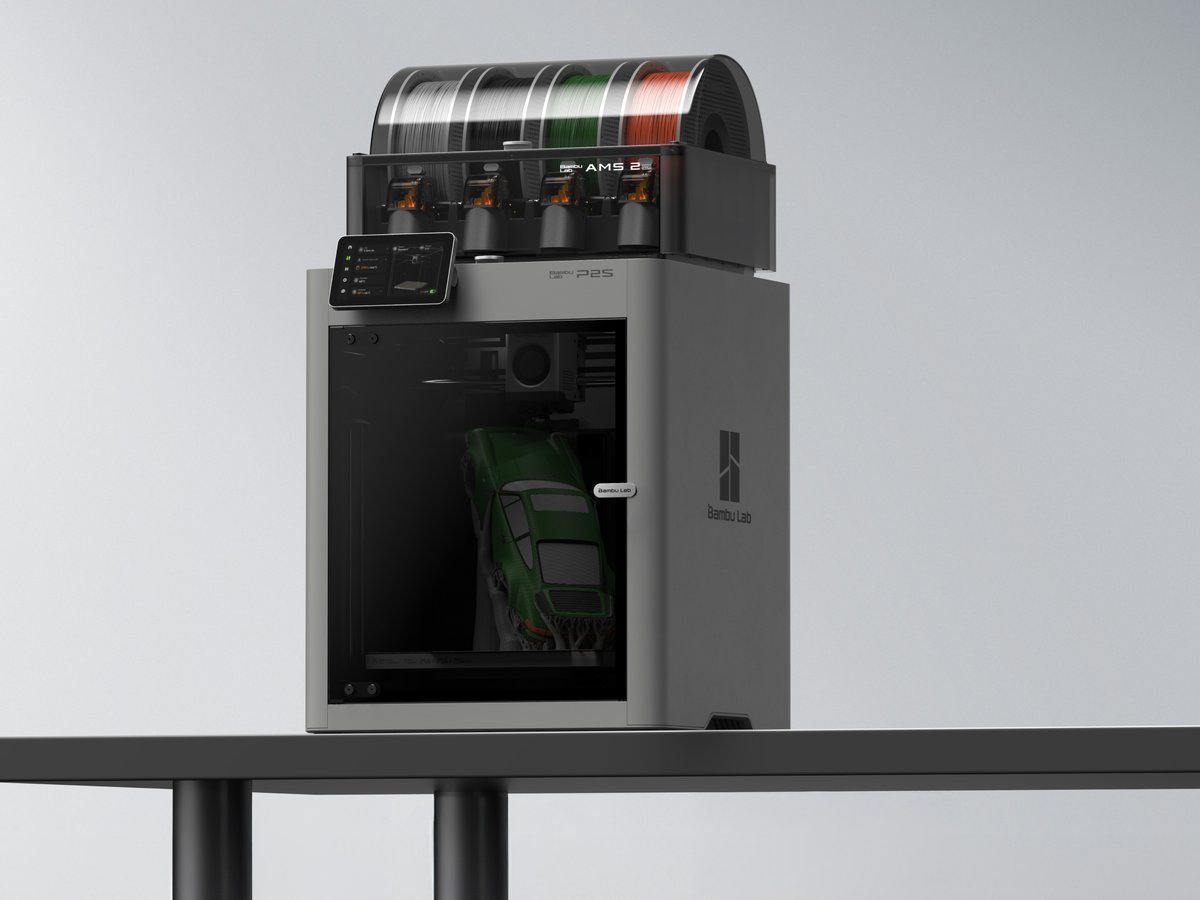
★ Your pick: Bambu Lab P2S Combo
Enclosed and filtered, so it’s ready for tough plastics.
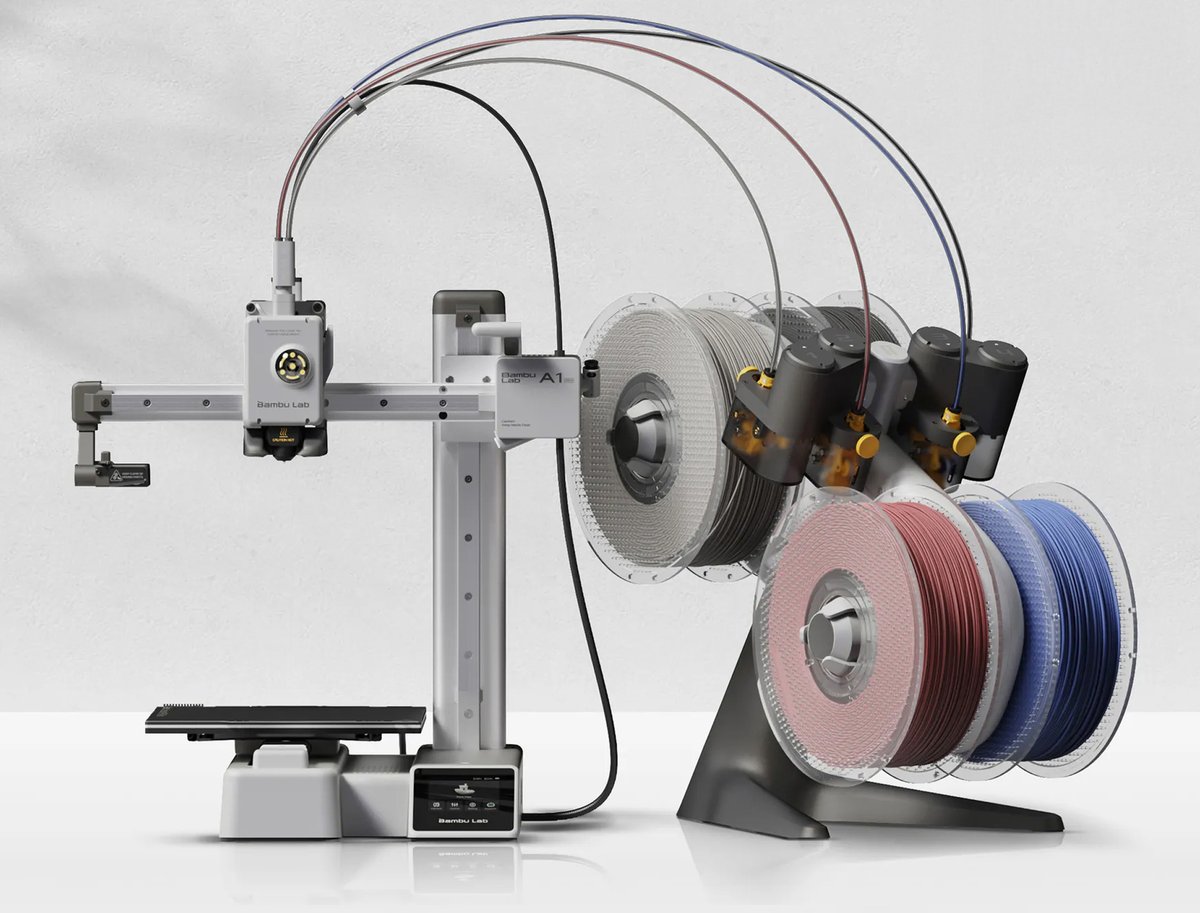
👑 Our Top Pick — Best Overall Value
Bambu Lab A1 mini Combo
The easiest first printer. It tunes itself and prints four colors.
Opens on our Top Pick. Tap an option to see the best match for you.
What Makes a 3D Printer Easy for a Beginner Now
A few years ago, your first weekend with a printer meant leveling the bed with a sheet of paper. You turned little knobs under it until the nozzle dragged on the paper just right. That job is gone, because every printer on this list checks its own bed and sets its own nozzle height.
So specs don’t separate these machines anymore. Three other things do. The first is size, because a printer you outgrow is a printer you stop using. The second is the ecosystem, meaning the apps, spools and model library that come with the brand. The third is what you spend after the box arrives.
Bambu Lab is why the market moved. The research firm CONTEXT reports that Bambu shipped 37% of entry-level printers in 2025, the ones under $2,500. Its VP of Global Analysis, Chris Connery, put it plainly: “Entry-level 3D printing has never been hotter.” Prices fell too. On this year’s Black Friday sale, Bambu’s smallest printer costs about a third less than its 2023 launch price, going by Notebookcheck’s launch report. Rivals copied the recipe, which is why the Creality and Elegoo picks look so much like Bambus.
Keep in mind: self-leveling doesn’t end failed prints. Bed adhesion, meaning plastic that won’t stick to the plate, is widely cited as a top cause. A clean plate fixes more first-week failures than any setting.
The Five Best 3D Printers for Beginners Right Now
All five calibrate themselves and print PLA well. They differ in size, in whether there’s a box around the print, and in how much they ask of you.
1. Bambu Lab A1 Mini Combo — Best for Most Beginners
$300–$350 range18 cm build cubeFull auto calibrationFour colors
This is the printer we’d hand to almost anyone starting out. Before each print, it levels the bed, sets the nozzle height and checks how its own frame shakes, then corrects for it. You never touch a knob.
The Combo adds the AMS lite, a feeder that holds four spools and swaps them mid-print. That’s how you get a red roof on a white house without stopping. It reads the chip on Bambu’s own spools, so the right settings load by themselves. The hotend, the part that melts the plastic, swaps by hand with no tools. Bambu claims it stays under 48 decibels in silent mode.
The catch is size, since the build space is an 18 cm cube, a bit over seven inches each way. That’s fine for toys, organizers and repair parts, but too small for a helmet or a big bin. The open frame and sliding bed suit PLA and PETG, a tougher plastic that handles more heat, best. Forums do have clog and extrusion stories, like one owner who spent 70 hours troubleshooting a new unit. Those posts are self-selected, so they aren’t a failure rate.
Skip it if your first projects are bigger than your hand, but if the hobby doesn’t stick, it’s the smallest loss here.
Pros
- Calibrates itself fully before every print.
- Four-color printing with the AMS lite in the box.
- Tool-free hotend swap when a nozzle clogs.
- Small enough for a crowded desk.
Cons
- The 18 cm build cube rules out big parts.
- Open frame, so ABS and ASA, its outdoor-grade cousin, are off the table.
- Spools without Bambu’s chip need settings picked by hand.
2. Bambu Lab A1 Combo — Best for Bigger Prints
$350–$400 range25.6 cm build cubeFull auto calibrationFour colors
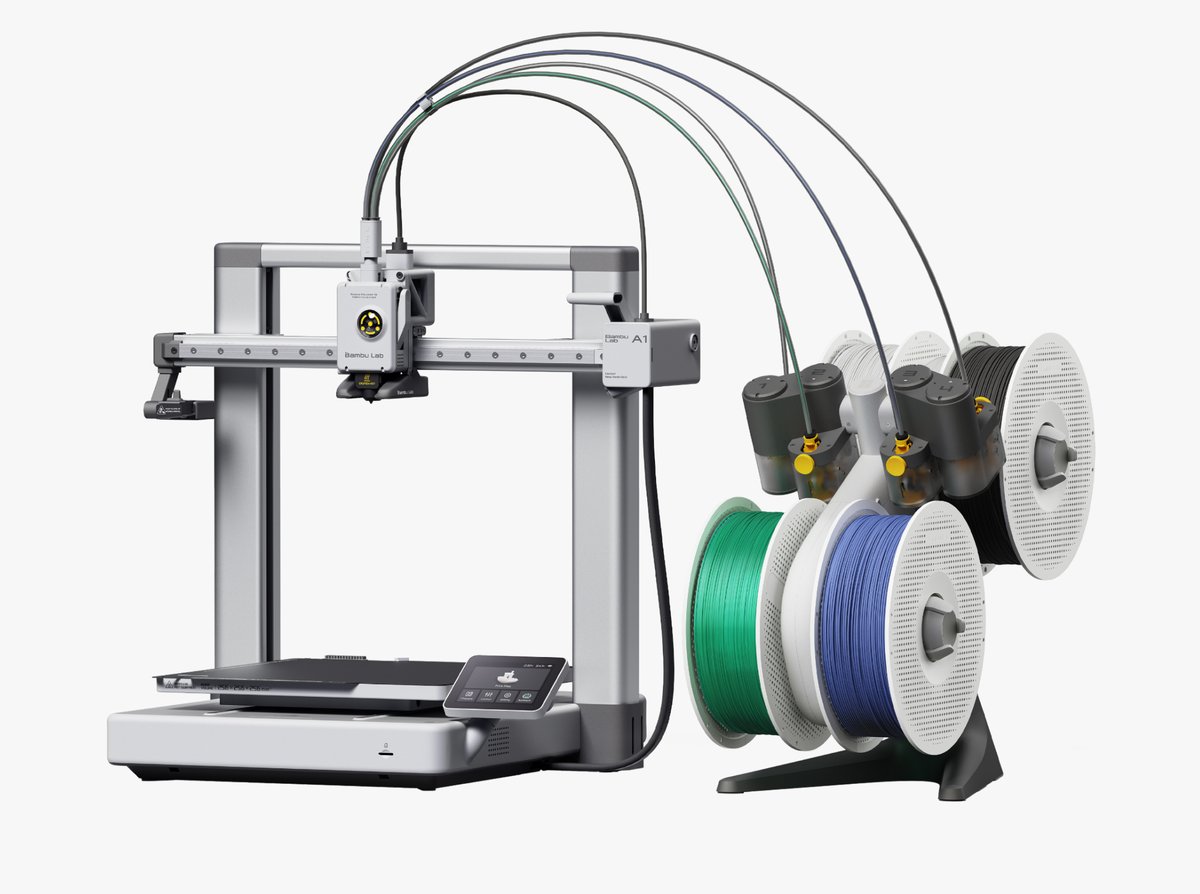
Think of this one as the mini with room to grow. It has the same self-calibration, the same four-color AMS lite and the same app. The big change is the bed. At 256 mm a side, the build space holds close to three times what the mini does.
That extra room changes what you can make in one piece. A tall vase, a drawer organizer or a chunk of a cosplay helmet fits without cutting the model up. You get the same auto-loaded settings and tool-free hotend. Bambu’s figures put it near 95 watts while printing PLA, so a ten-hour print uses under one kilowatt-hour.
It does have a safety history worth knowing. There was a recall in 2024, and owners later reported a hot part on the power board. Bambu says newer units fix both, and our safety section below shows you how to check a used one.
Skip it if your desk is shallow, since the bed slides front to back and needs clear room. It’s an open frame too, so plan on PLA and PETG. Next to the SPARKX i7, you get a longer track record and a bigger model library.
Pros
- Close to triple the build space of the A1 mini.
- Same hands-off calibration and Bambu app.
- Four colors with the AMS lite included.
- Quiet enough for a home office in silent mode.
Cons
- Needs a deep desk for the sliding bed.
- Open frame, so no ABS or ASA.
- Past safety reports make some buyers wary.
3. Creality SPARKX i7 Color Combo — Best Pick If You’d Rather Skip Bambu
$320–$400 range26 cm class buildAI failure cameraMulticolor feeder
Creality spent years selling printers you had to tinker with. The SPARKX i7 opened for preorders this January as its answer to Bambu, and reviewers note how close the two look. Still, Tom’s Hardware’s review calls it “not just another color bedslinger,” the hobby’s name for a printer whose bed slides.
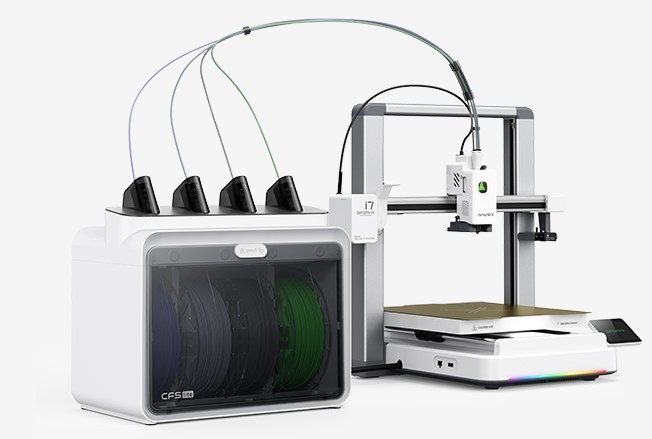
The build space is about 26 cm a side, a hair bigger than Bambu’s full-size model. Its camera uses AI to spot spaghetti, the tangled mess a failed print leaves. The hardened steel nozzle reaches 300°C, so it can handle gritty carbon-fiber PLA. It also prints PETG and TPU, a rubbery plastic. The plate is textured PEI on both sides, a grippy surface parts pop off once it cools.
The Gadgeteer’s review went from box to first motion in under ten minutes and scored it 8/10. The downsides were small but real. About two minutes of calibration runs before each print. Multicolor relies on the CFS Lite feeder in this Combo, which Tom’s Hardware’s verdict calls a four-color setup. The simple app may feel thin once you know more.
Pick it for the A1 experience from a different brand. Skip it if you want the longest track record, since the i7 is a 2026 newcomer.
Pros
- Slightly more build space than the A1.
- AI camera flags failed prints before they waste a spool.
- Hardened steel nozzle handles carbon-fiber PLA.
- Tool-free nozzle swap.
Cons
- About two minutes of calibration before every print.
- A newcomer with a short track record.
- The simple app may feel limiting later.
4. Elegoo Centauri Carbon 2 Combo — Best Enclosed Printer on a Budget
$370–$450 range25.6 cm build cubeEnclosed chamberFour colors
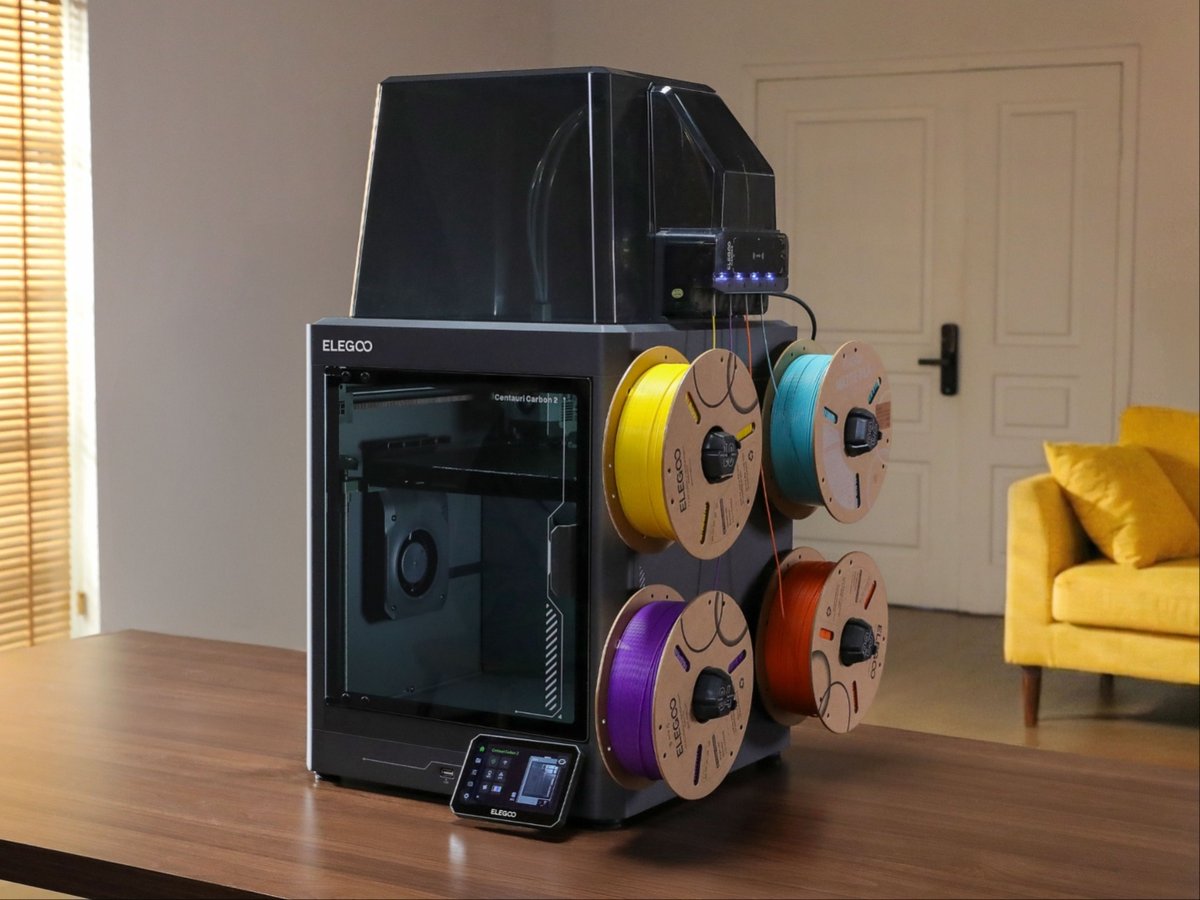
If you want a box around your printer, this is the cheapest enclosed four-color pick on this list. The enclosure keeps curious cats and small hands away from the hot nozzle. It keeps drafts off the print, and it gives you a path to ABS later. It’s also a CoreXY printer, meaning the head zips around on rails up top while the bed only moves down, so it tends to stay steady at speed.
It launched this January with a 256 mm build cube and a hardened steel nozzle rated to 350°C. Vents open and close on their own. The CANVAS feeder reads tags on Elegoo spools, and Notebookcheck found it accepts other tagged spools too.
The hardware is the bargain, and the software is where you pay. Notebookcheck’s review saw spotty Windows connections, false clog alerts and multicolor time estimates off by up to 17%. One-click calibration took about 26 minutes. CGMagazine called the software “exceptionally buggy.” Still, Notebookcheck’s Vineet Washington called it a “solid entryway into the world of multi-color printing.”
Elegoo also sells an open version, the Centauri 2 Combo, for less. It drops the enclosure, the camera and the air filter. We’d spend the extra on this one, because the box is the reason to pick Elegoo over the A1 Combo. Skip both if software hiccups will make you quit.
Pros
- Enclosed chamber at a mid-range price.
- Four colors with tag-reading spool detection.
- CoreXY frame stays steady at speed.
- Hardened steel nozzle rated to 350°C.
Cons
- Buggy software and false alerts in reviews.
- Calibration takes close to half an hour.
- Multicolor time estimates can run well off.
5. Bambu Lab P2S Combo — Best Buy-Once Upgrade Pick
$650–$800 range25.6 cm build cubeCarbon-filtered chamberFilament drying
This one is for the beginner who already knows, maybe from a printer at school or a makerspace, or who wants tough parts for a car or a bike. The P2S, which Bambu launched in October 2025, gives you an enclosed, filtered printer on day one, so you don’t buy twice.
The nozzle reaches 300°C, and the bed heats to 110°C, which ABS needs. A carbon filter cleans the air inside the chamber, and a sensor knows when the door is open. The Combo ships with the AMS 2 Pro, a feeder that also dries damp filament. Wet filament prints stringy and weak, so that’s a real perk.
Tom’s Hardware’s review praised its fair price but said the AMS wastes filament. TechRadar ran it for over 300 hours and called it almost perfect. Against the Centauri Carbon 2, you pay more, but you get Bambu’s smoother software and a carbon filter. Next to the A1 Combo, you get the same 256 mm build cube, but inside a closed box that holds heat, which is what keeps ABS from warping.
Skip it if you’re not sure the hobby will stick. If you quit after a month, the mini is a much smaller loss.
Pros
- Enclosed, carbon-filtered chamber from day one.
- Hot enough for ABS and ASA when you’re ready.
- AMS 2 Pro dries filament as well as feeding it.
- Bambu’s polished app and model library.
Cons
- Costs about twice as much as most picks here.
- The AMS purges a lot of filament on color changes.
- Overkill if you only print small PLA parts.
How the Five Picks Compare at a Glance
| Printer | Build space | Frame | Best for |
|---|---|---|---|
| A1 mini Combo | Small | Open | First-timers, small desks |
| A1 Combo | Large | Open | Bigger parts |
| SPARKX i7 Color Combo | Large | Open | Skipping Bambu |
| Centauri Carbon 2 Combo | Large | Enclosed CoreXY | Pets, kids, future ABS |
| P2S Combo | Large | Enclosed, filtered | Buying once |
What a First 3D Printer Really Costs in Year One
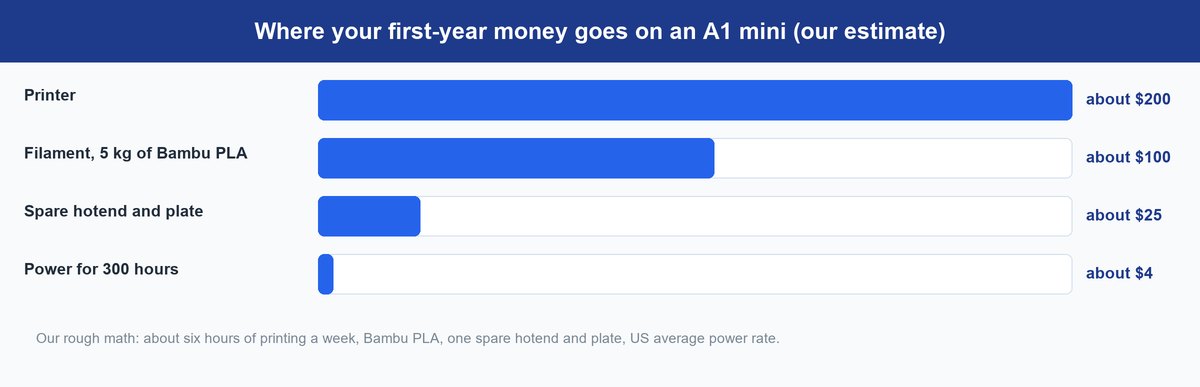
Here’s our rough math for a first year, so you can see where the money goes. We assumed about six hours of printing a week and 5 kg of filament. Those are our guesses for a steady hobbyist, not a measured average. Printer prices are Bambu’s own-store Black Friday prices as of November 25, 2026.
Power uses Bambu’s published averages, about 80 watts for the mini and 95 for its big brother. The rate is the US home average from the EIA, about 18 cents per kilowatt-hour. Spares mean one extra hotend and one extra plate. The mini rows leave out the AMS lite, so add about $100 for the Combo.
| Setup | Printer | Filament | Spares | Power | Year one |
|---|---|---|---|---|---|
| A1 mini, Bambu PLA | about $200 | about $100 | about $25 | about $4 | about $330 |
| A1 mini, budget PLA | about $200 | about $50 | about $25 | about $4 | about $280 |
| A1 Combo, Bambu PLA | about $360 | about $100 | about $25 | about $5 | about $490 |
Look at the split. In the first row, the printer is roughly 60% of your year and filament about 30%. Power is barely over 1%, or about a cent and a half per printing hour. So don’t pick a printer to save on running costs. Pick the one you’ll keep using.
Is 3D Printing an Expensive Hobby Once You Own the Printer?
Not really, since the running cost you control is filament. Bambu’s own PLA runs about $20 a kilo. Budget PLA like Elegoo’s bundle or SUNLU’s costs about half that. Third-party spools usually lack Bambu’s chip, so you pick the settings once yourself. Spares are cheap too, like a spare A1 mini hotend or a replacement A1 mini plate.
Do the math: multicolor prints waste plastic. Each color change flushes out the old color, and one estimate puts Bambu’s default at about a third of a gram per change. A print with a hundred changes burns roughly 35 g, about 3.5% of a spool.
Is It Cheaper to 3D Print or Buy the Part?
For small parts, the plastic is cheap. A 50 g print uses about 50 cents to a dollar of filament. But the printer has to earn its keep first, and that takes a few hundred useful prints. The real savings come from parts you can’t buy at all, like a bracket in the exact size you need. You can also spend less up front with a refurbished or open-box printer. Just know what that label covers before you buy.
Why Closed Ecosystems Won Over Beginners and What You Give Up
Why the All-in-One Approach Took Over
Bambu controls the whole chain. It makes the printer, the slicer, the chipped spools, the phone app and MakerWorld, its model library. A slicer is the program that turns a model file into steps the printer follows. Load a Bambu spool, and the printer already knows the right heat and speed. That’s the tuning that used to eat a beginner’s first month.
TechNode’s look at Bambu’s rise makes the same point. Without good profiles, models and materials, a printer tends to sit unused. Elegoo and Creality now use the same chipped-spool trick.
What Bambu’s Authorization Firmware Means for You
In January 2025, Bambu rolled out firmware that needs its own sign-off for some actions. That covers linking the printer to your account, remote video, updates and starting prints over a network, even your home one. Printing from an SD card isn’t affected. Bambu cited security, saying it saw up to 30 million unauthorized requests a day at peak.
Hackaday covered the backlash, and Bambu then added a Developer Mode for local-only control. As All3DP explains, you pick Developer Mode or Bambu Connect, its go-between for outside apps, but not both. We found no change to this since.
What does that mean for you? Day to day, nothing. It matters later, if you want offline-only control, outside slicers or smart-home automation. If that sounds like you, the Prusa CORE One+ in our left-off list is the open, no-cloud choice, though it costs far more.
The Printers We Left Off This List
- Creality Ender-3 V3 SE (see it on Amazon): it’s single-color with less automation, and Bambu’s mini costs about the same.
- Bambu Lab P1S (see it on Amazon): it’s still sold, but the P2S is the newer model at similar money.
- Bambu Lab A2L (search on Amazon): it launched in June 2026 with a huge bed, which is more printer than a first-timer needs.
- Prusa CORE One+ (see it on Amazon): it’s the open, no-cloud choice, but it costs several times what the mini does. Josef Prusa has argued that open-hardware desktop printing is dead, which helps explain the price.
- Resin printers: they print fine detail from liquid resin, but you handle sticky liquid, gloves and a wash step. That’s a second printer, not a first.
Fumes, Recalls and Where to Put Your First Printer
Start With PLA and Give the Printer Fresh Air
Melting plastic gives off tiny particles and gases. NIOSH measured both from desktop printers in an office. It found no workplace exposure limits exist for printer emissions yet, and health effects aren’t fully known. UL’s research team found printers can release more than 200 different VOCs, the gases behind that hot-plastic smell. ABS and nylon give off much more than PLA, and an EPA review found the same for particles.
So start with PLA, and run the printer in a room with airflow, not a closed bedroom where someone sleeps. If you move to ABS later, get an enclosed, filtered printer like the P2S.
Before you buy: UL’s advice is to look for printers verified to its UL 2904 emissions standard. That’s a quick tiebreaker when two printers look the same on paper.
The A1 Recall and Power-Board Reports, Stated Plainly
In June 2024, the CPSC announced a recall of about 12,800 Bambu Lab A1 printers. A damaged heatbed cable could short, spark or burn through its covering. There were 19 reports of damaged cables and no injuries. Affected units have an “A” as the sixth character of the serial number. Owners could get a refund or a free replacement heatbed and cable. The mini wasn’t part of it.
Bambu says units sold since then use a revised cable. About a year later, owners reported an overheating part on the printer’s power board. Bambu told Tom’s Hardware a design change in the third quarter of 2025 removed it from newer units, and affected owners got repairs or replacements. We found no newer update, so buy new from an authorized seller and check the serial on a used one.
Worth knowing: 19 damaged-cable reports among about 12,800 recalled printers works out to roughly 0.15%, by our math. Small, but real enough that the serial check is worth a minute.
Kids and 3D Printers Need a Grown-Up Nearby
A printer is a heater with moving parts, and its nozzle runs far hotter than boiling water, so small kids shouldn’t reach in while it works. For a family, the mini with PLA is a sensible start, set where an adult can see it. Shopping for a younger kid? Our guide to the best tablet for kids covers a gift that’s easier to supervise.
How We Picked These Printers
We went through maker specs, independent reviews and owner reports. Every pick had to pass five tests. It calibrates itself. It’s a current model, not one on its way out, the way the P1P was when Bambu ended it this year. Its safety record is public. Reviewers agree it prints well out of the box. And it has a clear buyer, plus a clear person who should skip it.
Frequently Asked Questions
How much is a decent beginner 3D printer?
About $200 to $400 gets you a printer that levels and tunes itself, and most four-color kits sit in that range. Enclosed, filtered machines like the P2S Combo run roughly $650 to $800.
Is 3D printing an expensive hobby?
Not after the printer. In our rough math, a steady first year on Bambu’s mini costs about $330, and the printer is most of that. Filament runs roughly $10 to $20 a kilo, and power is about a cent and a half per hour.
Is it cheaper to 3D print or buy?
For small parts, yes on materials. A 50 g print uses about 50 cents to a dollar of plastic. The printer has to pay for itself first, which takes a few hundred useful prints.
What are you not allowed to 3D print?
Respect copyright and trademarks. Many free models are for personal use only, so selling prints of them can get you in trouble. Some regulated items are restricted by law, and the rules vary by place. Check the license and your local laws first.
What is the best 3D printer for home use?
For most homes, it’s the Bambu Lab A1 mini Combo. It’s small, quiet and easy. If kids or pets roam nearby, an enclosed model like the Elegoo Centauri Carbon 2 Combo is safer.
Is a 3D printer OK for kids?
Yes, with an adult nearby. Stick to PLA, keep the printer where a grown-up can see it, and keep small hands away from the hot nozzle.
The Bottom Line on Your First 3D Printer
Buy the printer you’ll still be using in March, which for most people is the A1 mini Combo. Get the A1 Combo for bigger parts, or the SPARKX i7 to skip Bambu. Elegoo’s Centauri Carbon 2 Combo gives you a box for less, and the P2S Combo is for when you’re sure. Bambu’s Black Friday sale runs until 2 AM Eastern on December 1. Then load some PLA and print something useful tonight.