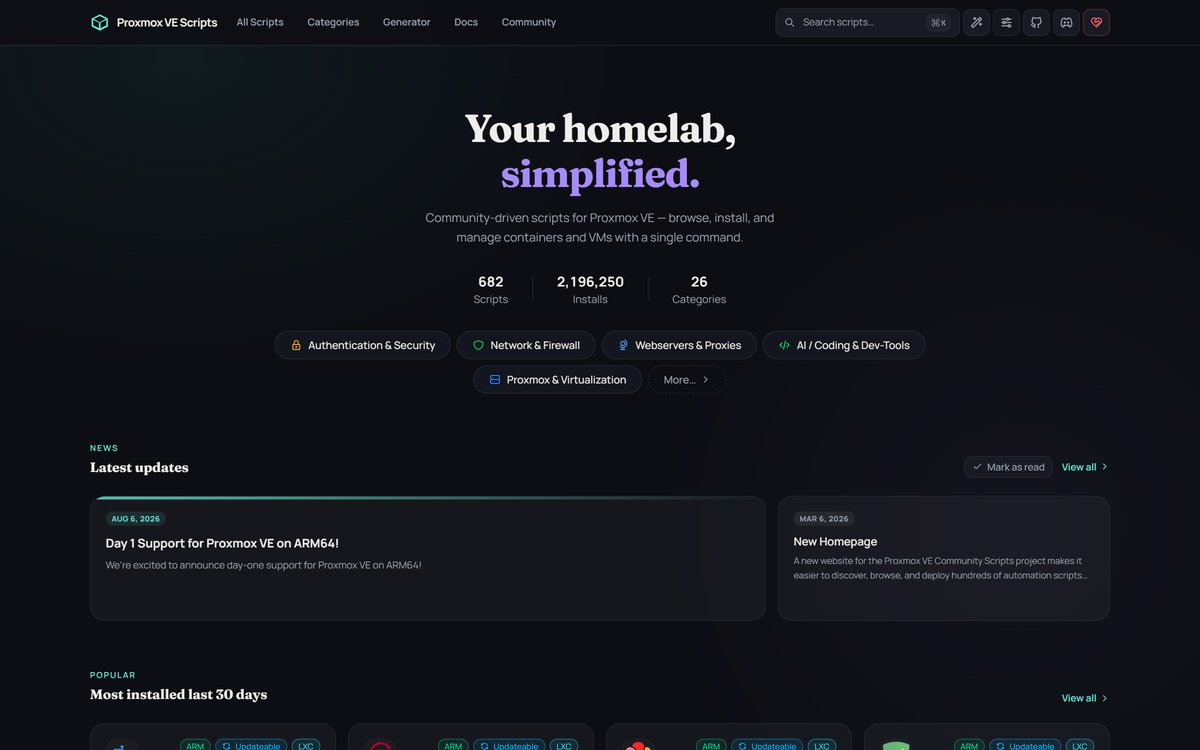
Proxmox helper scripts are community-made installers for Proxmox VE. You paste one command into your server’s shell, answer a few prompts, and a few minutes later a new app is running in its own container. That one command replaces about ten manual steps. It is the fastest way to go from a bare Proxmox box to a working Jellyfin, Home Assistant, or Tailscale setup. It is also unaudited code running with full power over your server. This guide shows you how the scripts work, which ones matter, and a simple routine that keeps one bad run from taking your whole lab down.
- Helper scripts install apps on Proxmox with one pasted command. The catalog holds 682 scripts across 26 categories, with over 2.1 million recorded installs.
- They are a community project under an MIT license. They are not official Proxmox software, and Proxmox does not support them.
- Every script runs as root on the machine that controls all your VMs. That is the whole risk in one sentence.
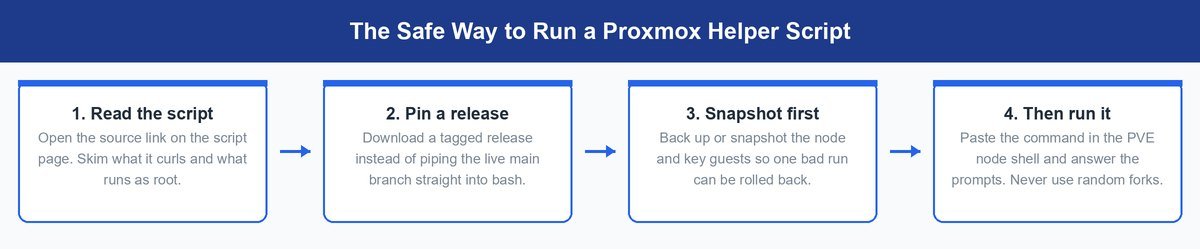
- The safe routine is short and boring. Read the script, pin a release, snapshot first, then run it.
- The original creator, tteck, passed away in late 2024. The maintained project is the community fork — use that one, never a random copy.
What Proxmox Helper Scripts Actually Do for You
Proxmox VE ships bare on purpose. You get a hypervisor — the base system that runs virtual machines — and nothing else. Want Jellyfin on it? The manual path means downloading a container template, picking CPU and memory, setting up the network, then installing the app inside by hand. Ten steps, easy to fumble, and you repeat them for every single app.
Helper scripts collapse all of that into one command. Each script builds an LXC container — a lightweight box that shares the host’s kernel. Think apartment, not separate house. The script picks sane defaults, creates the apartment, moves the app in, and hands you the address. If containers are new to you, our Proxmox VE explainer covers how they differ from full VMs.
The scale surprises people. The catalog at community-scripts.org lists 682 scripts across 26 categories as of this writing, and the site’s own counter shows more than 2.1 million installs. The GitHub repository behind it holds over 29,000 stars under an MIT license. This is not a niche tool anymore. One-command installs are a big part of why cheap mini PCs became the default homelab, because the hard part of Proxmox was never the install — it was everything after.
How the Project Outlived Its Creator
The scripts began as one person’s project. Tyler, known as tteck, built and ran them for years, and his original repository earned over 15,000 stars. In November 2024 he shared that he had incurable cancer, and he passed away soon after. His family announced it on GitHub.
The community response says a lot about the project’s health. Volunteers forked his work into community-scripts/ProxmoxVE within weeks, and that fork is now the maintained home. The old repository is archived and frozen, and it points visitors to the new one. The repo’s own readme still credits tteck’s foundation by name.
Double-check the domain: copycat sites exist. The real catalog greets you with a “stay safe” popup warning about lookalike domains. Check that you are on community-scripts.org and that any command you copy points at the community-scripts/ProxmoxVE repository — nowhere else.
How One Pasted Command Builds a Whole Container
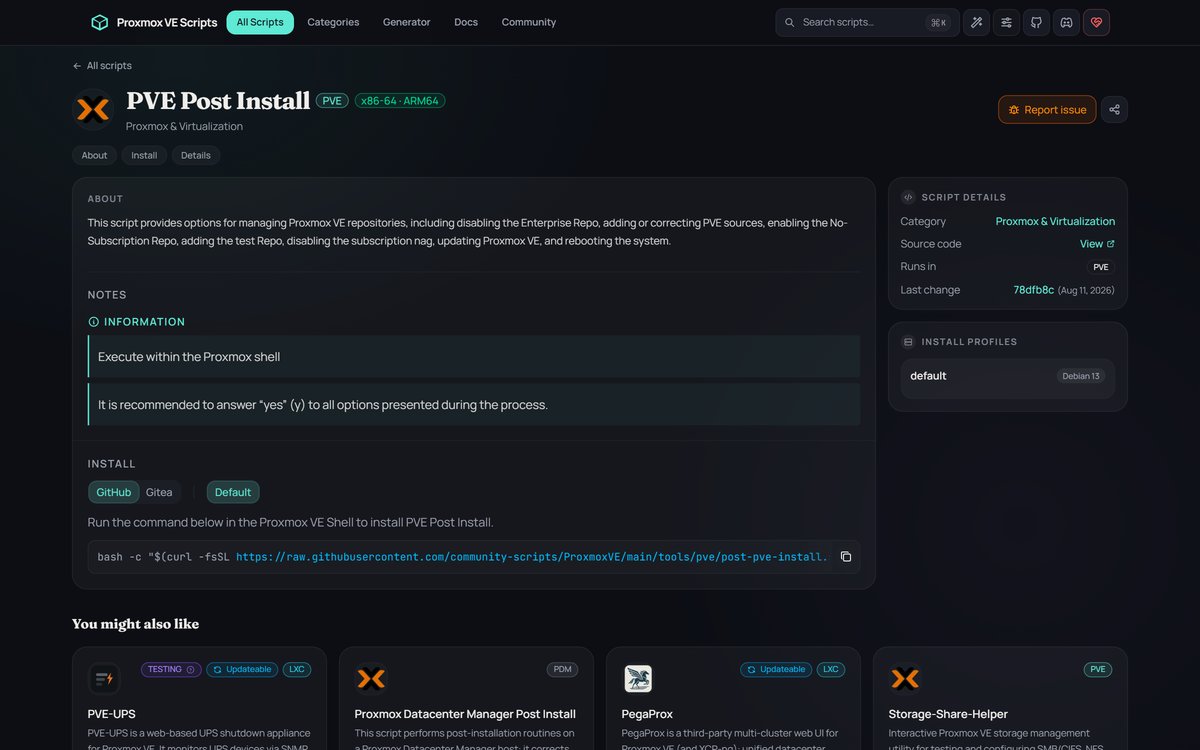
Every script page shows the same thing. One command, run in the Proxmox VE shell on the host — not inside a VM. For the popular Post Install script it looks like this:
bash -c "$(curl -fsSL https://raw.githubusercontent.com/community-scripts/ProxmoxVE/main/tools/pve/post-pve-install.sh)"Here is what that line really does. The curl part downloads a script from the project’s GitHub repo. The bash -c part runs it right away. That script then pulls shared build code, downloads a container template, creates the LXC, and installs the app inside it. One line on your screen, a chain of downloads behind it. Each install offers two modes.
Default Mode Gets You Running in Minutes
Default mode asks almost nothing. The script picks tested values for CPU, memory, and disk, sets up the network with DHCP, and builds the container. Most apps are up in under five minutes. For a first install, or a low-stakes app, this is the mode to use. The defaults come from people who have built these containers thousands of times, and they are usually better than a beginner’s guesses.
Advanced Mode Hands You Every Knob
Advanced mode walks through every setting one prompt at a time. You choose the container ID, disk size, CPU cores, memory, static IP or DHCP, and more. Pick it when the app needs something specific — a fixed address for a reverse proxy, extra disk for a media server, or more memory for photo processing. You can always start with defaults and resize the container later in the Proxmox web interface.
Handy shortcut: most installed apps update from inside their own container, not by rerunning the installer. Open that container’s shell and type update. It works for every script tagged “Updateable” in the catalog.
The Root Problem Nobody Should Shrug Off
Now the uncomfortable part. Every helper script runs as root — the account with total power — on the hypervisor itself. Your Proxmox host controls every VM and container you own. A malicious or broken script there does not hurt one app. It can reach all of them, plus your backups if they live on the same box. That is the blast radius, and no amount of convenience changes it.
This pattern is not unique to Proxmox, and that context matters. Homebrew, rustup, and Docker’s own get.docker.com installer all use the same paste-a-command style. The industry runs on it and argues about it at the same time. Critics have a fair point here too: XDA-Developers noted that a single install can chain several remote scripts, each executed as root on your host. You are trusting every link in that chain, not just the one you read.
So what does the project’s review actually buy you? Real value, with a real limit. Maintainers review changes before they land in the repo, and thousands of users run the results daily. There is no publicly reported compromise of the project as of this writing. That is a good record. It is not a guarantee, and it does not cover everything.
Security reality: community review stops at the repo’s edge. Reviewers vet the install script, but that script still pulls the app itself from upstream servers the project does not control. A clean helper script can deliver a compromised app if the upstream project gets hit.
The answer is not to avoid the scripts. It is to run them like a package manager you do not fully trust yet. The routine takes five extra minutes: read the script’s source on its catalog page, download a tagged release instead of piping the live branch, snapshot the host and key guests, then run it. Do that, and the worst realistic outcome shrinks from “rebuild the lab” to “roll back and grumble.”
Six Scripts Worth Knowing on Day One
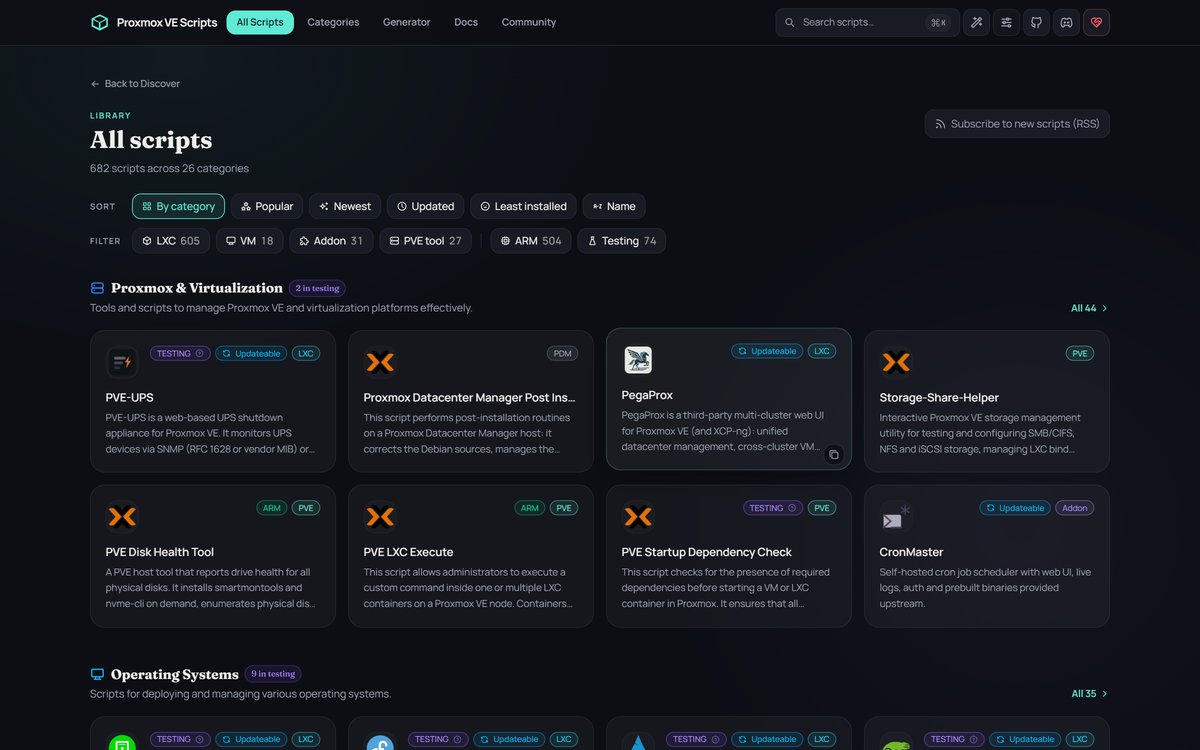
The catalog is deep — 605 of the 682 entries are LXC app installs. These six cover what most people actually reach for first, and they map to the setups this site gets asked about most.
Proxmox VE Post Install Comes Before Everything Else
Run this one first on any fresh box. It switches you off the paid enterprise repository so updates work without a subscription, cleans up sources, and kills the login nag. It runs on current Proxmox VE 9.2, the release you get from the official download page today.
Home Assistant Skips the Dedicated Hardware
The smart-home platform most people buy a separate box for. The script builds it in a container instead, so it shares your server with everything else. It is one of the most-installed scripts in the catalog for a reason.
Jellyfin Turns the Box Into a Media Server
Free, no accounts, no fees — your movies and shows streamed to your TV. The script handles the container and the app install. You just point it at your media folder afterward.
Tailscale Connects Your Lab From Anywhere
A mesh VPN — a private network between your devices over the internet. The script adds it to an existing container, so you can reach your services from your phone without opening ports to the world.
Immich Gives Your Photos a Private Home
The self-hosted Google Photos replacement, with face search and phone backup. It is a heavier app with several moving parts, which makes it exactly the kind of install you want scripted rather than hand-built.
Docker Covers Everything the Catalog Lacks
Some apps only ship as Docker images. This script builds a container ready to run them, so the catalog’s gaps stop mattering. Whether Docker belongs in an LXC or its own VM is a real debate — our Proxmox vs Docker breakdown walks through the placement call.
One habit question comes up in every forum thread: should each app get its own container? Yes. One app per container is the project’s design assumption. It feels wasteful at first, but it means snapshots, backups, and updates stay per-app. When one thing breaks, you roll back one thing.
Frequently Asked Questions
How do I update an app that a helper script installed?
Open that app’s container shell in the Proxmox web interface and type update. The command is built into every script tagged “Updateable” in the catalog. Rerunning the original install command is not the update path.
Are Proxmox helper scripts official Proxmox software?
No. They are a community project under an MIT license, with no ties to the company. Proxmox support will not help you with them. Treat them as third-party software that happens to be very popular.
Where do the scripts actually live?
The code lives in the community-scripts/ProxmoxVE repository on GitHub. The website at community-scripts.org is the catalog that makes it browsable. Every install command should point at that GitHub repo — treat any other source as a red flag.
Are helper scripts safe to run on my main server?
They have a clean public record so far, but they run as root on your host, so care is on you. Read the script first, use a tagged release, and snapshot before you run. With that routine, the realistic worst case is a rollback, not a rebuild.
Do the scripts work on the current Proxmox version?
Yes. The project tracks current releases, and scripts get steady updates — the Post Install script alone was changed this month. Very old Proxmox versions are the risky ones, since scripts drop support for them over time.
Should every app really get its own container?
Yes, that is the design the scripts assume. Containers are cheap because they share the host’s kernel, so ten small ones cost little more than one big one. You gain per-app snapshots and backups, which is exactly what saves you on a bad day.
Trust the Scripts as Far as You Can Roll Back
Helper scripts fixed the real Proxmox problem, which was never the install — it was the hours between a fresh box and a running app. That is why the counter reads in the millions. But the same one-liner is root code on the machine that holds your whole lab, and neither blind pasting nor purist refusal is a serious answer. Read, pin, snapshot, run. The scripts earn a little more trust with every clean release, and your snapshots make sure you never have to extend that trust further than one rollback.