Every homelab has two eras. The era before the first dead disk, and the era after. If you run Proxmox, the gap between those eras is one honest question. Could you rebuild every VM tomorrow, from a copy that does not live on the hardware that just failed? A real Proxmox homelab backup is not a folder of snapshots. It is three layers: a nightly vzdump job, a Proxmox Backup Server holding cheap deduplicated history, and one copy that leaves the building. You can build all three from gear you already own, and this guide walks through exactly how.
- A snapshot lives on the same disk pool as the VM it protects. When the pool dies, both die together. Treat snapshots as an undo button, never as a backup.
- Start tonight with a scheduled vzdump job inside Proxmox VE. It ships free with every node and takes about five minutes to set up.
- Proxmox Backup Server stores only the blocks that changed since last night. Months of VM history often fit in less space than one week of full copies.
- One copy must leave the house. Two rotated USB drives or an S3 bucket both work, and Proxmox Backup Server 4.2 now supports S3 storage officially.
- A backup you have never restored is a guess. Run one test restore per quarter, and let verify jobs check your old backups the rest of the year.
Snapshots Are Not Backups and One Dead Disk Proves It
Here is the trap almost every new Proxmox user walks into. You take ZFS or LVM snapshots before every risky change, they save you twice, and your brain quietly files “backups” under done. But a snapshot never leaves the storage pool it was taken on. It is a bookmark inside the same disks, not a copy somewhere else. A failed drive, a corrupted pool, or ransomware that reaches the host takes the VM and every snapshot of it in the same instant.
The stakes are higher than they were a few years ago. After Broadcom bought VMware and gutted the free ESXi tier in 2024, a huge wave of people moved their home setups to Proxmox VE. Many of them now run things their family actually depends on. Photo libraries in Immich or Nextcloud. Home Assistant driving the lights and heat. A password manager. That is not a toy workload anymore, and it deserves the same rule real infrastructure follows: the 3-2-1 rule. Keep three copies of your data, on two different kinds of storage, with one copy somewhere else.
Watch out: rolling back a snapshot is not a restore. A rollback throws away everything written after the snapshot, on the same possibly-failing pool. A restore rebuilds the VM from a separate copy on separate hardware. You want both tools, but only one of them saves you when the hardware itself is the problem.
Start With a vzdump Job Because Every Node Already Has It
Before you buy anything or install anything new, use what is already there. Every Proxmox VE install ships with vzdump, the built-in backup tool. Open Datacenter, then Backup, and create a scheduled job. Pick your VMs, a target storage, and a nightly time. That is the whole setup.
vzdump offers three modes. Stop mode shuts the guest down first, which is the most consistent and the most disruptive. Suspend mode pauses it. Snapshot mode, the default you want, backs up the VM live with no downtime by using a temporary snapshot under the hood. Compression defaults to Zstandard, which is fast and shrinks most VM images well.
Retention is one screen away and worth thirty seconds of thought. The prune settings let you keep, for example, seven daily, four weekly, and three monthly backups, and Proxmox deletes the rest automatically. That single screen covers the classic homelab emergency, which is “I deleted the wrong thing on Tuesday and noticed on Friday.”
Don’t skip this: install the qemu-guest-agent package inside every VM and turn the agent option on in the VM settings. With the agent running, Proxmox freezes the guest’s filesystem for a clean, consistent backup. Without it, a live backup is only crash-consistent, which is a gamble for anything running a database.
If you are still setting up your node, our Proxmox installation walkthrough gets you to this screen, and the popular community helper scripts can spin up test containers to practice on.
Proxmox Backup Server Turns Full Copies Into Cheap Increments
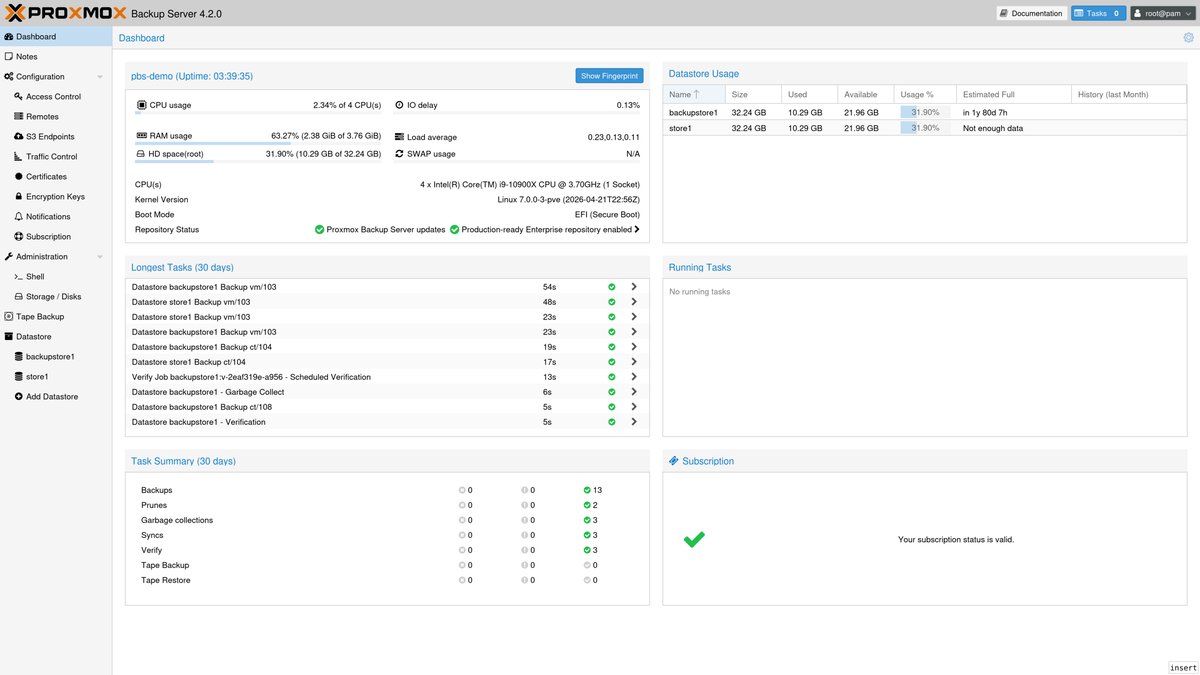
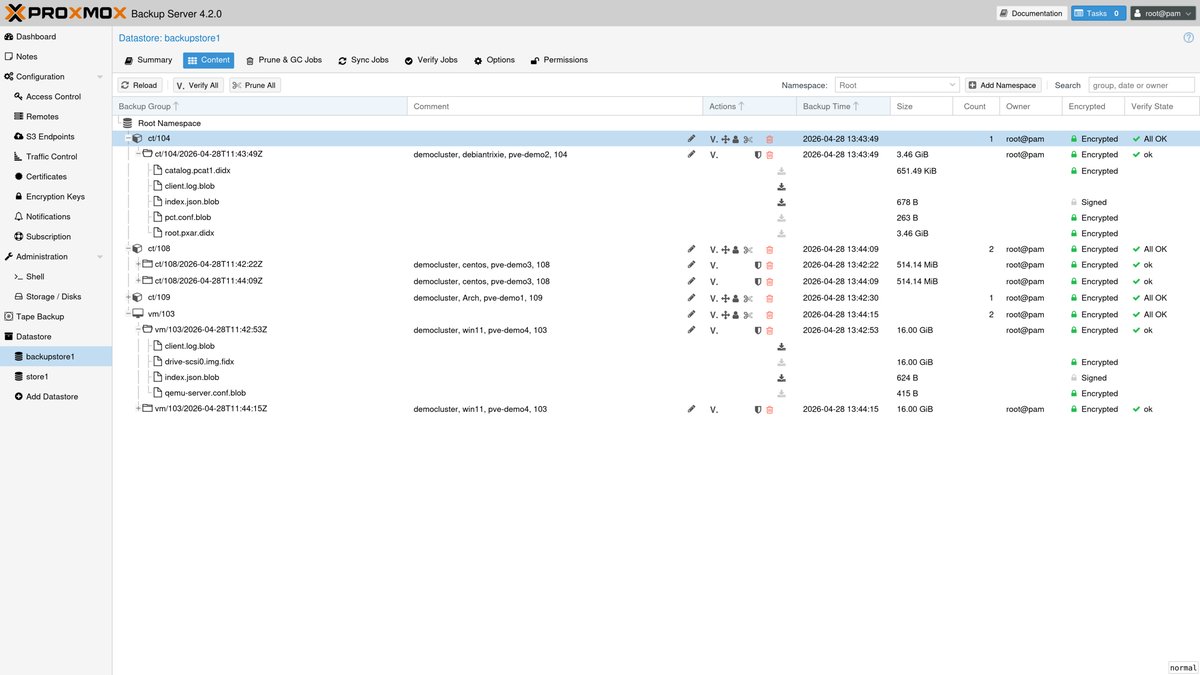
Plain vzdump has one real weakness. Every backup is a full copy, so disk usage grows fast and long history gets expensive. That is the exact problem Proxmox Backup Server exists to solve. It is a free, open-source product from the same company, PBS for short, currently at version 4.2, and it changes the storage math completely.
The trick is deduplication. Instead of storing each backup whole, PBS splits everything into chunks and stores each unique chunk exactly once. Fifty backups of a VM that barely changes cost barely more than one. For running VMs it gets better. Proxmox tracks which blocks changed since the last backup, so a nightly run reads and sends only those changed blocks, as long as the VM stays running between backups. Nightly backups that took an hour with plain vzdump often finish in a minute or two against PBS.
You also get features that plain dump files cannot offer. Backups are encrypted on your node before they leave it, so the storage never sees readable data. Verify jobs re-read old backups on a schedule and catch silent corruption early. Live restore boots a VM straight from the backup while the data streams across in the background. And single-file restore lets you pull one deleted document out of a VM backup from the web interface, without restoring the whole machine.
Could you script the same ideas with Borg or restic? Mostly, and they are excellent tools. But you become the integration. You write the hooks, the retention logic, and the restore runbook, and you maintain that glue forever. PBS gives you the same core wins in the same web interface your node already uses, and for a homelab that trade is not close.
Where PBS Should Live in Your Homelab
PBS is just software, so the real decision is what hardware runs it. There are three sensible answers, and they are not equal.
An Old Mini PC With One Big Disk Is the Best Home
The ideal PBS box is the kind of machine homelabbers already have in a drawer. A used mini PC or thin client with a few CPU cores, a modest amount of RAM, and one large disk covers a typical homelab easily. The point is fault isolation: a completely separate machine, so no single failure can reach both your VMs and their backups. Our guide to Proxmox hardware requirements applies here too, and PBS needs are lighter than a VM host’s.
Running PBS as a VM Works Until the Node Dies With It
Plenty of people run PBS as a VM on the same node it protects. Be honest about what that buys you. You get deduplication, verification, and easy file restores, which is real value. You do not get survival of a node failure, because the backup server just died with the patient. If you take this route, keep the datastore on a disk the node can lose without losing the backups too, such as a USB drive or a network share, and plan to move PBS to real hardware later.
A Second Disk in the Same Box Beats Nothing
The minimum honest setup is PBS or plain vzdump writing to a second physical disk inside your one server. It protects you from the most common failure, a dead VM disk, and from your own mistakes. It does nothing against a dead power supply, a fried board, theft, or fire. Call it tier one of a plan, never the plan.
Getting One Copy Out of the House on a Homelab Budget

Everything so far lives at your place, and the 3-2-1 rule is blunt about that: one copy has to leave. Heads up, this section names a product and techdaily earns a small affiliate commission if you buy through our link, at no extra cost to you. Any reliable portable drive works, and something like a WD Elements portable drive in the 2 TB to 5 TB range is the classic pick for this job. Here are the two off-site strategies that actually work on a homelab budget.
Rotate Two USB Drives as Removable Datastores
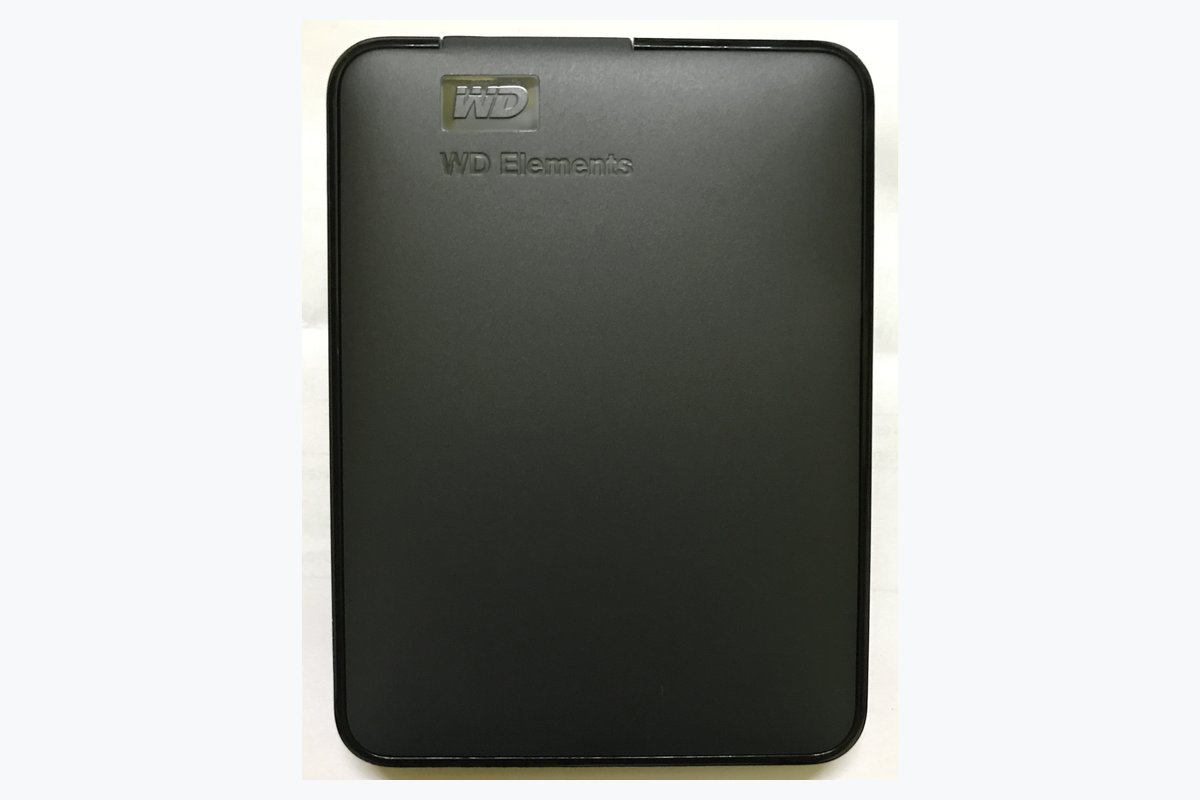
Since version 3.3, Proxmox Backup Server supports removable datastores, built exactly for this. You set up two drives, label them A and B, and PBS recognizes whichever one is plugged in and syncs backups to it. One drive stays connected, the other lives at your desk at work, a relative’s house, or a bank locker box. Swap them on a schedule. It is not glamorous, but a drive sitting in another building is immune to your house fire and to any ransomware on your network.
Worth knowing: slow USB targets used to be risky for live backups, because a stalled write to the backup target could stall the VM itself. Proxmox VE added backup fleecing in version 8.2 to fix this. It buffers the backup on fast local storage first, so a slow drive never freezes your running guests. Turn it on in the backup job’s advanced options.
Sync Jobs and S3 Buckets for a True Off-Site Copy
If driving disks around sounds like a chore you will quietly stop doing, automate the off-site copy instead. PBS sync jobs can push or pull backups to a second PBS instance anywhere, and a mini PC at a friend’s house makes a great swap deal, where you host their backups and they host yours. Since version 4.2, sync traffic can stay encrypted on the receiving server too, so your friend never has readable copies of your data.
No willing friend? Proxmox Backup Server 4.2 officially supports S3-compatible object storage as a backup target, meaning cloud buckets you rent by the gigabyte from providers like Backblaze or Wasabi. For a homelab, deduplication keeps the stored size small, so the monthly bill usually lands in coffee-money territory rather than subscription-you-resent territory.
One warning: your PBS encryption key is the lock on every backup you own. If the node dies and the key died with it, your off-site copies become unreadable bricks. Print the key, write down where it is, and store the paper somewhere that survives a fire that takes the server.
A Backup You Have Never Restored Is Just a Guess
Nobody actually has backups. People have restores, and most of them have never checked which one they have. The fix costs one evening per quarter. Pick a random VM, restore it to a new VM ID on your node, boot it, and log in. If it works, delete it and sleep well for three months. If it does not, you just found out on a calm Tuesday instead of during a disaster.
Let the software do the rest of the checking for you. Schedule a verify job in PBS so old backups get re-read and checksummed monthly, catching silent disk corruption while you still have healthy copies to re-run. And practice a single-file restore once, from the web interface, before the day you need it. The restore you have done before is the only one that feels easy under pressure.
Frequently Asked Questions
Is a Proxmox snapshot the same thing as a backup?
No, and mixing them up is the most expensive mistake in homelabbing. A snapshot is an undo point stored inside the same disk pool as the VM. A backup is a separate copy on separate storage. Snapshots save you from bad changes. Only backups save you from dead hardware.
Do I really need Proxmox Backup Server for a small homelab?
Need? No. A scheduled vzdump job to a second disk already beats what most homelabs run. But PBS is free, runs on leftover hardware, and stores months of history in the space vzdump spends on days. Once you watch a nightly backup finish in ninety seconds, you will not go back.
Can I run Proxmox Backup Server as a VM on the same node?
You can, and the deduplication and file-restore features still pay for themselves. Just know what it does not cover: if the node dies, the backup server dies with it. Keep the datastore on removable or network storage if you go this route, and treat a separate cheap box as the upgrade path.
How much storage do Proxmox backups actually take?
With PBS, far less than people expect. The first backup stores roughly your VMs’ used data after compression. Every night after that stores only changed blocks, often just a few gigabytes across a whole homelab. A single drive around twice the size of your used VM storage typically holds months of daily history.
Does Proxmox Backup Server support cloud storage like S3?
Yes. S3-compatible object storage became an officially supported backup target in Proxmox Backup Server 4.2, released in April 2026. That covers services such as Backblaze B2 and Wasabi. Deduplication keeps the uploaded size small, which keeps the monthly bill small too.
How often should I test a restore?
Do a full test restore of one VM every quarter, and one single-file restore at least once so you know the steps. Let scheduled verify jobs check backup integrity monthly in between. Quarterly sounds lazy and is still more than most labs ever do, which is exactly why it works.
The Bottom Line for Your Backup Plan
Your homelab’s job is to survive its own hardware. Tonight, create the vzdump job, because free and imperfect tonight beats perfect someday. This month, put Proxmox Backup Server on any leftover box and point your nightly backups at it. This quarter, get one copy out of the house, on a rotated drive or an S3 bucket, and restore one VM just to prove you can. Do those three things and the day your node dies becomes a story you tell, not the day your homelab era ends.