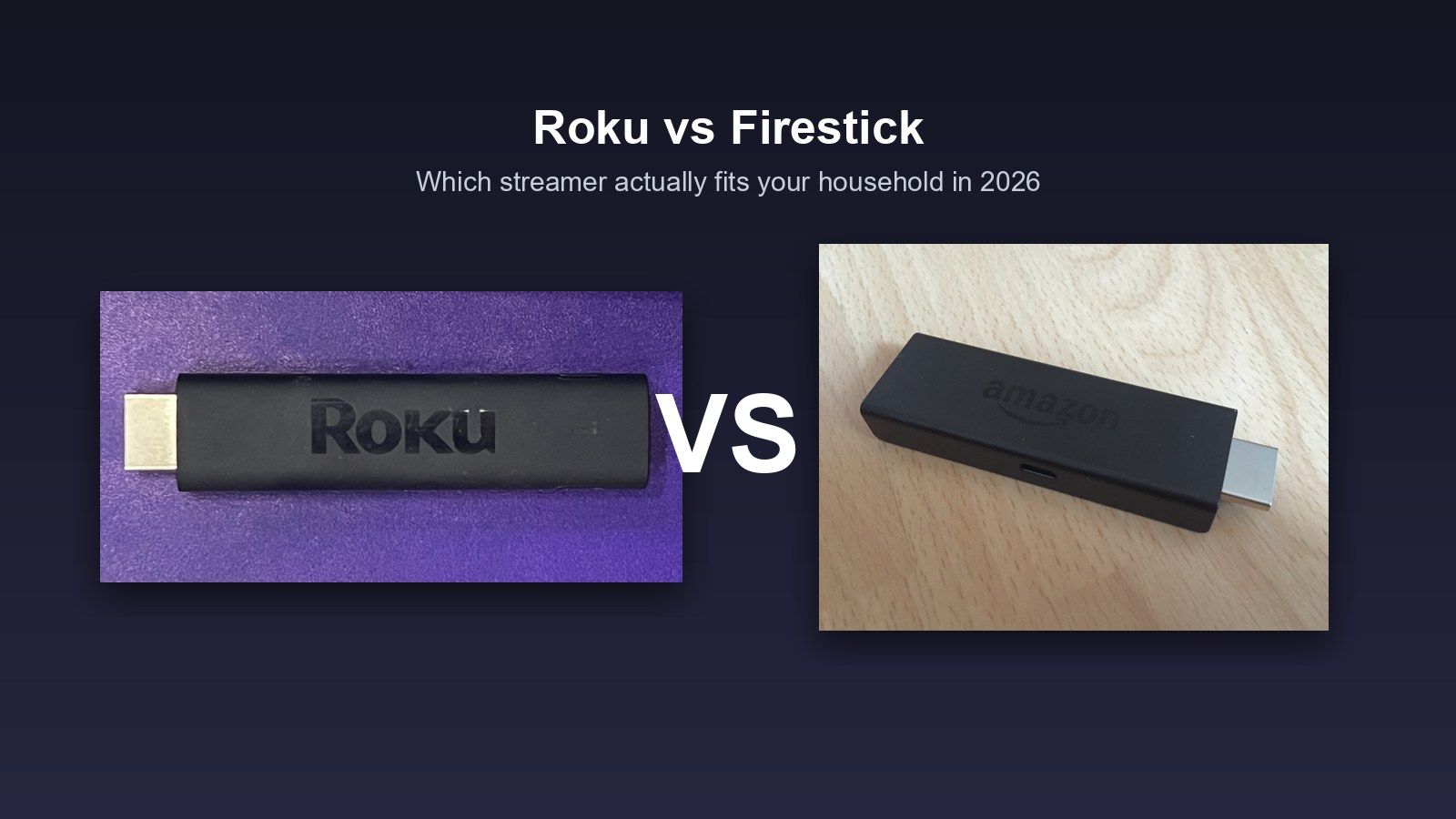
Here’s the part the spec sheets bury: in the roku vs firestick fight, the two dongles are close enough on raw performance that it barely matters. Both do 4K. Both do HDR. Both launch Netflix in a couple of seconds and cost less than a nice dinner. If you’re picking between them on processor speed, you’re squinting at the wrong thing entirely.
What actually splits them is quieter and lives with you every single day: how many ads greet you when the TV wakes up, how much of your viewing history gets quietly hoovered up, and whether the little black stick assumes your whole house already answers to Alexa. Those three things decide whether you’ll love the thing in six months or resent it. So I’m going to skip the drag race and sort this the way it deserves to be sorted, by the kind of home you’re plugging it into, then point you at the exact models worth buying in 2026.
- The roku vs firestick decision is settled by your household, not the hardware, because the two are nearly identical on speed and picture.
- Roku wins if you hate ads and value privacy. Its home screen sells to you less aggressively and its data opt-outs are simpler to find.
- Firestick wins if your home already runs on Alexa. Nobody weaves voice and smart-home control into a streamer like Amazon does.
- Want the cheapest ticket onto a TV? It’s a tie: the Roku Express and the base Fire TV Stick are both about as cheap as streaming gets on sale.
- The Fire TV Stick 4K Max is the fastest stick in this comparison, with Wi-Fi 6, so in a roku vs fire tv stick 4k max matchup Amazon takes the raw-speed crown.
- A premium box like the Roku Ultra only earns its price if your Wi-Fi is shaky or you’re tired of a stick’s slower menus. Most people don’t need one.
Which fits your home?
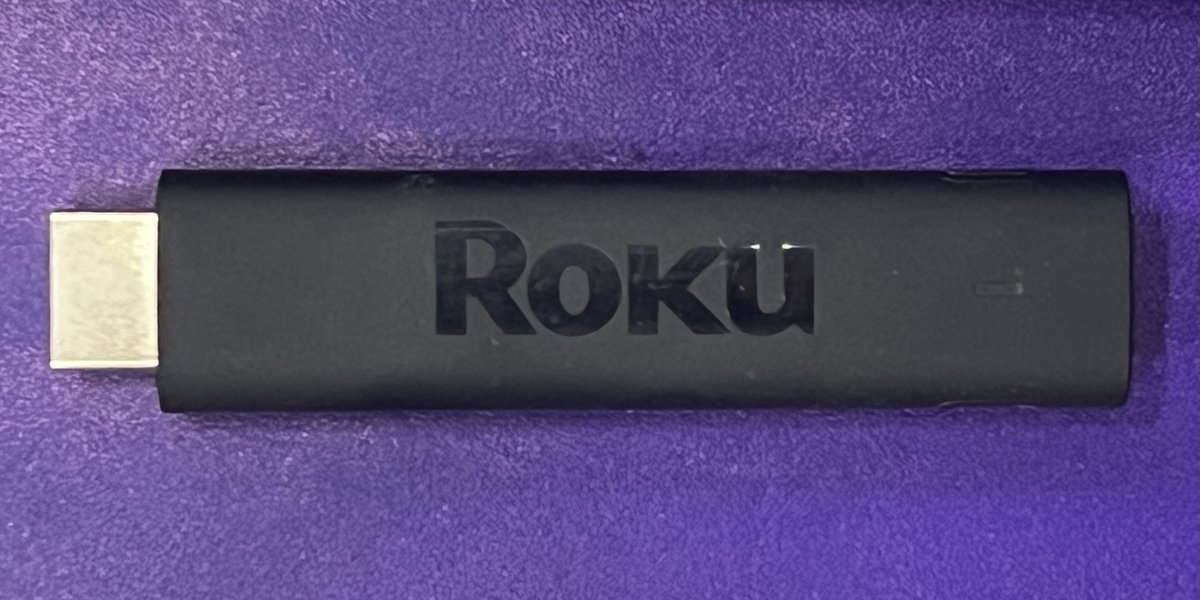
★ Your pick: Roku Streaming Stick 4K
A quieter home screen and gentler data collection than Fire TV.
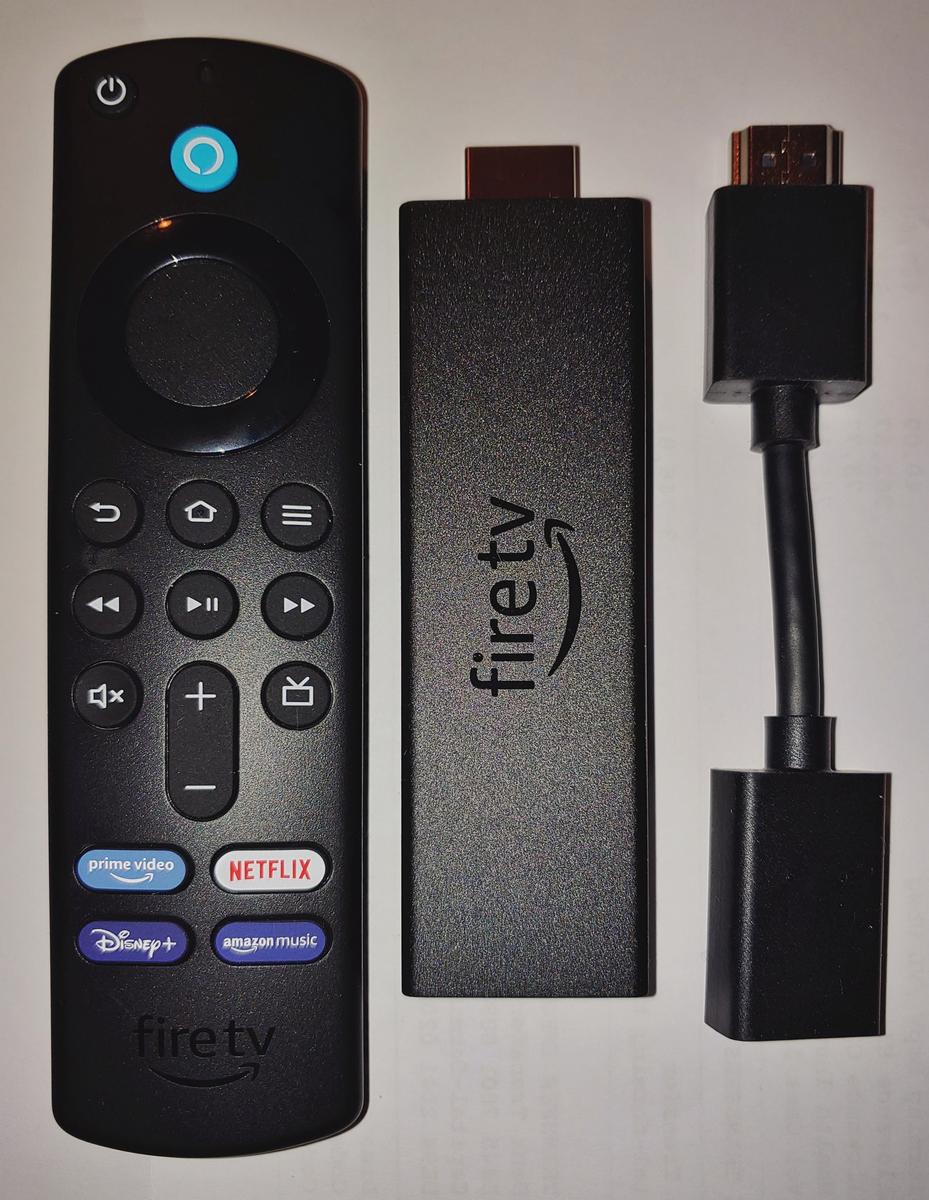
★ Your pick: Fire TV Stick 4K Max
If your home is Alexa, this is the one that fits right in — and it’s the fastest stick here.
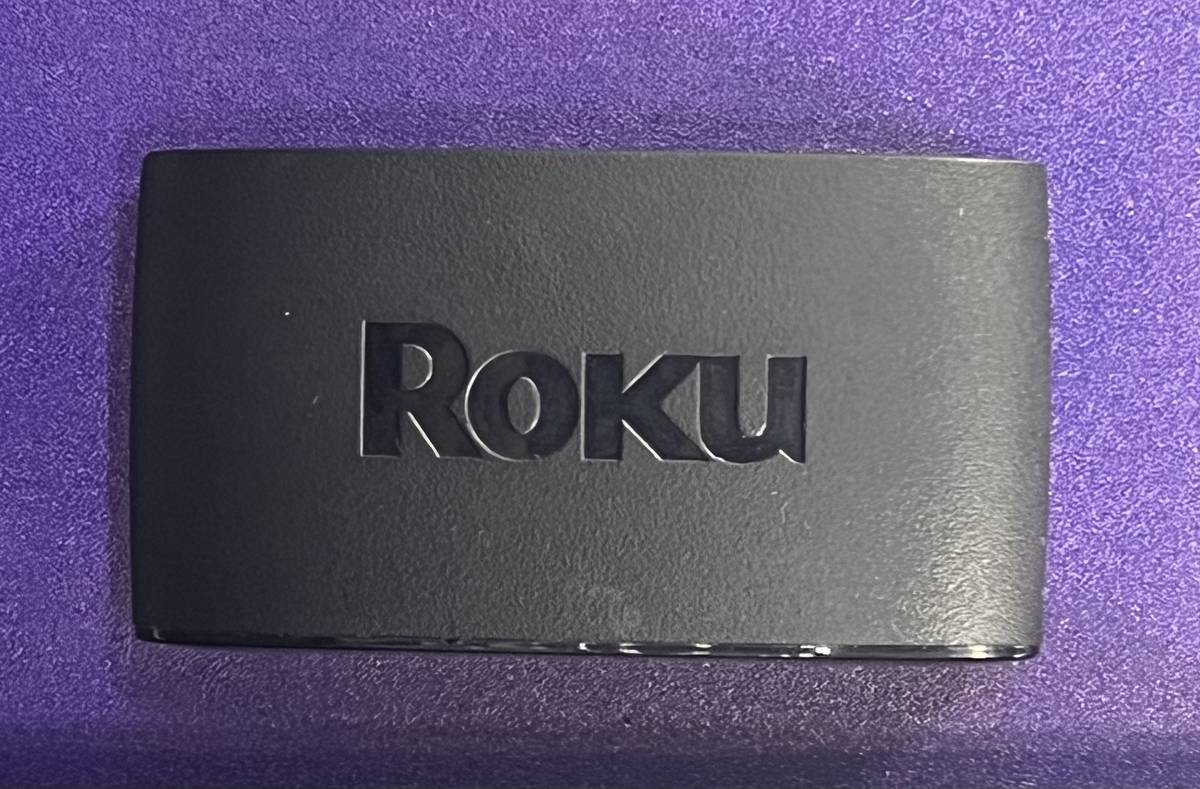
★ Your pick: Roku Express
Basic, cheap, and does the job for a spare TV.
★ Your pick: Fire TV Stick 4K Max
Wi-Fi 6E and the snappiest menus for a main TV.
👑 Our Top Pick — Best Overall Value
Roku Streaming Stick 4K
Best overall value: the calmer, more private interface most people are happiest with — and it plays nicely with an iPhone.
Opens on our Top Pick. Tap an option to see the best match for you.
How I Sort Roku Versus Firestick Before Touching Specs
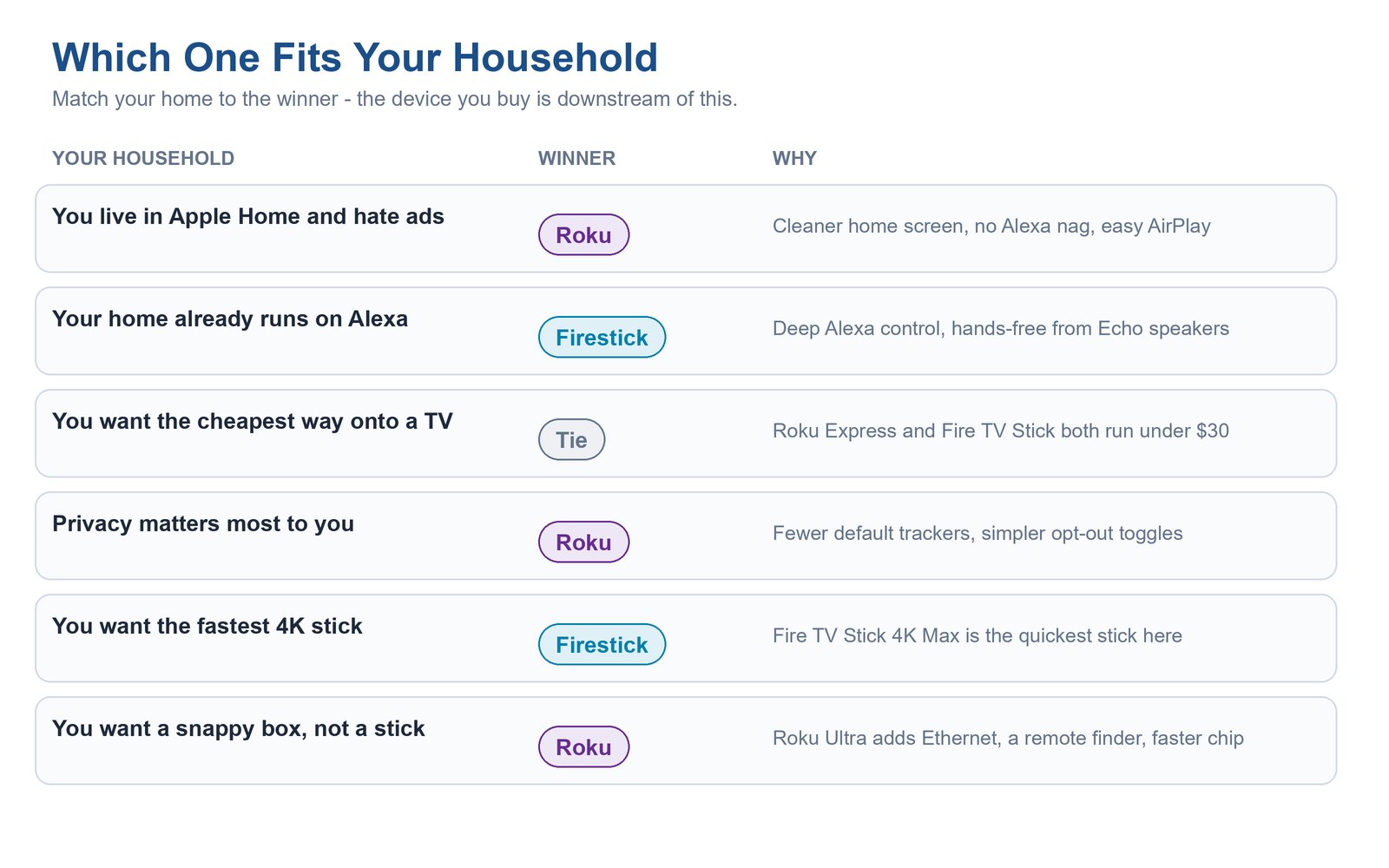
Forget the box copy for a second. Before I look at a single gigahertz, I ask four questions about the room the device is going into, because the answers decide the winner more reliably than any benchmark. What ecosystem does this household already live in? How much does clutter and advertising bother the people using it? How much do they care where their viewing data goes? And are they buying for a main living-room TV or a spare bedroom?
Answer those and the “better” streamer picks itself. An Apple household that guards its privacy and can’t stand a busy home screen is a Roku home, full stop. A house with Echo speakers in three rooms and an Alexa routine for the porch lights is a Firestick home, and fighting that is just making your own life harder. The matrix above is the whole article in one glance, but the sections below show the receipts behind each call, so you’re not taking my word for it.
Keep in mind: This is a platform choice you’ll live inside for four or five years, far longer than the dongle itself lasts. Roku and Amazon both use these cheap sticks as the front door to an advertising business, so you’re not really choosing a gadget, you’re choosing whose ecosystem gets to greet you every night. Pick the one whose priorities match yours, not the one that’s ten percent faster.
Ad Density on the Home Screen Is the Real Dividing Line
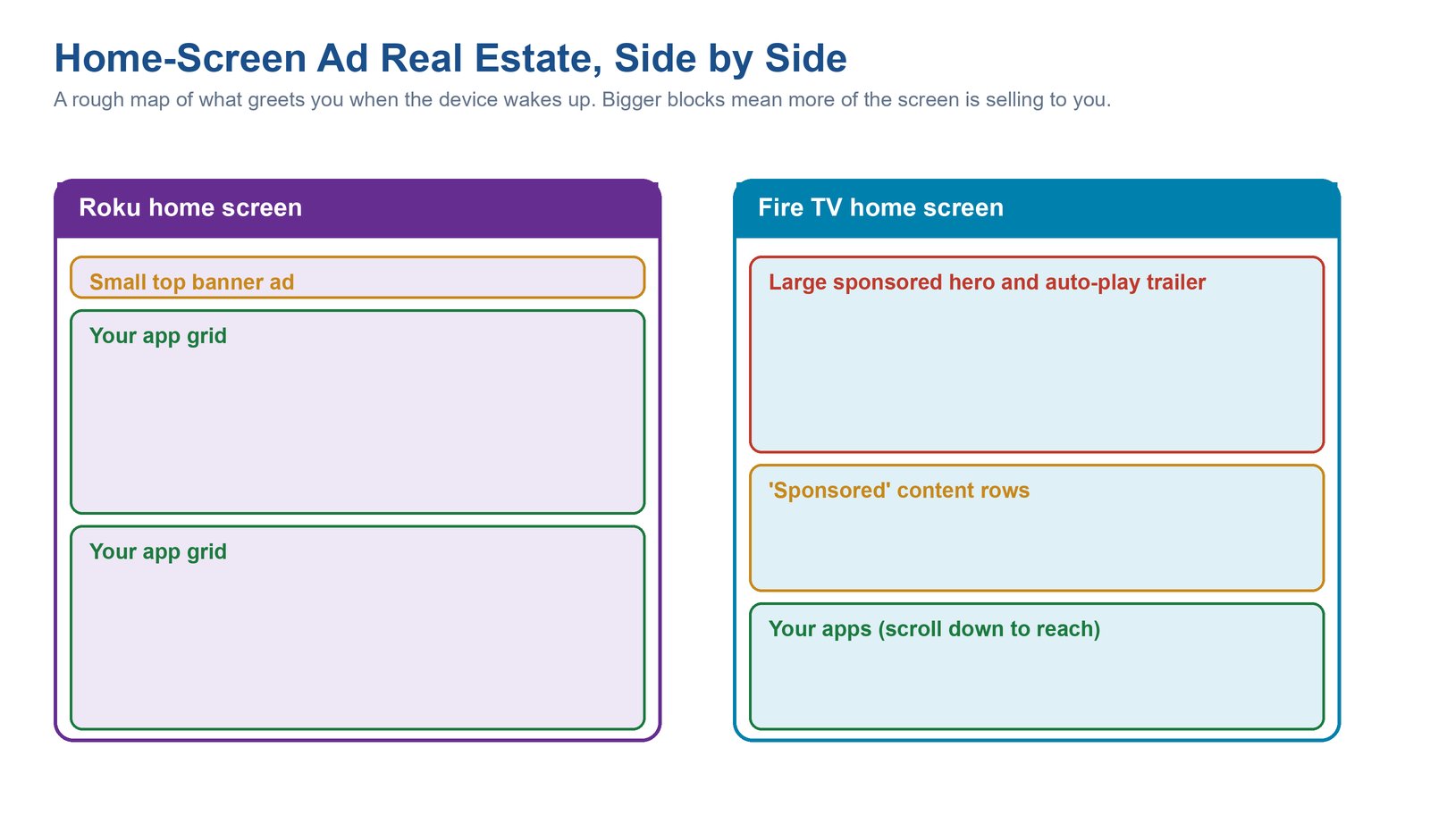
This is the single biggest day-to-day difference, and it’s the one no launch review leads with. Turn on a Roku and you get a plain grid of your apps with one banner ad boxed off in the corner. It’s there, you notice it, and then you ignore it and press play. Turn on a Fire TV and the top half of the screen is a giant sponsored panel, often with a trailer that starts playing sound on its own, and the row of apps you actually opened the TV to use has been pushed down below the fold.
Neither company is a charity, and both bake advertising into the free home screen because that’s the business. But the volume is genuinely different, and it compounds. Amazon has spent years turning the Fire TV home screen into a storefront for Prime Video and whatever it’s paid to promote that week. Roku shows ads too, and its ad business is arguably its main event, but the placement on the home screen stays comparatively restrained, so the interface still feels like your apps rather than their catalog.
The catch: If a busy, salesy home screen is a dealbreaker for you, that alone should decide the roku vs firestick question in Roku’s favor, and no amount of Amazon’s speed advantage buys it back. You can’t fully turn the Fire TV sponsored panel off, only tolerate it. This is the one gap between the platforms you cannot fix in settings.
What Each Platform Quietly Does With Your Viewing Data
Both of these devices watch what you watch. That’s not a scandal, it’s the model, and it’s how a cheap stick stays cheap. The meaningful difference is how buried the off switches are and how much is collected by default, and here Roku is the milder of the two, though “milder” is not the same as “innocent.”
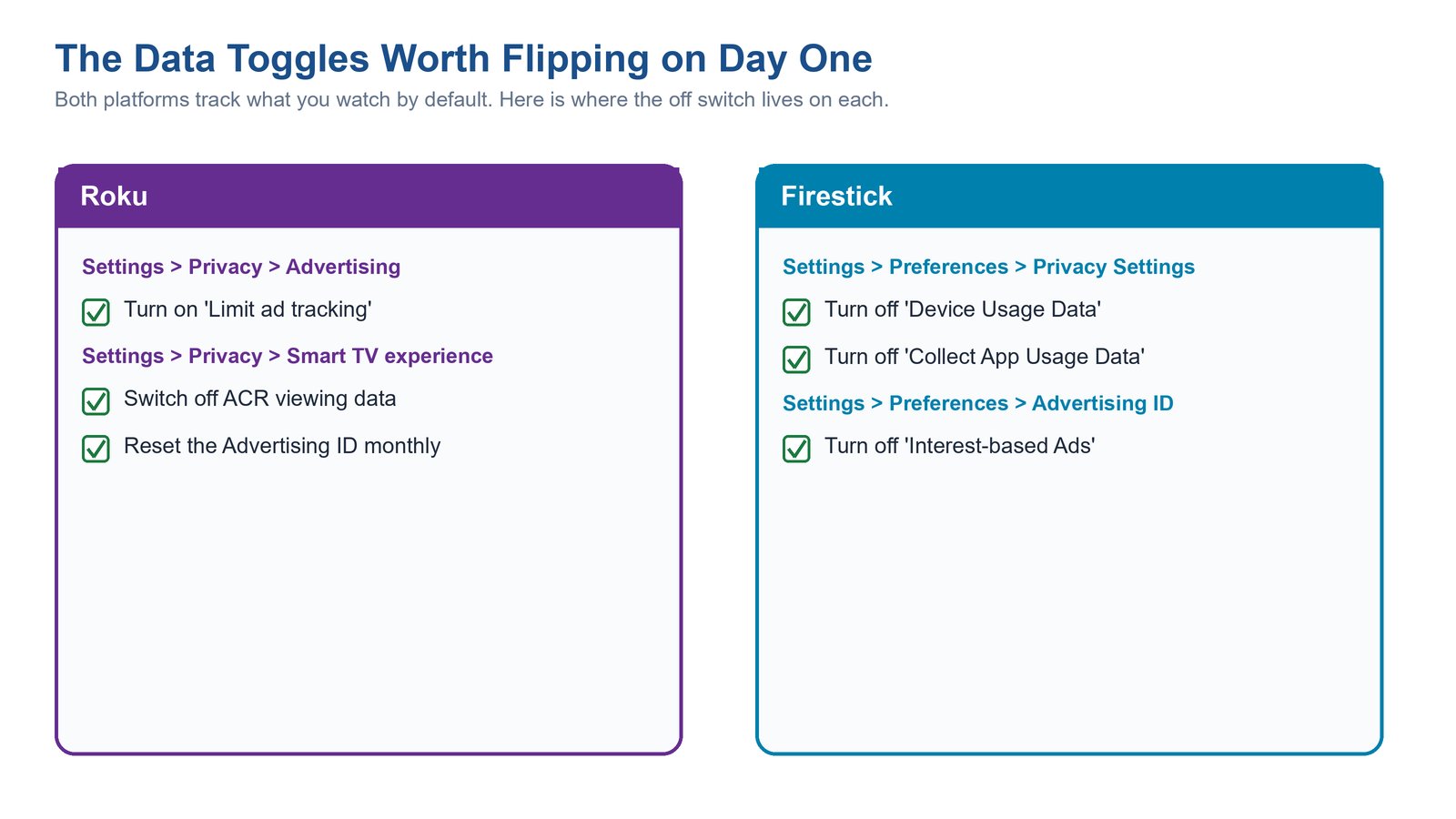
On both platforms the tracking rides on an advertising ID plus, on Roku-branded and Fire TVs, an ACR system, automatic content recognition, which is a fancy way of saying the TV takes little snapshots of whatever is on screen to figure out what you’re watching, even from an antenna or a game console. The good news is that every one of these has a toggle, and the diagram above maps exactly where each one hides. The bad news is you have to go find them yourself, because none of them ship switched off.
Where the Off Switches Actually Live on Roku
On Roku you want two menus. Under Settings, Privacy, Advertising, flip on “Limit ad tracking” so your ad ID stops following you between apps. Then under Settings, Privacy, Smart TV experience, switch off the ACR data sharing so it stops fingerprinting what’s on the screen. Do those two things on day one and you’ve closed the widest doors. Resetting the advertising ID every so often keeps the profile from getting too detailed.
Where the Off Switches Actually Live on Firestick
Amazon spreads its toggles across two spots too. Under Settings, Preferences, Privacy Settings, turn off both “Device Usage Data” and “Collect App Usage Data.” Then under Settings, Preferences, Advertising ID, turn off “Interest-based Ads.” Fire TV collects a little more by default and asks you to visit an extra menu, which is exactly why it lands second here, but the important thing is the data can be reined in on either platform if you spend five minutes doing it.
Tip: Whichever side you pick, treat this as part of the setup, right after you sign into your streaming apps. Flip the toggles once and the platform gathers meaningfully less about your household forever. It’s the highest-value five minutes you’ll spend on a new streamer, and almost nobody does it.
How Hard the Firestick Leans on Alexa
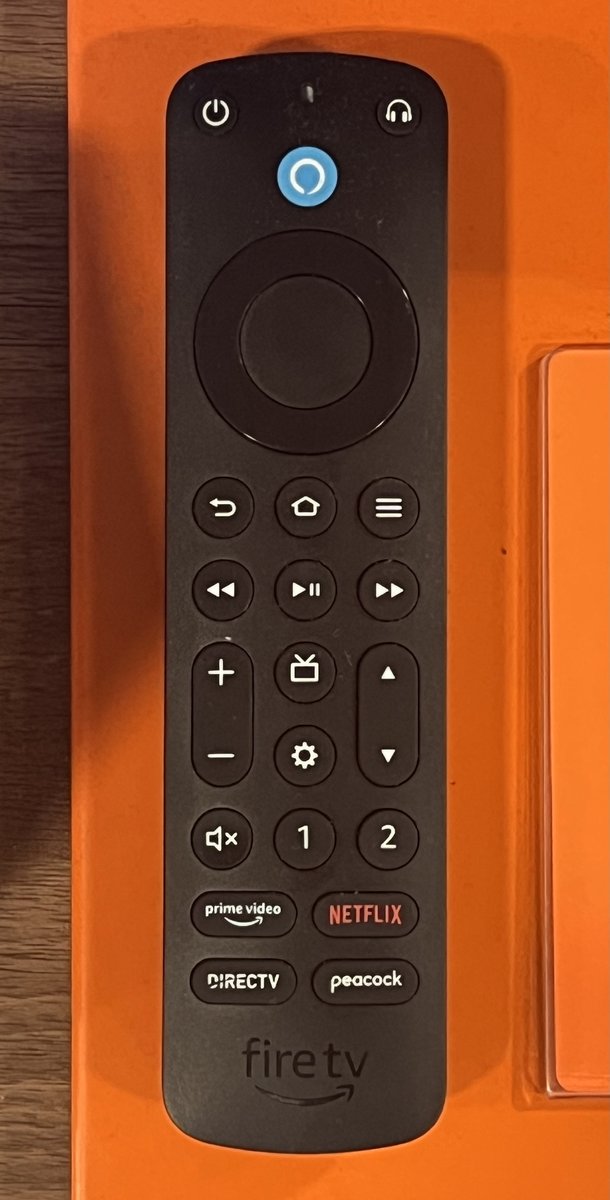
The Firestick’s superpower and its baggage are the same thing: Alexa is stitched through everything. The remote has a dedicated mic button, and holding it lets you search across apps, jump to a show, dim your smart lights, check the weather, or pull up the front-door camera, all without leaving the couch. If you already own Echo speakers, this is genuinely fantastic, because you can just say “Alexa, play Andor on the living room TV” from across the room and it happens.
That’s also the tell. Amazon builds the Firestick as another limb of the Alexa body, and it’s at its best when the rest of that body is already in your house. Roku has voice too, and its remote’s mic handles “find me a comedy” or “launch Hulu” perfectly well, but it’s a search assistant, not a whole smart-home brain, and Roku isn’t trying to run your thermostat. If you have no smart-home setup and no plans for one, the Firestick’s Alexa depth is a feature you’ll mostly never touch, and you’re back to judging the two on ads and privacy, where Roku leads.
Note: The Alexa advantage only cashes in if you actually own Alexa hardware. In an Apple or Google household, the Firestick’s headline trick is dead weight, and you’re paying attention in the wrong aisle. Buy the streamer that speaks your home’s existing language, which if you’re deep in Apple often points you back toward Roku and its wide AirPlay 2 support.
The Interface and the Remote You Actually Live With
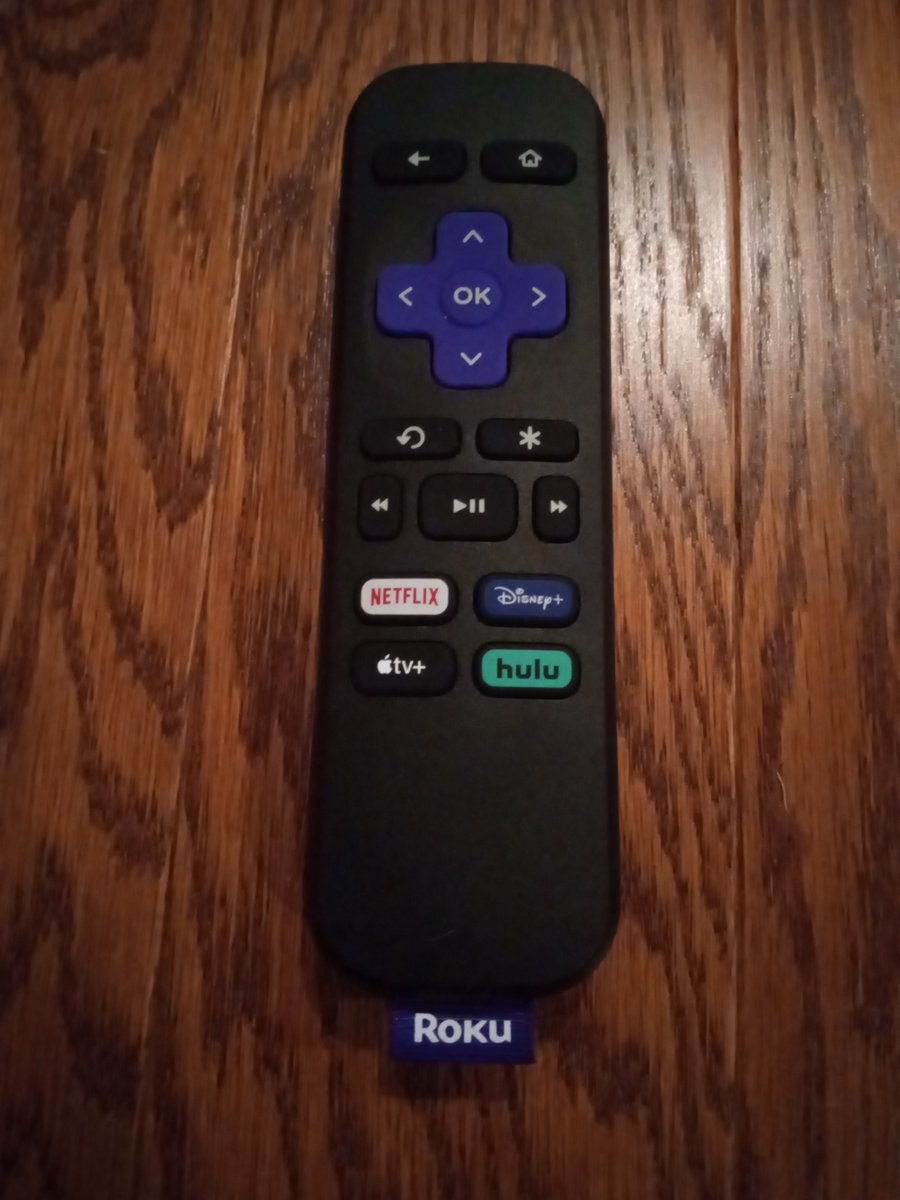
Interfaces are personal, but there’s a reason Roku’s has barely changed in a decade: it’s dead simple. A grid of your apps, big legible tiles, a remote with a purple D-pad and a handful of shortcut buttons. Grandparents get it instantly. The Fire TV interface is glossier and more “cinematic,” organized around content rows and recommendations rather than a plain app grid, which looks impressive and also, not coincidentally, keeps steering you toward things to watch (and buy).
Both remotes now bury TV power and volume controls so you can ditch the original clicker, and both offer app-shortcut buttons, though those buttons are paid placements, not favors to you. The daily-living difference is philosophical: Roku hands you a launcher and gets out of the way, while Fire TV hands you a storefront that happens to also launch your apps. Neither is wrong. But if the words “just show me my apps” describe your ideal, Roku’s stubbornly boring menu is the one you’ll thank yourself for.
One small setup habit pays off here regardless of which side you pick: on either remote, program the TV-power and volume buttons during setup so the streamer’s clicker fully replaces your TV remote. It’s a two-minute pairing step people skip, and then they juggle two remotes for years for no reason.
Do You Actually Need a Premium Box Like the Roku Ultra
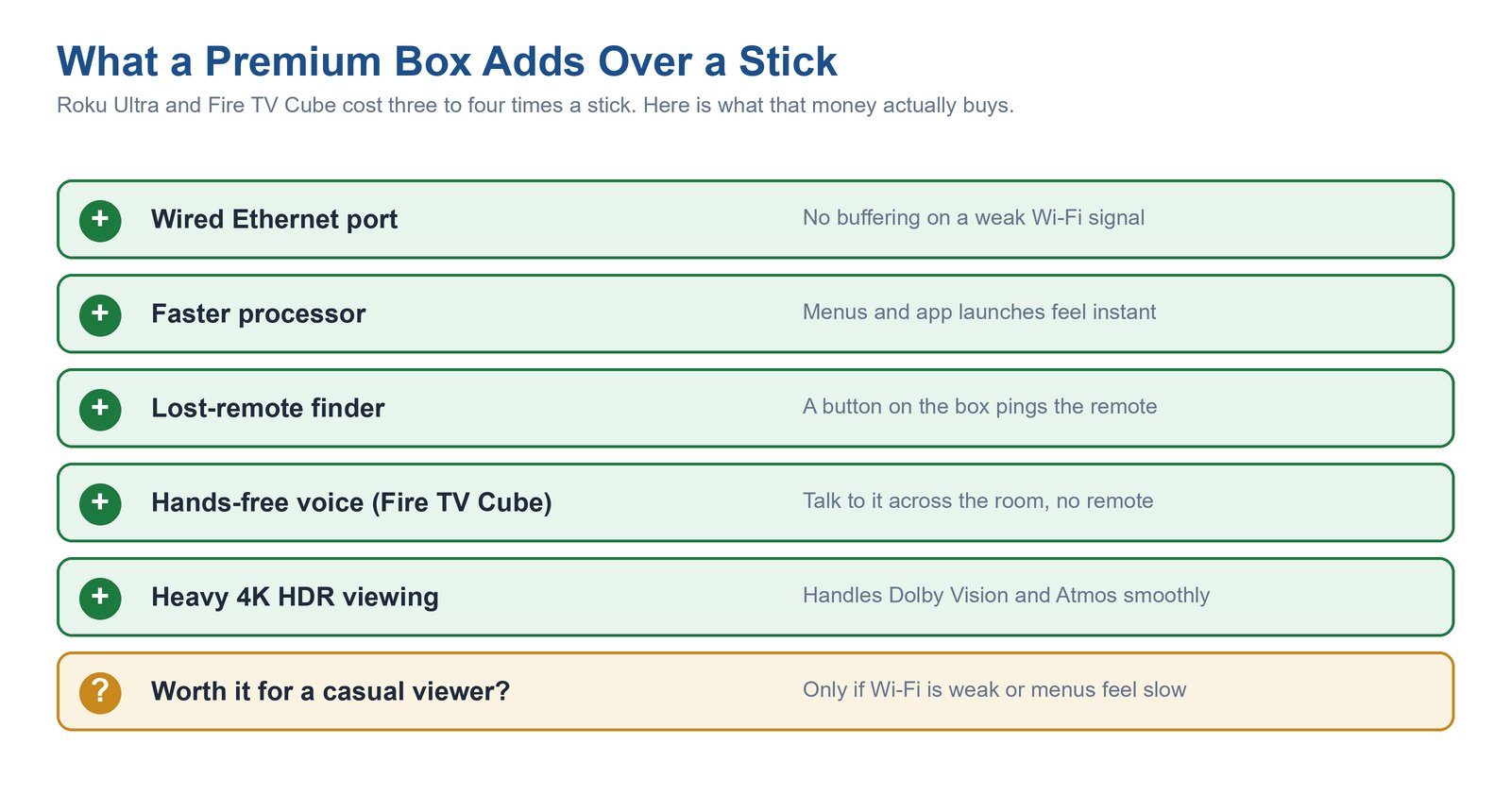
Here’s where the roku ultra vs firestick question comes in, and my answer surprises people: probably not, but with two real exceptions. The premium tier, Roku’s set-top box the Roku Ultra and Amazon’s Fire TV Cube, costs three to four times a stick, and for a lot of homes that money buys features they’ll never feel.
What you’re actually paying for is a wired Ethernet port, a faster chip, and quality-of-life extras. The chart above lays them out, but the two that genuinely change your life are these. First, Ethernet: if your router is far from the TV and streams stutter at peak evening hours, a wired box ends the buffering in a way no stick can, because sticks are Wi-Fi only. Second, on the Roku Ultra specifically, the lost-remote finder, a button on the box that makes the remote chirp from wherever it slid under the couch, which sounds trivial until it saves your Saturday. The Fire TV Cube goes a different route and adds far-field, hands-free Alexa, so you can talk to the TV with no remote at all, essentially an Echo with an HDMI port.
Caveat: For a casual viewer on decent Wi-Fi, a premium box is money lit on fire, and the equivalent stick will feel identical for the shows they actually watch. Only step up if you have a specific problem the box solves, weak Wi-Fi that Ethernet fixes, or heavy 4K HDR viewing that wants the faster processor. Wanting a box “to be safe” is not a reason.
The Roku and Firestick Models Worth Buying in 2026
Disclosure: The links below are affiliate links. If you buy through them, TechDaily may earn a small commission at no extra cost to you. It never changes which device we recommend, and every pick here is chosen on merit. Prices are approximate mid-2026 US street prices and move around with sales, so treat them as ballparks.
Once you know which platform fits your home, the model choice is easy, because each lineup has a clear “buy this one” for most people plus a budget option. Here are the four sticks and boxes actually worth your money, two from each camp.
1. Roku Streaming Stick 4K — Best Roku for Most People
Mid range4K HDR + Dolby VisionDual-band Wi-FiAirPlay 2
It does 4K with HDR10+ and Dolby Vision, its long-range dual-band Wi-Fi holds a signal better than the old cheaper sticks, and it plugs cleanly behind the TV with no dangling box. You get the plain, uncluttered Roku home screen, AirPlay 2 for throwing stuff from an iPhone, and the tidy Roku voice remote. For a living-room TV in an ads-averse or Apple-leaning house, this is the sweet spot where price and capability meet.
Pros
- Clean, ad-restrained Roku interface that stays out of your way
- Full 4K with Dolby Vision and HDR10+ for a stick-level price
- Strong long-range Wi-Fi and AirPlay 2 for Apple households
- Simple remote grandparents and kids both understand
Cons
- No Wi-Fi 6, so it’s a hair slower than the Fire TV Stick 4K Max
- Roku still shows a home-screen banner ad you can’t remove
- Voice search is capable but not a full smart-home assistant
2. Roku Express — Cheapest Way Onto a Roku TV
CheapestHD or 4K by modelSimple remoteSame Roku OS
It runs the exact same clean Roku software as its pricier siblings, so the experience feels familiar, just on more modest hardware and, on the base model, without Dolby Vision. It’s the “get a second or third TV online for the price of two lunches” option, and it does that one job without pretending to be more.
Pros
- Rock-bottom price for a genuine Roku experience
- Identical simple, low-ad Roku interface as the flagship
- Tiny and fuss-free, ideal for a guest room or rental
Cons
- Slower chip and weaker Wi-Fi than the Streaming Stick 4K
- Base model tops out below the premium HDR formats
- Basic remote may lack TV power and volume on the cheapest version
3. Fire TV Stick 4K — Best Value Firestick
Mid range4K HDR + Dolby VisionAlexa Voice RemoteWi-Fi 6
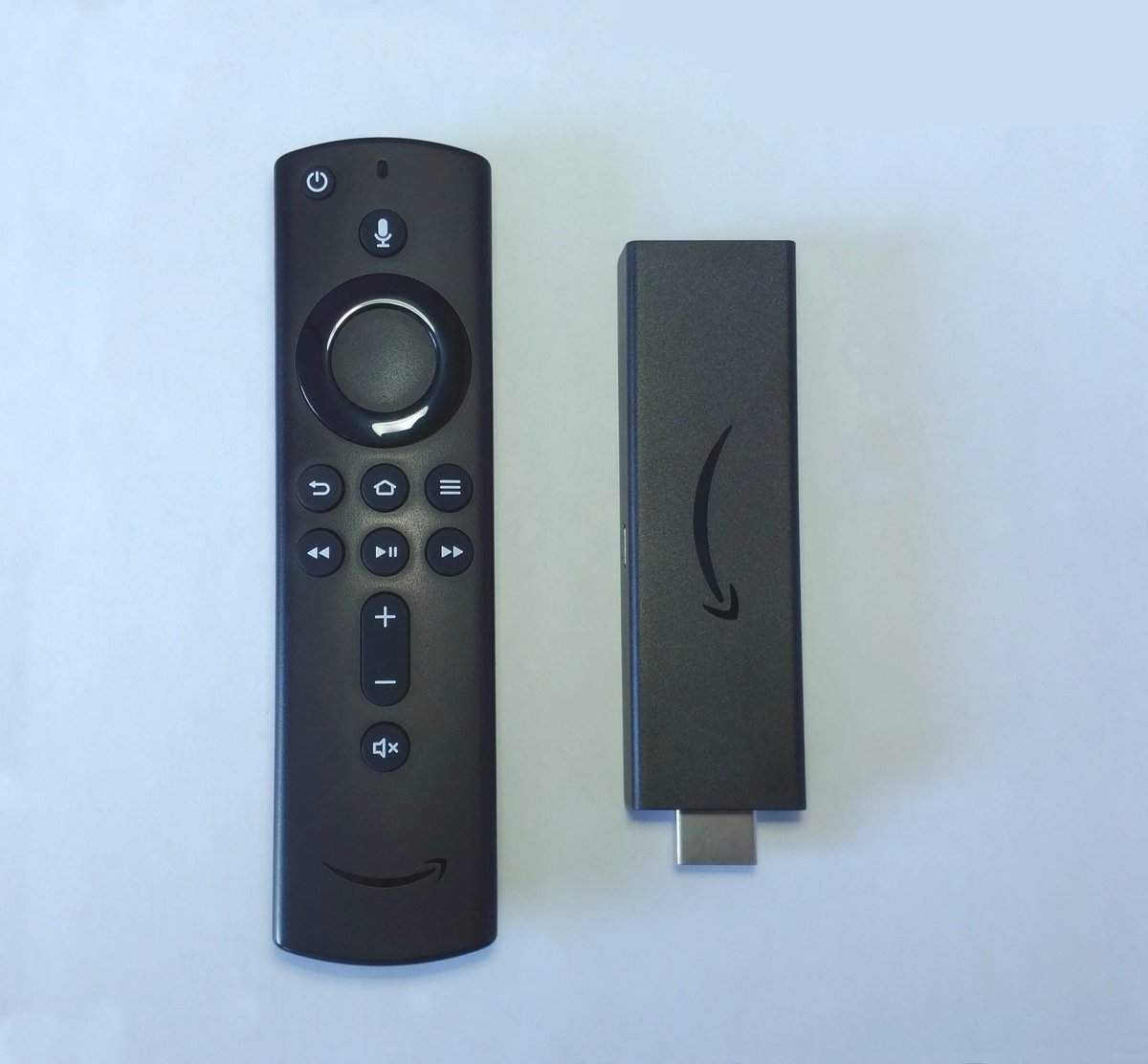
It handles 4K with Dolby Vision and Atmos, ships the Alexa Voice Remote with its mic button, and plugs straight into the Amazon and Alexa world you already use. It’s quick enough for everyday streaming and regularly drops to bargain prices during Amazon’s own sales, which is when it’s an outright steal. You’re trading the 4K Max’s top-end speed for a lower price, and for most viewers that trade is invisible.
Pros
- Deep Alexa integration for homes with Echo speakers
- Full 4K Dolby Vision and Dolby Atmos support
- Frequently discounted well below list on Amazon sale days
- Alexa remote controls smart-home gear, not just the TV
Cons
- Ad-heavy Fire TV home screen you can’t fully switch off
- Wi-Fi 5, so a step behind the 4K Max in a busy network
- Amazon collects a bit more usage data by default
4. Fire TV Stick 4K Max — Fastest Stick in This Comparison
Top of range4K HDR + Dolby VisionWi-Fi 6EFastest menus here
It adds Wi-Fi 6 and a faster processor, so menus snap and apps launch noticeably quicker than any stick here, and the Wi-Fi 6 genuinely helps in a home with a lot of connected devices fighting for bandwidth. In a straight roku vs fire tv stick 4k max speed test, this is the one that wins the stopwatch. It’s the top stick to buy if raw responsiveness matters and you’ve already made peace with the Fire TV home screen.
Pros
- Fastest menus and app launches of any stick compared here
- Wi-Fi 6 holds up better on crowded home networks
- Full Alexa smart-home control from the remote
- Same great 4K Dolby Vision and Atmos picture and sound
Cons
- Costs more than the Roku Streaming Stick 4K for similar picture
- The busiest, most ad-forward home screen of the group
- Speed edge over the standard Fire TV Stick 4K is subtle in daily use
So Which Is Better for Streaming in 2026
Strip away the noise and the roku vs firestick verdict is refreshingly clear once you stop pretending it’s a hardware race. If you want the calmest, least ad-cluttered experience, or you care about your viewing privacy, or you live in an Apple household, buy a Roku, and buy the Streaming Stick 4K unless the Express’s price is the whole point. If your home already runs on Alexa and Echo speakers, buy a Firestick, and buy the 4K Max if you want the fastest menus or the standard 4K when it’s on sale. There’s no universally “better” streamer, only the one that matches the home you’re plugging it into.
The honest tie-breaker for the undecided: Roku is the safer default for the widest range of households, because a clean interface and gentler data collection help everyone, while deep Alexa integration only helps the subset who own Alexa gear. And if buffering is your real enemy rather than the platform itself, the fix is often upstream of the stick entirely, so it’s worth sorting out your home Wi-Fi and router before you blame either device.
Product photos via Wikimedia Commons, all CC BY-SA 4.0 except where noted: Roku Streaming Stick 4K, Roku Express, and the Fire TV Alexa Voice Remote Pro by TaurusEmerald; Fire TV Stick 4K by PAG DEV; Fire TV Stick 4K Max by Rup; Roku TV remote by Texas Lane; base Fire TV Stick by ubahnverleih (CC0). The comparison diagrams are TechDaily originals.
Frequently Asked Questions
Is Roku or Firestick better for streaming in 2026?
Neither is universally better, and anyone who tells you otherwise is selling something. For most households I lean Roku, because its cleaner, less ad-heavy interface and gentler default data collection benefit everyone. The Firestick pulls ahead specifically when your home already runs on Alexa, where its voice and smart-home integration is unmatched. Decide by your household, not by a spec sheet.
What is the real difference between Roku and Firestick?
On hardware, very little, both do 4K HDR and launch apps in seconds. The differences that matter are experiential: the Firestick shows a much busier, more ad-forward home screen, leans heavily on Alexa, and collects a touch more data by default, while Roku keeps a plain app-grid interface, restrains its home-screen ads, and makes its privacy opt-outs a little easier to find.
In a Roku vs Fire TV Stick 4K Max matchup, which is faster?
The Fire TV Stick 4K Max is the faster stick. It has Wi-Fi 6 and a quicker processor than the Roku Streaming Stick 4K, so its menus and app launches feel a bit snappier, especially on a crowded home network. That said, the speed gap is modest in everyday use, and it doesn’t offset Roku’s advantages on ads and privacy for people who care about those.
Do Roku and Firestick both track what I watch?
Yes, both track your viewing by default, because that advertising data is how these devices stay so cheap. The difference is degree and effort: Amazon collects a little more out of the box and tucks the opt-outs across two menus, while Roku’s are slightly easier to reach. On either one you can meaningfully cut the tracking in about five minutes by turning off ad tracking, ACR data, and usage-data collection in settings.
Is a Roku Ultra worth it over a Firestick?
Only for specific situations. The Roku Ultra’s real advantages are a wired Ethernet port that ends buffering on weak Wi-Fi, a faster chip, and a lost-remote finder. If you have shaky Wi-Fi near the TV or watch a lot of 4K HDR, the box is worth the premium. For a casual viewer on solid Wi-Fi, a Roku Streaming Stick 4K feels virtually identical for a third of the price.
Can I use a Firestick without an Amazon or Alexa setup?
Absolutely. A Firestick works fine as a plain streamer with just an Amazon account to sign in, no Echo speakers or smart home required. But you’d be leaving its best feature, deep Alexa control, unused, and paying attention to the wrong strengths. If you have no Alexa gear and no plans for it, a Roku usually gives you a cleaner experience for the same money.