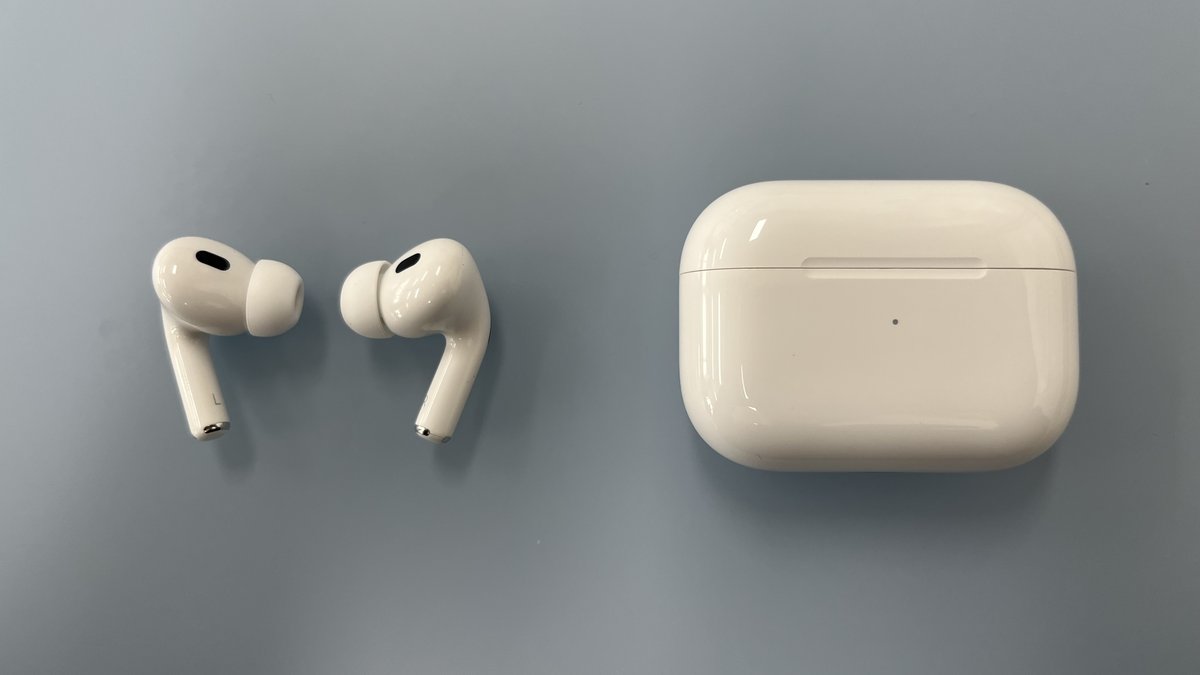
You set the case down on the charger, walk away, come back an hour later, and it’s just as dead as when you left it. No light, no life, no music for the commute. An AirPods case that will not charge is one of the most common Apple headaches out there, and the good news is that it almost never means your AirPods are toast. In the overwhelming majority of cases, the culprit is something cheap and fixable: a frayed cable, a plug of pocket lint jammed in the port, or a wireless pad the case is sitting a hair off-center on.
Here’s the thing most quick-fix listicles get wrong. They hand you nine random “tips” with no order and no logic, so you end up buying a new cable you didn’t need or booking an Apple appointment for a problem a toothpick would have solved. This guide does it the way a repair tech actually would: understand what’s happening inside the case, run the cheap tests first, and only reach for your wallet when the evidence points at real hardware.
Photo: Hajoon0102, CC BY-SA 4.0 (cropped).
- Your case is basically a battery on wheels for your earbuds, so when it won’t charge, the fault is usually in the path to the case, not the earbuds themselves.
- A dead cable or a weak power brick causes more “won’t charge” panics than everything else combined. Test both before you do anything drastic.
- That little status light is a free diagnostic tool: green means full, amber means charging, and no light at all means no power is getting in.
- Clean the charging port with a dry brush or a wooden toothpick only. Metal pins and canned air do real damage and can push lint deeper.
- If the case is still dead after a fresh cable, a clean port, and a reset, you’re looking at hardware, and it’s time to let Apple take over.
How Your AirPods Case Actually Charges
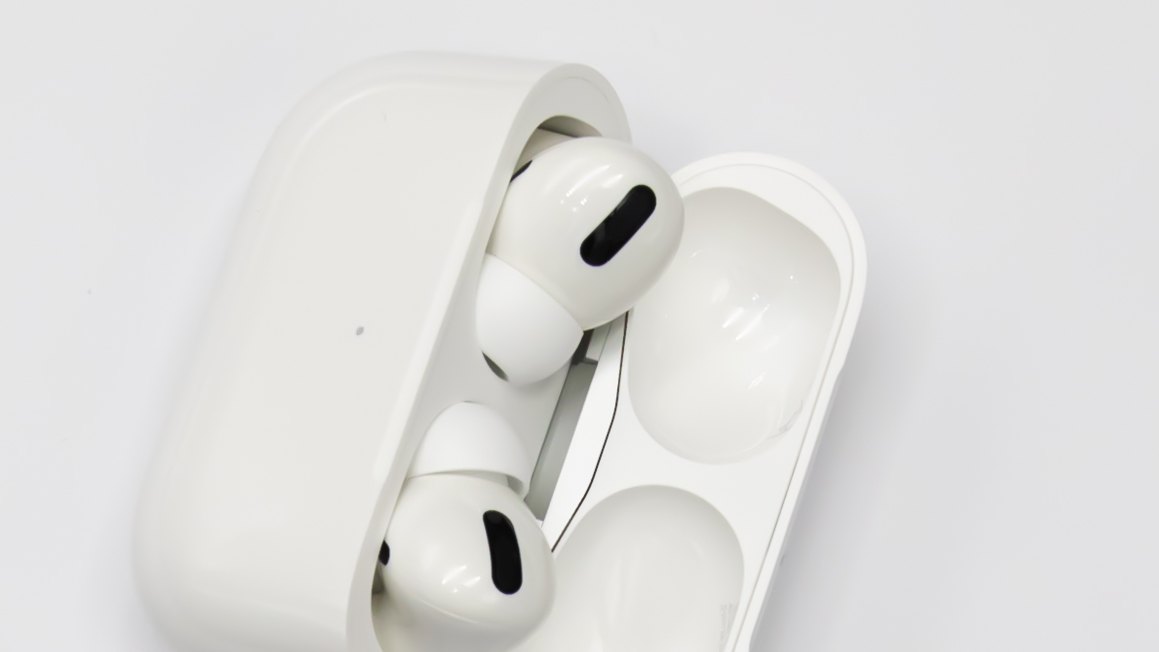
Before you fix anything, it helps to know what you’re actually dealing with. Your AirPods case is a small lithium-ion battery with a job: keep itself topped up from the wall, then quietly refill the earbuds every time you drop them in. The buds charge off the metal contacts inside the case wells. The case charges off the port on the bottom or a wireless coil in its base.
That two-step chain is why the case is usually the part that fails to charge, not the earbuds. If power can’t get into the case, the earbuds never see a drop of it either. So when you’re troubleshooting an AirPods case that won’t charge, you’re really asking one question: where is the power getting blocked on its way in?
Keep in mind: the case charges the earbuds, but the earbuds never charge the case. If your buds are full and your case is empty, that’s completely normal and points you straight at the case’s own power path.
First, Figure Out Which Case You Have
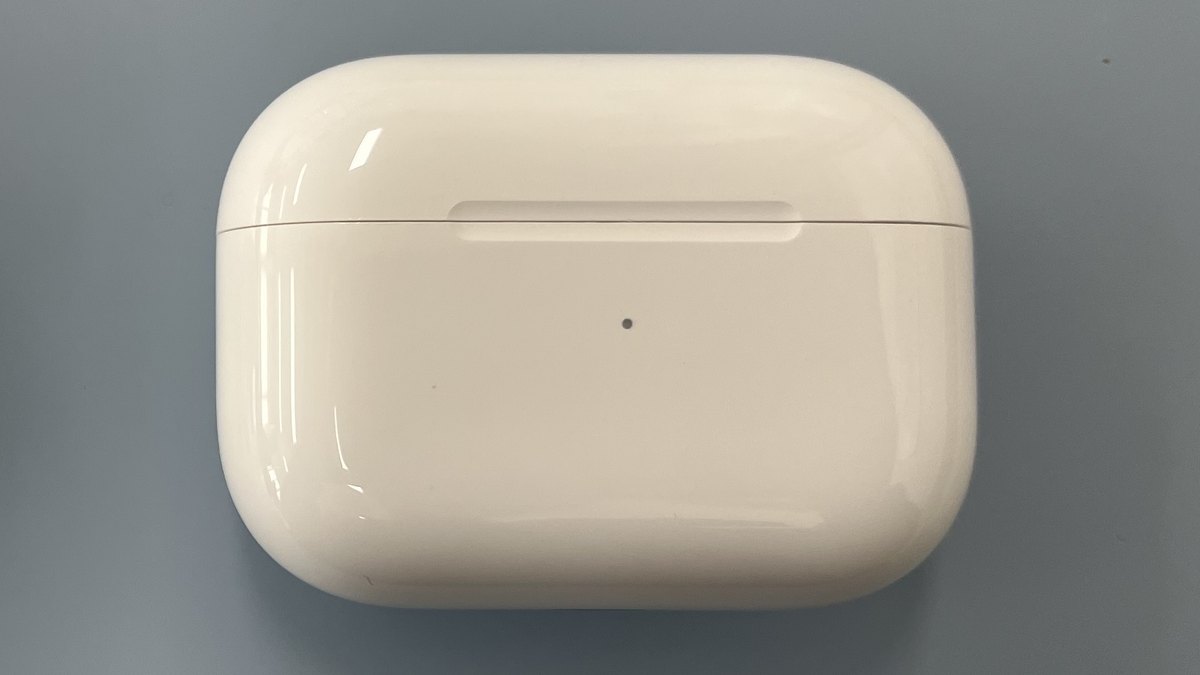
The fix changes depending on how your case takes power, and Apple has shipped three different setups over the years. Knowing yours saves you from trying the wrong solution.
- Lightning cases came with the original AirPods, AirPods 2, AirPods 3, and the 2022 AirPods Pro 2. They charge from the small Lightning port on the bottom.
- USB-C cases ship with AirPods 4, the late-2023 refresh of AirPods Pro 2, and AirPods Pro 3. Same port on the bottom, just the modern oval connector.
- Wireless (MagSafe or Qi) cases can also sit on a charging pad. Every AirPods Pro case and the MagSafe AirPods 3 case can charge this way, with the status light on the front.
Flip your case over and look at the port, then check the front for a status light. If the light lives on the front face, you almost certainly have a wireless-capable case, which matters a lot when we get to the pad-alignment problem below.
Tip: don’t know your exact model? Open the case next to your iPhone and the pop-up card names it for you, or check Settings, then Bluetooth, then the info button beside your AirPods.
The Real Reasons Your Case Stops Charging
This is where most guides just list parts. Instead, here’s what’s actually going wrong inside each one, roughly in the order you should suspect it. Work top to bottom and you’ll catch the common, cheap problems before the rare, expensive ones.
It’s the Cable or Adapter Far More Often Than the Case
A charging cable is the single most abused thing you own. It gets yanked, coiled, stepped on, and stuffed in bags until a wire inside quietly snaps while the outside looks fine. A cracked cable will happily charge a phone and refuse an AirPods case, because the case draws so little power that a marginal connection just gives up. The power brick fails the same silent way, and cheap no-name adapters are the worst offenders.
Tip: test the cable and the adapter separately. Plug your case cable into a brick you know works, then plug a cable you know works into your suspect brick. That splits the problem in one move instead of guessing at a pair.
A Charging Port Packed With Pocket Lint
Your case rides in the same pocket as tissues, receipts, and denim fluff, and the charging port is a perfect little lint trap. Over months it packs down into a felt-like plug that physically holds the connector a millimeter away from the contacts. The cable clicks in and feels fine, but no power flows. This is one of the most common causes of a dead case, and it’s completely free to fix.
A Wall Outlet or USB Port That Can’t Keep Up
Not every power source is equal. A laptop USB port, a car adapter, or an old two-port cube split between two devices can drop below the current the case wants, so it trickles in painfully slowly or not at all. That switch on the wall the lamp is plugged into? If the outlet is dead, so is your case.
A Wireless Charger That’s a Few Millimeters Off
Wireless charging is fussy about alignment. The coil in the case has to line up almost perfectly with the coil in the pad, and a thick third-party case or a slightly off-center placement is enough to break the handshake. Cheap non-certified pads make it worse by delivering weak or unstable power. If your case charges fine with a cable but not on the pad, this is your answer, not a broken case.
A Software or Firmware Hiccup
AirPods run tiny firmware that Apple updates silently in the background, and once in a while a glitch leaves the case confused about its own charging state. It’s the least common cause, but it’s also the easiest to rule out with a reset, which is why it lives near the bottom of the list rather than the top.
A Battery That’s Simply Getting Old
Lithium-ion batteries wear out, full stop. Most cells hold up for roughly 300 to 500 full charge cycles before capacity noticeably sags, and AirPods earbuds often show real decline somewhere around the two-to-three-year mark because the cells are so tiny. The case battery is larger and cycles less, so it usually outlives the buds, but a well-used case eventually holds less and less until it feels like it “won’t charge” when it’s really just draining fast. No fix here, only replacement, but it’s also the rarest reason a case appears totally dead.
Warning: if the case ever feels swollen, won’t sit flat, or gets genuinely hot rather than warm, stop charging it immediately. That’s a battery hazard, not a charging quirk, and it goes straight to Apple.
How to Read the Status Light on Your Case
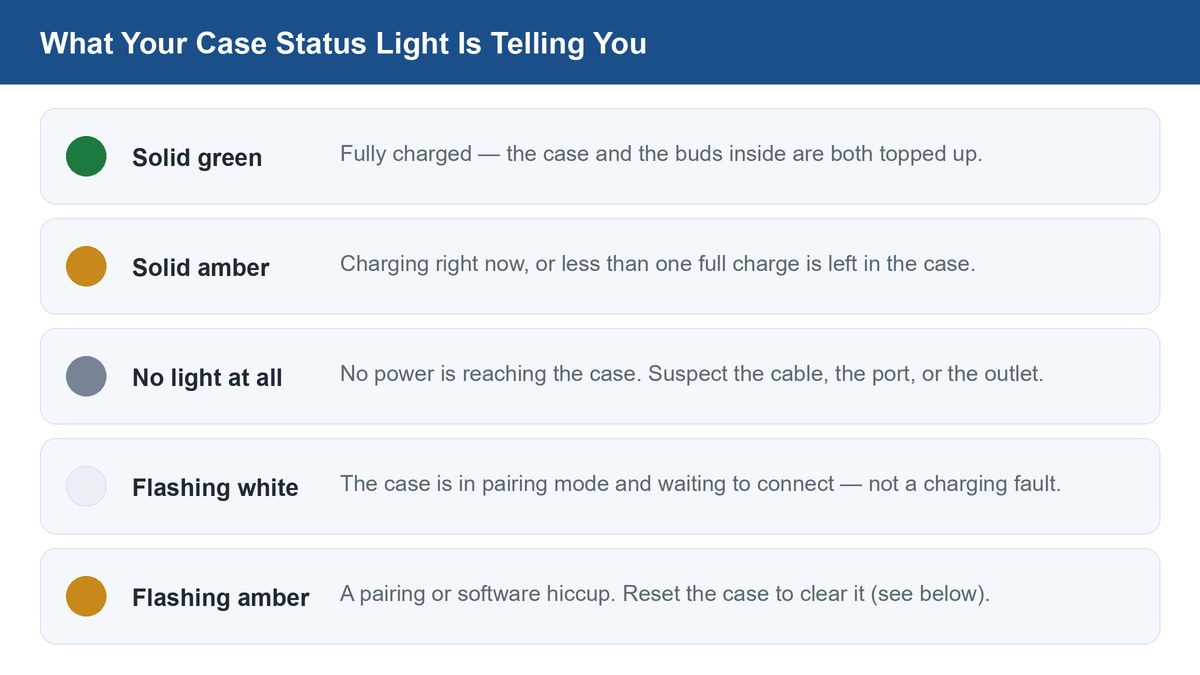
That little LED is the most honest diagnostic you have, and reading it correctly can end your troubleshooting in one second. Apple’s official status-light meanings are simple once you know them.
The most useful trick: plug the case in or set it on the pad and watch. The light flicks on for about eight seconds, then goes dark while it keeps charging. If it never lights up at all, no power is reaching the case, so your problem is the cable, the port, or the outlet, and you can skip everything else.
The Fix Sequence That Solves Most Cases
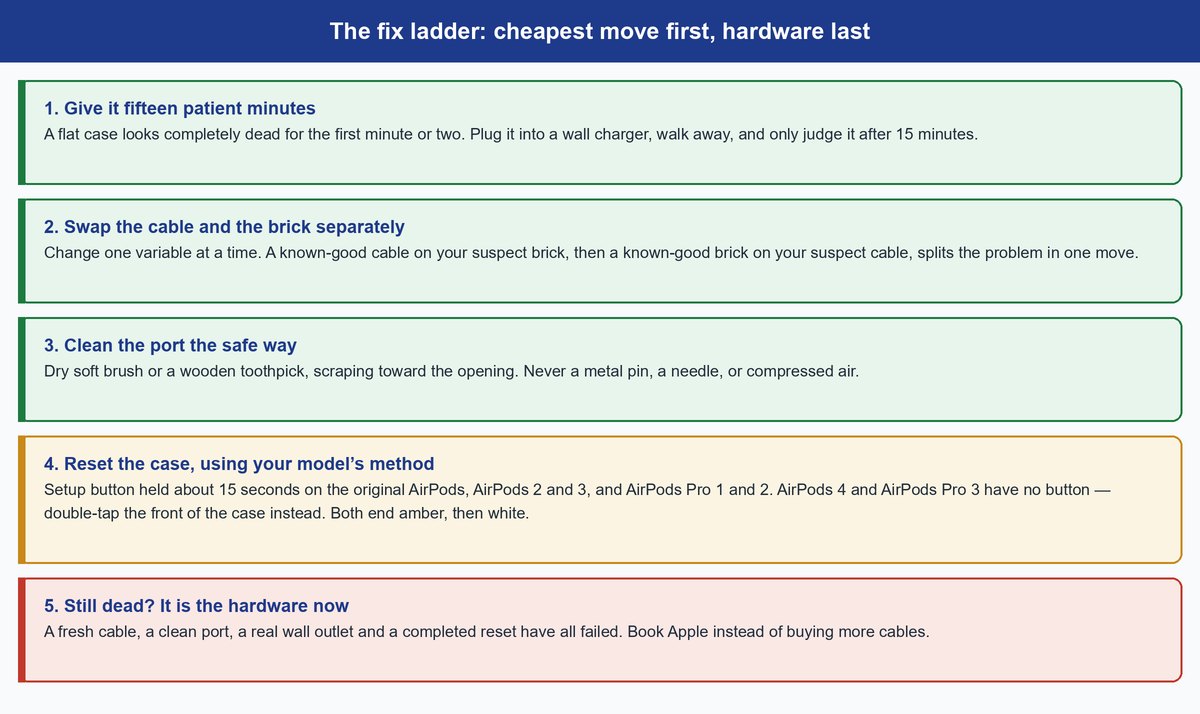
Run these in order. Each step is cheaper and more likely than the one after it, so you’ll usually be done before you reach the bottom.
Start With Fifteen Patient Minutes
A truly flat case can look completely dead for the first minute or two, showing no light even though it’s working. Plug it into a wall charger, leave it alone for at least 15 minutes, and only then judge whether it’s charging. Apple’s own won’t-charge guide says to charge the AirPods and the case for at least 15 minutes before you conclude anything is wrong, and that wait quietly resolves a surprising number of “dead case” scares.
Swap the Cable and the Brick Separately
If 15 minutes on a wall charger does nothing, change the variables one at a time. A different, known-good cable and a different wall adapter will expose the frayed-cable and dead-brick problems that cause most of these failures. Use a proper wall outlet, not a laptop or car USB port, so power delivery isn’t the weak link.
Clean the Port the Safe Way
Shine a flashlight into the port. If you see gray fuzz, gently work it loose with a dry soft-bristle brush, a clean dry toothbrush, or a wooden toothpick. Scrape toward the opening so debris comes out, not deeper in.
Warning: never use a metal pin, a needle, or compressed air. Metal can short or scratch the contacts, and a blast of canned air can drive lint further in or force moisture past the seal. Dry, soft, and gentle only.
Reset the Case When Nothing Physical Is Wrong
If the power path is clearly fine and the case still won’t behave, reset it. On cases with a physical setup button — the original AirPods, AirPods 2 and 3, and AirPods Pro 1 and 2 — put the earbuds inside, open the lid, and press and hold that button until the status light flashes amber and then white, which takes about 15 seconds. The newest cases changed this: AirPods 4 and AirPods Pro 3 dropped the button entirely, so you reset them by double-tapping the front of the case instead, following Apple’s reset steps until you see that same amber-then-white flash. Either way, the reset clears the firmware glitch that occasionally scrambles charging, and afterward you re-pair the AirPods to your phone. Our full walkthrough of how to reset AirPods covers each model’s exact gesture and what the light is telling you at every stage, and if you’ve reset other earbuds before, the idea is the same one we cover in our guide to resetting Bluetooth headphones.
When to Stop DIY and Let Apple Take Over
There’s a point where more cables and more cleaning is just wasted effort. If your case is still dead after a fresh cable, a clean port, a real wall outlet, and a reset, the fault is inside the hardware, and no amount of home fixing will bring it back. The same is true the instant you notice a swollen shell, real heat, or a port that’s visibly damaged or loose.
At that point, price it out honestly. Apple’s out-of-warranty battery service and replacement-case costs land well below the cost of a new pair depending on your model, and AppleCare+ can cover it for far less, so check Apple’s AirPods repair page for your exact figure before you decide. Because the batteries are glued in so tightly, a case that’s genuinely worn out is often not worth repairing on its own, and the math sometimes tips toward a newer pair. This is the same “fix the cheap stuff first, then weigh repair against replacement” logic we apply to a phone that will not charge, and it saves people from paying to service a device that’s on its last legs anyway.
Frequently Asked Questions
Why is only one AirPod not charging in the case?
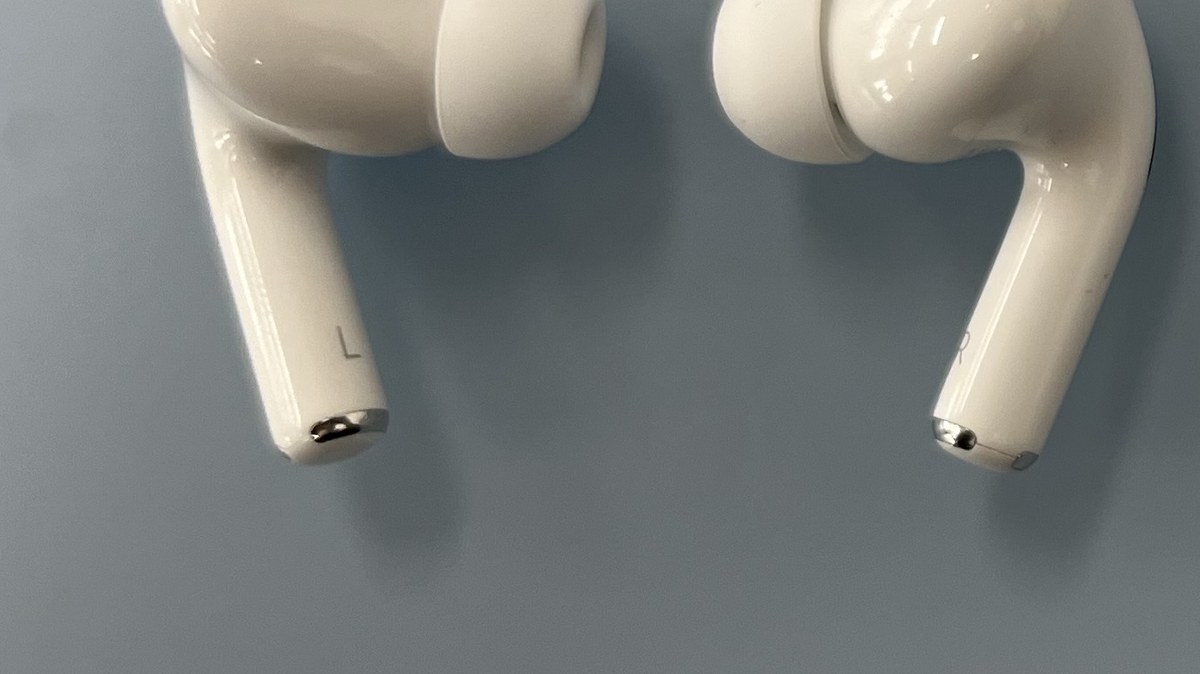
When a single earbud won’t charge but the case is clearly alive, the problem is almost always dirty contacts. Skin oil, earwax, and lint build up on the metal points inside that one well or on the tip of that one earbud. Wipe both with a dry lint-free cloth or a cotton swab, seat the bud firmly, and it usually springs back. If it still won’t take a charge, a reset is your next move.
Can I charge the case without the AirPods inside?
Yes. The case charges its own battery whether or not the earbuds are seated, so you can top it up empty. The only thing you can’t do is charge the earbuds without the case, since they only draw power from the contacts inside it.
How long does an empty AirPods case take to charge?
A fully drained case generally reaches full in about an hour on a cable, a bit longer on a wireless pad. If you’re in a rush, even 15 minutes of charging buys you a few hours of listening, so you rarely have to wait for a full top-up before heading out.
Do the earbuds charge the case, or does the case charge the earbuds?
The case charges the earbuds, never the other way around. If your buds are full but your case is flat, that’s expected, and it tells you to focus entirely on the case’s own power source rather than the earbuds.
My case gets a little warm while charging. Is that a problem?
Mild warmth is normal for any lithium-ion battery while it takes power. What’s not normal is genuine heat you’d hesitate to hold, a case that won’t close flat, or any bulging. Gentle warmth, keep going. Real heat or swelling, stop and get it checked.
Is it worth replacing just the case, or should I buy new AirPods?
If your earbuds still sound great and hold a charge, a replacement case is the cheaper, smarter move and Apple sells them separately. But if the buds are also two or three years old and fading, you’re better off putting that money toward a new pair rather than propping up aging hardware one part at a time.
The Bottom Line on a Dead AirPods Case
Nine times out of ten, a dead AirPods case is a cheap fix, not a dying battery. Swap the cable and brick first, clean out the port, then reset — in that order — and you’ll solve almost every case that looks hopeless. If you’ve run the full sequence and the case is still flat, or it’s showing heat, swelling, or physical damage, that’s your signal to stop DIY and let Apple’s repair or replacement pricing make the call instead of another cable purchase.